[Learning] Inside Different Generations of WebShells (Part 3: Java and C#)
Last Update:
Word Count:
Read Time:
Introduction
This article is part of the Inside Different Generations of WebShells series.
In the previous articles, I introduced OneShell implementations in PHP, ASP, ASP.NET, Perl, and Ruby. I also briefly discussed how a webshell client can be implemented.
In addition, I introduced NebulaPulsar, a webshell implant that allows attackers to transfer code and commands. In this article, I am going to introduce how to integrate it into Alien, and some of the practical engineering challenges I encountered while developing Alien, such as DriftingComet.

NebulaPulsar
NebulaPulsar is a subproject of Alien. The primary purpose of NebulaPulsar is to experiment with and demonstrate techniques for achieving arbitrary code execution in Java and .NET environments.
A NebulaPulsar webshell is implemented as either a JSP or ASP.NET script. During the initial request, it decrypts the NebulaPulsar implant using XOR and stores the loaded implant inside the current session. Subsequent payloads (DarkMatter) are then decrypted using AES and executed through the implant.
This is the overall architecture of NebulaPulsar.
Note: If you are interested in the underlying principle of NebulaPulsar, you may refer to these articles: NebulaPulsar: A Proof-of-Concept In-Memory Implant Framework for JSP and ASP.NET, NebulaPulsar 2.0: CFM Webshell and New Features.
Integrating into Alien
From both an engineering and research perspective, once a problem has been solved, reproducing the solution is usually much easier the second time.
Since I had already implemented the concept in Python, integrating it into Alien turned out to be much easier than I expected.
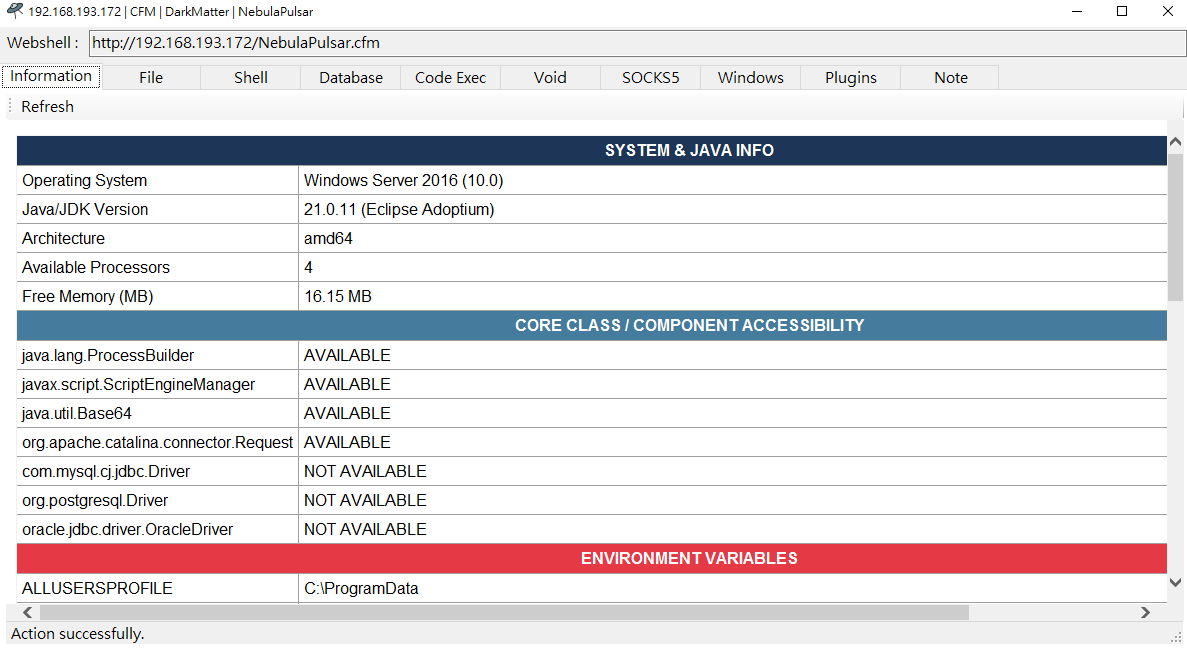
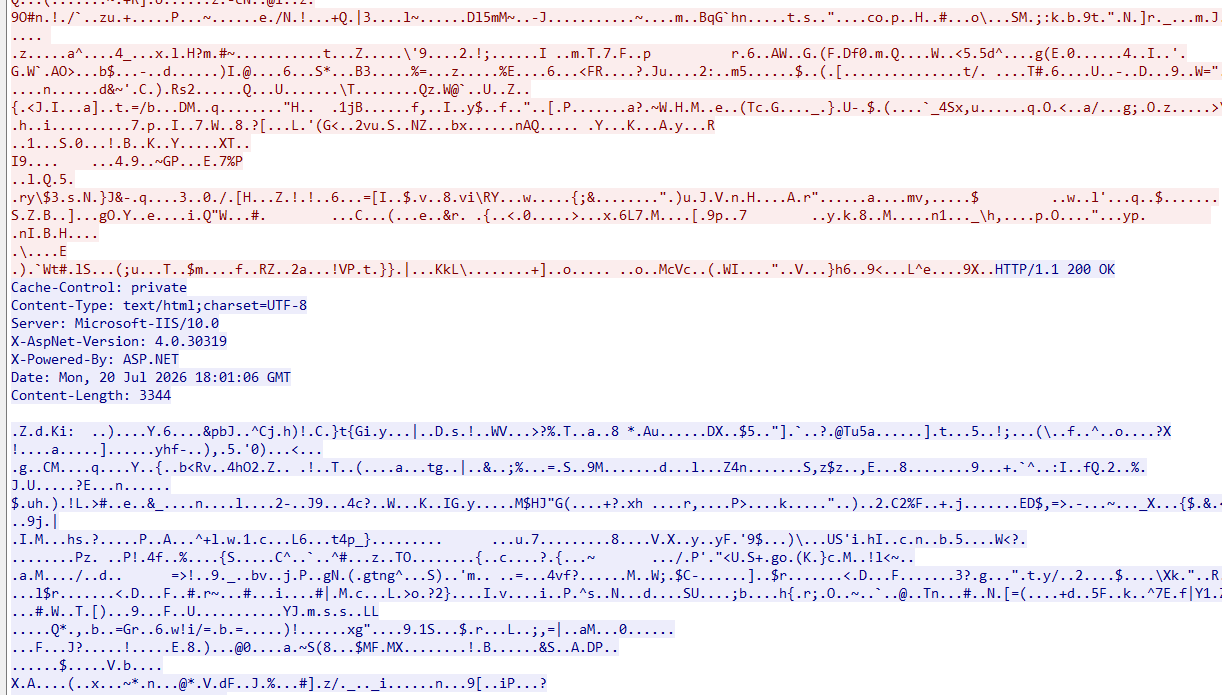
As shown in the figure above, the payload is encrypted using AES and transferred as raw binary data.
What I did not expect was that my “bad” naming convention would actually become an advantage from an engineering perspective. Instead of embedding every payload directly into the client application, Alien loads payloads dynamically at runtime. All payloads are stored under the ./Payload directory, making them much easier to develop, test, and debug independently.
I intentionally use lowercase names for all payload files. For example, the code below shows how Alien reads a payload file:
1 | |
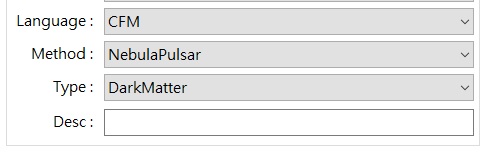
Here, file_read is the payload file, the fnszSendPayload function then loads the corresponding payload file. The scripting language depends on the target selected by the user. In this case, it is file_read.class since I selected CFMf and NebulaPulsar.
Now, if you read the source code of the Java payload, you can see the code is implemented as follows:
1 | |
The naming convention may look somewhat unconventional. However, I believe this turned out to be a surprisingly good design decision (not because I wrote it!) because it guarantees that class names will never conflict with third-party libraries.
For example, if I later develop plugins that depend on external libraries, this naming convention greatly reduces the chance of naming conflicts. This naming convention effectively avoids ambiguity caused by those libraries.
In addition, it can also prevent duplicate class names on the target server. For example, http, Http, and HTTP are considered different identifiers.
Fortunately, this naming convention was adopted only after I had already implemented the PHP, ASP, and ASP.NET payloads. This fortunate coincidence saved me from renaming every payload and modifying Alien accordingly.
The C# payloads adopt the same implementation:
1 | |
MemoryShell
After completing roughly 80% of Alien, I decided to start implementing the plugin system. One of the largest components is MemoryShell.
If you are unfamiliar with the concept, a MemoryShell is an in-memory webshell that operates without leaving files on disk.
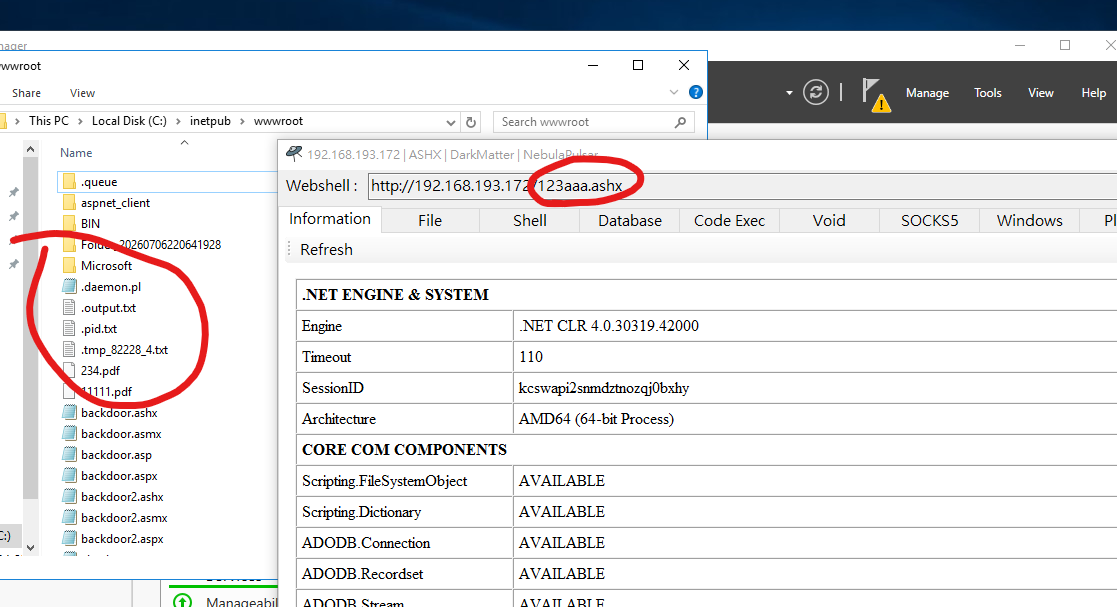
Note: Originally, I planned to discuss both Java and .NET MemoryShell implementations in this article. However, I soon realized that the topic deserved a dedicated article. On top of that, MemoryShells are advanced techniques that go beyond the scope of NebulaPulsar. They are also more closely related to Alien’s plugin architecture than to NebulaPulsar itself.
Issues of DriftingComet
DriftingComet is Alien’s webshell hopping (pivoting) mechanism. It allows users to pivot through previously compromised web servers to reach additional targets.
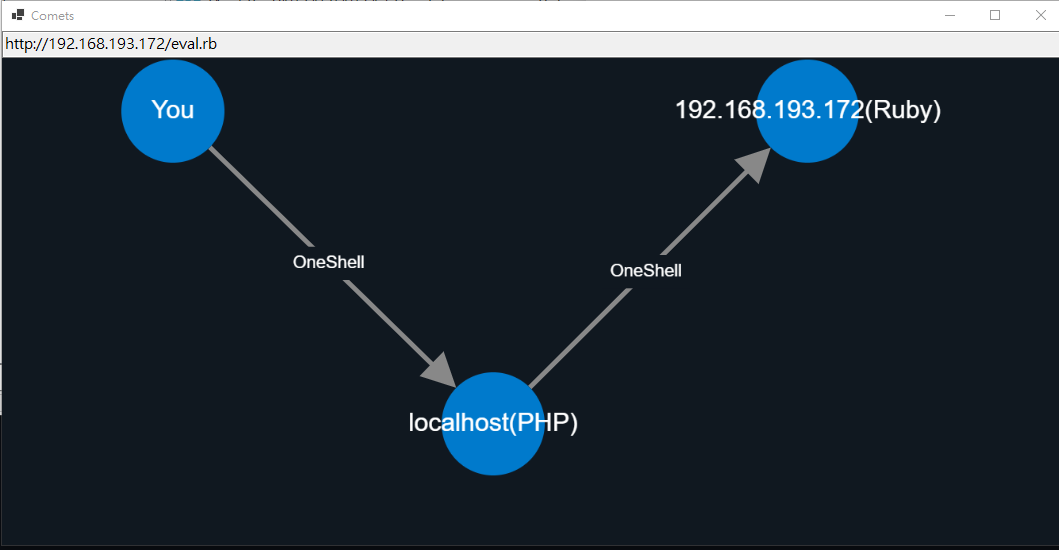
While implementing this feature, I encountered a problem: DriftingComet currently supports only text-based OneShells. NebulaPulsar, however, communicates entirely through binary payloads, making it incompatible with the current implementation.

At the time of writing, DriftingComet in Alien v5.0.0 supports only traditional OneShells (including those protected by Event Horizon, which will be discussed in the next article).
Supporting NebulaPulsar is planned for a future release.
In addition, the initial XOR-based implant loader will become configurable, allowing additional algorithms such as RC4 to be used.
Conclusion
In this article, I introduced how NebulaPulsar was integrated into Alien and discussed several engineering decisions made during its development.
Although NebulaPulsar provides arbitrary code execution for Java and .NET environments, integrating it into a practical webshell framework required much more than simply executing code. Dynamic payload loading, naming conventions, and compatibility between different scripting environments all became important design considerations.
I also introduced DriftingComet and briefly discussed the challenges of supporting binary-based implants. Although the current implementation has some limitations, it provides a solid foundation for future improvements.
In the next article, I will introduce Event Horizon, an obfuscation framework designed for OneShells, and explain how it can be combined with DriftingComet to improve both flexibility and evasion.
Feedback and suggestions are always welcome!

THANKS FOR READING