[Book] PC Assembly Language
Last Update:
Word Count:
Read Time:
Background
It has been a while since the last article noting a book.
If you have never read those articles, then I would like to introduce this type of articles.
This type of articles are used for keeping notes of books that I read. Unlike other articles, such as malware analysis. This is a “notebook”.
The content will be continuously updated.
Introduction
I started reading PC Assembly Language to strengthen my understanding of low-level execution, which is essential for analyzing bootkits (e.g., Petya), rootkits, and memory corruption vulnerabilities.
Unlike typical summaries, this article serves as a long-term notebook. However, I will also highlight concepts that are directly useful for malware analysis.
The content will be continuously updated as I read through the book.
El libro
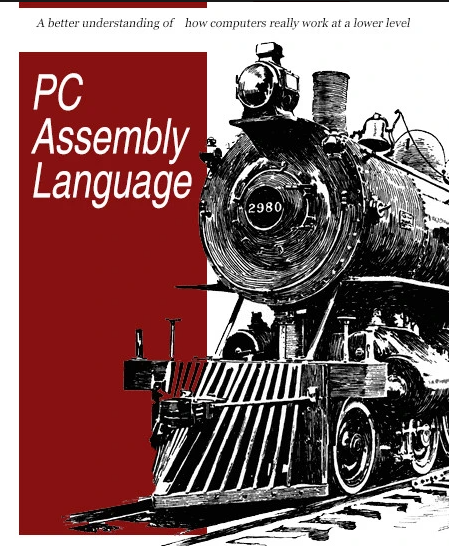
Why This Matters for Malware Analysis
Assembly language is not just a programming language, it is the ground truth of how programs execute.
For example:
- Bootkits operate before the OS is loaded -> requires understanding of low-level execution
- Shellcode directly manipulates registers and memory
- Reverse engineering often requires reading compiler output in assembly
Therefore, understanding calling conventions, stack layout, and register usage is critical.
Reflections
I previously learned RISC-V assembly, and NASM differs in several aspects.
My goal in learning assembly is to better understand low-level mechanisms such as shellcode, bootkits, and implants.
This book focuses on fundamental concepts such as memory layout and instruction behavior, making it a solid starting point for assembly programming.
Chapter 1 - Introduction
Key Concept: C Calling Convention
One important concept introduced in this chapter is the cdecl calling convention.
This convention defines:
- How arguments are passed (stack)
- Who cleans the stack (caller)
- How return values are passed (EAX)
This is extremely important in reverse engineering because many malware samples rely on standard calling conventions.
Skeleton program, this program can be used for any program that you want to develop:
1 | |
The original author of this book developed three significant scripts for importing into other program and are widely used through the entire book:
cdecl.hcdecl.casm_io.inc
The source code of these script are available in this GitHub repository.
The author published this book years ago, the platform that the author used is different from today’s platforms. Therefore, some compiling instructions might lead unexpected errors. After investigation, the corrected compiling procedure is shown below:
1 | |
Chapter 2 - Basic Assembly Language
2.1 - Integer Operations
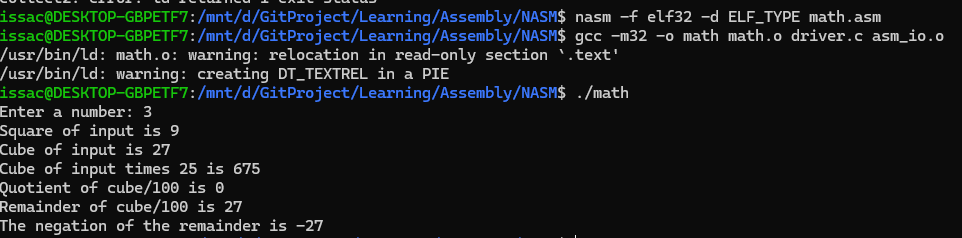
The program below demonstrates how to use IO system:
1 | |
2.2 - Control Structures
The adc and sbb instructions use this information in the carry flag. The adc instruction performs the following operation:
The sbb instruction performs:
How are they used? Consider the sum of 64-bit integers in EDX:EAX and EBX:ECX. The following code would store the sum in EDX:EAX:
1 | |
Subtraction is very similar. The following code subtracts EBX:ECX from EDX:EAX:
1 | |
For large numbers, a loop could be used. For a sum loop, it would be convenient to use adc instruction for every iteration.
Comparison
In assembly, comparison does not directly return a boolean value. Instead, the result is stored in the FLAGS register.
This is different from high-level languages like C, where comparisons return true/false.
Instead:
cmpperforms subtraction internally- The result is reflected in FLAGS (ZF, CF, SF, OF)
This means that control flow depends on how we interpret these flags.
When the difference vleft - vright is computed, the flags are set accordingly. If the difference of the cmp is zero, vleft = vright, then ZF is set (i.e. 1) and the CF is unset (i.e. 0). If vleft > vright, then ZF is unset and CF is unset (no borrow). If vleft < vright, then ZF is unset and CF is set (borrow).
For signed integers, there are three flags that are important: the zero (ZF) flag, the overflow (OF) flag and the sign (SF) flag. The overflow flag is set if the result of an operation is overflow (or underflow). The sign flag is set if the result of an operation is negative. If vleft = vright, the ZF is set (just as for unsigned integers). If vleft > vright, the ZF is unset and SF = OF. If vleft < vright, ZF is unset and SF != OF.
Why does
SF = OFifvleft > vright? If there is no overflow, then the difference will have the correct value and must be non-negative. Thus,SF = OF = 0. However, if there is an overflow, the difference will not have the correct value (and in fact will be negative). Thus,SF = OF = 1.
An example is shown below:
1 | |
The following example demonstrates how conditional branching is implemented using FLAGS:
1 | |
Another example is shown below:1
2
3
4if (EAX >= 5)
EBX = 1;
else
EBX = 2;
If EAX is greater than or equal to five, the ZF may be set or unset and SF will equal OF. Therefore, the pseudo code can be converted below:
1 | |
The above code is awkward. Fortunately, the 80x86 provides additional branch instructions to make these type of tests much easier.
1 | |
My Takeaway
The key idea here is that assembly does not have “true/false”.
Everything is driven by FLAGS.
This explains why reverse engineering requires understanding
how conditions are implemented, not just what they mean.
Loop
The 80x86 provides several instructions designed to implement for-like loops:
loop: Decrements ECX, if ECX not equal 0, branches to labelloope,loopz: Decrements ECX (FLAGS register is not modified), if ECX not equal 0, branches to labelloopne,loopnz: Decrements ECX (FLAGS unchanged), if ECX not equal 0 and ZF = 0, branches to label
An example is shown below:
1 | |
The pseudo code can be converted below:
1 | |
2.4 - Example: Finding Prime Numbers
1 | |
This pseudo code can be converted below:
1 | |
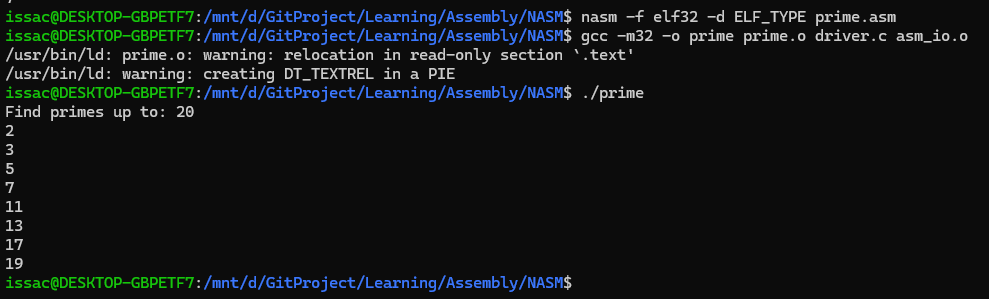
Note: Using different branch instructions can help us to understand how CPU and registers handle integers.
Chapter 3 - Bit Operations
Shift Operations
Logical shifts
The number of positions to shift can be either be a constant or can be stored in the CL register. The last bit shifted out of the data is stored in the carry flag.
An example is shown below:
1 | |
Arithmetic shifts
The left shift remains the same. However, for right shfts, the leftmost bit (sign bit) is replicated in the vacated positions to preserve the sign of the number.
The instructions is shown below:
sal: Shift arithmetic leftsar: Shift arithmetic right
Rotate shifts
Unlike logical or arithmetic shifts, no bits are lost, and there is no padding with zeros (or sign bit). The bits “wrap around” to the opposite side.
Observations
Bit operations are extremely efficient because they directly map to CPU instructions.
Compared to multiplication or division:
- Shifts are faster
- Often used as low-level optimizations
For example:
shl eax, 1—> equivalent toeax * 2shr eax, 1—> equivalent toeax / 2(unsigned only)
These patterns are commonly seen in performance-critical code.
Chapter 4 - Subprograms
Simple Subprogram Example
A subprogram is an independent unit of code that can be used from different parts of a program. In other words, a subprogram is like a function in C.
A jump can be used to invoke the subprogram, but returning presents a problem. If the subprogram is to be used by different parts of the program, it must return back to the section of code that invoked it. Thus, the jump back from the subprogram can not be hard coded to a label.
1 | |

The Stack
The SS segment register specifices the segment that contains the stack (usually this is the same segment data is stored into). The ESP register contains the address of the data that would be removed from the stack.
The push instruction inserts a double word on the stack by subtracting 4 (double world = 4 bytes) from ESP and then stores the double world at [ESP]. The pop instruction reads the double world at [ESP] and then adds 4 to ESP.
An example is shown below:
1 | |
If the stack is also used inside the subprogram is store data, the number needed to be added to ESP will change. Thus, it can be very complex to use ESP when referencing parameters. To solve this problem, the 80386 supplies another register to use: EBP. This register’s only purpose is to reference data on the stack.
The C calling convention mandates that a subprogram first save the value of EBP to be equal to ESP. This allows ESP to change as data is pushed or popped off the stack without modifying EBP. At the end of the subprogram, the original value of EBP must be restored.
After the subprogram is over, the parameters that were pushed on the stack must be removed. The C calling convention specifies that the caller code must do this. Other conventions are different (ex. the Pascal calling convention specifies that the subprogram must remove the parameters).
1 | |
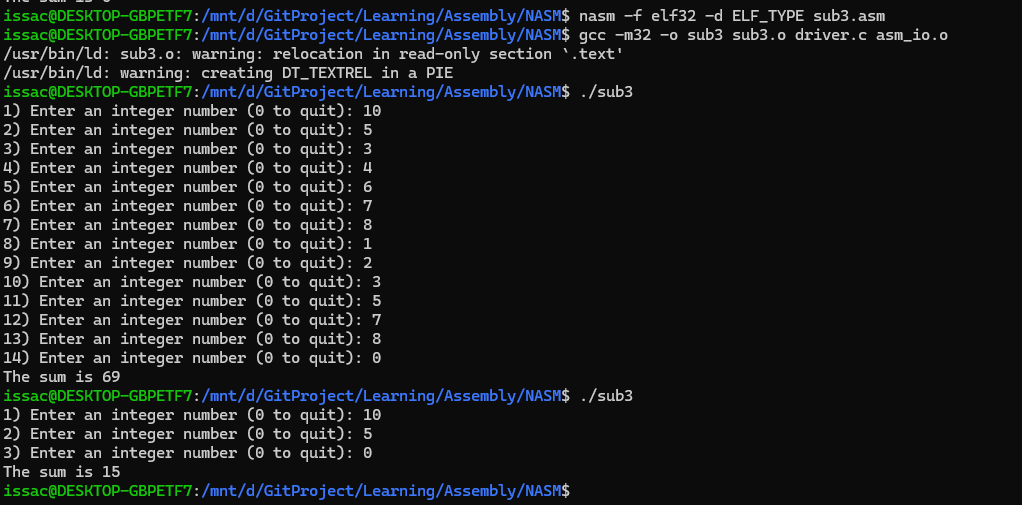
Interfacing Assembly with C
Different compilers require different formats. Borland and Microsoft require MASM format. DJGPP and Linux’s gcc require GAS format. The technique of calling an assembly subroutine is much more standardized on the PC.
Calculating addresses of local variables
If x is located at EBP - 8 on the stack, one cannot just use:
1 | |
The value that mov stores into eax must be computed by the assembler (that is, it must in the end be a constant). However, there is an instruction that does the desired calculation:
1 | |
Now eax holds the address of x and could be pushed on the stack when calling the function.
Note: The
leainstruction never read memory. It only computes the address that would be read by another instruction and stores this address in this first register operand. Since it does not actually read any memory, no memory size designation (e.g.,dword) is needed or allowed.
Other calling conventions
The GCC compiler allows different calling conventions. For example, to declare a void function that uses the standard calling convention named f that takes a single int parameter, use the following syntax for its prototype:
1 | |
The function above could be declared to use this convention by replacing the cdecl with stdcall. The difference in stdcall and cdecl is that stdcall requires the suboutine to remove the parameters from the stack (as the Pascal calling convention does). Thus, the stdcall convention can only be used with functions that take a fixed number of arguments (i.e., onec not like printf and scanf).
Borland and Microsoft use a common syntax to declare calling conventions. They add the __cdecl and __stdcall keywords to C. For example, the function f above would be defined as follows for Borland and Microsoft:
1 | |
The advantage of the stdcall convention is that it uses less memory than cdecl.
Examples
1 | |
The code above can be written as assembly code below:
1 | |
Key Insight
The stack frame structure is one of the most important concepts in low-level programming.
By understanding how EBP and ESP are used:
- function parameters can be identified
- local variables can be reconstructed
- function boundaries become clearer
This is fundamental when analyzing compiled binaries.
Chapter 5 - Arrays
Introduction
Defining arrays in the data and bss segments
1 | |
Example
The example below shows how to use an array and passes it to a function.
1 | |
Array access in assembly is essentially pointer arithmetic.
For example:
[ebx + 4*esi]means:- base address = ebx
- index = esi
- element size = 4 bytes (dword)
Thus: array[i] —> base + i * sizeof(element)
The lea instruction revisited
The lea instruction can be used for other purposes than just calculating addresses. A fairly common one is for fast computations. Consider the following:
1 | |
This effectively stores the value of 5 * eax into ebx. Using lea to do this is both easier and faster than using mul. However, one must realize that the expression inside the square brackets must be a legal indirect address. Thus, this instruction can not be used to multiple by 6 quickly.
Skipped Sections
The later chapters (e.g., classes, polymorphism, and floating point) were intentionally skipped in this note.
These topics are less relevant to my current focus on:
- low-level execution
- reverse engineering
- malware analysis
They may be revisited in the future if needed.
Conclusion — Why This Book Matters for Reverse Engineering (My Perspective)
From a reverse engineering perspective, the most important takeaways so far are:
- Calling convention -> identify function arguments
- Stack frame -> reconstruct local variables
- FLAGS -> understand constrol flow
- Bit operations -> recognize compiler optimizations
These concepts directly appear in disassembly and are essential when analyzing malware.
THANKS FOR READING