[Studying] Analyzing Petya
Last Update:
Word Count:
Read Time:
Introduction
This article is part of my series: Inside Different Generations of Ransomware.
If you are interested in the full series, please refer to the mentioned page.
This article presents a reverse engineering analysis of Petya.
Key Takeaways
- Multi-stage payload design (dropper -> DLL -> MBR payload)
- MBR overwrite via WriteFile for pre-boot execution
- Real-mode 16-bit assembly execution environment
- MFT encryption via Salsa20, targets file system structure, not individual files
- ZwRaiseHardError used to force BSOD and trigger reboot
- Recovery is possible if the correct key is provided

Petya
Petya is a family of encrypting malware that was first discovered in 2016. The malware targets Microsoft Windows operating systems. It infects the Master Boot Record to execute a payload that encrypts a HDD or SSD file system table and performs a fake CHKDSK after a restart.
In June 2017, a new variant of Petya was used for a global cyberattack, primarily targeting Ukraine. The new variant propagates via the Eternalblue (was used earlier in the year by WannaCry), EternalRomance and psexec. Kaspersky Lab referred to this new version as NotPetya to distinguish it from the 2016 variants. 1
Although Petya and NotPetya share a similar name, they are different. Petya allows recovery if the correct key is provided, while NotPetya was designed purely for destruction and is generally unrecoverable. Additionally, Petya does not include a worming module, whereas NotPetya does.
This article focuses on Petya. The analysis of NotPetya will be presented in a future article.
Experimental Environment
To safely conduct malware analysis, the environment should be isolated using virtual machines. Under no circumstances should malware be executed on a personal or production system.
| Tool | Description |
|---|---|
| ExeInfo PE | Detect packers, compilers, and basic file metadata |
| Detect It Easy (DIE) | Identify packers, protectors, and signatures |
| Wireshark | Network traffic analysis |
| x32dbg | Win32 application debugging tool |
| Ghidra | Software reverse engineering framework |
| Device | IP Address | Description |
|---|---|---|
| Windows 7 x64 (VM) | 192.168.85.5 | Victim machine |
| Windows 10 x64 (VM) | 192.168.85.3 | Analysis machine |
The two virtual machines were configured within an isolated internal network to prevent unintended external communication. If you want to know how to set up your experimental environment, please view:
- How to Setup Your Experimental Environment for Malware Analysis
- Installing VMware Tools on Windows XP and Windows 95 with VMware WorkStation 17
Launch
Petya requires Administrative privilege because it modifies the physical drive.
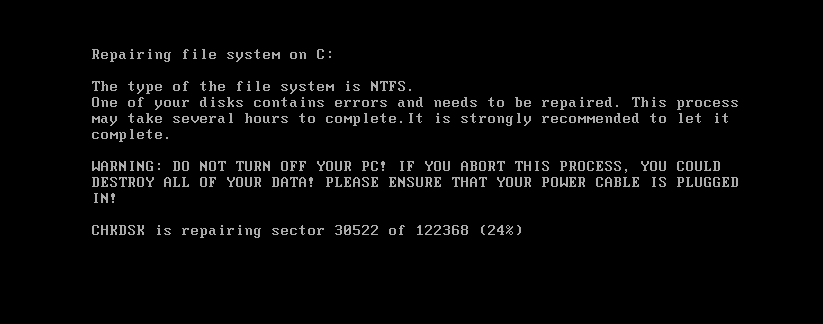
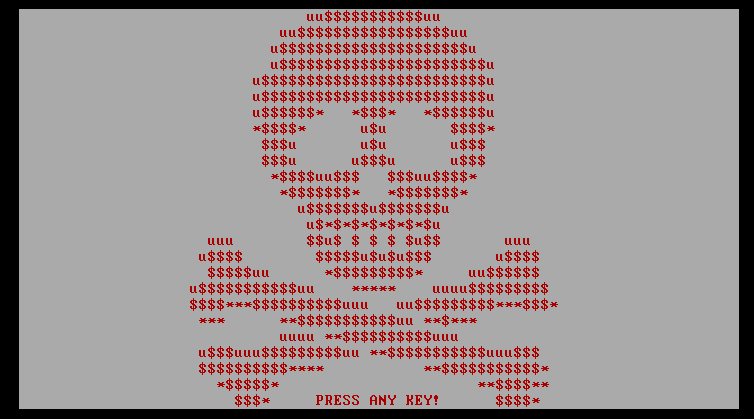
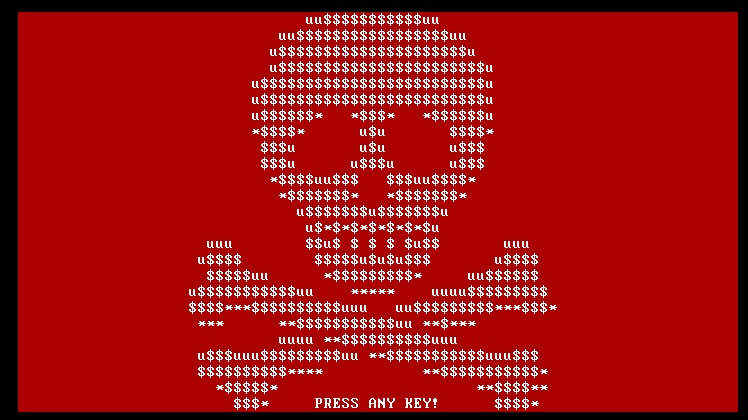
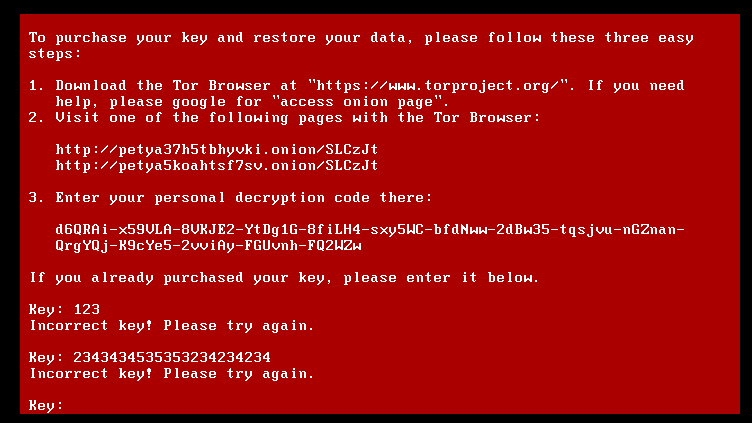
After successful execution, a fake CHKDSK screen with ASCII skull art is displayed:
Reverse Engineering
Open the malware using ExeInfo PE and DIE (Detect It Easy):
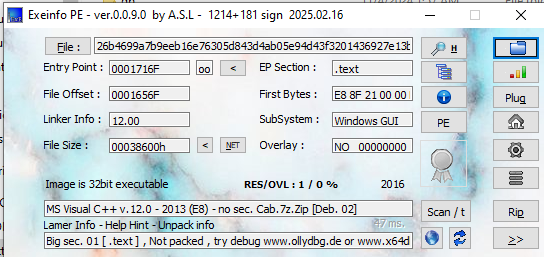
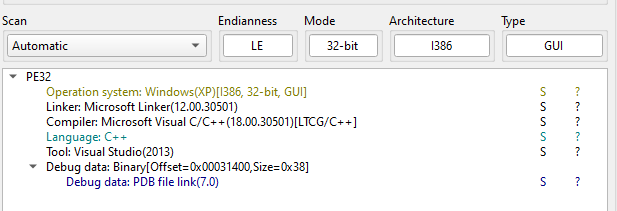
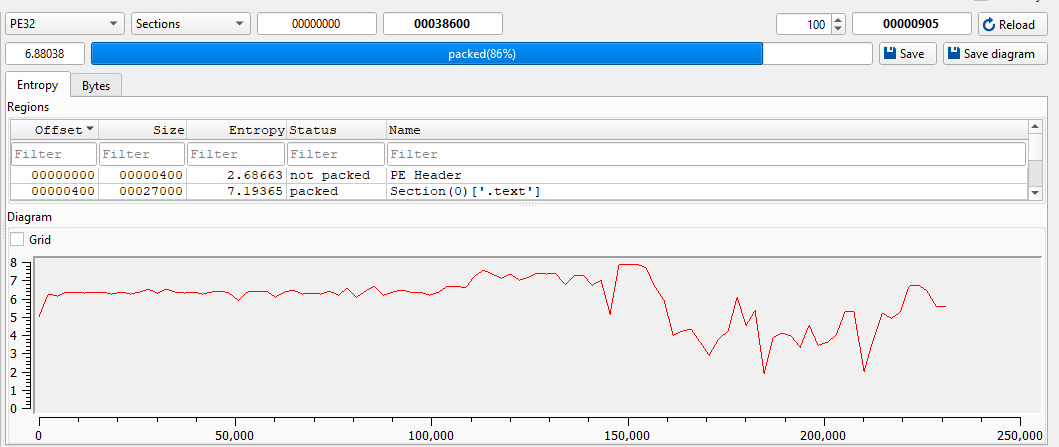
Open the malware using Ghidra:
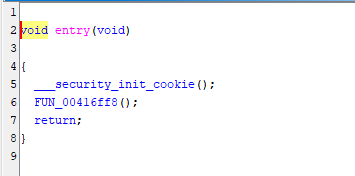
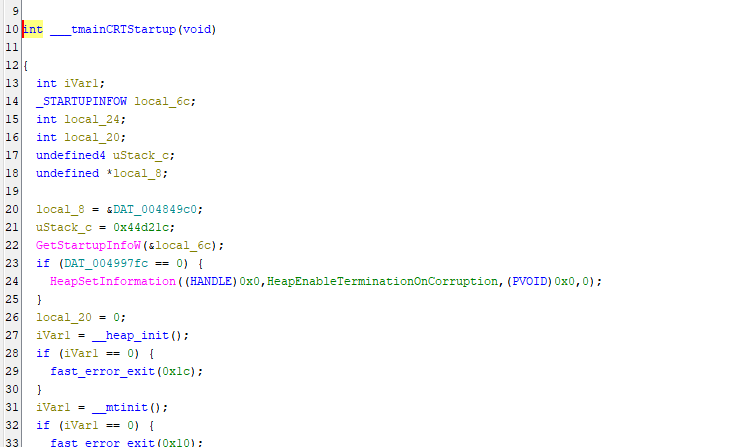
The payload is obfuscated and contains junk data:
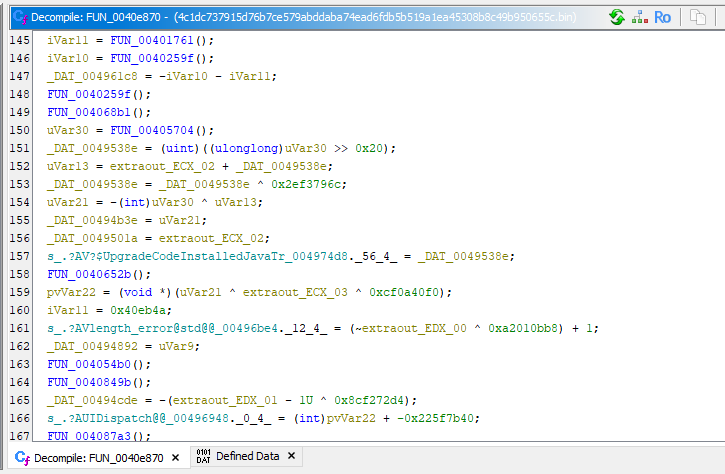
Therefore, dynamic analysis using x32dbg was required to assist static analysis.
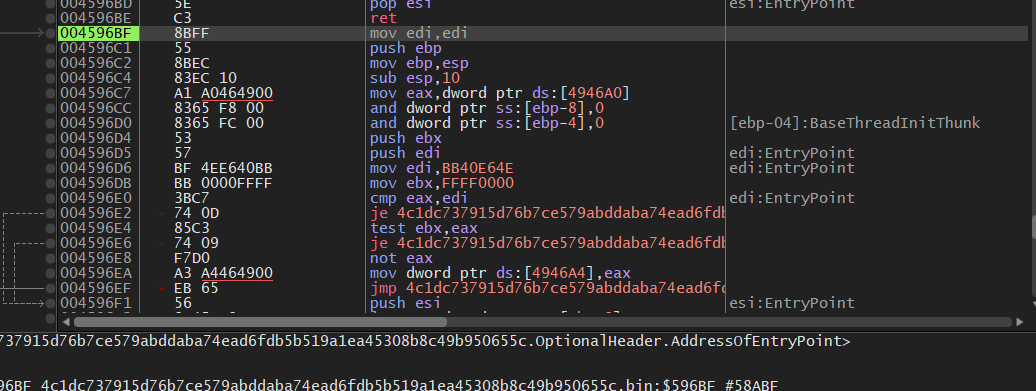
Note: If you want to use Scylla, you also need to launch it with administrative privileges.
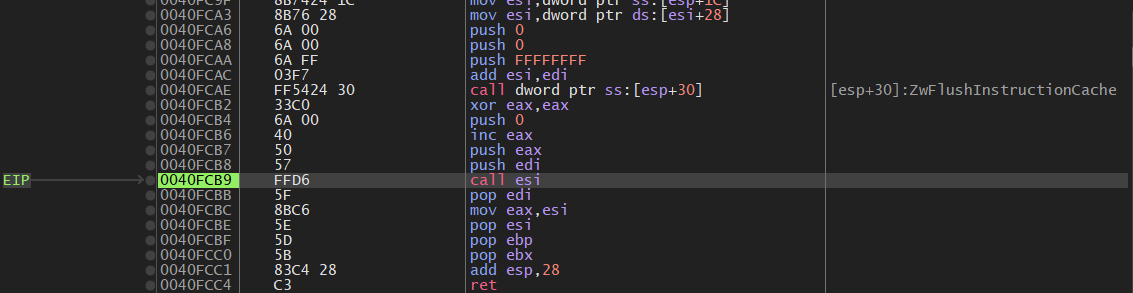
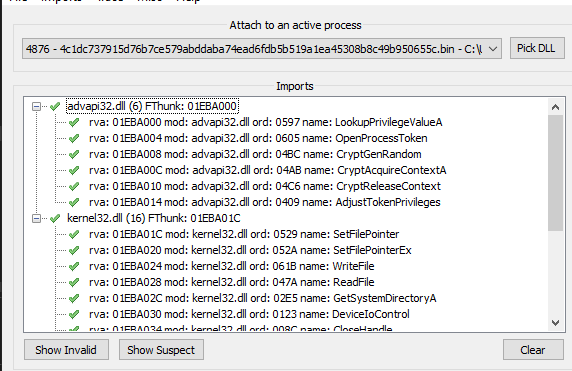
Initially, a BSOD occurred consistently, even when setting breakpoints on key APIs. I then realized Petya decrypts and executes an embedded payload in memory:
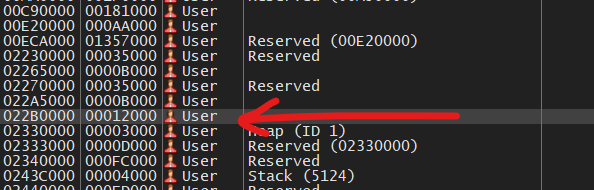
By inspecting the Memory Map, the payload was located and successfully dumped:
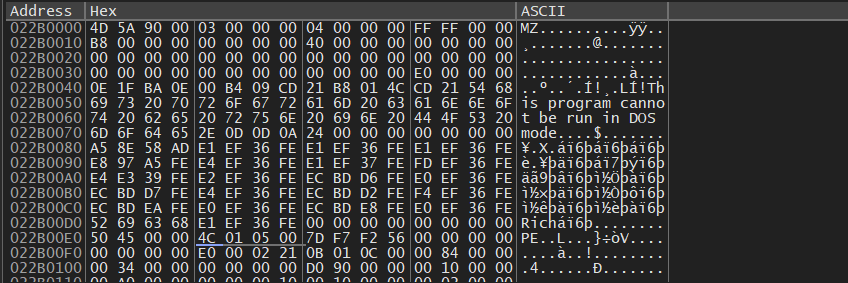
ExeInfo PE and DIE confirmed that the dumped payload is a DLL file:
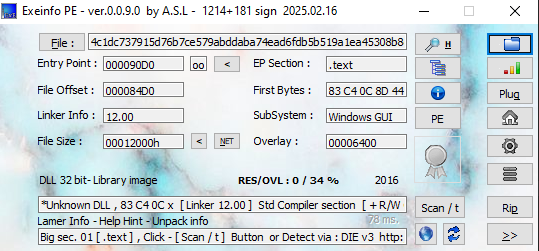
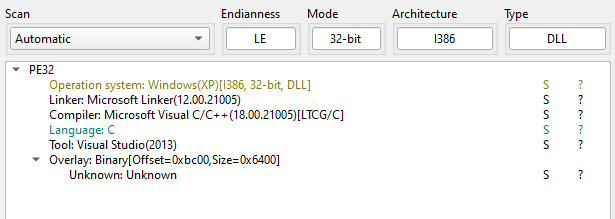
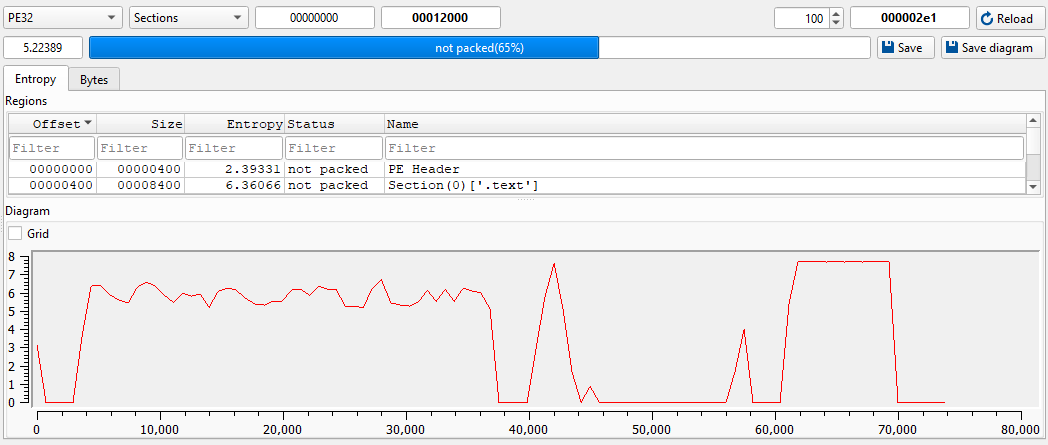
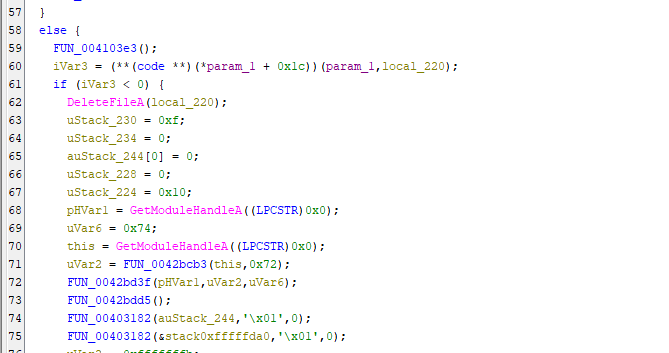
I opened the DLL payload using Ghidra and found several keywords used in Petya malware:
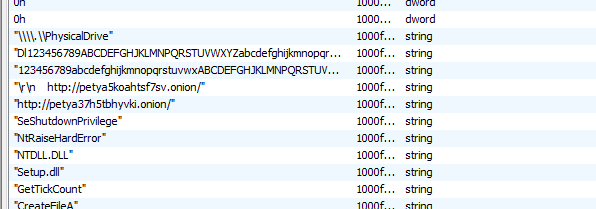
This stage 2 payload decrypts another embedded payload, which is the MBR payload used for fake CHKDSK:
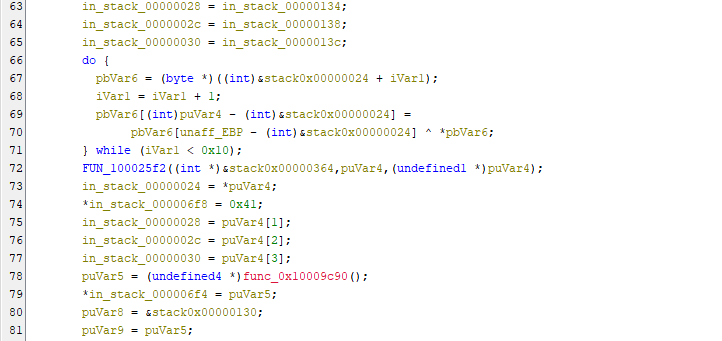
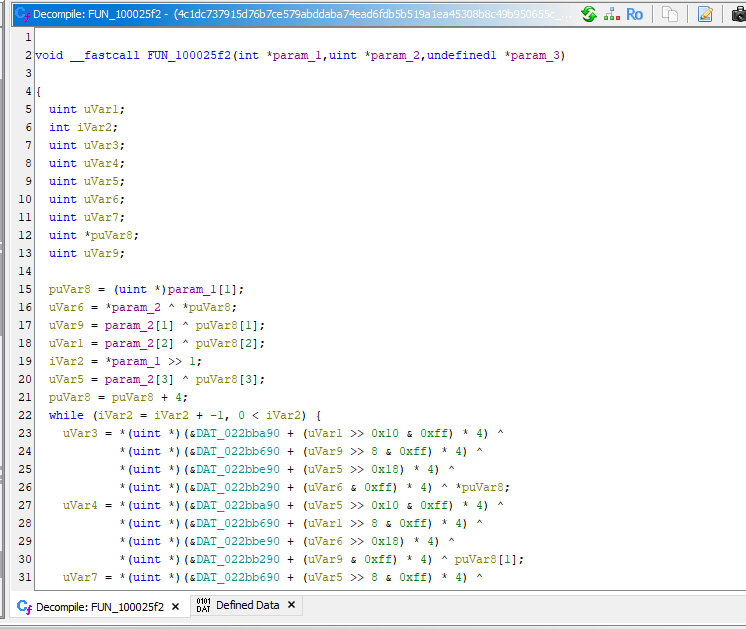
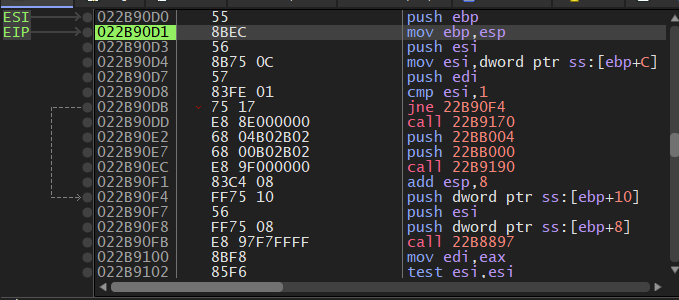
Therefore, I returned to x32dbg and continued the dynamic analysis:

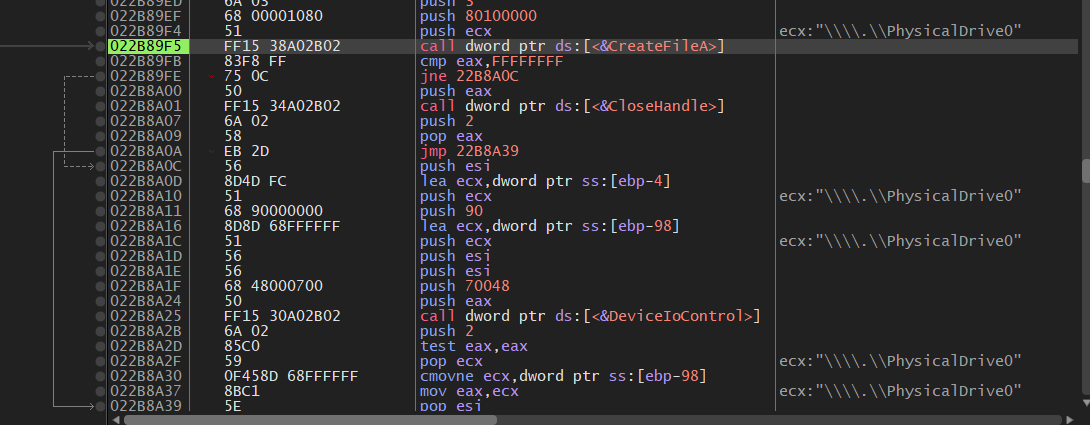
The malware uses DeviceIoControl to retrieve parameters of the disk:
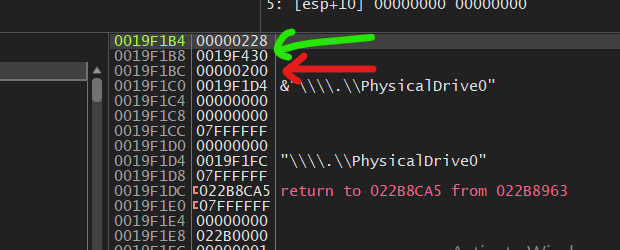
The malware writes the MBR payload into the physical drive via WriteFile.

According to the official document, WriteFile API is defined below:
1 | |
Hence, 0019F430 is the start address of the MBR payload used by Petya, while 0x200 is the size of the payload. Hexadecimal 0x200 is 512 in decimal. It matches the size of MBR boot loader.
Note: If you want to understand the basic principle of MBR payload, please refer to this article.
Locate 0019F430 in x32dbg:
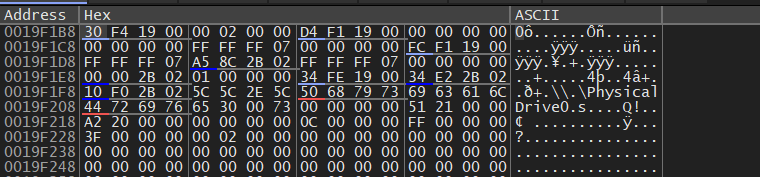
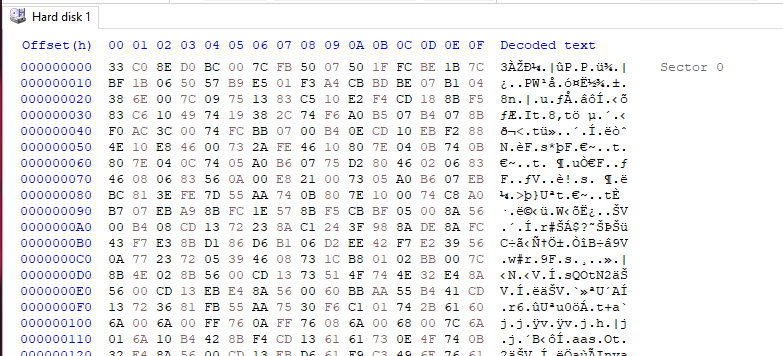
Then, the MBR payload can be retrieved in x32dbg. On the other hand, it can also be retrieved using HxD. HxD allows users to directly edit the hard disk:
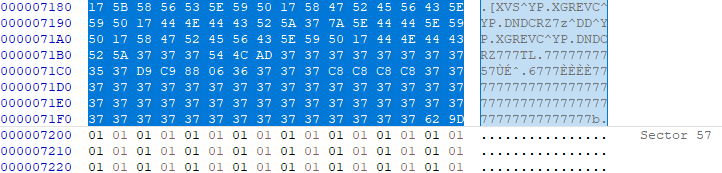
Petya overwrites the disk from sector 1 to sector 56:
I saved it into a new binary file and opened it using Ghidra:
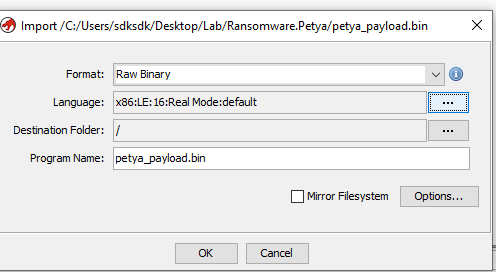
Note that you may need to configure the language by yourself, use x86:LE:16:Real Mode:default.
When a PC first powers on, it does not start in the modern 32-bit or 64-bit “Protected Mode” we use today. Instead, it starts in “Real Mode”. To ensure compatibility with the original intel 8086 processor (released in 1978), every modern x86 CPU begins execution as if it were a 16-bit processor.
At the moment Petya’s malicious MBR takes control, the Windows operating system has not loaded yet. There are no advanced drivers, no virtual memory, and no “Flat” memory model.
If you attempt to disassemble Petya’s MBR code using a 32-bit setting, the Opcodes will be misinterpreted. Certain byte sequences that represent a single 16-bit instruction might be seen as part of a 32-bit instruction, leading to incorrect instructions or registers being represented (e.g., using EAX instead of AX).
Furthermore, the base address must be configured as 0000:7C00:
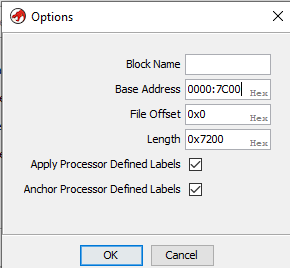
The reason is, after the BIOS performs the POST (Power-On Self-Test), it looks for a bootable device. It reads the first 512-byte sector (the MBR) of that device into physical memory. Since the early 1980s (starting with the IBM 5150), BIOS firmware is programmed to load the MBR specifically to the address 0000:7C00.
Once the code is loaded, the BIOS executes a jump instruction to 0x7C00 handing over total control of the hardware to whatever code resides there.
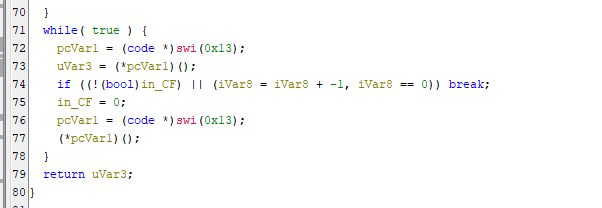
Back in Ghidra, the binary might not be automatically decompiled after opening. In this case, press “D” to decompile:
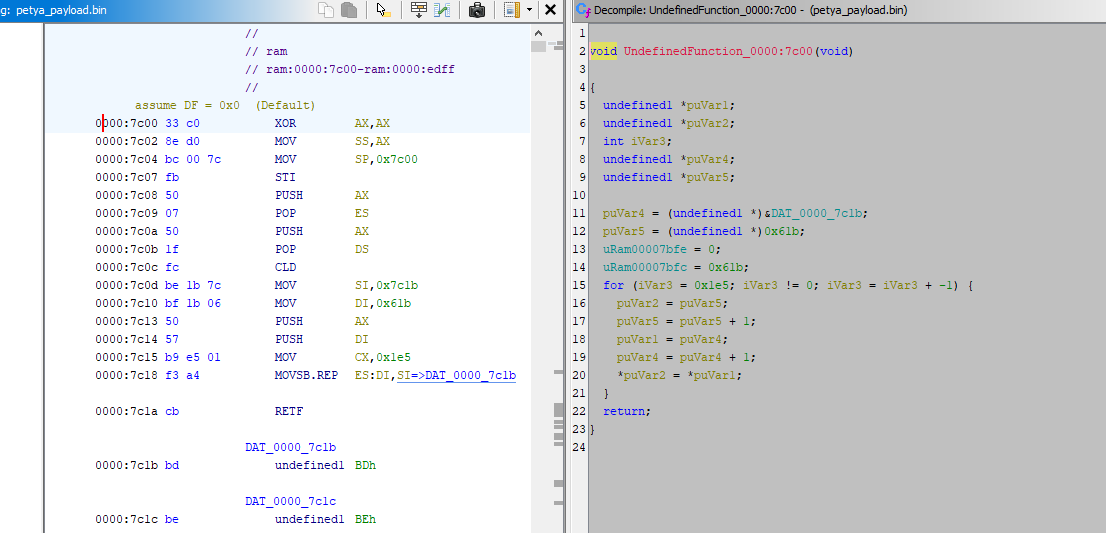
Red screen:
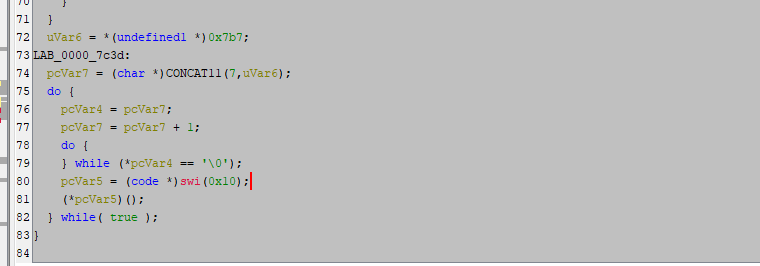
Read sector:
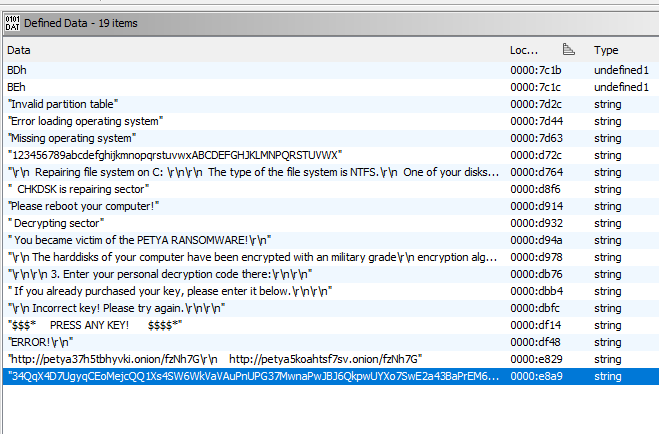
Keywords used for fake CHKDSK can be found in this payload:
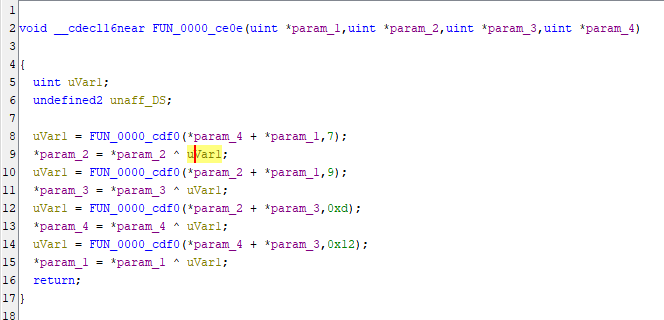
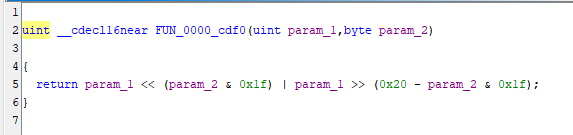
Petya’s MBR payload uses Salsa20 algorithm to encrypt MFT (Master File Table):
Finally, Petya uses an undocumented Windows API ZwRaiseHardError to induce BSOD once the MBR payload is written to PhysicalDrive0.
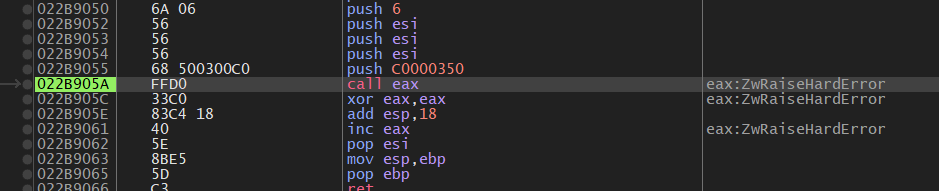
At this point, the full execution chain of Petya becomes clear:
- User-mode dropper decrypts and loads intermediate payloads
- Intermediate payload prepares disk access and overwrites the MBR
- The malicious MBR executes before the operating system boots
- The MBR payload encrypts the MFT, rendering the file system inaccessible
Unlike traditional ransomware that encrypts files individually, Petya operates below the operating system, targeting the disk structure itself.
The overall procedure is summarized below:
Conclusion
This article presents a reverse engineering analysis of Petya ransomware, focusing on its multi-stage payload execution and low-level disk manipulation.
Unlike most modern ransomware, Petya does not encrypt individual files. Instead, it targets the Master File Table (MFT). By corrupting the file system structure, it effectively makes all files inaccessible without encrypting them one by one.
From a technical perspective, Petya demonstrates strong expertise in low-level system design. The use of MBR modification, real-mode execution, and direct disk access reflects a deep understanding of how computers boot and manage storage.
However, from a usability perspective, this approach has limitations. The ransom message is displayed in a pre-boot environment, where users cannot easily copy cryptocurrency addresses or URLs. This creates friction in the payment process and may reduce the effectiveness of monetization.
In summary, Petya represents a unique approach to ransomware design:
- Technically sophisticated (low-level disk control)
- Highly destructive (entire file system denial)
- But less user-friendly compared to later ransomware families
This trade-off may explain why later ransomware shifted back to file-level encryption, balancing technical effectiveness with attacker usability.
Petya is not just ransomware, it demonstrates how powerful malware can become when it operates below the operating system.
References
1. https://en.wikipedia.org/wiki/Petya_(malware_family) ↩
THANKS FOR READING