[Studying] Analyzing WannaCry
Last Update:
Word Count:
Read Time:
Finally! This ransomware!
Introduction
This article is part of my series: Inside Different Generations of Ransomware.
If you are interested in the full series, please refer to the mentioned page.
This article presents an analysis of WannaCry.
Key Takeaways
- Multi-stage payload design with embedded encrypted resources
- Memory-resident payload extraction via debugging
- Hybrid cryptosystem (RSA + AES) with layered key protection
- File classification strategy to maximize impact and efficiency
- Anti-forensics techniques (memory wiping + disk overwriting)
- Practically infeasible recovery without attacker-controlled keys

WannaCry
WannaCry is one of the most notable ransomware outbreaks in 2017. The WannaCry ransomware attack was a worldwide cyberattack in May 2017, targeting Windows operating systems via the MS17-010 Eternalblue vulnerability and DoublePulsar (a kernel-level backdoor implant used for post-exploitation) developed by the United States National Security Agency (NSA). 1
Note: The underlying mechanism of Eternalblue and DoublePulsar is very complicated. It requires highly professional knowledge to understand it. Therefore, it will be covered in the future articles.
WannaCry cyberattack also significantly affected the ecosystem of Ransomware-as-a-Service (RaaS). The number of ransomware attacks increased dramatically since WannaCry cyberattack. In addition, the term “Ransomware” became popular because of it.
It also really impressed me when I was a middle school student. It made me feel like I was looking back at the adversary that shaped my path.
This article focuses on the design philosophy and underlying technical mechanisms.
Experimental Environment
To safely conduct malware analysis, the environment should be isolated using virtual machines. Under no circumstances should malware be executed on a personal or production system.
| Tool | Description |
|---|---|
| ExeInfo PE | Detect packers, compilers, and basic file metadata |
| Detect It Easy (DIE) | Identify packers, protectors, and signatures |
| Wireshark | Network traffic analysis |
| PETools | Static analysis tool |
| x32dbg | Win32 application debugging tool |
| Ghidra | Software reverse engineering framework |
| Device | IP Address | Description |
|---|---|---|
| Windows 7 x64 (VM) | 192.168.85.5 | Victim machine |
| Windows 10 x64 (VM) | 192.168.85.3 | Analysis machine |
The two virtual machines were configured within an isolated internal network to prevent unintended external communication. If you want to know how to set up your experimental environment, please view:
- How to Setup Your Experimental Environment for Malware Analysis
- Installing VMware Tools on Windows XP and Windows 95 with VMware WorkStation 17
Launch
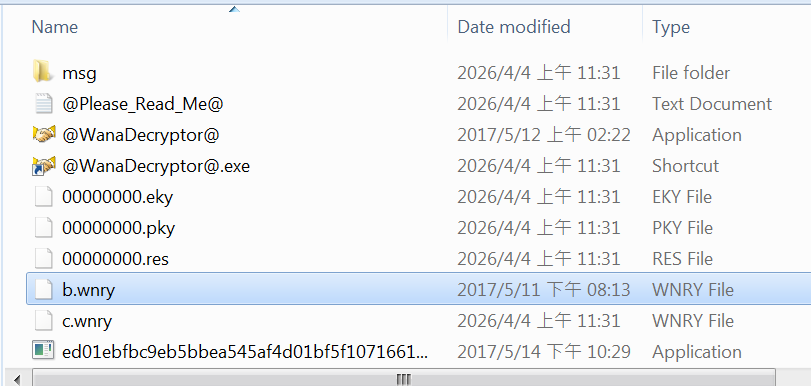
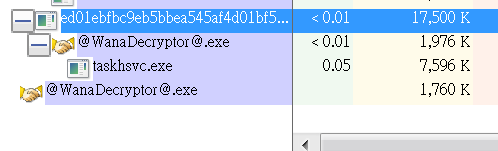
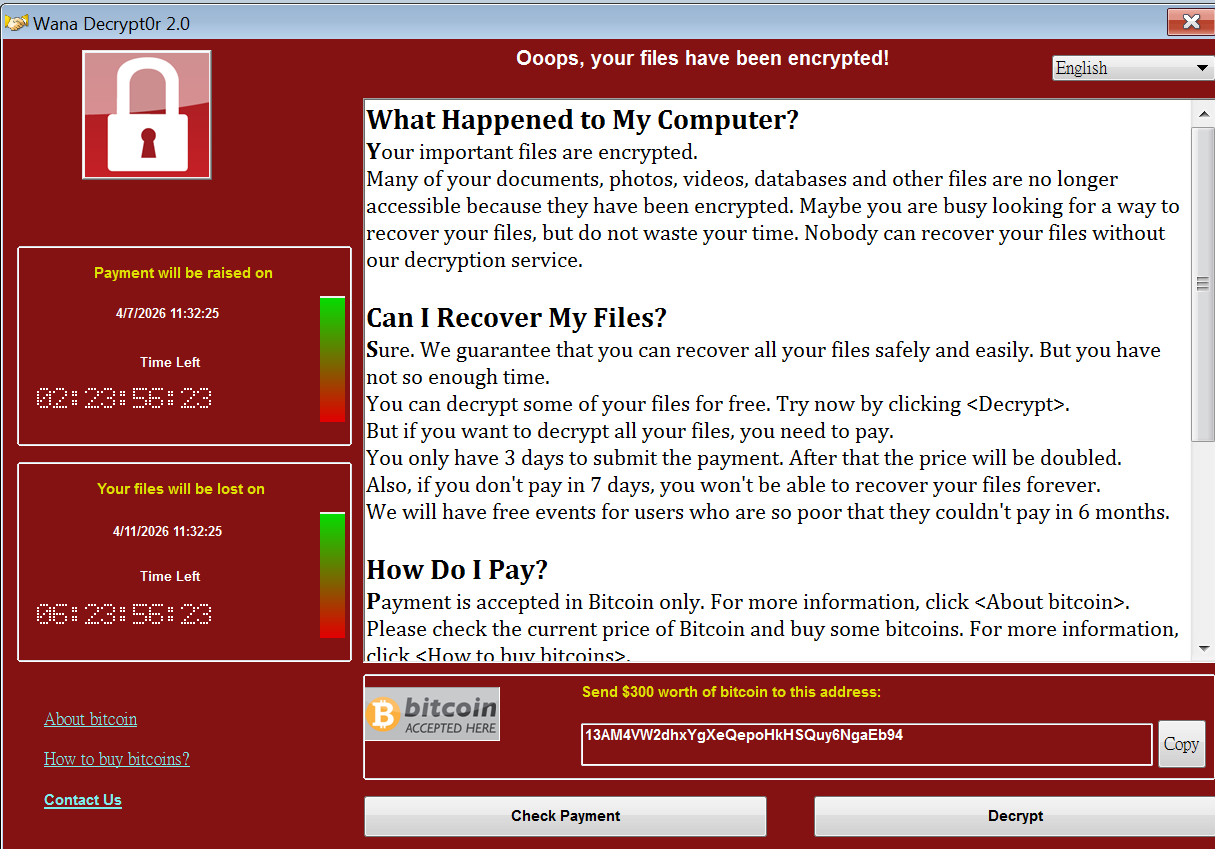
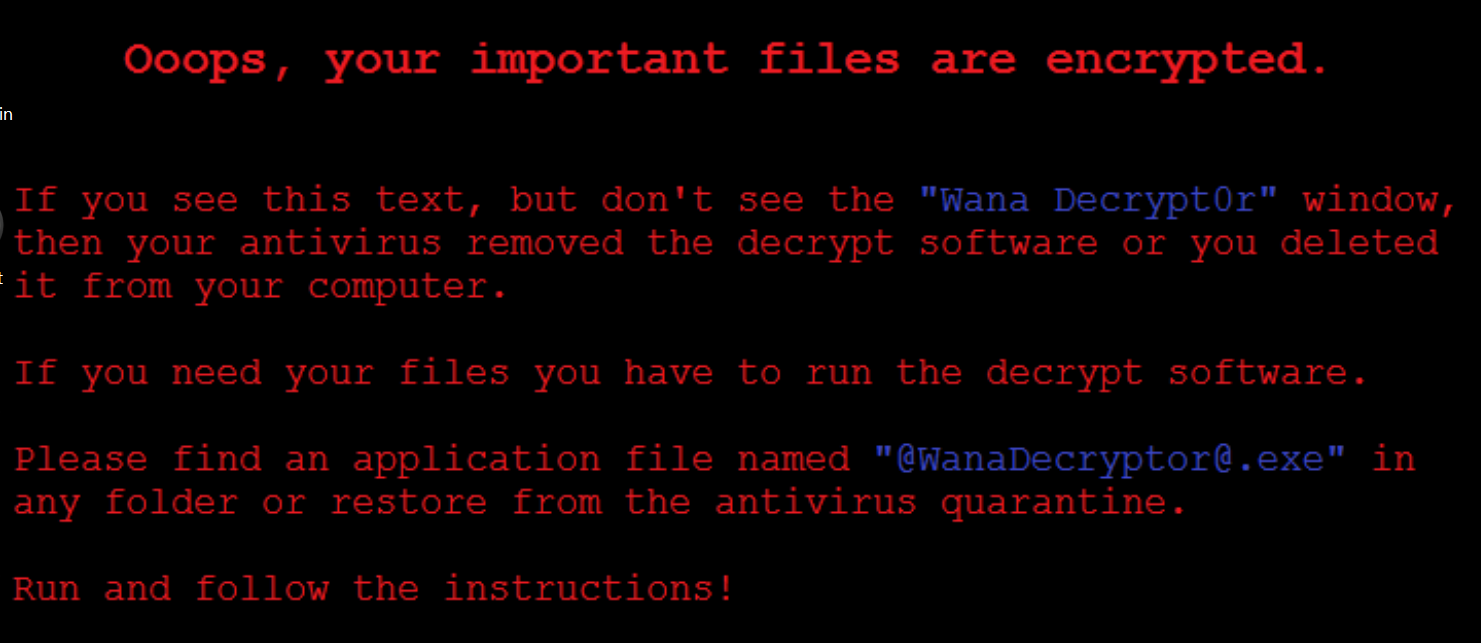
After launching the payload, multiple files were released:
Protocol Analysis
Due to the isolated environment, no meaningful C2 communication was observed during analysis.
This phenomenon will be discussed.
Reverse Engineering
Both ExeInfo PE and DIE (Detect It Easy) confirmed that the malware is written in C++.
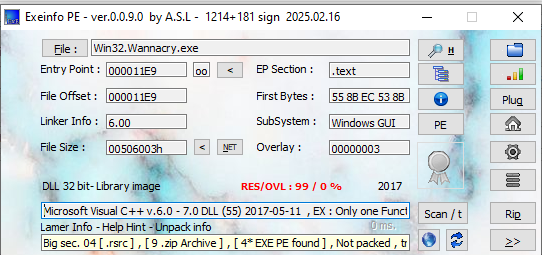
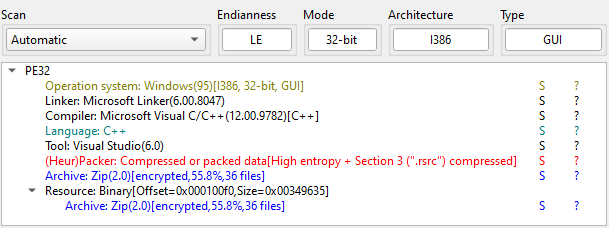
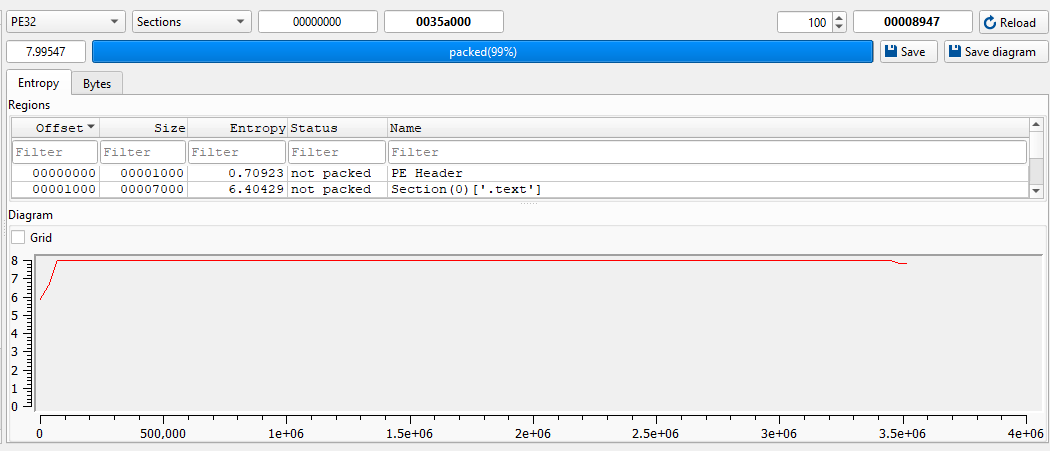
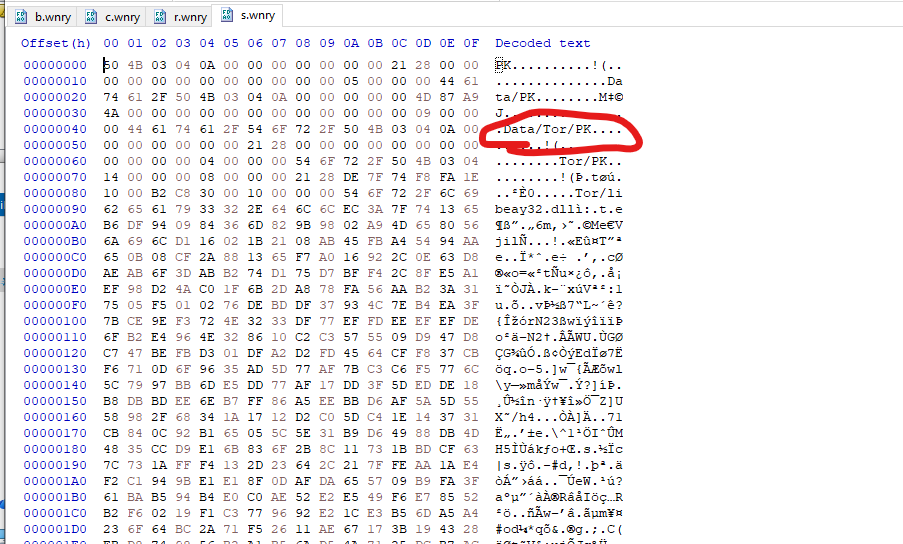
The payload contains a ZIP file in its resource. Therefore, I saved it as a new ZIP file:
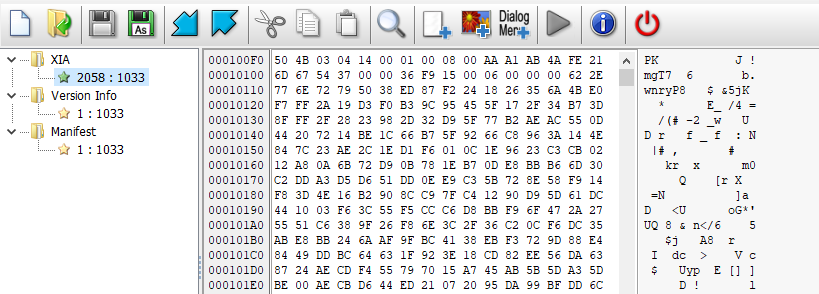
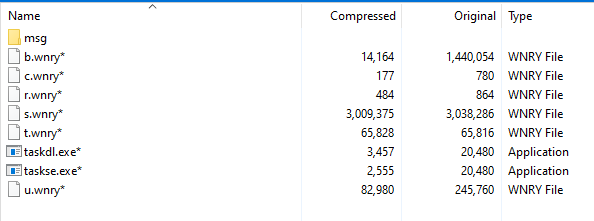
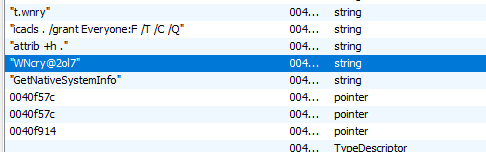
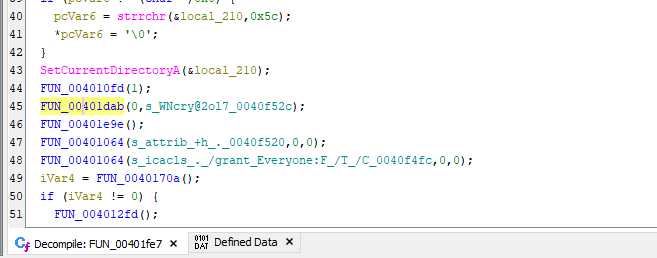
The ZIP file is encrypted. After investigating the binary, I found the decryption password: WNcry@2ol7:
Then, the ZIP file was successfully extracted:
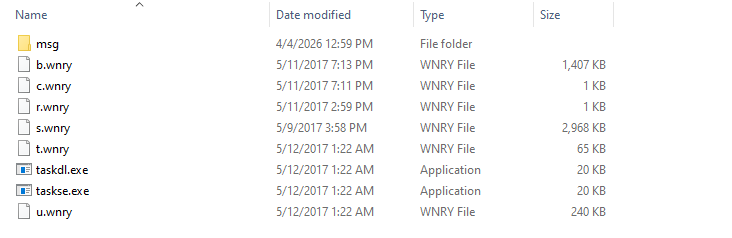
The files are described as follows:
b.wnry: Wallpaper with extortion messagec.wnry: Stores the unique ID (consisting of a Bitcoin address) of victim machiner.wnry: README file, for displaying the extortion messages.wnry: Archive of TOR (The Onion Router)t.wnry: Encrypted core payload, a DLL filetaskdl.exe: Remove all encrypted filestaskse.exe: Privilege escalation toolu.wnry:@WanaDecryptor@.exe, the window form application for decryption and querying a decryption key
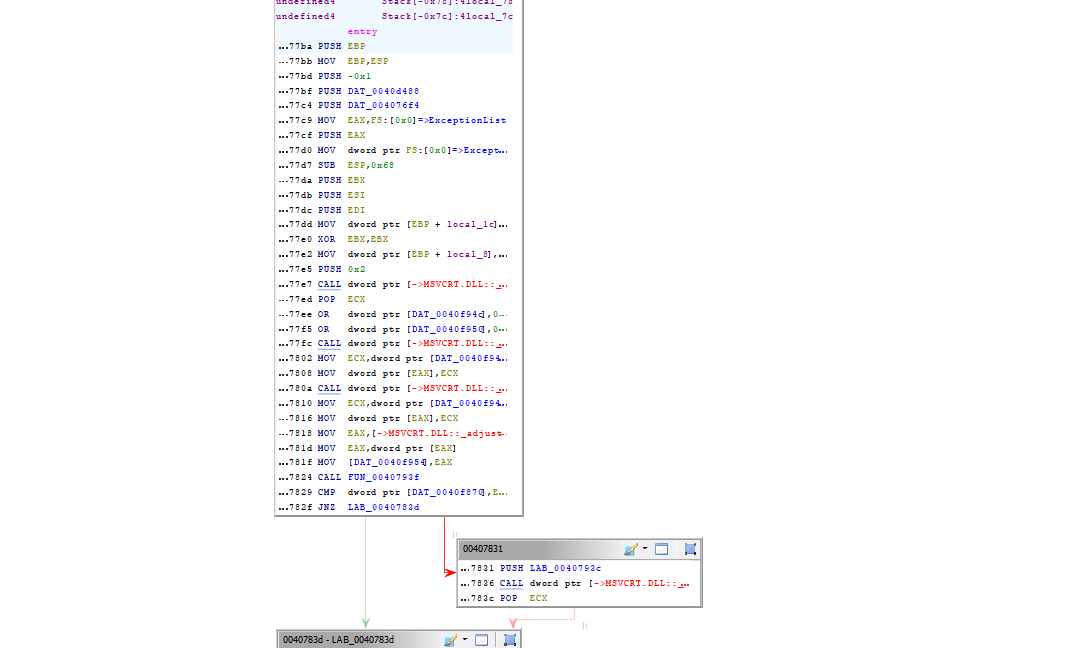
Open the initial payload using Ghidra and x32dbg:
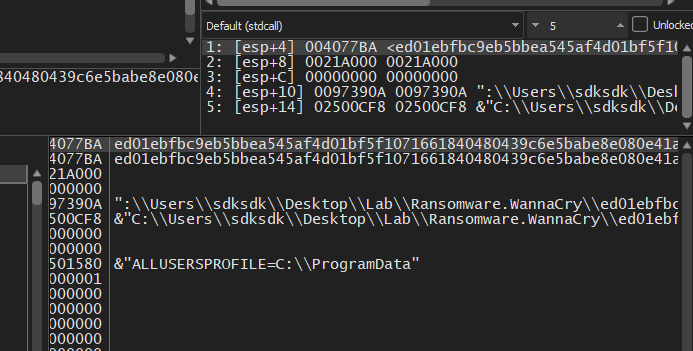
First, it creates a temporary directory and copies itself into the directory:
WannaCry malware selects one of the following directories. These directories are deliberately chosen for compatibility.
C:\Windows\ProgramData\ComputerIDC:\Windows\Inter\ComputerIDC:\Windows\ComputerIDC:\Users\Administrator\AppData\Local\Temp\ID
Here ComputerID is generated by the malware.
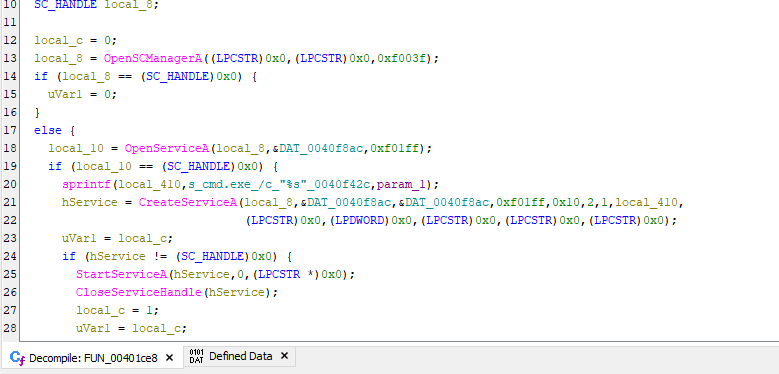
It then starts itself as a service:
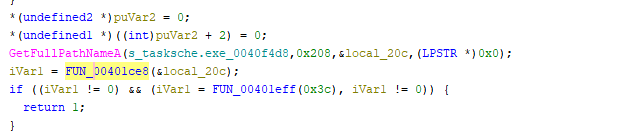
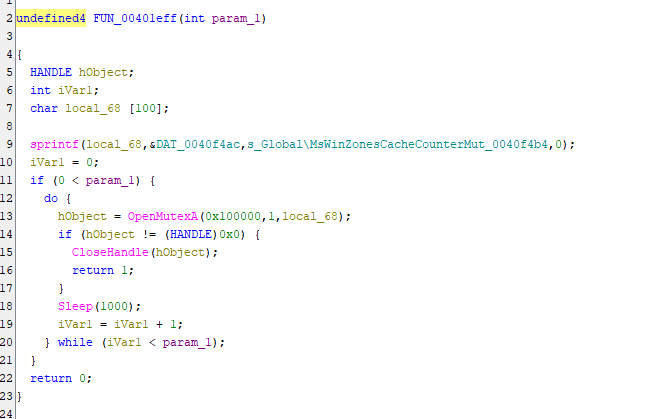
Create mutex to ensure only a single instance is running:
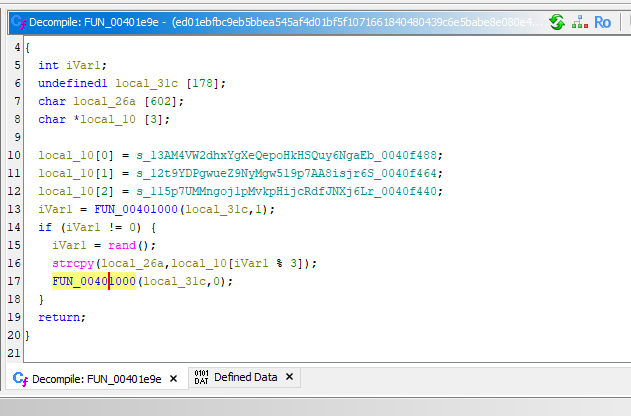
Randomly select a Bitcoin address and stores into c.wnry:
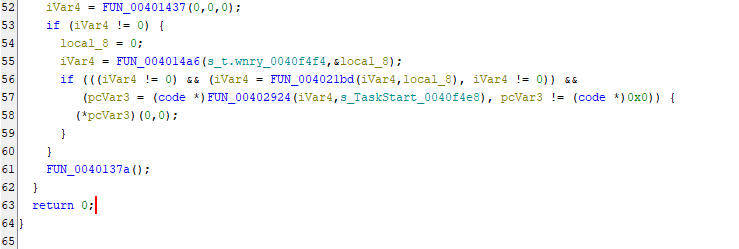
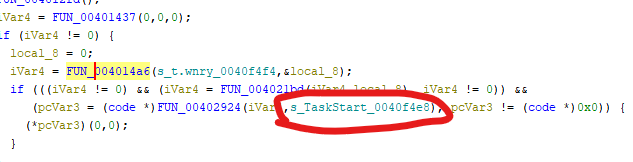
Decrypt t.wnry and call the export function TaskStart().
To analyze t.wnry, it needs to be decrypted:
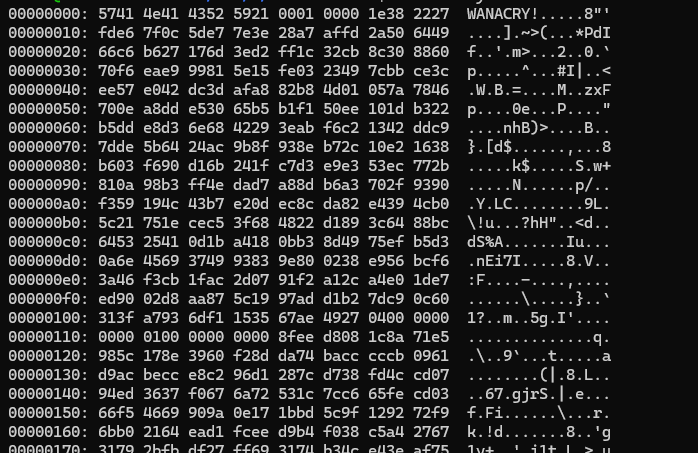
We can write a decryptor script after we fully understand the decryption algorithm. Or we can dump the decrypted payload from memory.
To approach it, open the malware using x32dbg and locate the decryption routine. Since we can obtain the address using Ghidra, the address can be easily located in x32dbg:
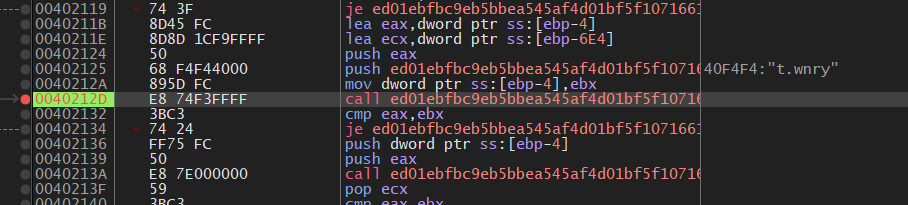
x32dbg confirmed that the address of decrypted DLL in memory is 0x00989BE8, stored in EAX:
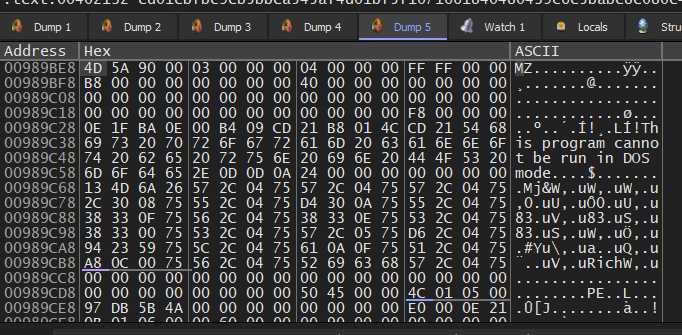
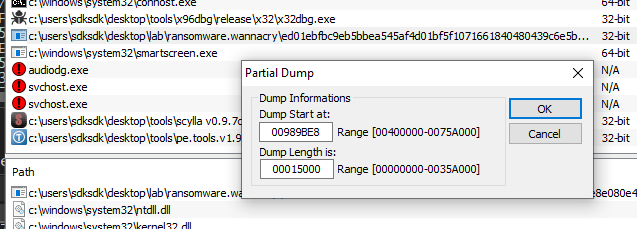
After calculating the image size, the payload can be dumped via PETools:

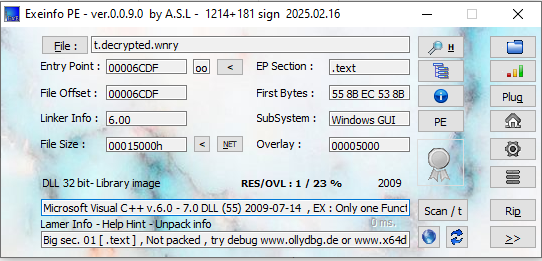
ExeInfo PE confirmed that the payload is a DLL file.
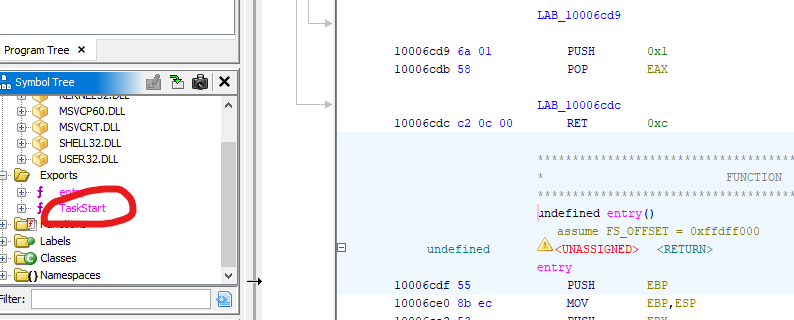
After opening the payload using Ghidra, the export function TaskStart confirmed that the payload is successfully decrypted and dumped:
Therefore, I started to analyze this new payload.
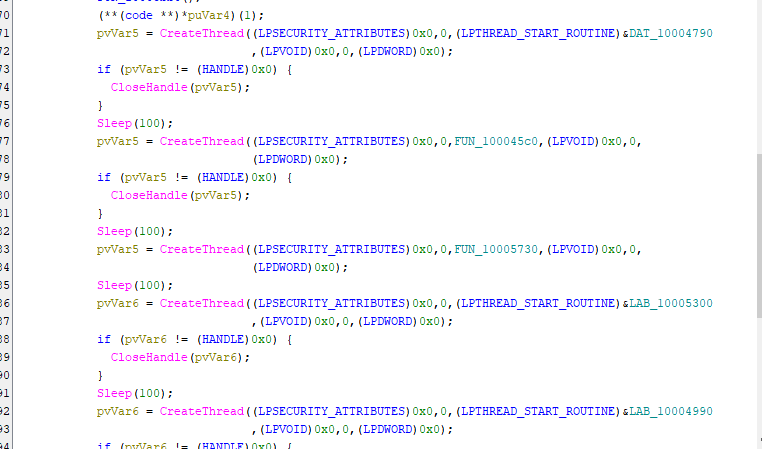
It creates multiple threads for extracting information and modifying some files:
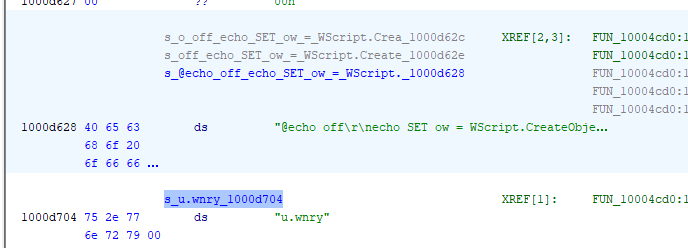
It creates a *.bat file to create a shortcut of @WanaDecryptor@.exe:
1 | |
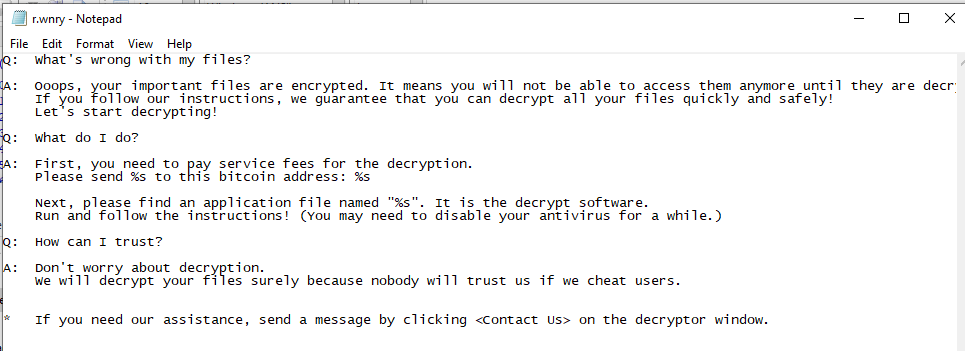
Read the blackmail message from r.wnry:
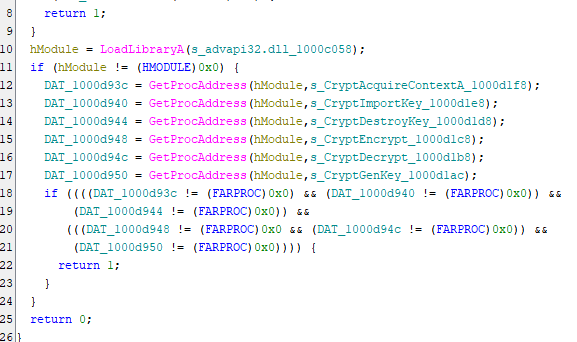
Dynamically call Windows APIs for encryption:
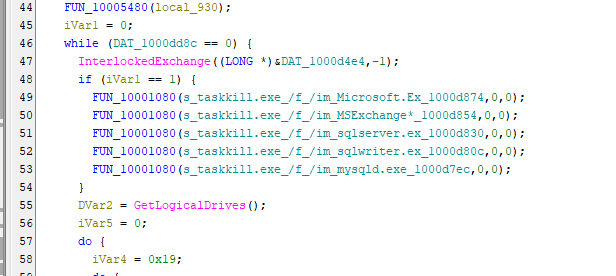
To ensure the files can be successfully encrypted, the malware terminates several database tools. If a database file is in use, it might not be successfully encrypted:
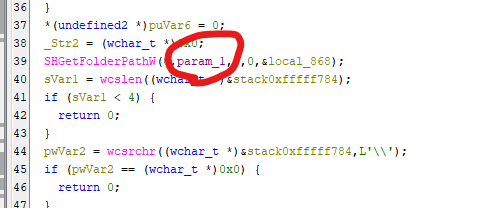
WannaCry first encrypts Desktop and My Documents directories:


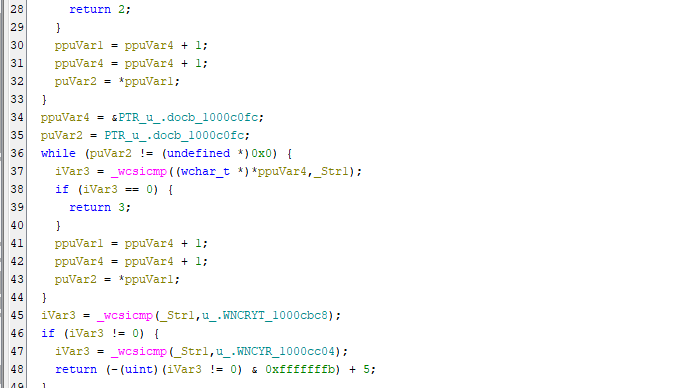
Then, it encrypts *.doc files (I will discuss it in the next section):
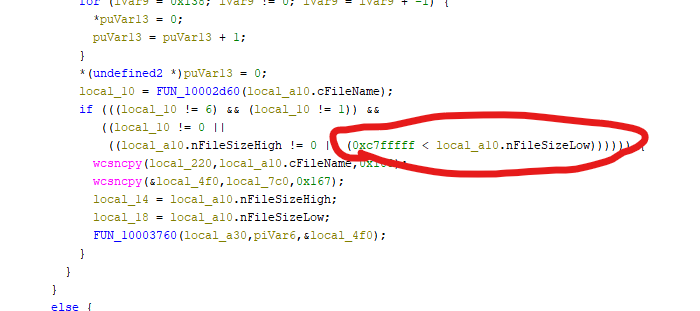
Here nFileSizeHigh != 0 indicates the file size is less than 4 GB, while 0xC7FFFFF is about 200 MB.
0xC7FFFFFas shown in Ghidra (effectively ~200MB, i.e.,0xC800000)
For system stability, WannaCry does not encrypt *.exe and *.dll files:
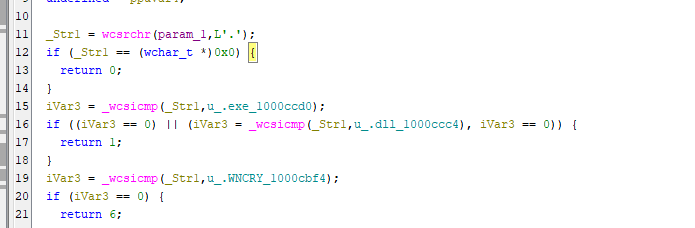
Then, other files will be encrypted after high priority files are all encrypted.
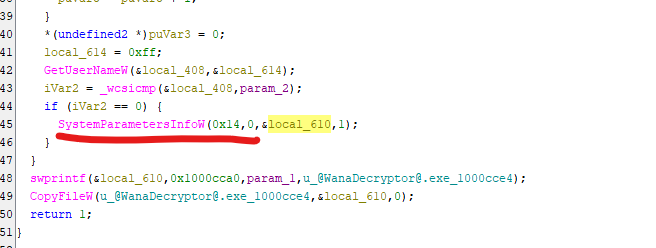
Change wallpaper to the wallpaper with blackmail message:

Philosophy of Design
After studying WannaCry, I can clearly understand how the authors designed the encryption strategy.
It targets files with the following extensions:
1 | |
Some extensions such as *.doc and *.docx are considered as high priority, which means victims will be seriously impacted if these types of files are encrypted. For example, *.doc file might be somebody’s final project, wouldn’t it?
Some file types such as *.iso usually are not really important for victims. On the other hand, file types such as *.zip, *.7z and *.tar might be very important.
Therefore, WannaCry classifies files into the following categories:
| Category | Enum value | Description |
|---|---|---|
| FILETYPE_UNKNOWN | 0 | Unknown file type, or not going to be processed |
| FILE_EXE_DLL | 1 | Executable and DLL, they will never be encrypted |
| FILE_TYPE_HIGH_PRIORITY | 2 | High priority file |
| FILE_TYPE_LOW_PRIORITY | 3 | Low priority file |
Furthermore, WannaCry classifies files into 3 types with file size:
- Less than or equal to
0x400bytes (1 KB) - Larger than or equal to
0xC8000000bytes (200 MB) - Between 1 KB and 200 MB
WannaCry first encrypts type 3, then type 1 and type 2 eventually. The reason is: files containing less than 1 KB of data are considered insignificant. This conclusion of the author(s) is not an eternal truth, but practical.
Therefore, the final decision is summarized below:
| Round | Type 1 (Small File) | Type 2 (Regular File) | Type 3 (Large File) | |||
|---|---|---|---|---|---|---|
| 1st | X | X | Regularly Encrypt | X | Pre-process | X |
| 2nd | X | X | X | Regular encryption | X | Pre-process |
| 3rd | Regular encryption | X | X | Pre-process encryption | Pre-process encryption | |
| 4th | Encrypt all files with extension listed above | |||||
Pre-process and Pre-process Encryption
Both pre-process and pre-process encryption are used for large file encryption.
In pre-process phase (2nd round), the first 64 KB of a file is copied and appended to the end of the file. The first 64 KB will then be zeroed out and replaced by the “header” of WannaCry:
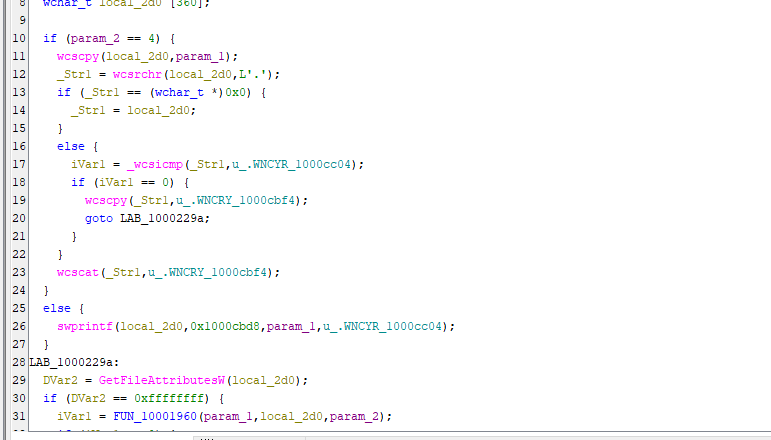
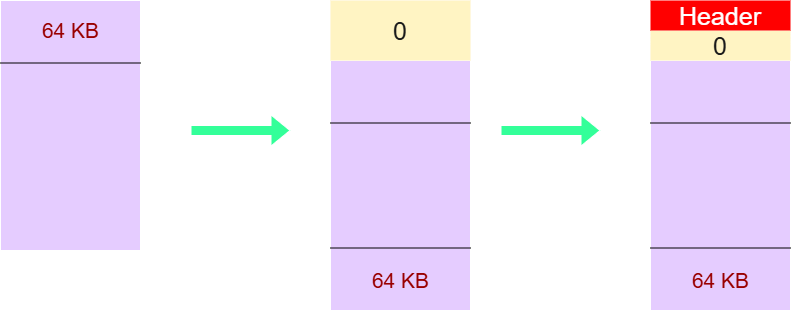
After pre-processing, file extension is set to *.wncyr.
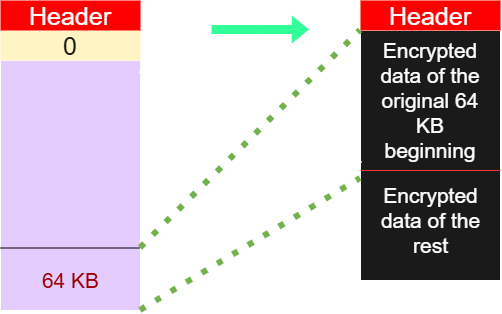
These pre-processed files will be encrypted in Pre-process phase (3rd round):
Practically infeasible
I believe a majority of people are concerned about recovering the files rather than the encryption mechanism. So, can the encrypted file be recovered without paying the ransom?
Short answer: Practically IMPOSSIBLE
Once a machine is infected, an RSA key pair is first generated and stored locally, let’s say, public key 1 and private key 1.
Then, WannaCry randomly generates an AES key for every file encryption.
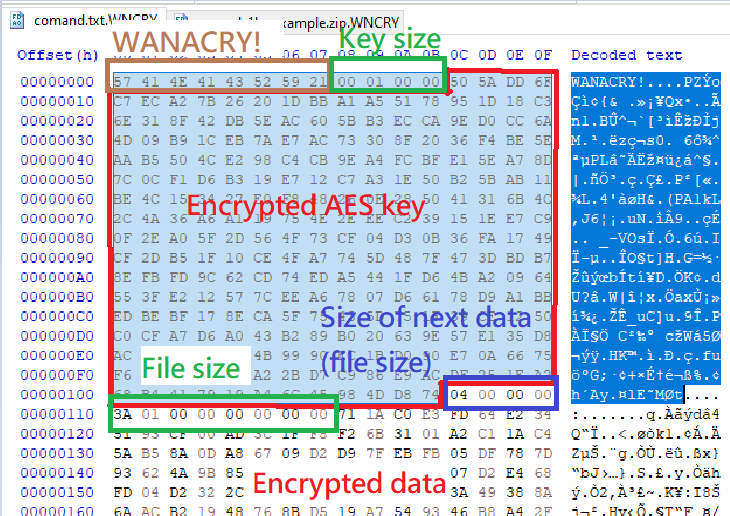
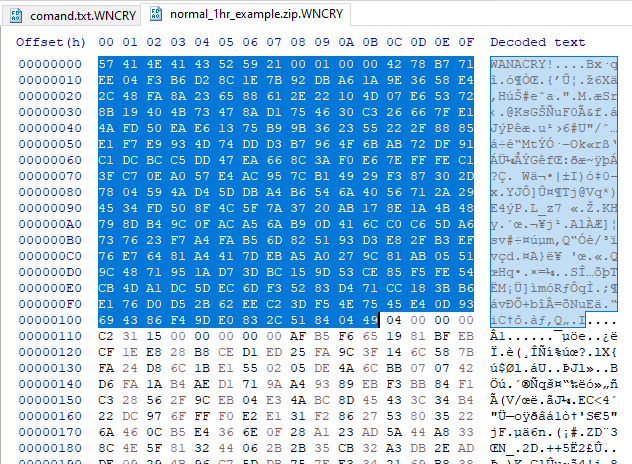
The AES key is stored in the file header, but encrypted with public key 1. To decrypt this AES key, you need private key 1. However, private key 1 is further encrypted using another RSA public key controlled by the attacker, only the attacker has the private key to decrypt private key 1.
Therefore, it is cryptographically infeasible.
So… how about extracting the AES key from memory using digital forensics techniques?
Unfortunately, WannaCry zeroed out the memory space for storing the AES key:
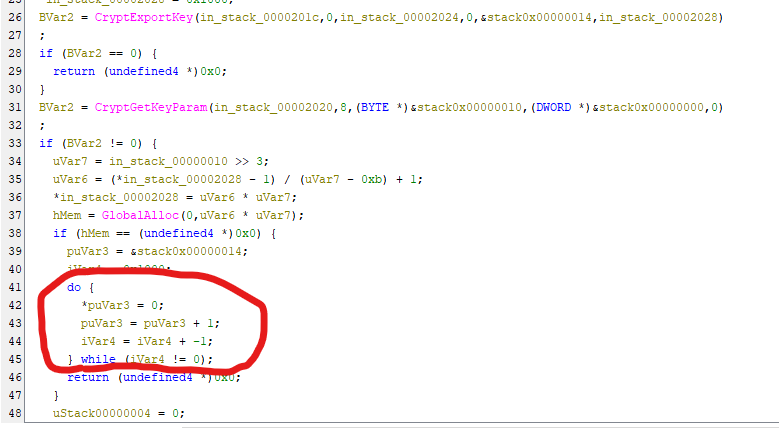
Thus, it is practically infeasible…

Furthermore, WannaCry uses data 0x55 to fill the entire disk.
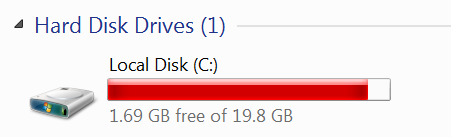
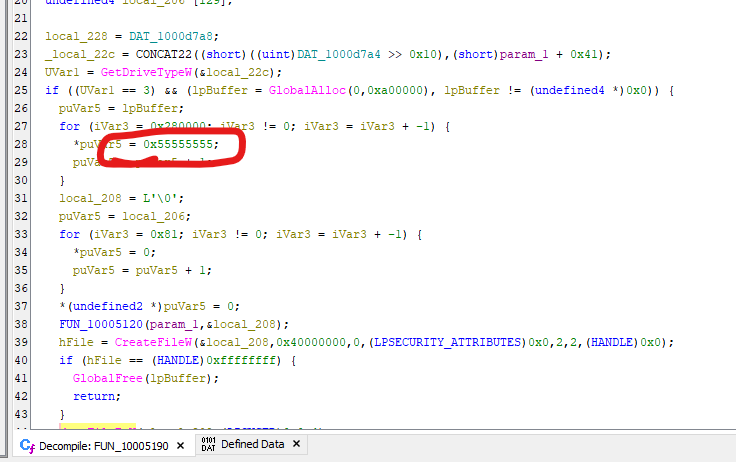
Why 0x55? The use of 0x55 (01010101 in binary) is a classic technique in low-level systems programming and anti-forensics. While modern SSDs handle data differently, the mechanism is best understood through the lens of Physical Magnetic Recording and Signal Theory.

In hexadecimal, 0x55 translates to binary sequence 0x01010101. If the malware used 0x00 (00000000) or 0xFF (11111111), the signal would be a flat line. By using 0x55, the malware creates the most active signal possible.
Traditional Hard Disk Drives (HDDs) store data by orienting the magnetic polarity of tiny grains on a spinning platter:
Static Patterns (0000 or 1111): The magnetic North/South poles stay aligned in one direction for a long stretch.
Alternating Patterns (0101): This forces the drive’s write head to flip the magnetic polarity at the maximum possible frequency supported by the hardware.
So, why flip the poles? This “disturbs” the magnetic surface. It effectively disrupts any residual magnetic traces (ghost traces) left behind by the original file. If you just overwrite a sensitive document with zeros, high-end forensic tools (like Magnetic Force Microscopy) might still detect the faint “shadow” of the previous 1s. By shuffling the polarity with 0x55, those traces are physically obliterated.

On the other hand, when data travels from the RAM to the Hard Drive controller, it moves as electrical voltage. 0x55 creates a perfect Square Wave. This high-frequency switching ensures that the analog circuitry of the drive is working at its limit, ensuring that the new junk data is written as clearly and forcefully as possible over the old deleted data.
Note: In the early days of computing, the
0101pattern was known as the Checkerboard Test. It was used to find hardware defects. If a bit was leaking electricity to its neighbor, the0101pattern would catch it immediately because every bit is surrounded by its opposite.
The authors use this method because it is the most efficient way to exhaust the storage medium’s state, ensuring no original data remains recoverable.
Incomplete Payload
While analyzing the payload, I did not find the worming code (such as, Eternalblue) in the binary. It is likely that the worming components were removed by researchers to prevent abuse.

Conclusion
This article presents an analysis of WannaCry. Finally, I understand how it implements the ransomware mechanism.
In brief, WannaCry classifies files into different categories for enhancing performance.
In addition, the authors also implemented anti-forensics techniques for preventing recovery. As a malware likely developed by a highly capable threat actor or APT group, it really impressed me!
If you have any comments or suggestions, please feel free to leave them below!
References
1. https://en.wikipedia.org/wiki/WannaCry_ransomware_attack ↩
THANKS FOR READING