[Learning] Critical Process — How Malware Protect Themselves via Blue Screen of Death
Last Update:
Word Count:
Read Time:
Introduction
This article explorers how malware abuses the Windows “Critical Process” mechanism to protect itself — even at the cost of crashing the entire system.
While analyzing various RATs (e.g., njRAT), I noticed that most of the samples intentionally trigger a Blue Screen of Death (BSOD) when terminated.
This behavior is not accidental — it is a deliberate abuse of a Windows kernel mechanism.
This post documents the underlying principle and how it works internally.

Disclaimer
The concepts and code provided in this article are for educational purposes only.
Please do NOT use it for illegal purposes.
The author is not responsible for any damage caused by misuse of this information.
Critical Process
A critical process in Windows is a process marked with the “BreakOnTermination” flag in its EPROCESS structure 1.
Windows systems cause a CRITICAL_PROCESS_DIED Blue Screen of Death (BSOD) if a critical process is terminated or corrupted.
Common criticl processes include smss.exe, csrss.exe and wininit.exe.
This is a fail-fast mechanism to preserve system integrity — instead of allowing the system to continue running in a potentially corrupted or inconsistent state 1.
Microsoft provides several APIs and parameters to achieve it.
NtSetInformationProcess
1 | |
Reference: 3
At the point of writing, I could only find the API SetProcessInformation on MSDN 2:

1 | |
Are they the same API? The answer is: NO.
Both these two APIs locate at Ring 3. However, SetProcessInformation is Win32 API, it is located in KernelBase.dll or kernel32.dll, it does NOT access Ring 0. On the other hand, NtSetInformationProcess is Native API, it is located in ntdll.dll, puts parameters in to register and passes them into Ring 0 via syscall.
In other words, NtSetInformationProcess is a Native API that serves as a thin wrapper over a system call interface, eventually invoking the kernel via the syscall instruction.
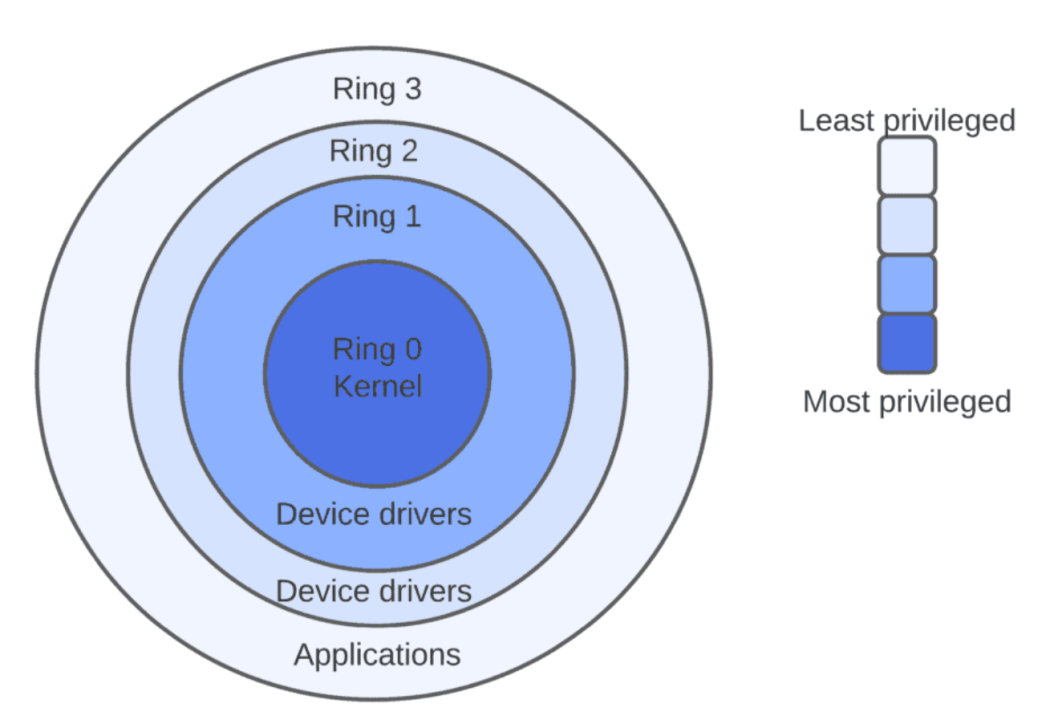
To demonstrate this, open WinDbg and type the following commands:
1 | |

Therefore, it can be confirmed that they are different APIs.
Why I cannot find
NtSetInformationProcessin MSDN?
Native APIs like NtSetInformationProcess are not officially documented in MSDN because they are considered internal and subject to change between Windows versions.
IsProcessCritical
This API is used for determining whether the specified process is considered critical.
1 | |
ProcessInfoClass
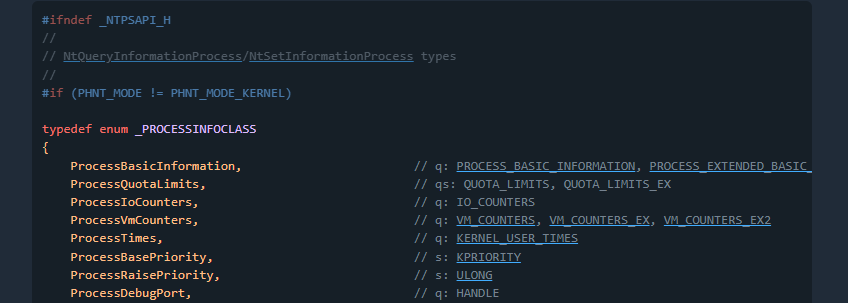
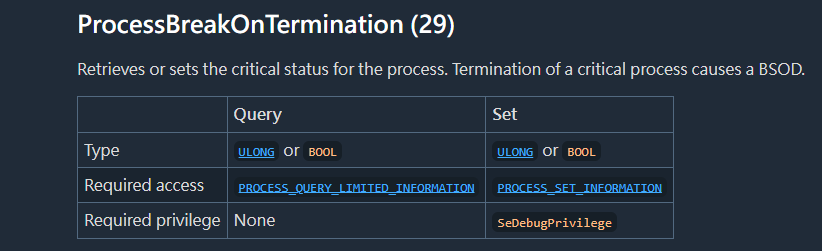
Reference: 6
SeDebugPrivilege
Note that this is NOT SetDebugPrivilege. Here the prefix Se stands for Security.
SeDebugPrivilege is a powerful Windows security privlege that allows a user or process to debug, read, and write memory in any other process, bypassing default Access Control Lists (DACLs) 5.
It is also crucial for administrative tasks but frequently abused by attackers to dump system credentials (LSASS, lsass.exe) and elevate privileges, one of the examples is mimikatz.
AdjustTokenPrivileges
This API enables or disables privileges in the specified access token. It requires TOKEN_ADJUST_PRIVILEGES access 4.
1 | |
Supplement — syscall and Heaven’s Gate
My virtual machine is Windows 10 x64. To understand how a 32-bit process triggers a Kernel-level event on a 64-bit system, I traced the execution flow using WinDbg.
The 32-bit ntdll!NtSetInformationProcess prepares the System Service ID (eax = 0x1C) for the desired kernel function. Instead of executing a direct syscall, it directs the flow to a transition stub.
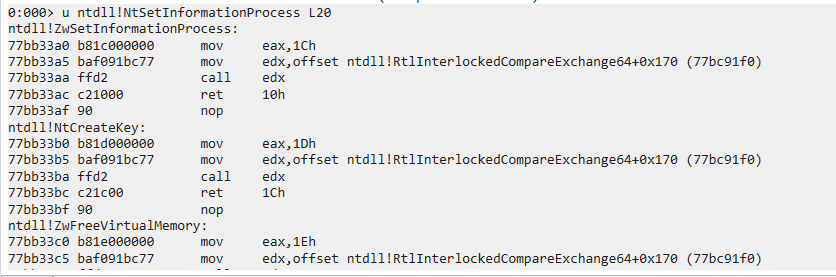
1 | |
The execution jumps to a dispatching routine within ntdll, which then points to the Wow64Transition pointer:
1 | |
The transition leads to specific memory address (0x77b37000) where the Heaven’s Gate resides. This is a “Far Jump” that switches the CPU’s Code Segment (CS) from 0x23 (32-bit compatibility Mode) to 0x33 (64-bit Long Mode).
1 | |
Once the CPU enters 64-bit mode at the destination (77B37009), it can finally execute the syscall instruction (which may appear as obfuscated instructions in a 32-bit disassembler).
The bridge allows the 32-bit application to communicate directly with the 64-bit Windows Kernel (ntoskrnl.exe).
This mechanism, commonly referred to as “Heaven’s Gate”, allows a 32-bit process running under WOW64 to transition into 64-bit mode and invoke native system calls.
The kernel receives the 0x1D (ProcessBreakOnTermination) request and updates the EPROCESS structure. When the process is later terminated, the Kernel detects the “Critical” flag and triggers the Bug Check 0xEF: CRITICAL_PROCESS_DIED, resulting in the Blue Screen of Death.
Demonstration
Warning: Setting arbitrary processes as critical may cause system instability. Always perform this experiment in an isolated virtual machine.
In this section, I implemented the “BSOD protection” (I added quotes because this is not its original intention) via C++:
1 | |
Compile it via g++:1
g++ critical.cpp -o critical.exe -static
Now, set notepad.exe to critical process (please do this in your virtual machine!)
1 | |
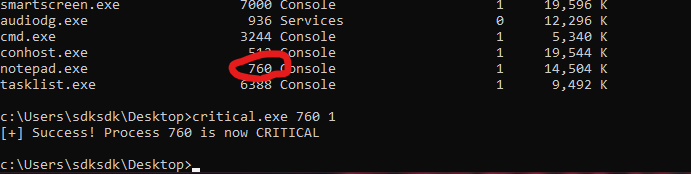
Terminate notepad.exe, then BSOD will be raise with stop code CRITICAL_PROCESS_DIED

We can also set it to normal using the command belows:
1 | |
Overall, the process can be summarized as:
- Enable SeDebugPrivilege
- Open target process (might be itself)
- Call
NtSetInformationProcesswithProcessBreakOnTermination (29) - Kernel marks the process as critical
- Termination triggers BSOD
Why This Matters in Malware Analysis
Malware using this technique can
- Crash the system when analysts attempt to terminate it
- Disrupt sandbox environments
- Complicate automated analysis pipelines.
- Some malware might terminate itself if the virtual environment is detected
Kernel Debugging
I also want to demonstrate how to verify the result via WinDbg. In addition, it is an excellent opportunity to practice kernel debugging.
First, execute the command belows with administrative privilege:
1 | |
Restart the computer if it was successfully executed.
Open WinDbg with administrative privilege. Navigate to : File -> Attach to Kernel -> Local -> OK:
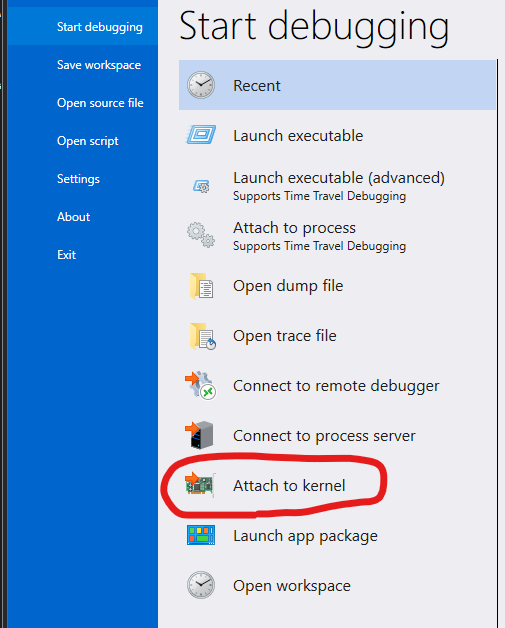
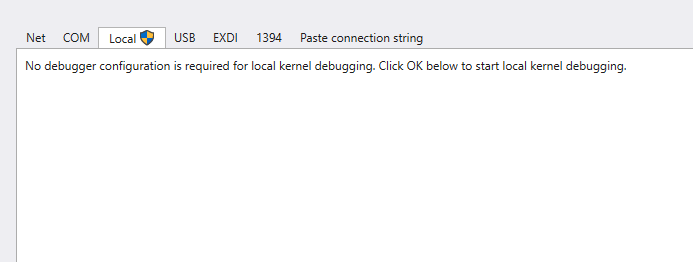
Now, we are able to debug the kernel.
Type following command:
1 | |
Note that it requires Symbol Server. Therefore, you need to enable the internet (you can refer to my previous article to learn how to configure the network of your virtual machine).
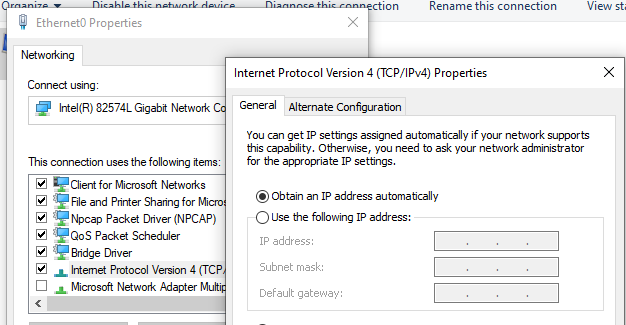
Enter the following commands
1 | |
This might take a time, so… let’s drink some coffee!

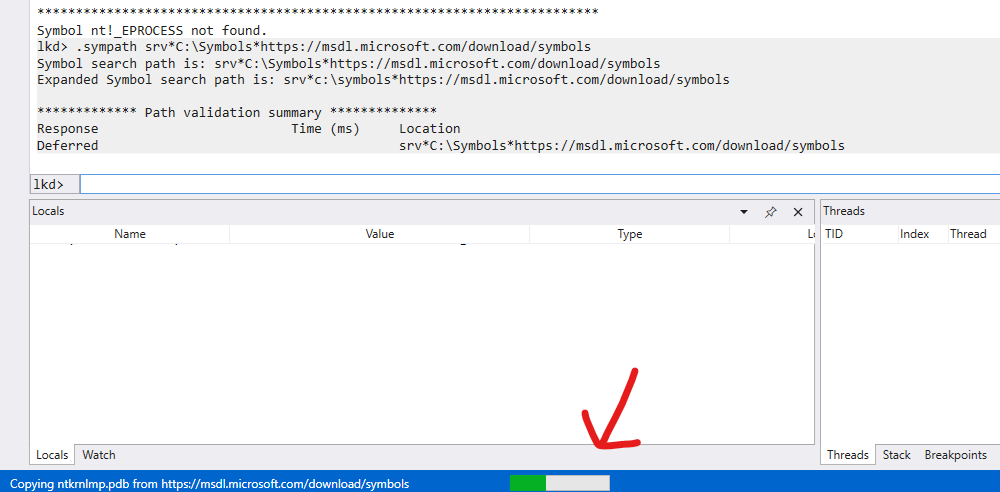
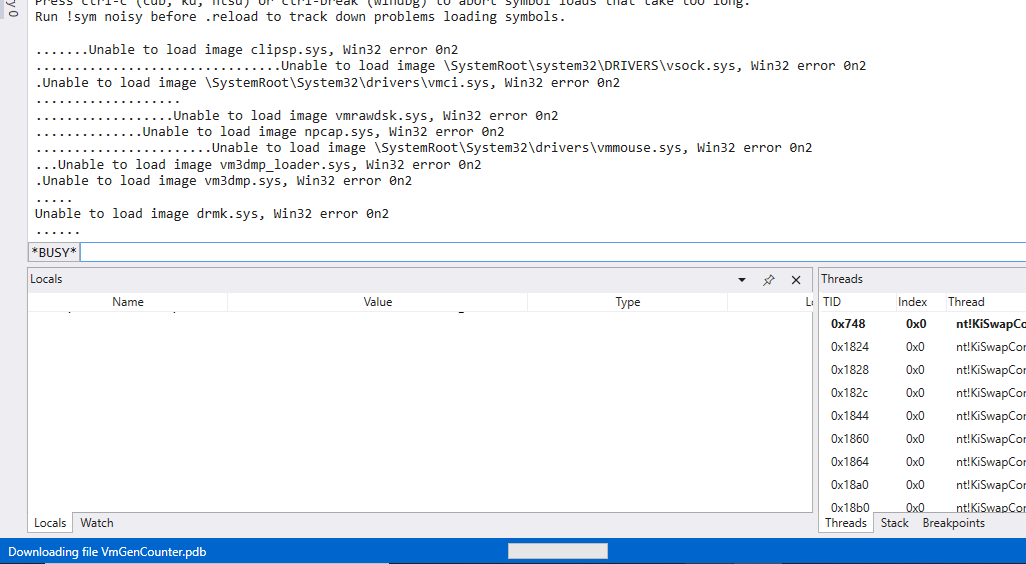
After setting up, type the command again:
1 | |
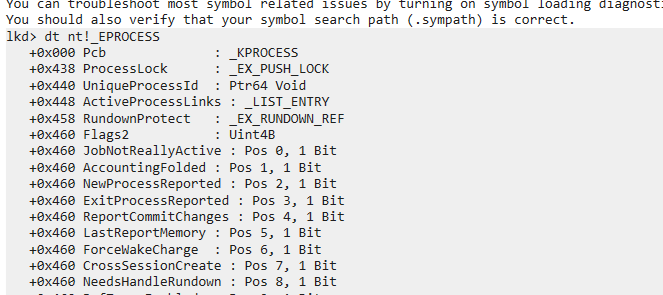
Find notepad.exe:
1 | |
You will get an address like: PROCESS ffff...... Let’s say: ffff9d8b12345678
Enter the following command and find `BreakOnTermination:
1 | |
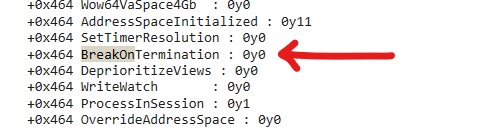
If the process is critical process, then the value of BreakOnTermination is 0y1:
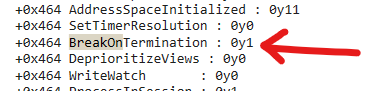
Use the provided C++ script to set it to normal:
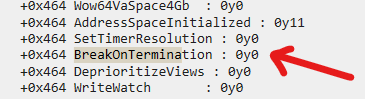
This confirms that the user-mode API call ultimately modifies the kernel-level EPROCESS structure, validating the entire execution chain from user space to kernel space.
Conclusion
This article presents an analysis of different Windows APIs of the “Process Protection” used in njRAT (or other RATs) via WinDbg.
From a malware analysis perspective, this technique demonstrates how attackers can abuse legitimate kernel mechanisms to increase resistance against analysis and removal.
However, it also introduces instability, making it a double-edged sword.
I also wrote the basic concept of “Heaven’s Gate”. However, the content of Heaven’s Gate and Kernel are deep and wide. Therefore, I will introduce them in the future article.
Initially, I tried to set the critical process to normal, but I could hardly find this functionality in Process Hacker and Process Explorer. Therefore, I decided to write my own C++ tool. The compiled binary is in my GitHub repository.
If you have any comments or suggestions, feel free to leave a comment below!
References
1. https://learn.microsoft.com/en-us/windows-hardware/drivers/debugger/bug-check-0xef--critical-process-died ↩
2. https://learn.microsoft.com/en-us/windows/win32/api/processthreadsapi/nf-processthreadsapi-setprocessinformation ↩
3. https://github.com/yardenshafir/cet-research/blob/master/src/NtSetInformationProcess.c ↩
4. https://learn.microsoft.com/en-us/windows/win32/api/securitybaseapi/nf-securitybaseapi-adjusttokenprivileges ↩
5. https://learn.microsoft.com/en-us/previous-versions/windows/it-pro/windows-10/security/threat-protection/auditing/event-4703 ↩
6. https://ntdoc.m417z.com/processinfoclass ↩
THANKS FOR READING