[Studying] Analyzing Gh0st 1.0 Alpha
Last Update:
Word Count:
Read Time:
Introduction
This article is part of my series: Inside Different Generations of RATs. It is also part of the Gh0st Family.
If you are interested in the full series, please refer to the linked page above.
This article presents an analysis of Gh0st 1.0 Alpha, and documents my observations during reverse engineering.

Key Takeaways
- Gh0st 1.0 Alpha focuses more on anti-analysis evolution rather than feature expansion
- Multi-layer packing significantly increases reverse engineering complexity. The presence of multiple
pushadsequences suggests staged unpacking, a technique commonly used to complicate static analysis. - The payload delivery mechanism (DLL-based) remains consistent with earlier versions
Gh0st 1.0 Alpha
Gh0st 1.0 Alpha is part of the Gh0st Family. Compared to Gh0st Beta 3.6, the overall functionality remains largely unchanged. However, its anti-analysis techniques are noticeably improved, primarily through the use of multiple layers of packing.
Version Timeline Observation
As mentioned in the previous article:
It is important to note that there is no official naming convention for Gh0st variants. Many versions were released by anonymous developers in underground communities, which can make identification confusing when analyzing samples.
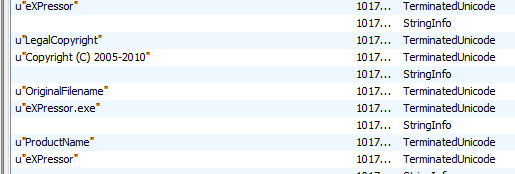
Gh0st 1.0 Alpha was released after Gh0st Beta 3.6. To demonstrate this, we can open these two versions using pestudio and view the “About” panel:
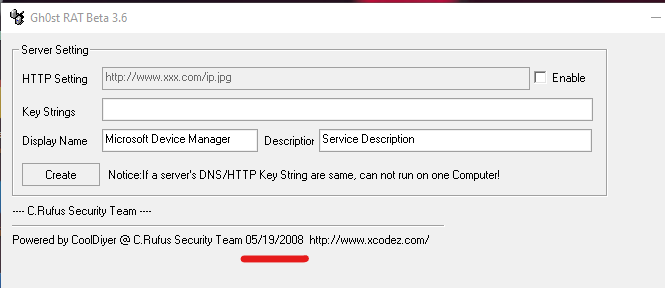
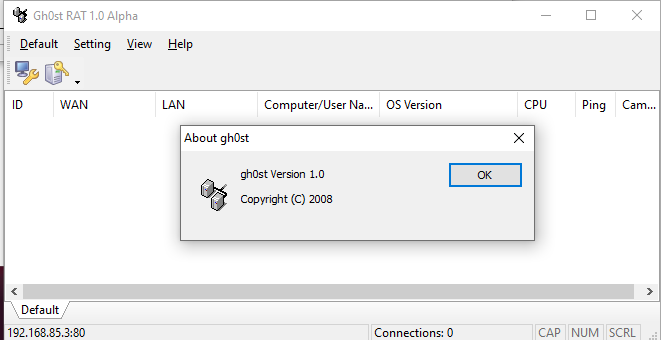
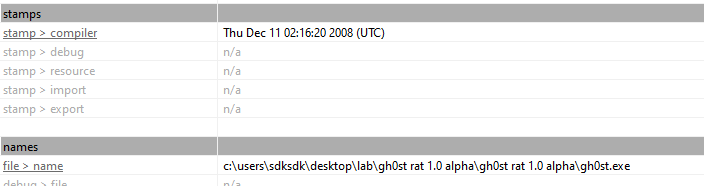
We can infer that Gh0st RAT Beta was released in May 2008, while Gh0st RAT 1.0 Alpha was released in December 2008. This confirms that 1.0 Alpha is a later iteration, with a development focus shifting toward obfuscation rather than feature expansion.
Experimental Environment
To safely conduct malware analysis, the environment should be isolated using virtual machines. Under no circumstances should malware be executed on a personal or production system.
| Tool | Description |
|---|---|
| ExeInfo PE | Executable analysis tool used to detect packers, compilers, and basic file properties |
| Detect It Easy (DIE) | File identification tool used to detect packers, protectors, and compiler signatures |
| Immunity Debugger | Windows debugger commonly used for reverse engineering, malware analysis, and exploit development |
| Wireshark | Network protocol analyzer used for packet capture and traffic analysis |
| pestudio | Static PE analysis tool |
| RegShot | Registry differentiating tool |
| Process Monitor | Process activity monitor |
| Ghidra | Open-source software reverse engineering framework developed by the NSA |
| Device | IP Address | Description |
|---|---|---|
| Windows XP x86 (VM) | 192.168.85.2 | Victim machine used for executing both the controller and payload |
| Windows 10 x64 (VM) | 192.168.85.3 | Analysis machine used for reverse engineering |
The two virtual machines were configured within an isolated internal network to prevent unintended external communication. If you want to know how to set up your experimental environment, please view:
- How to Setup Your Experimental Environment for Malware Analysis
- Installing VMware Tools on Windows XP and Windows 95 with VMware WorkStation 17
Simplified Chinese Environment and Troubleshooting
As mentioned in the previous article, Gh0st was primarily designed for Simplified Chinese users. The graphical user interface is written in Simplified Chinese, which means the UI text may appear corrupted if the program is executed on systems using other language settings. If you are interested in how to resolve this problem, please refer to the linked article above.
Here, I want to share my discovery. Some versions of Gh0st provide an English GUI. However, some features might not function properly if you launch the controller using a non-Simplified Chinese language setting.
One example is the payload builder. I did not launch the controller application in Simplified Chinese since an English GUI was provided. However, the payload it generated did not function normally. After generating it with the Simplified Chinese interface, it functioned normally.
This finding also answered a question that arose during my analysis of Gh0st RAT Beta 3.6 in the previous article. Since it provided an English GUI, I did not launch it in Simplified Chinese, which caused the payload to malfunction. The payload generated by Gh0st RAT Beta 2.5 functioned normally because it only provided a Simplified Chinese interface, and I launched it accordingly.
Usage
Note: To distinguish the terms “server”, “client”, “controller” and “payload”, please refer to this section.
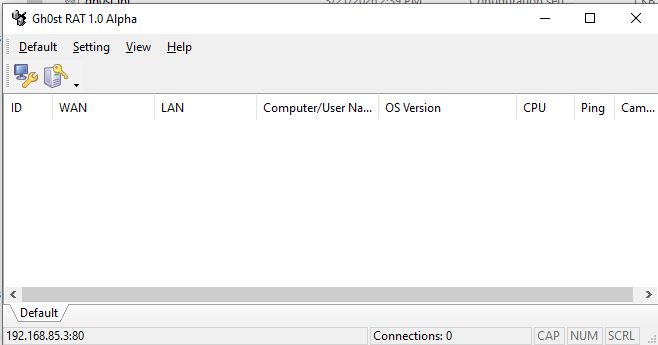
The graphical user interface of Gh0st RAT 1.0 Alpha is shown as follows:
Build the payload using the provided builder:
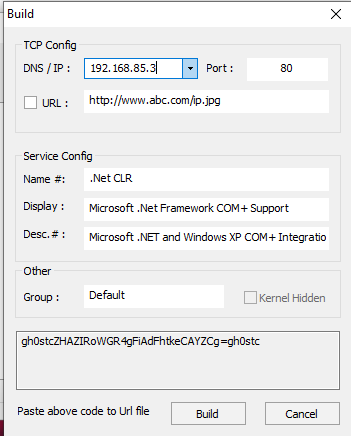
Before deploying the payload, I set up RegShot and Process Monitor, which would be used as references in the reverse engineering section.
After deploying the payload on the remote machine, the compromised machine will be available in the controller application once the connection is established:
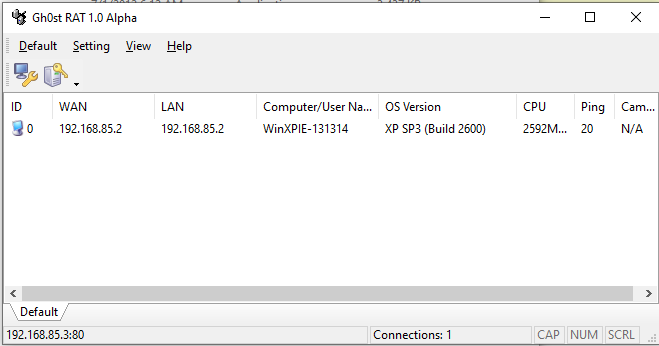
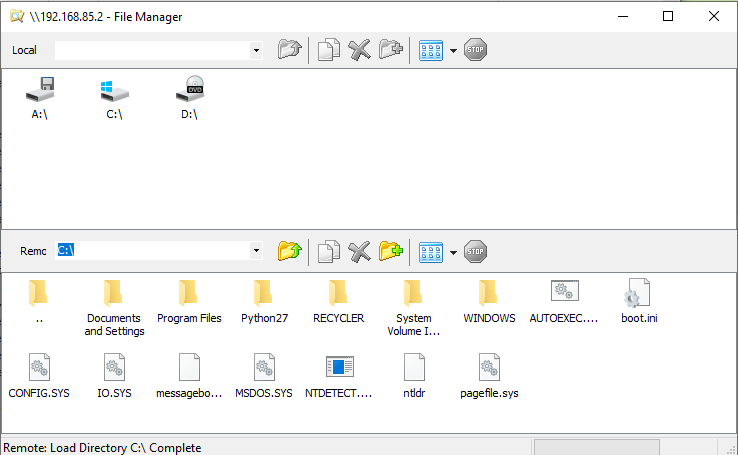
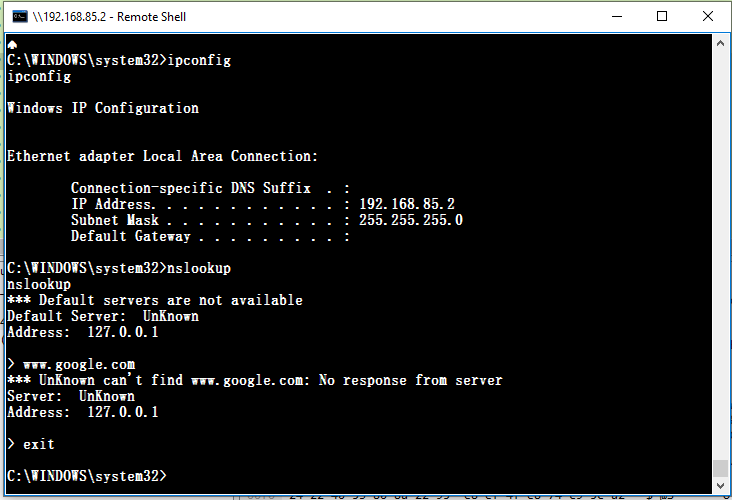
The feature set remains largely consistent with Gh0st Beta 3.6.
File Manager:
Terminal:
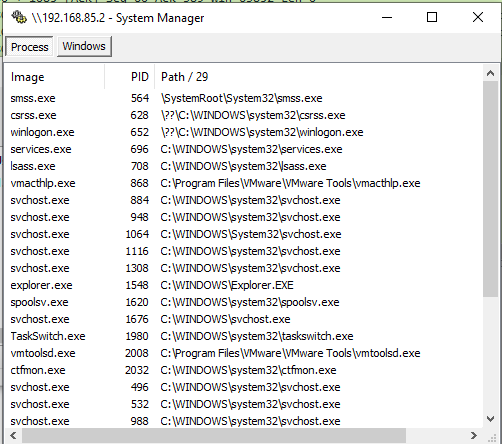
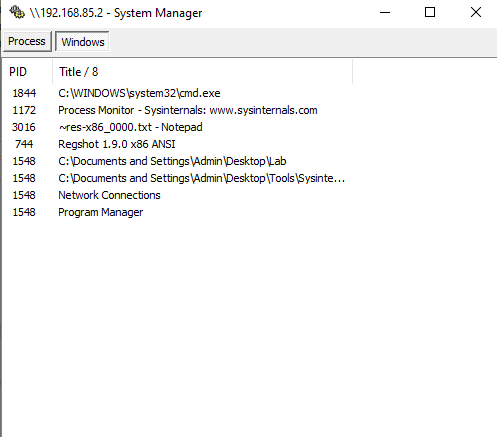
System Manager:
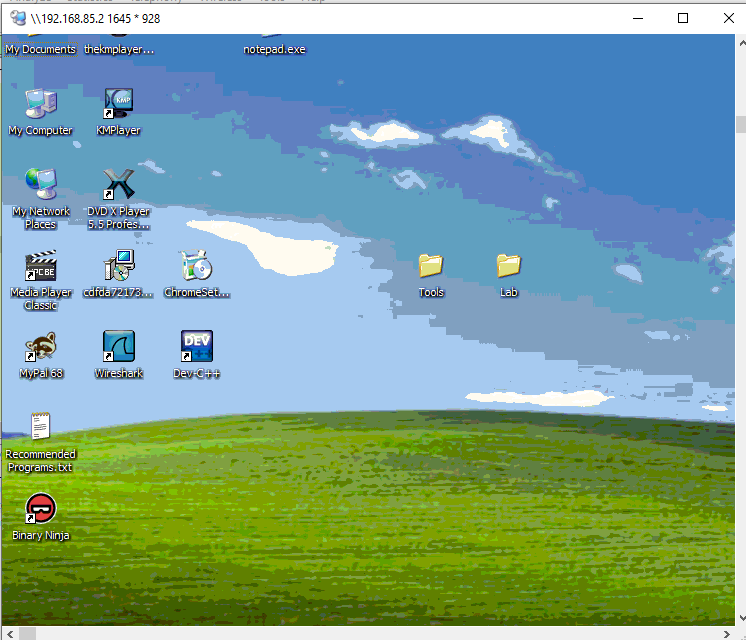
Monitor:
Protocol Analysis
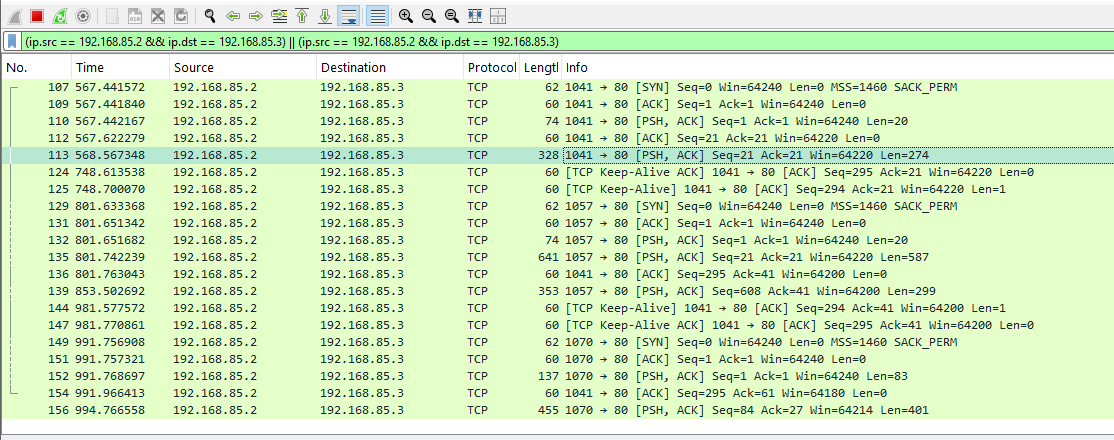
Compared to Gh0st Beta 3.6, in this version, the keyword Gh0st no longer appears during communication.
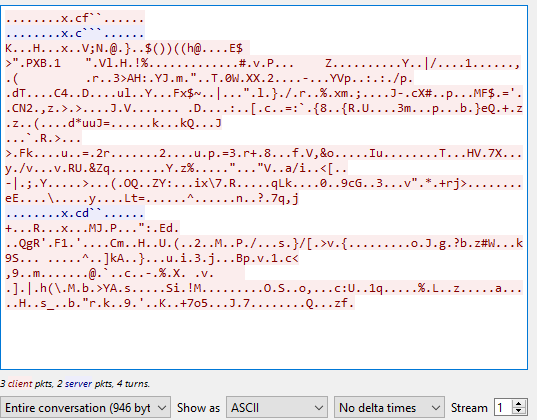
In addition, the payload uses different ports for different features:
Reverse Engineering
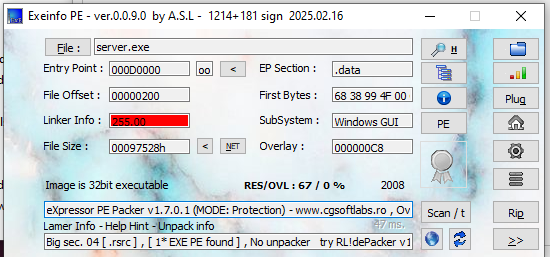
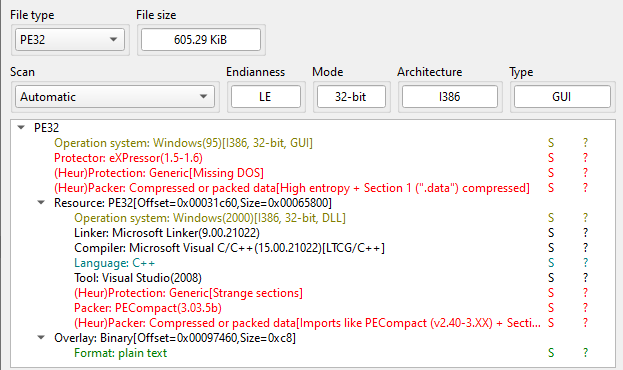
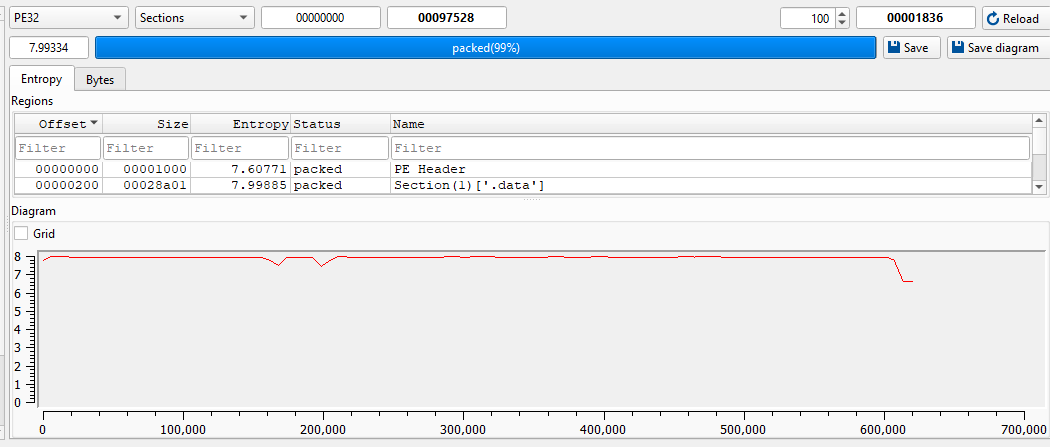
Open the payload using ExeInfo PE and DIE (Detect It Easy).
I then tried to manually unpack it:
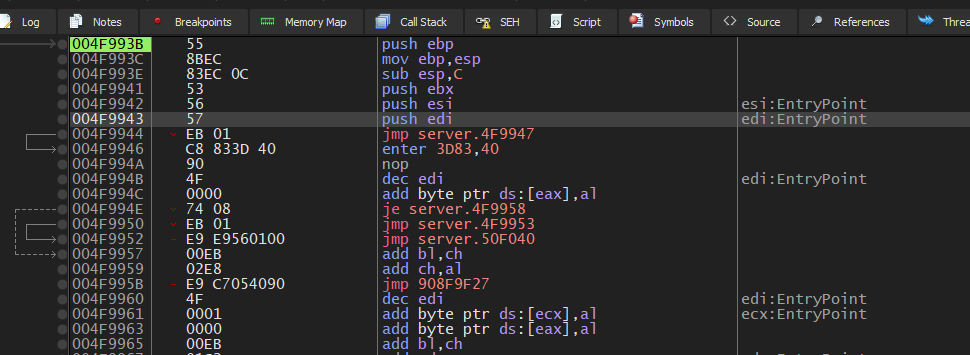
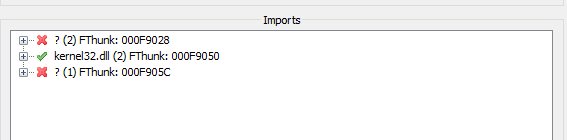
However, the process is much more difficult than I thought.

But hold on!
According to the previous analysis article, we know that the generated payload is not the final payload. The final payload is a DLL file. The philosophy of this design is to evade anti-virus applications.
Therefore, we can obtain the final payload using RegShot and Process Monitor, which were set up in the previous section.
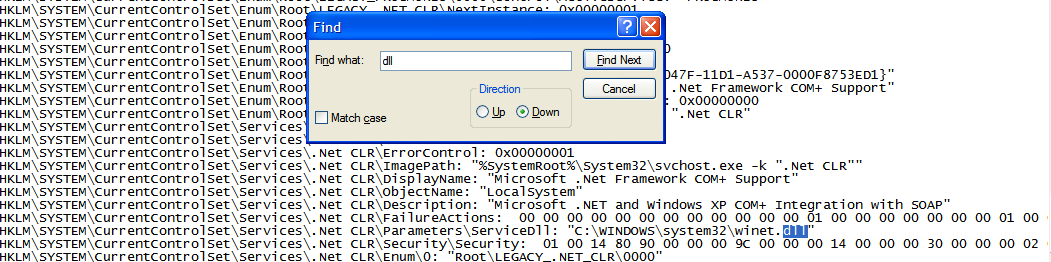
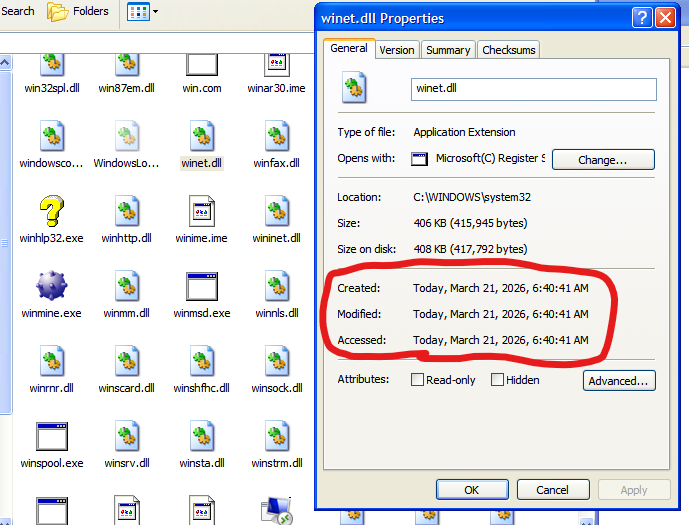
ExeInfo PE and DIE confirmed that the payload DLL is packed.
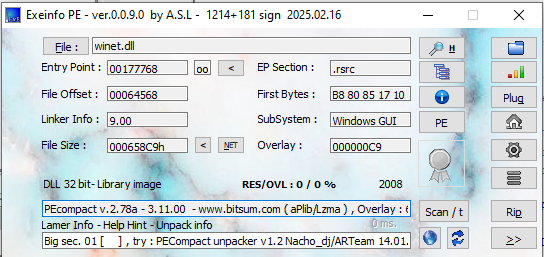
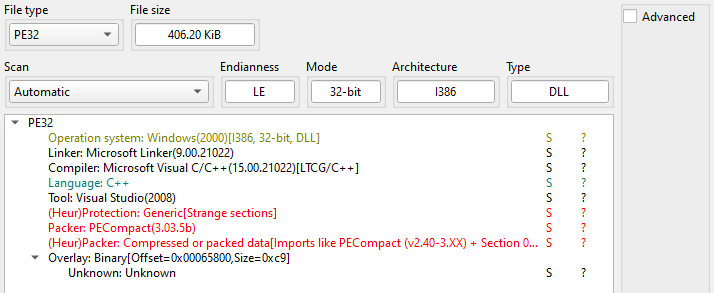
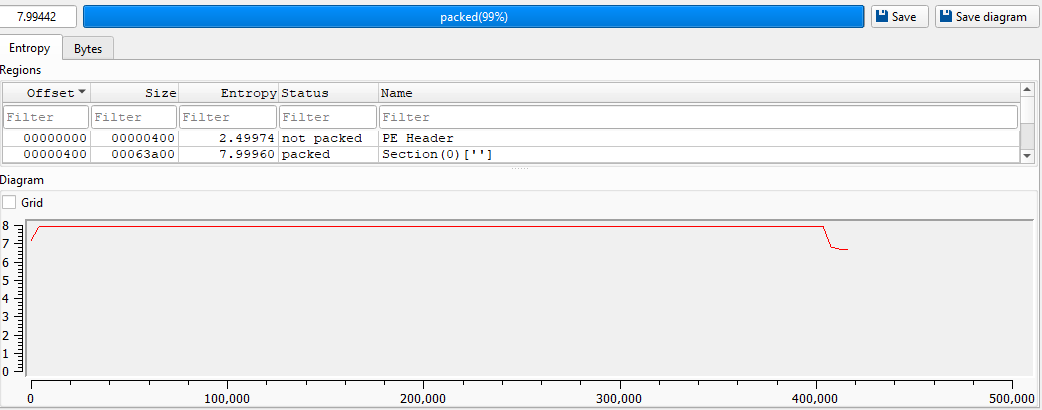
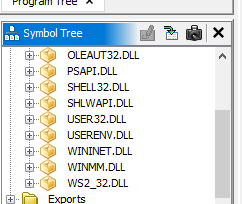
Compared to version Beta 3.6, Gh0st 1.0 Alpha payload is heavily packed, which increases the difficulty of analysis, even though Ghidra can still display the imported DLLs:
At the point of writing, I could hardly find any tool capable of unpacking the payload. Therefore, I decided to manually unpack it.
x32dbg can debug DLL files by generating a loader executable, although I find it somewhat difficult to use.

I then wrote a simple DLL loader using C++:
1 | |
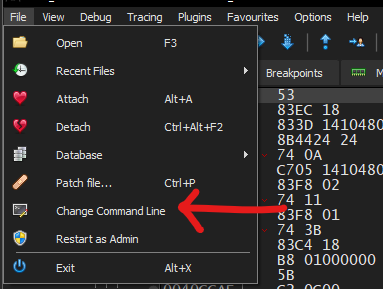
To pass arguments using x32dbg, open open_dll.exe and navigate to: File -> Change Command Line:
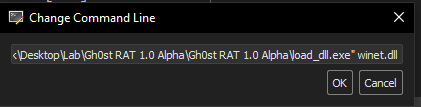
Modify the command line arguments:
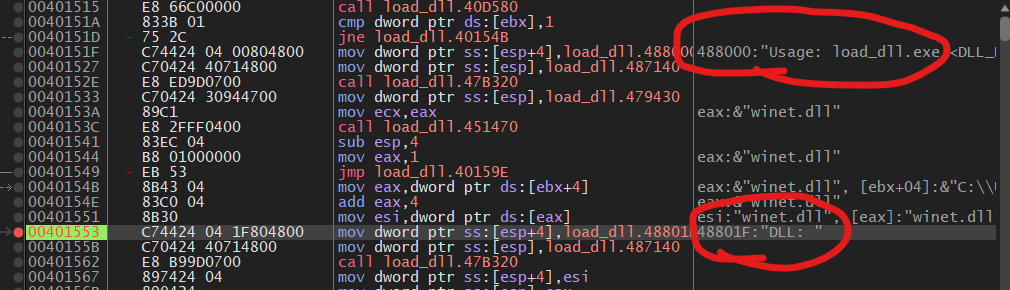
Find the main function via strings reference:
Then, we can jump to the payload DLL:
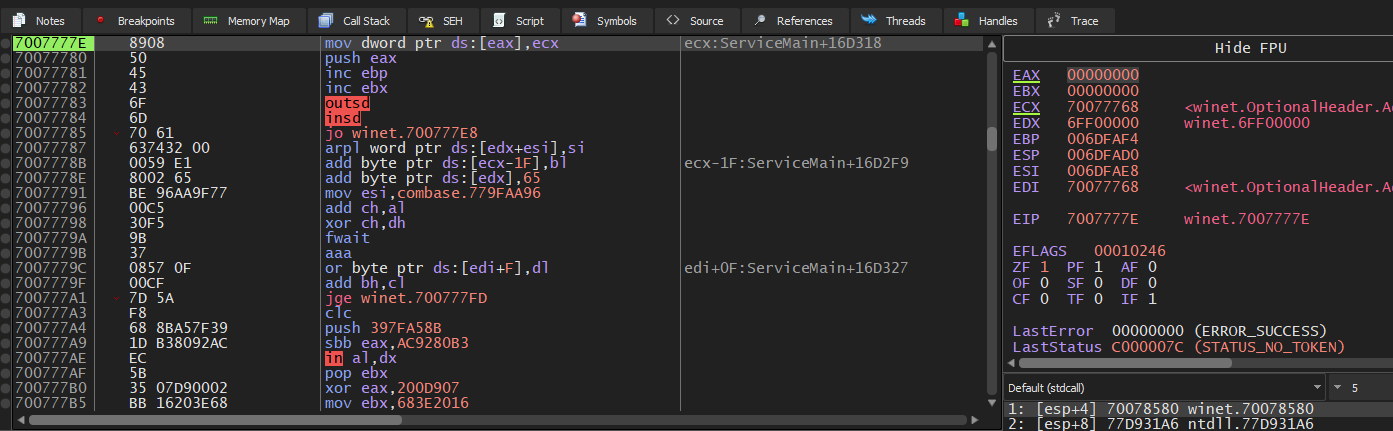
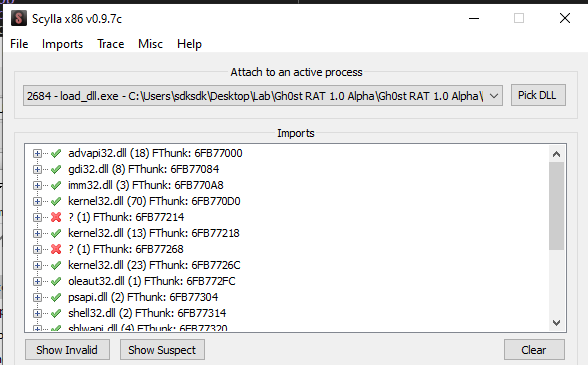
While unpacking the payload DLL, I made a mistake, but I still want to share. I saw push ebp and mov ebp,esp and believed that this is the OEP. Also Scylla “confirmed” my assumption:
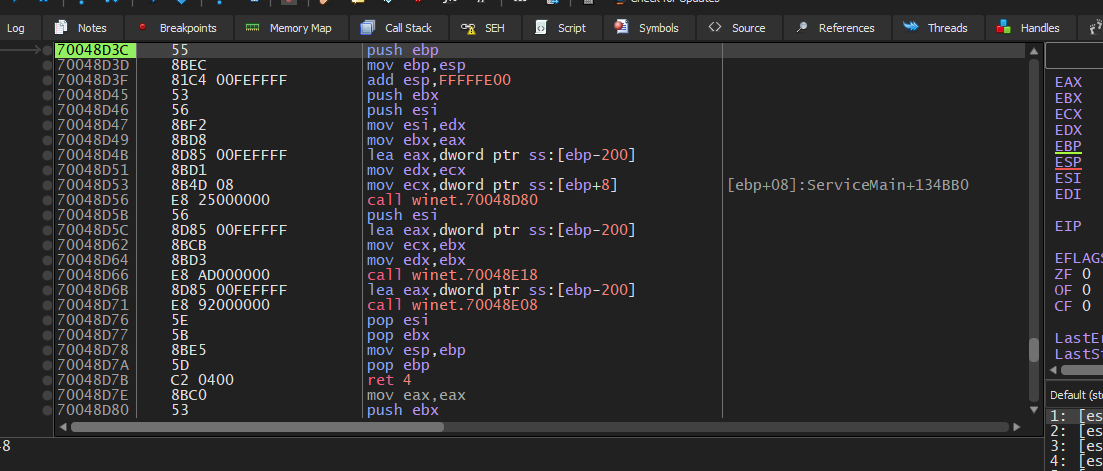
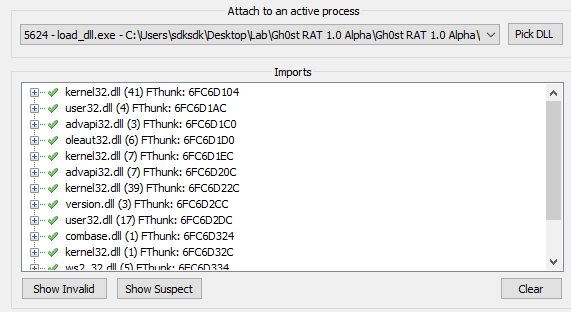
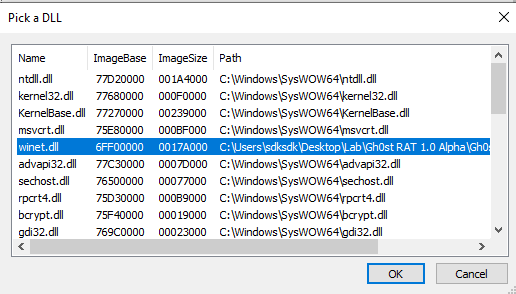
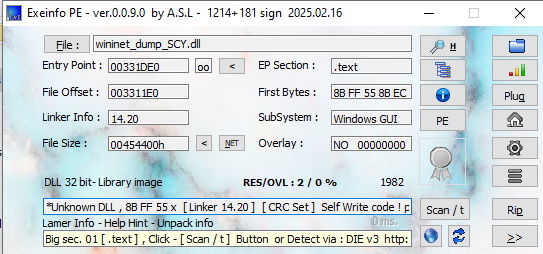
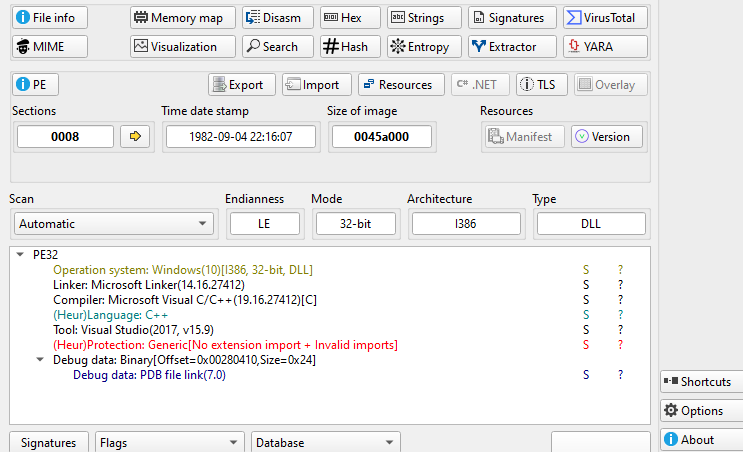
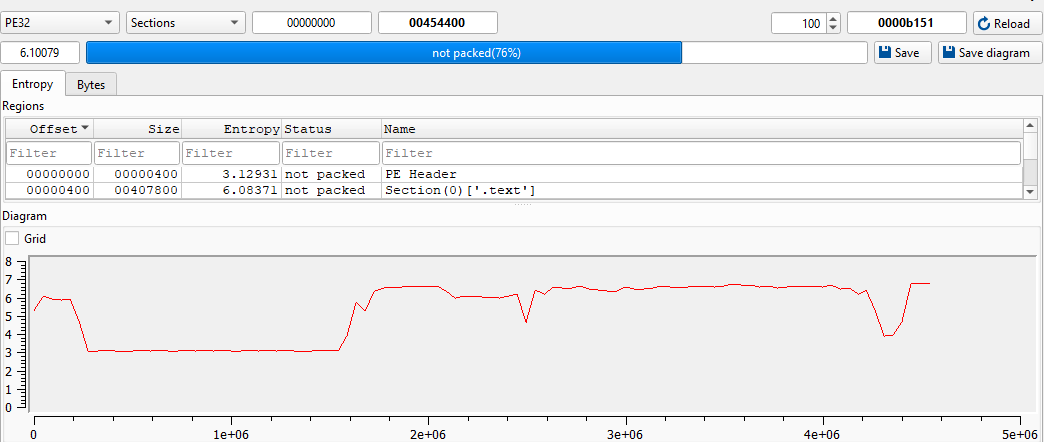
After opening it using Ghidra, I realized a wrong DLL was occasionally dumped since I used a wrong address. This highlights an important lesson: dumping more artifacts does not necessarily mean the correct one has been captured.
Then, I restarted the process. After further investigation, I found an instruction—pushad.
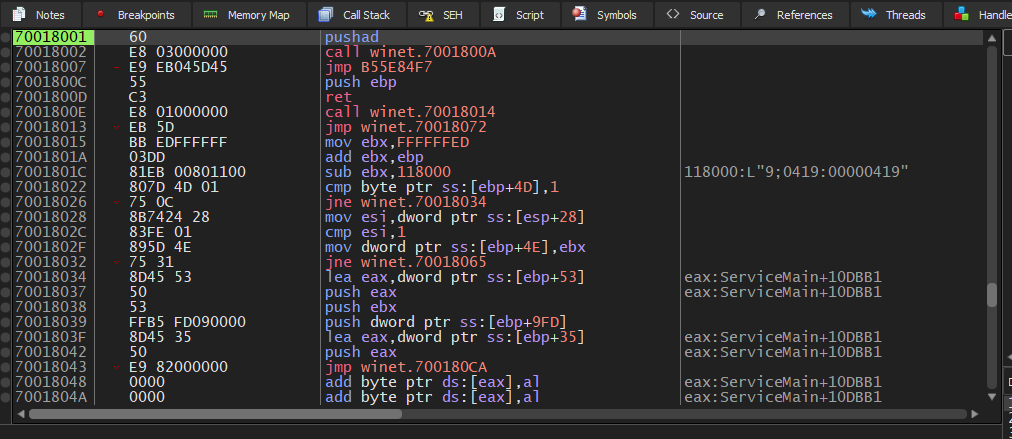
Therefore, the payload can be manually unpacked in the same way as UPX or ASPack (if you are interested in unpacking UPX and ASPack, please refer to this article):
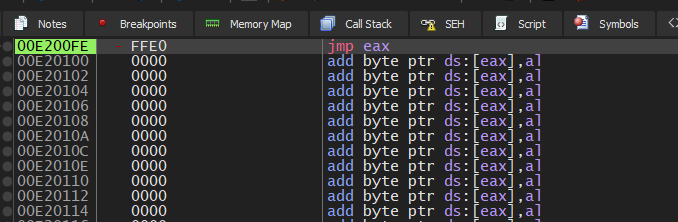
I then dumped and fixed winet.dll using Scylla (make sure to select the DLL in Scylla before proceeding):
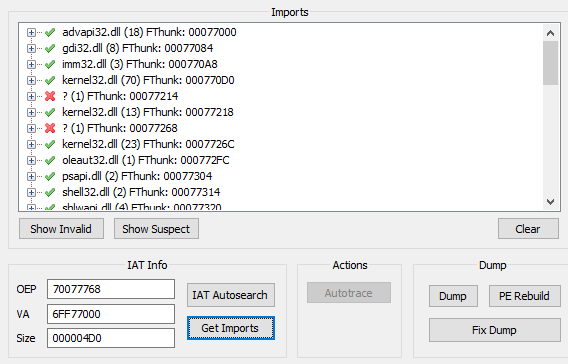
Opening the dumped DLL in ExeInfo PE revealed that it was still packed:
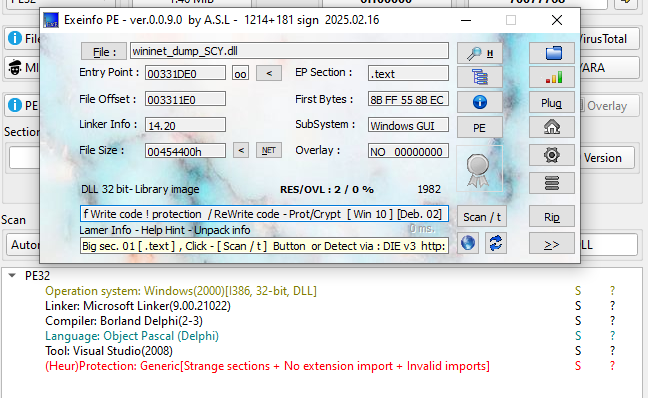
Therefore, I went back to x32dbg and found another pushad:
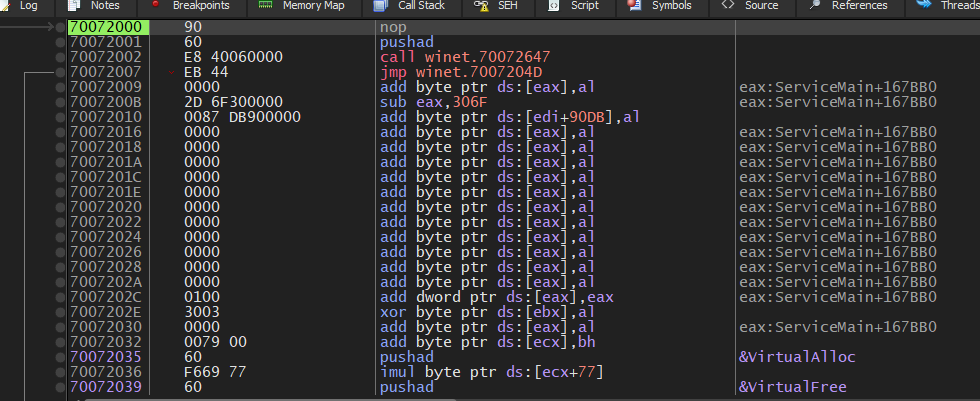
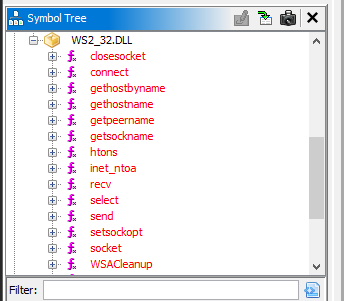
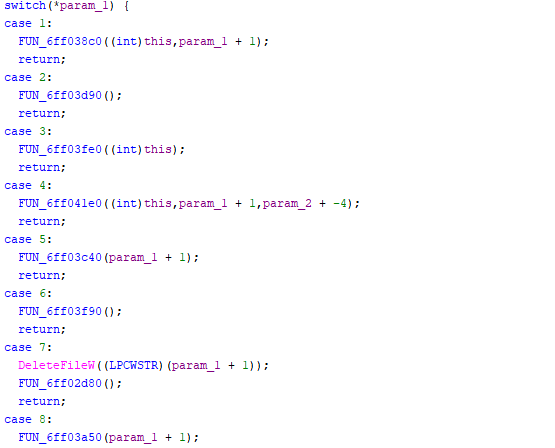
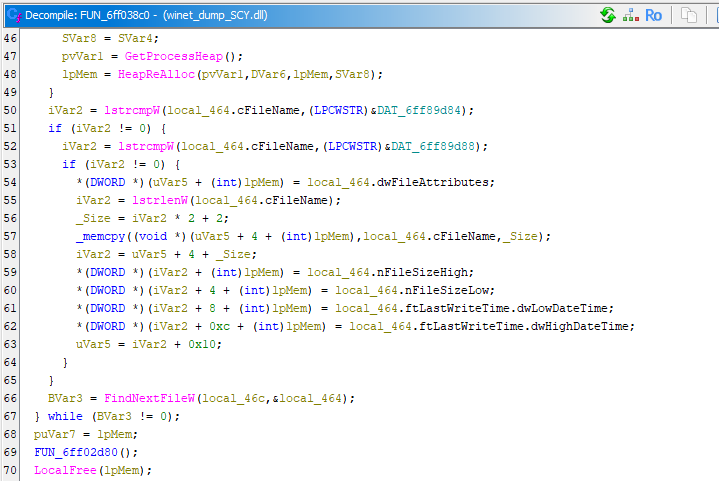
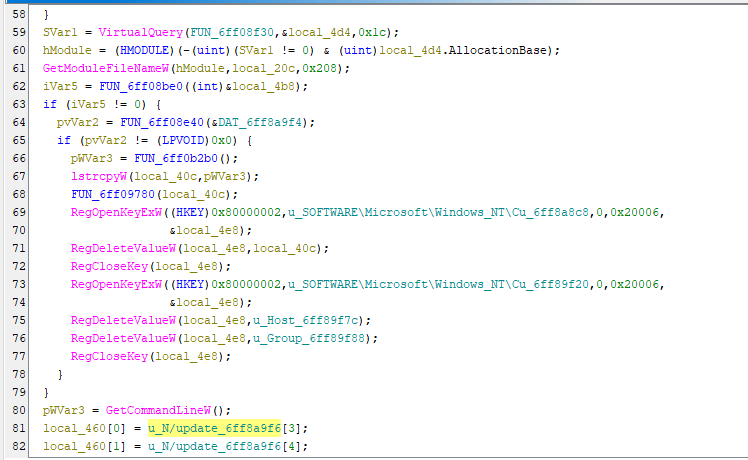
I dumped and fixed it again using Scylla, and opened it using Ghidra. Note that the decompiled code in Ghidra suggested that the payload might still be packed, but this no longer mattered as it did not affect the analysis:
Conclusion
This article presents an analysis of Gh0st RAT 1.0 Alpha. Compared to version Beta 3.6, the overall remote administration features did not change significantly (though some may have been improved at the code level), but the anti-analysis techniques were enhanced through the use of multiple layers of packing.
This suggests a shift in development focus from feature expansion toward evasion and anti-analysis techniques.
This evolution reflects how malware authors increasingly prioritize stealth and resistance against analysis over adding new capabilities.
If you have any comments or suggestions, please feel free to leave them below!
THANKS FOR READING