[Learning] How to Manually Unpack UPX and ASPack
Last Update:
Word Count:
Read Time:
Background
Recently, I have been studying different RATs (If you are interested in my research, you can read this article: Inside Different Generations of RATs). I encountered many payloads packed with UPX or ASPack. Initially, the only thing I could do was unpack them using specific tools(e.g., AsDie, UPX).
However, while studying Sub7, I successfully unpacked the payload manually. Therefore, I decided to write an article for anyone who have encountered the same problem. This article also serves as my personal note while studying reverse engineering.
Introduction
This article explains the fundamental principles behind UPX and ASPack packing. It also demonstrates how to perform manual unpacking using x32dbg, OllyDbg and Scylla.
Before reading this article, I assume that you have fundamental knowledge of reverse engineering. You should understand the functionality of ESP and the mechanism of the stack frame.

What Are Packing and Unpacking?
Software packing is the process of compressing, encrypting, or modifying an executable file to reduce its size and disguise its structure, often used to protect code or evade detection.
Unpacking reverses this process, restoring the original code in memory for execution or analysis.
Why Does It Matter?
An unpacked application is preferred rather than a packed one when conducting reverse engineering. Reverse engineering frameworks such as IDA and Ghidra read imported libraries and APIs via the Import Address Table (IAT). If the IAT cannot be read correctly, it becomes difficult to identify different functionalities through those APIs.
Packing software such as UPX and ASPack modifies the IAT of an application and rebuilds it at runtime, which increases the difficulty of analysis.
Unpacking
Unpacking UPX and ASPack using x32dbg or OllyDbg is almost the same. In this article, I use Sub7 version 2.0 and version 2.3 payloads as examples
Notice that the version 2.0 payload is packed with UPX, while version 2.3 is packed with ASPack:
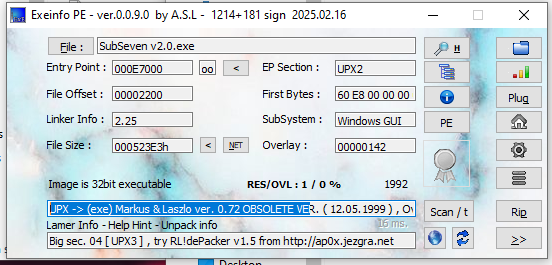
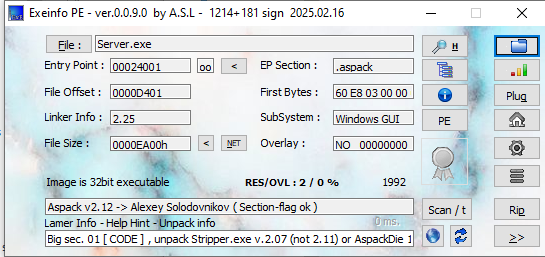
Open the payload using x32dbg:
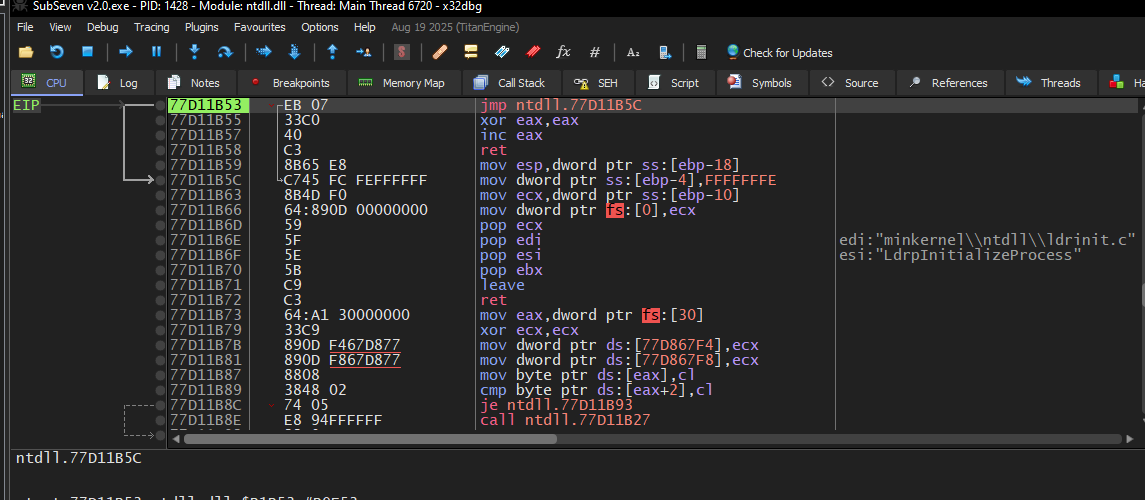
Sometimes the value of EIP may point to an address starting with 0x77.
This indicates that the instruction pointer is currently executing code inside a system DLL rather than the main module of the payload, as part of the DLL loading process.
If you open the payload with OllyDbg, this loading process with be skipped:
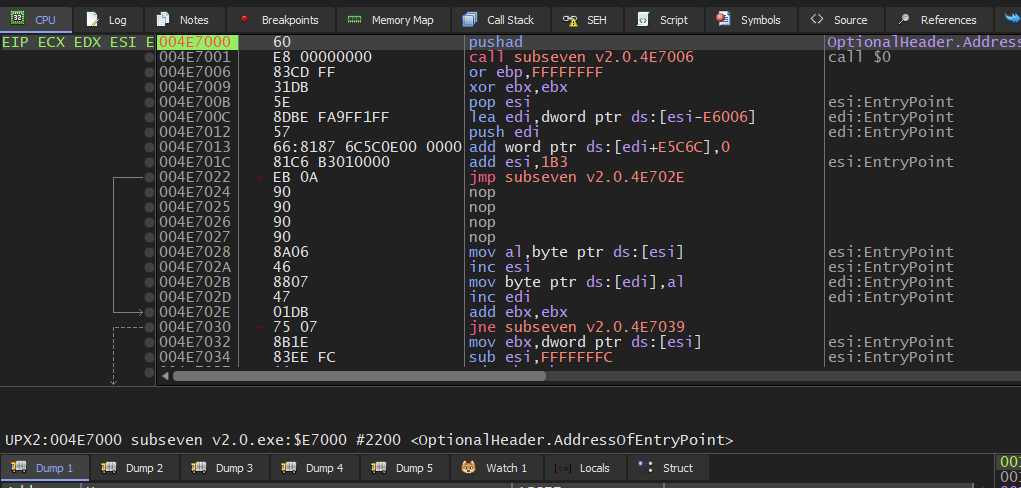
To return to the main module, press F9:
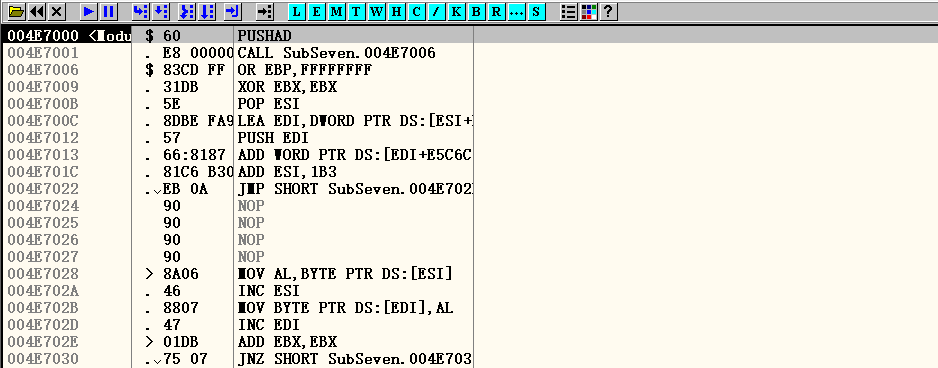
The instruction is now at the entry point of the main module (usually an address starts with 0x004).
However, this is not the original entry point (OEP). The instruction pointer will eventually reach the OEP after the unpacking algorithm has been executed. UPX and ASPack implement the unpacking algorithm using the PUSHAD and POPAD instructions.
Therefore, our target is clear: we need to stop the instruction pointer by setting a breakpoint at the address where the unpacking function completes. To do this, first check the instruction at the entry point:
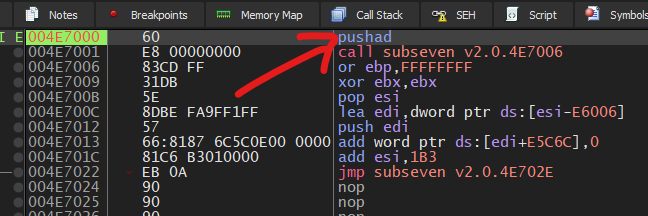
Next, execute the instruction PUSHAD by pressing F7:


The address of the entry point is pushed onto the stack. Next, right-click the stack entry that stores the entry point address (0x004E7000) and navigate to: Breakpoint -> Hardware, Access -> Byte
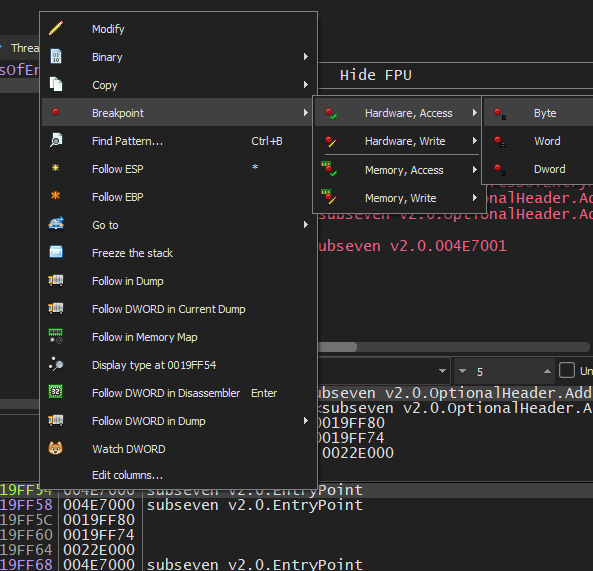
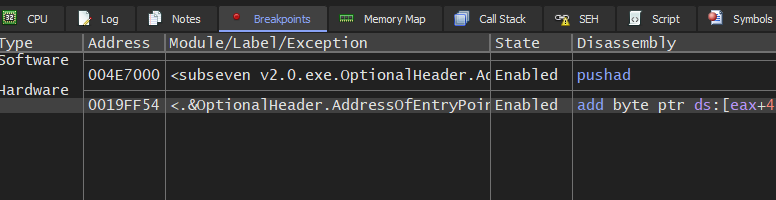
Then, press F9 to execute the unpacking algorithm. If everything works correctly, the instruction pointer will stop at the breakpoint that we set:
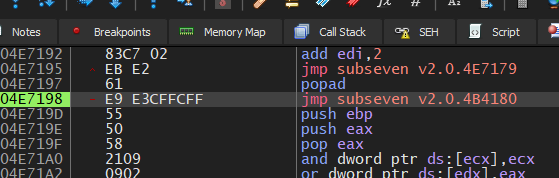
Now, press F7 to execute this instruction: jmp subseven v2.0.4B4180:
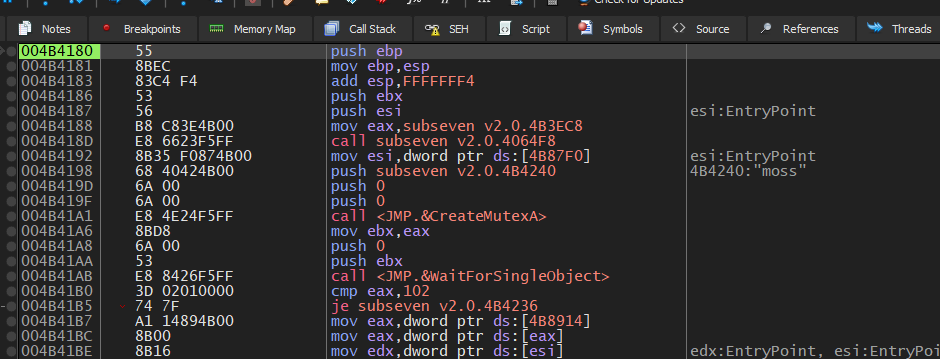
If you have successfully reached the OEP, it should look like this. Typically, the OEP begins with the following instructions:1
2
3push ebp
mov ebp, esp
add esp, FFFFFFF4
Therefore, we can presume that the OEP address is 0x004B4180 (in my case).
To dump the file, you can use a tool such as Scylla:
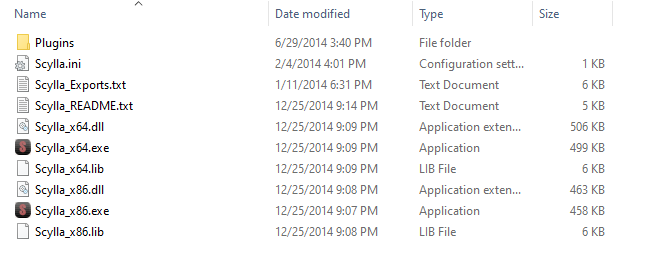
Note that we must use Scylla x86 since the Sub7 payload is an x86 PE file.
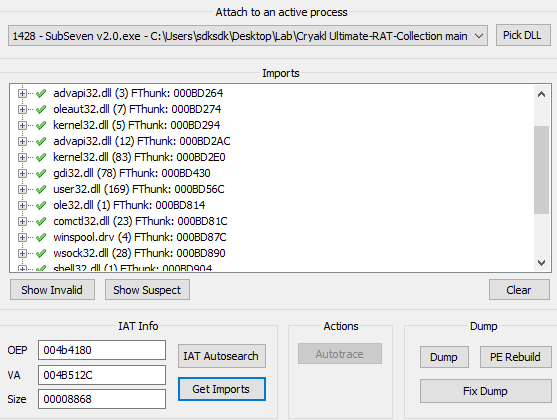
Scylla allows you to attach to the running executable:
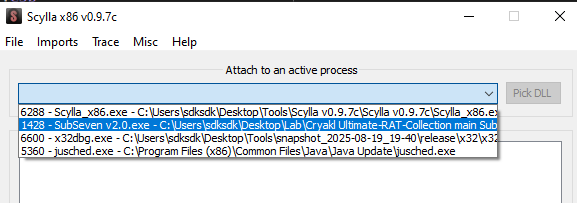
Modify the OEP value and click IAT Autosearch:
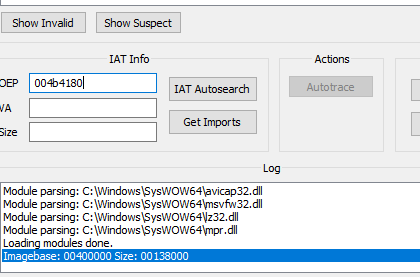
If the value of OEP is correct, you can obtain the imported libraries correctly:
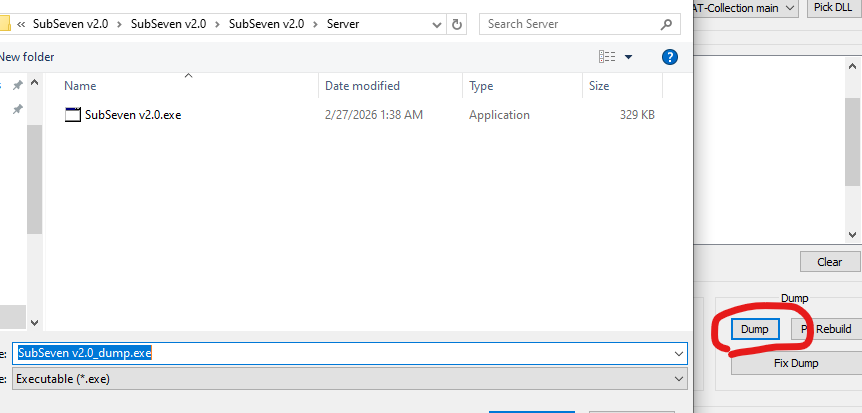
Next, dump the file:
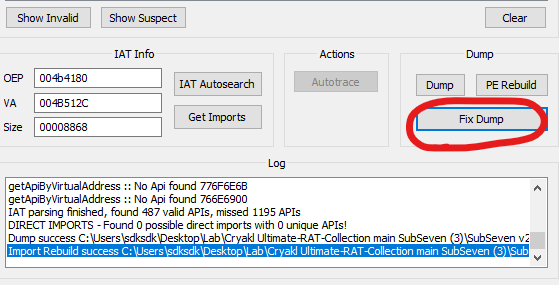
And fix the file that you dumped:
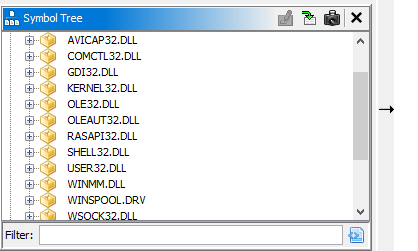
Open the executable using Ghidra or IDA. We should now see that the imported modules are correctly displayed:
If you are using OllyDbg without any plugins, there is another way to quickly locate the OEP.
Since both UPX and ASPack use instructions PUSHAD and POPAD instructions, we can search the instruction POPAD using Ctrl+L and quickly reach the OEP:
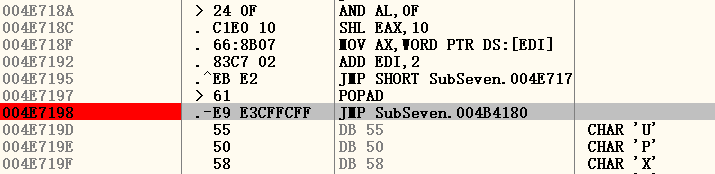
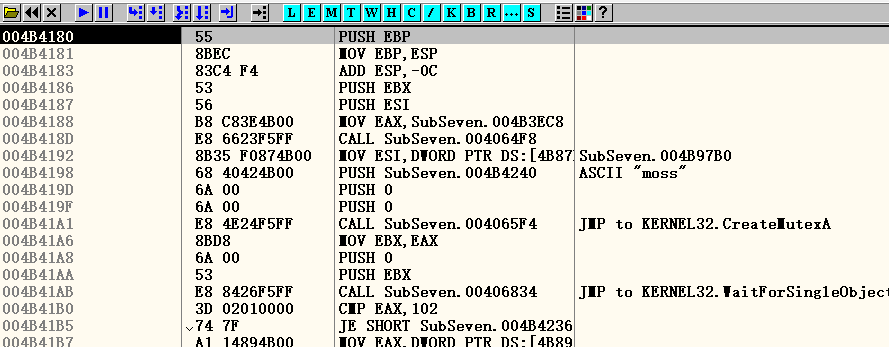
Here, the OEP address is 0x4B4180, which is the same as the one we found using x32dbg.
Conclusion
Manual unpacking may not be an advanced or breakthrough technique for reverse engineering, but is has significant meaning for me as a begineer in malware analysis.
Murmur
Although I have not been in the best mood recently… I still wish all of you the best. Goodnight.
THANKS FOR READING