[Studying] Analyzing Netbus
Last Update:
Word Count:
Read Time:
Introduction
This article is part of my series: Inside Different Generations of RATs. If you are interested in the full series, please click the mentioned page.
This article revisits a well-known RAT from the late 1990s and presents a reverse engineering analysis of its architecture and communication protocol.
Netbus
NetBus is a remote access tool (RAT) to control Microsoft Windows systems. It was created in 1998 and became controversial due to its potential use as a Trojan horse.
NetBus was written in Delphi by Carl-Fredrik Neikter. It was in wide circulation before Back Orifice was released.
In modern RAT architecture, the system typically consists of two components: a client and a server. In many contemporary C2 frameworks——such as Cobalt Strike, Armitage or United Rake——the architecture may involve multiple clients connecting to a C2 server. However, in the late 1990s, the “client” refers to the attacker-side controller application, while the “server” refers to the payload installed on the victim machine.
In this article, the following versions are analyzed:
- NetBus 1.20
- NetBus 1.53
- NetBus 1.70
- NetBus 2.0 Pro
Experimental Environment Setup
To safely conduct malware analysis, the environment should be isolated using virtual machines. Under no circumstances should malware be executed on a personal or production system.
| Tool | Description |
|---|---|
| PETool | Utility for inspecting and modifying Portable Executable (PE) files, including EXE and DLL modules |
| Process Explorer | Advanced process monitoring tool for examining running processes, loaded DLLs, and system handles |
| PEView | Static analysis tool for examining PE and COFF file structures (EXE, DLL, OBJ, LIB) |
| CFF Explorer | PE file editor and analyzer developed by NTCore, supporting 32-bit/64-bit executables and .NET assemblies |
| Wireshark | Network protocol analyzer used to capture and inspect live or recorded traffic |
| Ghidra | Open-source software reverse engineering framework developed by the NSA |
| Device | IP Address | Description |
|---|---|---|
| Windows XP x86 (VM) | 192.168.85.2 | Victim machine used for executing the NetBus server component |
| Windows 10 x64 (VM) | 192.168.85.3 | Analyst machine used for reverse engineering and client-side interaction |
The two virtual machines were configured within an isolated internal network to prevent unintended external communication.
If you want to know how to set up your experimental enviroment, please view:
- How to Setup Your Experimental Environment for Malware Analysis
- Installing VMware Tools on Windows XP and Windows 95 with VMware WorkStation 17

NetBus 1.20
File tree:1
2
3
4
5└───Netbus1.20
KeyHook.dll //A DLL file, use with SysEdit.exe
NetBus.exe //Client, controller
NetBus.rtf //The README documentation
SysEdit.exe //Server, payload
Features in this version:
- Open/close the CD-ROM once.
- Open/close the CD-ROM in intervals, the time interval is set in seconds.
- Show optional image. The image must exist in the same directory as SysEdit. The supported image-formats is BMP and JPG.
- Swap mouse buttons – the right mouse button gets the left mouse button’s functions and vice versa.
- Start optional application.
- Play optional sound-file. The sound-file must exist in the same directory as SysEdit. The supported sound-format is WAV.
- Point the mouse to optional coordinates. You can even navigate the mouse on the target computer with your own!
- Show a message or question on the screen. Sentence that ends with ”?” gives a question, and a sentence that starts with ”?” gives a dialog-box that the user can give his ”answer” in. The answer is always sent back to you!
- Exit Windows.
- Go to an optional URL within a web-browser.
- Send keystrokes to the active application on the target computer! The text in the field ”Message/text” will be inserted in the application that has focus. (”|” represents enter).
- Listen for keystrokes and send them back to you!
- Get a screendump! (should not be used over slow connections)
- Inform yourself about which user-name the person has logged in with.
- Increase and decrease the sound-volume.
Let’s attempt to execute NetBus.exe on a Windows 10 system:
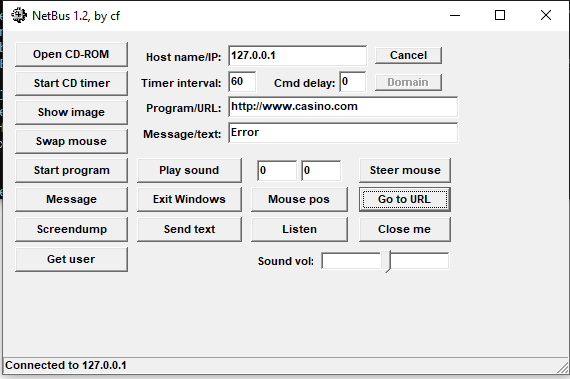
A VCL Forms application compiled with Delphi is a native Win32 executable built on top of the Win32 API. This explains why a GUI application developed decades ago can still execute on modern Windows 10 systems. This behavior is expected. However, some features may no longer function correctly due to changes in Windows system architecture and security configuration over time. The officially supported operating systems at the time included:
- Windows 95
- Windows 98
- Windows ME
- Windows NT 4.0
Now let’s take a look at the user interface. In version 1.20, only basic features are available. Some functions no longer operate correctly on modern systems. Overal, this version contains simple features. It does not involve modern features, such as file manager (but version 1.70 does).
Next, execute SysEdit.exe on Windows XP machine, When executed on a Windows XP system, SysEdit.exe binds to TCP ports 12345 and 12346 to listen for incoming connections. These port numbers appear to be hardcoded and cannot be modified through the interface in this version.1
> netstat ano | find "12345"
No firewall warning dialog is triggered on a Windows XP x64 system.

Analyze the Protocol
Wireshark filter:1
ip.src == 10.98.217.130 || ip.dst == 10.98.217.130
After connecting to the server (SysEdit.exe):
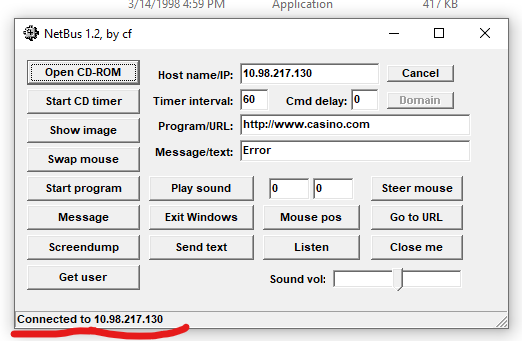
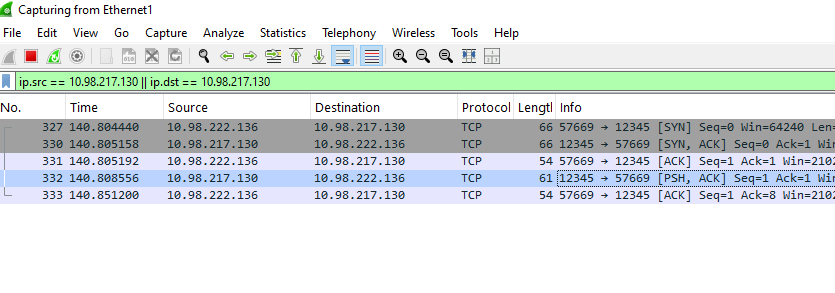
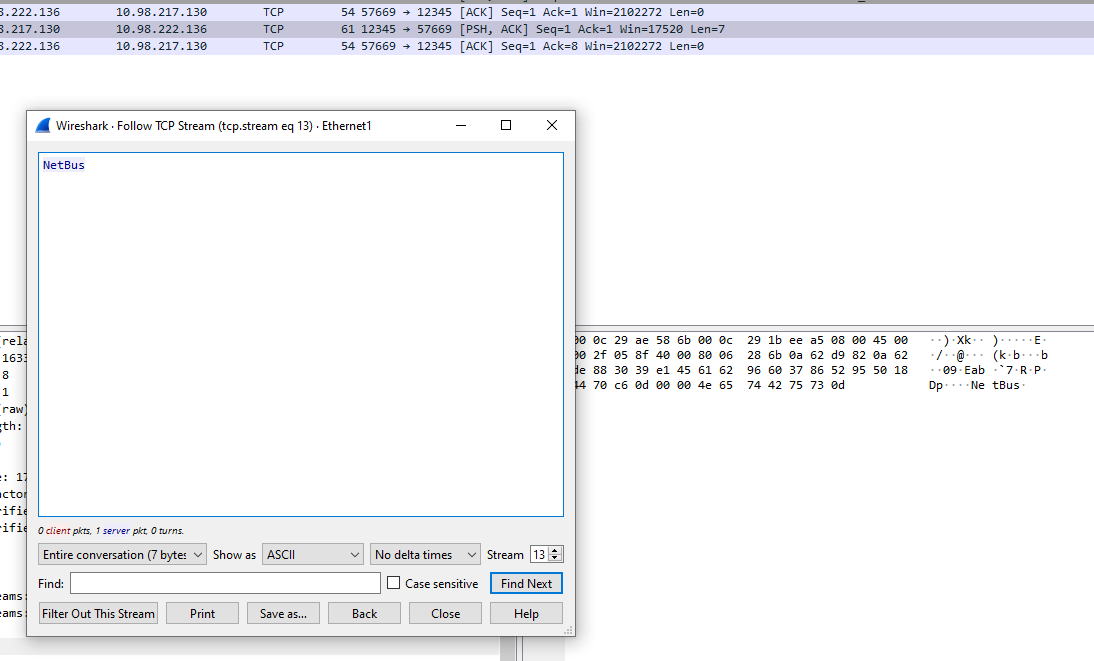
After TCP handshake, the server notifies the client using a plain text Netbus\r. The structure of the C2 commands is shown below:
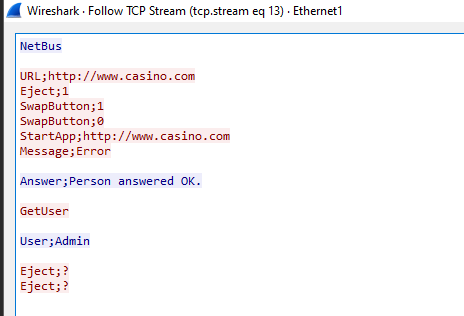
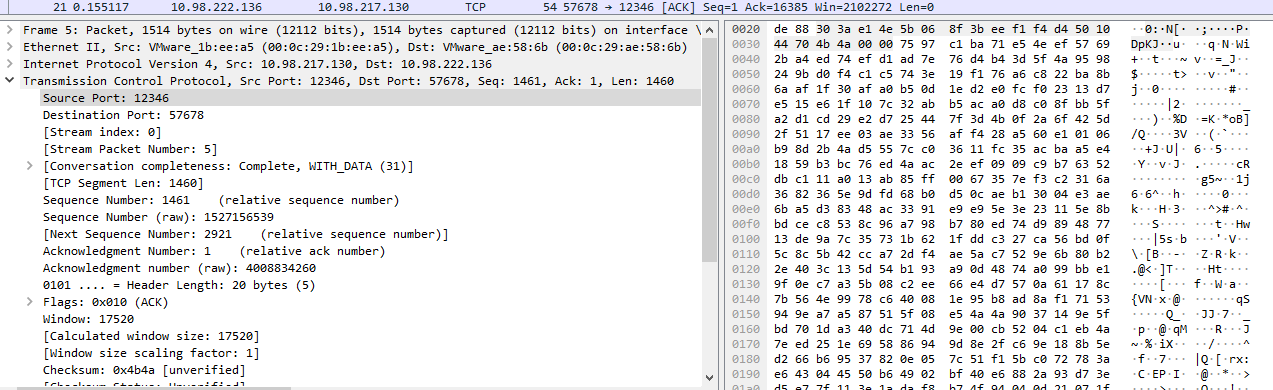
Port 12345 is used for receiving C2 commands, while port 12346 is dedicated to the “Screen Dump” functionality.
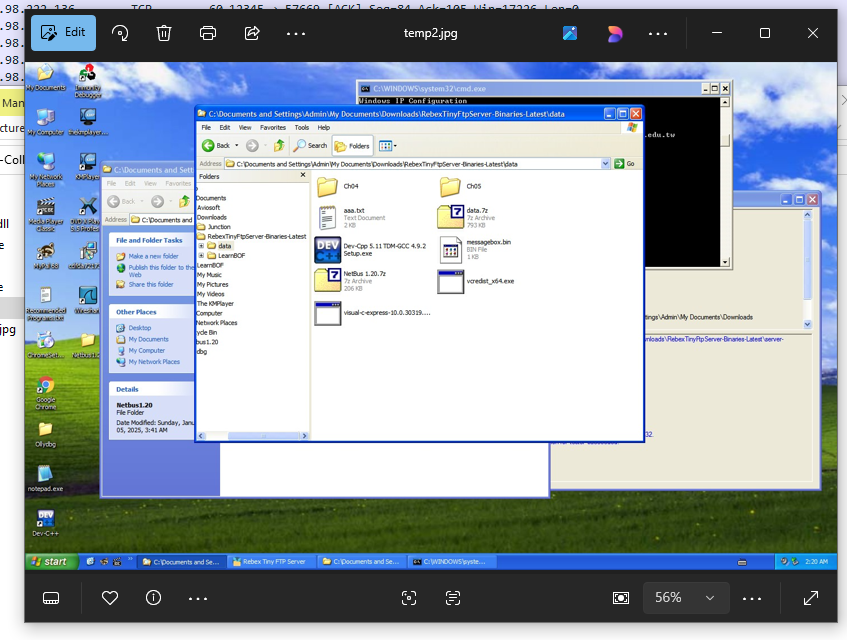
The result of ScreenDump——an image——is saved as temp2.jpg
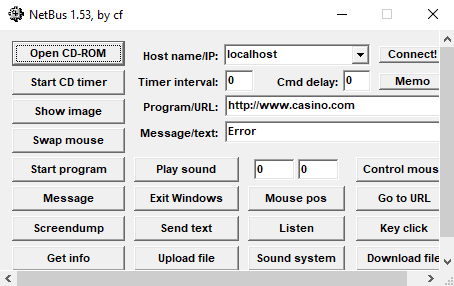
NetBus 1.53
Version 1.53 introduces additional features:
New features (Reference: README.txt of this version):
- Upload any file from you to the target computer! With this feature it will be possible to remotely update SysEdit with a new version.
- Record sounds that the microphone catch. The sound is sent back to you!
- Make click sounds every time a key is pressed!
- Download any file from the target. Before you start to download you can select files in a nice view that represents the harddisks on the target!
NetBus 1.70
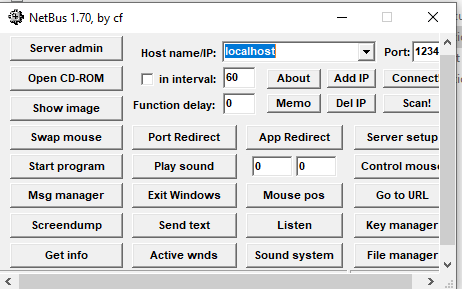
This version contains more features, such as file manager:
NetBus 2.0
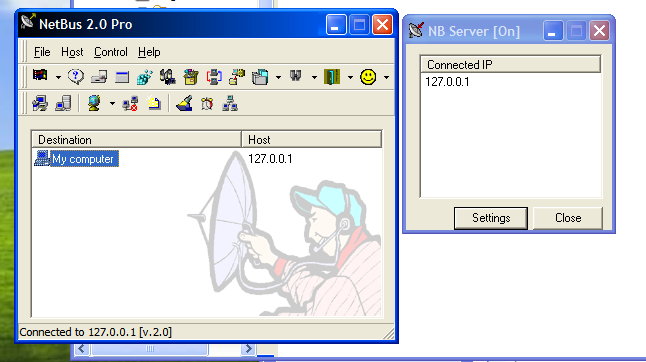
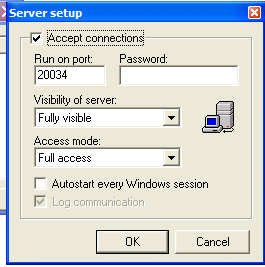
Starting from version 2.0, NetBus evolved into a more comprehensive system management application. Both the client and server components require installation and provide GUI-based interfaces.
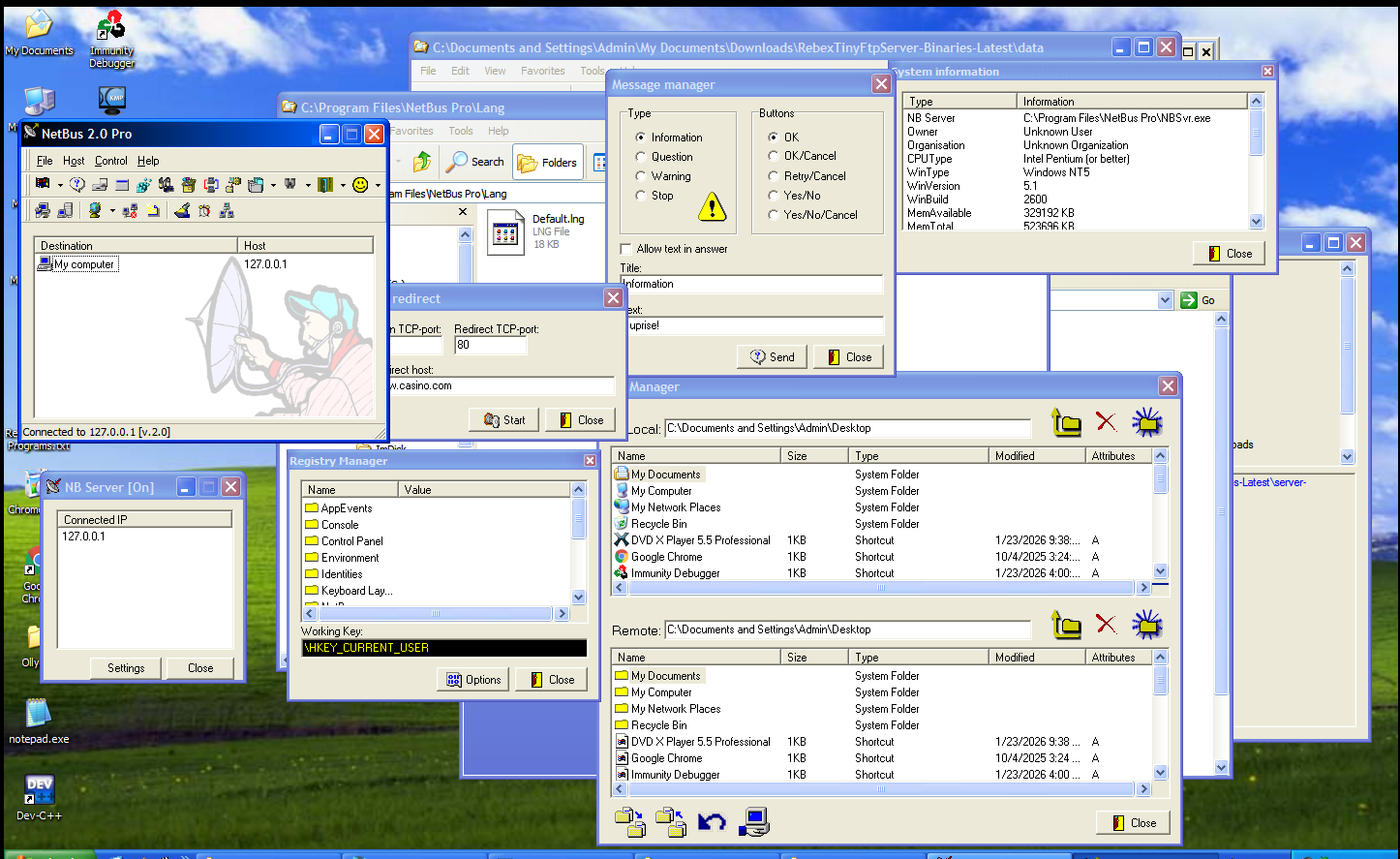
This version introduces features that are commonly seen in modern RATs, such as:
- Port forwarding
- Screen capture
- Camera capture
- Registry management
- Plugin management
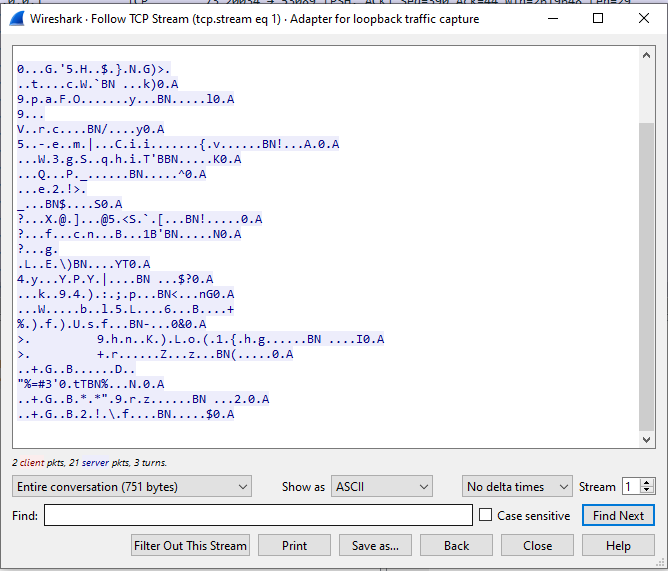
NetBus 2.0 uses a different protocol:
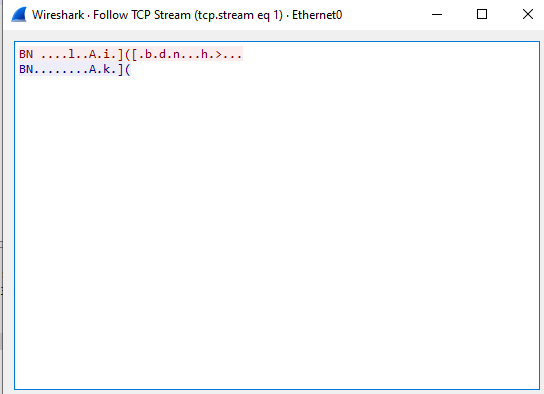
Compared to the 1.x versions, NetBus 2.0 (and 2.1) implements encoded communication within its protocol.
Reverse Engineering
Netbus 1.20
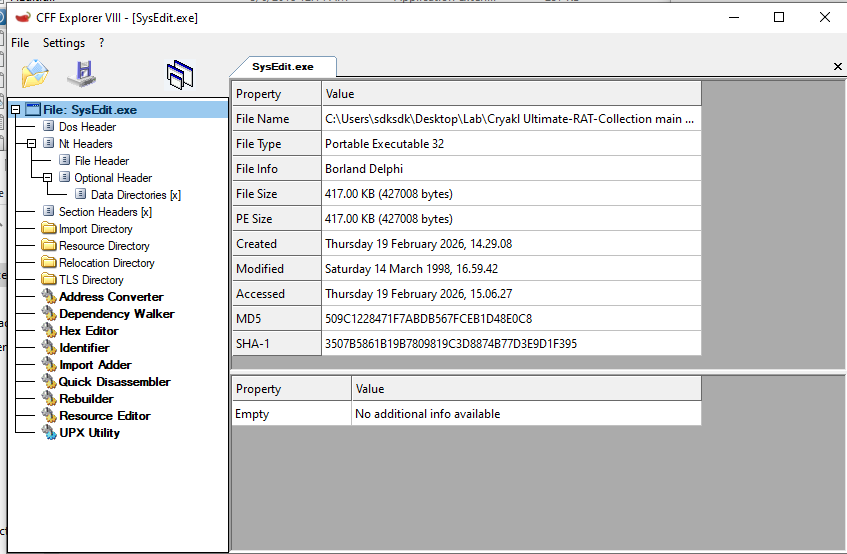
Open SysEdit.exe (version: 1.20) using CFF Explorer. The executable is identified as a 32-bit x64 PE file. Both SysEdit.exe and KeyHook.dll were developed using Delphi.
I have previously learned how to use Ghidra and IDA; however, I have not extensively performed malware analysis before. This makes the analysis of this legacy RAT a valuable practical exercise!
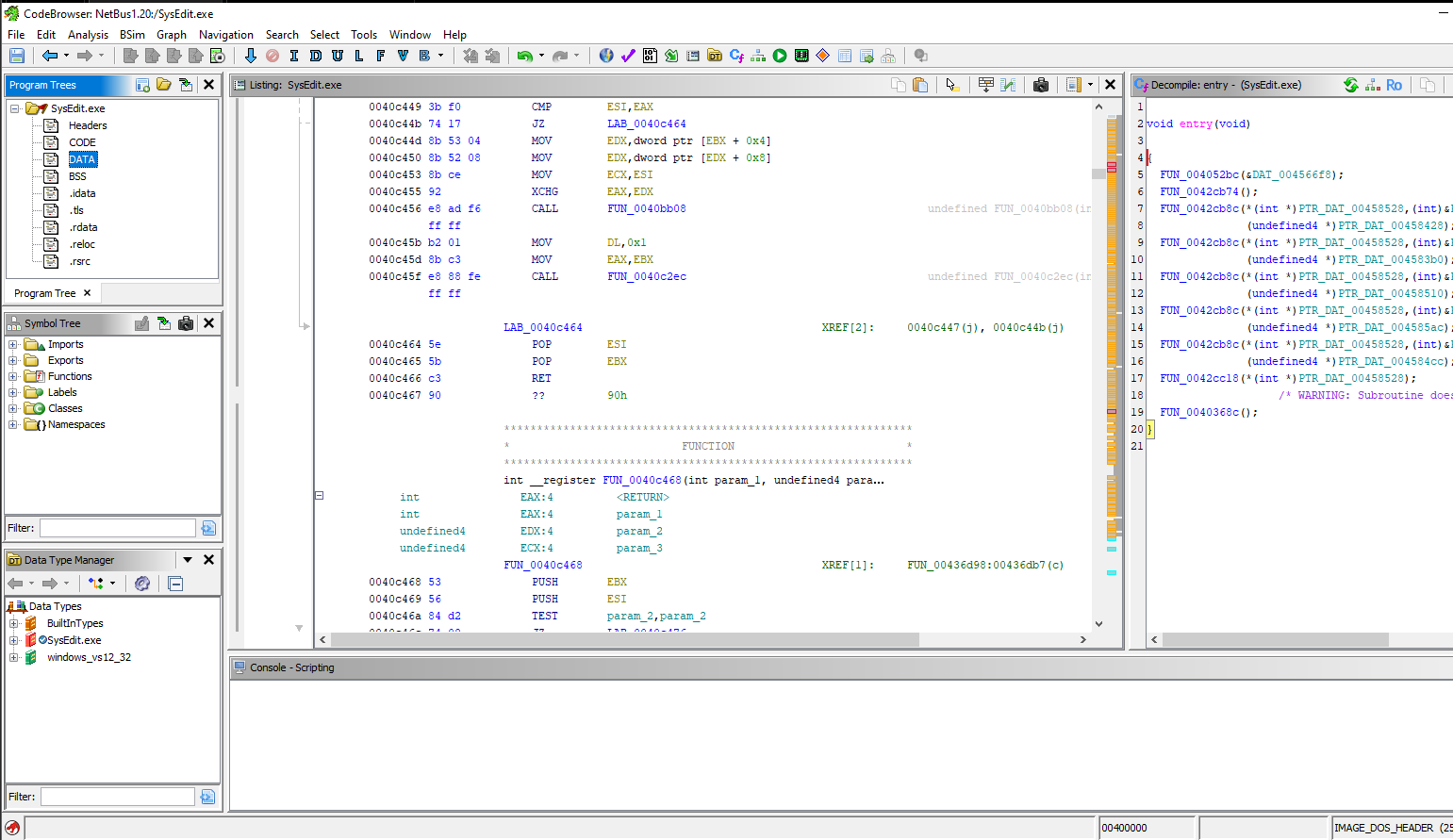
Entry Point:
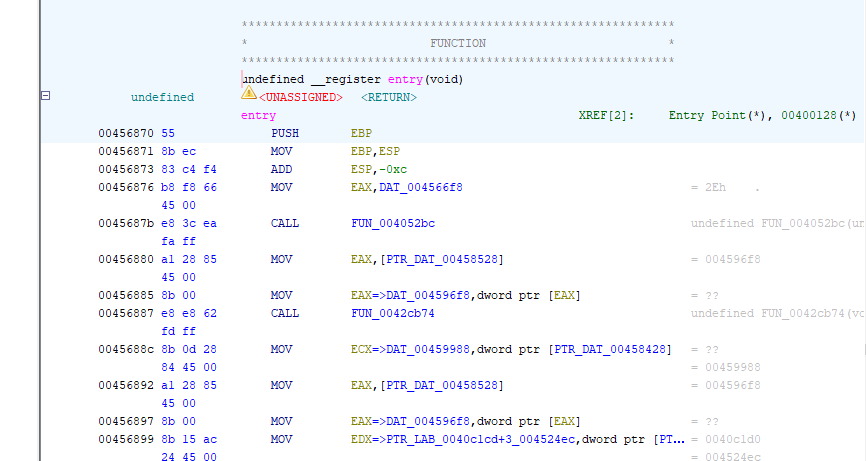
No any patch is found:
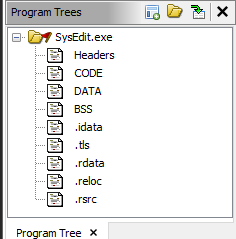
Imports:
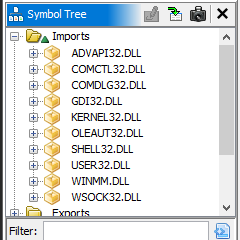
This application imports libraries like GDI32.dll, USER32.DLL, which demonstrate that it is a WinGUI application——Delphi VCL.
To locate the WinMain entry point in a Delphi application using Ghidra is relatively straightforward once the Windows GUI execution model is understood. Unlike console applications, Win32 GUI applications enter a message loop and process window message via Win32 APIs such as GetMessage (or PeekMessage) and DispatchMessage.
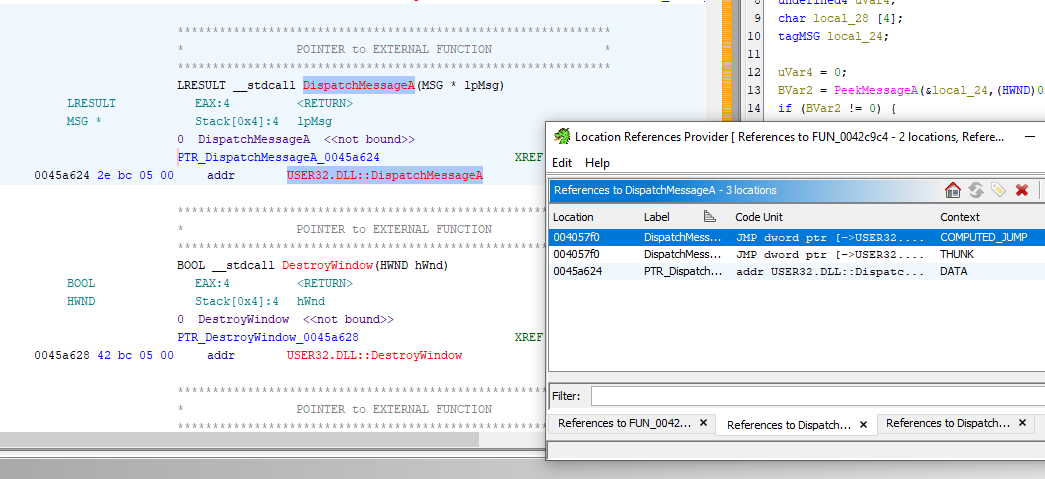
By examining references to DispatchMessageA in the import table and tracing its cross-references, we can identify the function responsible for initializing the application.
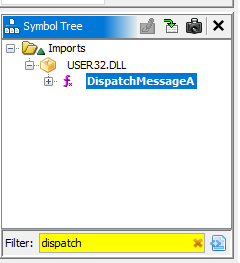
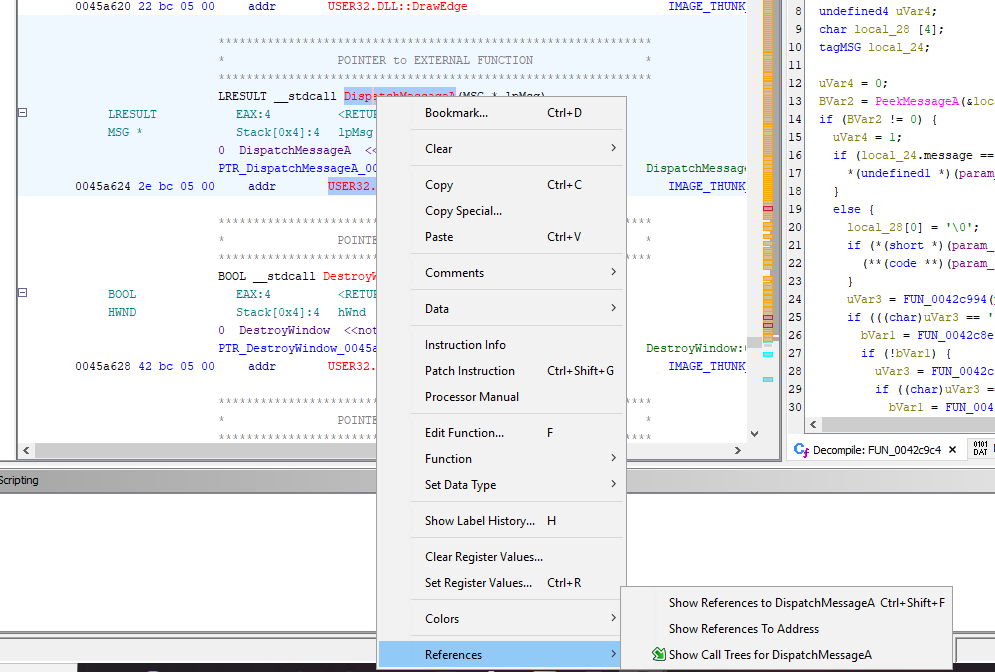
Right-click -> Show Reference To:
Right-click -> Show References to DispatchMessageA:
Now, we can see a function like this:
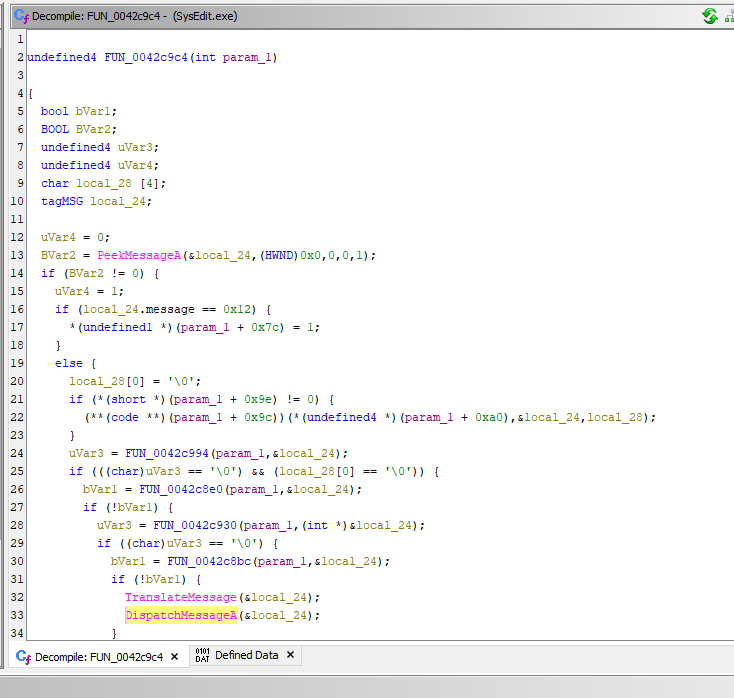
We can also use Show Call Tree to find this function. Now let’s click into FUN_0042c930:
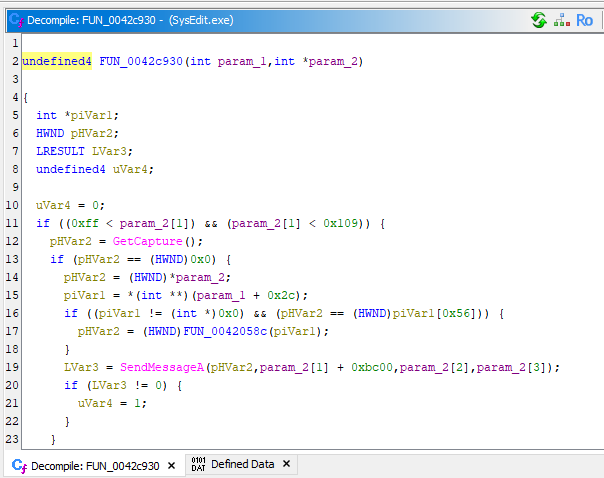
The function signature matches the standard Windows definition:1
2
3
4
5
6int PASCAL WinMain(
HINSTANCE hInstance,
HINSTANCE hPrevInstance,
LPSTR lpszCmdLine,
int nCmdShow
)
This is how we find the WinMain() function.
To identify the C2 command handler, we can trace calls to the recv function, which is responsible for receving data from the attacker.
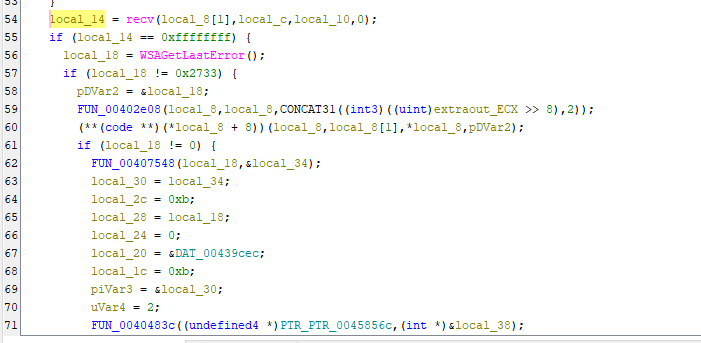
After stepping through each function within this call chain, the message handler is not immediately visible. In this case, go to the parent function which call FUN_00439b10 using Function Call Tree:
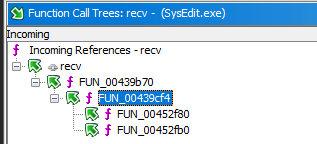
From the decompiled code, it can be inferred that local_c stores the pointer to the received buffer. This is the reason why we cannot see any return value relate to the buffer. Let’s go into FUN_00403ac4:
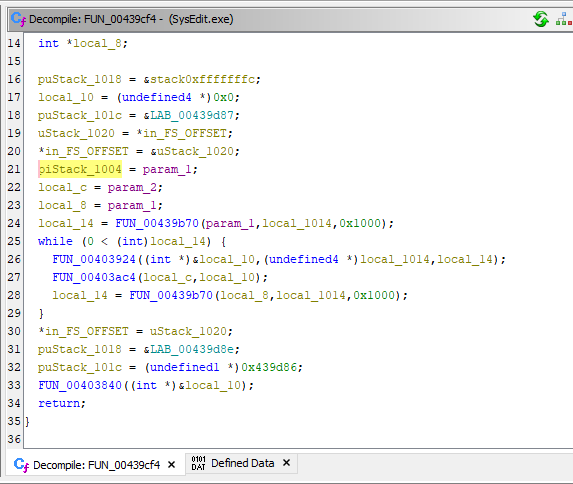
We can see that the buffer is now in puVar2. Let’s step into FUN_004026a8:
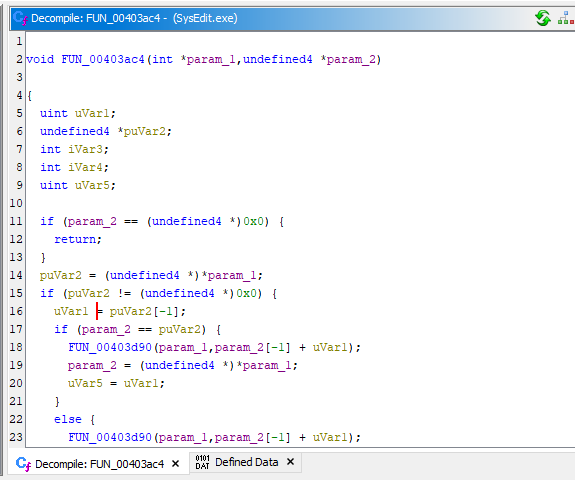
By continuing to trace the execution flow, we eventually located the function responsible for handling incoming commands.
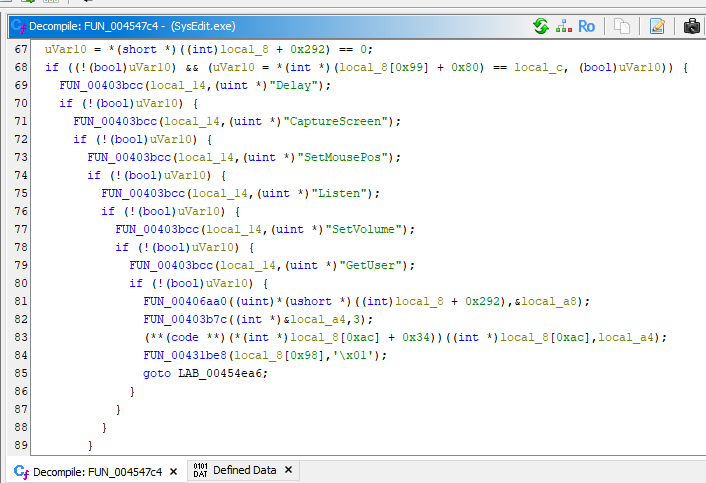
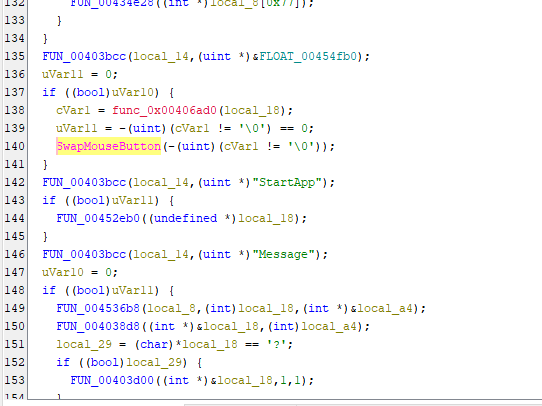
An alternative approach is to search for know C2 command strings within the Defined Data section. Since NetBus 1.x uses plain-text commands, locating the handler becomes significantly easier.
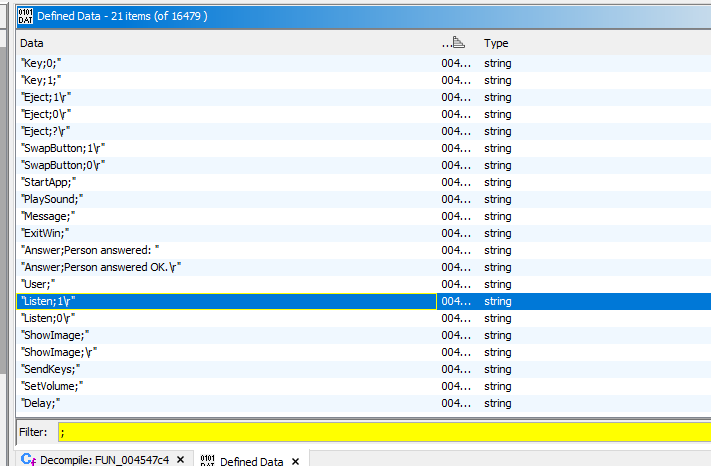
In contrast, modern RATs typically employ encrypted C2 channels, which significantly increases the complexity of reverse engineering.
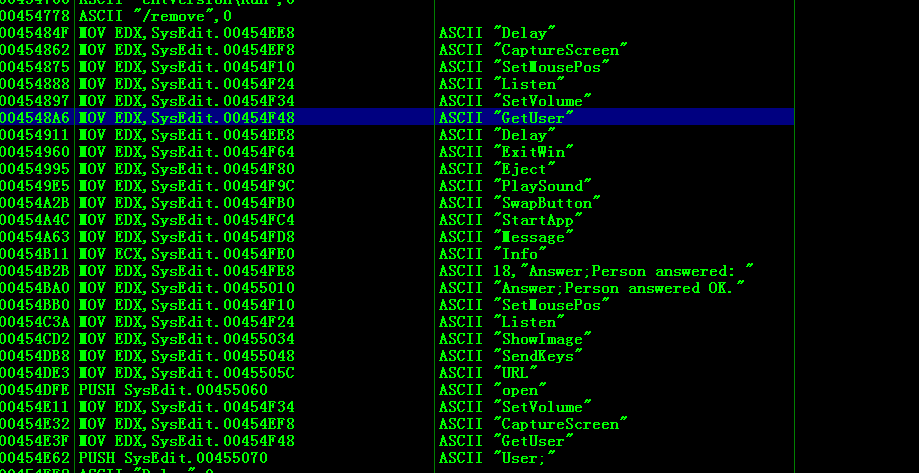
We can also use Immunity Debugger(or OllyDbg) to find the message handler:
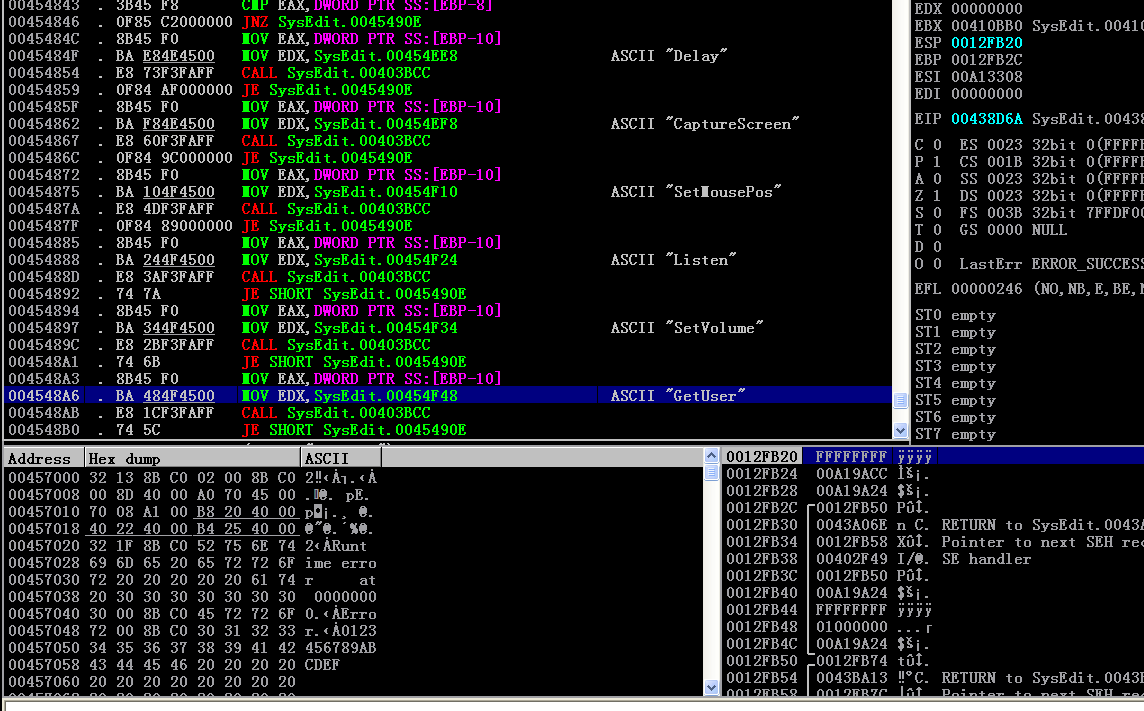
The KeyHook.dll module implements keylogging functionality.
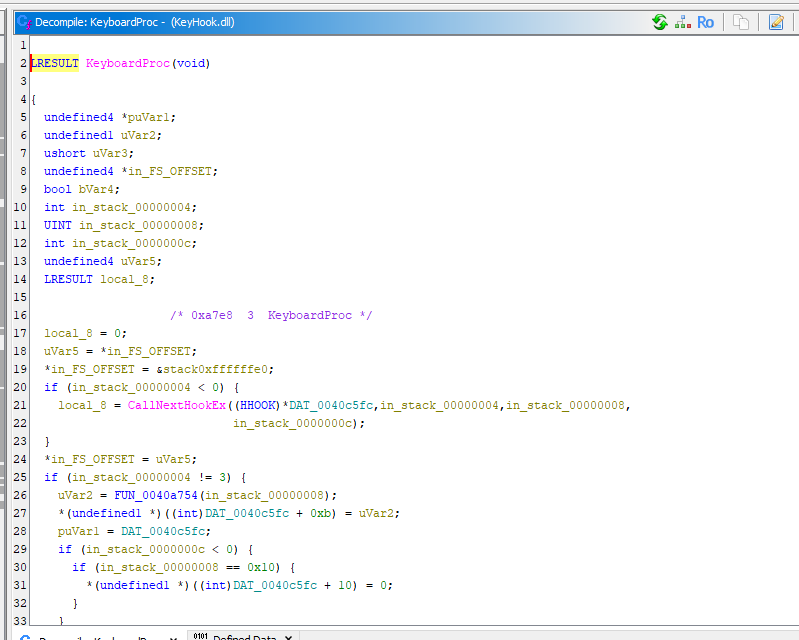
The KeyboardProc callback captures keystrokes, processes them, and transmits the recorded data (key char) back to the attacker.
NetBus 2.0
Tracing the TCP handler in NetBus 2.0 reveals a more structured design compared to version 1.x.
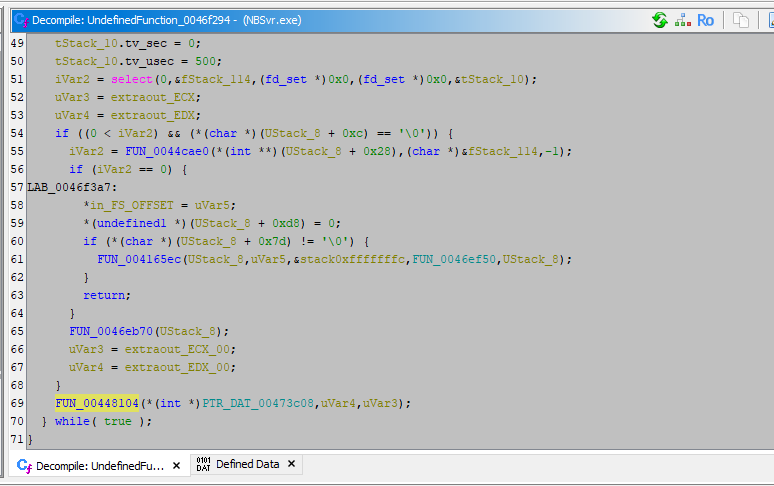
By continuing to trace the execution flow, the message handler (FUN_0046e2c8) can be identified. Here, param_2 contains the pointer to the received buffer.
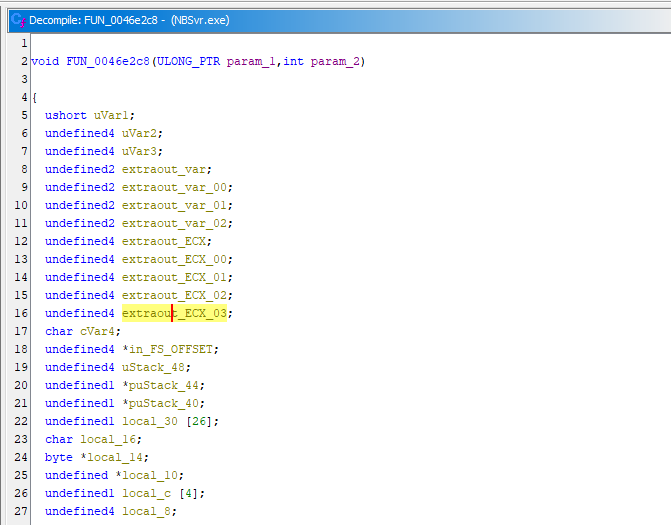
Compare to version 1.x, NetBus 2.0 and 2.1 introduce significant improvements to the communication protocol. A structed protocol is defined to parse imcoming data.
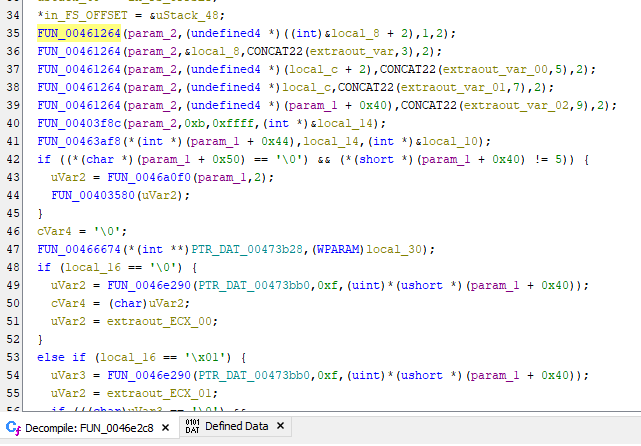
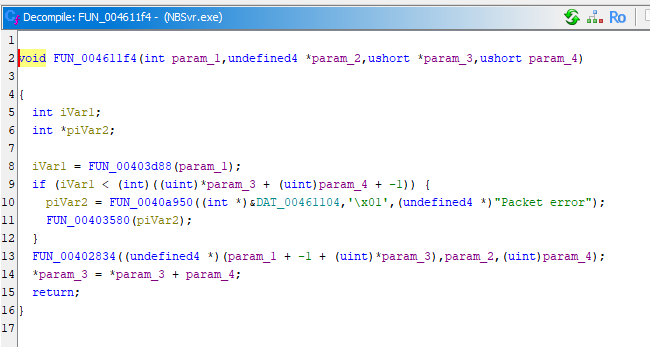
Instead of identifying C2 commands using plain-text string, version 2.0 uses integer identifiers to represent command types.
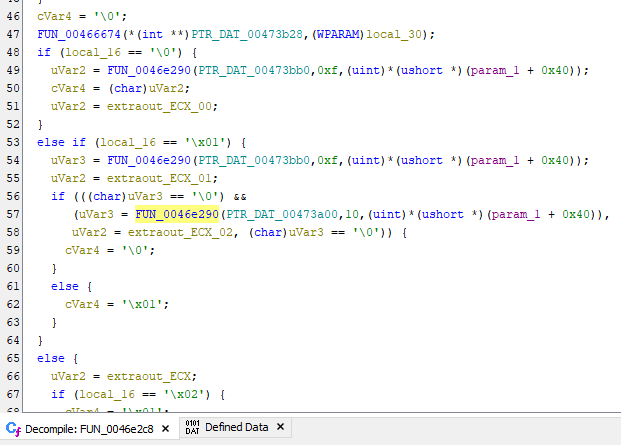
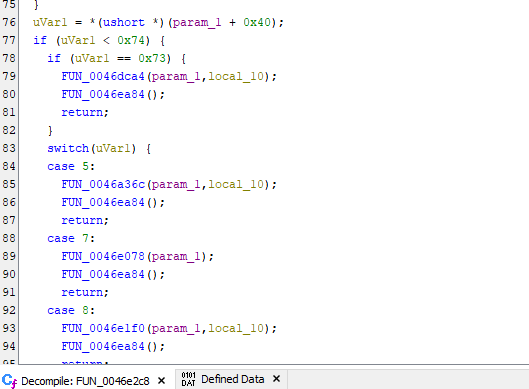
The authentication function(uVar1 == 5):
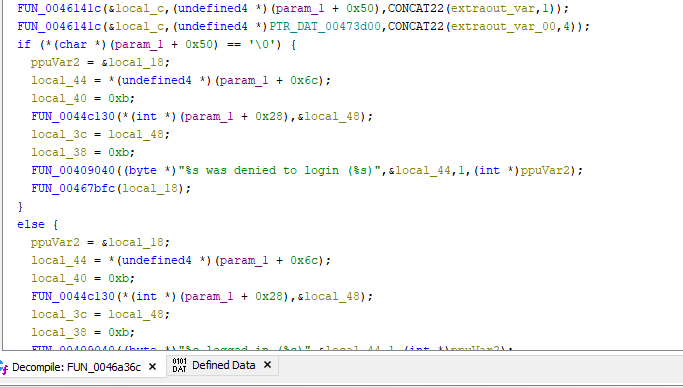
Other C2 commands follow the same protocol structure.
Conclusion
One of the characteristics that contributed to the controversial nature of NetBus was its silent execution. Starting from version 2.0, the server component required installation through a GUI-based installer, shifting its presentation closer to that of a remote administration tool.
From a technical perspective, NetBus 2.0 (and 2.1) represented a significant architectural evolution for its time. It introduced structed protocol handling, plugin-like extensibility, and graphical management features that resemble capabilities found in later-generation RATs.
This article marks the beginning of this series and also my first attempt at conducting malware analysis using Ghidra. As this is an early work, some parts of the analysis may not be as refined as they could be.
Any feedback or suggestions are highly appreciated!
THANKS FOR READING