[Studying] Analyzing Back Orifice
Last Update:
Word Count:
Read Time:
Introduction
This article is part of my series: Inside Different Generations of RATs. If you are interested in the full series, please refer to the linked article.

Back Orifice
Back Orifice (often shortened to BO) is a computer program designed for remote system administration. It enables a user to control a computer running the Microsoft Windows operating system from a remote location1. It was allegedly developed by a hacker group Cult of the Dead Cow in 1994 2. Cult of the Dead Cow (a.k.a cDc) is a computer hacker organization founded in 1984 in Lubbock, Texas 3.
Back Orifice has a client-server (C/S) architecture. A small and unobtrusive server program is on one machine, which is remotely manipulated by a client program with a graphical user interface (GUI).
Back Orifice has two famous versions——version 1.20 and version 2000——where the former one was released in 1998 and the latter one (here 2000 stands for Windows 2000) was released in 1999. There is also a version “v1.2.0.5”, which updates the graphical user interface.
This article provides analysis of Back Orifice version 2000, since it is the most stable version.
Experimental Environment
To safely conduct malware analysis, the environment should be isolated using virtual machines. Under no circumstances should malware be executed on a personal or production system
| Tool | Description |
|---|---|
| ExeInfo | A static analysis tool for examing PE fiel |
| DIE (Detect It Easy) | A static analysis tool for examing PE file |
| Wireshark | Network protocol analyzer used to capture and inspect live or recorded traffic |
| Ghidra | Open-source software reverse engineering framework developed by the NSA |
| Device | IP Address | Description |
|---|---|---|
| Windows XP x86 (VM) | 192.168.85.2 | Victim machine used for executing the Back Orifice client component |
| Windows 10 x64 (VM) | 192.168.85.3 | Analyst machine used for reverse engineering and server-side interaction |
The two machines were configured within an isolated internal network to prevent unintended external communication.
If you want to know how to set up your experimental enviroment, please view:
- How to Setup Your Experimental Environment for Malware Analysis
- Installing VMware Tools on Windows XP and Windows 95 with VMware WorkStation 17

Back Orifice 1.20
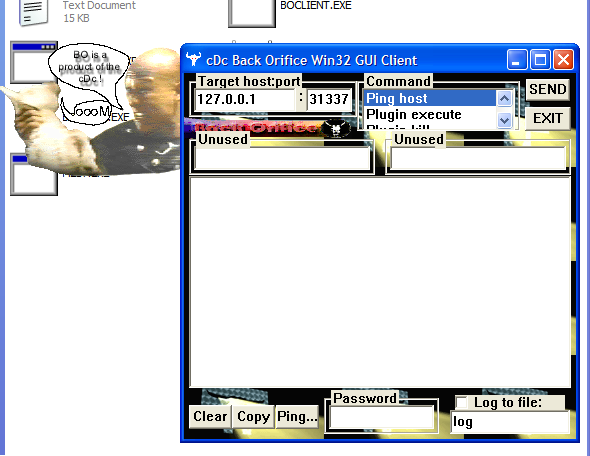
The GUI of the client (attacker-side) is illustrated as follows:
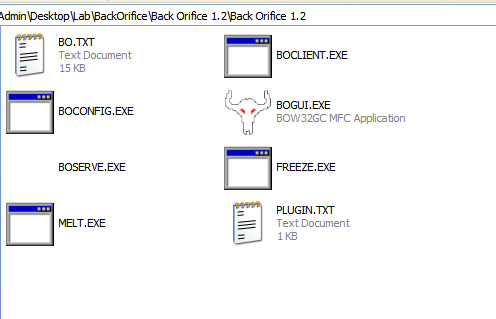
There are several files of this version:
- BO.txt: The documentation of Back Orifice
- plugin.txt: The plugin programming documentation
- boserve.exe: The Back Orifice self installing server (payload).
- bogui.exe: The Back Orifice gui client.
- boclient.exe: The Back Orifice next client.
- boconfig.exe: utility to configure exename, port, password, and default plugin for a BO server.
- melt.exe: Decompresses files compressed with the File freeze command.
- freeze.exe: Compresses files that can be decompressed with the File melt command.
Here the terms “melt” and “freeze” might be confusing. Some other RATs use the term “melt” to indicate deleting the payload executable after it has been launched, while Back Orifice uses this term to represent decompressing files and uses “freeze” to represent compressing files.
Back Orifice 2000
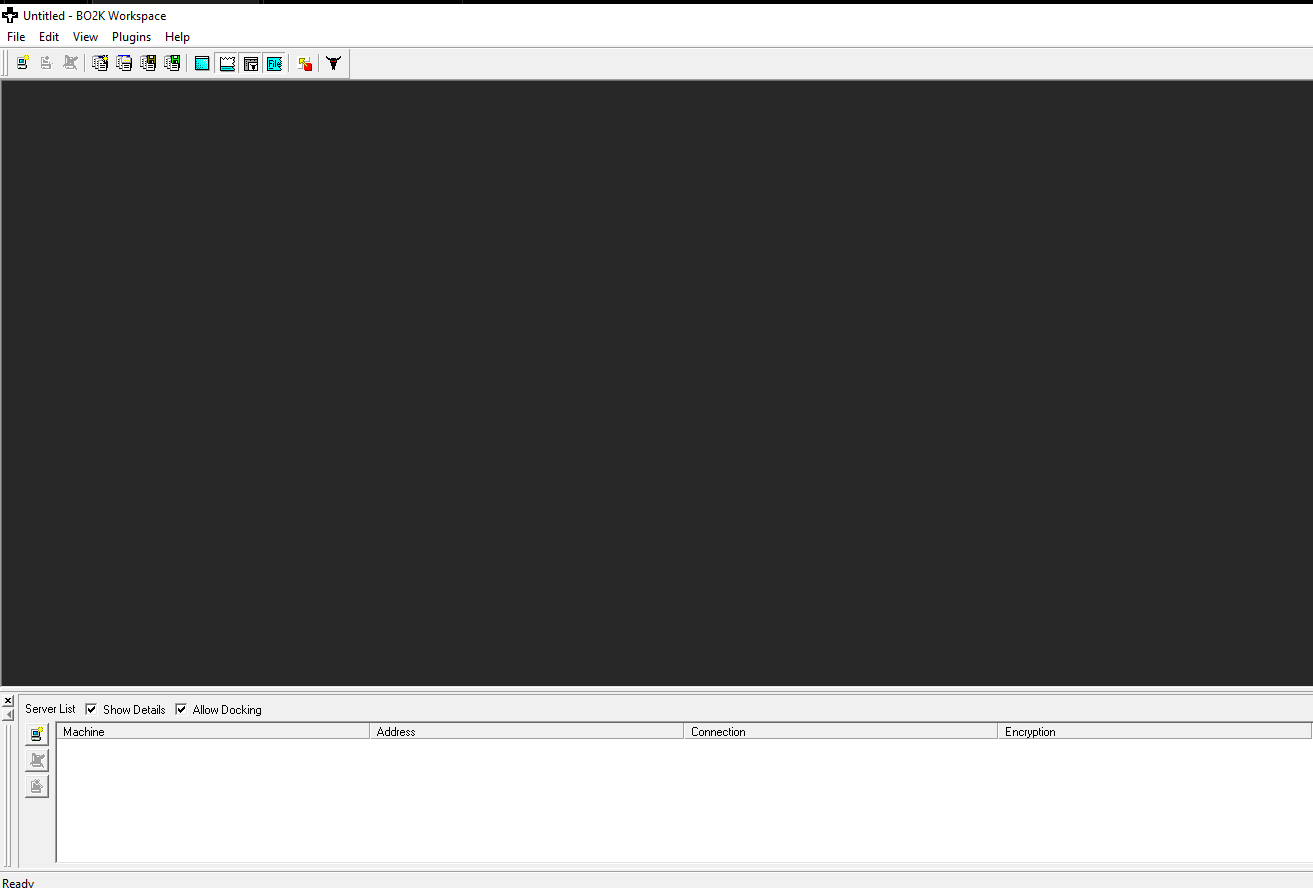
The GUI of client (attacker-side) is illustrated as follow:
To launch the payload, launch bo2kcfg.exe instead of `bo2k.exe:
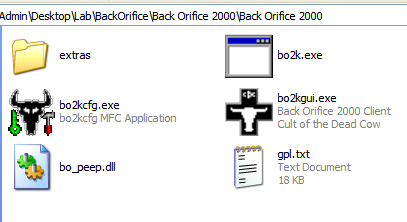
This GUI-based wizard allows the attacker to configure the payload.
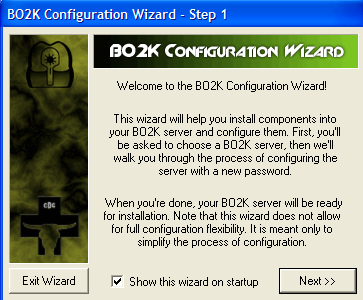
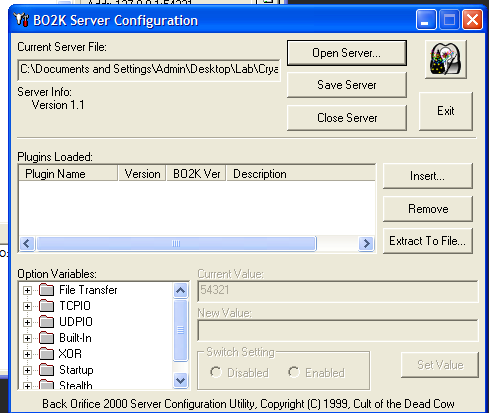
Here, the term “Server” might be confusing from a modern perspective. In early-generation RATs, a “server” executable referred to the payload deployed on the victim machine, while a “client” referred to an application used for controlling the victim machines. As firewall technologies evolved and network security improved, attackers gradually shifted from direct connections to reverse connections.
To avoid confusing, this article uses the terms:
- Controller: attacker-side application
- Payload: executable deployed on the victim machines
The payload configuration wizard allows the attacker to modify the parameter inside the given payload application:
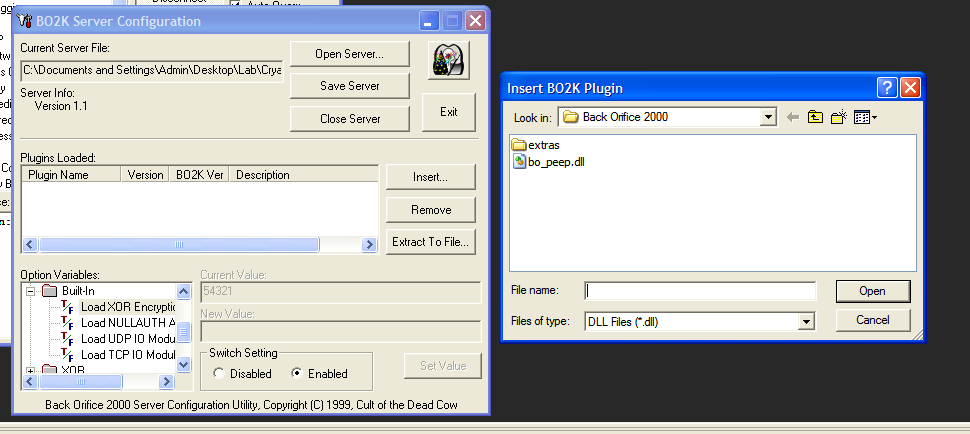
Here, I use port 60000 for the binding port of the payload. Next, launch the payload on the target machine (Windows XP).
Start the controller application, navigate to the tool bar at the top. Select: File -> New Server:
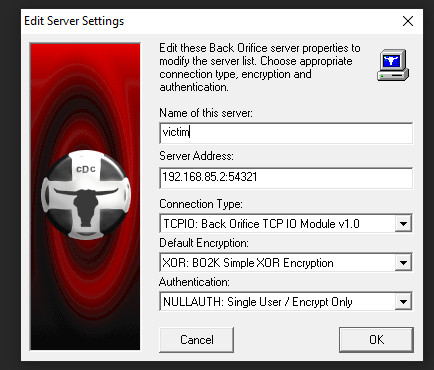
Once you have connected successfully, you can see the following result:
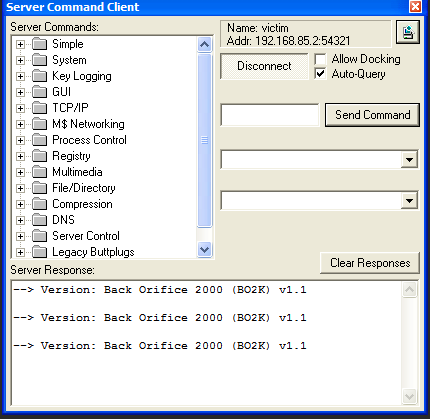
The “Server command client” allows the controller sends C2 commands to the payload. The mechanism works as follows: The controller sends C2 commands to the payload, the payload executes the corresponding funcitonallity and then return it. The controller receives the responses of the payload and displays them in the “Server Response” box.
Protocol Analysis
Back Orifice officially provides XOR encoding and 3DES encryption for protecting the communication. As mentioned in the wizard, 3DES is only available on the US version of the product. However, I can hardly find the “US version” of this software.
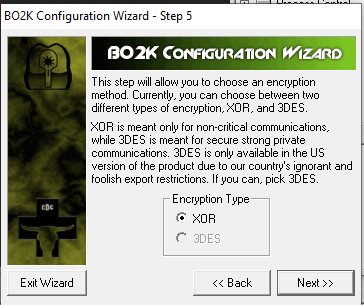
XOR
Back Orifice encodes the communication channel with a password string:
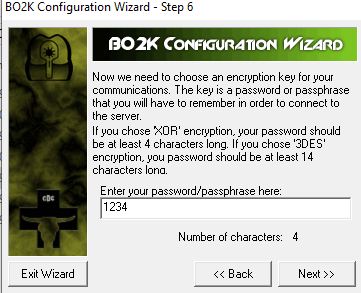
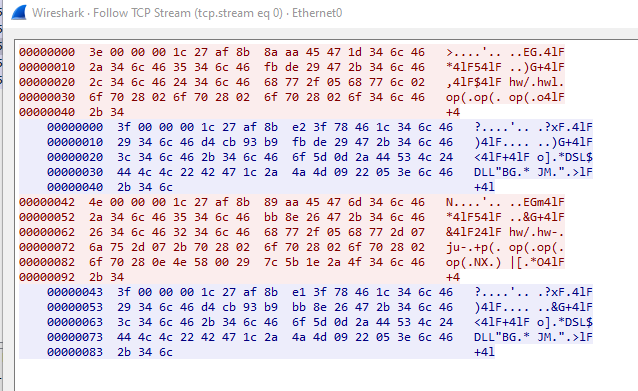
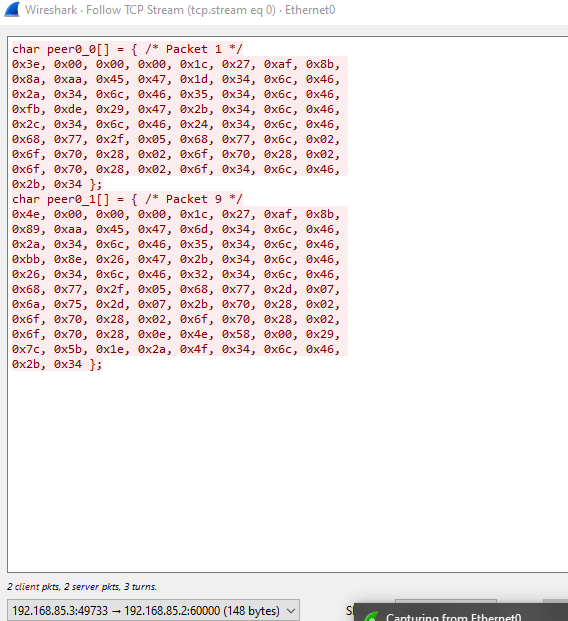
Since this communication is encoded by XOR, I am going to demonstrate how to crack this channel with the method Known-Plaintext Attack.
First, notice that Back Orifice provides messagebox prompt up feature, we can send two chunks of large data to the server:
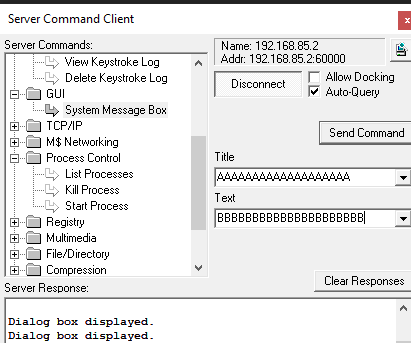
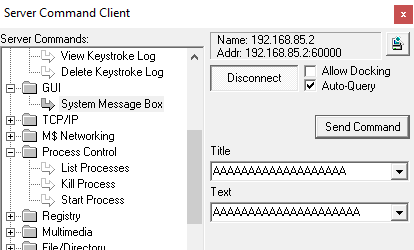
The result is shown as follow:
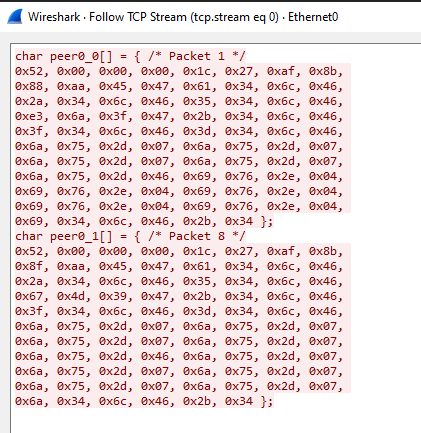
For these two packets, notice that they have the same data 0x52, 0x00, 0x00, 0x00, 0x1c, 0x27, 0xaf, 0x8b as the prefix. Therefore, we can assume that this is the header or the C2 command for messagebox prompting.
There are data chunks that appear frequently in both packets: 6a 75 2d 07 and 69 76 2e 04.
Notice that (The SCLD course killed my passion of Boolean Algebra) :
Proof:
The ASCII result of A and B in hexadecimal are 0x41 and 0x42 respectively.
Next, perform XOR calculation:
Therefore, the result is 2b 34 6c 46. Notice that this value appears in the packet:
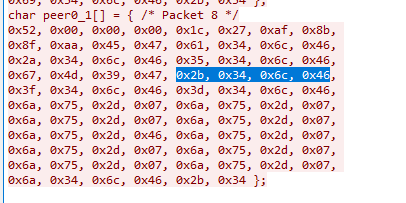
This strongly implies that the repeating 4-byte sequence serves as the XOR key used to encode the communication.
Now, we can write a Python script for decoding the packets:1
2
3
4
5
6
7
8
9
10
11
12
13
14
15
16
17
18
19
20
21
22
23
24
25
26
27
28
29
30
31
32
33
34
35
36
37
38
39
40
41
42
43
44
45
46
47
48
49
50
51'''
Acknowledgement: https://github.com/iss4cf0ng/
'''
import collections
def decoder(packet):
# Frequency Analysis
payload = packet[8:]
chunks = []
for i in range(0, len(payload) - 3, 4):
chunks.append(tuple(payload[i:i + 4]))
most_common = collections.Counter(chunks).most_common(1)
if not most_common:
print('[-] Cannot detect the valid key for decoding.')
return
abKey = list(most_common[0][0])
key_hex = ' '.join(f'{b:02x}' for b in abKey)
print(f'[+] Detected key: {key_hex}')
header = packet[:8]
data = list(header)
for i in range(len(payload)):
data.append(payload[i] ^ abKey[i % 4])
# Hexdump
print('-' * 50)
for i in range(0, len(data), 16):
chunk = data[i:i+16]
offset = f"{i:04x}"
hex_part = " ".join(f"{b:02x}" for b in chunk)
if len(chunk) > 8:
hex_part = hex_part[:23] + " " + hex_part[24:]
ascii_part = "".join(chr(b) if 32 <= b <= 126 else "." for b in chunk)
print(f"{offset} {hex_part:<48} |{ascii_part}|")
packet = [
# Your packet
]
def main():
decoder(packet)
if __name__ == '__main__':
main()
Save the result from Wireshark into the Python script:
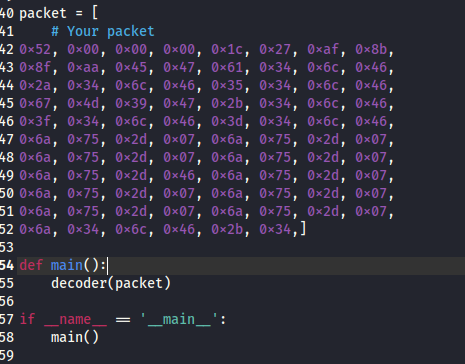
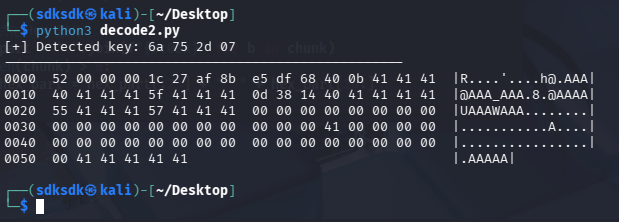
Now we can decode the channel successfully:1
$ python3 decoder.py
Reverse Engineering
First, open the payload executable bok2.exe using ExeInfo and DIE (stands for Detect it Easy):
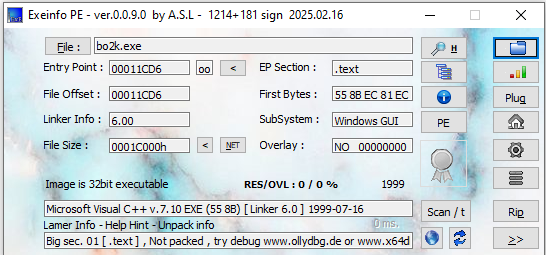
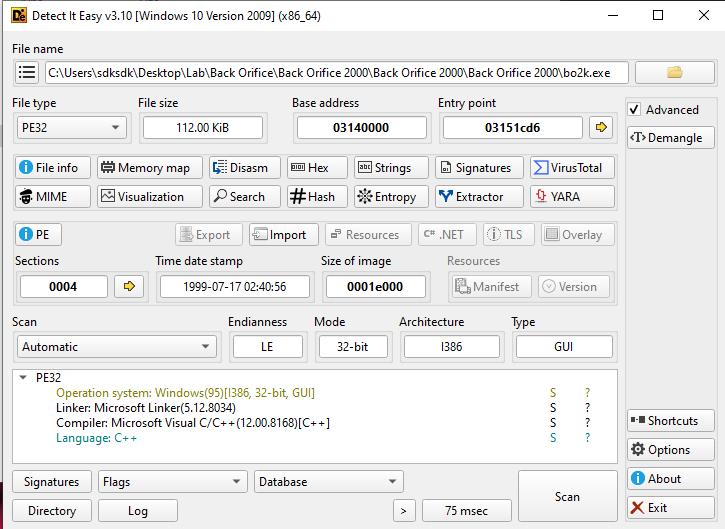
Both tools indicate that it was compiled using Microsoft Visual C++.
Next, open bok2.exe with Ghidra:
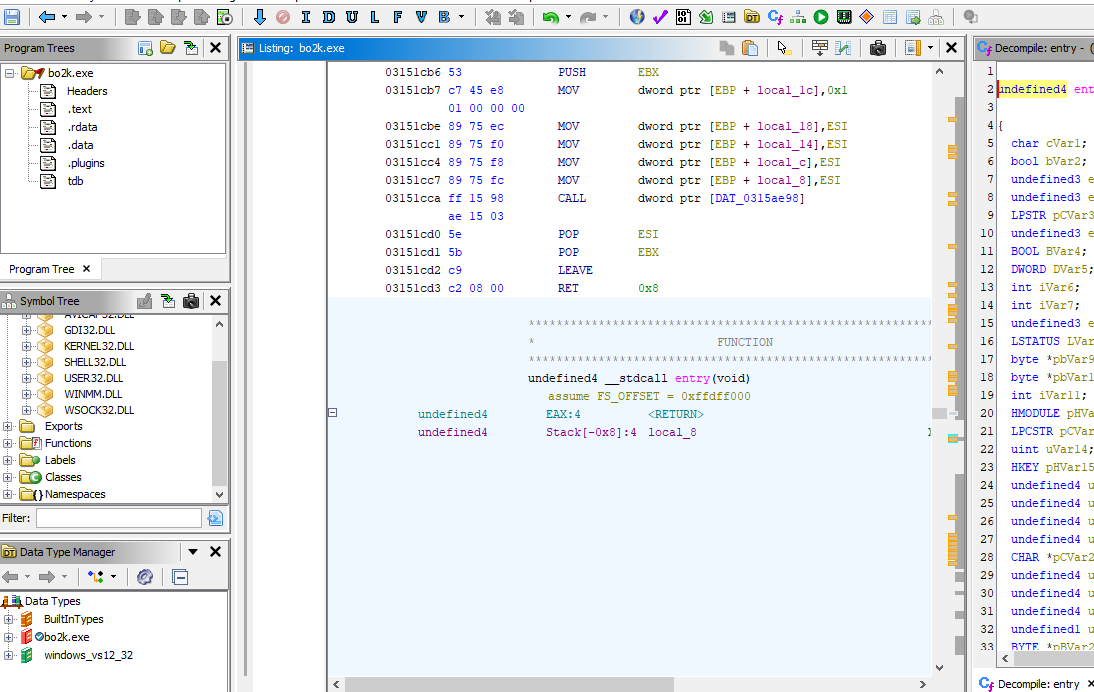
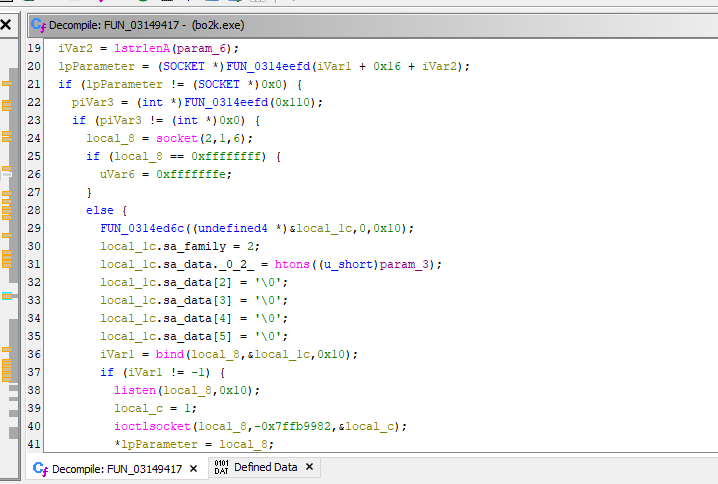
One lesson I learned here is that the message handler of a payload written in VC++ appears like this in Ghidra:
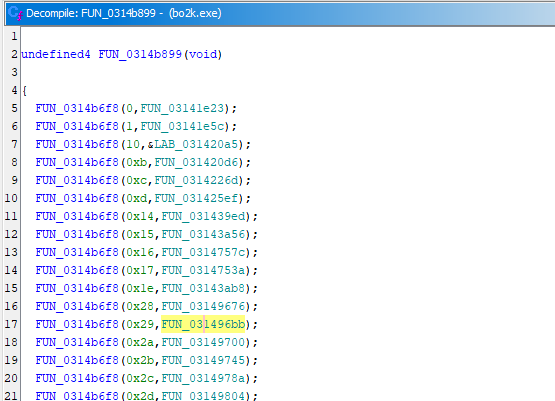
How does it work? FUN_0314b6f8 acts as a dispatcher function. The second parameter (e.g., FUN_0314xxxx) represents the function that executes the corresponding functionality of the payload.
For example, let’s jump into the first one (FUN_03141e23):
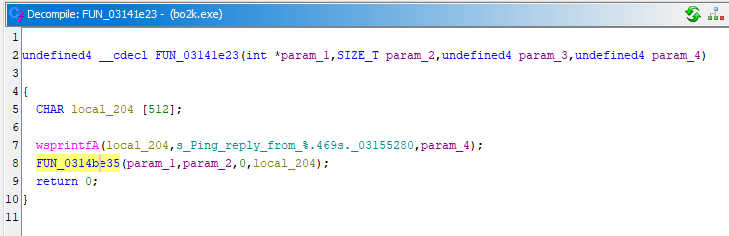
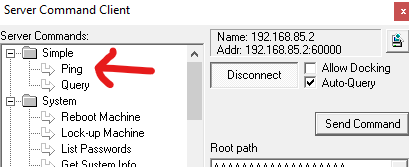
We can find the keyword “Ping”, which corresponds to the first feature provided in the controller GUI:
The 7-th feature provided in the GUI wizard is keylogger, let’s jump into the 7-th function (FUN_031439ed):
We can see the keyword “Key_logging”, which confirms my hypothesis.
Defect
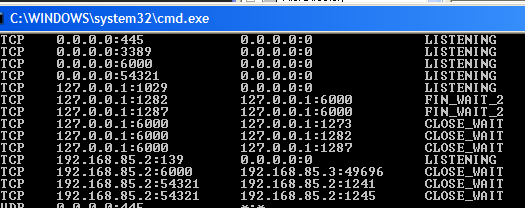
While analyzing this RAT, I had struggled in several issues. The main issue was an incorrect payload configuration, which led to execution failure. The second issue is related to the “Single User” mechanism, which may lead to situations similar to a deadlock scenario in C++ concurrency programming.
Conclusion
This article describes the architecture of an infamous remote access Back Orifice from the early 2000s. It provides multiple features for controlling a remote machine. Since it uses direct connections, it can be persumed that it was used for controlling a remote server rather than targeting random users on the internetwork.
It also provides a GUI wizard for configuring the payload. It is a significant difference between it and the modern RATs. The principle of the configuration functionality is: Static patch, which means it directly modify the PE file.
References
1. https://en.wikipedia.org/wiki/Back_Orifice ↩
2. https://en.wikipedia.org/wiki/Microsoft_BackOffice_Server ↩
3. https://en.wikipedia.org/wiki/Cult_of_the_Dead_Cow ↩
THANKS FOR READING