[DuplexSpy] Fileless Execution
Last Update:
Word Count:
Read Time:
Introduction
This article demonstrates how to use the Fileless Execution feature of DuplexSpy.
This feature allows you to execute a PE (Portable Executable) file on a compromised machine without writing it to disk.
Principle
The C2 server sends raw PE file bytes to the compromised machine. The DuplexSpy payload loads these PE bytes into memory and executes them. When the payload receives a fileless execution command, it creates a new process to execute the PE entirely from memory.
The figure below illustrates the execution flow:

The x64 version of PE loader is based on the implementation by Casey Smith. However, I have developed the x86 version in case the C# payload uses the x86 platform.
Note that a loader can only execute PE files that match its architecture. An x64 loader cannot execute x86 PE files and vice versa. Make sure you identify the architecture of the target PE and select the matched loader.

Getting Started
Example 1 - x64 msfvenom
First, check the architecture of the executed payload:
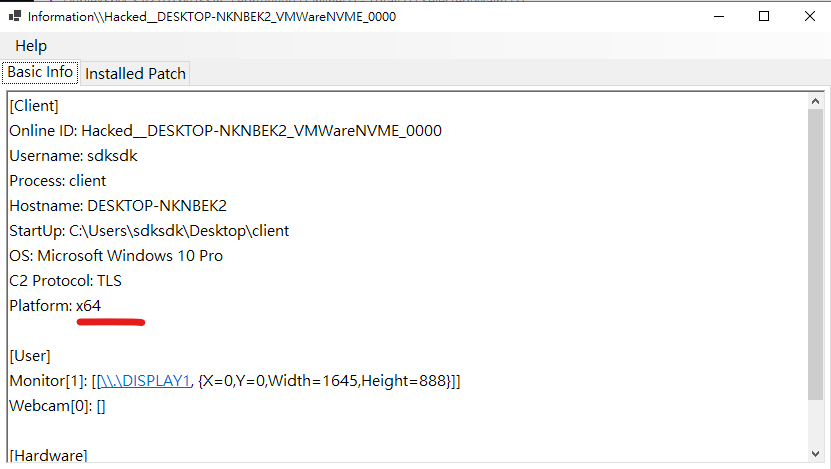
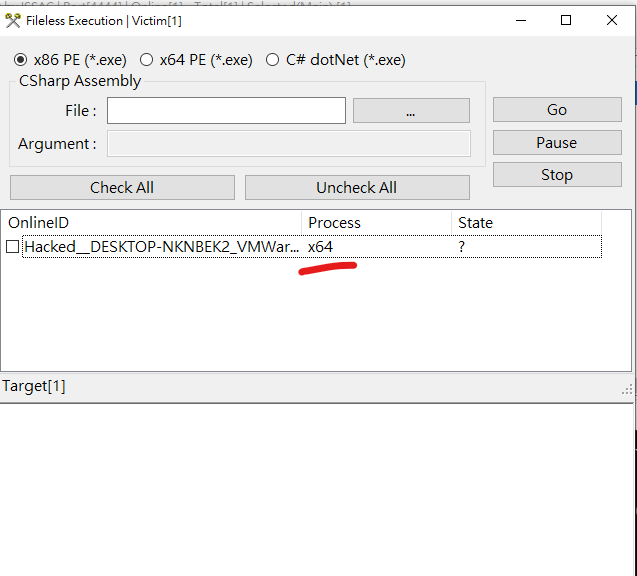
Generate an x64 Messagebox payload:1
$ msfvenom -p windows/x64/messagebox TEXT="msf hello world" -f exe > x64.exe
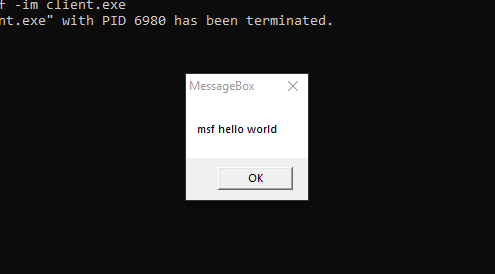
The x64.exe is executed successfully without being written to disk. This is fileless execution. Next, check the process list:
1 | |
Here client.exe is your DuplexSpy payload.
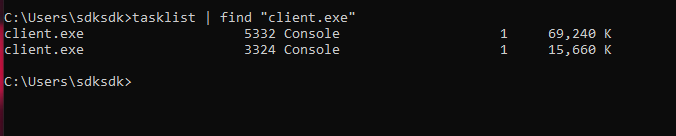
Two instance of client.exe (the DuplexSpy payload) are running. One instance maintains communication with the C2 server, while the other is for executing the filesless payload.

Example 2 - x86 meterpreter
1 | |
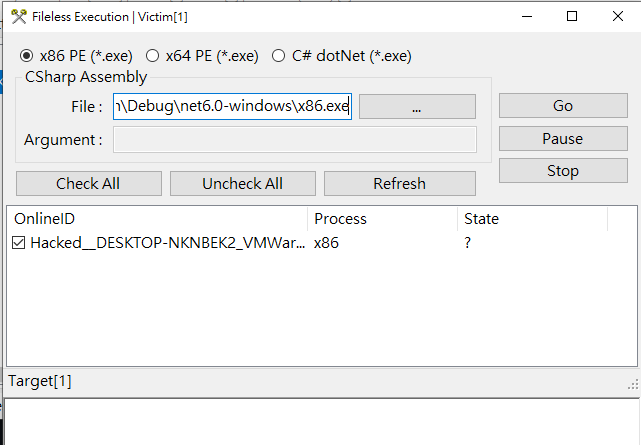

Example 3 - x86 calc.exe
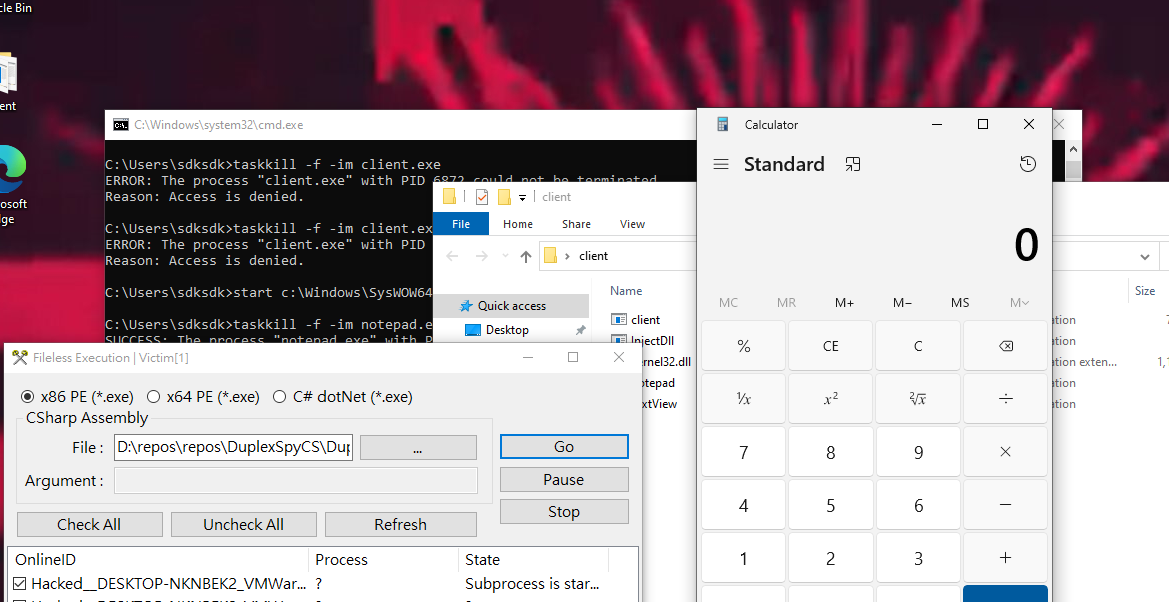
Now, try executing a more complex application:
THANKS FOR READING!