[Book] Practical Guide To Red-Blue Confrontation From ATT&CK
Last Update:
Word Count:
Read Time:
El libro
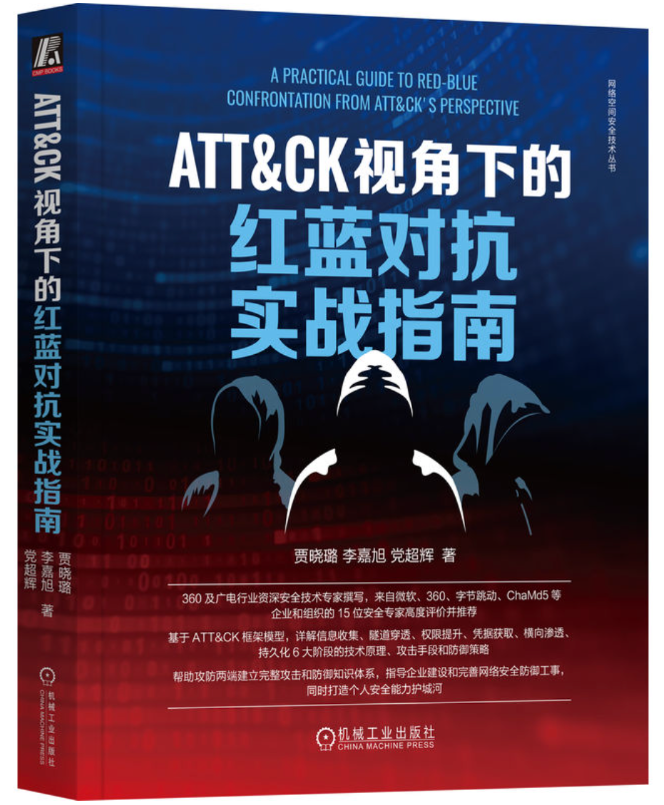
Introduction
This article is used to keep notes and summaries of the book “Practical Guide To Red-Blue Confrontation From ATT&CK”.
The content will be continuously updated as I read through the book.
Reflection
This book introduces many practical cybersecurity attack techniques from the perspective of the MITRE ATT&CK framework.
The majority of the content focuses on attack methods targeting the Windows platform, while Linux is also mentioned in several chapters.
Compared to several books that I have read before (click this one, this one and this one), there are overlapping topics, and most of them primarily discuss Windows security.
However, this book presents tool usage and penetration techniques in a more practical and broader manner. I believe this is a good book for strengthening your fundamental cybersecurity knowledge and skills, especially if you have already read the three books that I mentioned above.
This book including:
- Windows Protocols
- Tunneling
- Proxy/Reverse Proxy
- Port Forwarding
- Lateral(Horizontal) Movement
- Many Many Tools
- Persistence
- Several well-known rootkits
This book not including:
- The underlying principles of Windows Protocols.
- The deep, underlying principles of different methods, such as, port forwarding.
- The underlying principles of exploits.
- How to mastering Cobalt Strike.
There are typo and several mistakes about Windows Protocols, reader should study them and do the double-check with the official documents.
This book is suitable for readers who want a practical overview of offensive techniques rather than a deep understanding of underlying mechanisms.

Chapter.1 - Fundamentals of Windows Security
1.1 - Fundamentals of Windows Authentication
- SSPI
- SSP
- Well-Known SSP
- NTLM
- Kerberos
- Negotiate
- Security Channel
- Digest Authentication
- Cred SSP
- Distributed Password Authentication
- PKU2U
1.3 - Security Authentication Mechanism of Windows
NTLM
Kerberos
- Ports used by Kerberos:
- TCP/UDP 88: Authentication and Tickets
- TCP/UDP 464: Kerberos Kpaswd(Reset Password) protocol.
- LDAP: 389
- LDAPS: 636
Terminology of Kerberos
| Term | Meaning |
| —- | —- |
| AS | Authentication Service. |
| KDC | Key Distrubution Center. (Domain controller, the most important server in a domain). |
| TGT | Ticket Granting Ticket. |
| TGS | Ticket Granting Service. |
| ST | Service Ticket. |
| krbtgt | Every domain has account for krbtgt. |
| Principal | A unique identity to which Kerberos can assign tickets. |
| PAC | Privilege Attribute Certificate. |
| SPN | Servic Principal Name. |
| Session Key | A temporary key. |
| Server Session Key | A temporary key. |
| Authenticator | Encryted with Session Key. |
| Replay Cache | It has added since Kerberos 5. |
An Overview of Kerberos Authentication
- Client demonstrates it has the correct password by encrypting timestamp with its NTLM hash. This process is also know as pre-authentication.
- After successful pre-authentication, the client requests a TGT (Ticket Granting Ticket) from the Authentication Server (AS), which is typically a DC (Domain Controller).
- The client presents its TGT to TGS (Ticket Granting Server) to request access to a specific service. If the TGT is valid, the client receives a ST (Service Ticket) from the KDC’s TGS.
- Client is allowed to access the service on the target server if both the ST and the service authentication are valid
Details of Kerberos Authentication
- AS-REQ and AS-REP (Interaction between client and AS):
- AS-REQ:\
When a client wants to access resources within a domain, after the user enters a username and password, the client sends an AS-REQ message to the Authentication Server (AS).\
The request includes information such as the message type, protocol version, client principal name (username), and pre-authentication.\
To prove knowledge of the password, the client encrypts a timestamp using a key derived from the user’s NTLM hash. This encrypted timestamp is included as pre-authentication data.\
The AS decrypts the timestamp to verify the client’s credentials. If the verification succeeds, the AS responds with an AS-REP message containing a Ticket Granting Ticket (TGT). - AS-REP:
- AS-REQ:\
- TGS-REQ and TGS-REP (Interaction between client and TGS):
- TGS-REQ:
- TGS-REP:
- AP-REQ and AP-REP (Interaction between client and server):
- AP-REQ:
- AP-REP:
1.4 - Windows Protocols
LLMNR
LLMNR (Link-Local Multicast Name Resolution)
LLMNR Spoofing
NetBIOS
NetBIOS (Network Basic Input/Output System)
WPAD
WPAD (Web Proxy Auto-Discovery) Protocol
1.5 - WMI
WMI (Windows Management Instructmentation) is the essential of Windows XP/2000 system management. User can perform local or remote resource management.
It supports DCOM (Distributed Component Object Model) and WinRM (Windows Remote Management). It is a useful tool for Win32 operating system. On the other hand, it is a useful tool for fileless attack.
WQL
WQL (WMI Query Language) is a SQL of WMI, it has a similar syntaxs to SQL. However, WQL can only be used for data query, it is not allowed to do creation, delete or modification to the instance of a class.
Example of Querying
Basic usage:1
SELECT properties[, properties] FROM class [where clause]
1 | |
WMI Client
- PowerShell
- Get-WmiObject
- Get-CimAssociatedInstance
- Get-CimClass
- Get-CimInstance
- Get-CimSession
- Set-WmiInstance
- Set-CimInstance
- Invoke-WmiMethod
- Invoke-CimMethod
- New-CimInstance
- New-CimSession
- New-CimSessionOption
- Register-CimIndicationEvent
- Register-WmiEvent
- Remove-CimInstance
- Remove-WmiObject
- Remove-CimSession
- WBEMTEST
- WinRM
- Win explorer
- WSH
WMI Remote Interactive
- DCOM:\
DCOM (Distributed Component Object Model) is a set of APIs based on COM, introduced by Microsoft. Before understanding DCOM, it is necessary to understand COM.\
COM (Component Object Model) is a standard defined by Microsoft that specifies how software components communicate with each other on the same machine. It allows a client to interact with a component directly, without the need for any intermediate component.\
DCOM is an extension of COM that enables clients to use COM objects not only locally but also remotely over a network. This functionality is implemented using RPC (Remote Procedure Call).\
DCOM enhances COM by providing support for distributed computing, multiple network protocols, and secure communication. - WinRM
WMI Events
Attacking WMI
- Information Extraction
- Computer/System Information: Win32_OperatingSystem, Win32_ComputerSystem
- File/Directory: CIM_DataFile
- Desk: Win32_Volume
- Registry: StdRegProv
- Process: Win32_Process
- Service: Win32_Service
- Event: Win32_NtLogEvent
- Logged Account: Win32_LoggedOnUser, Win32_LogonSession
- Sharing: Win32_Share
- Hotfix: Win32_QuickFixEngineering
- Network: Win32_IP4RouteTable
- User Account: Win32_UserAccount
- User Group: Win32_Group
- Anti-Virus
1
SELECT * FROM AntiVirusProduct - Lateral Movement
Chapter.2 - Information Extraction
2.1 - Host Enumeration
Ping
1 | |
ARP
1 | |
1 | |
1 | |
2.2 - Information Extraction on Windows
User’s Information and Privilege
| Command | Description |
|---|---|
| net user | |
| net localgroup administrators | |
| query user | |
| whoami /all | |
| whoami && whomai /priv | |
| net localgroup |
System Information
| Command | Description |
|---|---|
| ipconfig /all | |
| wmic service list brief |
Network Information
2.2 - Information Extraction on Linux
Chapter.3 - Tunneling
Chapter.4 - Privilege Escalation
Windows Privilege Escalation
Bad Configuration
DLL Hijacking
Privilege Escalation with 3rd Service
- MySQL UDF
- What is UDF
- How to do escalation
1
2
mysql> select @@plugin_dir;
mysql> show variables like, %plugin%;
Chapter.5 - Credentials Extraction
Chapter.6 - Lateral Movement
Chapter.7 - Persistence
Thanks for reading!